See how much stands behind each range filter turn before you take the trade
Wolf Blackout Trader follows price with a dual-speed range filter in NinjaTrader 8 and scores every turn out of five: the turn itself, RSI side, the EMA 144 trend, the EMA 144 on a higher timeframe and a volume burst.
- Every range filter turn scored out of five, with the stars printed on the BUY or SELL plate
- With Non-Repaint Mode on, the default, a plate prints only when its bar has closed
- Entry, stop and five targets as percentages of the signal close, each target labelled when reached
- 21-row dashboard with ATR in points and percent and a six-timeframe EMA 144 trend block
- A NinjaTrader 8 Add-On. Import one zip and it appears as “Wolf Blackout Trader AlgoFX” in your Indicators list.
- A 16-page PDF manual with every setting, the signals, the alerts and installation. One-time €77.
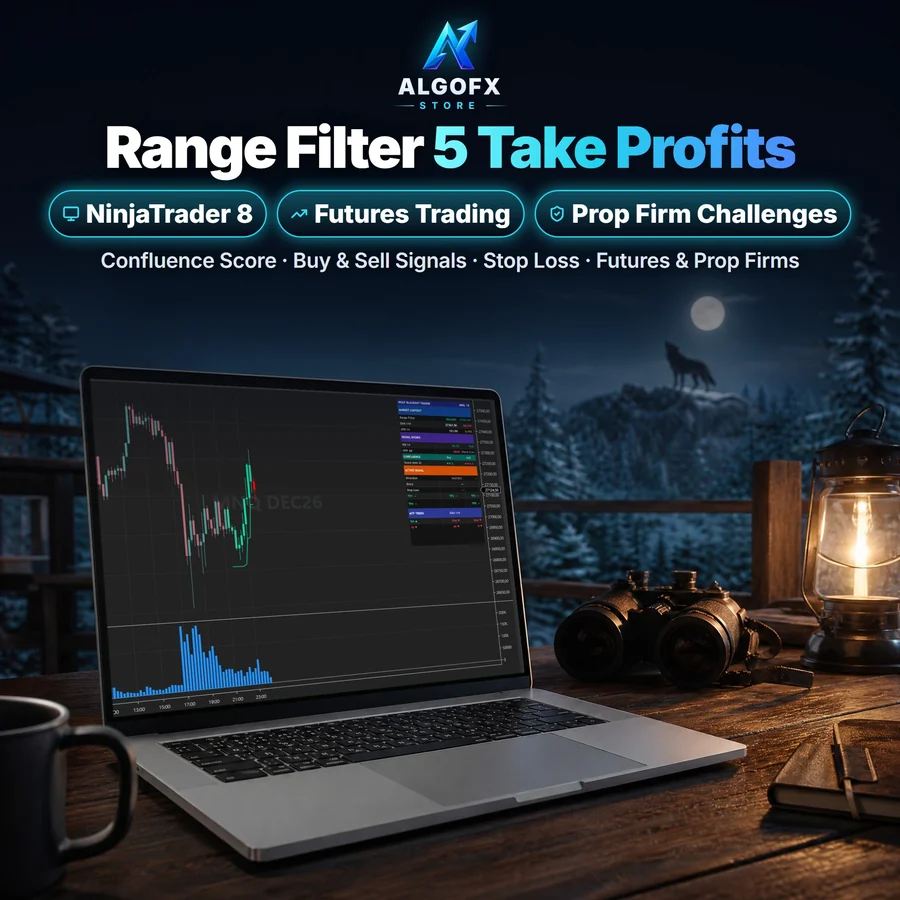
See Wolf Blackout Trader on a real chart
Press play; use the full-screen button to see every detail.
This video shows the same indicator on another charting platform; the NinjaTrader 8 edition sold here runs in NinjaTrader 8's own chart and settings windows. · 8:48 · Plays from YouTube when you press play (YouTube then sets its own cookies; see Privacy).
A filter tells you price turned, not whether anything else agrees
A range filter is a good way to ignore noise: it only steps when price moves further than a smoothed range. But every turn looks the same on the chart. The turn into a market where RSI, the longer trend, the higher timeframe and volume all point the same way and the turn where none of them do draw the same line and the same arrow. You only find out which one you took afterwards.
Checking those things by hand means a second chart for the higher timeframe, an RSI panel, an EMA and a volume average, all read at the moment the bar closes. On a 1 or 5 Minute futures chart that is a lot to scan before the next bar starts, and it is easy to check three of them on one signal and only one on the next.
Wolf Blackout Trader does the checking for you. Each turn is scored out of five, the stars are printed on the plate, turns below your minimum never print, and the entry, stop and five targets are drawn the moment the bar closes.
What Wolf Blackout Trader draws, and what each mark means
Read from the shipped NinjaScript edition.
| What you see | What it means |
|---|---|
| BUY ▲ / SELL ▼ plate with 1-5 stars | A range-filter turn that reached the minimum confluence score on a closed bar. |
| White ENTRY line | Entry at the signal bar's close. |
| Red dashed SL line | Stop at Stop Loss % (1.0) from the close. |
| Green TP1-TP5 lines | Targets at 0.5, 1.0, 1.5, 2.5 and 4.0 % from the close. |
| TP1 HIT... TP5 HIT / SL HIT labels | The bar that reached each level. |
| Recoloured candles and filter line | The filter's regime: bullish, bearish or neutral. |
| Small diamonds | Reversal RSI(28) beyond 78 / 27 and its average - exhaustion marks, not trades. |
| Dashboard | Filter, EMA, ATR (points and %), RSI, HTF and volume readings, live score, active signal, six-timeframe trend. |
How Wolf Blackout Trader scores and draws a signal
This is the logic of the shipped NinjaScript indicator. It reads the chart's own bars plus closed bars of the same instrument on other timeframes.
- 1
Two ranges, one filter line
The filter follows the Signal Source (Close). Its band is the average of a fast smoothed range (length 32 x 1.67) and a slow one (89 x 6.0). It only moves when price leaves the band: above it, it steps up to price minus the band; below it, down to price plus the band. The line and, with Color Bars by Trend on, every candle take the regime colour: bullish, bearish or neutral.
- 2
A turn scores out of five
A BUY turn is the first bullish bar after the last bearish one; a SELL turn mirrors it. The turn scores one point. RSI(14) above 50 adds one for a BUY, the close above the EMA(144) one, the higher timeframe (60 minutes) closed above its own EMA(144) one, and bar volume at or above its 20-bar average one. A layer you switch off scores its point automatically.
- 3
Other timeframes only once closed
The higher-timeframe layer reads the closed 60-minute bar before the last closed one: on a 5 Minute chart at 14:05, the 12:00 to 13:00 bar. All other timeframes, including the six on the dashboard, are read only after their bar has closed, on history and live alike, so a live signal reads the same after a reload, given the same bars.
- 4
From turn to plate
A turn becomes a signal when its score is at least Minimum Confluence Score (2), at least 8 bars have passed since the last signal of the same direction (a BUY never blocks a SELL) and, with Non-Repaint Mode on, the bar has closed. The plate sits under the bar as BUY with a triangle or over it as SELL, followed by one to five stars.
- 5
Five targets and a stop in percent
Every level is a percentage of the signal bar's close: stop 1.0 percent, TP1 0.5, TP2 1.0, TP3 1.5, TP4 2.5 and TP5 4.0 percent. The entry line is white, the stop red dashed, the targets green, each running 40 bars from the signal bar with a tag rounded to the tick. TP1 to TP4 add a TP HIT label and leave the trade open; TP5 or the stop closes it.
- 6
Diamonds and one trade at a time
Small diamonds mark a separate RSI(28) below 27 or above 78 and beyond its own recent average: a stretched move, never a trigger or a block. Only one trade is tracked: a new signal replaces a live one. When one bar both ends a trade and fires a new signal, the new trade is live on the dashboard and in the alerts, but its lines are not drawn.
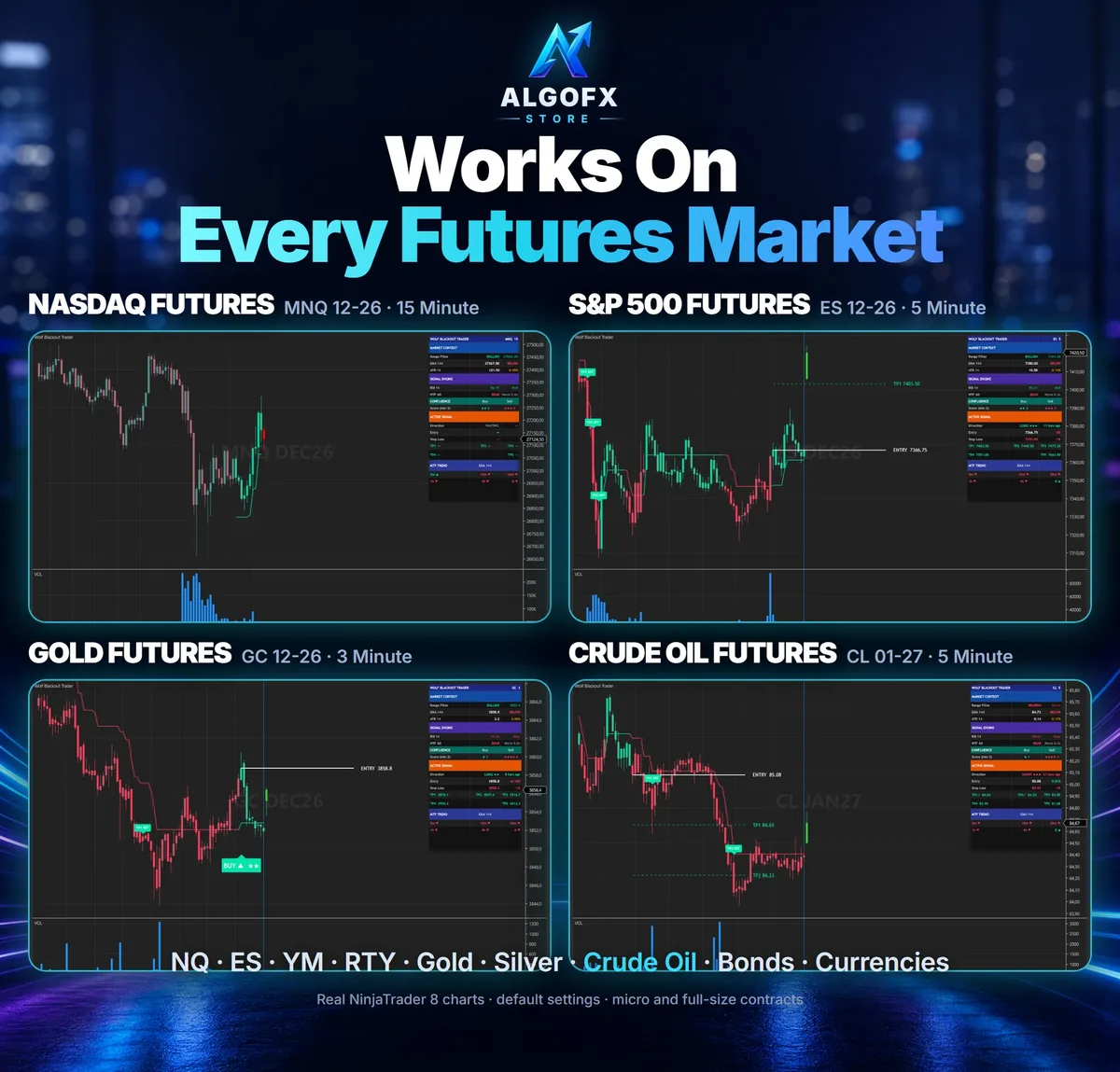
Wolf Blackout Trader on 12 different markets
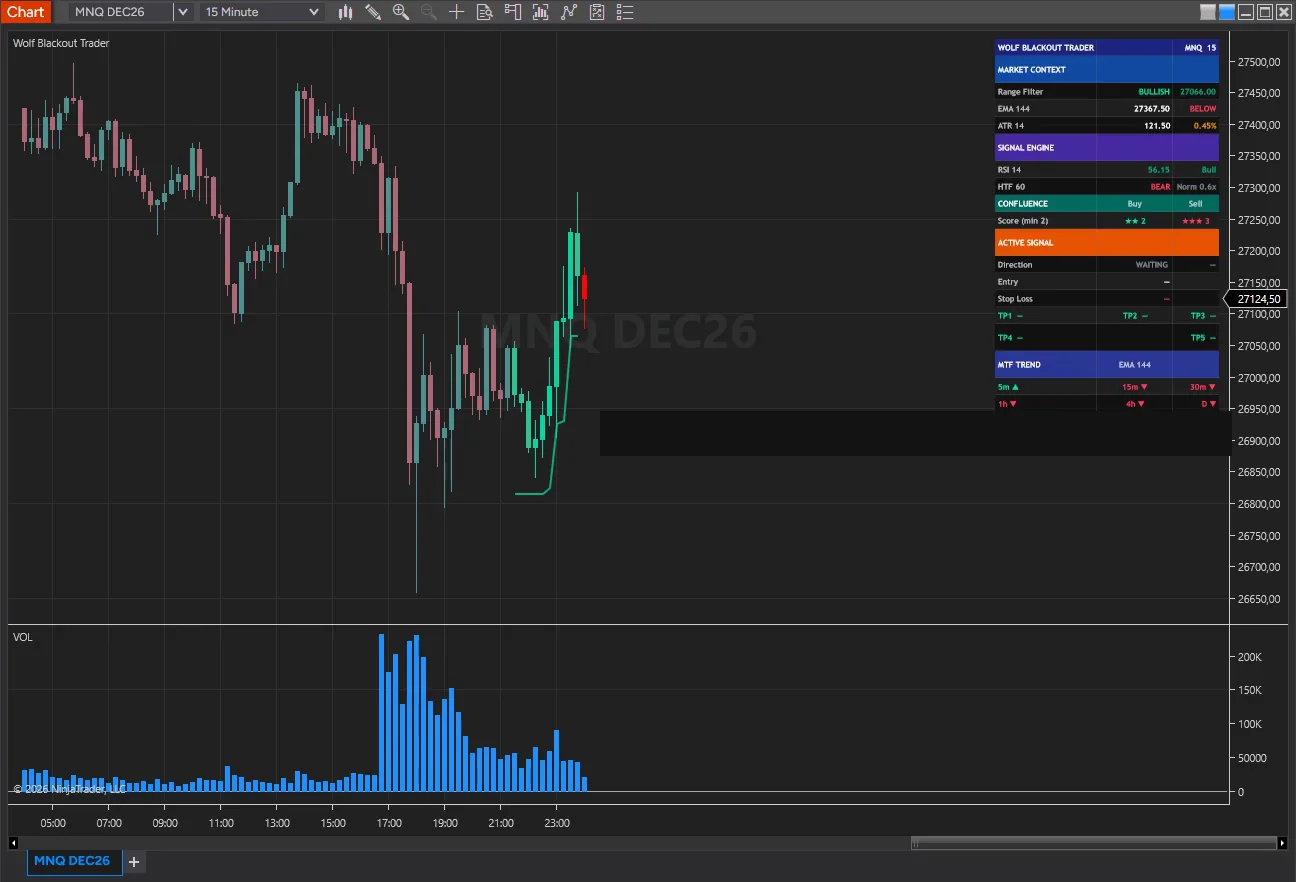
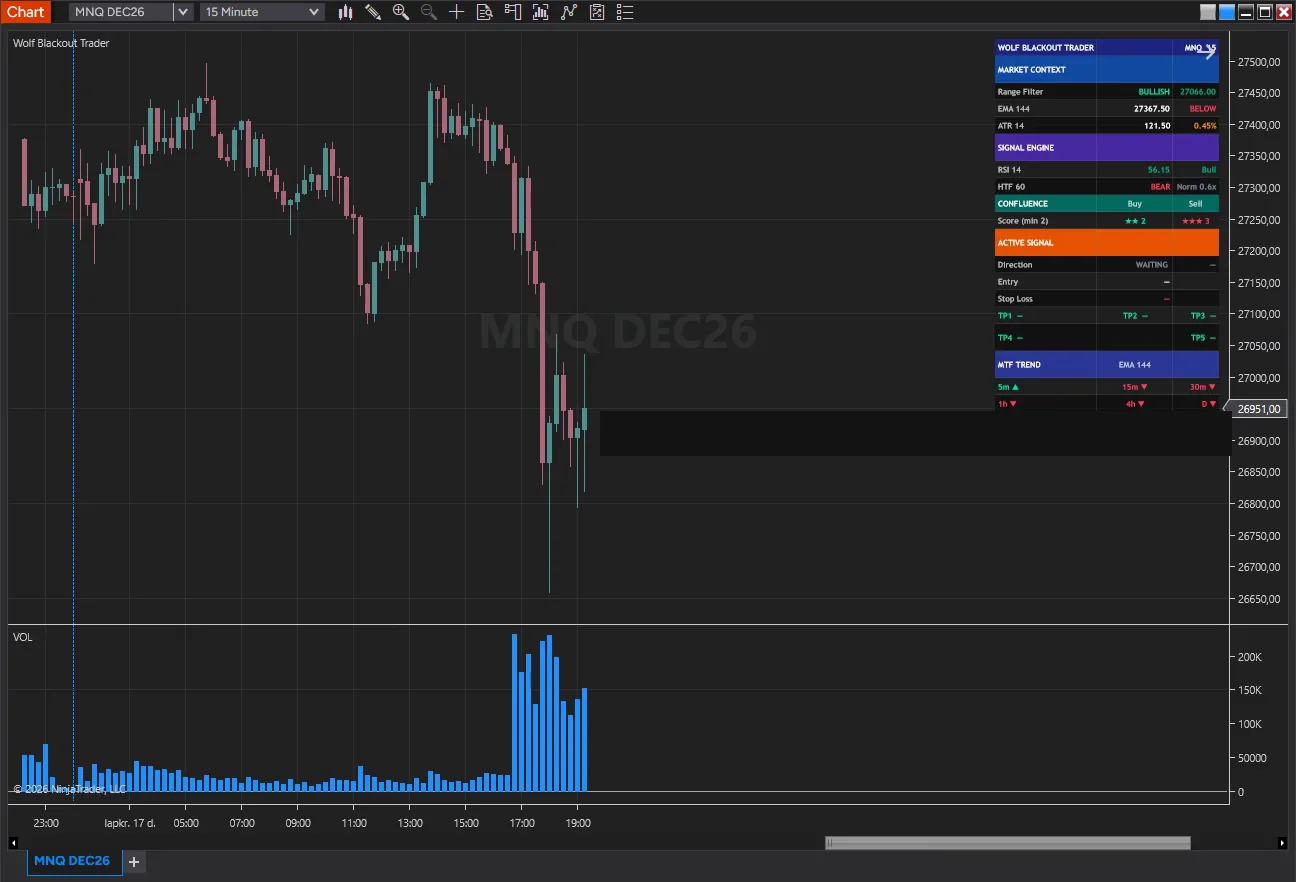
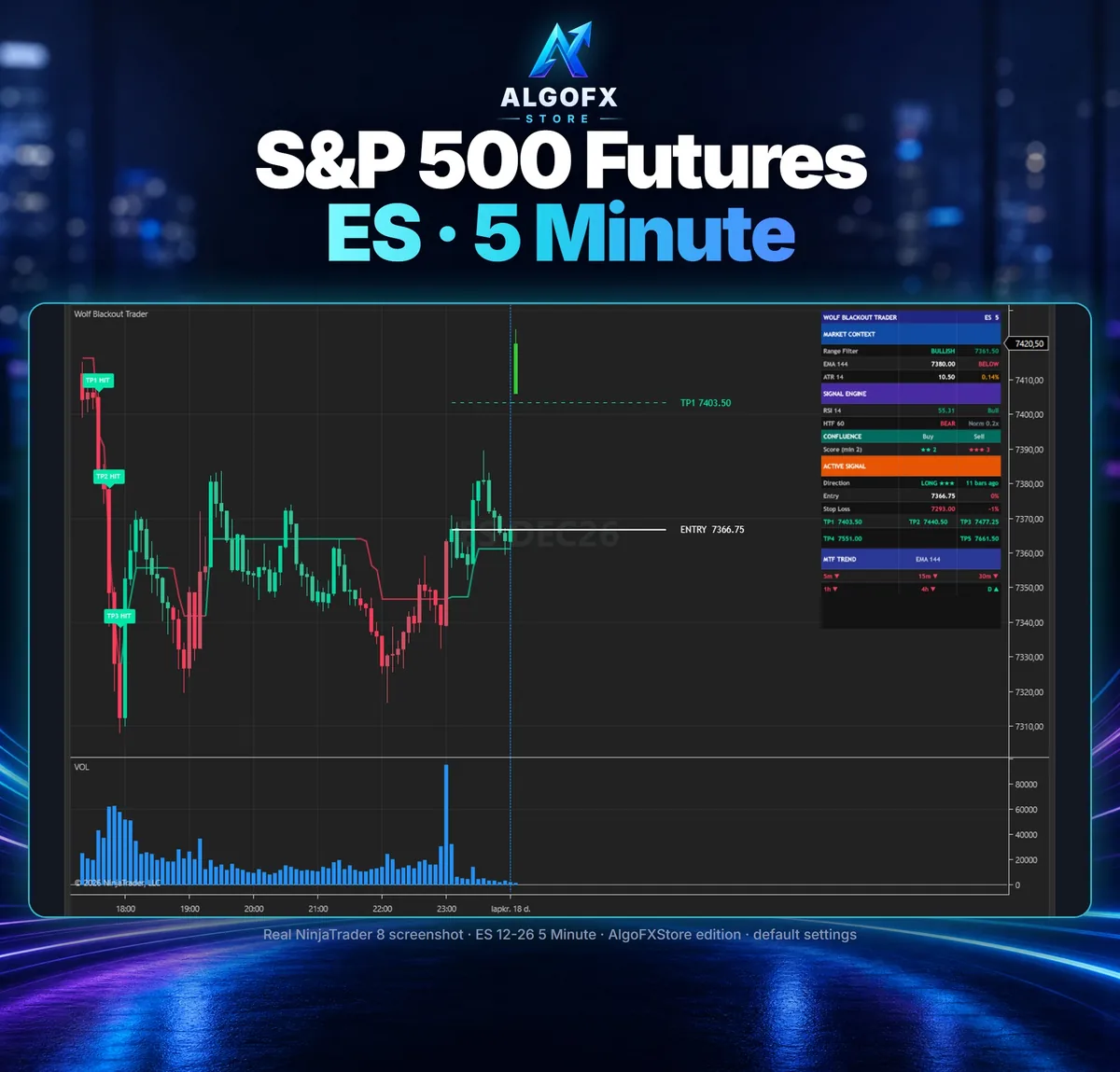
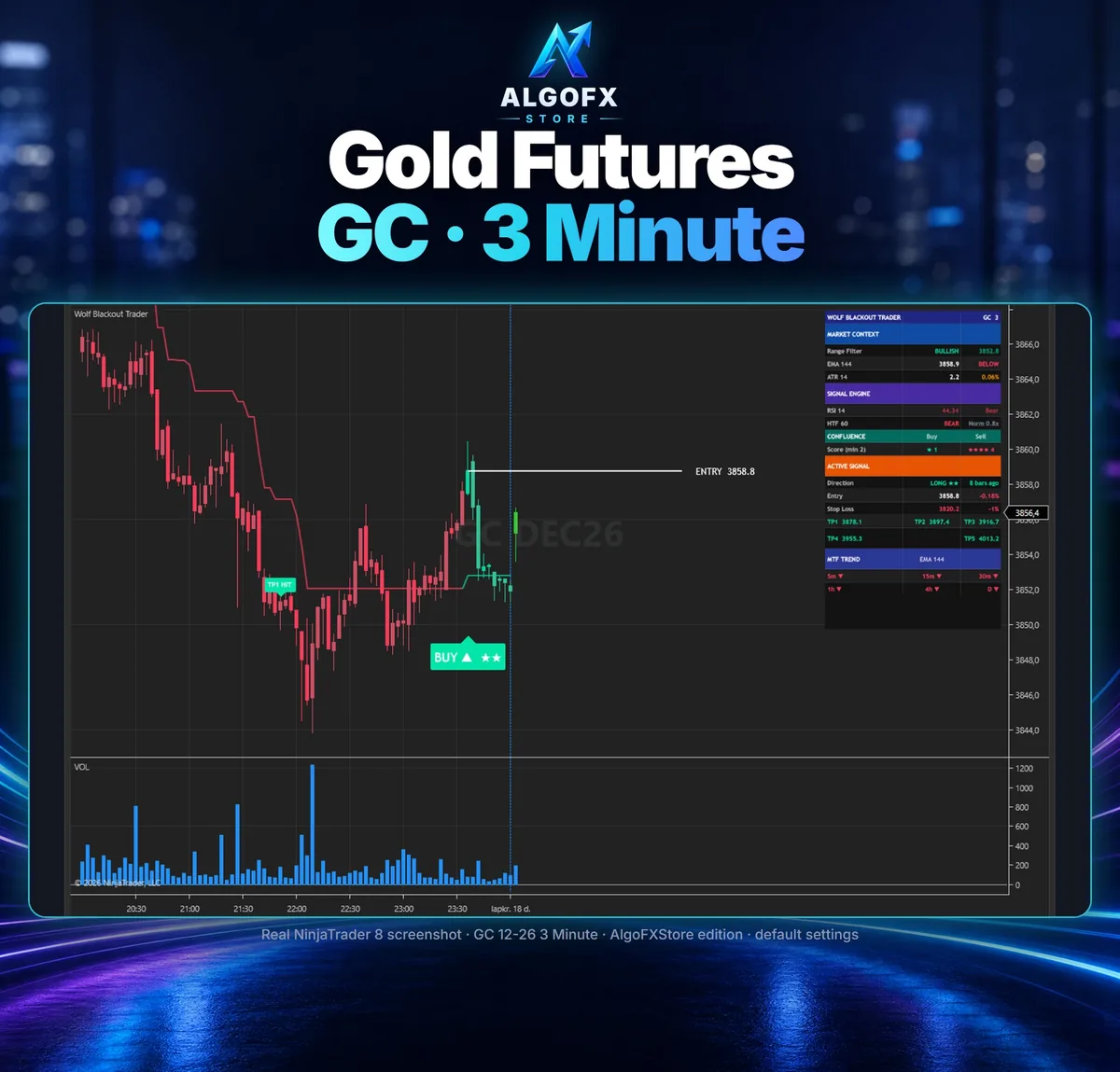
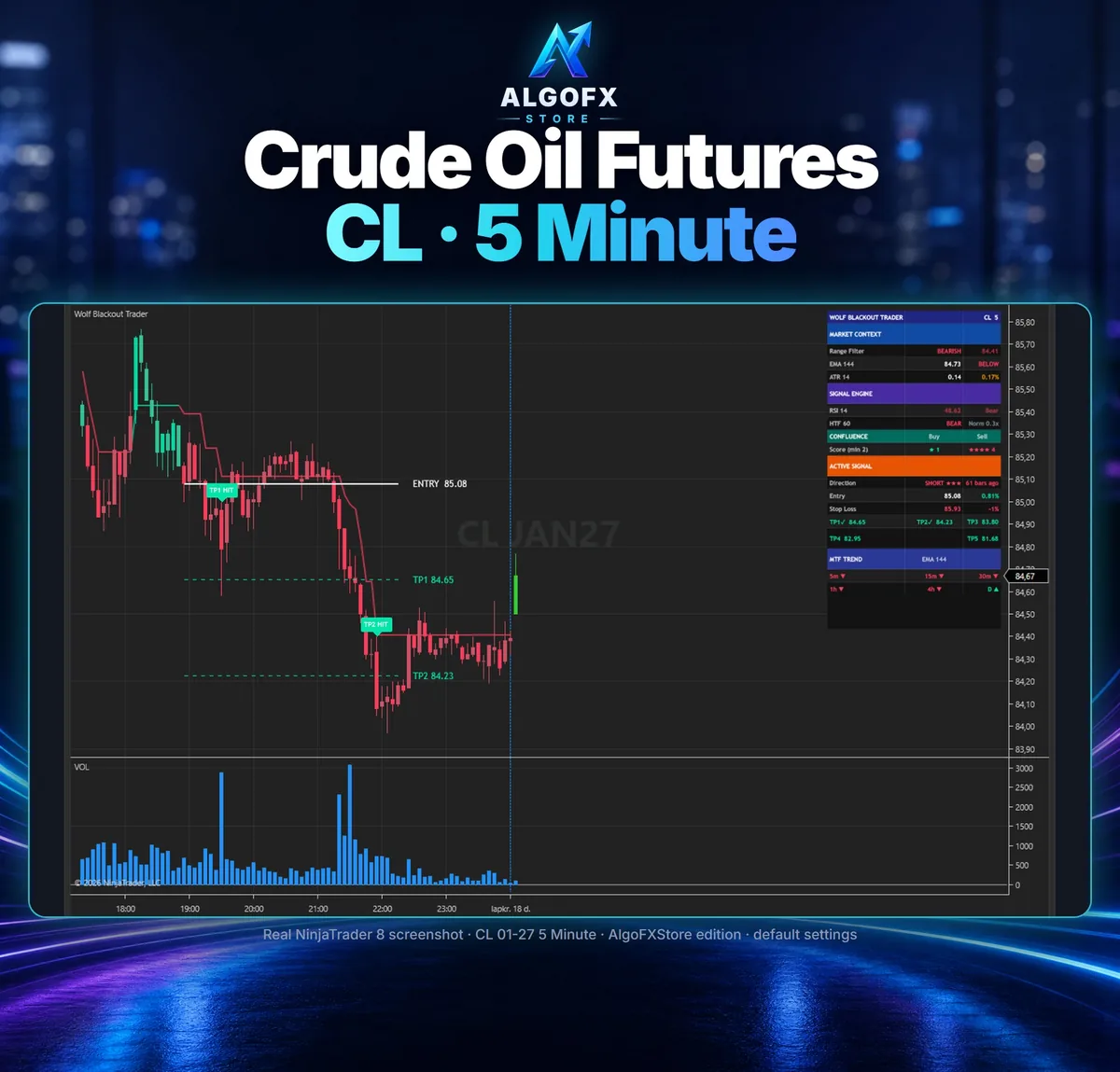
Every chart below is a screenshot of NinjaTrader 8 itself with the shipped Wolf Blackout Trader AlgoFX attached at its default settings. Forex, metals, indices, energy and crypto, so you can see how it reads each kind of market. They show what the indicator draws; they are not trading results. Tap or click any chart to open it full size.
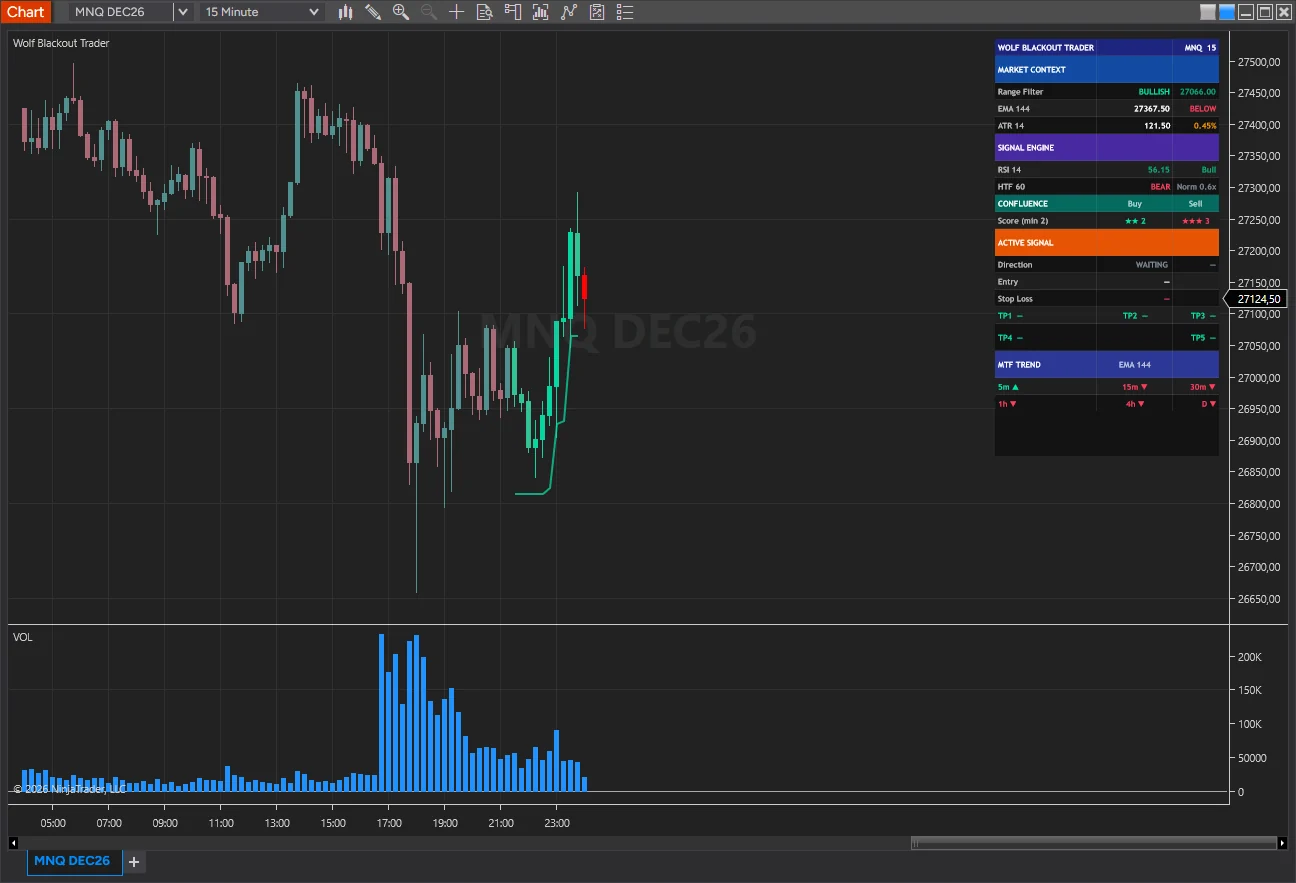
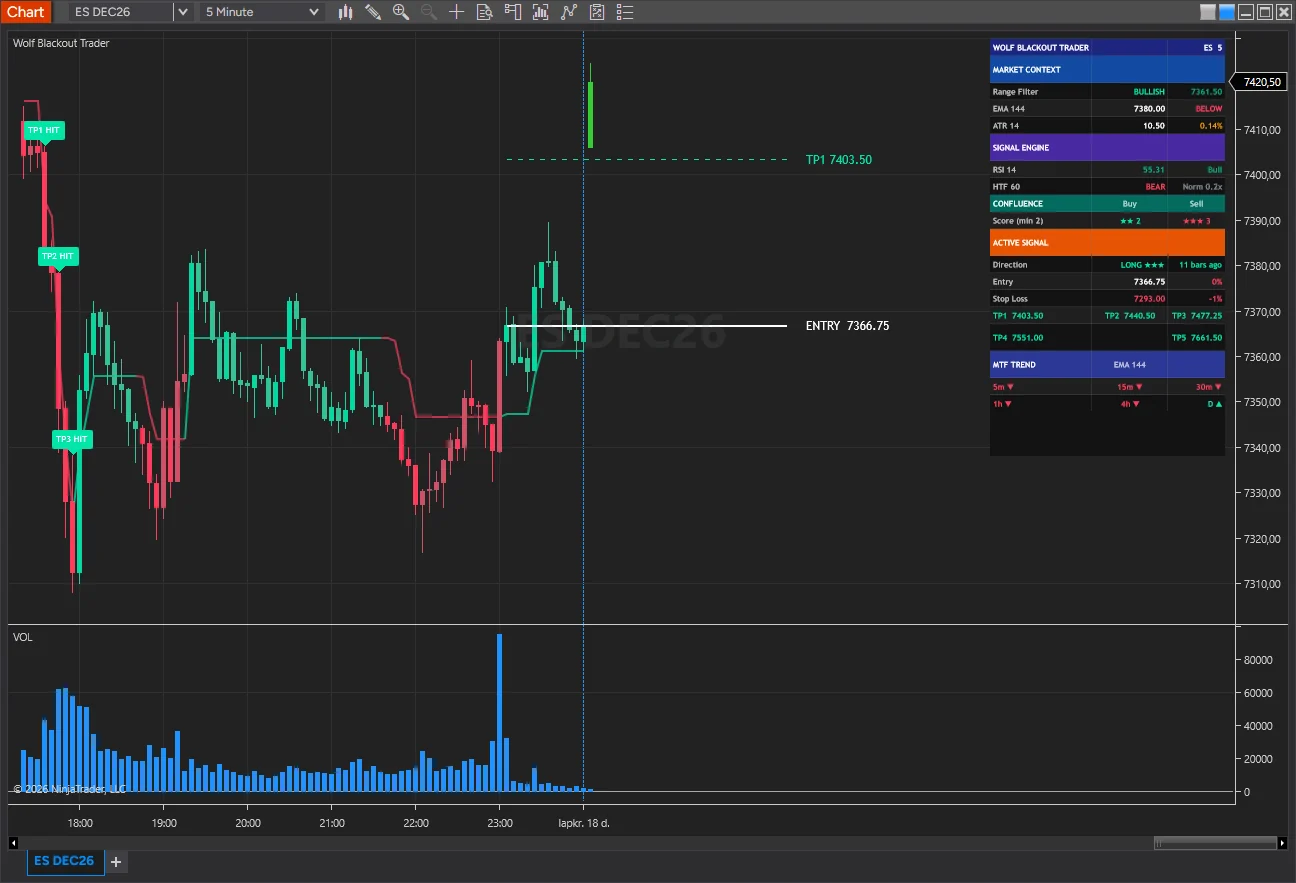
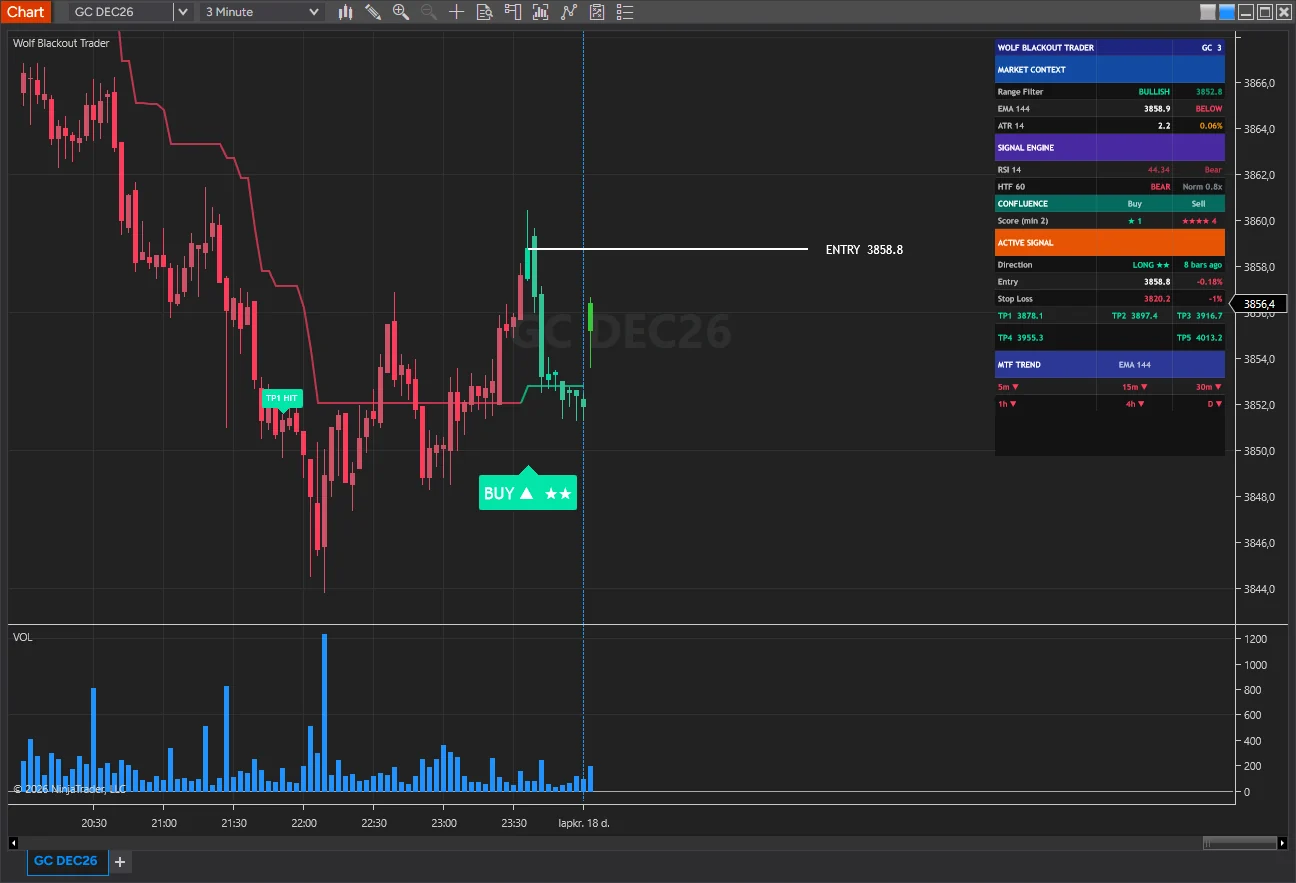
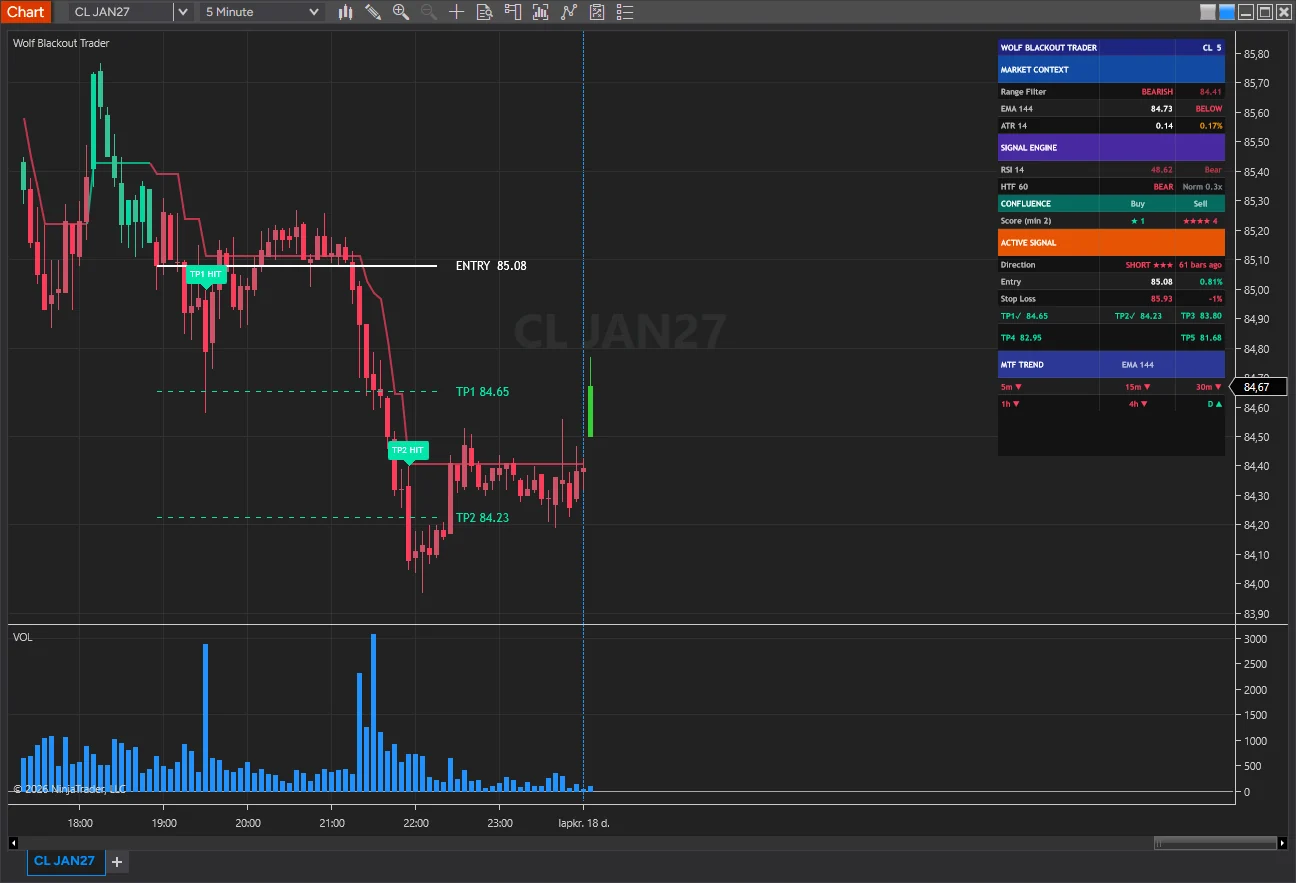
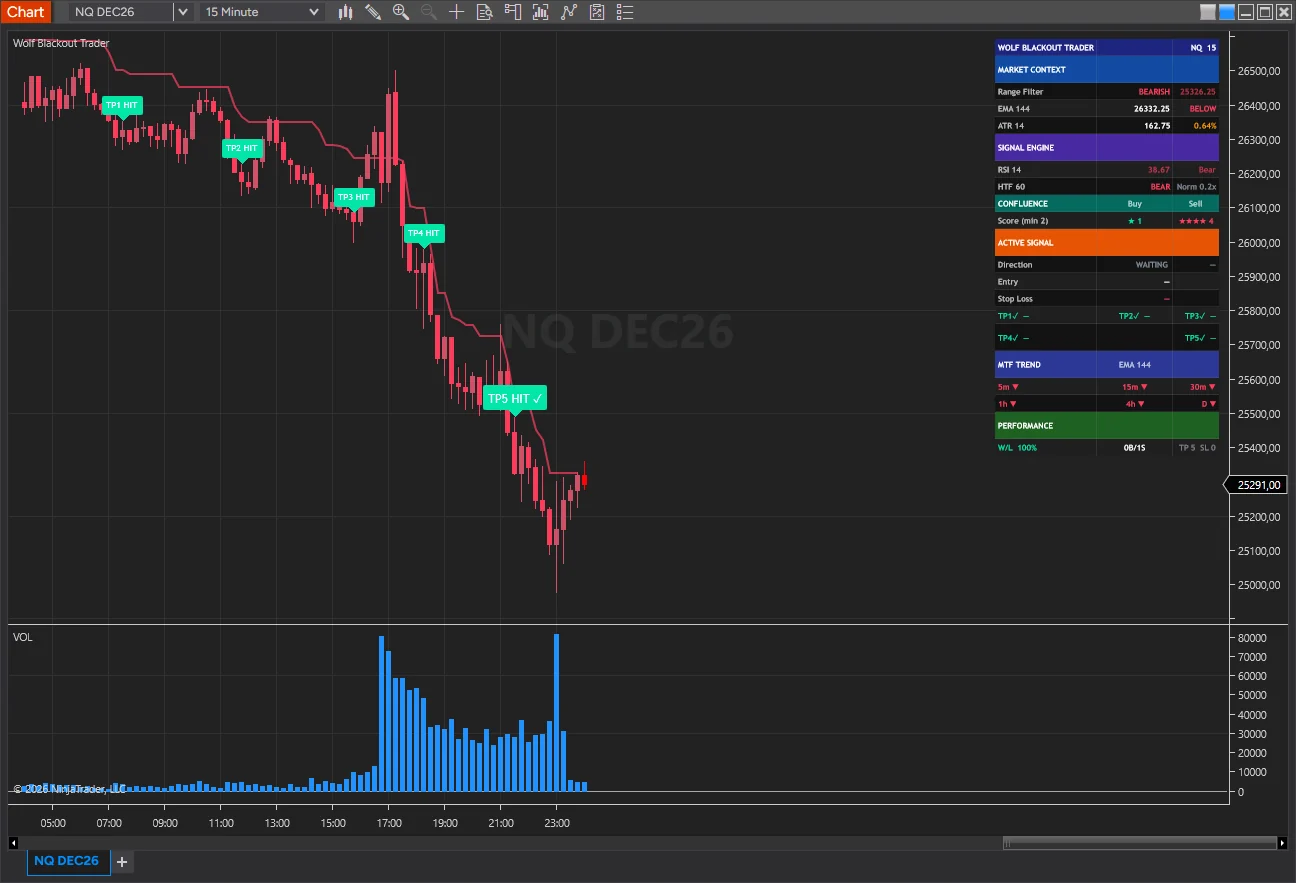
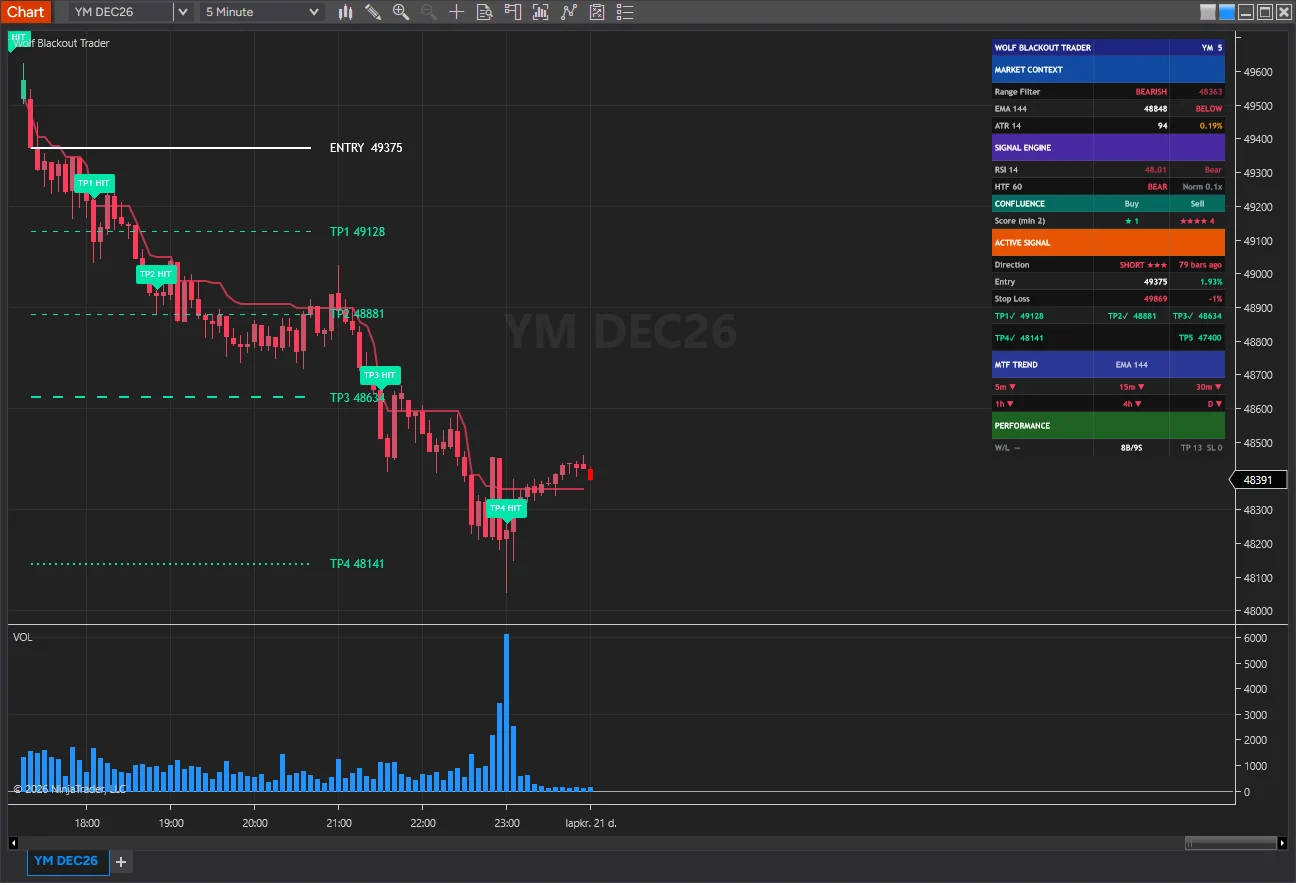
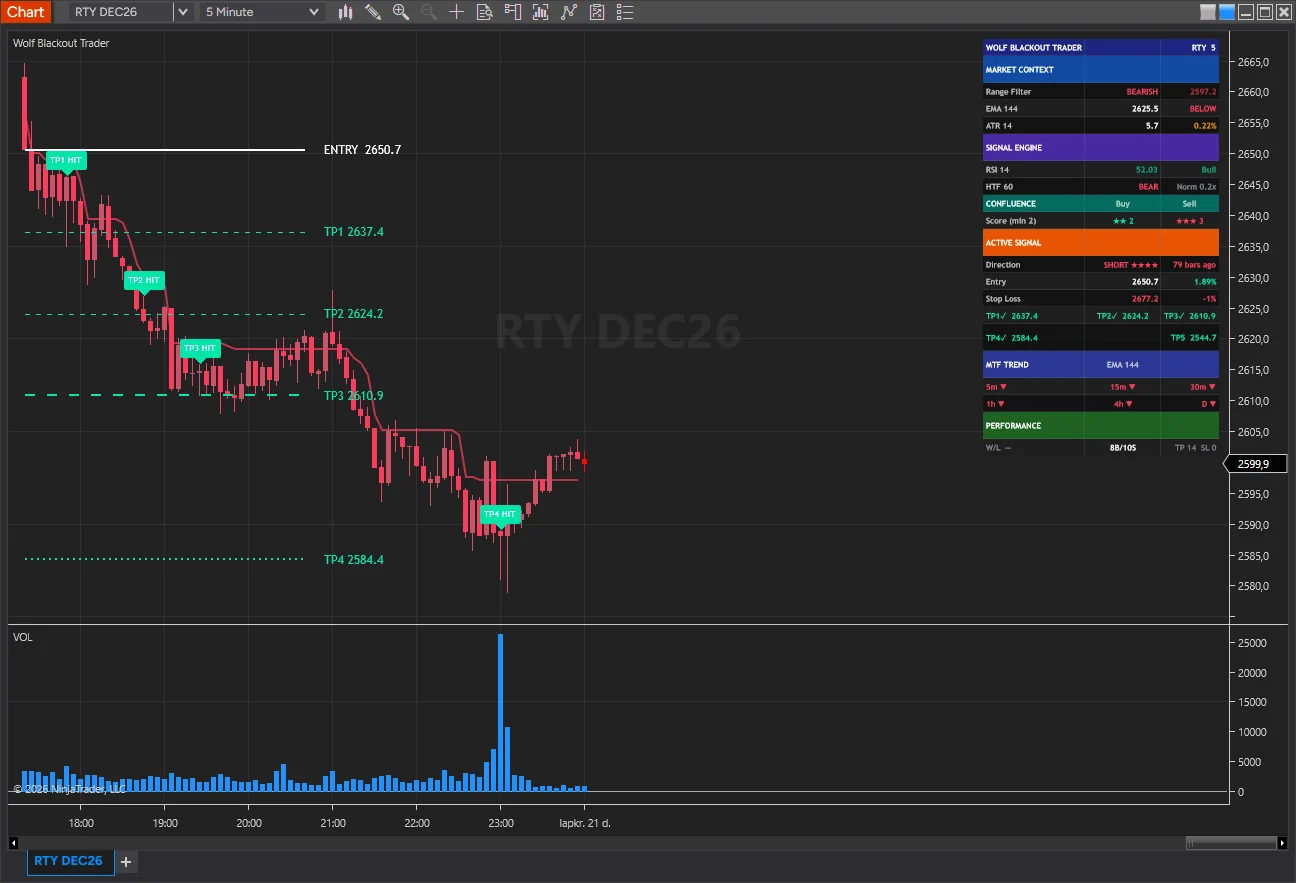
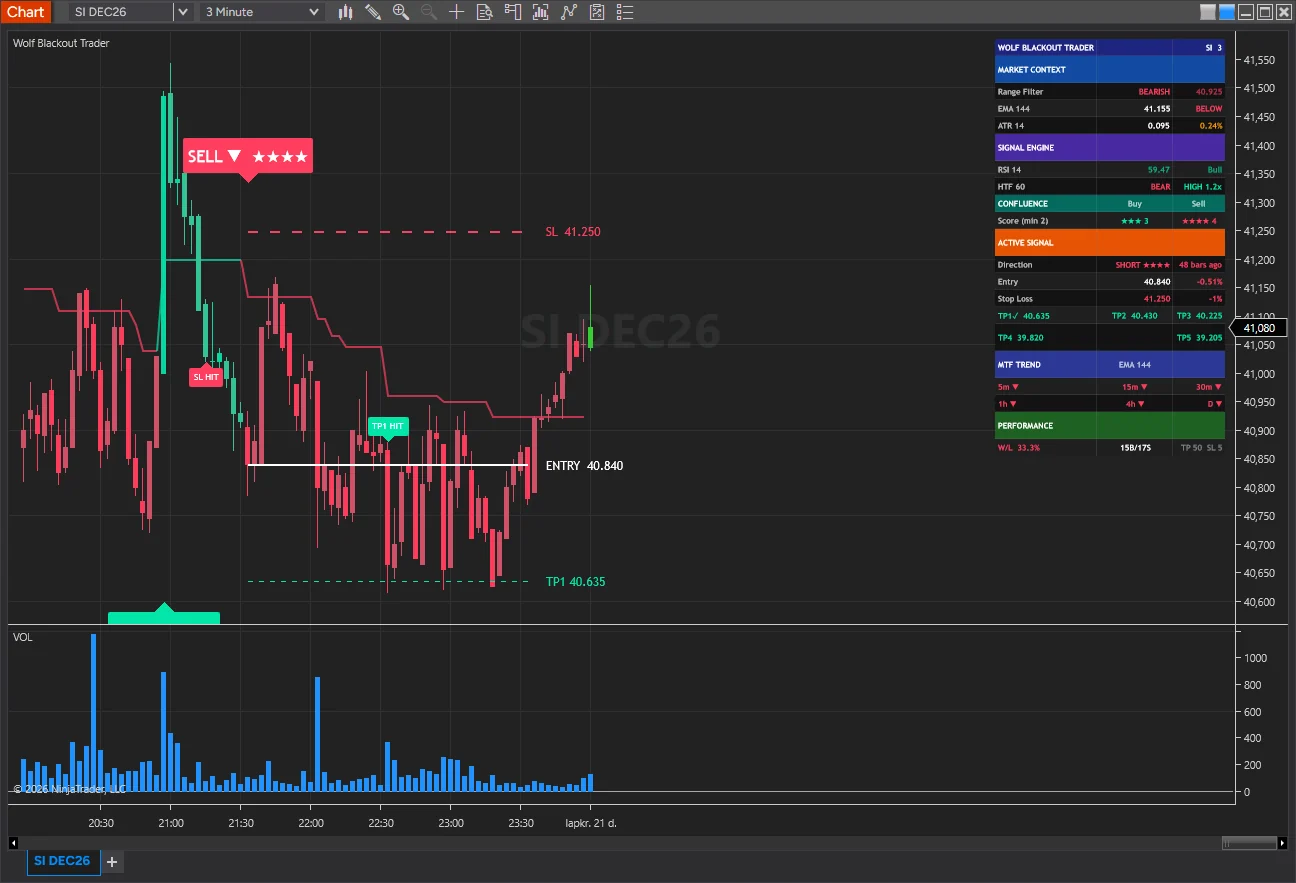
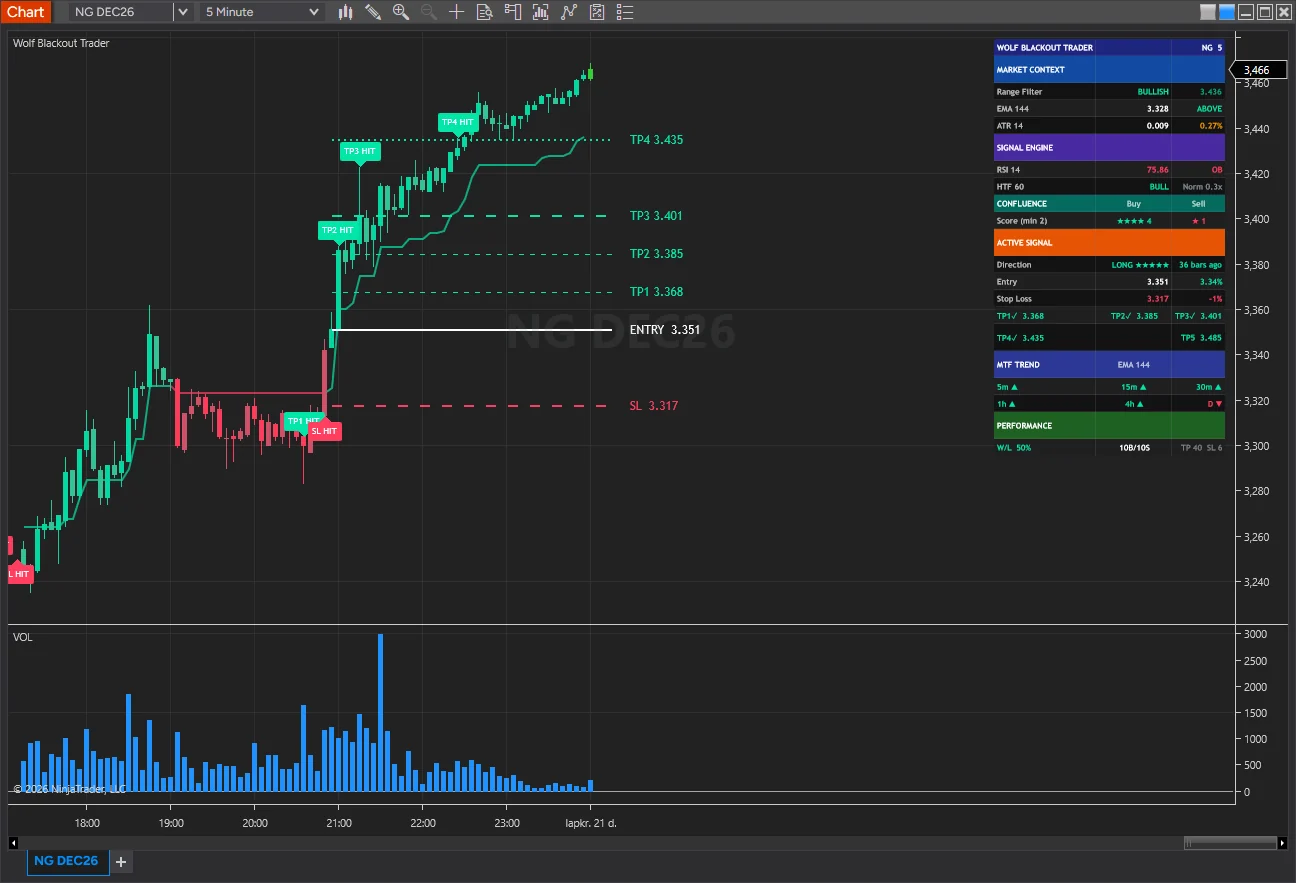
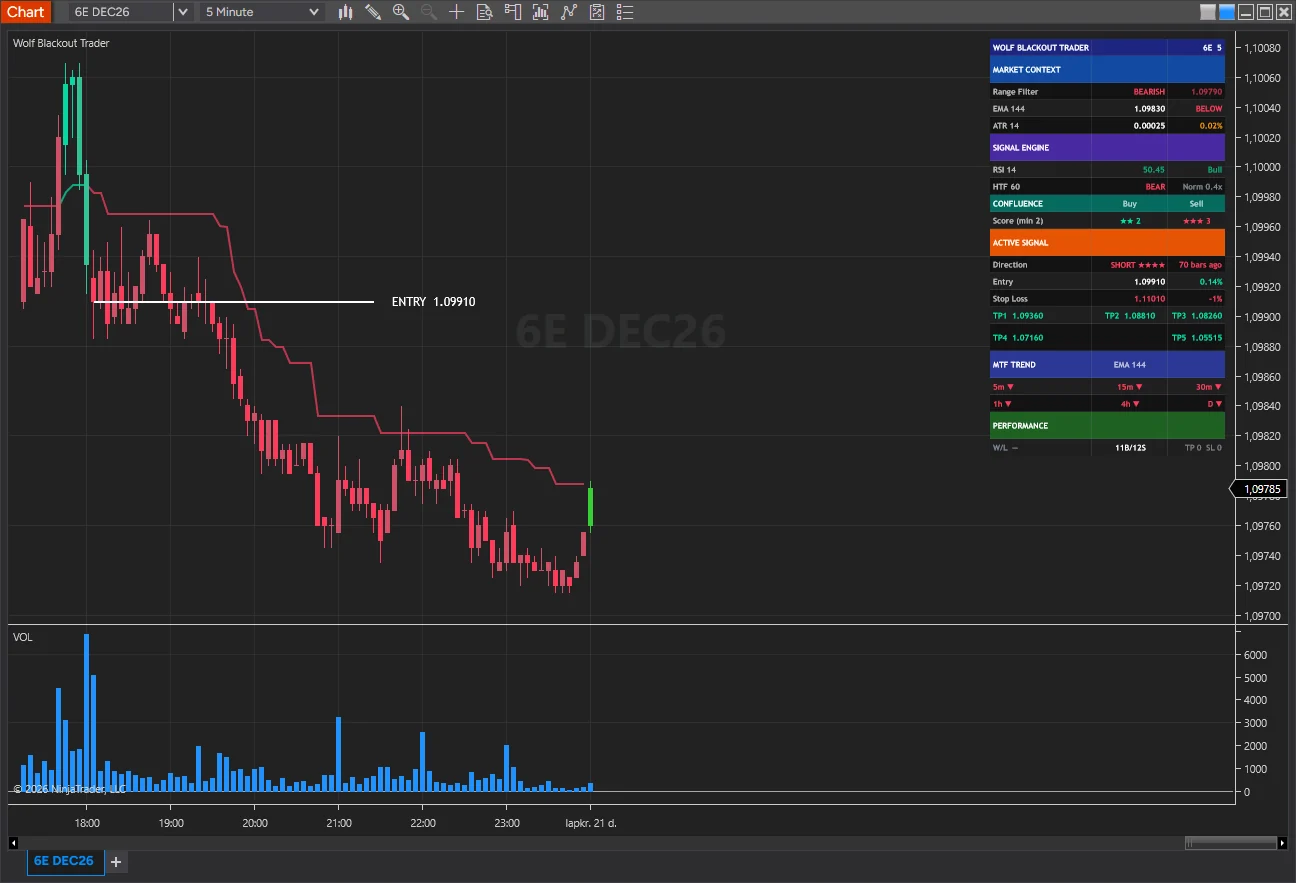
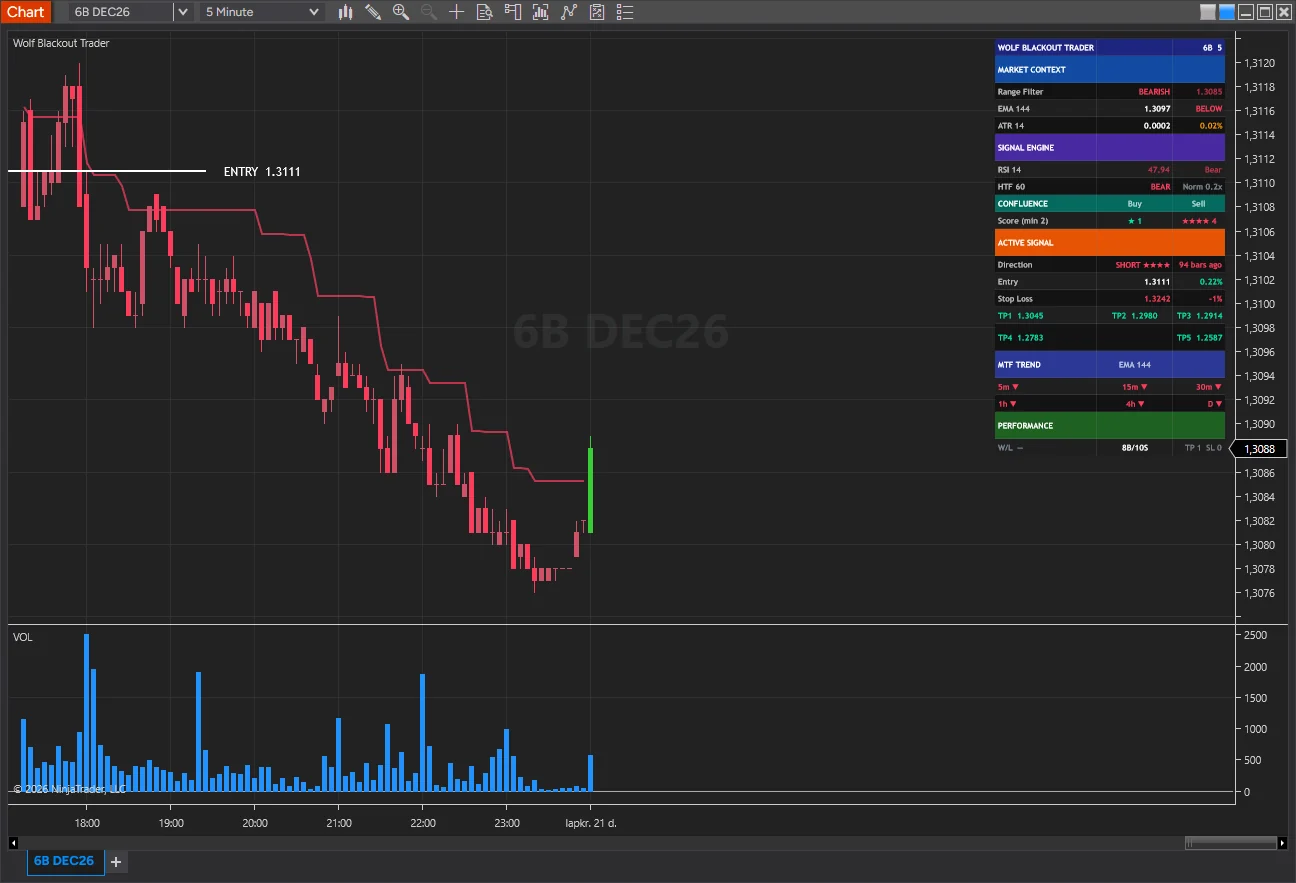
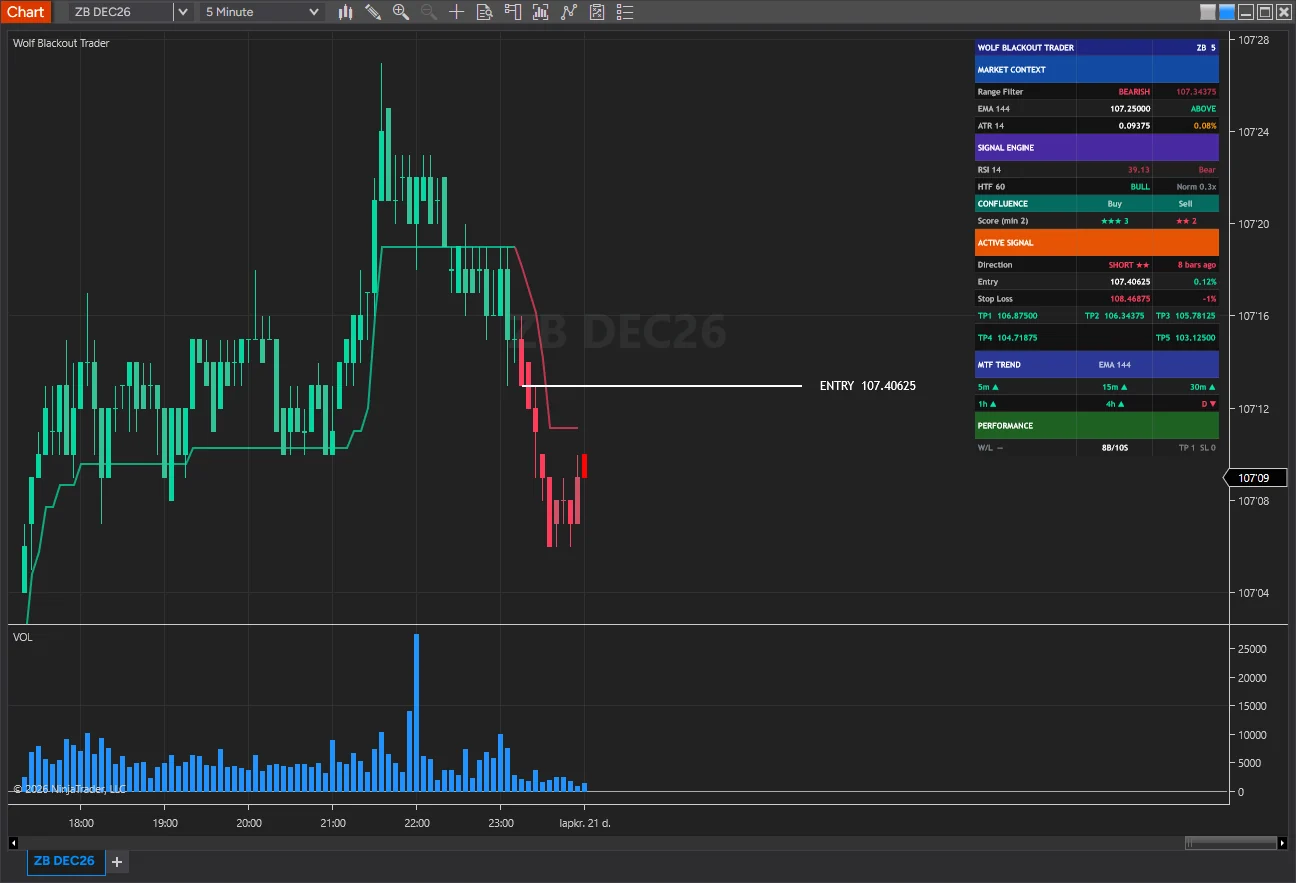
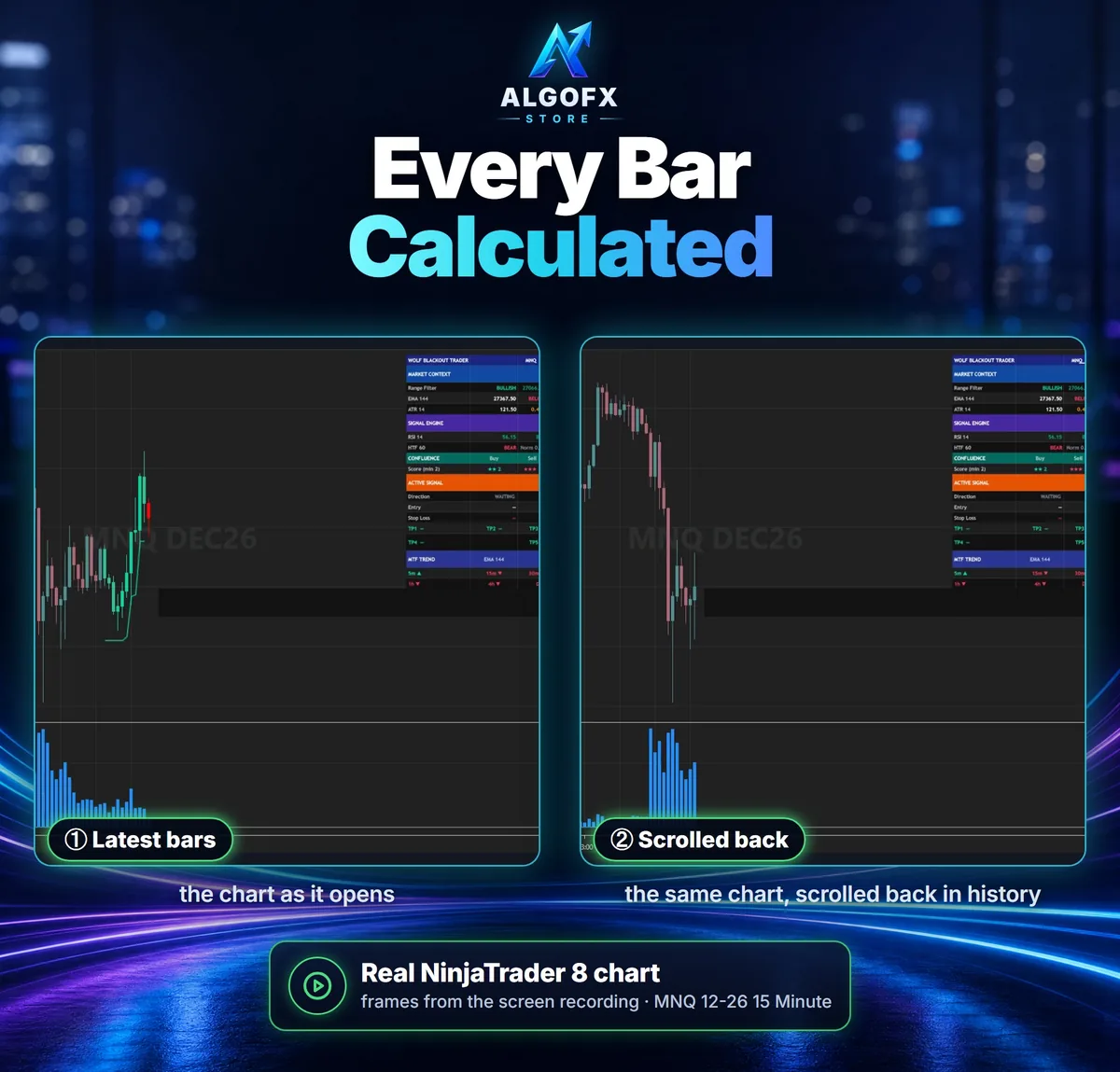
Watch Wolf Blackout Trader work on a real NinjaTrader 8 chart
A screen recording and frames from the shipped indicator at its default settings, as the chart updates. Nothing is edited into the chart.
How to use it, step by step
The default levels are percentages of price, which on most futures are far wider than an intraday stop. Setting them for your contract is the first job, then choosing your minimum score.
- 1
Set the percentages for your contract
Read the dashboard's ATR 14 percent value on your timeframe. A practical starting point from the manual is a stop of two to three times that reading: an ATR of 0.07 percent gives a Stop Loss % of 0.14 at two times. Then scale TP1 to TP5 by the same factor to keep the default spacing. Changing the percentages never changes the signals, only the levels and the hits.
- 2
Choose your minimum score
The default minimum of 2 prints most turns. Raise it to 3, 4 or 5 to see only turns with more behind them. Switching a layer off does the opposite: it gives every turn that point, so you get more signals. For fewer signals raise Minimum Confluence Score or Signal Cooldown rather than switching layers off.
- 3
Check the context rows
Before acting, read MARKET CONTEXT and MTF TREND. A BUY with the close ABOVE the EMA 144 and most of the six timeframes pointing up has the larger trend behind it; a BUY against a bearish range filter on the higher timeframes does not. A diamond in the opposite direction near the plate means the move is already stretched, which argues for waiting.
- 4
Plan the exits before entering
With the default spacing TP1 is half the stop distance, so a trade closed at TP1 earns half of what a full stop loses; TP2 is one to one. Decide in advance where you take profit and whether you move your own stop: the indicator's stop never moves. Chart Trader or an ATM strategy lets you drag your orders onto the indicator's lines.
- 5
Know when to stand aside
Skip a plate whose stop, converted to ticks, is more than your normal risk. Skip turns that print against the MTF TREND block if trend agreement is your rule. Treat a signal on a session's last bar with care: NinjaTrader closes that bar only at the reopen, so it appears then, usually without an alert. And do not trade from a chart with too little history: plates need about 5,000 bars.
The dashboard, row by row
The on-chart dashboard, row by row.
- Header: WOLF BLACKOUT TRADER with the instrument and period, for example MNQ 15
- MARKET CONTEXT: Range Filter BULLISH, BEARISH or NEUTRAL with its value / EMA 144 with ABOVE or BELOW / ATR 14 in points and as a percent of price
- SIGNAL ENGINE: RSI 14 with OB, OS, Bull or Bear / HTF 60 BULL or BEAR with volume HIGH or Norm and its ratio to the 20-bar average
- CONFLUENCE: Score (min 2), the stars a BUY and a SELL would score on this bar
- ACTIVE SIGNAL: Direction LONG or SHORT with its stars and bars ago, or WAITING / Entry and the open move in percent / Stop Loss and its distance in percent / TP1, TP2, TP3 and TP4, TP5, each ticked when reached
- MTF TREND (EMA 144): 5m, 15m, 30m and 1h, 4h, D, each an up or down arrow for its last closed bar against its EMA 144
- PERFORMANCE: a tally of how the drawn plans ended on the loaded bars; not a backtest, with no commission, slippage or position size
Everything Wolf Blackout Trader does for you
A signal you can weigh
One to five stars on every plate, from the turn, RSI side, EMA 144 trend, higher-timeframe EMA and volume burst. Your minimum score decides which turns print at all, per chart.
Signals confirmed on the closed bar
Non-Repaint Mode, on by default, prints a plate only once its bar has closed, in every Calculate mode. A realtime test on MNQ 1 Minute with On each tick matched the closed-bar replay with 0 mismatches across 504,449 compared values.
Seven levels on every signal
White entry, red dashed stop and green TP1 to TP5, each with a price tag rounded to the tick and a hover tooltip on the plate listing the score and all seven prices.
Hit labels that build a record
TP1 HIT to TP5 HIT labels in green and SL HIT in red mark the bar where each level was reached, so you can scroll back and see how each plan unfolded.
Blackout candles in the regime colour
With Color Bars by Trend on, every candle is painted in the range filter's regime colour: #00E5A8 bullish, #FF3B5C bearish, #7C8895 neutral. On candlestick charts the filter line stays under the candles.
Six-timeframe trend block
The dashboard's MTF TREND rows show 5m, 15m, 30m, 1h, 4h and daily, each the last closed bar against its EMA 144. Display only: it never changes a signal. Switch it off to load fewer series.
Reversal diamonds at RSI extremes
A separate RSI(28) below 27 or above 78, and beyond its own recent average, draws a small diamond under or over the bar. They mark stretched moves and have their own two alerts.
Thirteen alert events
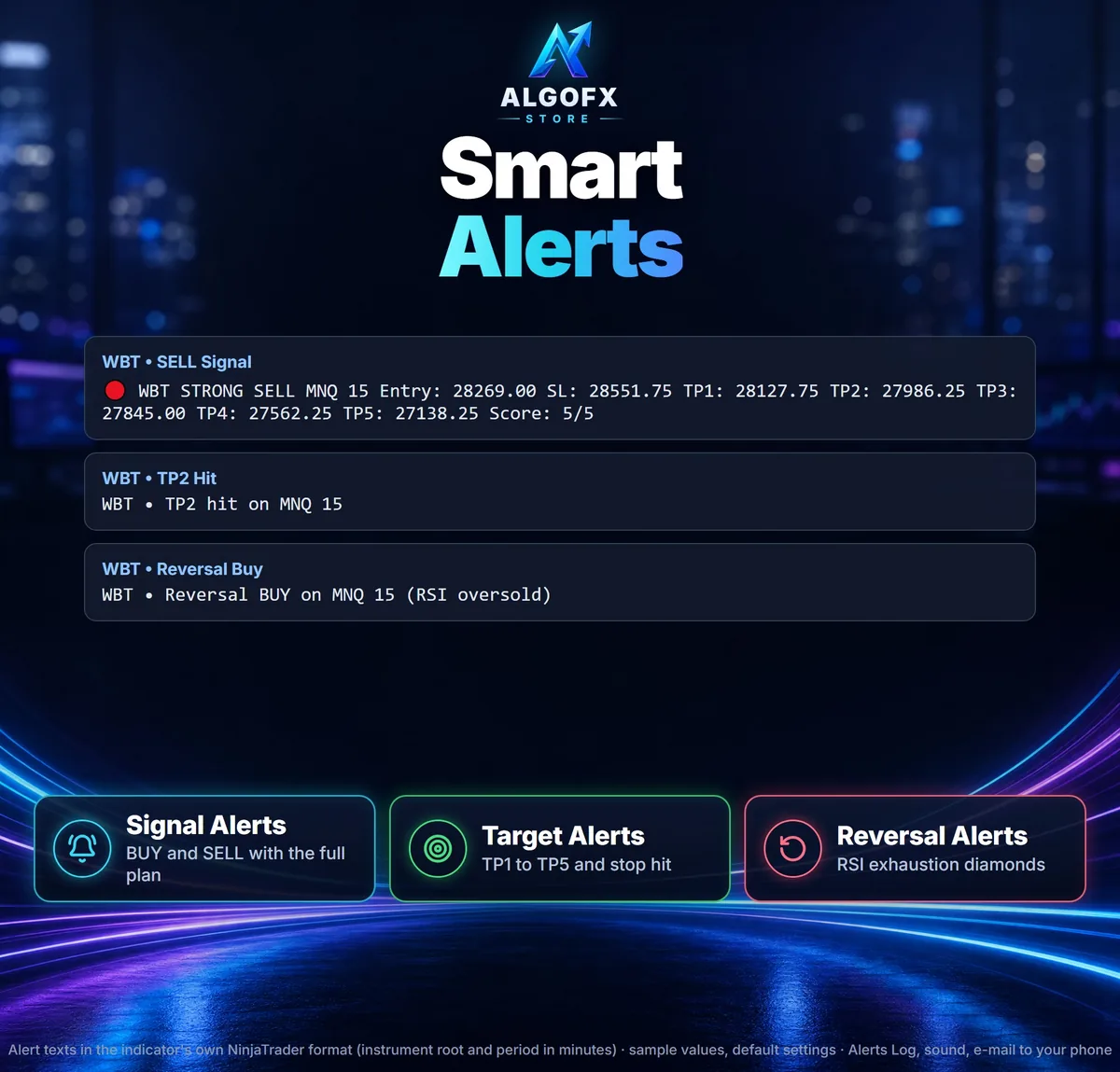
BUY, SELL, Any Signal, STRONG BUY and STRONG SELL at score 5, Reversal Buy and Sell, TP1 to TP5 Hit and SL Hit, each with its own switch, ten on by default. Every alert is an Alerts Log row, with optional Output line, sound and e-mail.
Readable plots for your own tools
The range filter, BuySignal, SellSignal, ReversalBuy, ReversalSell, BuyScore, SellScore, ActiveDirection, EntryPrice, StopLevel and Target1 to Target5 are exposed as plots. Strategy and Market Analyzer use have not been tested.
Wolf Blackout Trader, feature by feature
Each picture is built from real platform screenshots of the shipped indicator at its default settings, labelled so you can see what every part does. Tap any picture to open it full size.
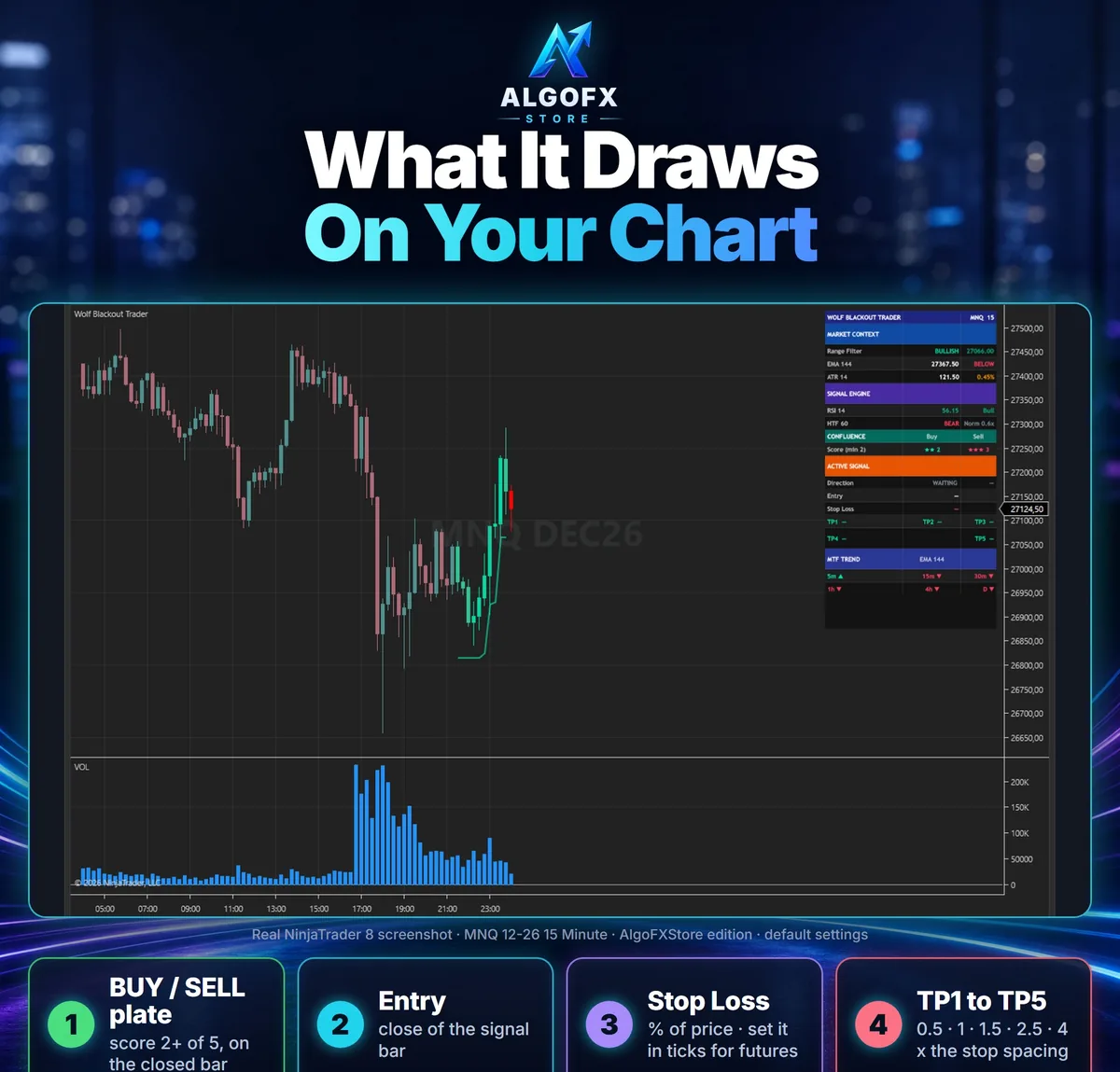
How traders put it to work
Micro and full Nasdaq on 1 to 15 Minute
On MNQ and NQ the default 1 percent stop is roughly 283 points at a price near 28,300, about 14 ATRs on a 1 Minute chart, so it is rarely reached in a session. Set Stop Loss % from the dashboard's ATR percent and scale the targets. Load about 5 days on 1 Minute or 60 days on 15 Minute for the 5,000 bars the plates need.
S&P futures on 5 Minute
On ES and MES at 5 Minute the default stop sits about 10.6 ATRs away, so the same adjustment applies. Load about 20 days for 5,000 bars. The volume point compares each bar's contract volume with its own 20-bar average, so it measures a burst against recent bars, not an absolute level.
Gold on 3 Minute
On GC and MGC at 3 Minute the default stop is about 10.7 ATRs away. Load about 12 days of history. The HTF layer still reads the 60-minute EMA 144, so the higher-timeframe point reflects the hourly trend even on a fast chart.
Crude oil on 5 Minute
Crude is the exception among the usual futures: at the default 1 percent the stop is only about 2.8 ATRs away on a 5 Minute chart, so the default levels sit far closer to price than on the index futures. Check the ATR percent reading anyway and adjust if your plan needs a tighter stop.
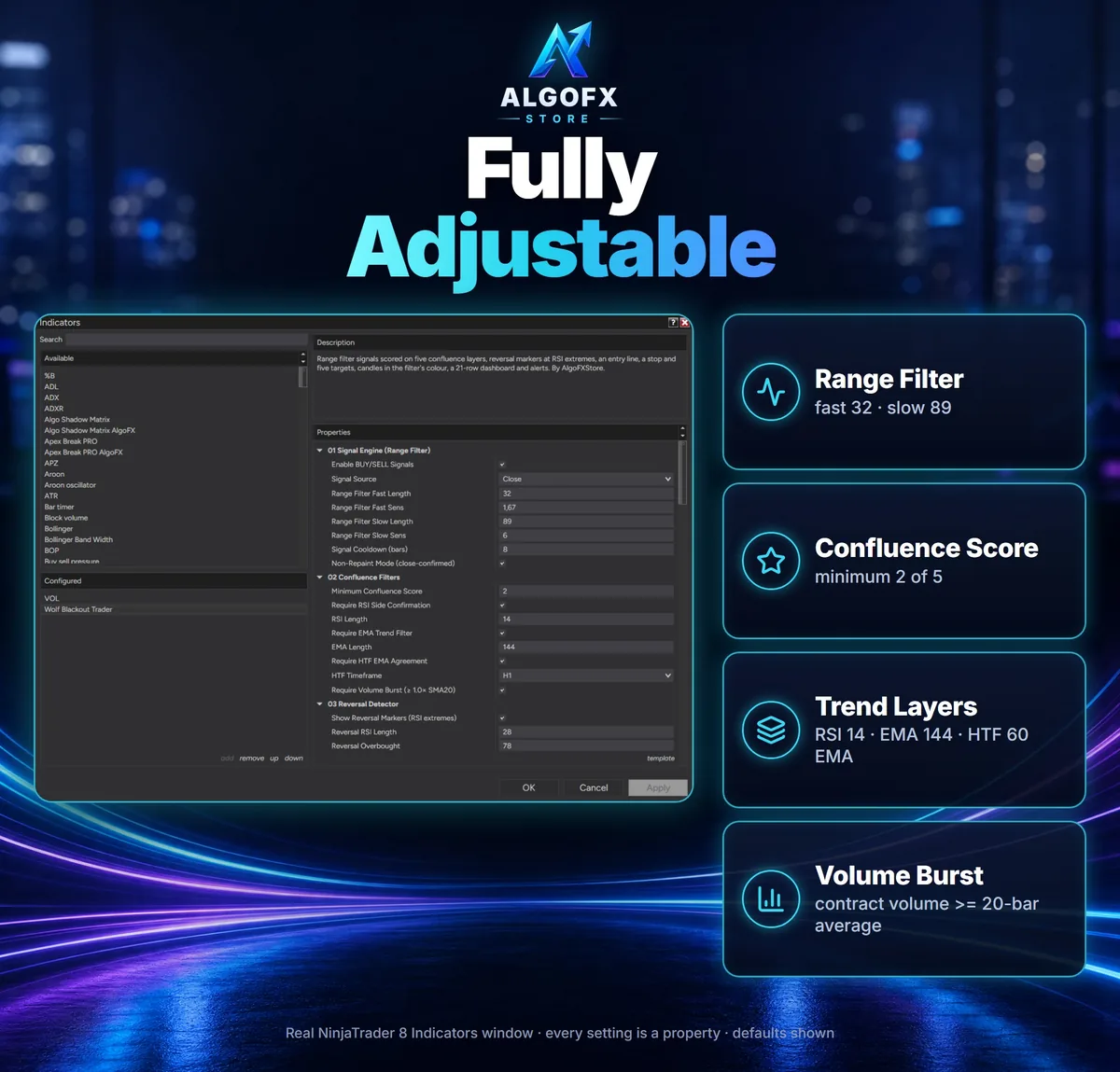
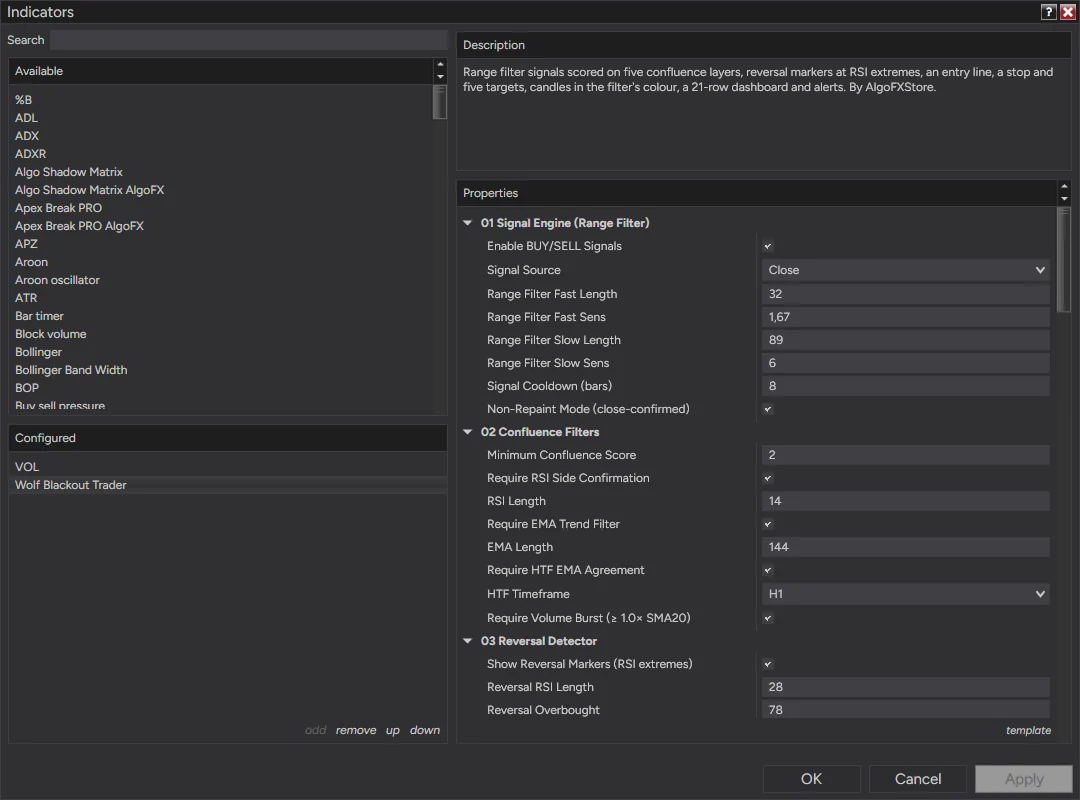
Every setting, with its default
The names are the ones in the NinjaTrader indicator dialog; the defaults are what every chart on this page uses.
| Setting | Default | What it does |
|---|---|---|
| Enable BUY/SELL Signals | True | Master switch for signals. |
| Signal Source | Close | Price the filter and RSI layer follow. |
| Range Filter Fast Length / Fast Sens | 32 / 1.67 | Fast smoothed range. |
| Range Filter Slow Length / Slow Sens | 89 / 6.0 | Slow smoothed range. |
| Signal Cooldown (bars) | 8 | Per direction. |
| Non-Repaint Mode (close-confirmed) | True | Signals only on closed bars. |
| Minimum Confluence Score | 2 of 5 | Score a turn needs. |
| RSI / EMA / HTF / Volume layers | all True; RSI 14, EMA 144, HTF H1 | Each adds a point when it agrees; off = automatic point. |
| Reversal markers | True; RSI 28, 78 / 27 | Exhaustion diamonds. |
| Stop Loss % / TP1-TP5 % | 1.0 / 0.5, 1.0, 1.5, 2.5, 4.0 | Levels as % of the signal bar's close. |
| Level Line Extension (bars) | 40 | Line length. |
| Colours / Color Bars by Trend / Plot Range Filter Line | #00E5A8, #FF3B5C, #7C8895 / True / True | Blackout candles and filter. |
| Dashboard | True, TopRight, Tiny, header #1A237E, MTF block on (EMA 144) | 21-row panel. |
| Display | Label Glyphs Unicode, Emoji Rendering Drawn, Clamp Right-Edge Labels True, Show Hover Tooltips True | Glyph and tag handling. |
13 alert events
Alerts can go to the NinjaTrader Alerts Log, a sound and an e-mail (NinjaTrader's e-mail share service must be set up).
- BUY Signal
- SELL Signal
- Any Signal (off by default)
- STRONG BUY at score 5 (off by default)
- STRONG SELL at score 5 (off by default)
- Reversal Buy
- Reversal Sell
- TP1 Hit
- TP2 Hit
- TP3 Hit
- TP4 Hit
- TP5 Hit
- SL Hit
Wolf Blackout Trader next to the usual options
Where it wins, and where it does not.
| Wolf Blackout Trader | Typical free range filter indicator | Reading it by hand | |
|---|---|---|---|
| Waits for the closed bar | With Non-Repaint Mode on, the default | Only if you wait for it | Only if you wait for it |
| Scores what stands behind a signal | RSI, EMA 144, higher timeframe and volume, shown in stars | No | Four separate checks you make yourself |
| Stop and targets | Entry, stop and five targets on every signal | None | Measured and drawn by you |
| Reads other timeframes | One in the score, six on the dashboard | No | Extra charts to open |
| Stop at market structure | No: the stop is a fixed percentage, not a swing high or low | You place it | You place it |
| Trades followed at once | One: a new signal replaces the tracked trade | None | As many as you track |
| Cost | A one-time purchase | Free | Free |
Honest about who this fits
A good fit if you
- Futures traders on NinjaTrader 8 who want to see at a glance how much stands behind a signal and choose how much is enough.
- Traders who want the entry, the stop and five targets drawn for them, with a label each time a level is reached.
- Traders who check the higher timeframes before acting and want six of them summarised in one panel.
- Traders who are comfortable setting the stop and target percentages for their contract from the ATR reading.
- Traders who want closed-bar signals and alerts they can follow from the Alerts Log or by e-mail.
Not for you if you
- Anyone who wants orders placed or managed: it signals, draws and alerts, and you place every order.
- Traders who want stops at swing highs and lows or a stop that follows price: this stop is a fixed percentage and stays where it was drawn.
- Traders who want to use the defaults on index futures or gold unchanged: the 1 percent stop is many ATRs wide there and needs adjusting.
- Users of NinjaTrader Web or the mobile app: it needs NinjaTrader 8 Desktop on Windows, version 8.1.
One Add-On, one manual, imported in a minute
- 1NinjaScript Add-OnWolfBlackoutTraderAlgoFX.zip (0.2 MB). Import it in NinjaTrader 8 and it appears as “Wolf Blackout Trader AlgoFX”.
- 16Page PDF manualInstalling, every setting with its default, reading the signals, the levels, the dashboard, the alerts.
- 14Setting groupsEvery one explained above, with the defaults the charts use.
- 13Alert eventsYou choose which ones are on in the settings.
- 60Day money-back guaranteeIf it is not for you, request a full refund within 60 days through your Digistore24 order e-mail.
Install in four steps
- Download the zip from the page Digistore24 sends you to after checkout. Keep it zipped.
- NinjaTrader 8: Control Center, Tools, Import, NinjaScript Add-On, and choose the zip.
- Open a chart, open Indicators, and add “Wolf Blackout Trader AlgoFX”.
- Read the manual's quick start; the defaults are the settings shown on this page.

Kestutis Balciunas
AlgoFXStore · chart indicators for MetaTrader, TradingView, cTrader and NinjaTrader
Kestutis Balciunas builds and publishes chart indicators under the AlgoFXStore name for MetaTrader 4 and 5, TradingView, cTrader and NinjaTrader 8. Every product page shows what the indicator draws on real charts, and every number on it comes from the shipped build.
The charts on this page were captured in NinjaTrader 8 from the shipped Wolf Blackout Trader AlgoFX at its default settings and are shown unedited.
No get-rich claims and no quoted win rates. Every trade is uncertain, and no indicator changes that. If you want to know whether it suits the way you trade before you buy, e-mail [email protected] and you will get a straight answer.
One price, one payment
- The NinjaScript Add-On for NinjaTrader 8 and the 16-page PDF manual
- Delivered as a digital download: the Add-On zip and the PDF manual on your download page
- Return period: 60 days, with a full refund if it is not for you
- Free updates to the current version on the same download page
60-day money-back guarantee. Install it, run it on your own charts and read the manual. If Wolf Blackout Trader is not for you within 60 days of purchase, request a full refund from Digistore24, no questions asked: use the refund link in your Digistore24 order e-mail or Digistore24's order page digistore24.com/en/cancel-revoke-contract. Digistore24 refunds to your original payment method. It is a digital download: right after checkout you land on your download page, and the link to it is also in your Digistore24 order e-mail.
Also by Kestutis Balciunas: Wolf Blackout Trader for MT4 and MT5.
About the signals
Does it repaint?
With Non-Repaint Mode on, the default, a BUY or SELL is decided on the closed bar and fixed once that bar closes, and other timeframes are read only after their bar has closed. A realtime run on MNQ 1 Minute with On each tick matched the closed-bar replay with 0 mismatches. In the per-tick modes, target and stop touches, reversal diamonds and dashboard values can show on the forming bar before it closes.
Why do I see few plates or none?
The filter line starts about 270 bars into the chart, and a plate's height comes from an average that is only updated on signal bars, so the first 13 BUY and the first 13 SELL plates are counted but not drawn. Load 5,000 bars or more: about 5 days on 1 Minute, 12 on 3 Minute, 20 on 5 Minute and 60 on 15 Minute with a full-session template.
What do the stars mean exactly?
One star for the turn itself and one for each layer that agrees: RSI(14) on the signal's side of 50, the close on its side of the EMA(144), the higher timeframe's earlier closed bar on its side of its own EMA(144), and volume at or above its 20-bar average. Five stars means everything agreed. A layer switched off gives every turn its star.
Why does the dashboard show a score but no signal?
The CONFLUENCE row is the standing reading: what a BUY and a SELL would score on this bar. A signal also needs a range filter turn and the 8-bar cooldown since the last signal of the same direction. A score of 4 without a turn prints nothing.
What should I do when the score and the trend rows disagree?
A plate can score 3 while most of the six-timeframe arrows point the other way, because the score uses only the 60-minute timeframe. If trend agreement matters to you, raise the minimum score or skip plates that print against the MTF TREND block.
Settings and the dashboard
Should I keep the defaults?
Keep the signal settings to start with: filter 32 x 1.67 and 89 x 6.0, minimum score 2, cooldown 8, all four layers on. Change the level percentages, though: they are percentages of price, and on index futures and gold the 1 percent stop is many ATRs wide. Set the stop from two to three times the ATR percent and scale the targets by the same factor.
What is on the dashboard?
Twenty-one rows: the range filter regime and value, the EMA 144 with ABOVE or BELOW, ATR 14 in points and percent, RSI 14, the 60-minute trend with the volume ratio, the live BUY and SELL score, the active signal with entry, stop and TP1 to TP5 ticked when reached, the six-timeframe trend block and a tally of how drawn plans ended on the loaded bars.
A dashboard row reads No data. Why?
That timeframe has no closed bars with a settled EMA yet. While it does, the higher-timeframe layer gives a BUY no point and a SELL its point. Load more data, download the missing daily or minute history in NinjaTrader's Historical Data window, pick another HTF Timeframe or switch Require HTF EMA Agreement off.
Alerts and running it
When do alerts fire?
Only on live bars, never for the loaded history, once per event per bar when the bar closes. A target or reversal touched on the forming bar is alerted at the close if it still holds. A bar that closed more than two bar periods plus five seconds ago is not alerted, so a reconnect does not produce a burst of old alerts.
How can I follow it on my phone?
Set up a Mail share service in NinjaTrader under Tools, Options, Share, send a test, then switch on Alert E-mail and enter your address. The subject is the event title and the body carries the full plan. The setting named Enable Master alert() Pushes only chooses the rich message format; it sends no phone push.
Does it need a VPS or much CPU?
It needs NinjaTrader running with the chart open, on your computer or a VPS. Besides the chart it loads the same instrument's 5, 15, 30, 60 and 240 minute and daily bars, so the first load takes a little longer and your connection must deliver those series. Switch Show MTF Row off to load only the 60-minute series and lighten the chart.
Which instruments and bar types can I use?
Any instrument with bars and volume: NQ, MNQ, ES, MES, GC, MGC, CL, MCL and other futures. Second, minute, day, week, month and year bars are fully supported; tick, volume, range and Renko bars run too. Intraday futures on 1 to 15 Minute charts are the intended use.
How it works
Will it place trades for me?
No. Wolf Blackout Trader is an indicator: it draws on the chart and can alert you. It never sends an order.
Which markets and charts does it work on?
Any instrument with bars and volume; time-based bars (second, minute, day, week, month, year) fully supported; tick, volume, range and Renko run. Six secondary series of the chart's instrument at the defaults (5, 15, 30, 60, 240 minutes, daily; HTF 60 shared). Filter starts ~270 bars in; plates need ~5,000 bars (first 13 per side not drawn). Recommended intraday futures 1-15 Minute; Days to load ~5 (1 Minute), 12 (3 Minute), 20 (5 Minute), 60 (15 Minute) on a full-session template.
Does it work on NinjaTrader 7?
No. It is built for NinjaTrader 8 and imported as a NinjaScript Add-On.
After you buy
How do I get it after paying?
Digistore24 runs the checkout. Right after payment it takes you to your download page with the NinjaScript Add-On zip and the PDF manual; the link to that page is also in your Digistore24 order e-mail, so you can download again at any time.
How do I install it?
In NinjaTrader 8: Control Center, Tools, Import, NinjaScript Add-On, then choose the zip exactly as you downloaded it (do not unzip it). After the import, add “Wolf Blackout Trader AlgoFX” to a chart from the Indicators window. The manual walks through it step by step.
Who is Digistore24?
Digistore24 is the reseller that sells Wolf Blackout Trader for Kestutis Balciunas (AlgoFXStore): it runs the checkout, charges your card or PayPal, collects the VAT for your country and delivers the download. Its name is the one on your statement, and its order e-mail holds your download link and the refund link.
What is the refund policy?
A 60-day money-back guarantee, handled by Digistore24. If Wolf Blackout Trader is not for you within 60 days of purchase, use the refund link in your Digistore24 order e-mail or Digistore24's order page (digistore24.com/en/cancel-revoke-contract) for a full refund, no questions asked. Digistore24 makes the refund to your original payment method.
Do I get the source code?
No. The Add-On ships compiled; the zip is exactly what NinjaTrader imports.
Wolf Blackout Trader for NinjaTrader 8.
Put the scored range filter, the stars and the full plan on your own NinjaTrader 8 futures charts and decide how much agreement is enough for you. The Add-On, the manual and every setting explained. Instant download for €77, one payment.
Get instant access