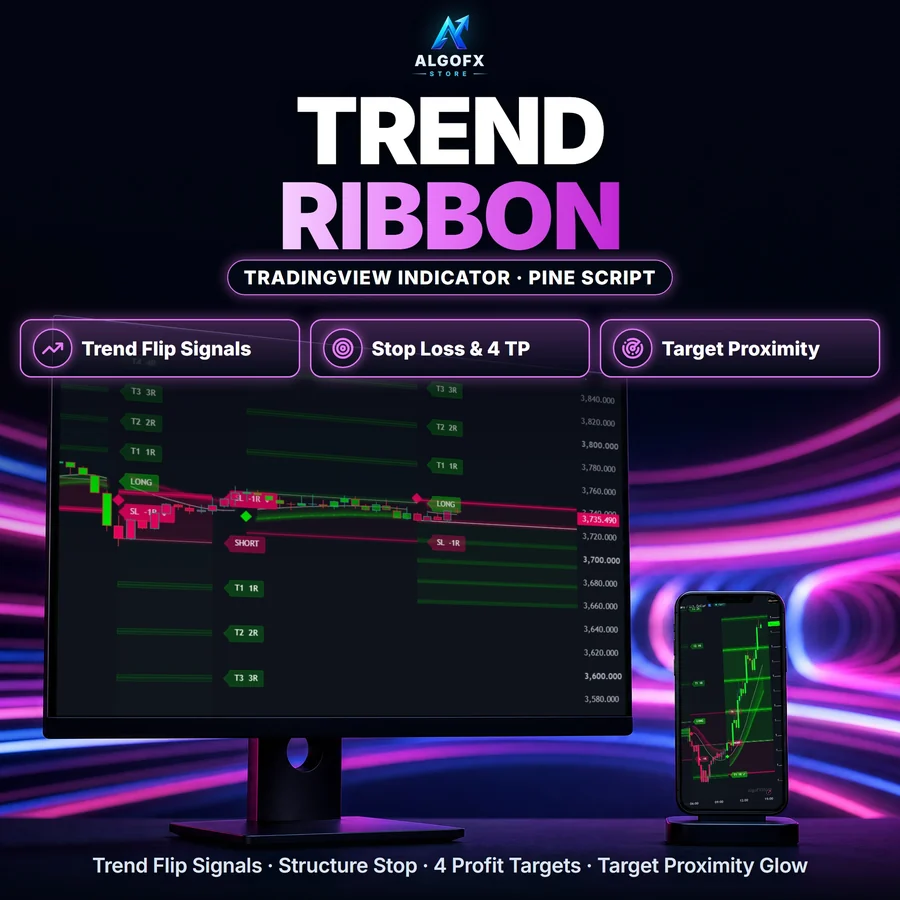
See the trend as a ribbon and get a full plan with four targets at every flip
Trend Target Ribbon colours the trend on your TradingView chart with a smooth ALMA ribbon and, on every trend flip, draws a complete trade plan: the entry, a stop beyond the recent swing, up to four targets at 1R to 4R and a red risk zone.
- A trend flip needs both an ALMA slope above 0.08 ATR and a close beyond the deviation band
- Stop at the 12-bar swing before the flip, kept between 0.75 and 3.0 x ATR(14)
- Two to four targets at 1R to 4R with shaded zones that brighten as price gets close
- Bull Trend and Bear Trend alerts, with the last four plans kept on the chart
- The full Pine Script source code. Paste it into the Pine Editor, save, and add “Trend Target Ribbon [AlgoFXStore]” to your chart.
- A 14-page PDF manual with installation, every setting and how to read the chart. One-time €47.
See Trend Target Ribbon on a real chart
Press play; use the full-screen button to see every detail.
A moving average tells you the trend but not where the trade starts or ends
Most trend tools answer one question: is price above or below the line? That is not a trade. You still need to decide when the trend has really changed, where the stop belongs and how far the targets are, and if you work that out by eye on each flip, the plan changes with your mood.
Plain moving average crosses also flip too often. A small dip under the line in a strong trend looks the same as a real change of direction, so you get a new signal every few bars in a sideways market. A slope filter and a band that price must clear make the change of direction harder to fake.
Trend Target Ribbon combines the two halves. A flip needs a rising or falling ALMA and a close beyond a deviation band, and at that moment the entry, the stop at the recent swing and up to four targets are drawn, sized from the same risk unit R, so every plan is measured the same way.
Everything Trend Target Ribbon draws on your chart
Read from the shipped Pine Script code.
- Trend ribbon (Display > Show Trend Gradient, on): white ALMA core line (opacity grows with conviction), a 'Trend Edge' line 0.55 standard deviations behind the ALMA (below it in an uptrend, above it in a downtrend) with a 9-px glow, and two gradient fills edge-to-mid and mid-to-ALMA; green in an uptrend, red in a downtrend, grey before the first trend; the lines break for one bar at each flip
- Candle colouring (Color Candles, on): from a faint to the full trend colour by conviction = min(1, |slope score| x 2 + distance from ALMA in ATR x 0.35); only once a trend exists
- Diamonds: green diamond below the bar on a bull flip ('Bull Trend'), red diamond above the bar on a bear flip ('Bear Trend'), size small
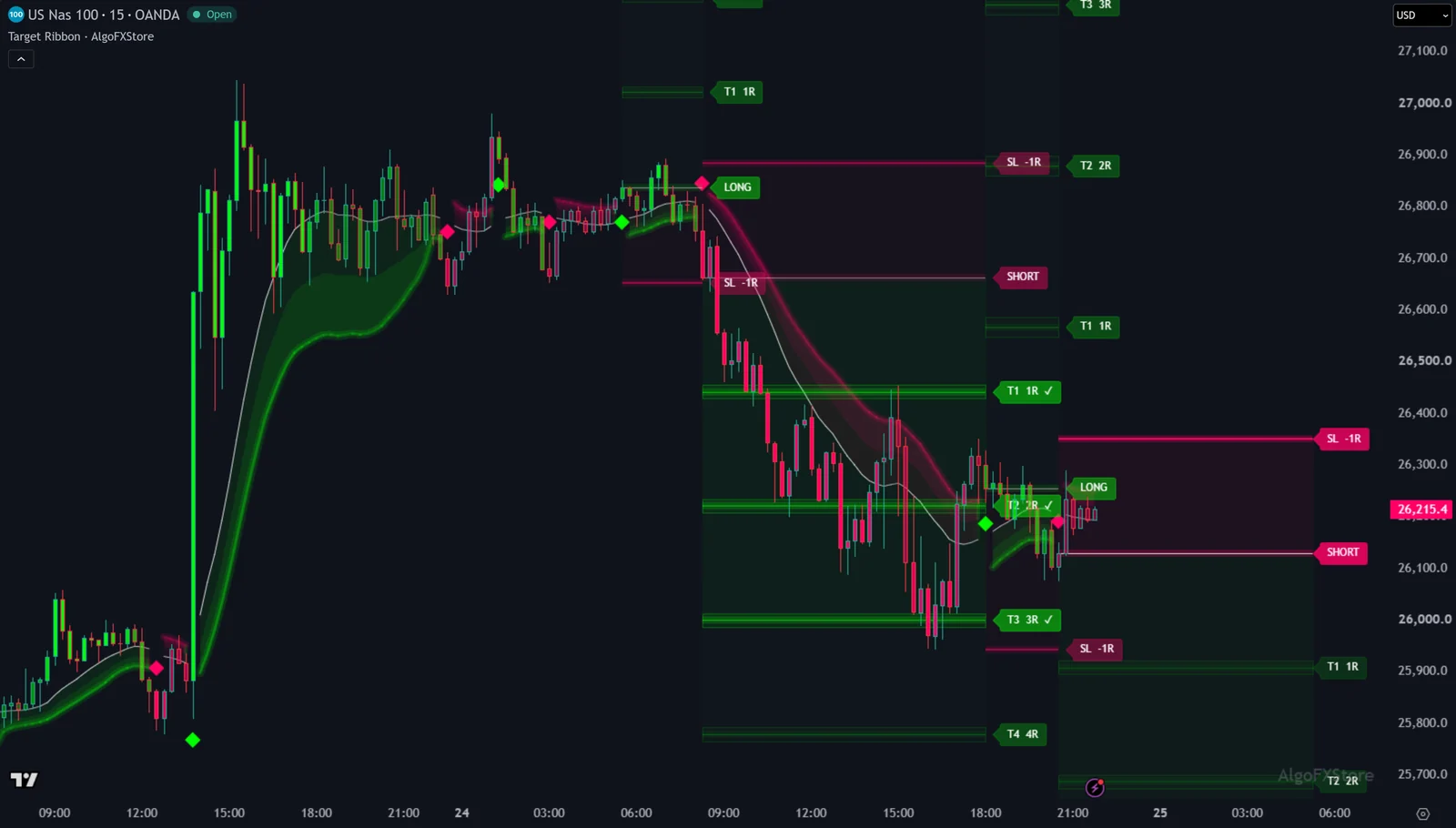
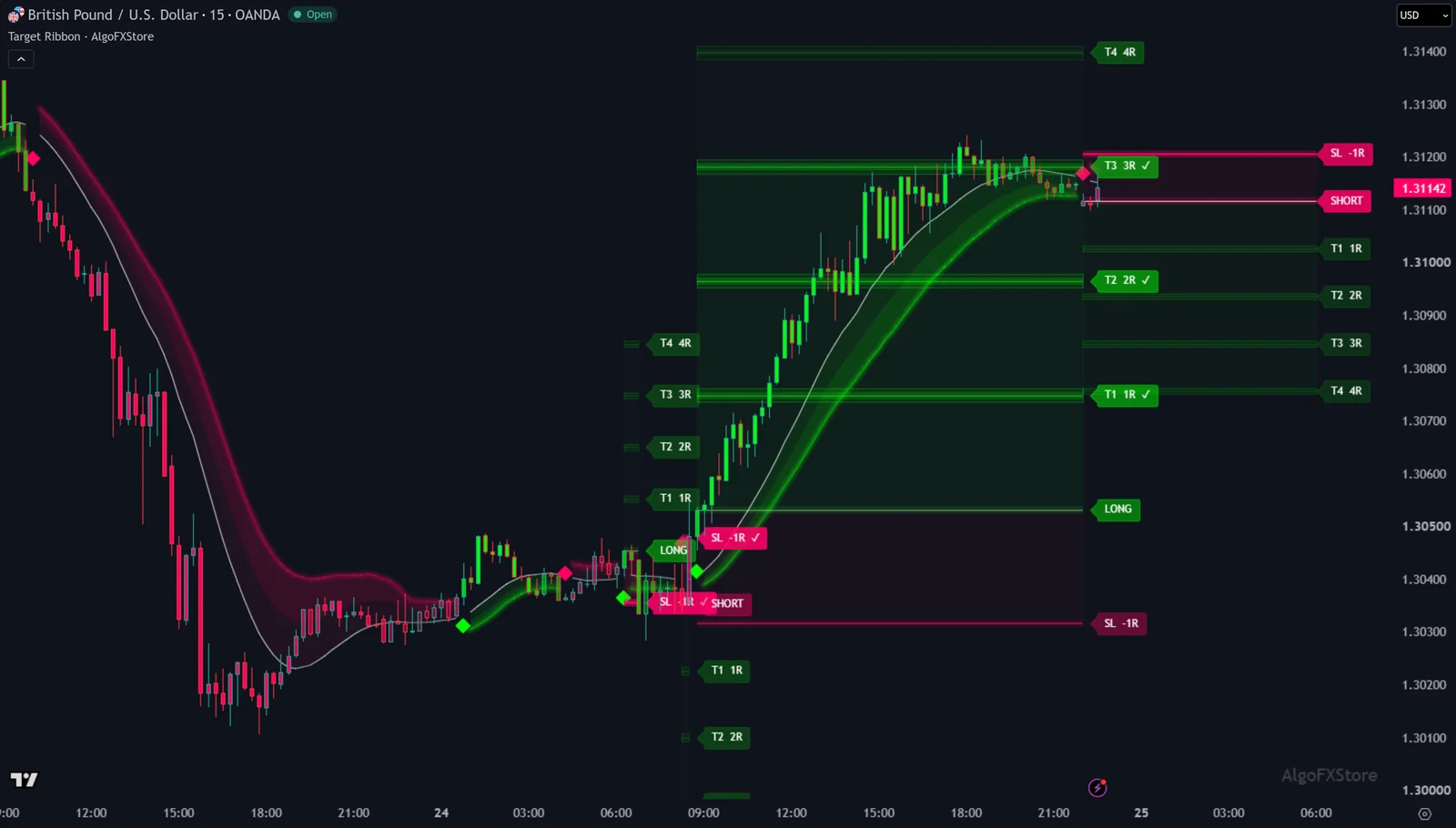
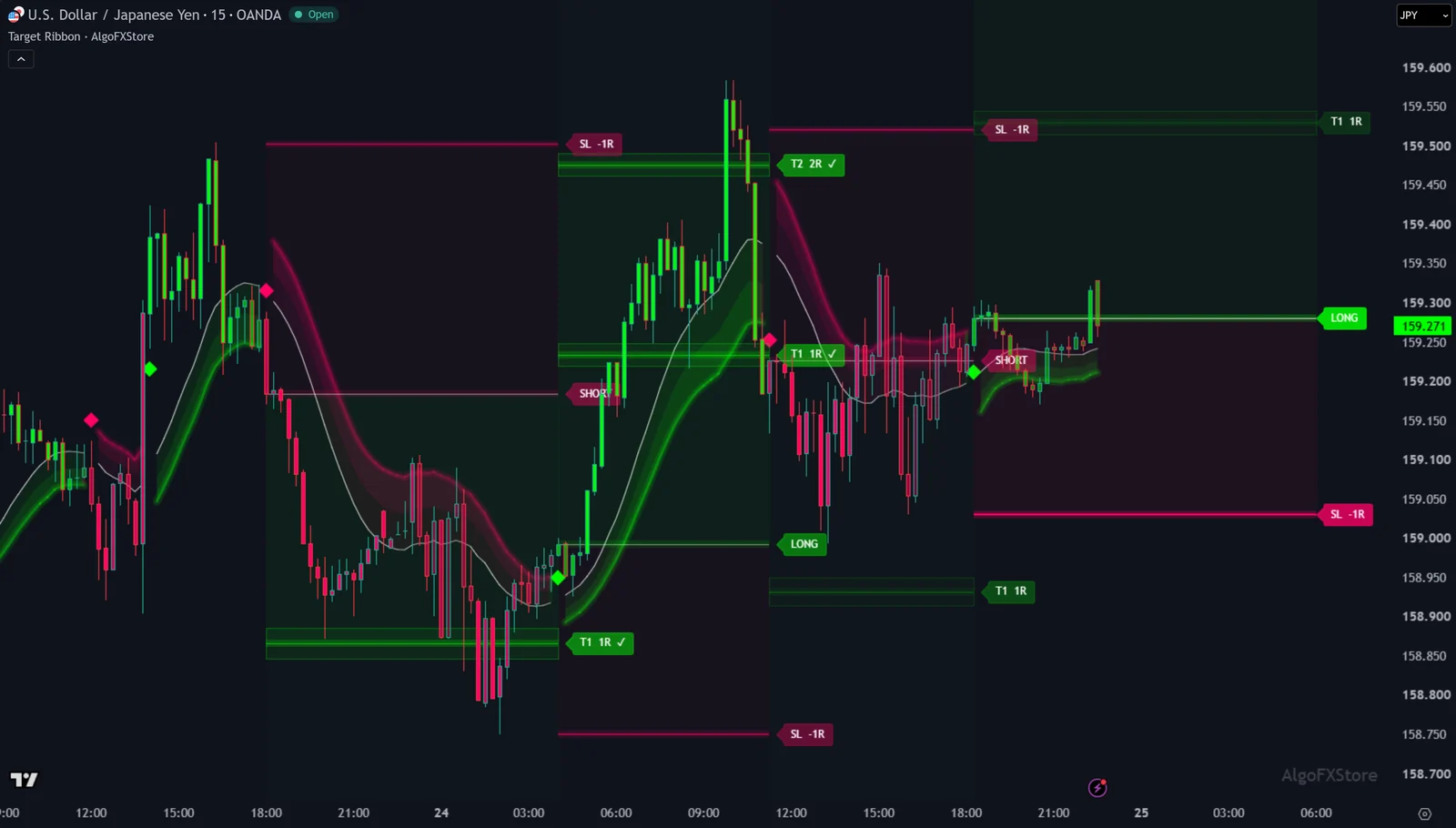
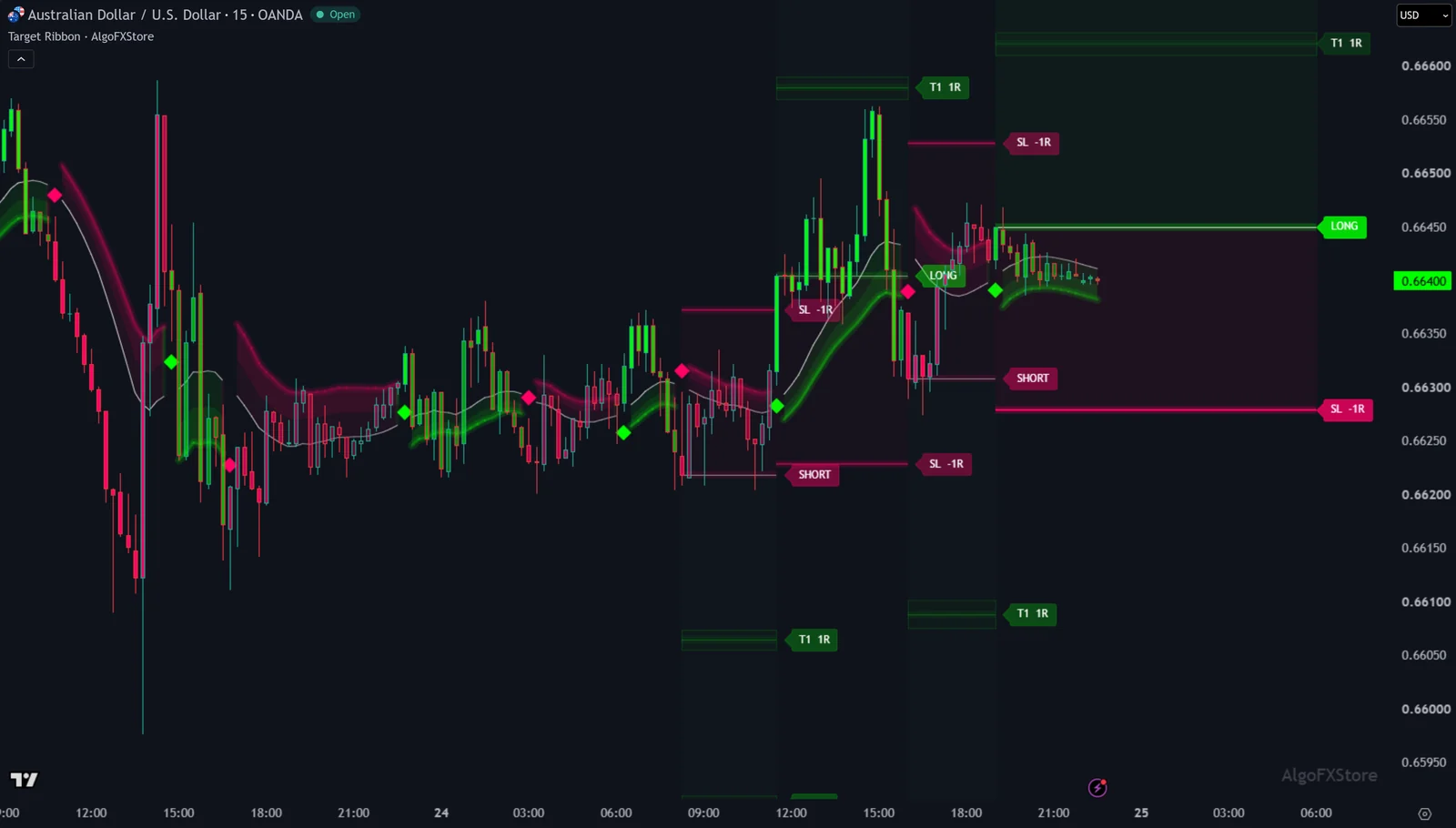
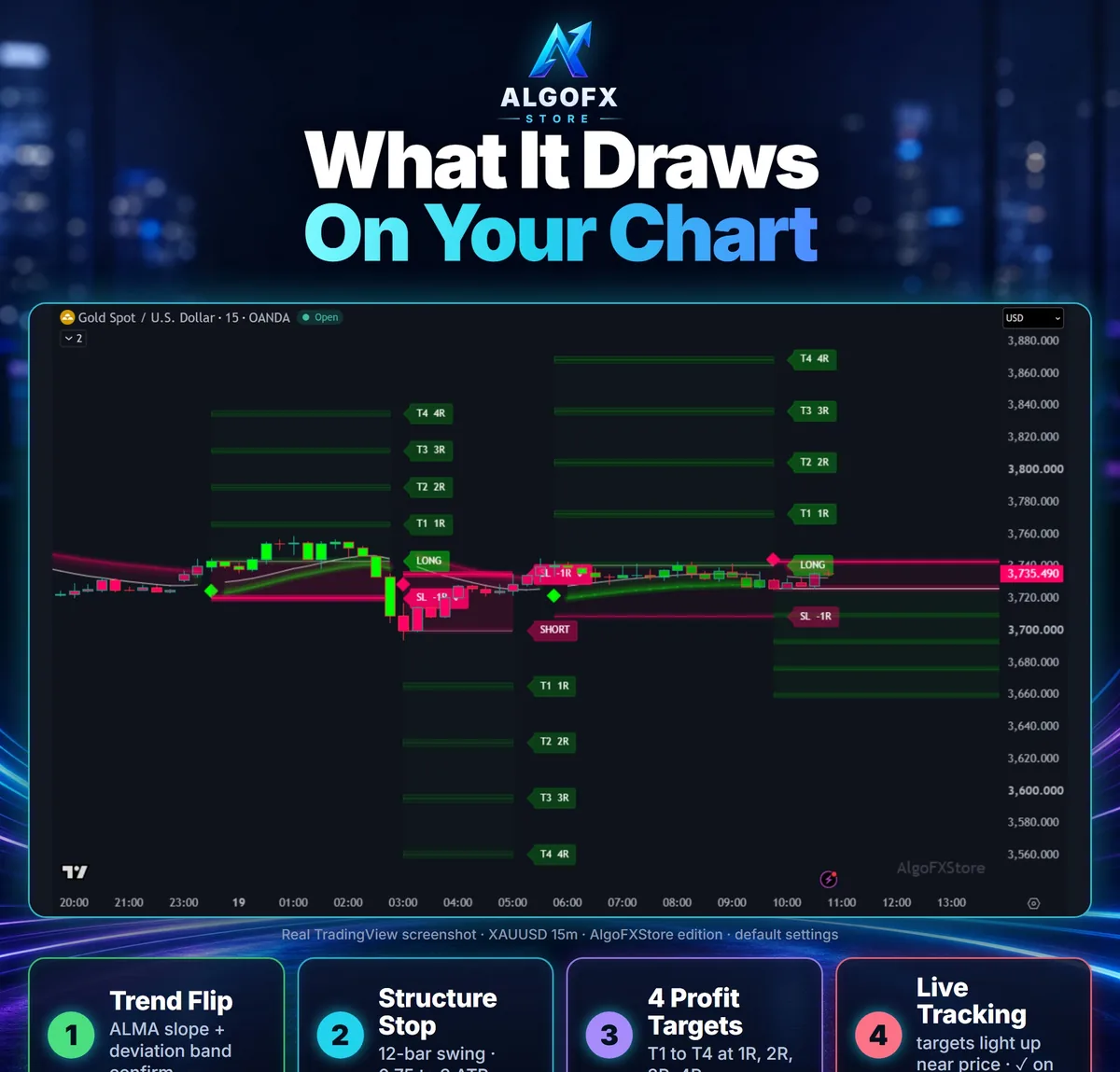
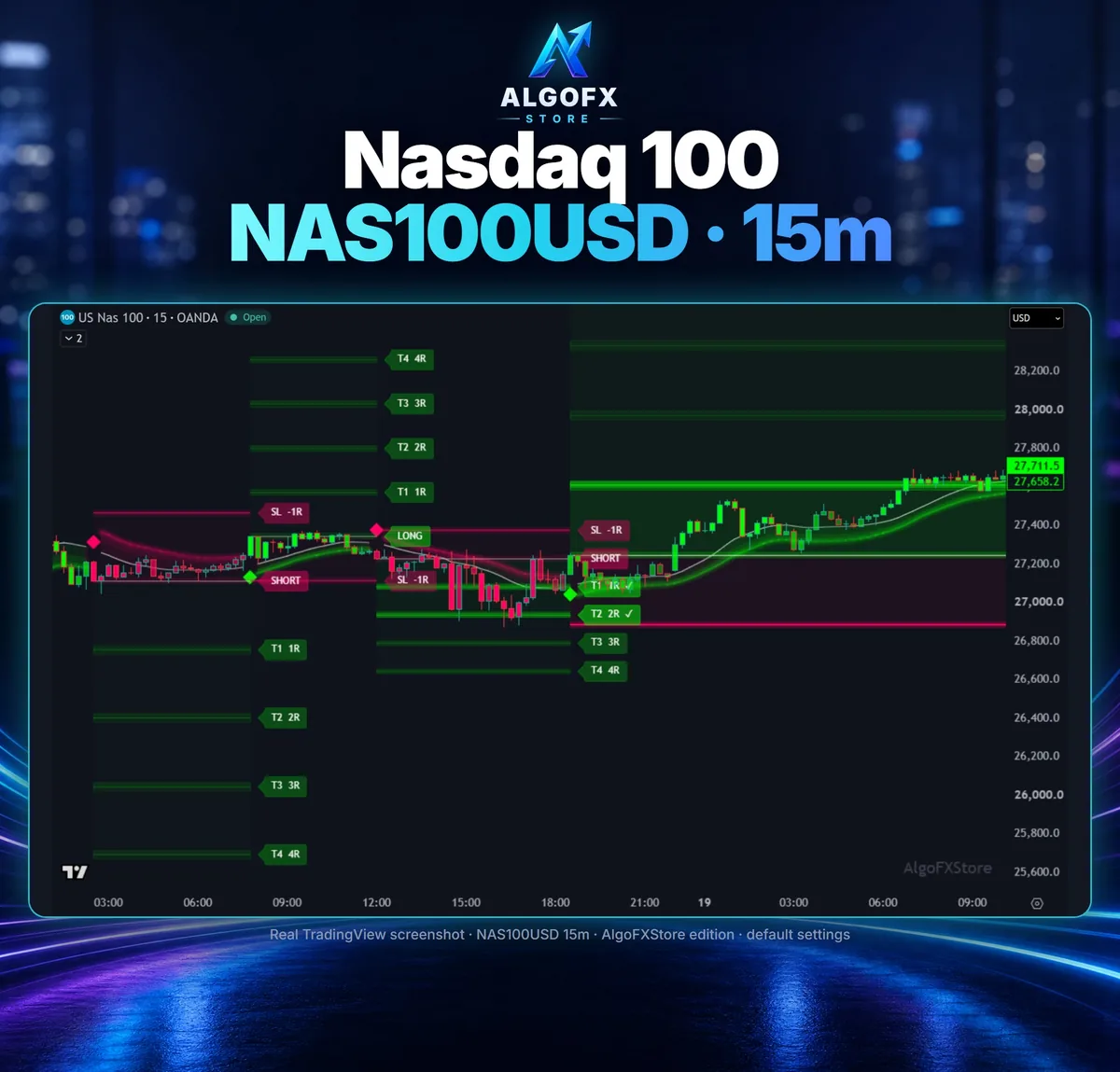
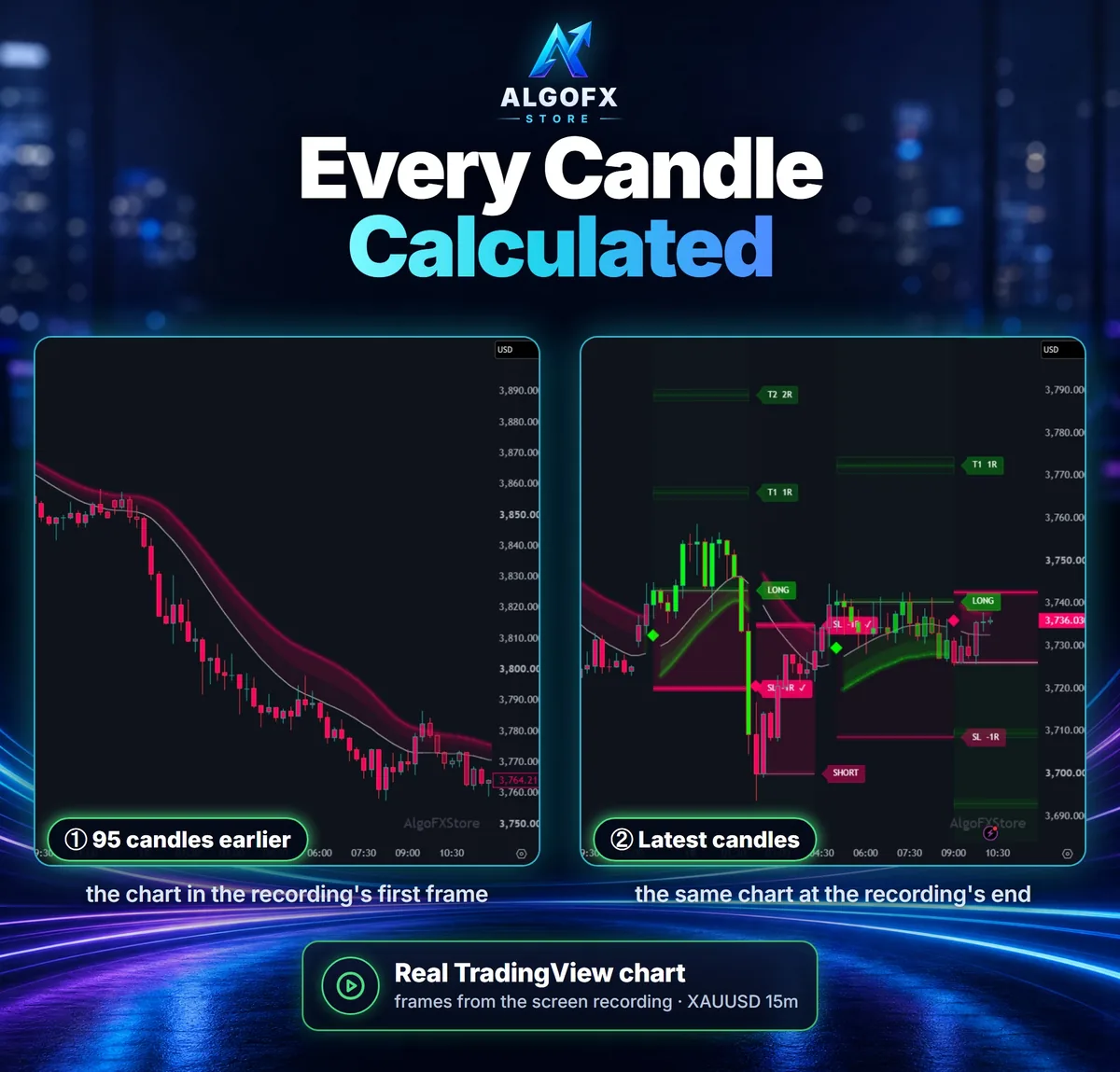
- Trade plan on every flip: entry line at the flip bar's close (white core + green/red glow by direction) with a 'LONG' or 'SHORT' tag; stop line (red, 2 px + glow) with tag 'SL -1R'; a red risk box between entry and stop; 2-4 targets (default 4) at 1R-4R, each a green line + glow, a green target zone of +/-6 % of R around the price and a green band from the previous level, tags 'T1 1R'... 'T4 4R'; everything projected 30 bars right of the current bar while the plan is live
- Proximity highlighting while live: within 0.65R of price a target's line, zone, band and tag brighten smoothly; a reached target turns solid green and its tag gets ' tick ' ('T1 1R tick ')
- Plan end: when price touches the stop (bars after the entry bar) the plan freezes at that bar, the stop tag reads 'SL -1R tick ', the stop line turns solid red and the risk box darker; on the next flip a still-live plan freezes at the flip bar, faded
- The last 4 plans stay (Positions On Chart, 1-5); older plans are deleted whole
- AlgoFXStore watermark bottom right
How Trend Target Ribbon decides what to draw
This is the logic of the shipped Pine Script v6 code. It uses only the chart's own bars: no other timeframe, no other symbol and no session logic.
- 1
The ALMA trend line and bands
The core line is an ALMA of the close over 34 bars with offset 0.85 and sigma 6. Around it sit two confirmation bands at plus and minus 0.65 standard deviations of the close over 34 bars. The slope score is how far the ALMA moved in the last 3 bars, divided by ATR(14), so it reads the same on any instrument.
- 2
When the trend flips
A bull setup needs a slope score above 0.08 and a close above the upper band. A bear setup needs a slope score below minus 0.08 and a close below the lower band. The trend flips to up on a bull setup when it is not already up, to down on a bear setup when it is not already down, and otherwise it holds. Every flip is a signal.
- 3
Entry, stop and the risk unit
The entry is the close of the flip bar. The stop is the lowest low of the 12 bars before the flip for a LONG, the highest high for a SHORT. Its distance is kept between 0.75 and 3.0 x ATR(14), so a very tight or very wide swing is clamped. That distance is 1R, and a red box shades the risk between entry and stop.
- 4
Targets and target zones
Targets T1 to T4 sit at 1R, 2R, 3R and 4R from the entry; Profit Targets lets you show two, three or four. Each target has a green line, a zone of plus and minus 6 % of R around the price and a band from the previous level. All lines are projected 30 bars to the right of the current bar while the plan is live.
- 5
Following the plan on the chart
Within 0.65R of price a target brightens smoothly. When a bar after the entry bar reaches a target, it turns solid green and its tag gets a tick. When a later bar touches the stop, the plan freezes at that bar and the stop tag is ticked. On the next flip a live plan freezes faded and the new plan starts. A plan never closes at a target.
- 6
Ribbon, candles and diamonds
The ribbon is green in an uptrend, red in a downtrend and grey before the first trend, with a trend edge line 0.55 standard deviations behind the ALMA. Candles are coloured from faint to full by conviction, a mix of slope and distance from the ALMA. A green diamond under the bar marks a bull flip, a red one above the bar a bear flip.
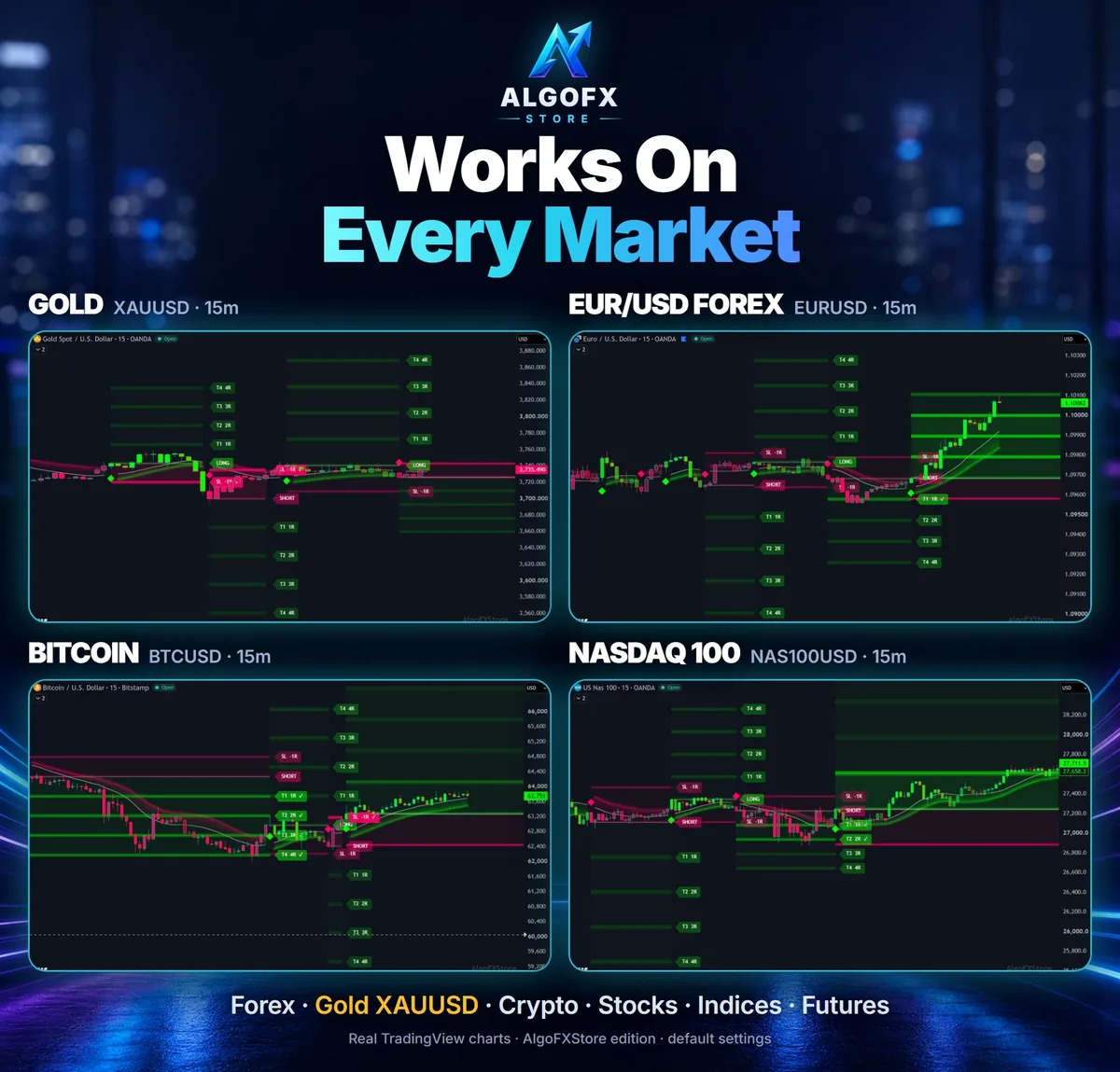
Trend Target Ribbon on 12 different markets
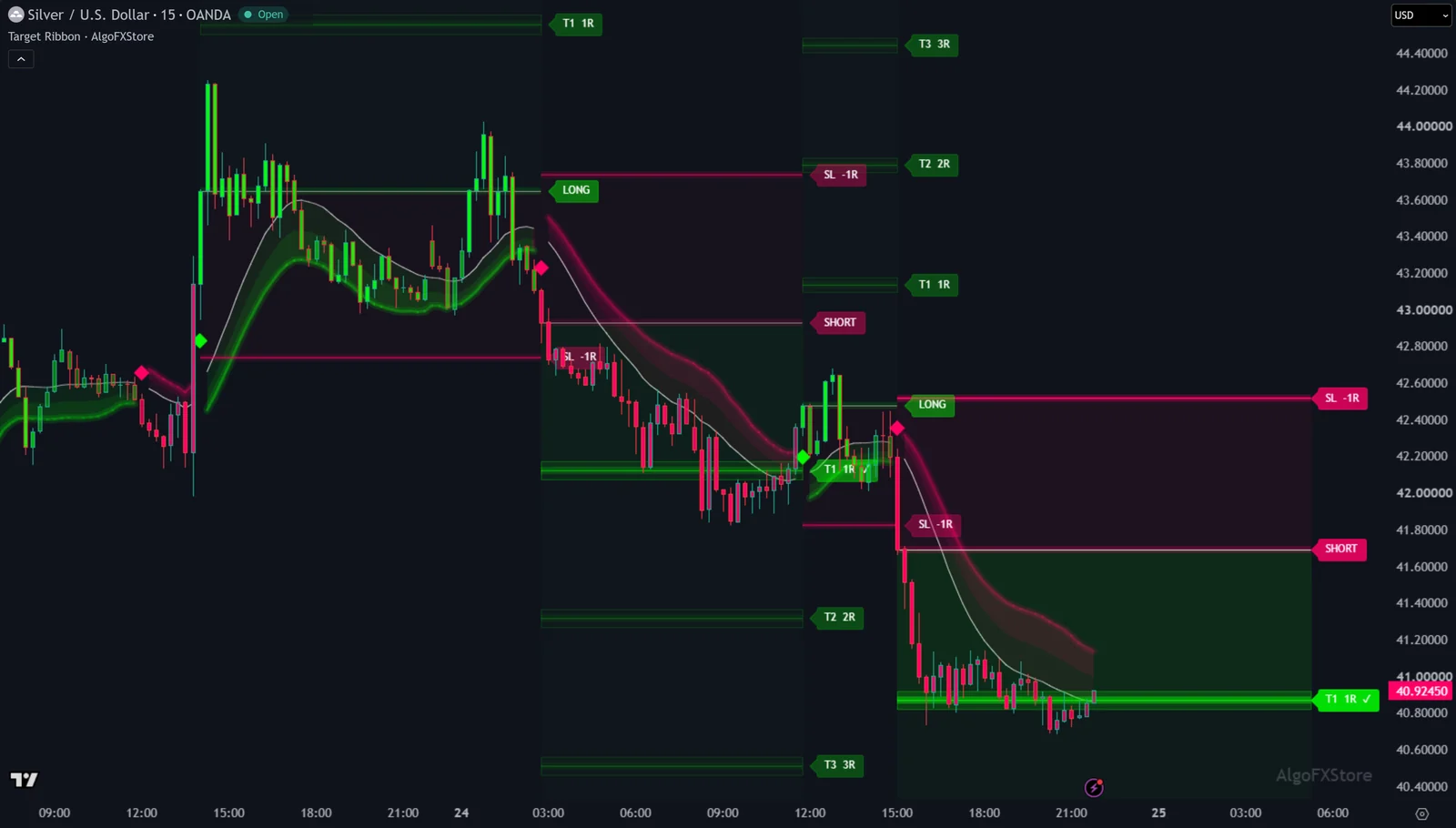
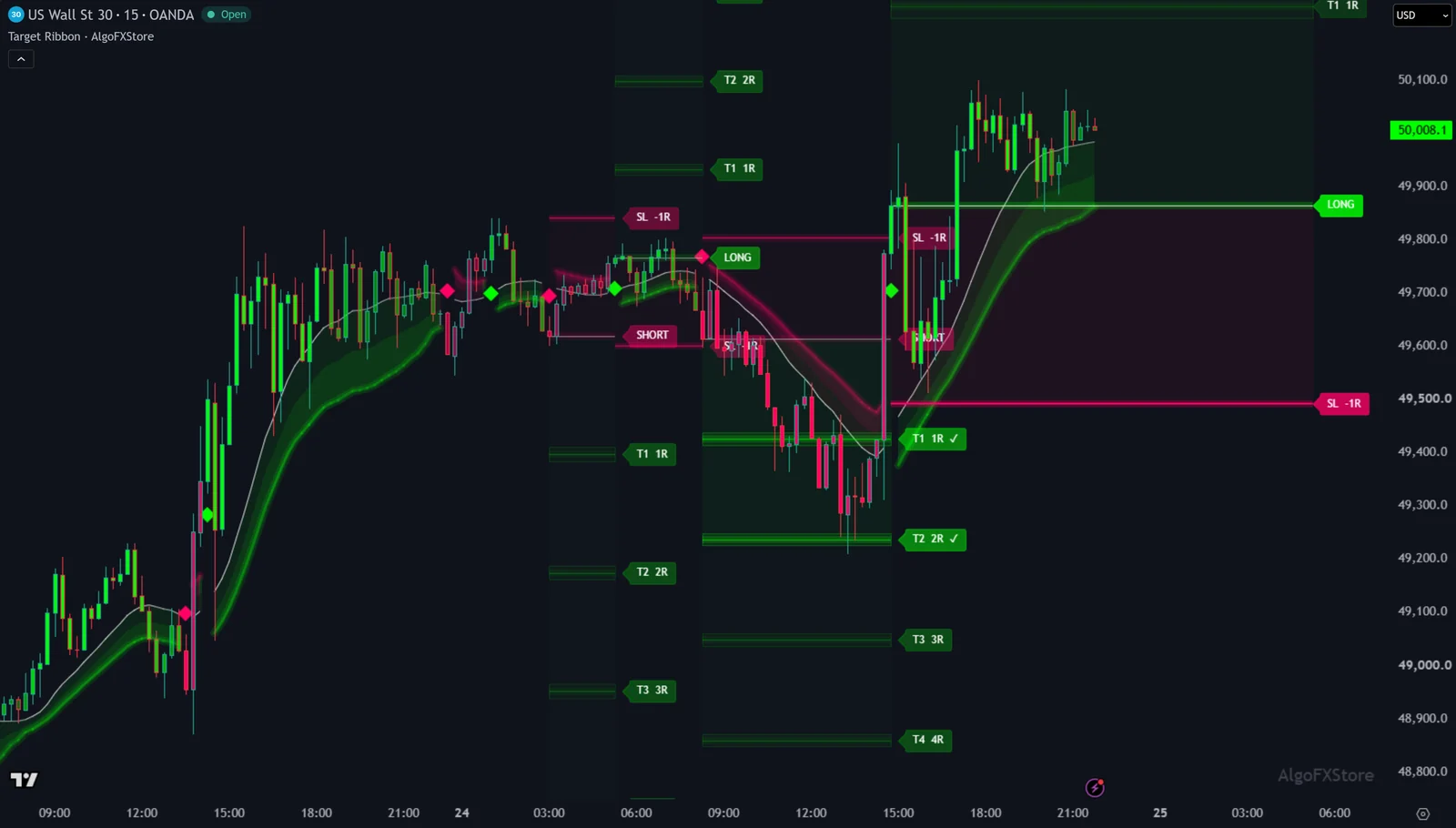
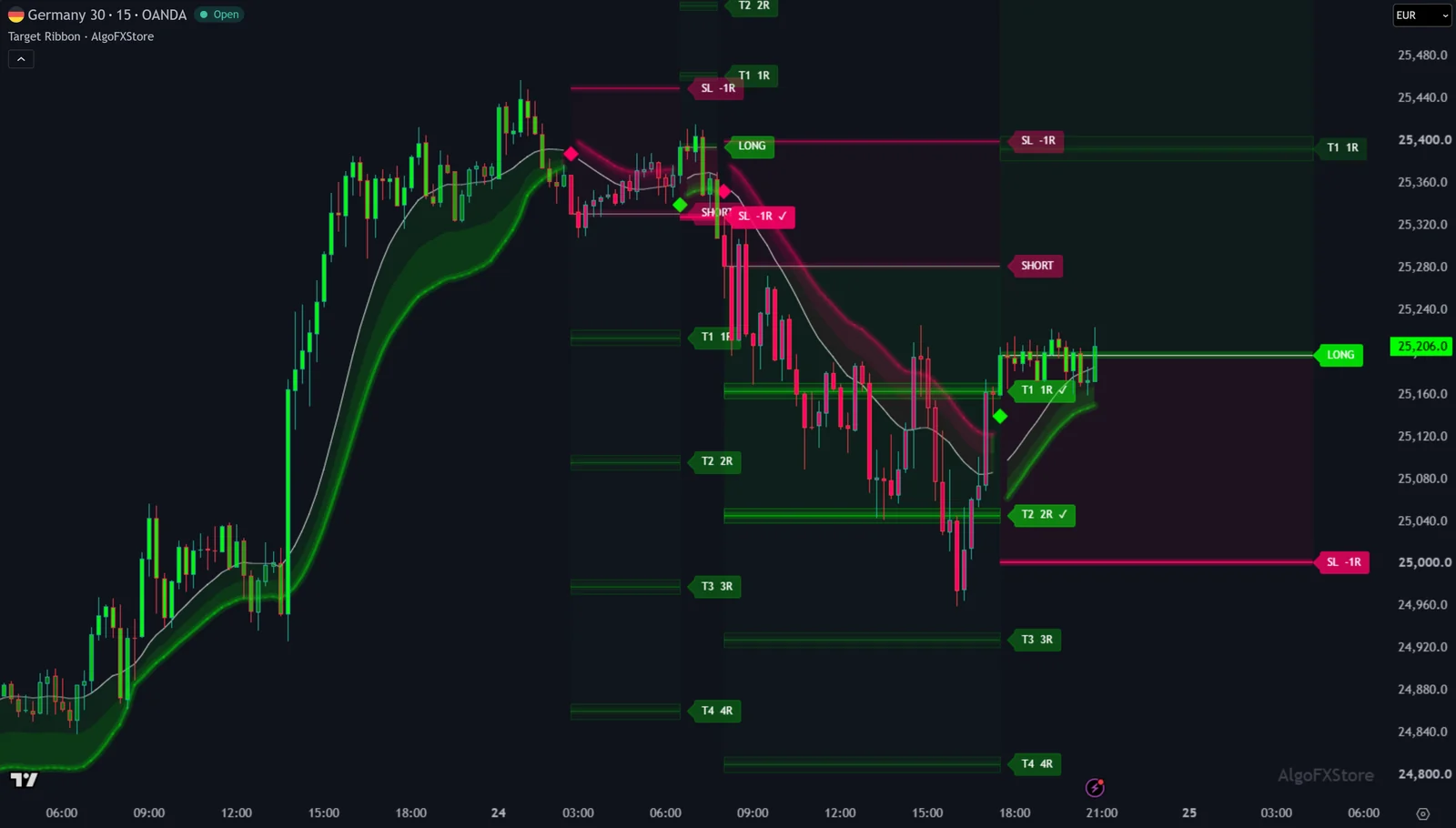
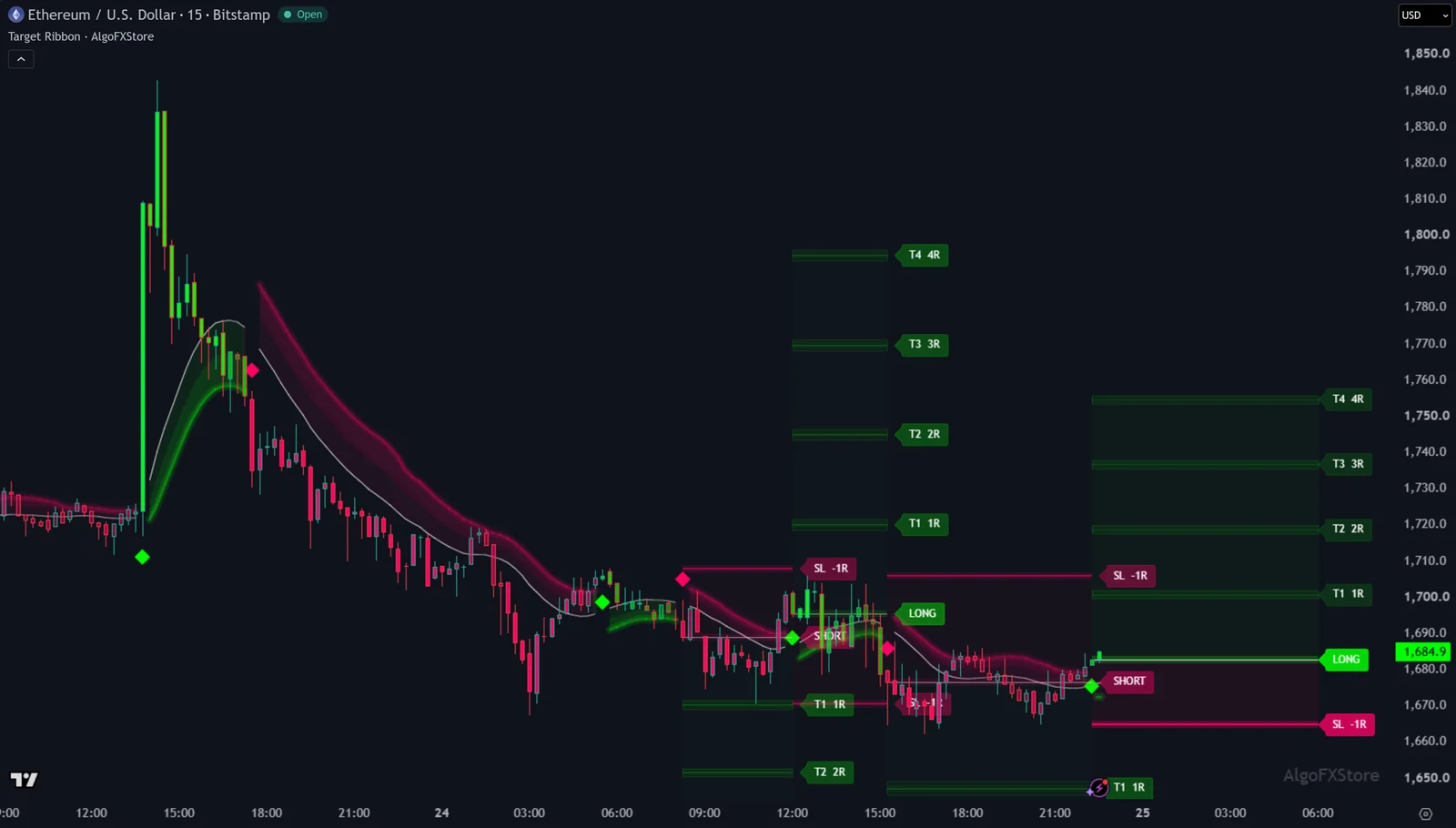
Every chart below is a screenshot of TradingView itself with the shipped Trend Target Ribbon [AlgoFXStore] attached at its default settings. Forex, metals, indices, energy and crypto, so you can see how it reads each kind of market. They show what the indicator draws; they are not trading results. Tap or click any chart to open it full size.
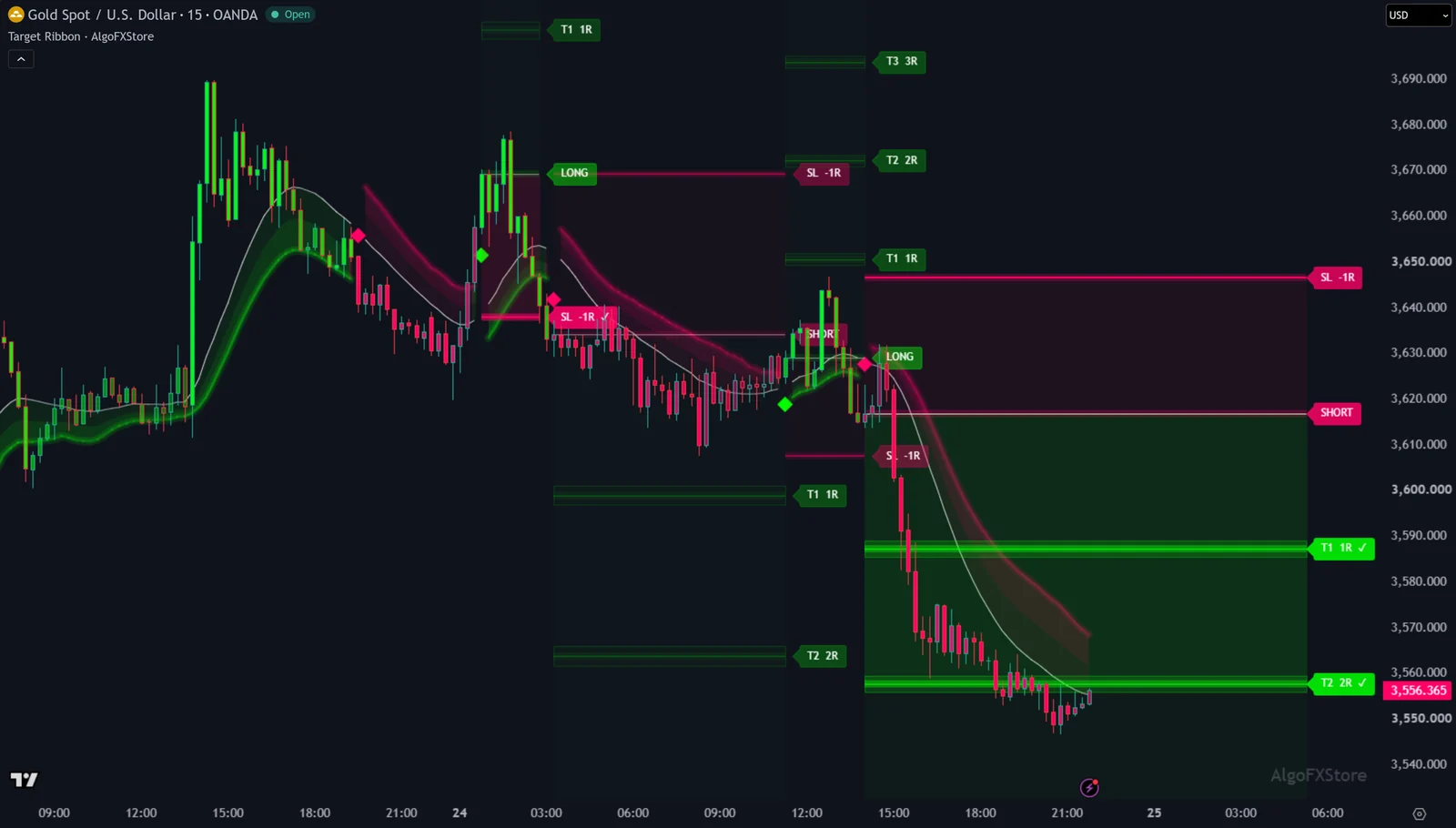
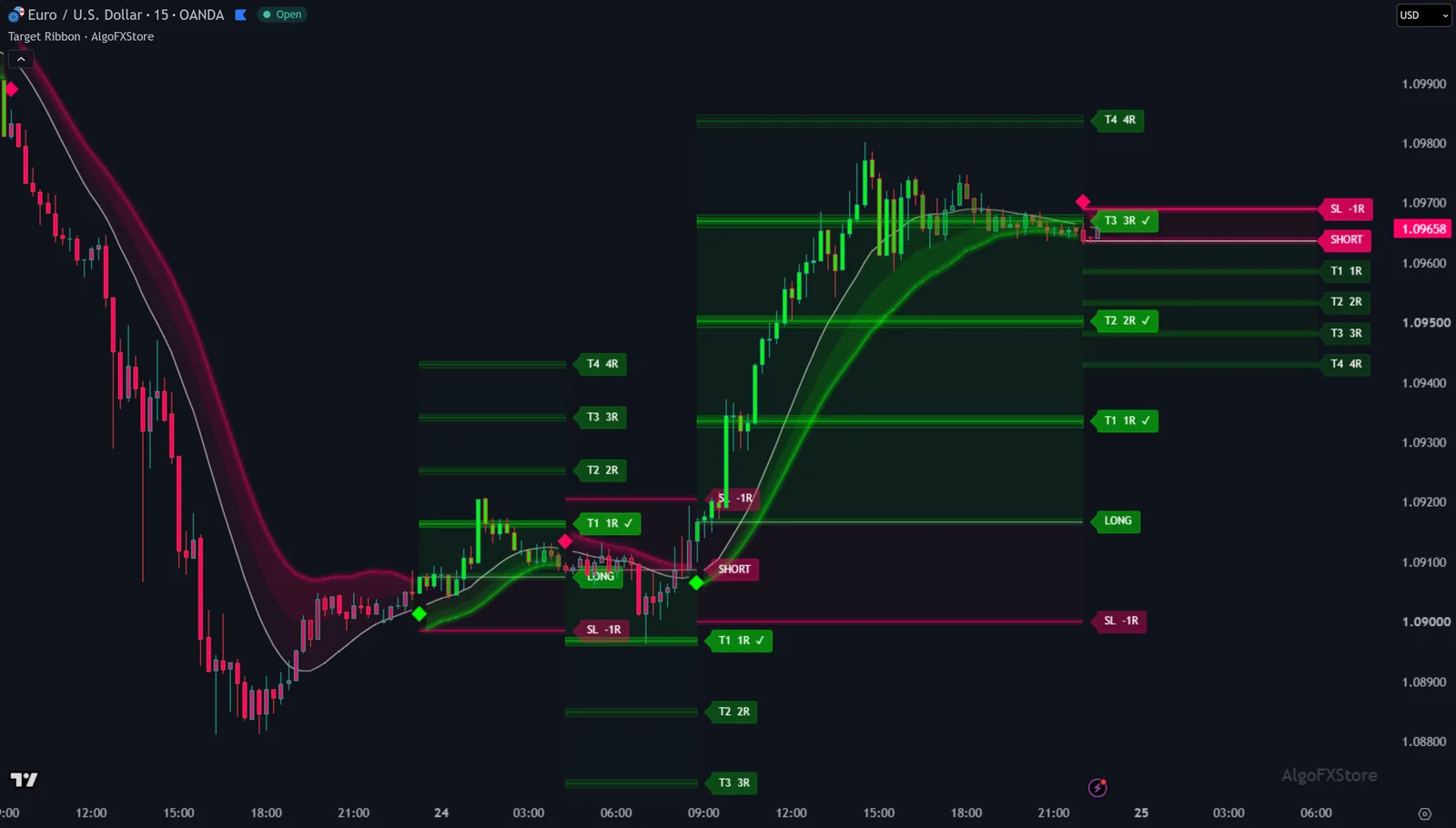
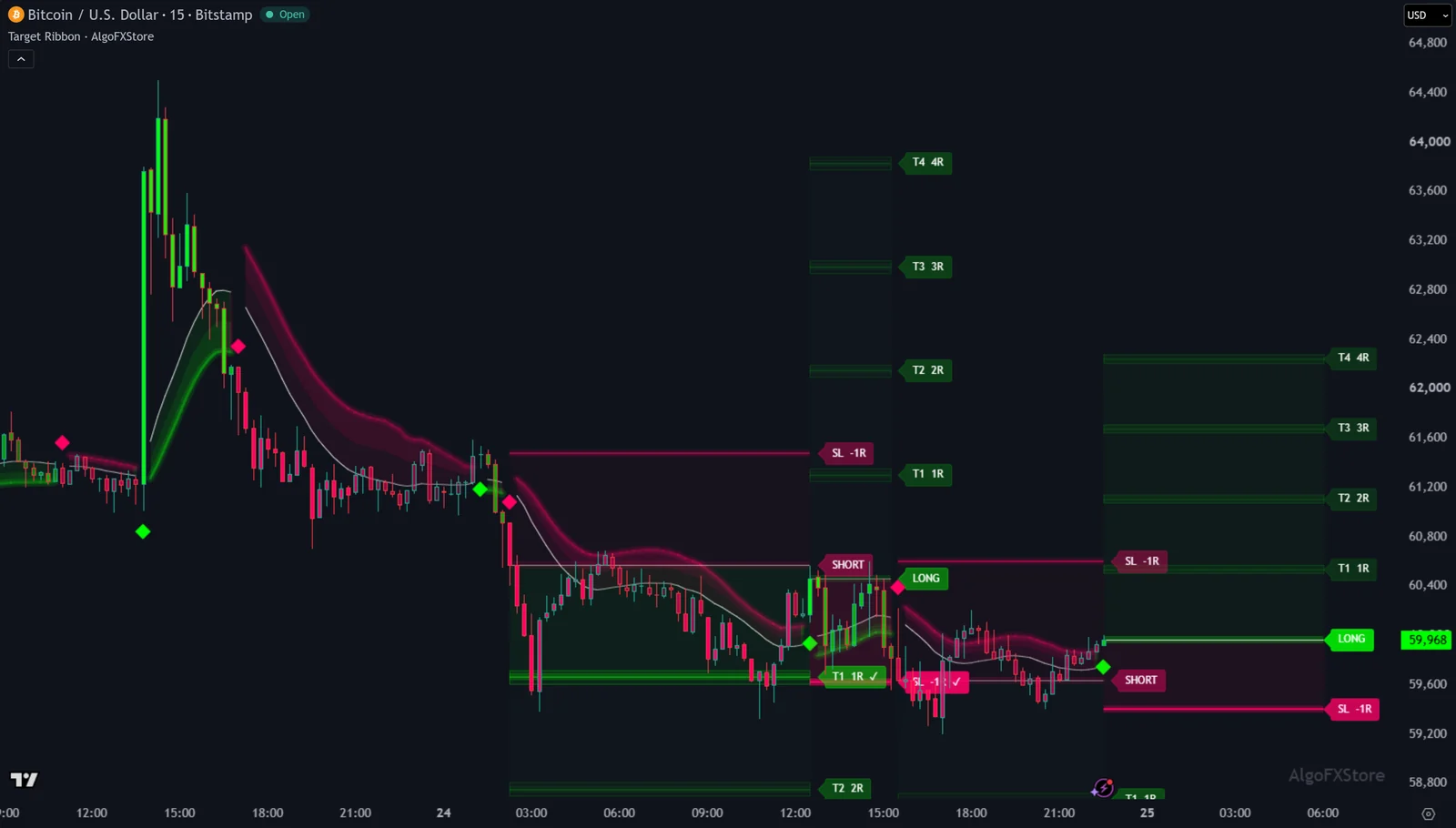
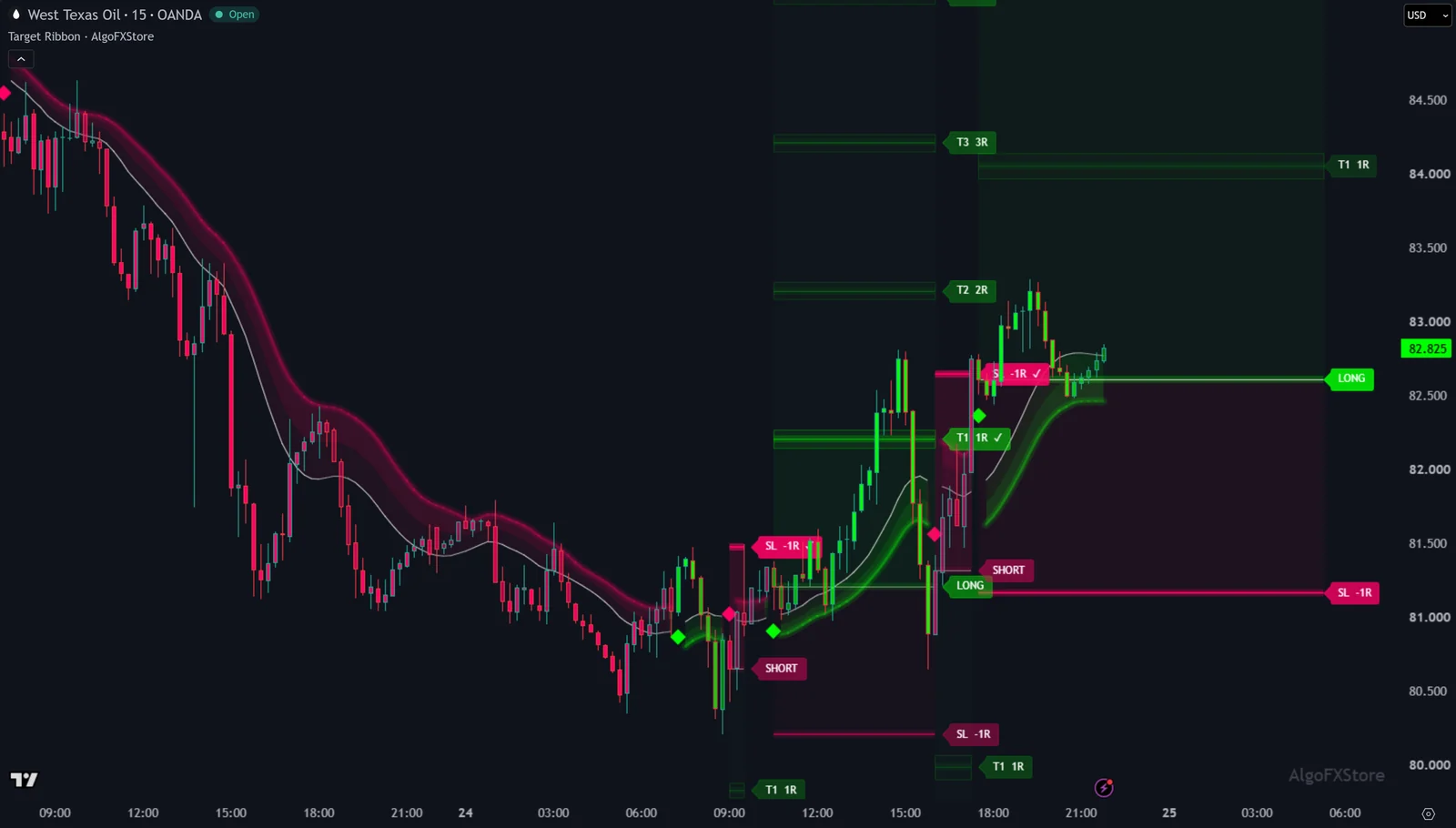
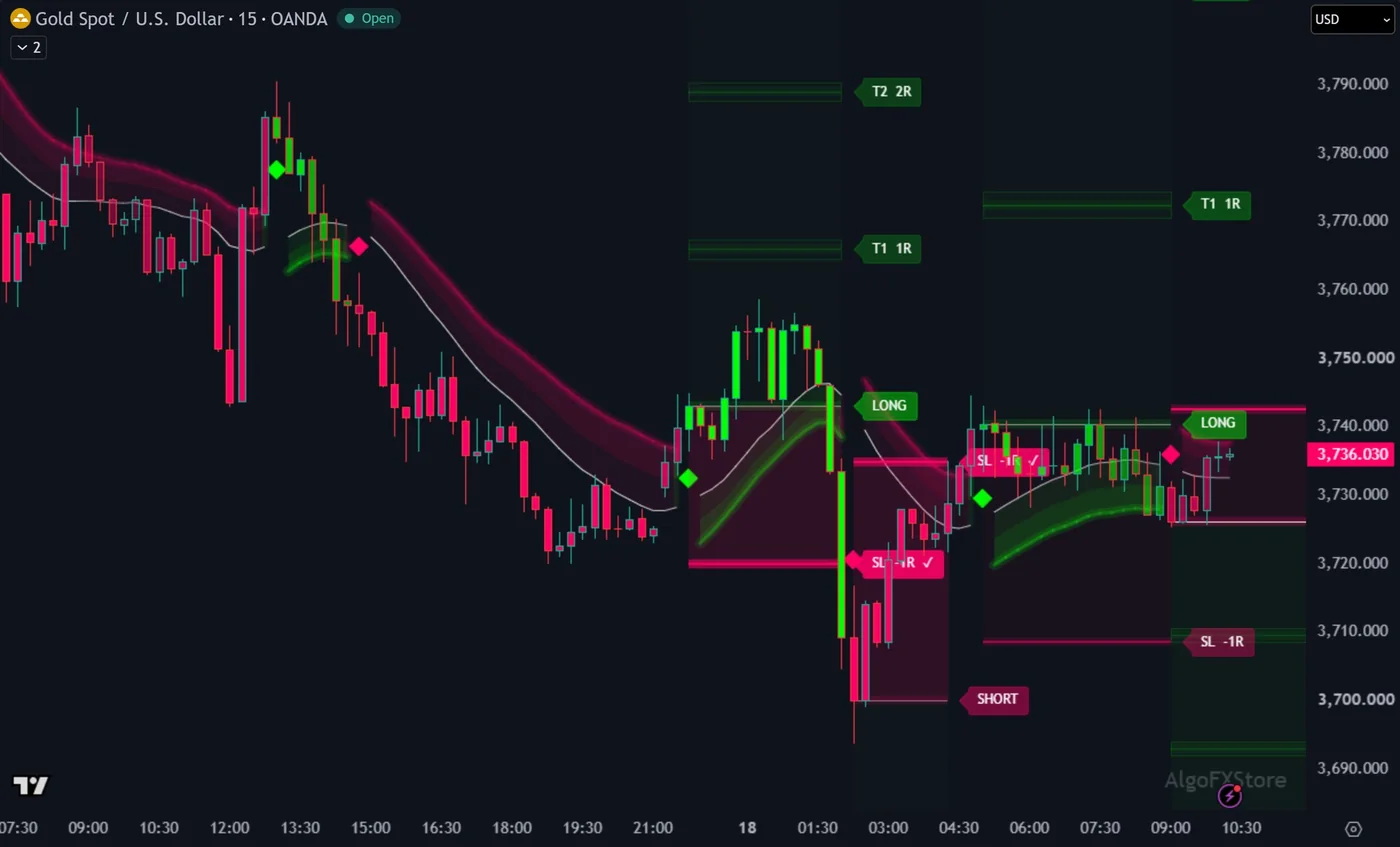
Trend Target Ribbon on a real TradingView chart, frame by frame
Frames of a screen recording of the shipped indicator at its default settings, as the chart updates. Nothing is edited into the chart.
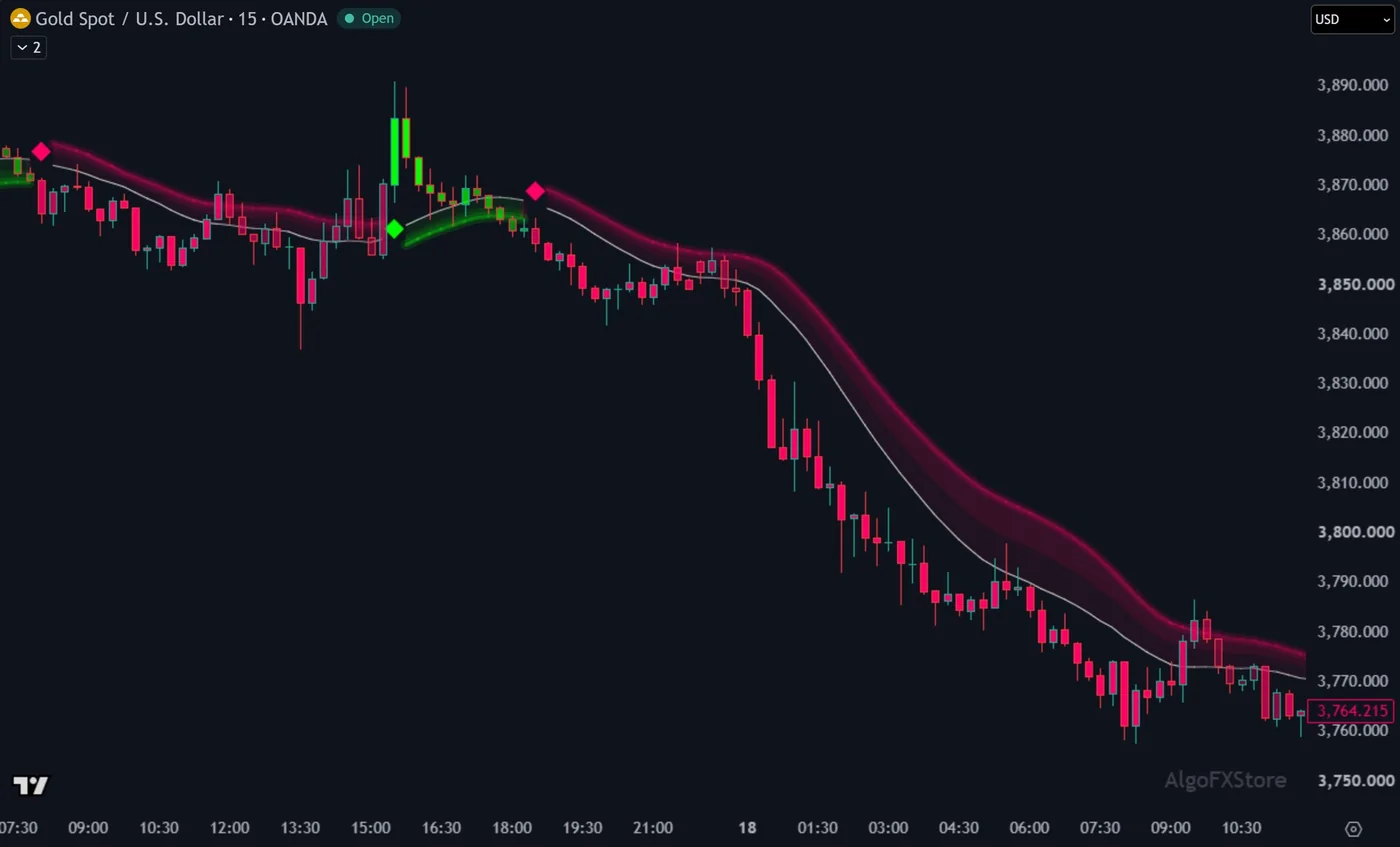
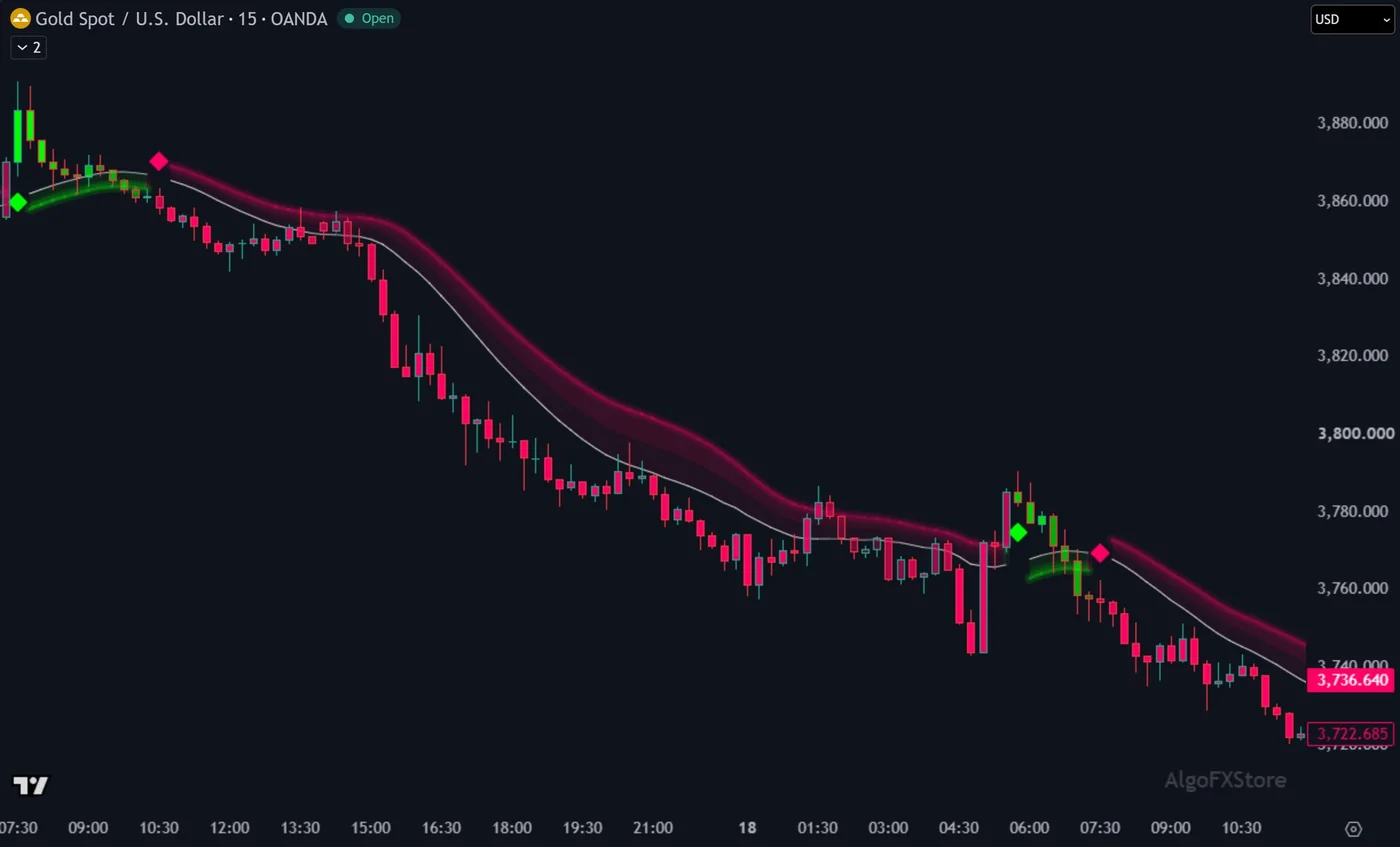
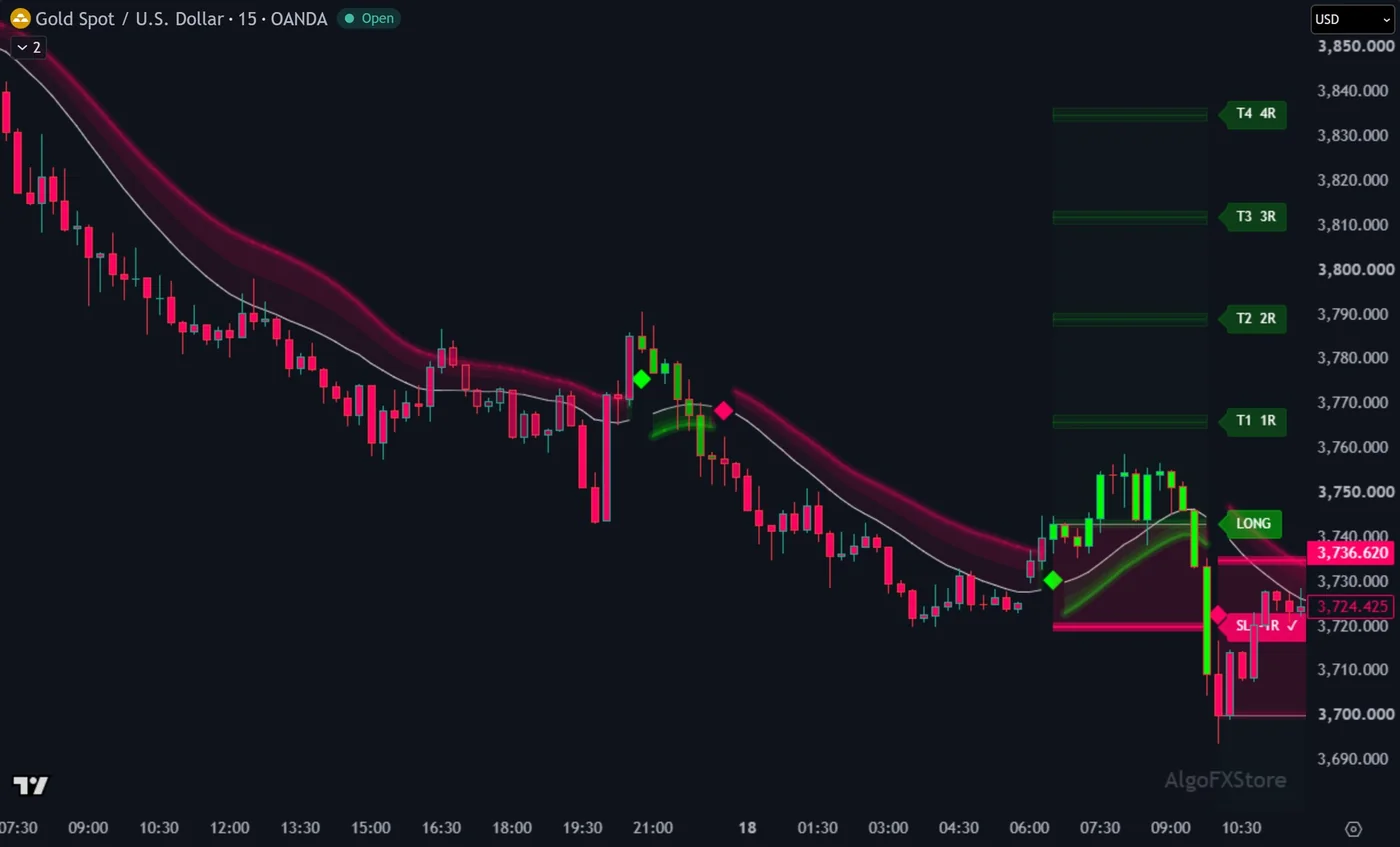
How to use it, step by step
Each flip comes with a complete plan. These steps cover when a flip is final, how to size from it and what to do at the targets.
- 1
Wait for the bar to close
A flip is evaluated on the forming bar, so a diamond and a plan can appear during the bar and vanish before it closes if price comes back inside the band. Treat a flip as final only when its bar has closed. Set your Bull Trend and Bear Trend alerts to Once Per Bar Close so they match what stays on the chart.
- 2
Check the ribbon and the candles
A flip with bright candles and a ribbon that has clearly turned shows more slope and distance from the ALMA than a flip with faint candles near the line. Neither is a filter, but the colour strength tells you how decisive the move through the band was. In a sideways market expect flips in both directions close together.
- 3
Size from the stop
Read the SL -1R tag and measure the distance from the entry. Because the stop is kept between 0.75 and 3.0 ATR, it is never absurdly tight, but on a volatile bar it can be wide. Size the position so that distance is a loss you accept, and skip the plan if it is more than you normally risk.
- 4
Decide what to do at the targets
The indicator ticks each target reached but never exits and never moves the stop. After T4 the plan stays live until the stop is touched or the next flip. Decide your own rule beforehand: take part at T1 or T2, trail your stop yourself, or hold for the far targets. Profit Targets can hide T3 and T4 if you never use them.
- 5
Know when to stand aside
Skip flips outside the hours you trade, flips straight into a level you consider important, and plans whose stop is wider than your normal risk. Be careful on the first 50 bars of a chart, where the ALMA, the bands and the slope are still building, and on a bar that touches both a target and the stop: it is drawn as stopped.
Everything Trend Target Ribbon does for you
A flip filter with two conditions
Slope and band must agree: the ALMA slope over 3 bars must exceed 0.08 ATR and the close must clear the 0.65 standard deviation band. A small dip under the line does not flip the trend.
A structure stop with ATR limits
The stop sits beyond the 12-bar swing before the flip, with its distance clamped between 0.75 and 3.0 x ATR(14). Lookback and both limits are adjustable.
Up to four targets with zones
T1 to T4 at 1R to 4R, each with a shaded zone of 6 % of R and a band from the previous level, so you see target areas rather than single thin lines.
Targets that react to price
A target starts to brighten within 0.65R of price, turns solid green when reached and gets a tick in its tag. The stop tag is ticked when touched.
Trend ribbon and conviction candles
A white ALMA core, a trend edge line with a glow and gradient fills in green or red, plus candles coloured from faint to full by slope and distance from the ALMA.
Recent plans stay for review
The last four plans stay on the chart (Positions On Chart, 1 to 5), frozen where they ended, so you can look back at how recent flips played out.
Clean chart, no table
There is no dashboard covering the chart: only the ribbon, the diamonds, the plan lines with their tags and a small AlgoFXStore watermark.
Your own colours
Separate inputs for Bull, Bear, Take Profit, Stop Loss, Core and Neutral. Stop and targets keep their own colours in both directions: red for the stop, green for the targets.
Trend Target Ribbon, feature by feature
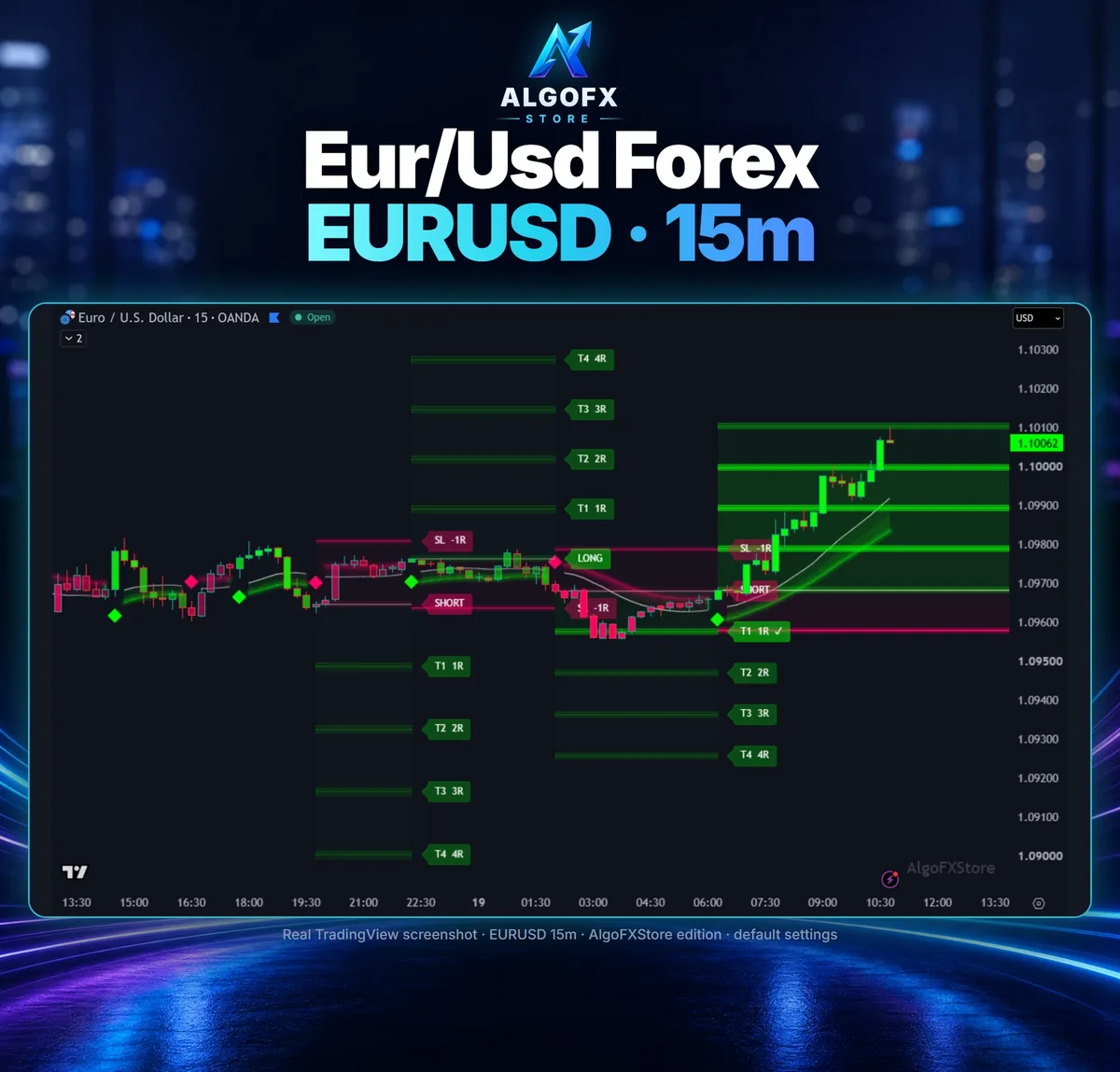
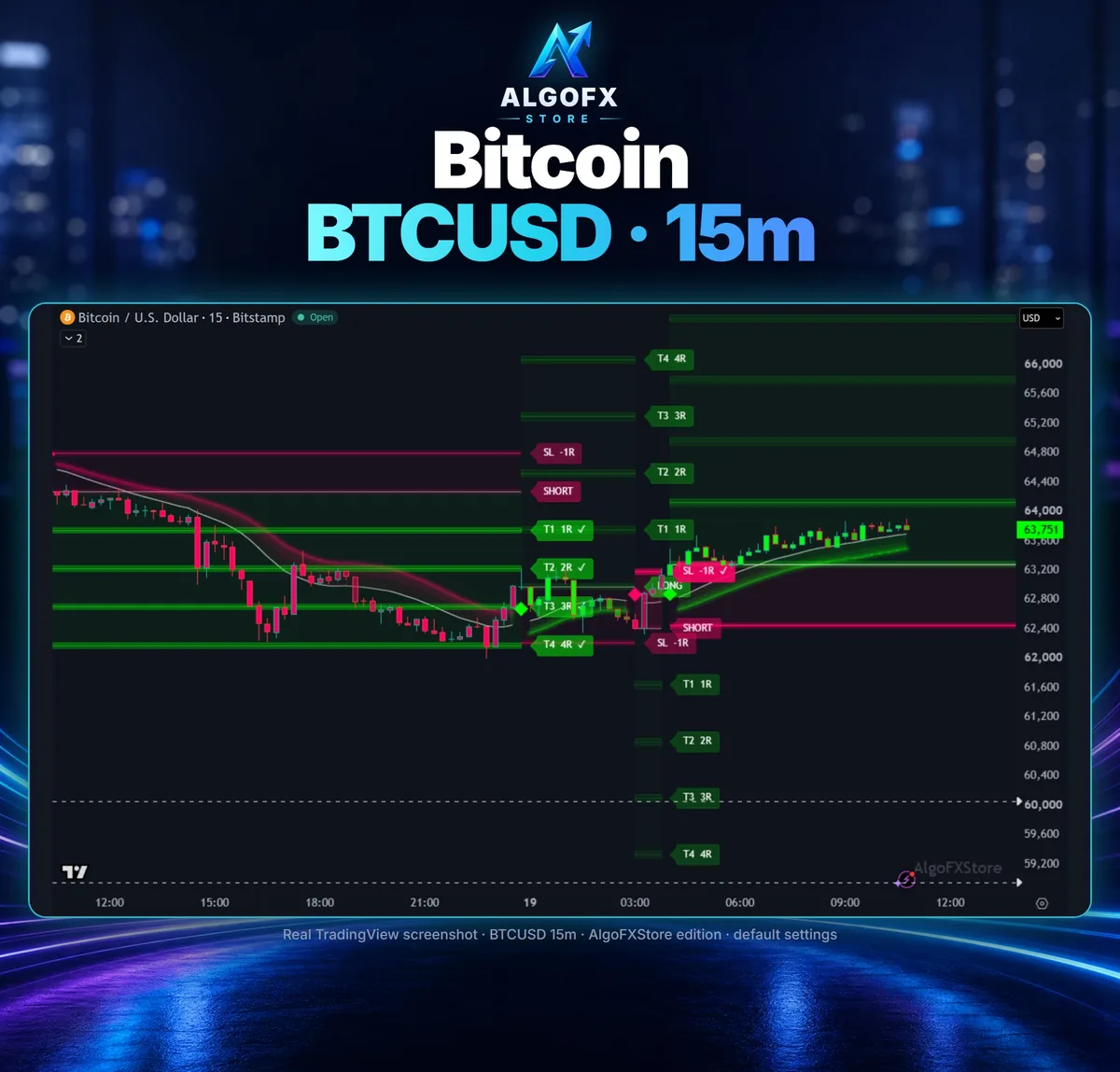
Each picture is built from real platform screenshots of the shipped indicator at its default settings, labelled so you can see what every part does. Tap any picture to open it full size.
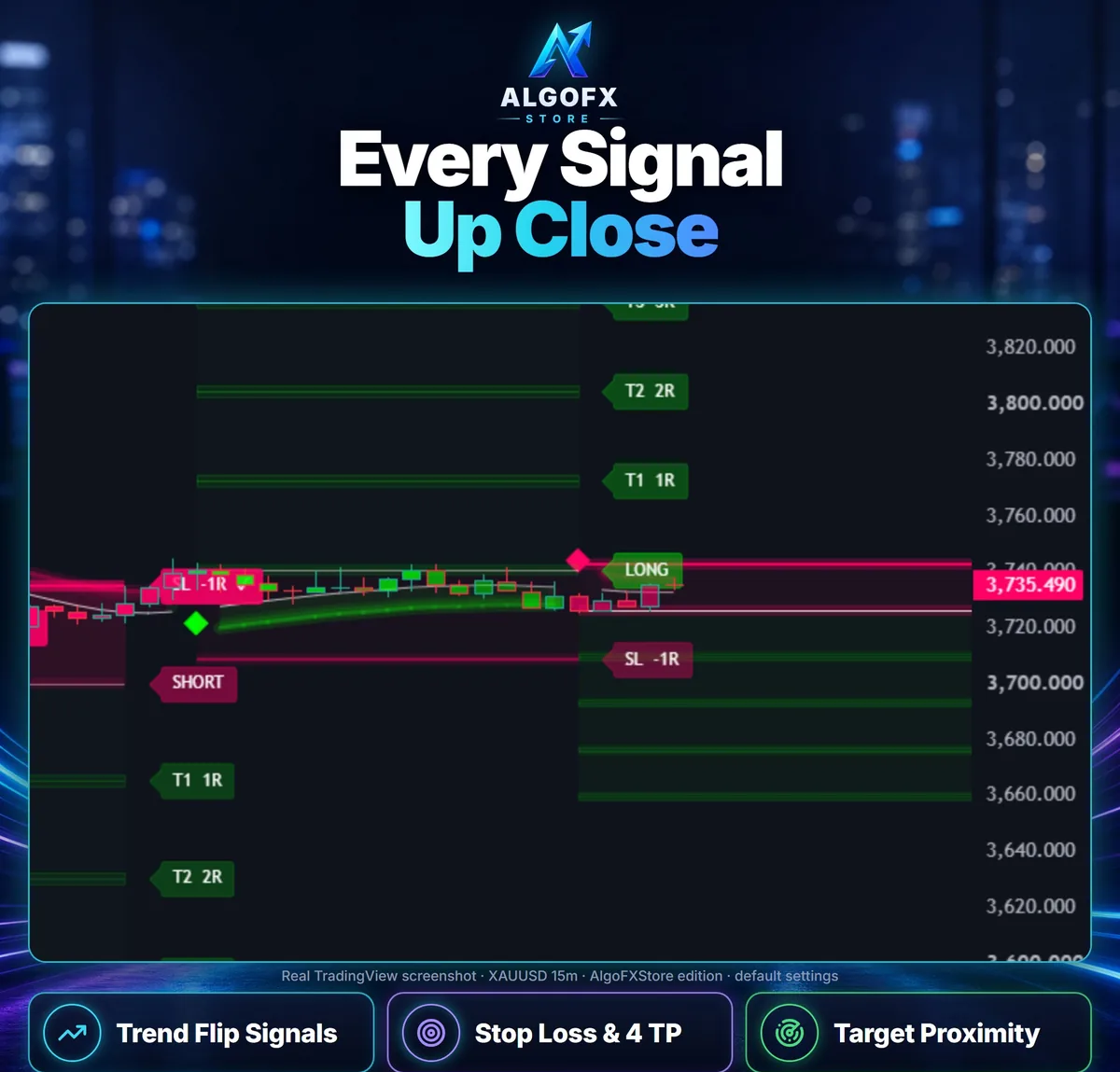
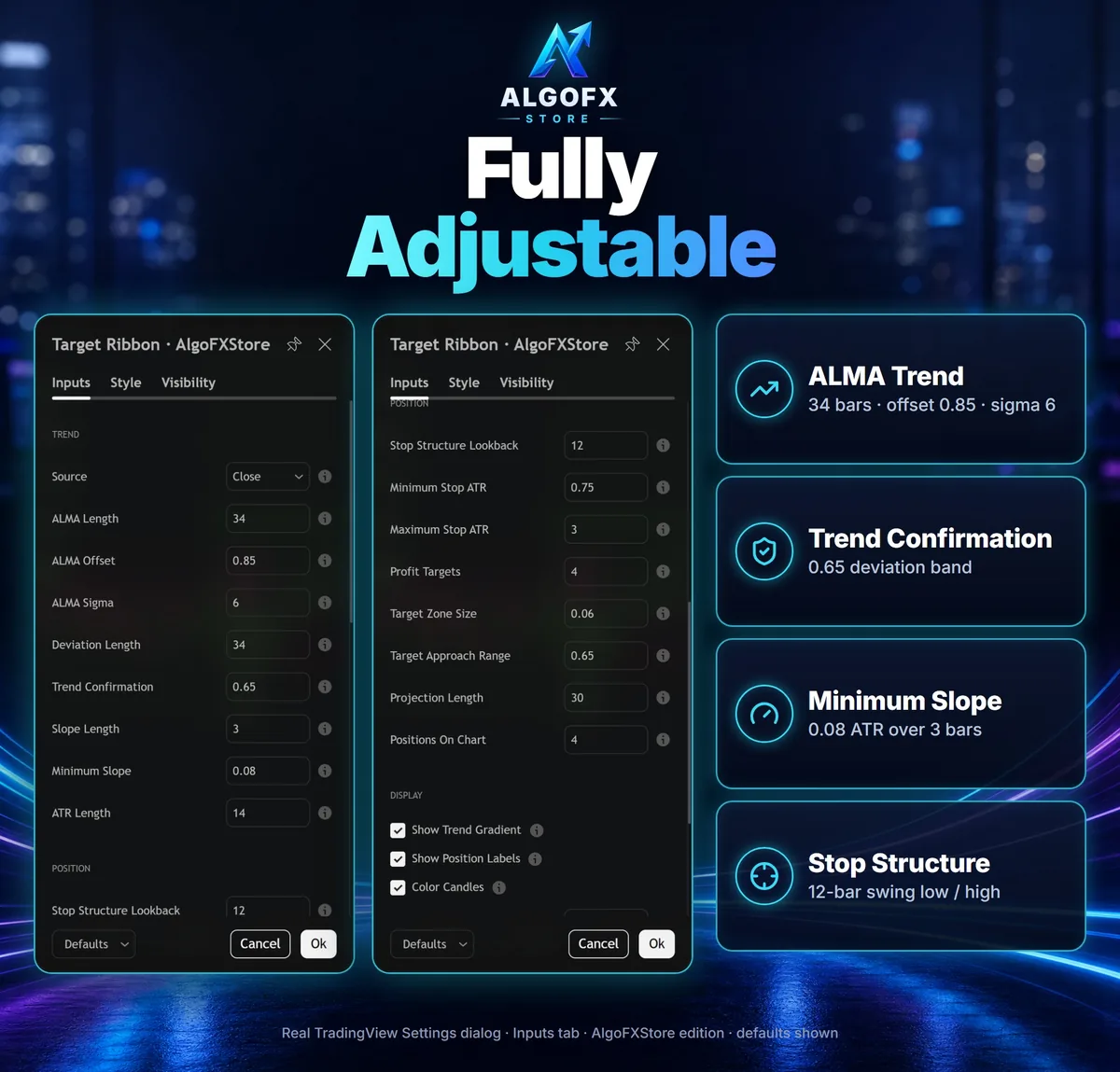
How traders put it to work
Intraday on 5 minutes to 1 hour
The defaults are set for intraday charts from 5 minutes to 1 hour; the screenshots use 15 minutes. On these timeframes flips come often enough to trade during a session, and the 12-bar stop lookback covers the last swing of the move.
Gold and indices
On XAUUSD and index charts the ATR limits matter: a fast bar can make the 12-bar swing far away, and the 3.0 ATR cap keeps the stop within reach. Watch the risk box: when it is tall, the targets are far away too.
Forex pairs
On EURUSD and other majors the same defaults work as a starting point. If you see too many flips in quiet sessions, raise Trend Confirmation above 0.65 or Minimum Slope above 0.08, and compare the same week before and after the change.
4 hour and daily charts
On higher timeframes you get fewer, longer trends and wider stops. Fewer targets can make sense: set Profit Targets to 2 or 3 if four levels reach further than the moves you usually hold for.
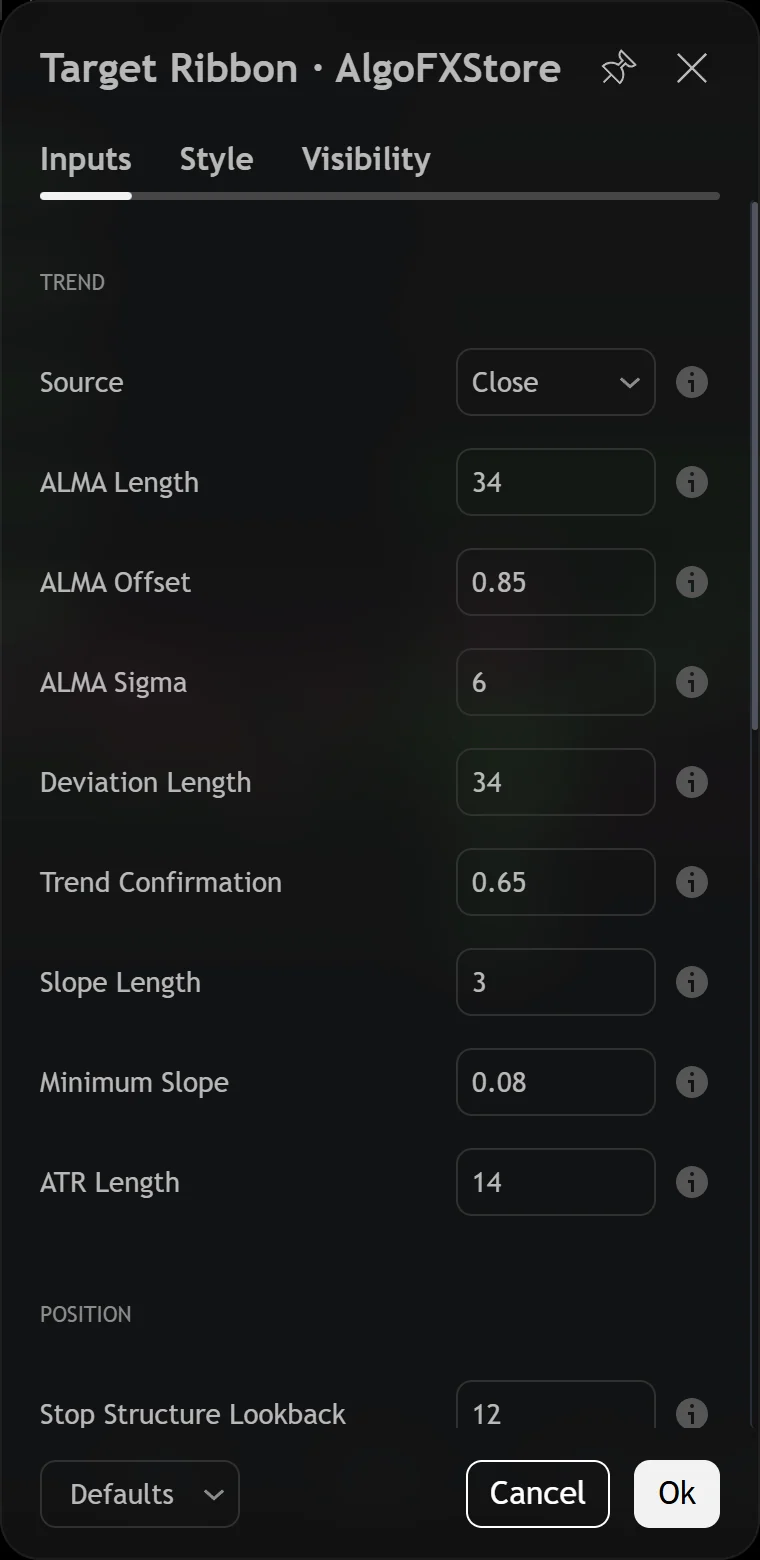
Every setting, with its default
The names are the ones in the script's Settings dialog in TradingView (Inputs tab); the defaults are what every chart on this page uses.
Trend (9)
| Setting | Default | What it does |
|---|---|---|
| Source | close | Price used for the ALMA and the deviation bands. |
| ALMA Length | 34 | Bars of the ALMA trend line (min 5); higher = smoother, slower. |
| ALMA Offset | 0.85 | 0-1: weighting toward recent bars; higher = more responsive. |
| ALMA Sigma | 6 | 1-15: smoothness of the ALMA curve. |
| Deviation Length | 34 | Bars of the standard deviation that sets the confirmation bands (min 5). |
| Trend Confirmation | 0.65 | 0.1-3.0: band width in standard deviations the close must clear to confirm a trend. |
| Slope Length | 3 | 1-10: bars back for the ALMA slope. |
| Minimum Slope | 0.08 | 0-1: minimum ALMA slope in ATR units to confirm a trend direction. |
| ATR Length | 14 | ATR bars for the slope normalisation and the stop limits (min 5). |
Position (8)
| Setting | Default | What it does |
|---|---|---|
| Stop Structure Lookback | 12 | 3-50: bars before the flip searched for the swing low / high of the stop. |
| Minimum Stop ATR | 0.75 | 0.25-3.0: the stop is at least this many ATR from the entry. |
| Maximum Stop ATR | 3 | 1.0-8.0: the stop is at most this many ATR from the entry. |
| Profit Targets | 4 | 2-4 targets at 1R, 2R, 3R, 4R. |
| Target Zone Size | 0.06 | 0.01-0.20: half-height of the shaded zone around each target as a fraction of R (0.06 = 6 % of R). |
| Target Approach Range | 0.65 | 0.1-1.5 R: distance at which a target starts to brighten as price approaches. |
| Projection Length | 30 | 10-100: bars the entry, stop and target lines reach right of the current bar. |
| Positions On Chart | 4 | 1-5: plans kept before the oldest is removed. |
Display (10)
| Setting | Default | What it does |
|---|---|---|
| Show Trend Gradient | on | The ribbon (ALMA, edge, glow, fills). |
| Show Position Labels | on | LONG/SHORT, SL and T1-T4 tags (off = invisible tags). |
| Color Candles | on | Trend-strength candle colouring. |
| Label Size | Normal | Tiny, Small, Normal, Large, Huge. |
| Bull | #00FF00 | Uptrend colour (ribbon, candles, diamond, LONG). |
| Bear | #FF0066 | Downtrend colour (ribbon, candles, diamond, SHORT). |
| Take Profit | #00FF00 | Target lines, zones, bands and tags. |
| Stop Loss | #FF0066 | Stop line, SL tag and risk box. |
| Core | #FFFFFF | ALMA core line and entry line. |
| Neutral | #555555 | Ribbon colour before the first trend. |
The alert events, one by one
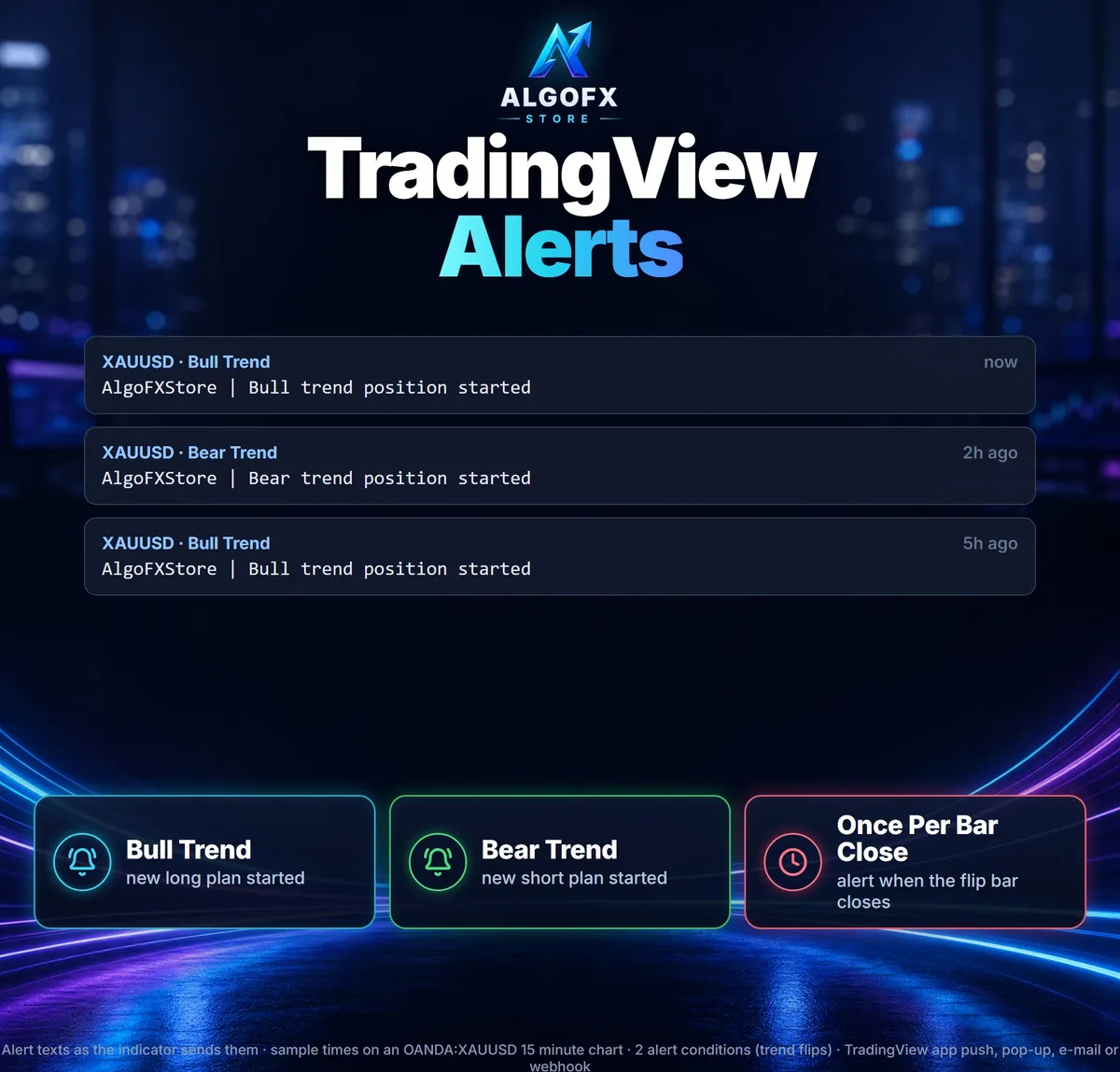
In TradingView: Create alert, choose “Trend Target Ribbon [AlgoFXStore]” as the condition and pick the event. TradingView then notifies you the way you set in that dialog: a pop-up in TradingView, a sound, the TradingView app on your phone or an e-mail.
- Bull Trend
- Bear Trend
Trend Target Ribbon next to the usual options
Where it wins, and where it does not.
| Trend Target Ribbon | Typical free moving average indicator | Reading it by hand | |
|---|---|---|---|
| When the trend changes | Slope above 0.08 ATR and a close beyond the 0.65 deviation band | Price crosses the line | Your judgement |
| Stop and targets | Entry, structure stop and T1 to T4 drawn on every flip | None | Measured and drawn each time |
| Following the plan | Targets brighten, reached ones and the stop are ticked | None | Watching and remembering |
| Signal timing | Evaluated on the forming bar, final at the close | Usually the same | When you look |
| Alerts | Bull Trend and Bear Trend only; targets and stop are chart marks | Often a cross alert | Only while you watch |
| Simplicity | 27 inputs and a busy chart while a plan is live | One or two inputs | Nothing to install |
| Cost | A one-time purchase | Free | Free |
Honest about who this fits
A good fit if you
- Trend traders on TradingView who want a clear rule for when the trend has changed, not just price above or below a line.
- Traders who want every flip measured the same way: entry at the close, stop beyond the swing, targets in multiples of R.
- Intraday traders on 5 minute to 1 hour charts who like a visual chart with zones instead of a table.
- Traders who manage exits themselves and only want the indicator to show where the targets and the stop are.
- Traders who review recent flips and like to see the last plans frozen where they ended.
Not for you if you
- Traders who need signals fixed the moment they appear: a flip can show and vanish during the forming bar and is final only at the close.
- Anyone who wants alerts for target hits or stops: only the two flip alerts exist, the rest is drawn on the chart.
- Traders who want the indicator to close or trail a trade: it never exits at a target and never moves the stop.
- Anyone who wants orders placed automatically: it draws and alerts and never places a trade.
The full code, one manual, installed in two minutes
- 1Pine Script source codeTrend_Target_Ribbon_TradingView_Code.txt (28 KB): the full code. Paste it into the Pine Editor and it appears as “Trend Target Ribbon [AlgoFXStore]”.
- 14Page PDF manualInstallation, every setting with its default and how to read the chart.
- 27SettingsEvery one explained above, with the defaults the charts use.
- ✓Alert eventsYou choose which ones are on in the settings.
- 60Day money-back guaranteeIf it is not for you, request a full refund within 60 days through your Digistore24 order e-mail.
Install in five steps
- Download the zip from the page Digistore24 sends you to after checkout and unzip it.
- Open Trend_Target_Ribbon_TradingView_Code.txt in a text editor, select all and copy the whole code.
- In TradingView, open the Pine Editor, paste the code over everything that is there and click Save.
- Click Add to chart: “Trend Target Ribbon [AlgoFXStore]” appears on your chart.
- Read the PDF manual; the defaults are the settings shown on this page.

Kestutis Balciunas
AlgoFXStore · chart indicators
Kestutis Balciunas builds and publishes chart indicators under the AlgoFXStore name. Every product page shows what the indicator draws on real charts, and every number on it comes from the shipped build.
The charts on this page were captured in TradingView from the shipped Trend Target Ribbon [AlgoFXStore] at its default settings and are shown unedited.
No get-rich claims and no quoted win rates. Every trade is uncertain, and no indicator changes that. If you want to know whether it suits the way you trade before you buy, e-mail [email protected] and you will get a straight answer.
One price, one payment
- The full Pine Script source code of Trend Target Ribbon and the 14-page PDF manual
- Delivered as a digital download: one zip with the code file and the PDF manual on your download page
- Return period: 60 days, with a full refund if it is not for you
- Free updates to the current version on the same download page
60-day money-back guarantee. Install it, run it on your own charts and read the manual. If Trend Target Ribbon is not for you within 60 days of purchase, request a full refund from Digistore24, no questions asked: use the refund link in your Digistore24 order e-mail or Digistore24's order page digistore24.com/en/cancel-revoke-contract. Digistore24 refunds to your original payment method. It is a digital download: right after checkout you land on your download page, and the link to it is also in your Digistore24 order e-mail.
About the signals
Does it repaint?
During the forming bar, yes: the flip is evaluated on the live close without waiting for the bar to close, so a diamond, a LONG or SHORT plan and the alert condition can appear and disappear tick by tick. Once the bar closes the flip is final and does not move. The stop distance uses the flip bar's ATR, which also settles at the close. Set alerts to Once Per Bar Close.
What do the colours and marks mean?
Green ribbon, candles and diamonds mean an uptrend, red means a downtrend, grey means no trend yet. The white line is the ALMA core and the entry. The red line, the SL -1R tag and the red box are the stop and the risk. The green lines, zones and T1 to T4 tags are the targets; a tick means reached.
Why did the plan end without reaching a target?
Either a bar after the entry bar touched the stop, in which case the plan froze there with the stop ticked, or the trend flipped the other way first and the plan froze faded at the flip bar. If a single bar spans a target and the stop, the plan is drawn as stopped and that target is not ticked.
Why does the first trend take a while to appear?
The ALMA, the deviation bands and the slope need about 50 bars of history before the first trend can be confirmed. Until then the ribbon is grey and no plan is drawn.
What should I do when flips alternate quickly?
Quick alternating flips mean price keeps crossing the band with a weak slope, typical of a sideways market. You can raise Trend Confirmation or Minimum Slope to require a clearer move, or simply stand aside until a flip comes with strong candle colour and a ribbon that keeps its direction.
Settings and display
Which inputs change the signals and which only the plan?
Source, ALMA Length, Offset, Sigma, Deviation Length, Trend Confirmation, Slope Length, Minimum Slope and ATR Length change when flips happen. Stop Structure Lookback, Minimum and Maximum Stop ATR, Profit Targets and Target Zone Size change only the plan. Target Approach Range, Projection Length and Positions On Chart change only the display.
Should I keep the defaults?
Start with them: ALMA 34 with offset 0.85 and sigma 6, deviation 34 with a 0.65 band, slope over 3 bars with a 0.08 minimum, ATR 14, a 12-bar stop lookback clamped to 0.75 to 3.0 ATR, and four targets. Change one input at a time and compare the same stretch of history.
Is there a dashboard?
No. The indicator has no table; all information is on the chart: the ribbon, the diamonds, the plan lines with their tags and zones, and a small AlgoFXStore watermark in the bottom right corner. Show Position Labels hides the tags if you want a quieter chart.
How many past plans stay on the chart?
Four by default. Positions On Chart can keep between one and five; when a new plan starts beyond that number, the oldest is removed. The diamonds of older flips stay.
Alerts and markets
Which alerts are there?
Two alertcondition alerts: Bull Trend (bull trend position started) and Bear Trend (bear trend position started). Create one alert for each in Create alert. Target hits and stop touches are shown on the chart only and have no alert.
Which frequency should I choose for the alerts?
Once Per Bar Close. Because flips are evaluated on the forming bar, an alert set to fire during the bar can trigger on a flip that disappears before the close. Once Per Bar Close only fires for flips that are final.
Which markets and timeframes can I use?
Any symbol and timeframe on TradingView: forex, gold, indices, crypto and stocks. The defaults suit 5 minute to 1 hour charts; 4 hour and daily charts give fewer, longer trends. It reads only the chart's own bars, so it works on every TradingView plan.
Can I combine it with other indicators?
Yes. It is a price overlay, so oscillators in a separate pane or your own support and resistance levels sit next to it without conflict. If another tool colours candles, switch Color Candles off here so the two do not overwrite each other.
How it works
Will it place trades for me?
No. Trend Target Ribbon is an indicator: it draws on the chart and can alert you. It never sends an order.
Do I need a paid TradingView plan?
No. It reads only the chart's own bars, so the free TradingView plan runs it. Alerts count against your plan's alert limit.
After you buy
How do I get it after paying?
Digistore24 runs the checkout. Right after payment it takes you to your download page with one zip holding the Pine Script source code file and the PDF guide; the link to that page is also in your Digistore24 order e-mail, so you can download again at any time.
How do I install it?
Open the code file, open the Pine Editor in TradingView, paste the whole code, click Save and then Add to chart: “Trend Target Ribbon [AlgoFXStore]” appears on your chart. The guide walks through it step by step.
Who is Digistore24?
Digistore24 is the reseller that sells Trend Target Ribbon for Kestutis Balciunas (AlgoFXStore): it runs the checkout, charges your card or PayPal, collects the VAT for your country and delivers the download. Its name is the one on your statement, and its order e-mail holds your download link and the refund link.
What is the refund policy?
A 60-day money-back guarantee, handled by Digistore24. If Trend Target Ribbon is not for you within 60 days of purchase, use the refund link in your Digistore24 order e-mail or Digistore24's order page (digistore24.com/en/cancel-revoke-contract) for a full refund, no questions asked. Digistore24 makes the refund to your original payment method.
Do I get the source code?
Yes. You get the full Pine Script source code as a text file for your own use; the licence line at the top of the code does not allow resale, sharing or republishing.
Trend Target Ribbon for TradingView.
Put the trend ribbon and a measured plan for every flip on your own TradingView charts and decide which trends are worth your risk. The full code, the manual and every setting explained. Instant download for €47, one payment.
Get instant access