See how stretched the current swing is, measured against this chart's own past swings
Supreme Swing Exhaustion Levels measures every swing on your TradingView chart in ATR and learns from the chart's own history how far and how long swings of that size usually run.
- Swings measured in ATR(14): a swing ends when price comes back 2.5 ATR from its extreme
- Three exhaustion levels from the 50, 75 and 90 % points of comparable past swings
- A time window showing when half of comparable swings ended, with an overdue warning
- Kernel trend line and confluence marks, all decided on closed bars
- The full Pine Script source code. Paste it into the Pine Editor, save, and add “Supreme Swing Exhaustion Levels [AlgoFXStore]” to your chart.
- A 16-page PDF manual with installation, every setting and how to read the chart. One-time €47.
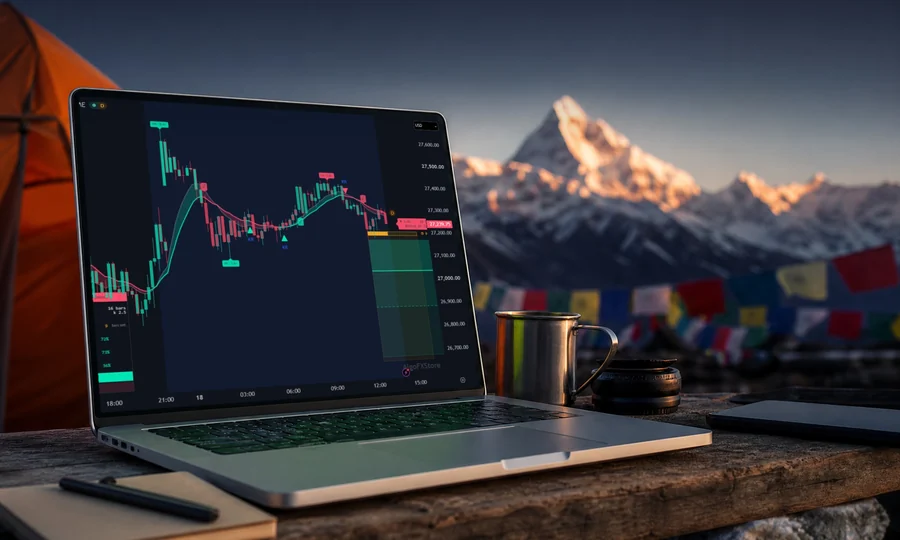
See Supreme Swing Exhaustion Levels on a real chart
Press play; use the full-screen button to see every detail.
Every swing looks like it could keep running while you are inside it
In the middle of a strong move it is hard to judge how far it has come. Fading it too early means standing in front of a trend; holding too long means giving back the move when it turns. Fixed tools such as Fibonacci extensions or round numbers give the same answer on every market and every week, whether swings on that chart are usually short or long.
Your own chart already holds the answer to a better question: how far and for how long did swings of this size go before they ended, here, on this symbol and this timeframe? Answering that by hand would mean measuring hundreds of past swings in a consistent way and keeping the statistics up to date.
Supreme Swing Exhaustion Levels does that measuring. It sizes every swing in ATR, keeps records per direction, and for the live swing shows where comparable swings usually ended, in price and in bars, together with a kernel trend that confirms when the turn has started.
Everything Supreme Swing Exhaustion Levels draws on your chart
Read from the shipped Pine Script code.
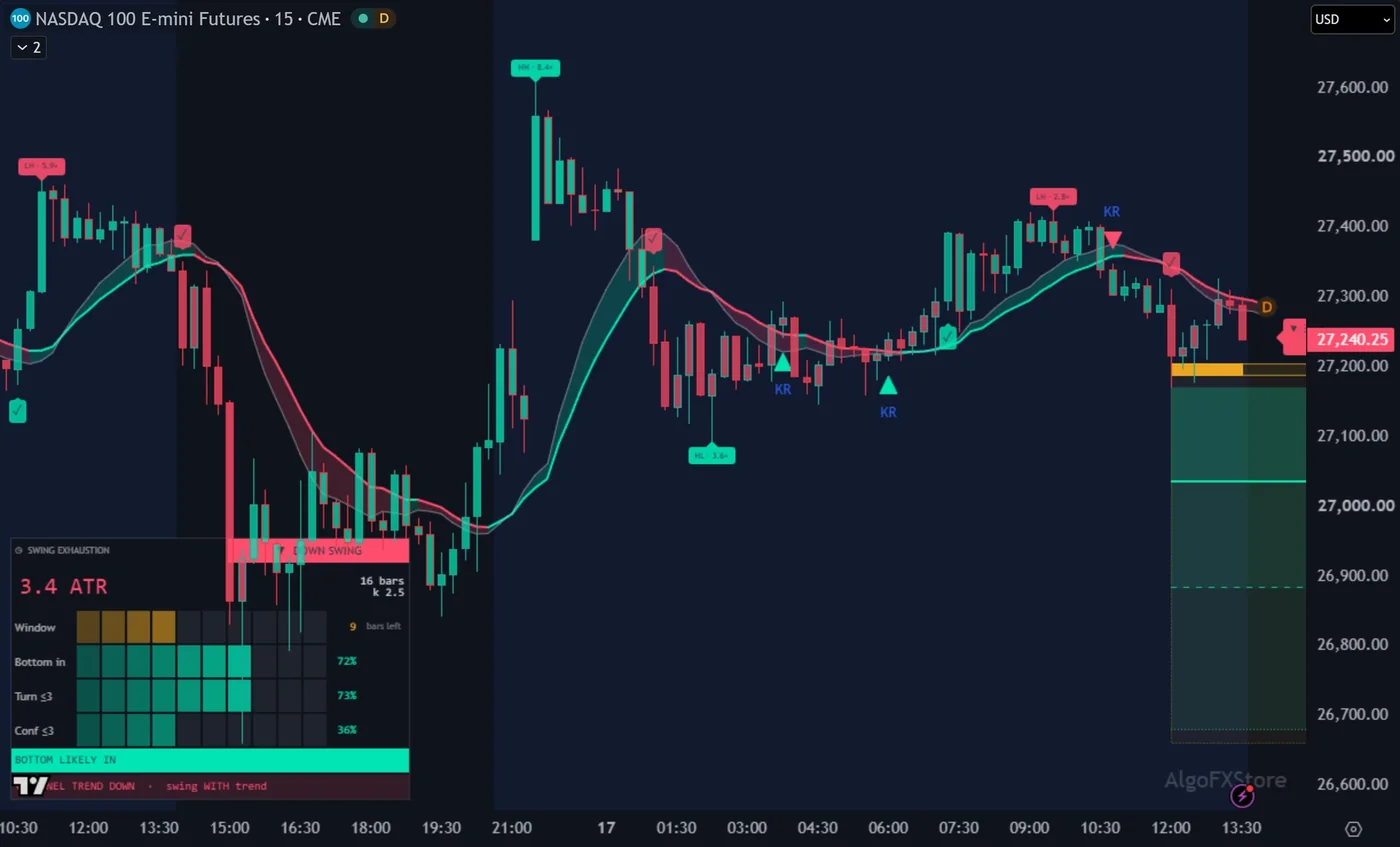
- Structure labels at each confirmed swing extreme (after the first 2 swings): 'HH · 3.2×', 'LH ·...' (down colour), 'HL ·...', 'LL ·...' (HH/HL up colour, LH/LL down colour), tooltip 'Up swing: 3.21 ATR in 14 bars'; last 120
- Three extension levels beyond the live swing's extreme (solid / dashed / dotted lines from the extreme bar to 30 bars right of the last bar) with filled bands extreme->50 %, 50-75 %, 75-90 %; labels '<price> · <chance>%'; colour = where it turns: down colour over an up swing, up colour under a down swing, grey while warming up or on a low sample
- Time window box over the bars in which half of comparable swings ended, with a clock strip filled up to the live bar and a label ' opens in N bars' / ' N bars left' / ' overdue N bars'; amber, red and dashed when overdue
- Live swing tag right of the last bar: ' up 3.2× · 14 bars' + 'Top in <p>%' (or down / Bottom in)
- Odds panel table (default Bottom right; Top right, Bottom left, Top left, Off)
- Kernel estimate line (rational quadratic kernel regression, coloured up/down), kernel signal line (silver) and fill
- KR triangles: up triangle below the bar 'KR' (bull confluence), down triangle above 'KR' (bear confluence); ' tick ' labels below/above for a swing confirmed with the kernel trend
- Candle tint (barcolor) by the live swing's colour, faint at birth to full at its 50 % level (default 'Swing'), or by kernel trend, or off
- Watermark 'AlgoFXStore' bottom right, size large
How Supreme Swing Exhaustion Levels decides what to draw
This is the logic of the shipped Pine Script v6 code. The swing engine runs on closed bars and uses only the chart's own data.
- 1
Measuring swings in ATR
Each bar extends the live swing when it makes a new extreme, using wicks by default, and tracks the deepest pullback. When the pullback from the extreme reaches k times ATR(14) at the extreme, the swing is confirmed and a new swing starts. k is 2.5 with the Standard size on non-crypto markets, 1.5 for Micro and 4.0 for Major; crypto uses 2.0, 3.5 and 5.5.
- 2
Building the records
The first two confirmed swings are discarded. Every later swing's size in ATR and length in bars is stored per direction. Levels, the window and the odds appear only after 20 kept swings per direction, which with the Standard size takes roughly 1,000 to 1,500 bars of history.
- 3
Exhaustion levels
For the live swing the indicator looks at past swings of the same direction that got at least this far and takes the 50, 75 and 90 % points of their final size. Those become three levels beyond the swing's extreme, drawn solid, dashed and dotted with filled bands. They hold until the swing makes a new extreme.
- 4
The time window and the odds
A window box covers the bars in which half of comparable swings ended, the 25th to 75th percentile of their length, with a clock strip and a label: opens in, bars left or overdue. The panel shows the estimated chance that the top or bottom is already in, and the chances of a turn and a confirmation over the next few bars.
- 5
The kernel trend
A kernel regression line of the close, rational quadratic with a gaussian signal line, shows the smoothed trend in the up or down colour, with a fill between the lines. The estimate line follows the current bar's close and changes until the bar closes; the marks based on it wait for the close.
- 6
Confluence marks
A bull KR triangle prints on a closed bar when the live swing is down, the kernel estimate turns up and the swing is in its turn zone or the bottom is likely in. A tick prints when a down swing is confirmed, a swing low, while the kernel is rising. Bear marks mirror both.
Supreme Swing Exhaustion Levels on 12 different markets
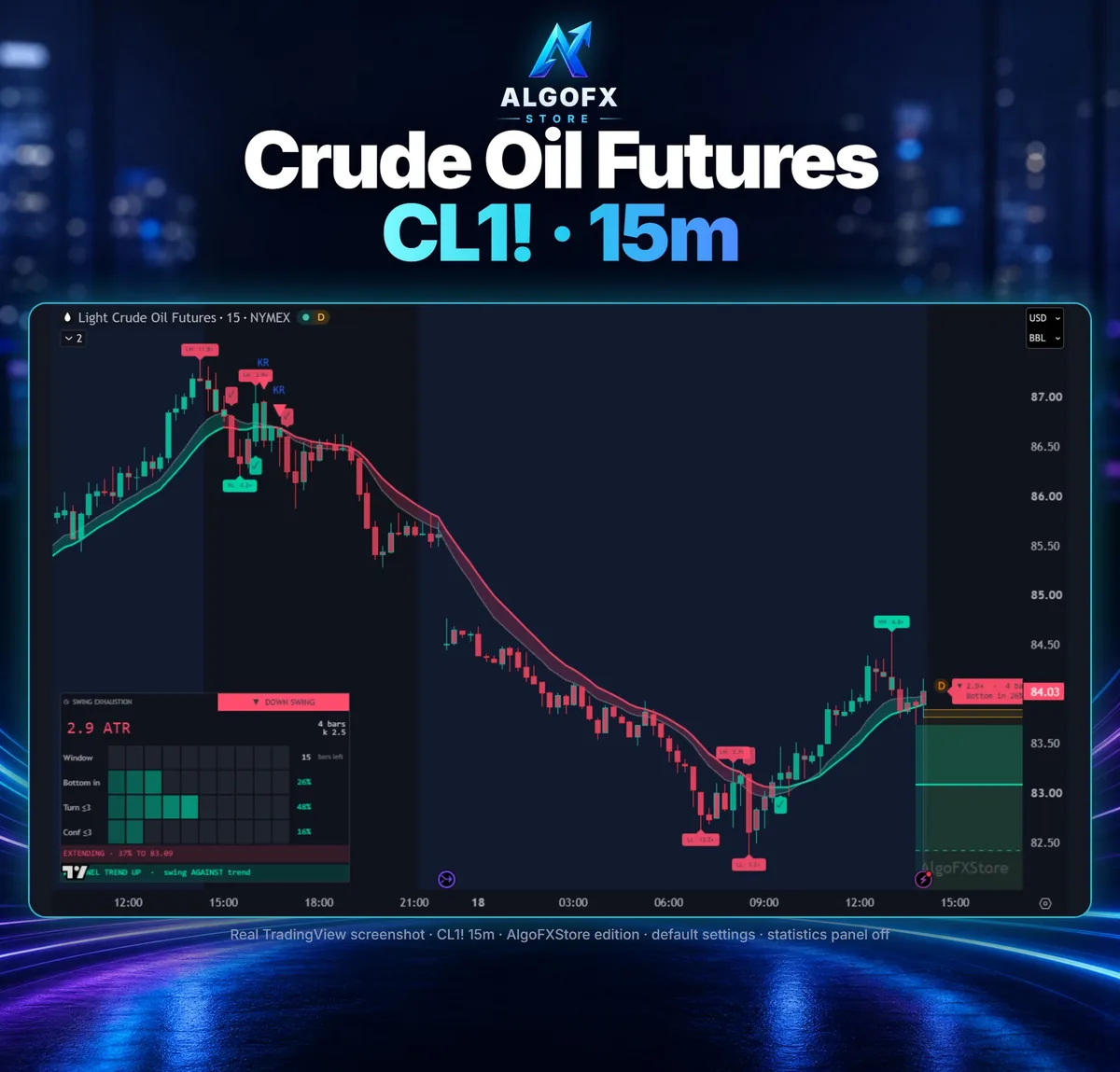
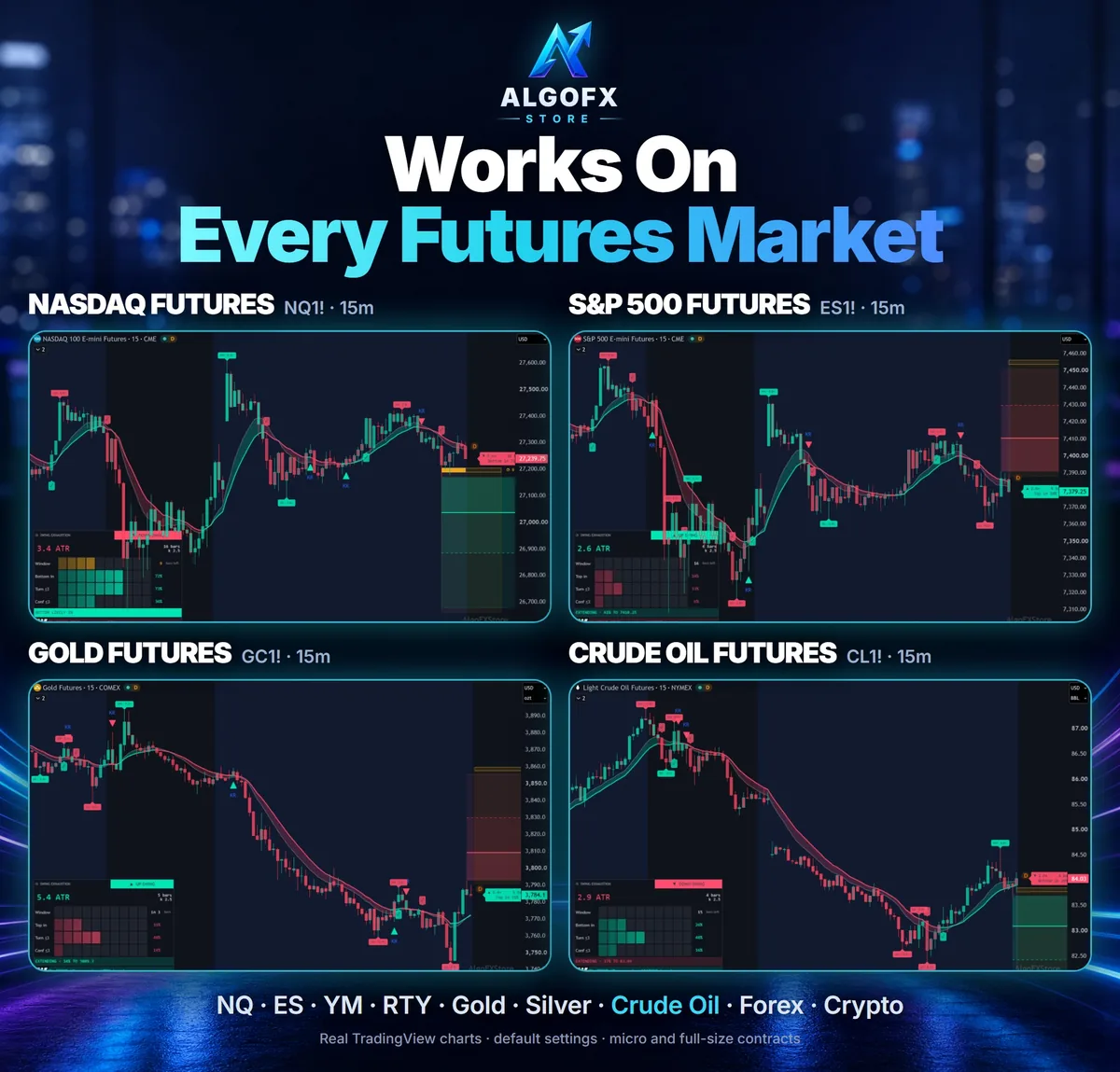
Every chart below is a screenshot of TradingView itself with the shipped Supreme Swing Exhaustion Levels [AlgoFXStore] attached at its default settings. Forex, metals, indices, energy and crypto, so you can see how it reads each kind of market. They show what the indicator draws; they are not trading results. Tap or click any chart to open it full size.
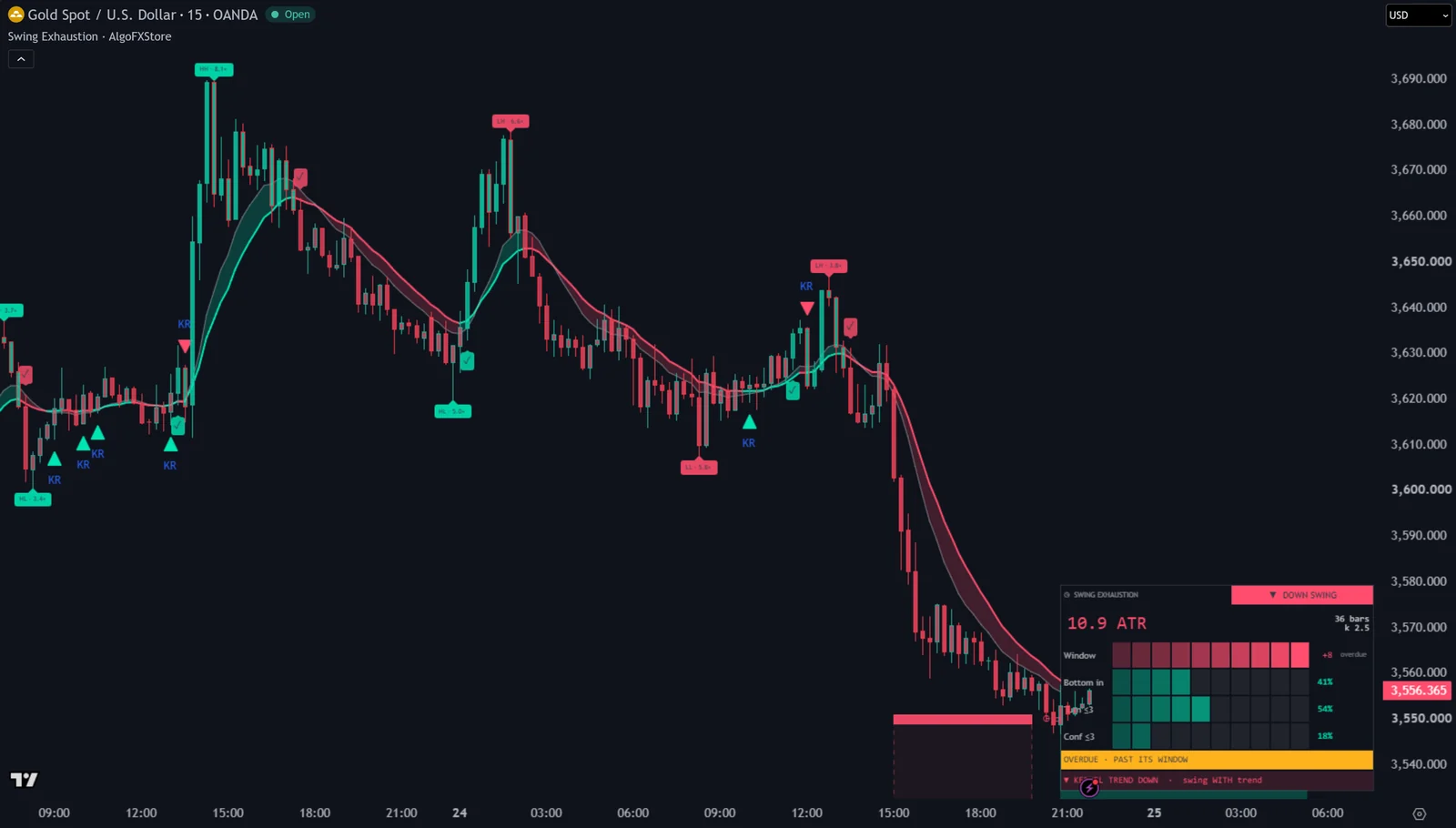
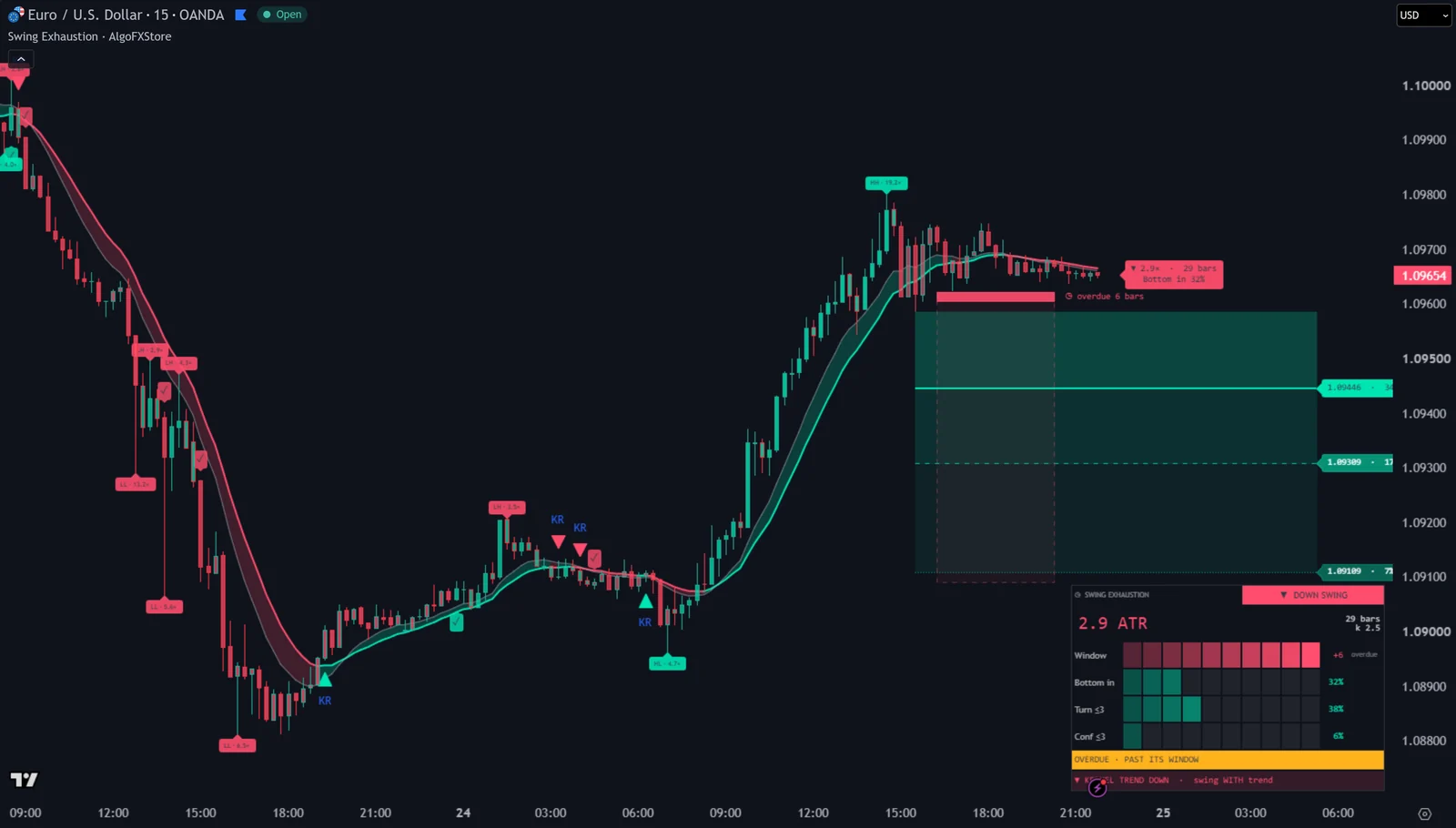
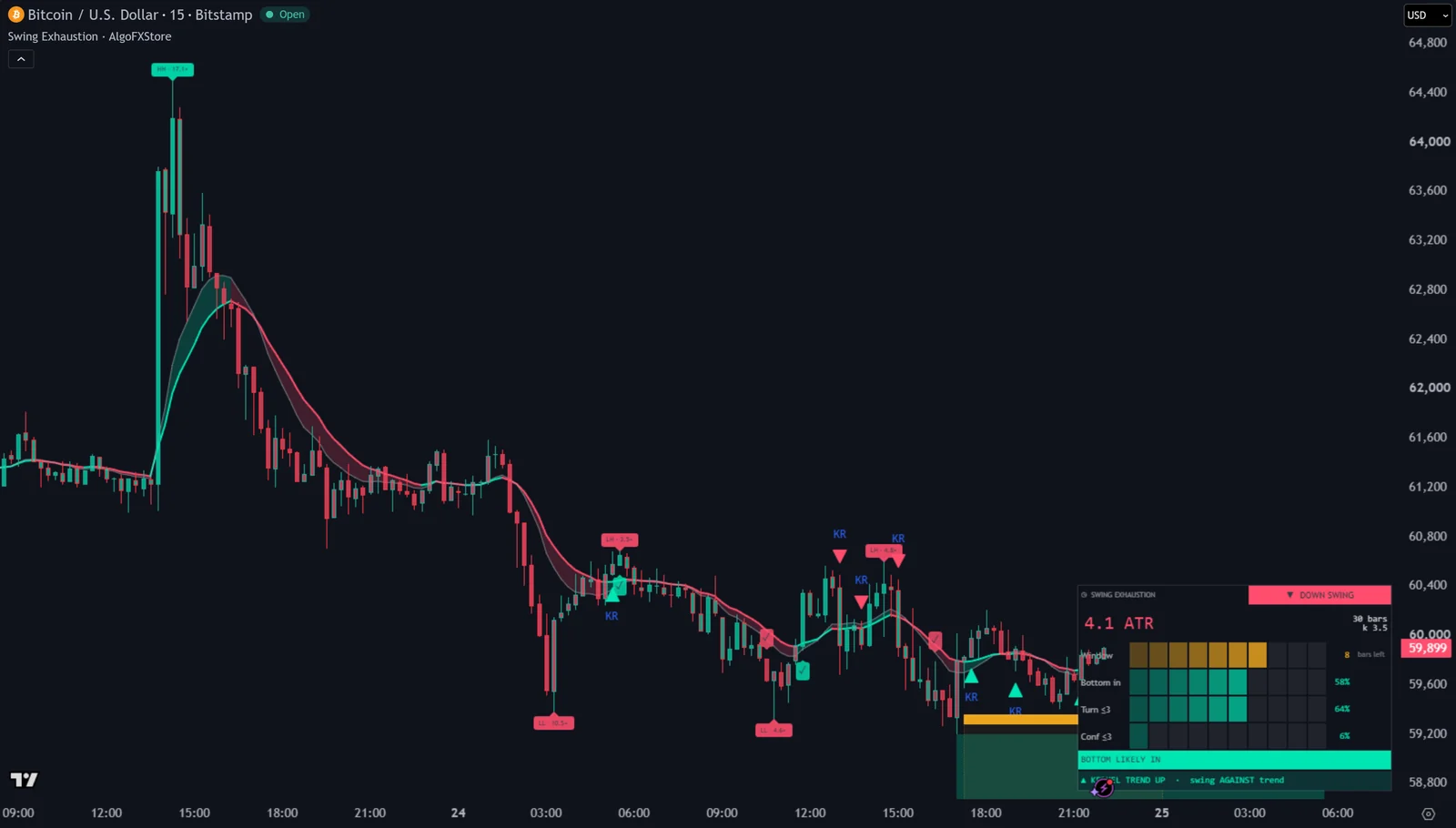
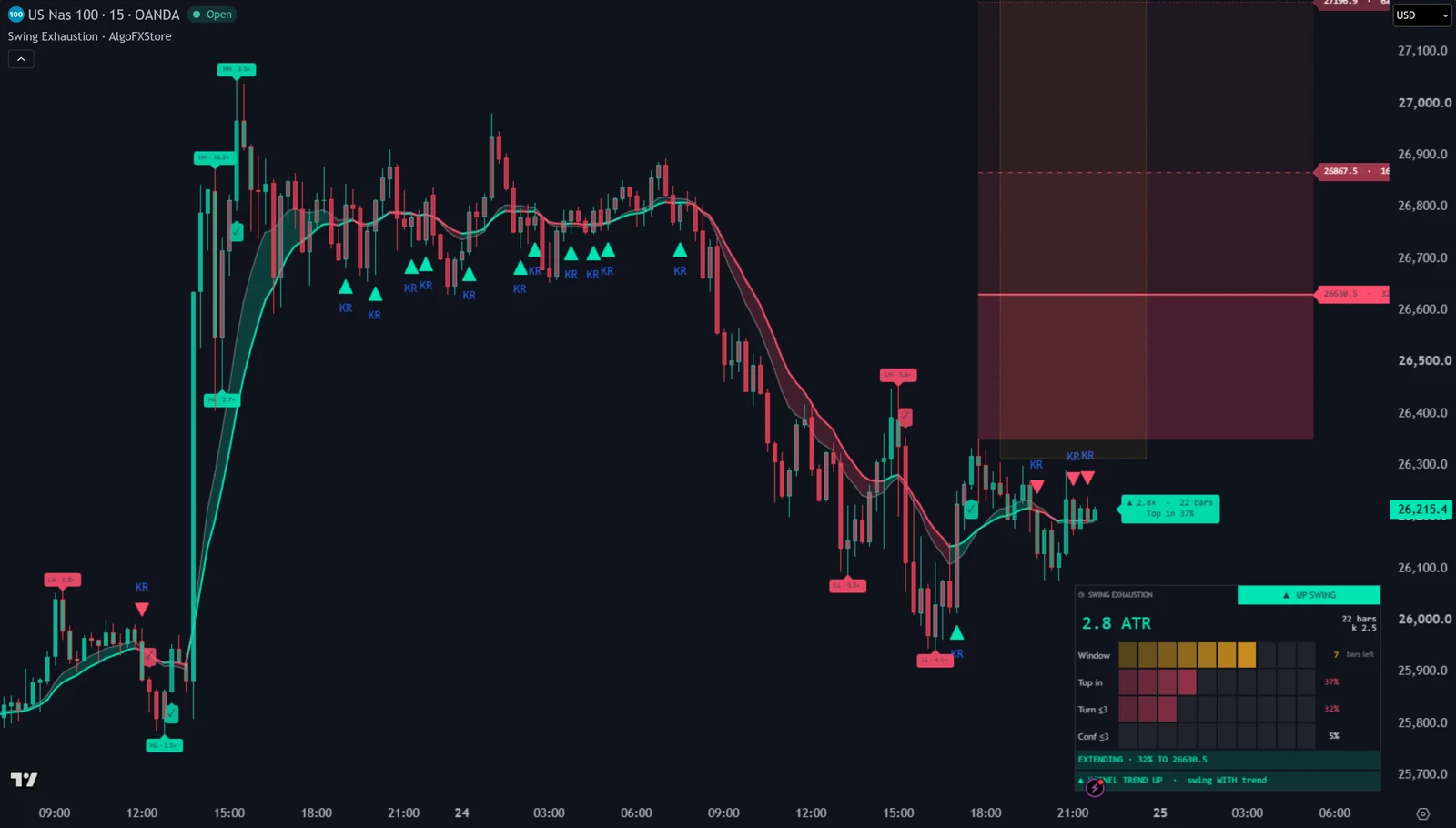
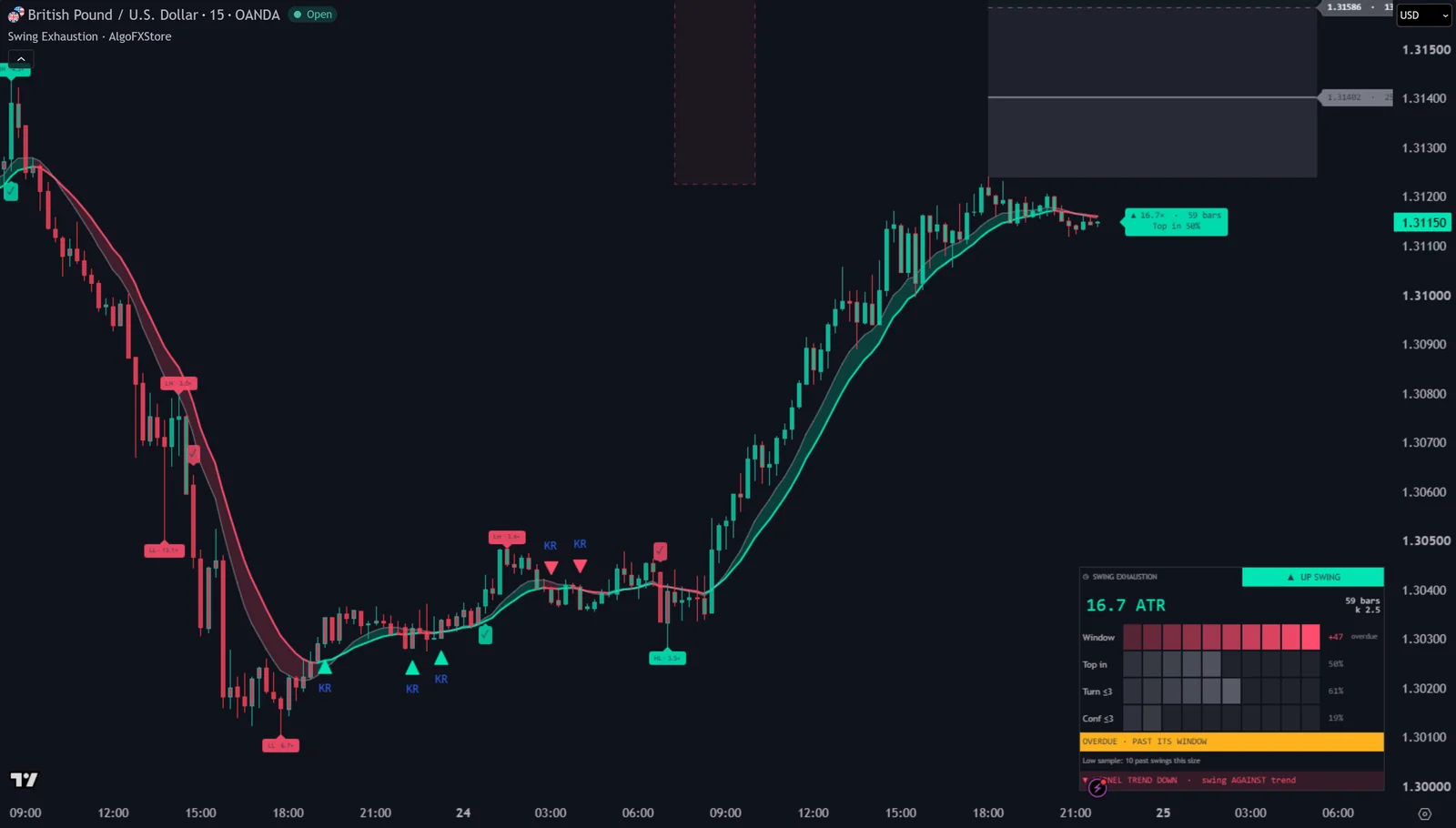
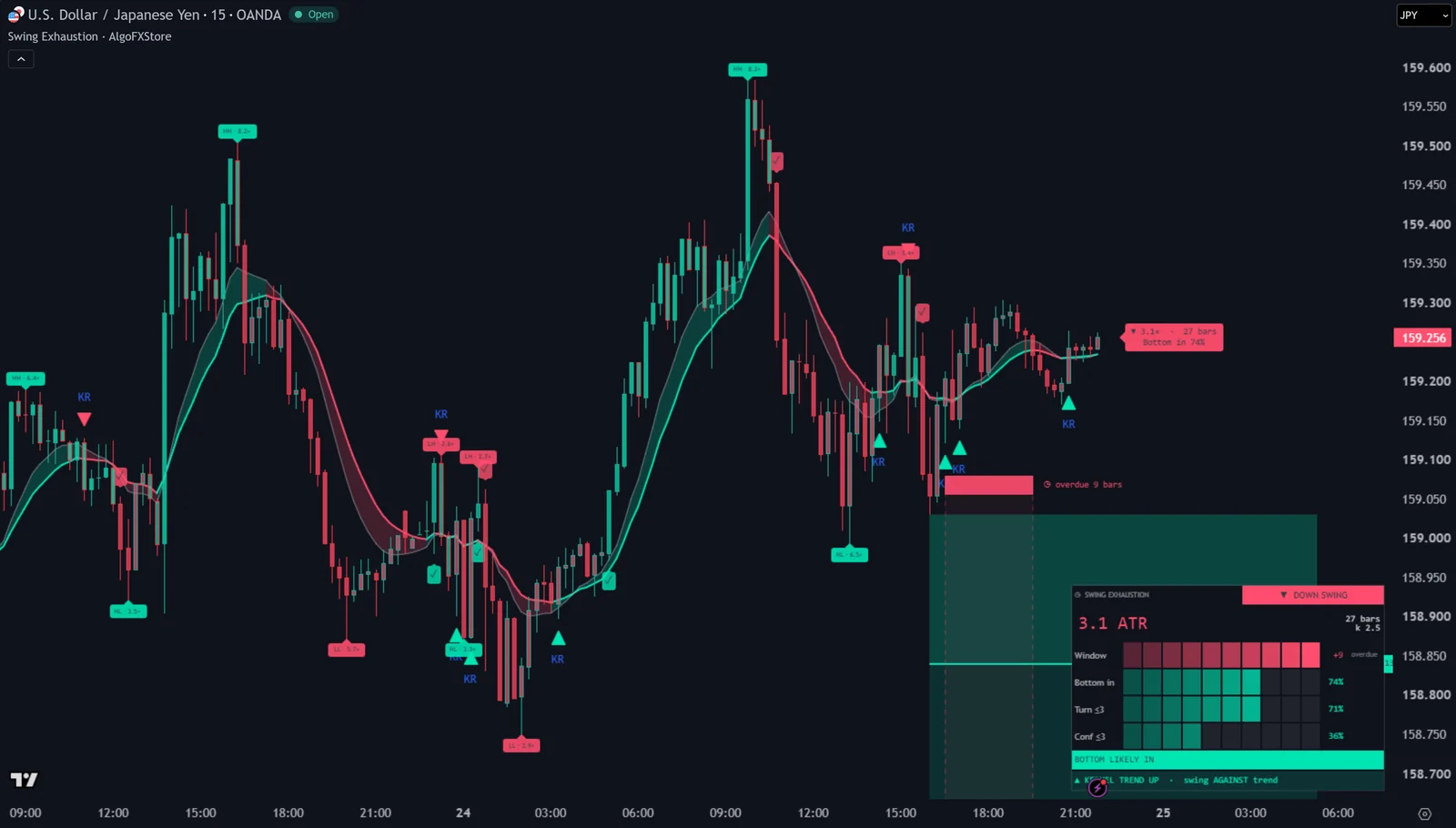
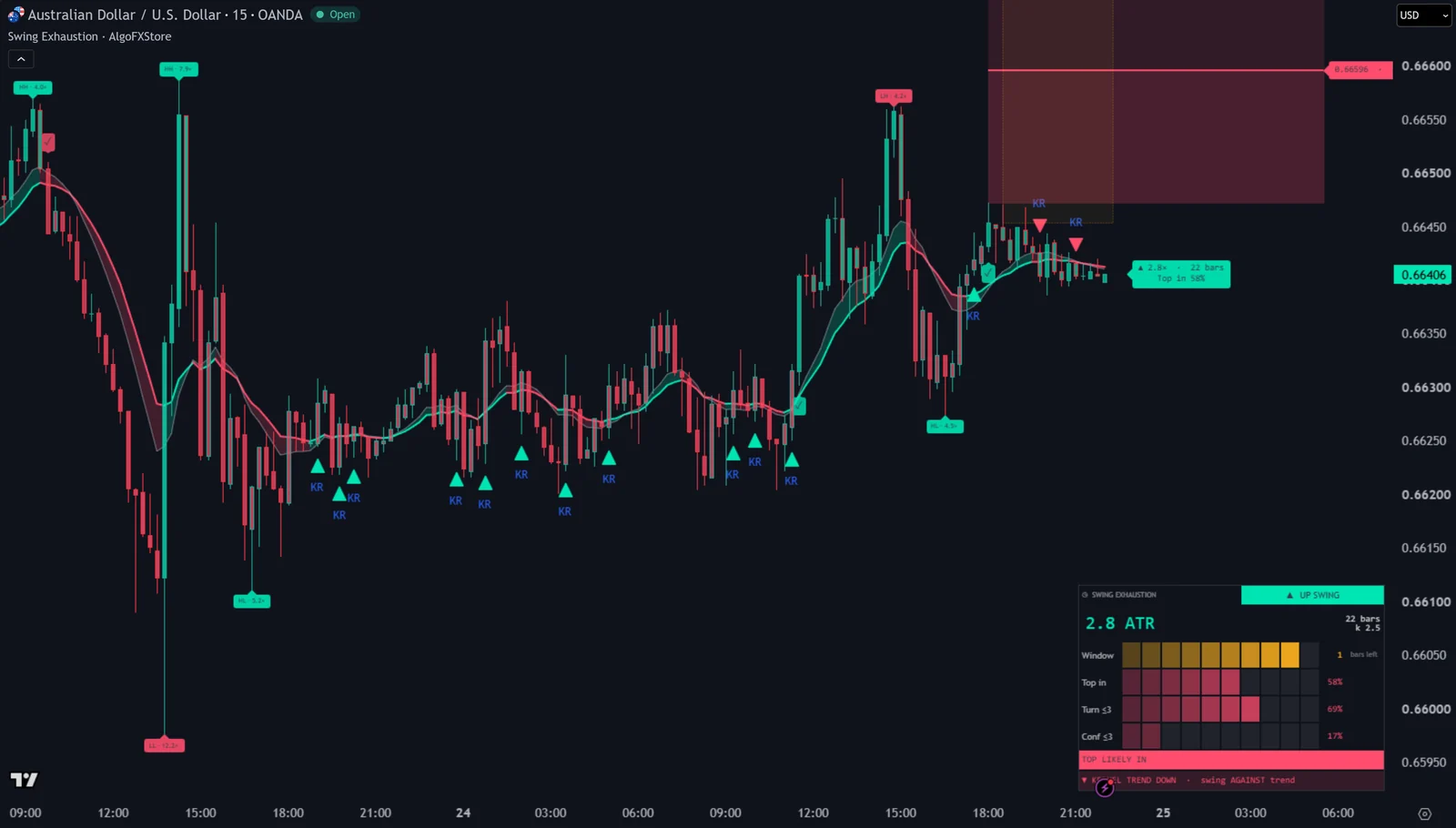
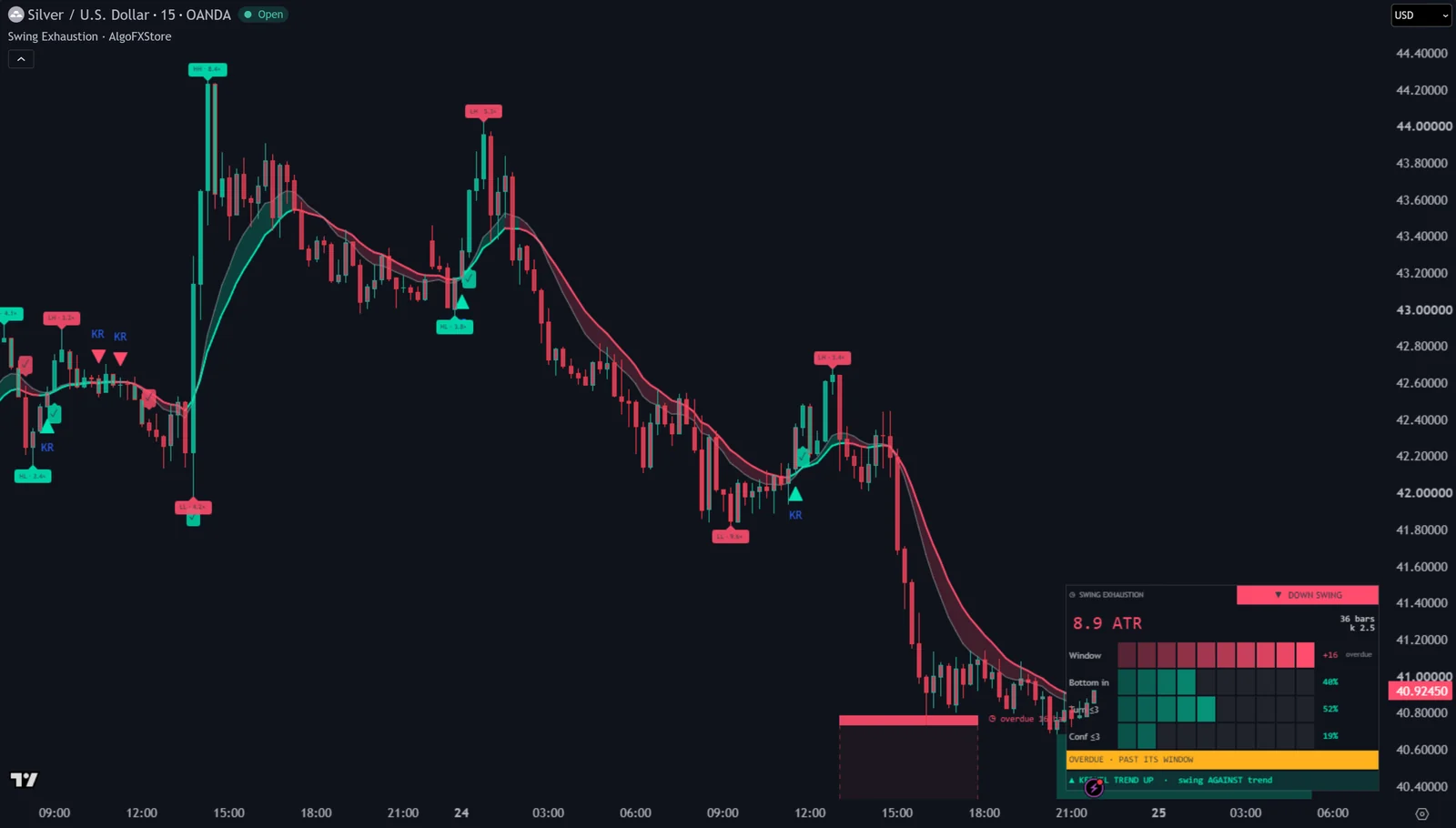
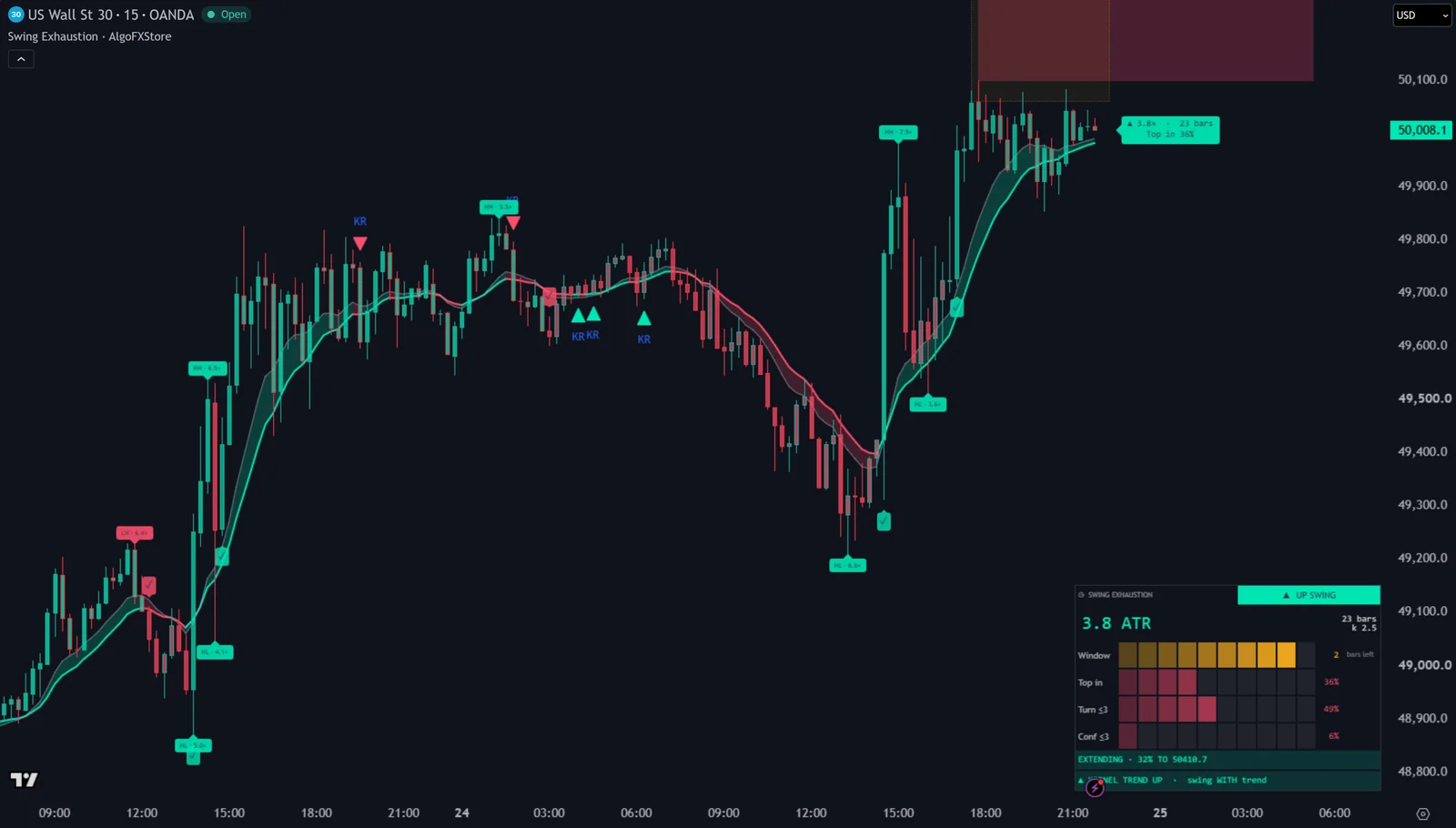
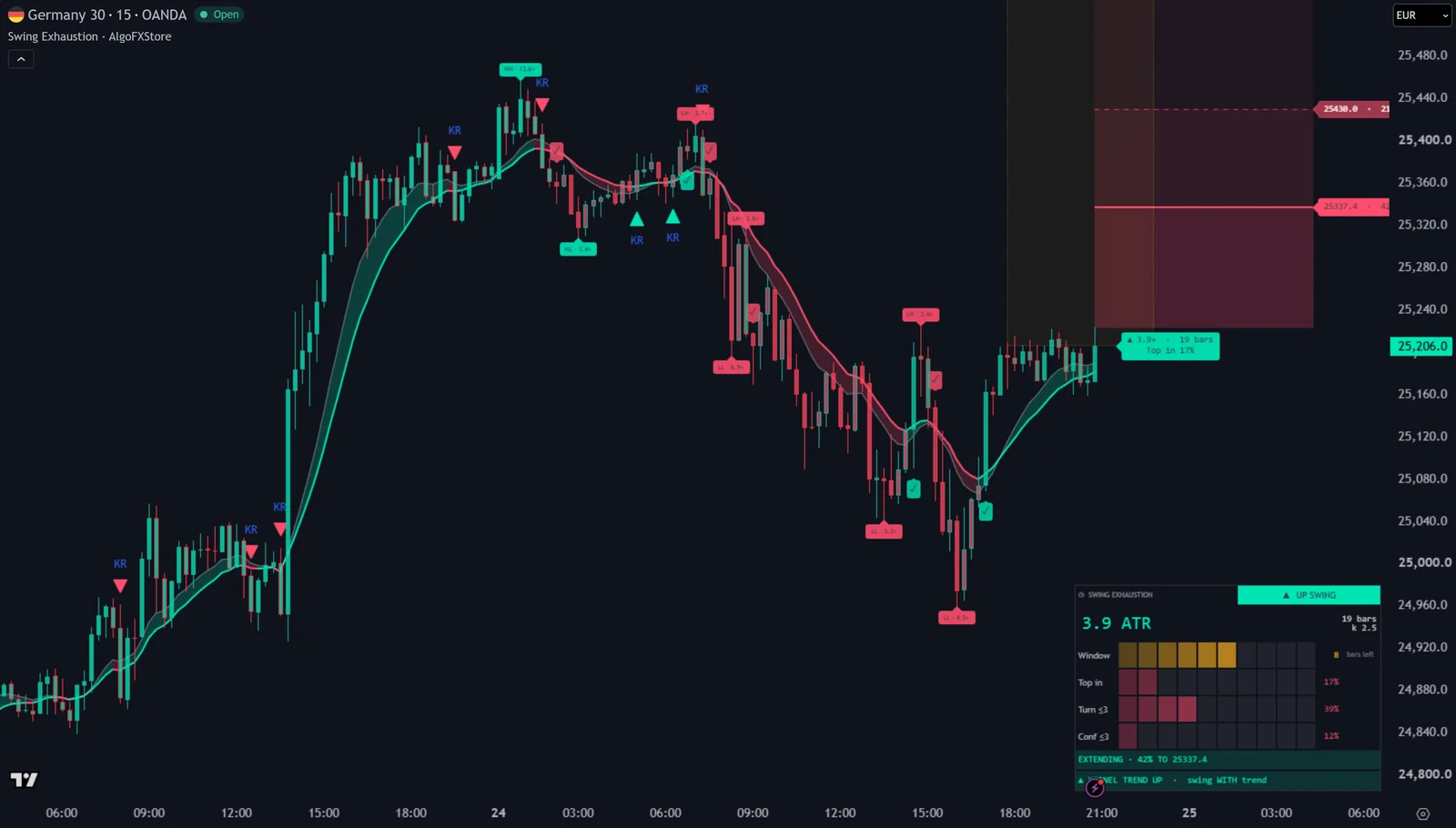
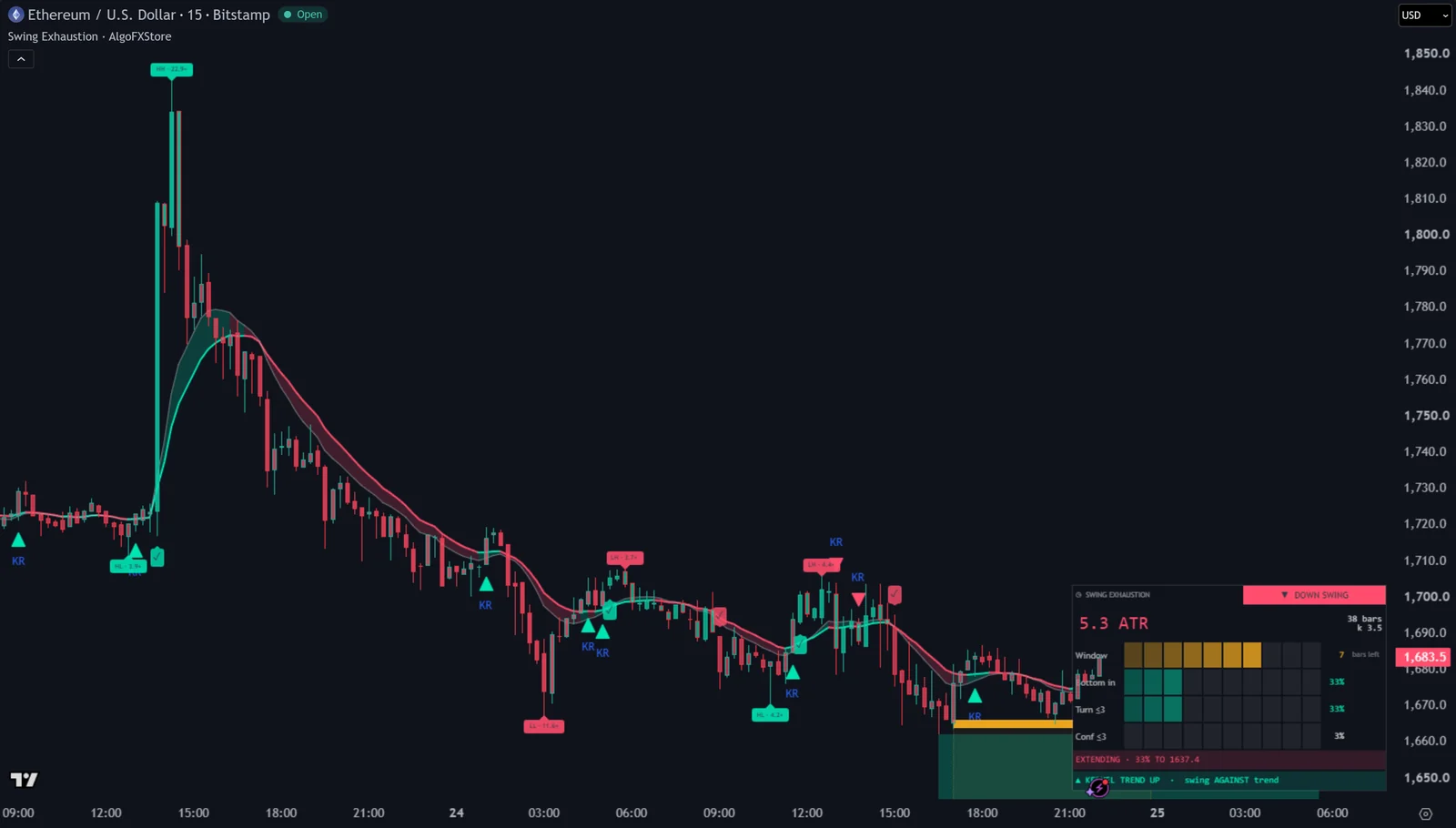
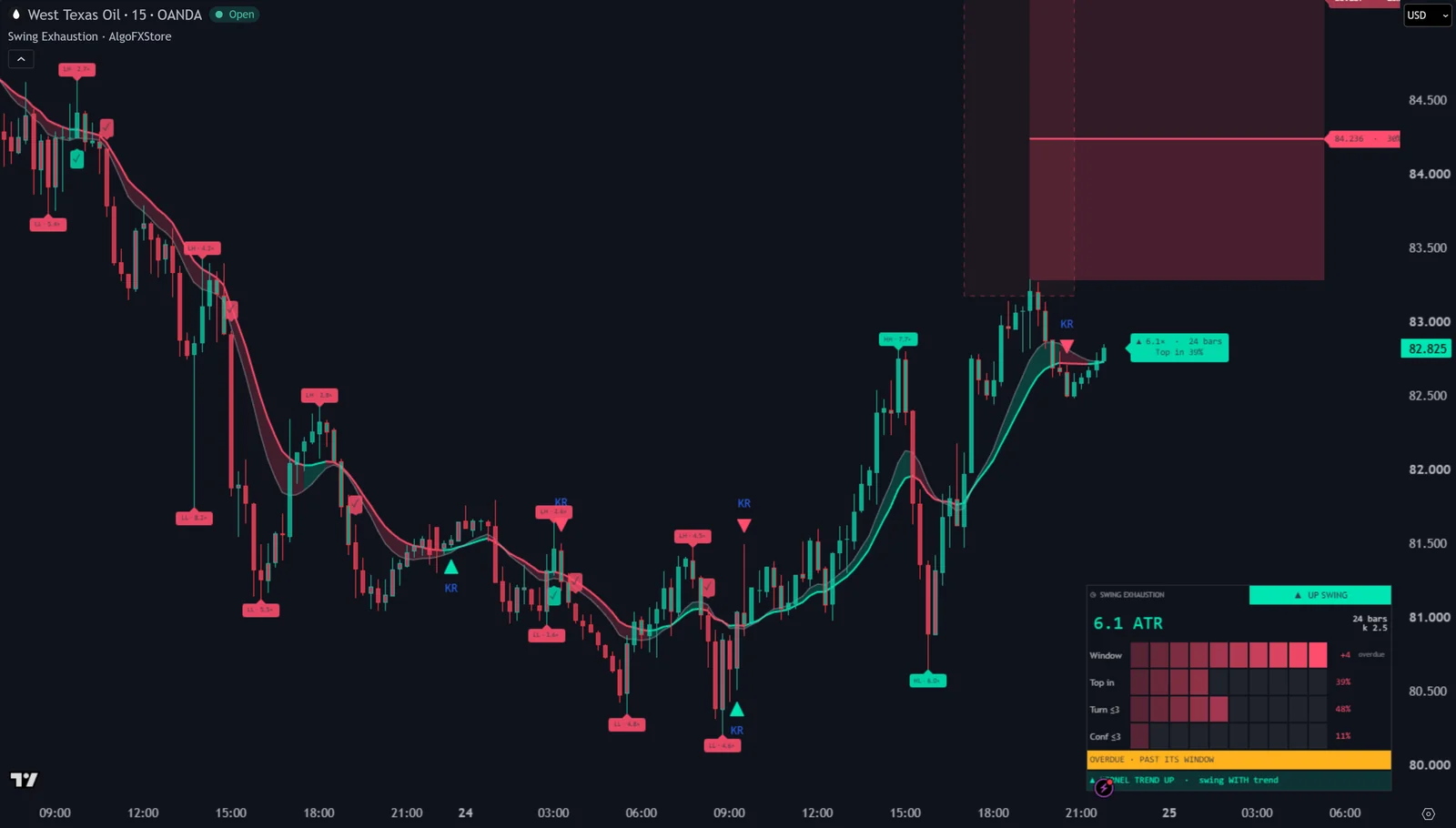
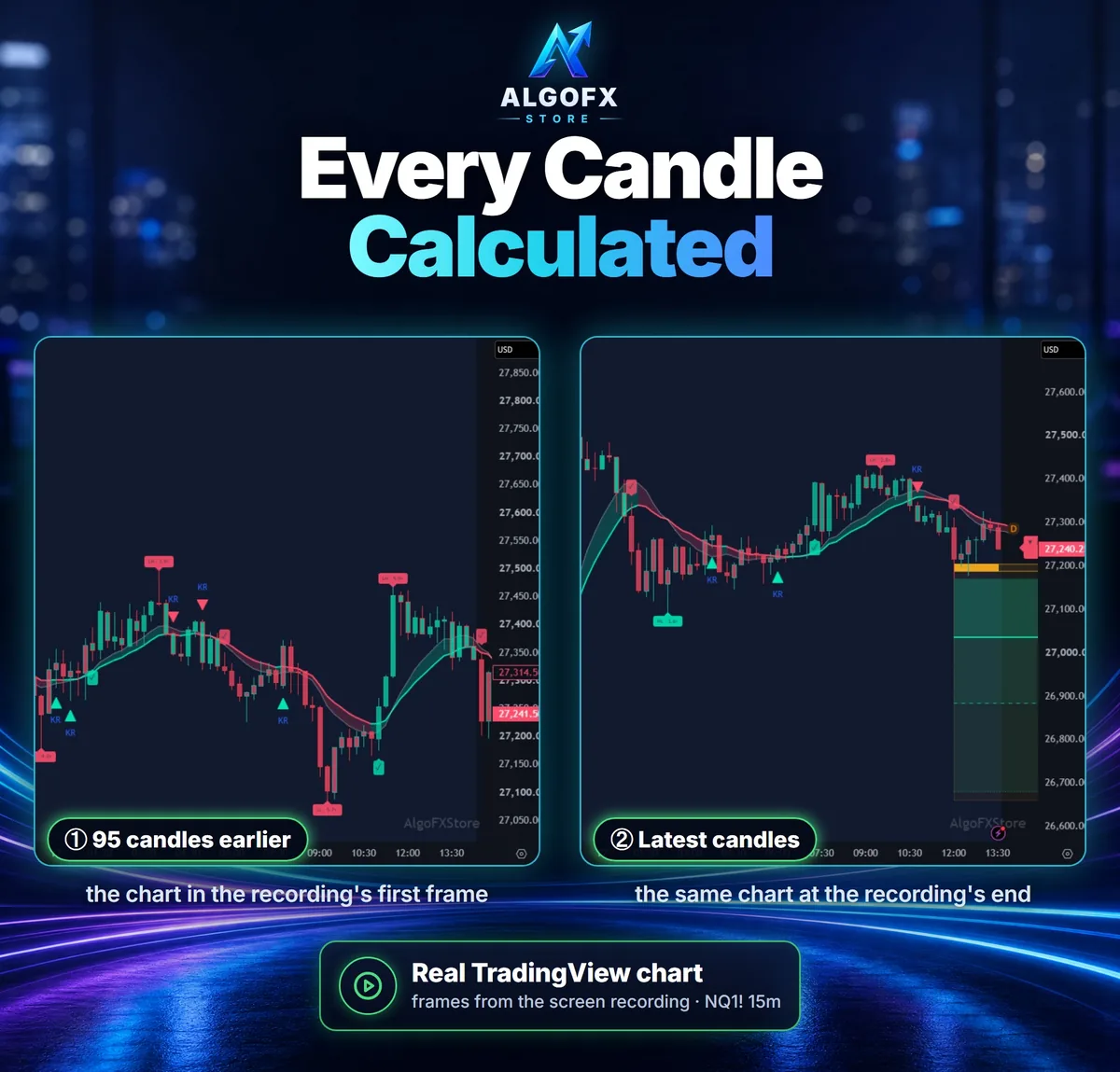
Supreme Swing Exhaustion Levels on a real TradingView chart, frame by frame
Frames of a screen recording of the shipped indicator at its default settings, as the chart updates. Nothing is edited into the chart.
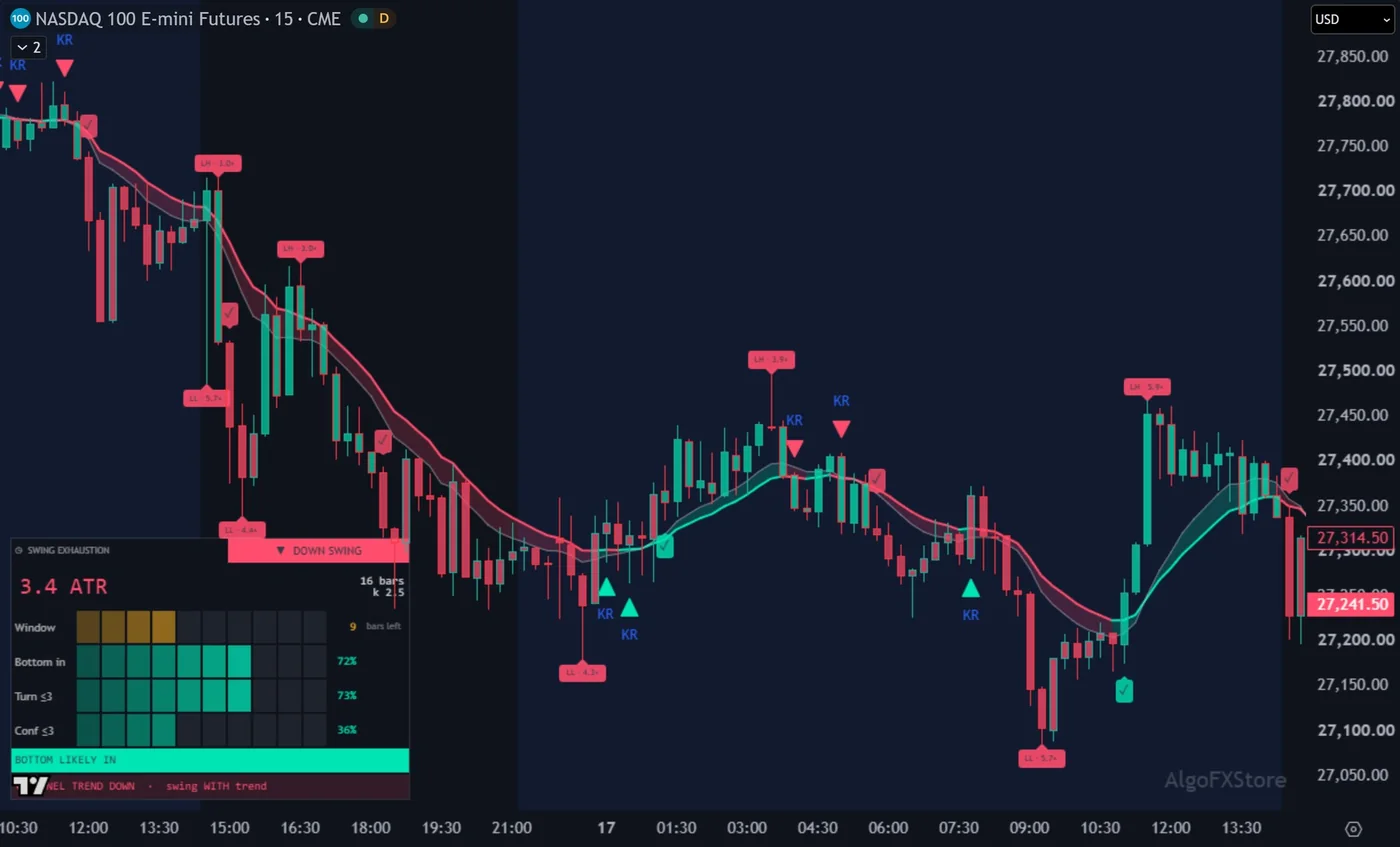
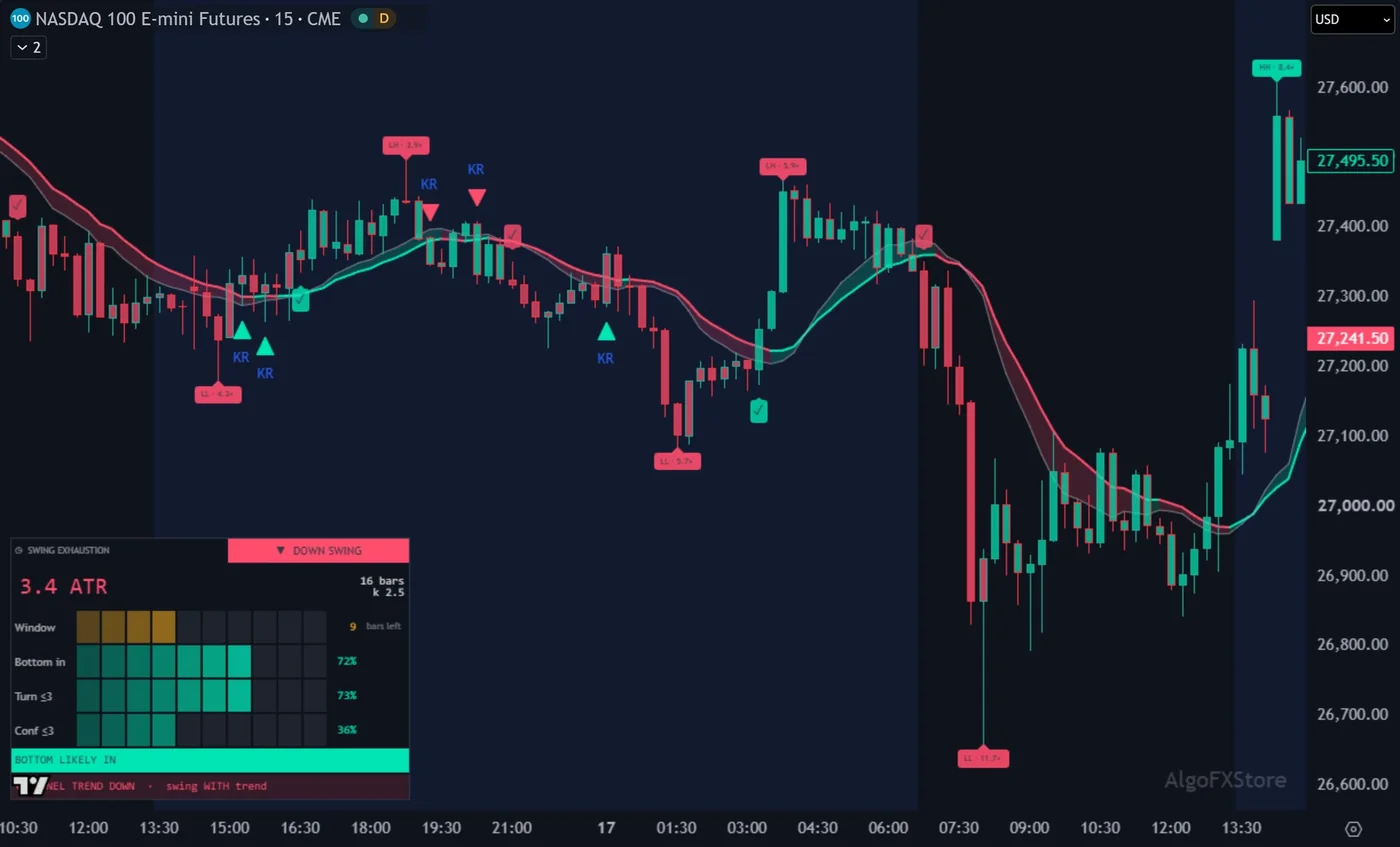
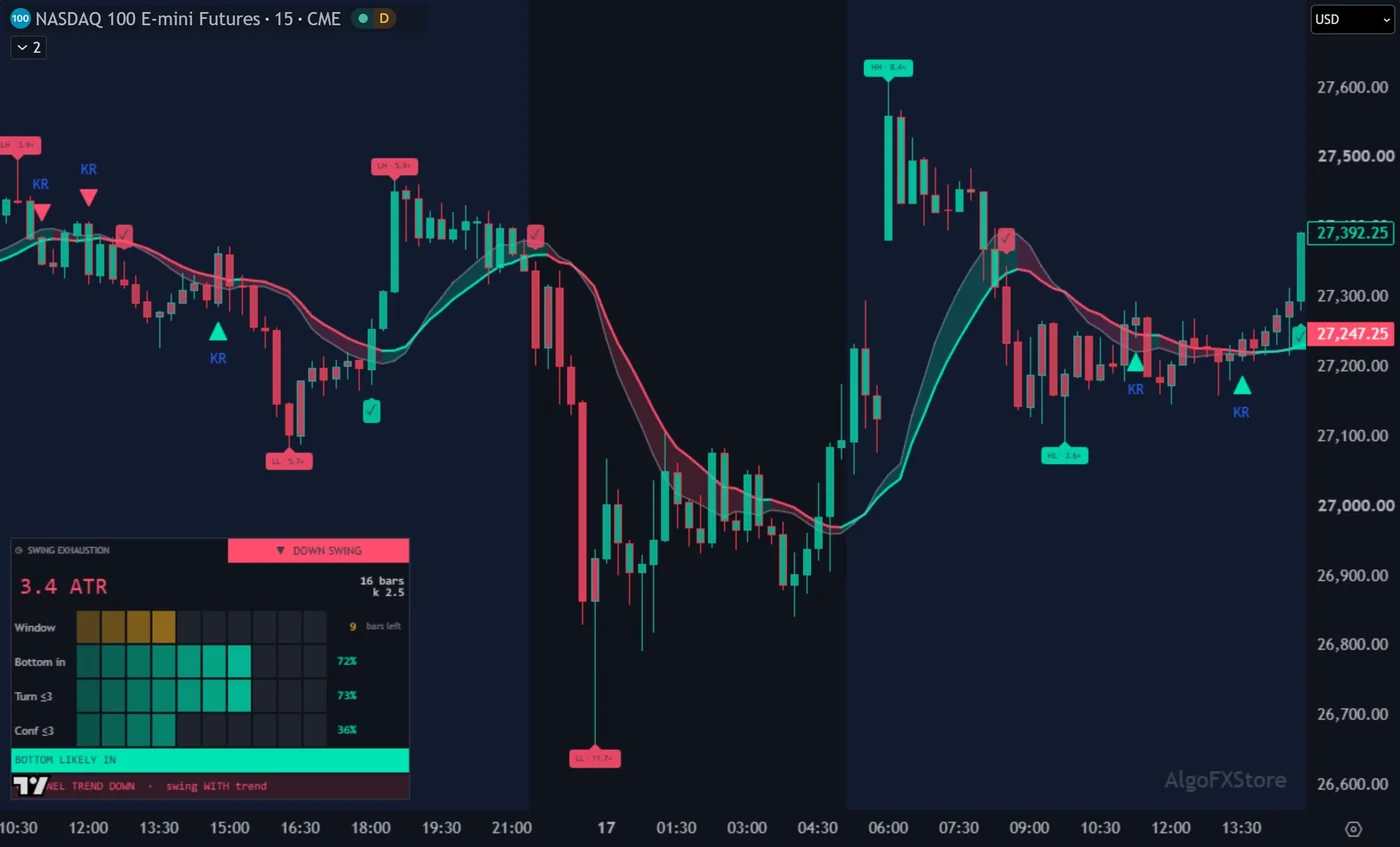
How to use it, step by step
The indicator tells you how stretched a swing is and when a turn is confirmed. It draws no entries, stops or targets; these steps show how to use it in your own plan.
- 1
Read the live swing first
The live tag next to the last bar shows the swing's size in ATR and its length in bars. The panel status reads EXTENDING, IN TURN ZONE, TOP LIKELY IN or OVERDUE. A swing that is still EXTENDING has not reached the zone where comparable swings usually ended.
- 2
Use the levels as context, not entries
The inner, middle and outer levels show where half, three quarters and nine tenths of comparable swings had ended. Price reaching the middle or outer level means the swing is already large for this chart. That is a reason to stop chasing it and to protect an open position, not a signal to enter against it on its own.
- 3
Wait for the confirmation
A KR triangle combines a stretched swing with a kernel turn on a closed bar. A tick comes later, when the swing itself is confirmed by the full k x ATR pullback. If you trade turns, the KR mark is the earlier, less confirmed timing; the tick is later and confirmed.
- 4
Place your own stop
No stop is drawn. For a turn trade after a KR or tick mark, a common choice is beyond the swing's extreme, where the move would continue if the turn fails. Measure that distance and size so it is a loss you accept; if it is too wide after a long swing, skip the trade.
- 5
Respect the time window
A swing inside its window is where comparable swings usually ended; an overdue swing has outlasted most of them. Overdue does not mean it must turn now, only that it is unusual for this chart. Combine the time window with the levels: a swing at the middle level and inside its window is more stretched than one that has only reached one of them.
The dashboard, row by row
- SWING EXHAUSTION | UP SWING / DOWN SWING
- <size> ATR | <bars> bars, k <k>
- Warm-up only: 'Warming up: <n> of 20 swings per direction
- Window meter: 'in <n> bars' / '<n> bars left' / '+<n> overdue
- Top in / Bottom in meter <p>%
- Turn ≤<N> meter <p>%
- Conf ≤<N> meter <p>%
- Status: EXTENDING / IN TURN ZONE / TOP LIKELY IN / OVERDUE · PAST ITS WINDOW (+ ' · <p>% TO <50 % level>')
- Optional 'Low sample: <n> past swings this size
- Kernel trend row: 'KERNEL TREND UP · swing WITH trend
Everything Supreme Swing Exhaustion Levels does for you
Levels from your chart's history
Exhaustion levels come from the swings on the chart you are looking at, so a fast market and a slow one get different levels instead of one fixed ratio for all.
Three swing sizes
Micro, Standard and Major presets set how large a pullback must be to end a swing, with separate crypto presets selected automatically, or a custom k and ATR length.
Time as well as price
The time window shows how many bars comparable swings lasted, with a clock strip and an overdue warning when the live swing runs past it.
Odds panel
Swing direction, size and length, the window meter, top or bottom in, turn and confirmation estimates for the next bars and a status line, in any corner or switched off.
Structure labels
HH, LH, HL and LL labels at each confirmed swing with its size in ATR, and a tooltip with the size and length in bars.
Kernel trend and confluence
A rational quadratic kernel line with a gaussian signal line, KR triangles where a stretched swing meets a kernel turn, and ticks where a confirmed swing agrees with the kernel.
Closed-bar engine
The swing engine, the records, the odds, the structure labels and the confluence marks run on closed bars, and every alert fires once per bar close.
Alerts for the swing's life
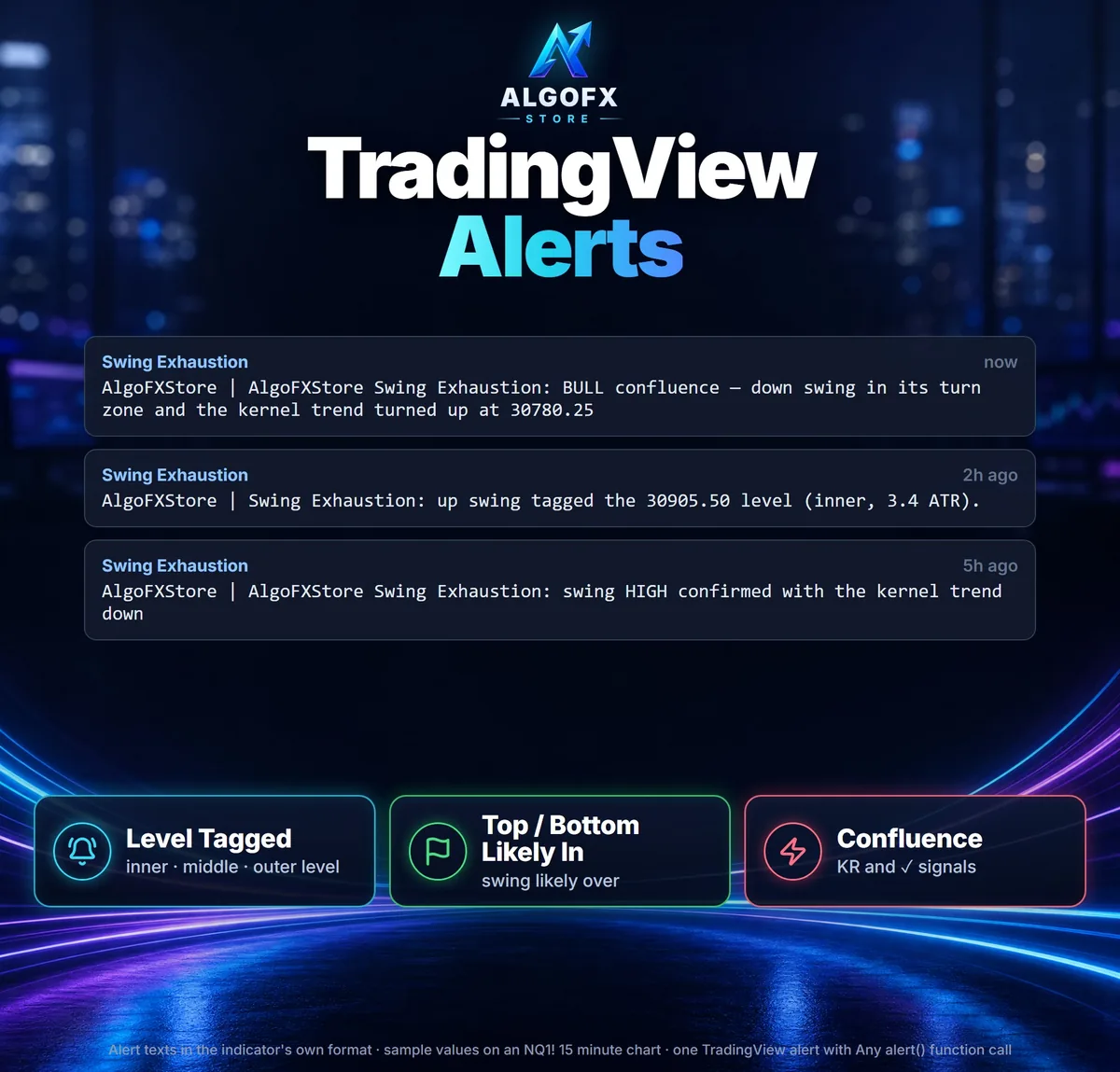
Swing tagged a level, odds crossing a threshold, top or bottom likely in, swing confirmed, overdue, confluence marks and kernel trend changes, each switchable.
Supreme Swing Exhaustion Levels, feature by feature
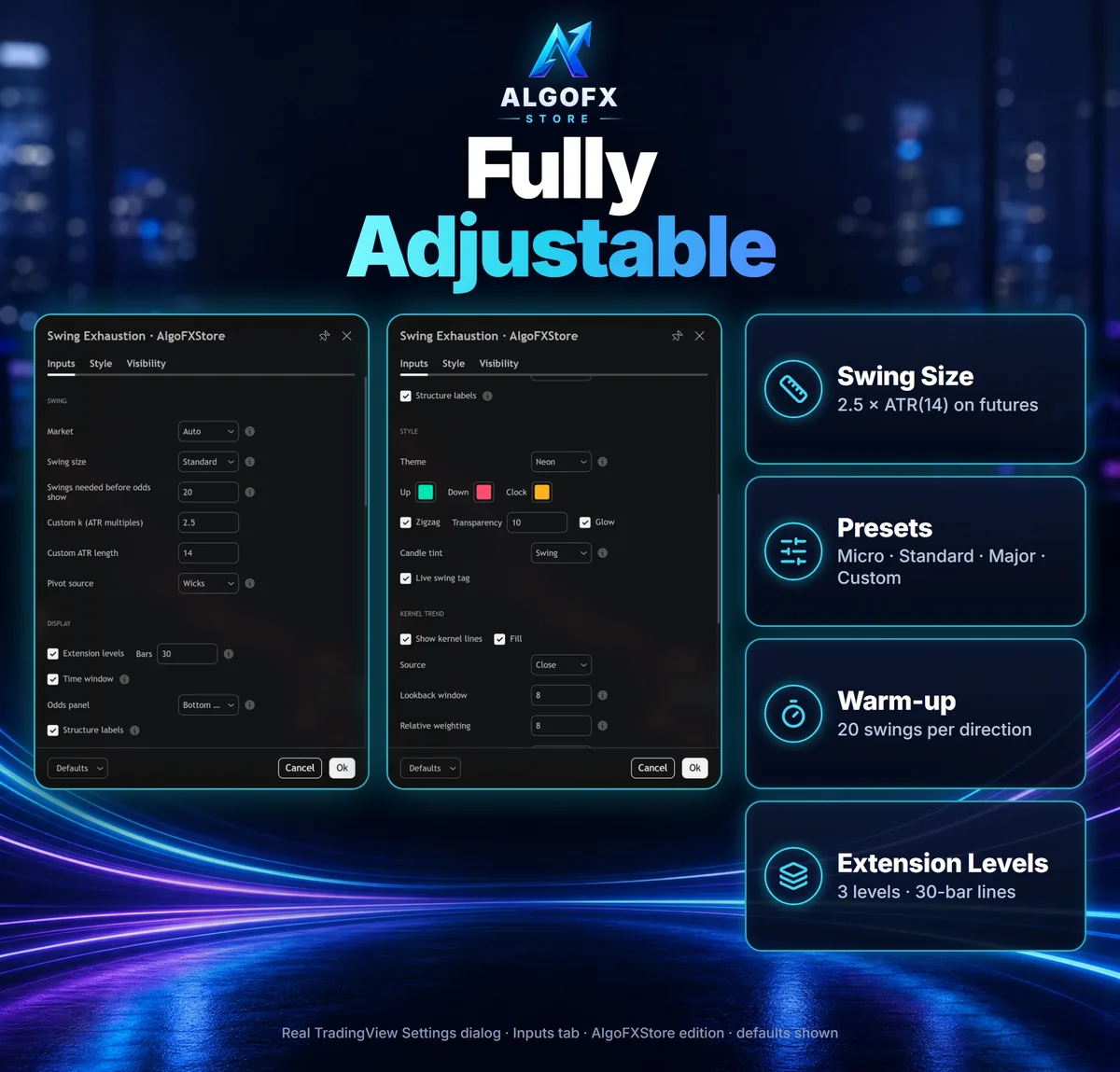
Each picture is built from real platform screenshots of the shipped indicator at its default settings, labelled so you can see what every part does. Tap any picture to open it full size.
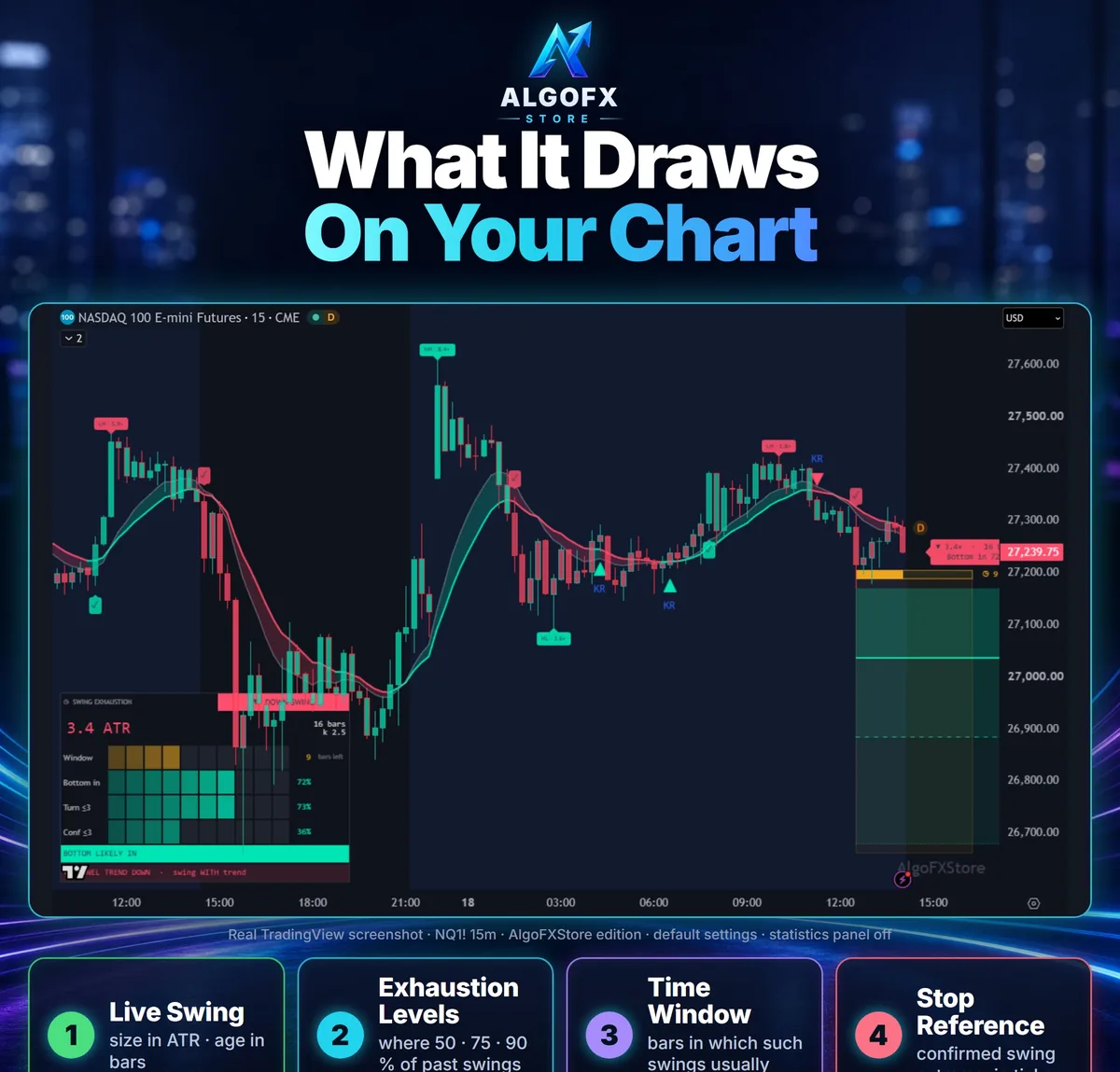
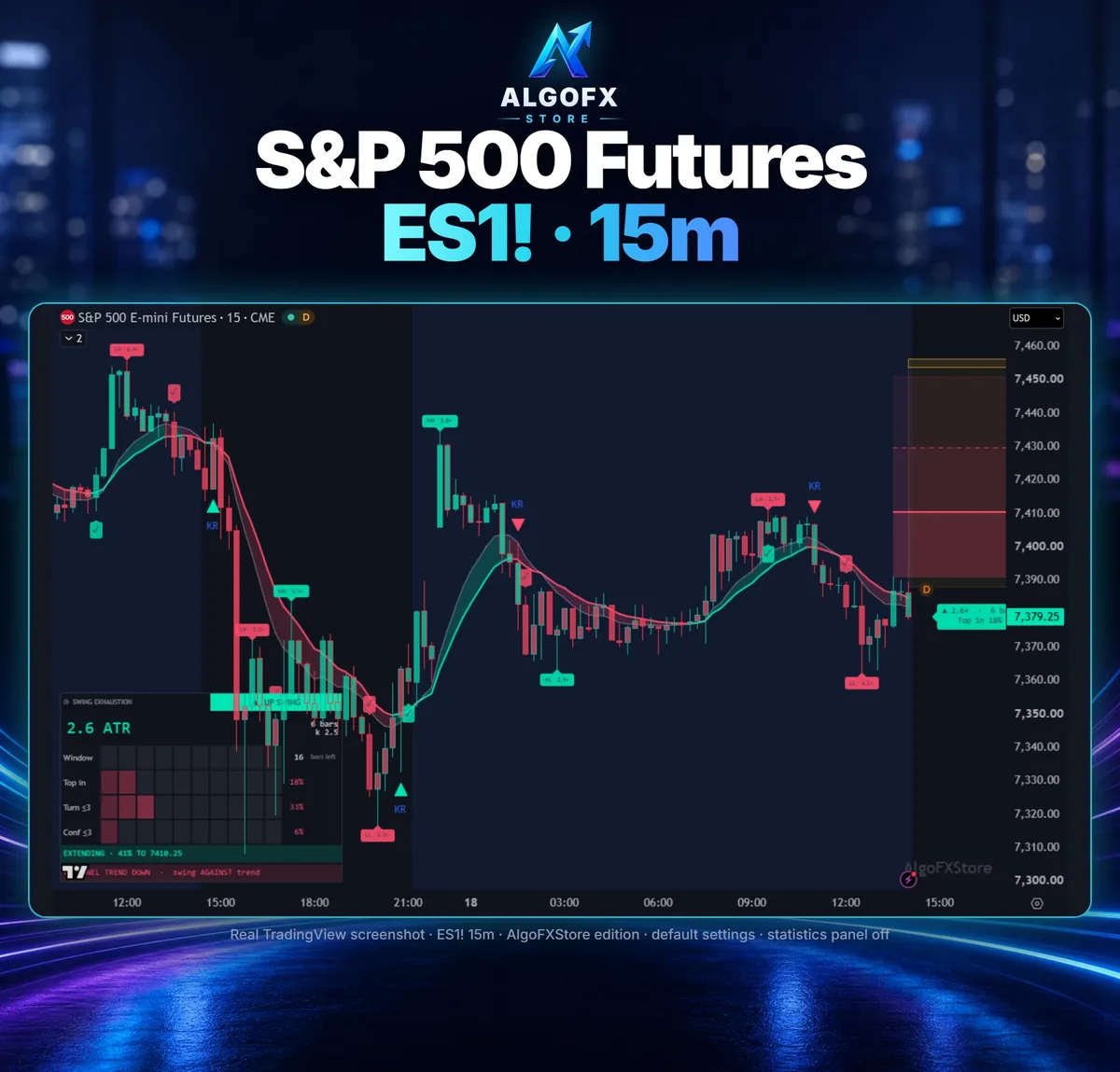
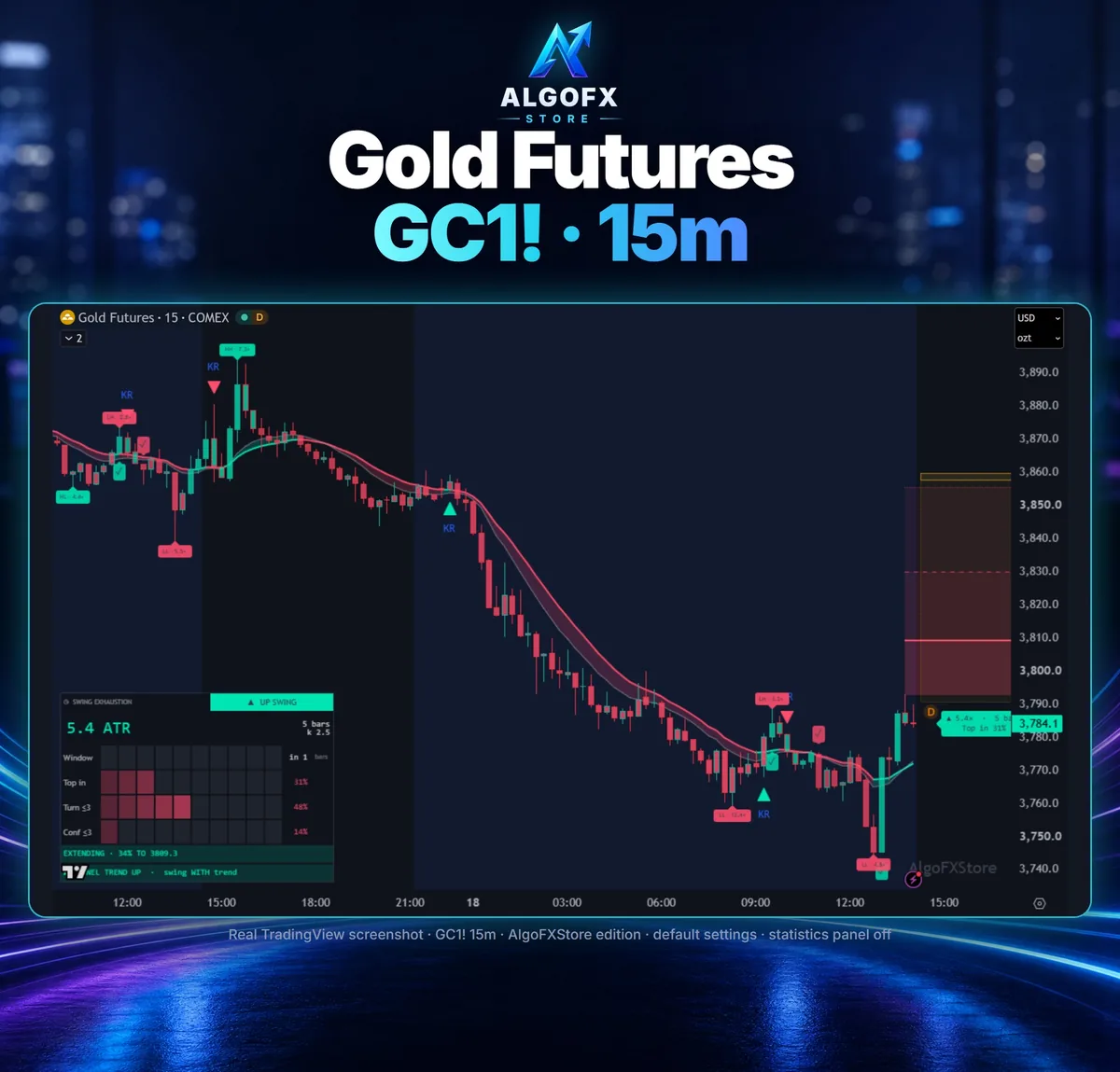
How traders put it to work
Index futures on 15 minutes
On NQ and ES at 15 minutes the Standard size of 2.5 ATR gives swings that last hours. Load enough history for 20 swings per direction, then use the levels to judge whether a morning move is already large compared with this chart's swings.
Gold and crude oil
On GC and CL the same presets apply. Because sizes are in ATR, a volatile week does not distort the levels: a swing of a given ATR size is compared with past swings of similar ATR size.
Faster or slower swings
On 5 minute charts use Standard or Micro for faster swings; on 60 minute charts Standard or Major for swing trades. The turn and confirmation horizon adapts: 5 bars on 1 minute, 3 bars up to 15 minutes and 2 bars above.
Crypto
With Market on Auto, crypto symbols use larger k values, because crypto swings are bigger in ATR terms. That means fewer swings in the history, so make sure enough bars are loaded before reading the odds.
Every setting, with its default
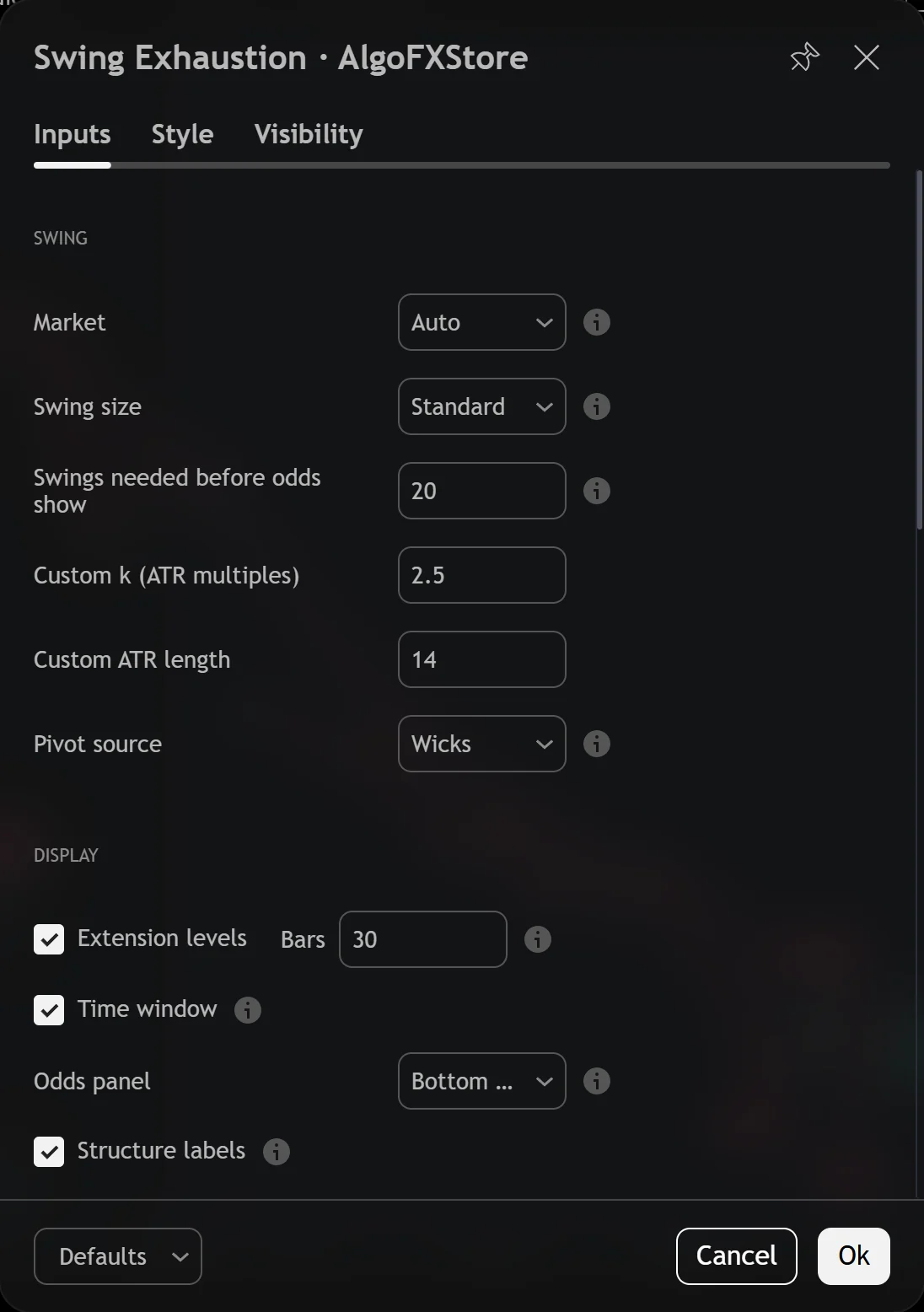
The names are the ones in the script's Settings dialog in TradingView (Inputs tab); the defaults are what every chart on this page uses. Open a group to see its settings.
Swing (6)
| Setting | Default | What it does |
|---|---|---|
| Market | Auto | Auto uses the crypto presets on crypto charts; futures use 'Other markets'. |
| Swing size | Standard | A swing ends when price comes back k x ATR(14) from its extreme. Other markets: Micro 1.5, Standard 2.5, Major 4.0; crypto 2.0 / 3.5 / 5.5; Custom uses the two inputs below. |
| Swings needed before odds show | 20 | Completed swings per direction before levels, window and odds show (10-60). |
| Custom k (ATR multiples) | 2.5 | k for 'Custom'. |
| Custom ATR length | 14 | ATR length for 'Custom'. |
| Pivot source | Wicks | Wicks or Closes for extremes and pullbacks (the ATR always uses the true range). |
Display (5)
| Setting | Default | What it does |
|---|---|---|
| Extension levels | on | Three levels beyond the live swing's extreme with price and the chance of a tag. |
| bars | 30 | Levels extend this many bars right of the last bar. |
| Time window | on | Window band and clock strip. |
| Odds panel | Bottom right | Bottom right, Top right, Bottom left, Top left or Off. |
| Structure labels | on | HH / LH / HL / LL with the swing size in ATR. |
Style (9)
| Setting | Default | What it does |
|---|---|---|
| Theme | Neon | Neon, Classic or Custom (uses the three colours below). |
| Up | #00e5b4 | Custom up colour. |
| Down | #ff4d6d | Custom down colour. |
| Clock | #ffb21e | Custom window colour. |
| Zigzag | on | No visible effect in this edition (zigzag block never runs, see notes_for_owner). |
| transparency | 10 | Zigzag transparency (no visible effect). |
| Glow | on | Zigzag glow (no visible effect). |
| Candle tint | Swing | Swing, Kernel trend or Off. |
| Live swing tag | on | Tag next to the last bar. |
Kernel trend (10)
| Setting | Default | What it does |
|---|---|---|
| Show kernel lines | on | Kernel estimate and signal lines. |
| Fill | on | Fill between them. |
| Source | close | Price source. |
| Lookback window | 8 | Higher = slower, smoother (3-50 recommended). |
| Relative weighting | 8 | Lower = more weight on longer-term moves (0.25-25). |
| Regression level | 25 | Bars used in the estimate (2-25 recommended). |
| Signal lag | 2 | Lag of the gaussian signal line. |
| Confluence signals (swing + trend) | on | KR and tick marks. |
| Alert on confluence signals | on | alert for KR and tick. |
| Alert on every kernel trend change | off | alert on each kernel turn. |
Alerts (on bar close; create one alert with 'Any alertAlgoFXStore | function call') (6)
| Setting | Default | What it does |
|---|---|---|
| Swing tagged a level | on | Alert when the live swing passes an extension level. |
| Turn / Conf odds cross | off | Alert when Turn or Conf odds cross the % below. |
| % | 65 | Threshold for the odds alert. |
| Top / bottom likely in | on | Alert when the swing's top/bottom is likely in (odds >= 50 %). |
| Swing confirmed | on | Alert on every confirmed swing. |
| Overdue | off | Alert when the swing runs past its time window. |
Parity check (1)
| Setting | Default | What it does |
|---|---|---|
| Start at | 01 Jan 2000 00:00 UTC | Everything starts on the first bar at or after this time; leave the default (the chart's first bar). |
The alert events, one by one
In TradingView: Create alert, choose “Supreme Swing Exhaustion Levels [AlgoFXStore]” as the condition and pick the event. TradingView then notifies you the way you set in that dialog: a pop-up in TradingView, a sound, the TradingView app on your phone or an e-mail.
- Swing tagged a level (on by default)
- Turn / Conf odds cross (off by default, 65 %)
- Top / bottom likely in (on by default)
- Swing confirmed (on by default)
- Overdue (off by default)
- Alert on confluence signals - KR bull (on by default)
- Alert on confluence signals - KR bear (on by default)
- Alert on confluence signals - tick bull (on by default)
- Alert on confluence signals - tick bear (on by default)
- Alert on every kernel trend change (off by default)
Supreme Swing Exhaustion Levels next to the usual options
Where it wins, and where it does not.
| Supreme Swing Exhaustion Levels | Typical free Fibonacci extension tool | Reading it by hand | |
|---|---|---|---|
| Where levels come from | Past swings of this chart, measured in ATR | Fixed ratios on every chart | Your memory of past moves |
| Time | Window of bars in which comparable swings ended | None | A guess |
| Confirmation | Kernel trend and confluence marks on closed bars | None | Your judgement |
| Trade levels | None drawn: context for your own plan | None | Your own |
| History needed | About 20 swings per direction before levels show | Works from the first swing | None |
| Simplicity | Odds, windows and levels to learn | Draw two points | Nothing to install |
| Cost | A one-time purchase | Free | Free |
Honest about who this fits
A good fit if you
- Traders on TradingView who want to know how large the current swing is compared with this chart's past swings.
- Swing and intraday traders who manage open positions and want a sign of when a move is stretched.
- Traders who trade turns and want a stretched swing confirmed by a kernel turn on a closed bar.
- Traders who like statistics drawn from their own chart rather than fixed ratios.
- Futures, gold and crypto traders on 5 to 60 minute charts with enough history loaded.
Not for you if you
- Traders who want entries, stops and targets drawn for them: the indicator gives context and marks, not a trade plan.
- Anyone expecting levels on a fresh chart: it needs around 20 swings per direction, often 1,000 bars or more.
- Traders who want the estimates to be forecasts: they are statistics of past swings on the loaded chart.
- Anyone who wants orders placed automatically: it draws and alerts and never places a trade.
The full code, one manual, installed in two minutes
- 1Pine Script source codeSupreme_Swing_Exhaustion_Levels_TradingView_Code.txt (49 KB): the full code. Paste it into the Pine Editor and it appears as “Supreme Swing Exhaustion Levels [AlgoFXStore]”.
- 16Page PDF manualInstallation, every setting with its default and how to read the chart.
- 37SettingsEvery one explained above, with the defaults the charts use.
- ✓Alert eventsYou choose which ones are on in the settings.
- 60Day money-back guaranteeIf it is not for you, request a full refund within 60 days through your Digistore24 order e-mail.
Install in five steps
- Download the zip from the page Digistore24 sends you to after checkout and unzip it.
- Open Supreme_Swing_Exhaustion_Levels_TradingView_Code.txt in a text editor, select all and copy the whole code.
- In TradingView, open the Pine Editor, paste the code over everything that is there and click Save.
- Click Add to chart: “Supreme Swing Exhaustion Levels [AlgoFXStore]” appears on your chart.
- Read the PDF manual; the defaults are the settings shown on this page.

Kestutis Balciunas
AlgoFXStore · chart indicators
Kestutis Balciunas builds and publishes chart indicators under the AlgoFXStore name. Every product page shows what the indicator draws on real charts, and every number on it comes from the shipped build.
The charts on this page were captured in TradingView from the shipped Supreme Swing Exhaustion Levels [AlgoFXStore] at its default settings and are shown unedited.
No get-rich claims and no quoted win rates. Every trade is uncertain, and no indicator changes that. If you want to know whether it suits the way you trade before you buy, e-mail [email protected] and you will get a straight answer.
One price, one payment
- The full Pine Script source code of Supreme Swing Exhaustion Levels and the 16-page PDF manual
- Delivered as a digital download: one zip with the code file and the PDF manual on your download page
- Return period: 60 days, with a full refund if it is not for you
- Free updates to the current version on the same download page
60-day money-back guarantee. Install it, run it on your own charts and read the manual. If Supreme Swing Exhaustion Levels is not for you within 60 days of purchase, request a full refund from Digistore24, no questions asked: use the refund link in your Digistore24 order e-mail or Digistore24's order page digistore24.com/en/cancel-revoke-contract. Digistore24 refunds to your original payment method. It is a digital download: right after checkout you land on your download page, and the link to it is also in your Digistore24 order e-mail.
About the levels and signals
Does it repaint?
The swing engine, records, odds, structure labels, KR triangles and ticks all run on closed bars and do not change afterwards. Two things work differently by design: a structure label is placed back at the swing's extreme when the swing is confirmed, often many bars later, and the live levels, window and panel step to new values when the swing makes a new extreme. The kernel line follows the forming bar until it closes.
Why are the labels placed so far back?
A swing is only confirmed once price has come back k times ATR from its extreme. The HH, LH, HL or LL label is then drawn on the extreme bar itself, which can be many bars behind the bar that confirmed it. The label does not move afterwards.
What do the percentages next to the levels mean?
They are estimates of how often comparable past swings on this chart reached that level. They come from the bars loaded on the chart, so another amount of history, plan or timeframe gives other values. They describe the past, not a promise about the live swing.
Why are the levels grey?
Grey means warming up or a low sample: fewer than 20 kept swings per direction, or few past swings of this size. The panel then shows how many swings it has so far. Load more history, or use a smaller swing size so more swings fit in the loaded bars.
What is the difference between a KR triangle and a tick?
A KR triangle prints when a stretched swing meets a kernel turn on a closed bar, before the swing itself is confirmed. A tick prints when the swing is confirmed by the full pullback while the kernel already points the new way. KR is earlier, the tick later and more confirmed.
Settings and the panel
Which timeframes and markets does it suit?
Any symbol and timeframe; it uses only the chart's own bars. Starting points on futures are 15 minute charts on NQ, ES, GC and CL, 5 minutes for faster swings and 60 minutes for swing trades. Crypto symbols get their own presets automatically.
Should I keep the defaults?
Start with them: Market Auto, swing size Standard, wicks as the pivot source, 20 swings before odds show, kernel lookback 8, relative weighting 8 and regression level 25. Swing size changes everything the engine measures; the kernel inputs change only the trend line and the confluence marks.
What is on the odds panel?
The swing direction, its size in ATR and length in bars, the window meter, the top or bottom in estimate, the turn and confirmation estimates for the next few bars, a status line and the kernel trend row. It sits bottom right by default; move it to another corner if it overlaps the AlgoFXStore watermark.
What is the Start at input and the SC values in the Data Window?
They are development aids left in the code. Leave Start at on its default so the engine starts at the chart's first bar. The values named SC in the Data Window and the Style tab are internal readings and can be ignored.
Why does the zigzag setting seem to do nothing?
The zigzag, transparency and glow inputs in the Style group have no visible effect in this edition; the swing legs are not drawn. The swings themselves are still measured and shown through the structure labels, the live swing tag, the levels and the panel.
Alerts and running it
Which alerts can I set?
All alerts are alert() messages, so you create one alert with Any alert() function call. Each type has its own switch: swing tagged a level, Turn or Conf odds crossing a threshold, top or bottom likely in, swing confirmed, overdue, the confluence marks and every kernel trend change. All fire once per bar close.
Does it need a paid TradingView plan?
No. It uses only the chart's own bars, no other symbols or timeframes. A paid plan can load more history, which gives the records more swings to learn from.
Can I combine it with other tools?
Yes, and it is meant as context for them. Use it beside your own entry method: an entry signal near the middle or outer level, inside the time window and with a kernel turn has more behind it than the same signal in the middle of a fresh swing.
How it works
Will it place trades for me?
No. Supreme Swing Exhaustion Levels is an indicator: it draws on the chart and can alert you. It never sends an order.
Do I need a paid TradingView plan?
No. It reads only the chart's own bars, so the free TradingView plan runs it. Alerts count against your plan's alert limit.
After you buy
How do I get it after paying?
Digistore24 runs the checkout. Right after payment it takes you to your download page with one zip holding the Pine Script source code file and the PDF guide; the link to that page is also in your Digistore24 order e-mail, so you can download again at any time.
How do I install it?
Open the code file, open the Pine Editor in TradingView, paste the whole code, click Save and then Add to chart: “Supreme Swing Exhaustion Levels [AlgoFXStore]” appears on your chart. The guide walks through it step by step.
Who is Digistore24?
Digistore24 is the reseller that sells Supreme Swing Exhaustion Levels for Kestutis Balciunas (AlgoFXStore): it runs the checkout, charges your card or PayPal, collects the VAT for your country and delivers the download. Its name is the one on your statement, and its order e-mail holds your download link and the refund link.
What is the refund policy?
A 60-day money-back guarantee, handled by Digistore24. If Supreme Swing Exhaustion Levels is not for you within 60 days of purchase, use the refund link in your Digistore24 order e-mail or Digistore24's order page (digistore24.com/en/cancel-revoke-contract) for a full refund, no questions asked. Digistore24 makes the refund to your original payment method.
Do I get the source code?
Yes. You get the full Pine Script source code as a text file for your own use; the licence line at the top of the code does not allow resale, sharing or republishing.
Supreme Swing Exhaustion Levels for TradingView.
Put this chart's own swing statistics, the exhaustion levels and the kernel trend on your TradingView charts and decide which moves are too stretched to chase. The full code, the manual and every setting explained. Instant download for €47, one payment.
Get instant access