Graded market structure signals with the stop and three targets already drawn
Supreme Power House labels every confirmed swing on your cTrader chart, marks each CHoCH and BOS, and when a candle closes beyond the newest unbroken swing with the enabled filters agreeing, it prints a BUY or SELL plate graded A, B or C.
- BUY or SELL only on a closed candle beyond the newest unbroken swing, named CHoCH or BOS
- Every signal graded A, B or C from seven checks; hover the plate to see which agree
- Entry, structure stop kept between 0.5 and 3 ATR, and TP1, TP2, TP3 at 1R, 2R, 3R
- Get Ready plates and dotted trigger lines show where the next signal has to come from
- A cTrader indicator. Double-click the .algo file and “Supreme Power House AlgoFX” appears in your Indicators list.
- A 15-page PDF manual with installation, every setting and how to read the chart. One-time €47.
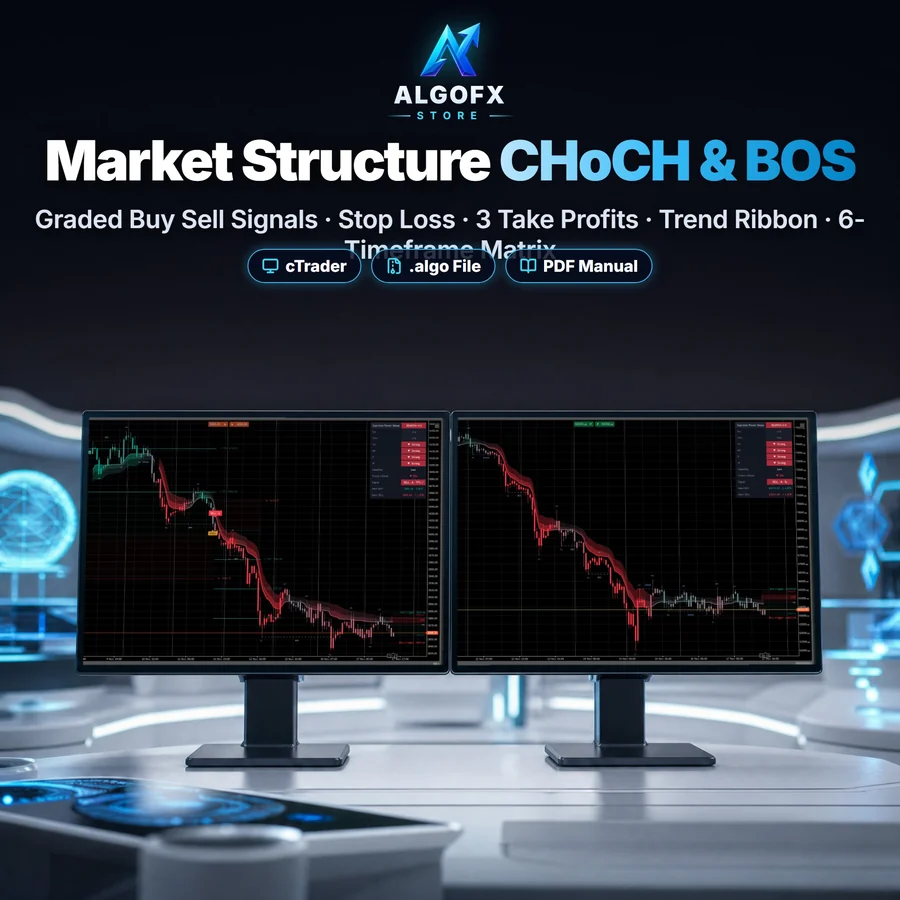
See Supreme Power House on a real chart
Press play; use the full-screen button to see every detail.
Structure marked by hand changes with the trader and the mood
Most structure traders do three jobs on every chart: mark the swings, decide whether the last candle really broke one, and work out where the stop and targets go. Done by hand, the first job is slow and the second is easy to get wrong on a busy chart. A wick through a level looks like a break at a glance, and two traders on the same chart often mark different swings.
The third job is where accounts bleed. A stop placed a few pips behind a swing is taken by ordinary noise, a stop placed far away forces a tiny position or a large loss, and a target picked by eye is rarely measured against the risk. The trade looked right, but the numbers behind it were never fixed before the click.
Supreme Power House applies one fixed rule on closed candles: a swing needs five candles on each side, a break needs a close, and the stop and targets are calculated from the swing and the ATR at the moment the signal prints. You still decide whether to trade, but you decide from the same evidence every time.
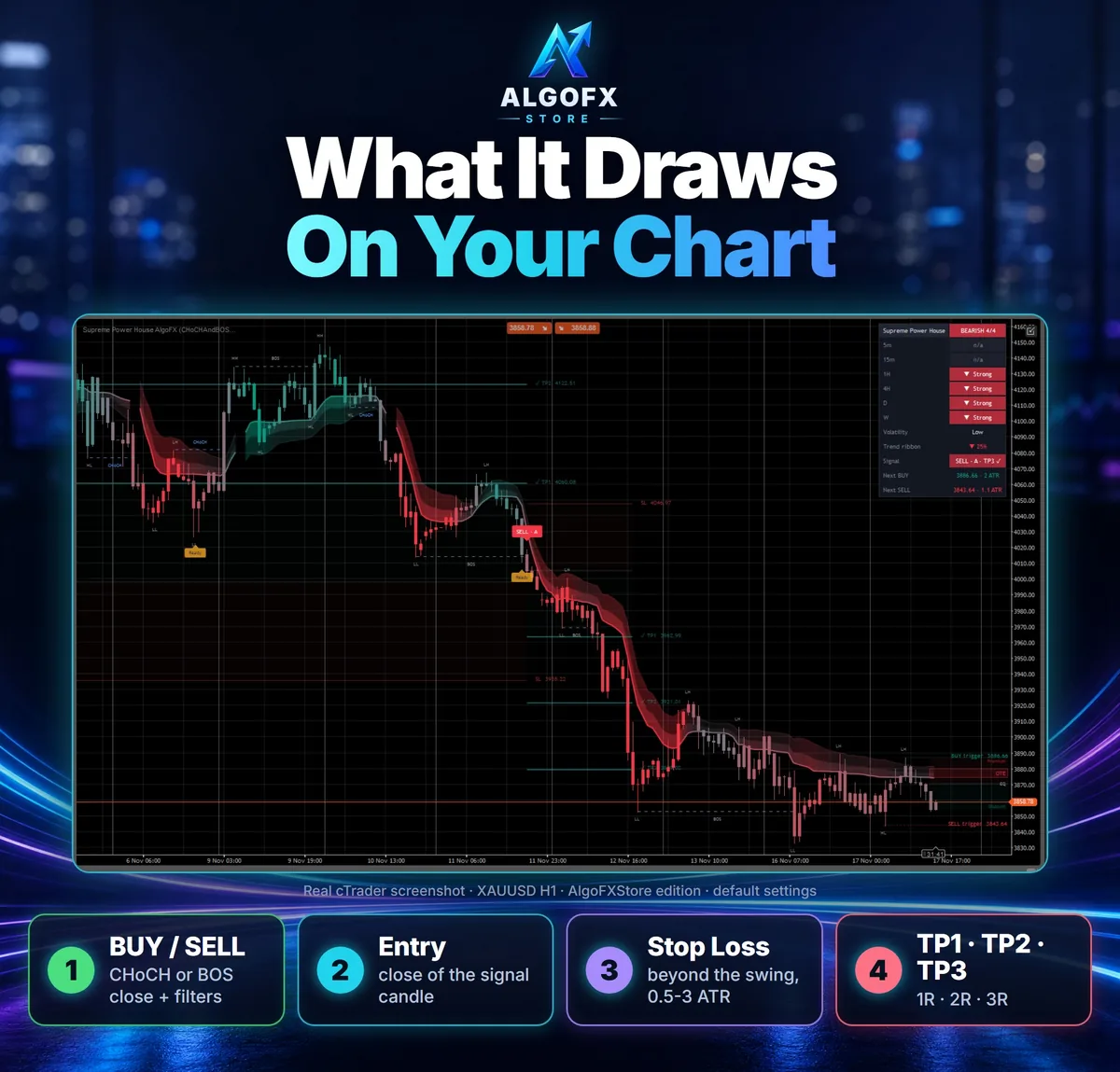
What Supreme Power House draws, and what each mark means
Read from the shipped cTrader edition.
| What you see | What it means |
|---|---|
| Green 'BUY' plate with a grade (A / B / C) | A close above the newest swing high with every enabled filter agreeing; grade = how many of 7 checks agree. |
| Red 'SELL' plate | The mirror below the newest swing low. |
| Orange 'Get Ready' plate | Price closed within 0.5 ATR of an unbroken swing with the filters already agreeing. |
| Dashed line 'CHoCH' / 'BOS' | A break against / with the current structure. |
| HH HL LH LL | Swing labels. |
| Grey entry, red stop line and zone, green targets and bands | The trade plan; ticks on reached targets, a cross on a reached stop. |
| Dotted 'Next BUY / SELL' lines | The swing a close must break for the next signal. |
| Shaded box and EQ line | OTE 0.62-0.79 and the 50 % of the current leg; premium above, discount below. |
| Green / red / grey ribbon and candles | Adaptive trend ribbon: up, down, sideways. |
| Table top right | Bias, six-timeframe matrix, volatility, ribbon, last signal, next triggers. |
What happens on every closed candle
Swings, breaks, signals, grades, Get Ready plates and target or stop hits are decided when a candle closes. The ribbon, the candle colours, the zones of the current leg and the dashboard follow the forming candle.
- 1
Swings are confirmed and labelled
A swing high is a high that no candle within Structure length (5) candles on either side exceeds; a swing low is the mirror. Because the five candles to the right must exist, a swing is confirmed five candles after it formed, then labelled HH or LH against the previous swing high, HL or LL against the previous swing low.
- 2
A close beyond the swing is a break
A close above the newest unbroken swing high is a bullish break, a close below the newest unbroken swing low a bearish one; a wick does not count. Against the current structure it is a CHoCH, drawn as a dashed blue line from the swing to the breaking candle; with the structure it is a BOS, drawn dashed grey.
- 3
Every enabled filter must agree
Three filters are on by default: Momentum (the close at least 0.5 ATR beyond the close 5 candles earlier), Higher-timeframe trend (the last closed H1 candle on the signal's side of its EMA 50) and Trend ribbon (blocks only a clearly opposite ribbon). Lower-timeframe trend, Volume, Breakout, Order flow (CVD) and Session window are optional. One signal per direction waits for the opposite signal.
- 4
Seven checks produce one grade
The grade counts all seven checks at the signal's close, switched on or not: 5 or more agreeing is A, 3 or 4 is B, fewer is C. With the three default filters on, every printed signal has at least three checks behind it, so C appears only when you switch filters off. A plates are opaque, B and C lighter.
- 5
The plan is drawn and tracked
Entry is the signal candle's close. The default Structure stop sits beyond the newest opposite swing plus 0.1 ATR, kept between 0.5 and 3 ATR from the entry; Stop = ATR uses 1.5 x ATR(14). Targets sit at 1, 2 and 3 times the risk. From the next candle on, the stop is checked first, then each target; a reached target gets a tick, a stop a cross.
- 6
Context: ribbon, zones and dashboard
An adaptive Kaufman ribbon with a two-layer band flips only when price closes 0.6 ATR beyond it and paints the candles green, red or grey. The current leg gets an OTE box from 0.62 to 0.79, an EQ line at 50 % and premium and discount shading. The dashboard rates six timeframes against their EMA 50 on closed candles.
Supreme Power House on 12 different markets
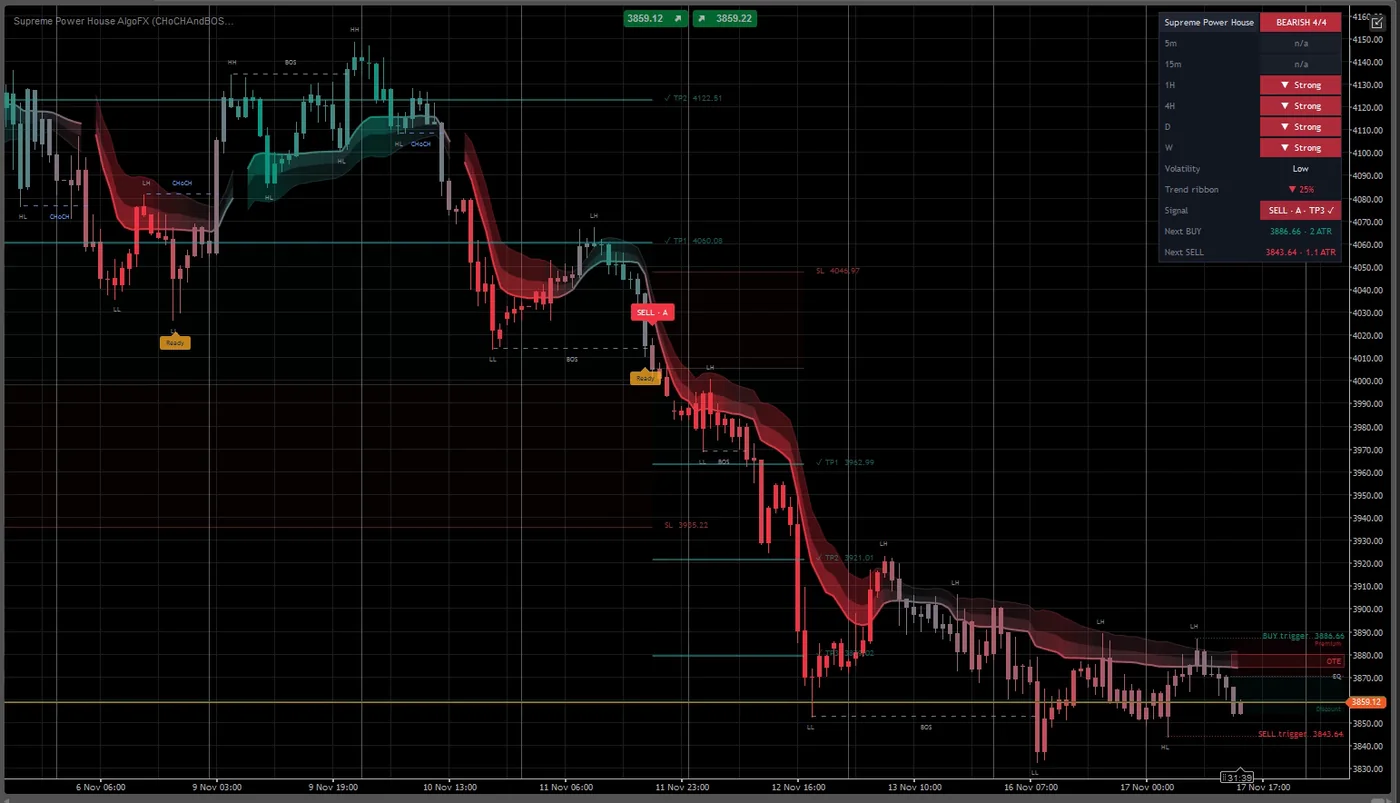
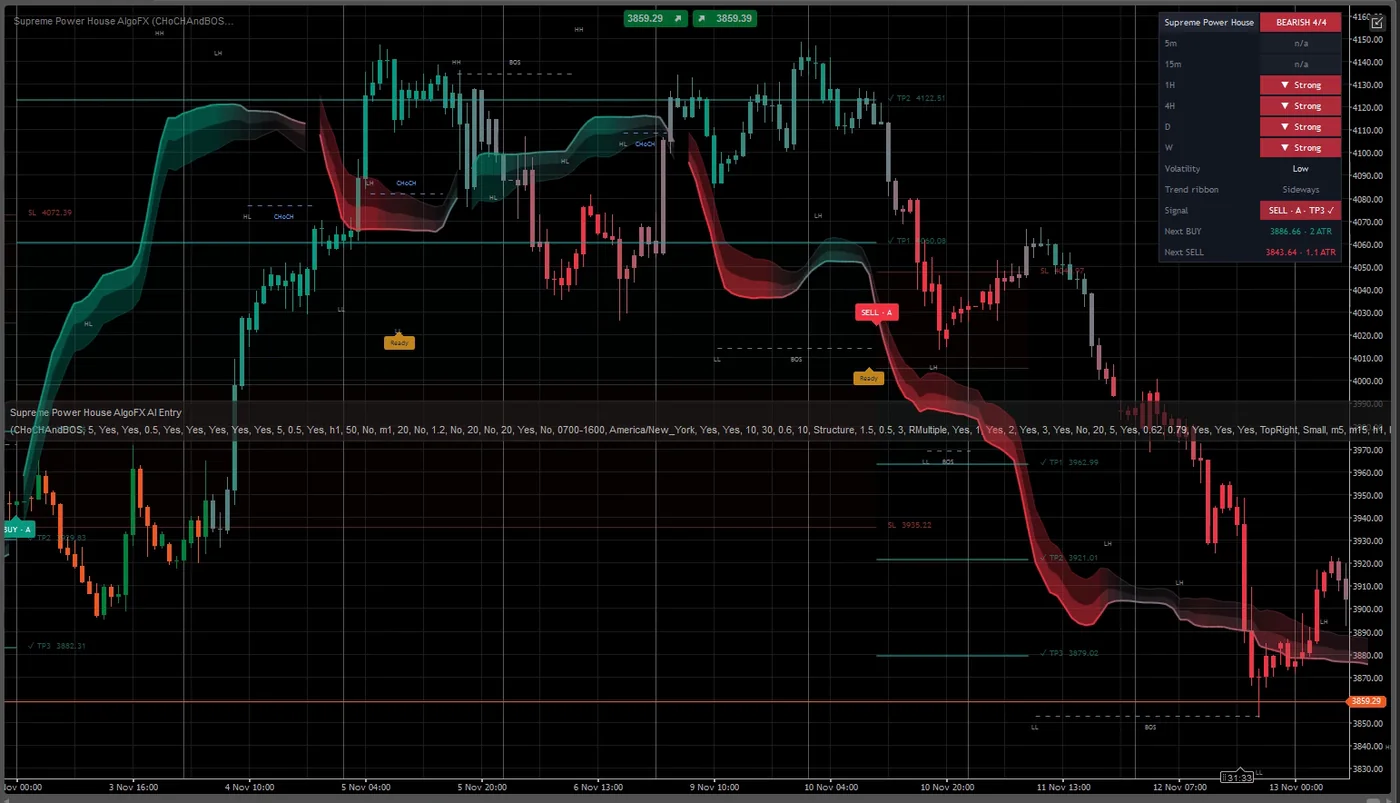
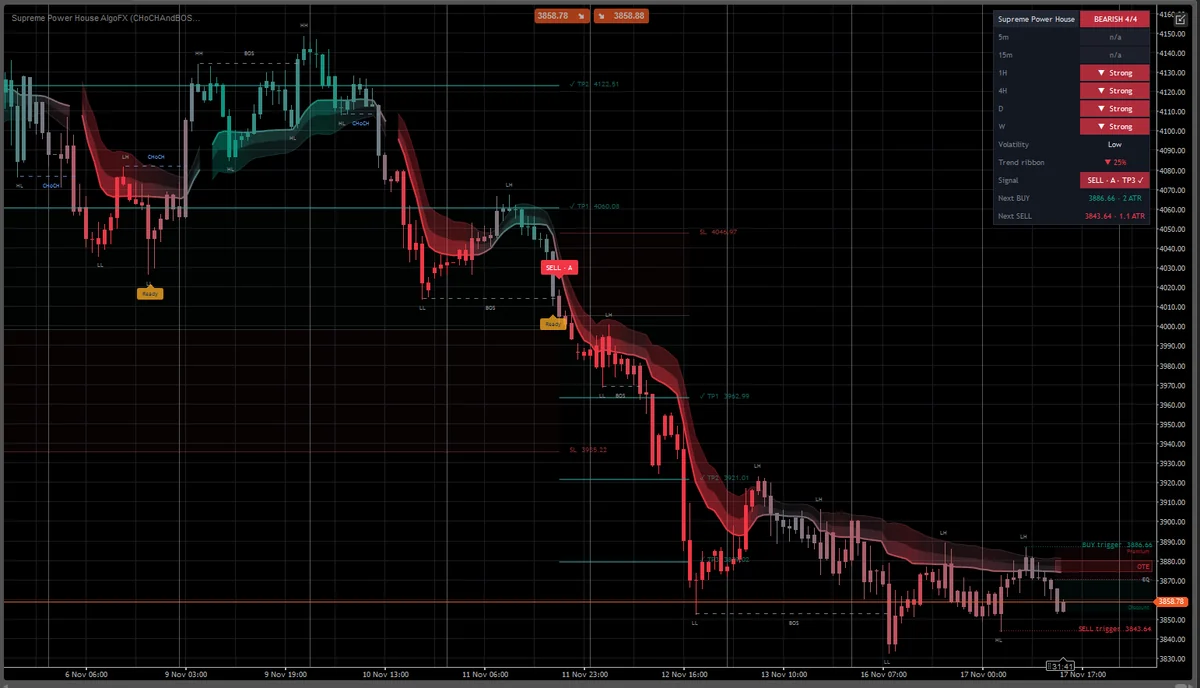
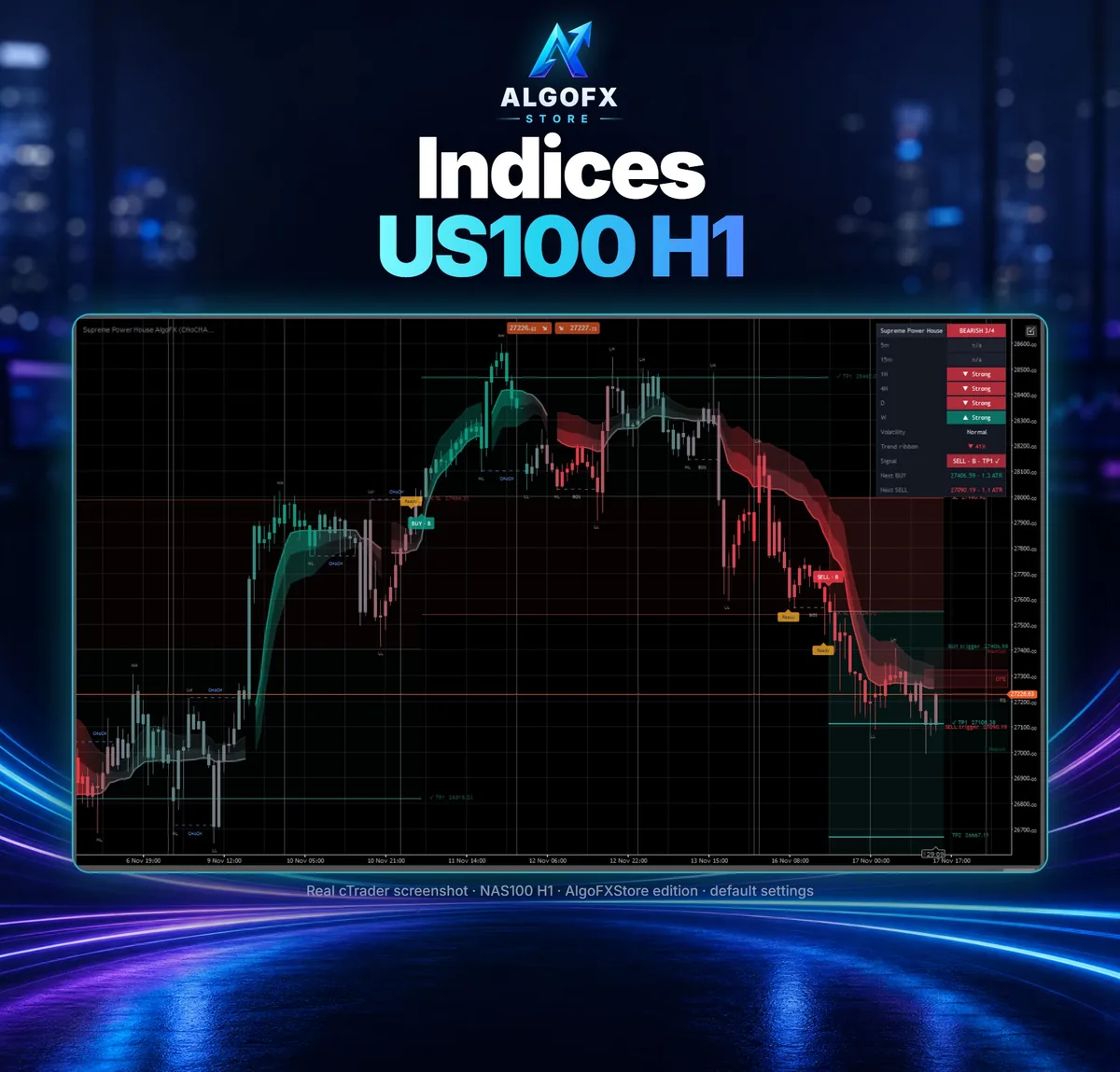
Every chart below is a screenshot of cTrader itself with the shipped Supreme Power House AlgoFX attached at its default settings. Forex, metals, indices, energy and crypto, so you can see how it reads each kind of market. They show what the indicator draws; they are not trading results. Tap or click any chart to open it full size.
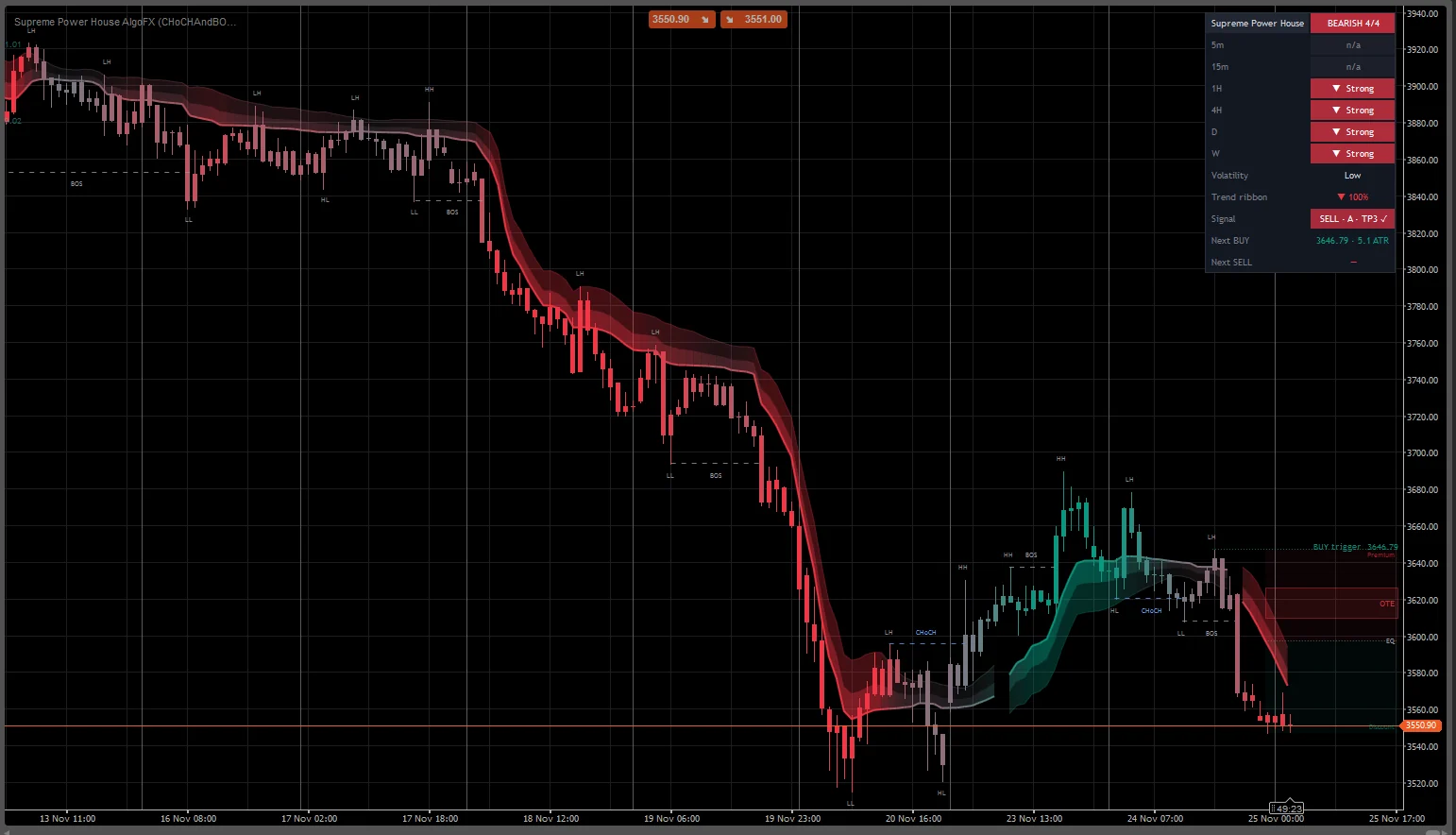
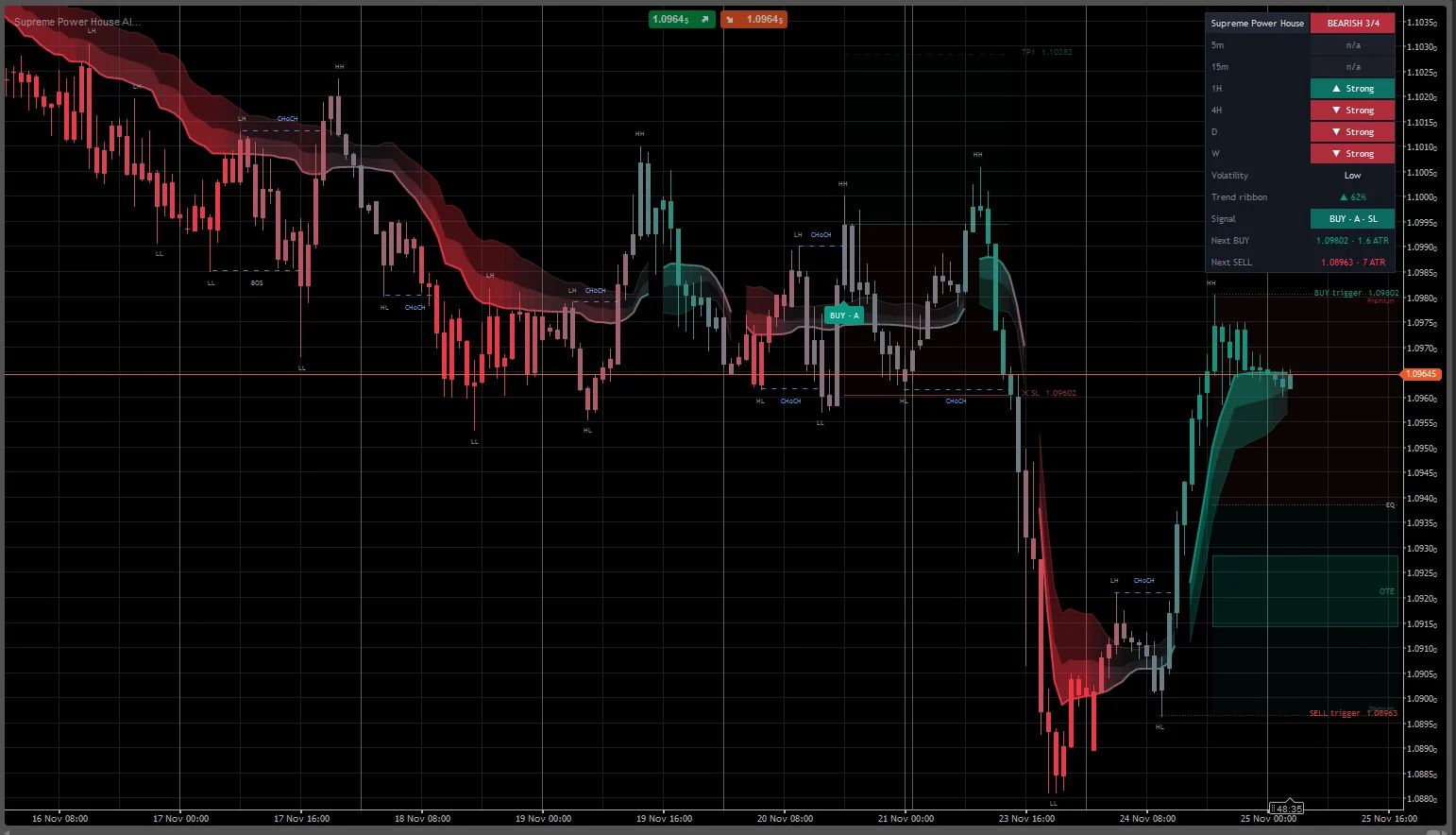
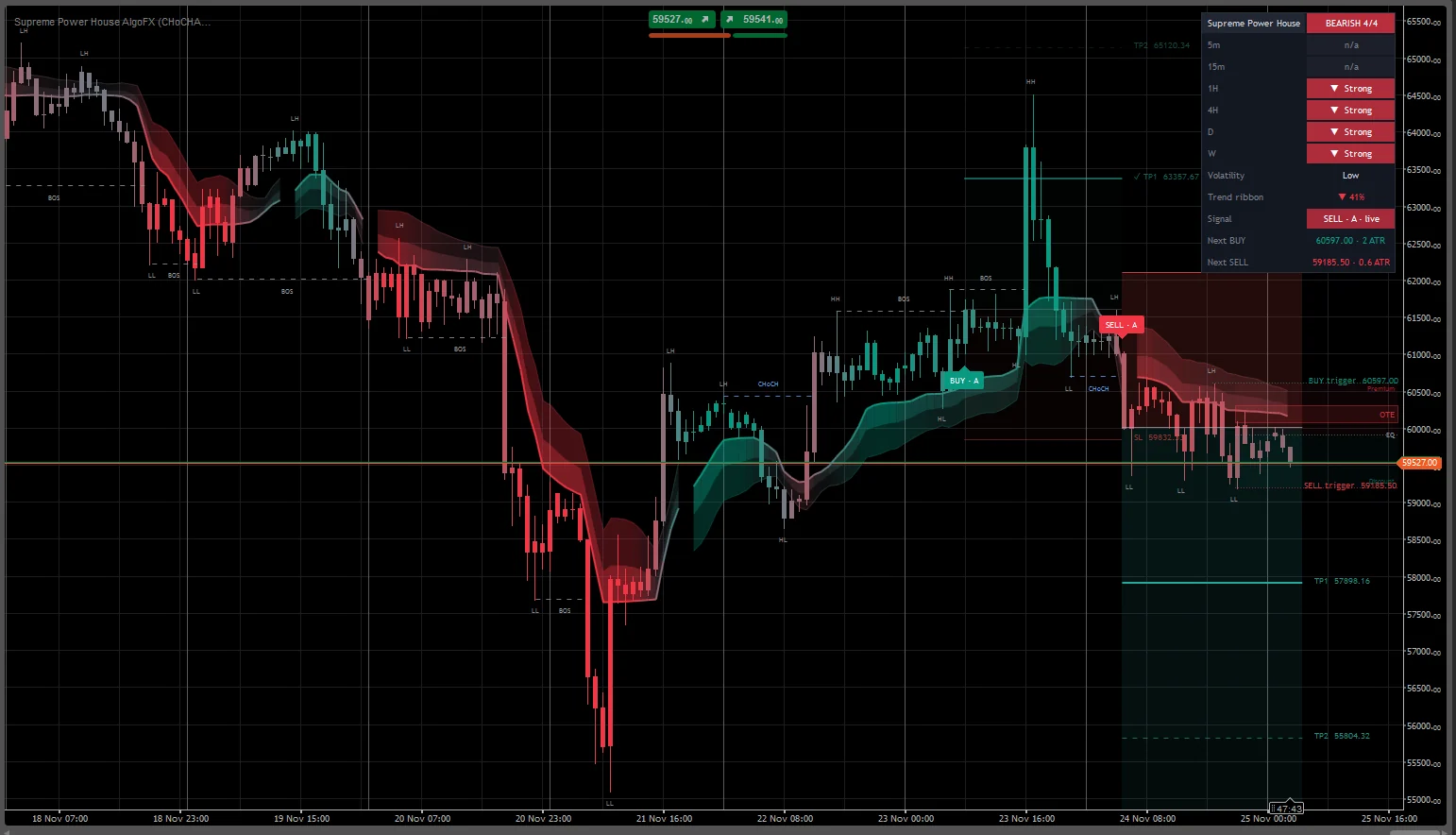
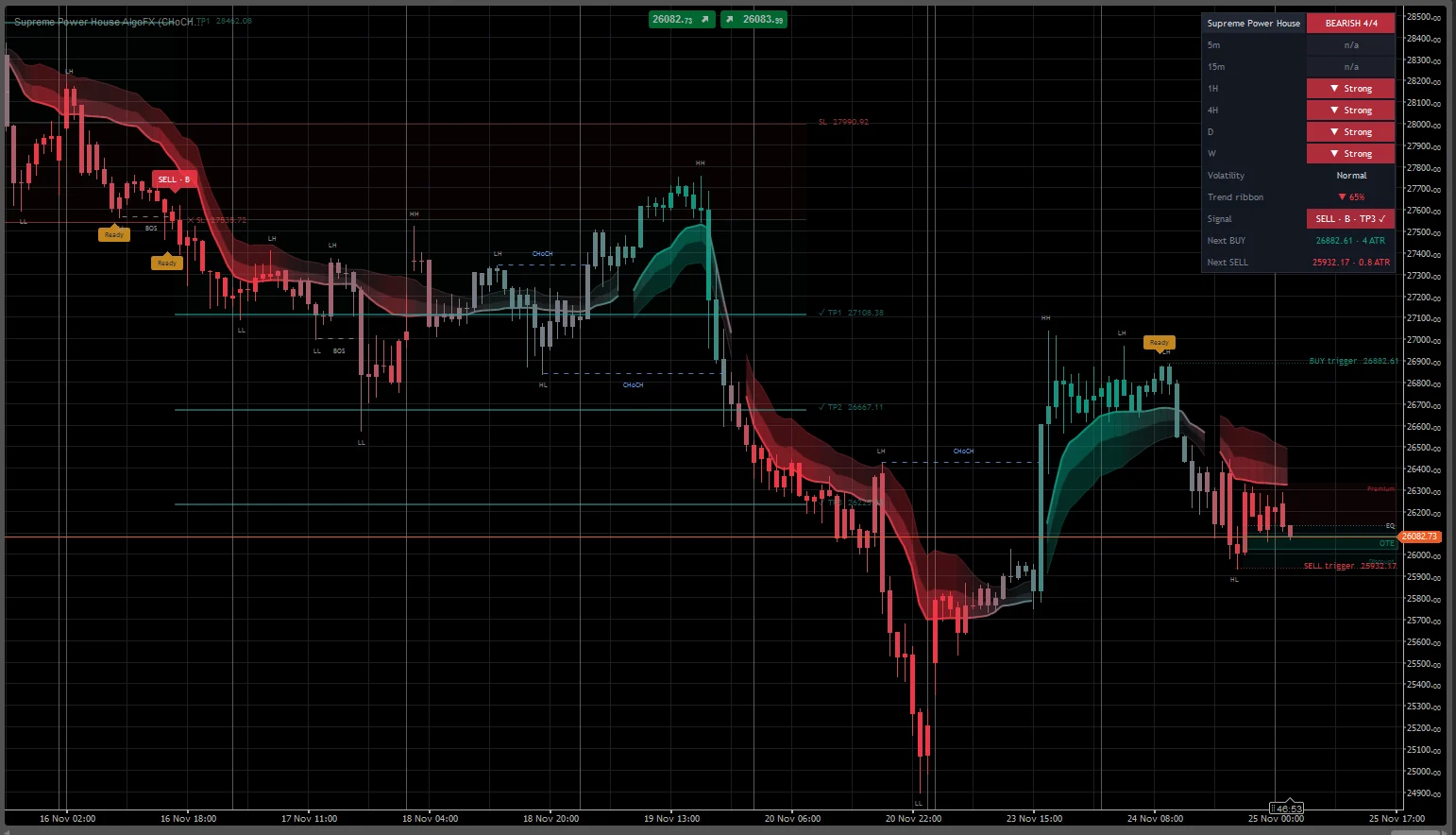
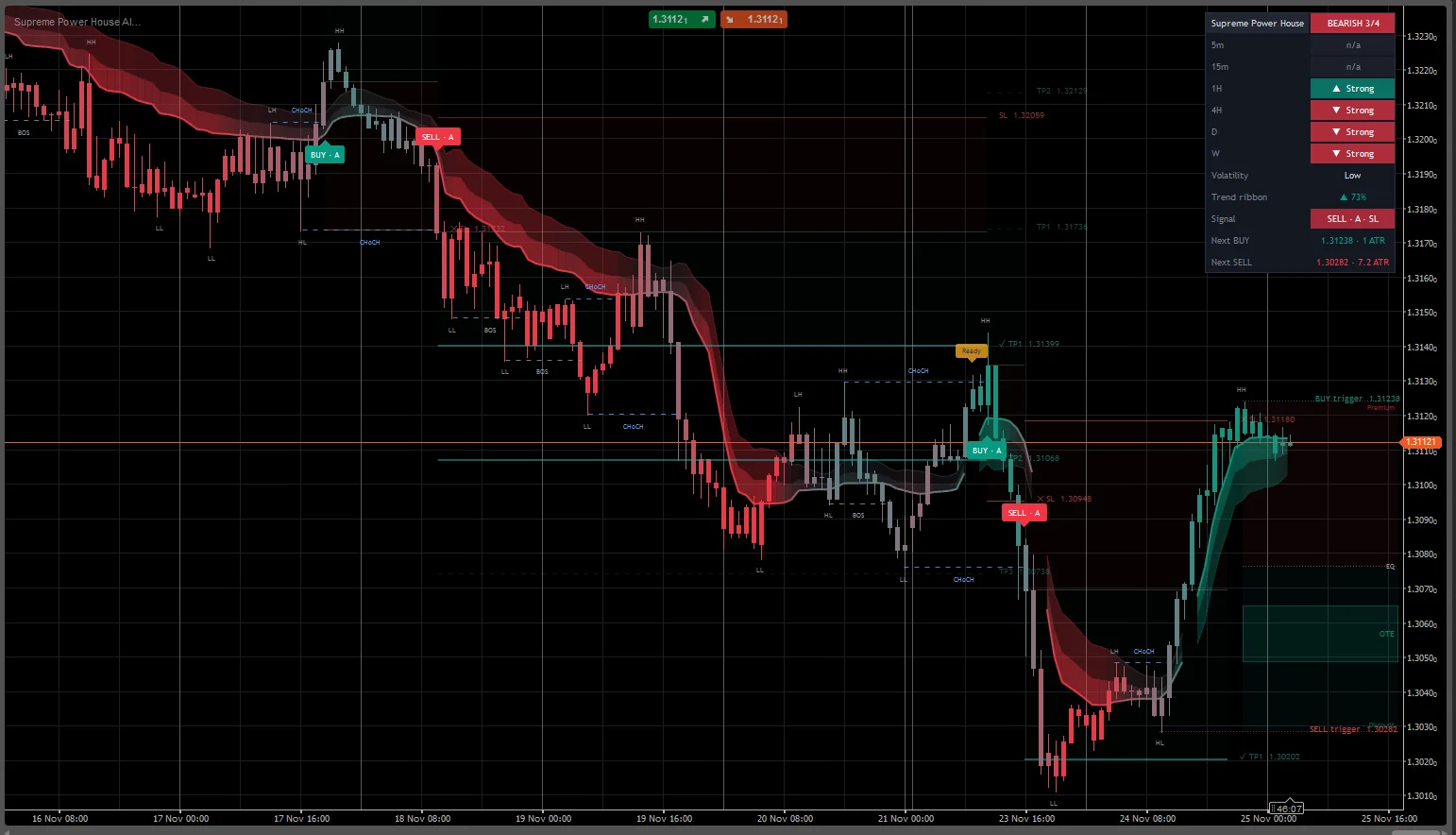
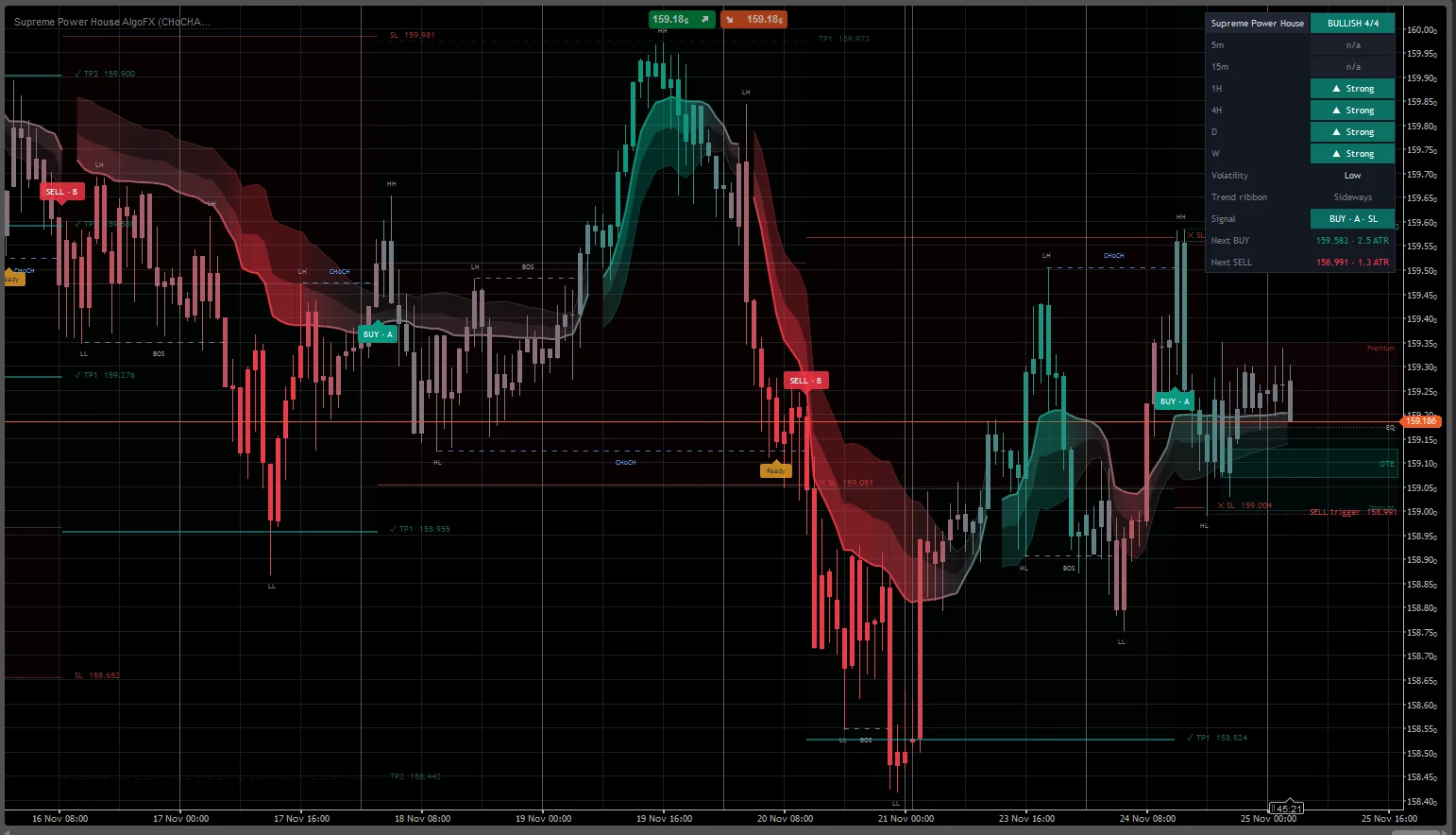
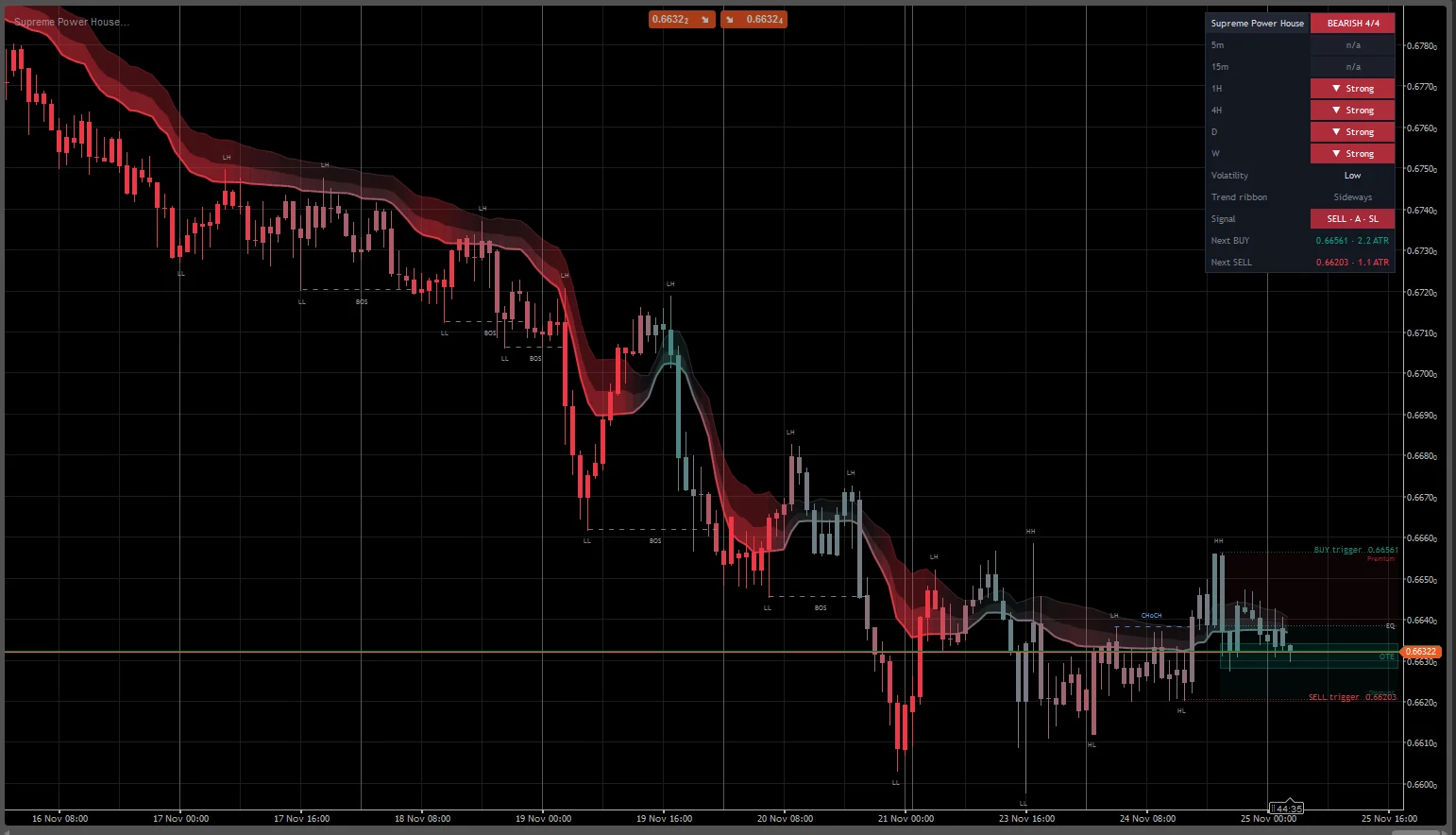
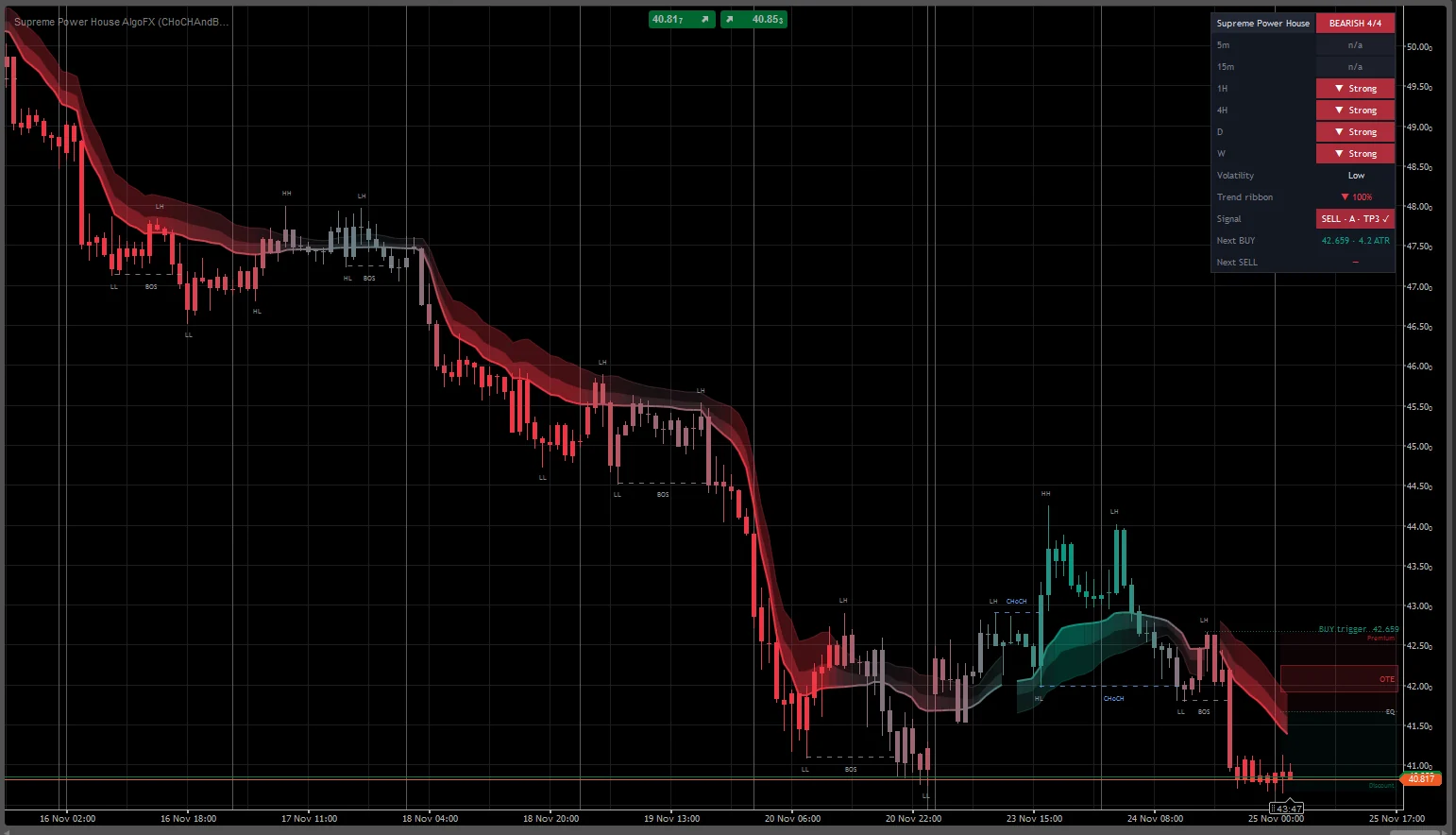
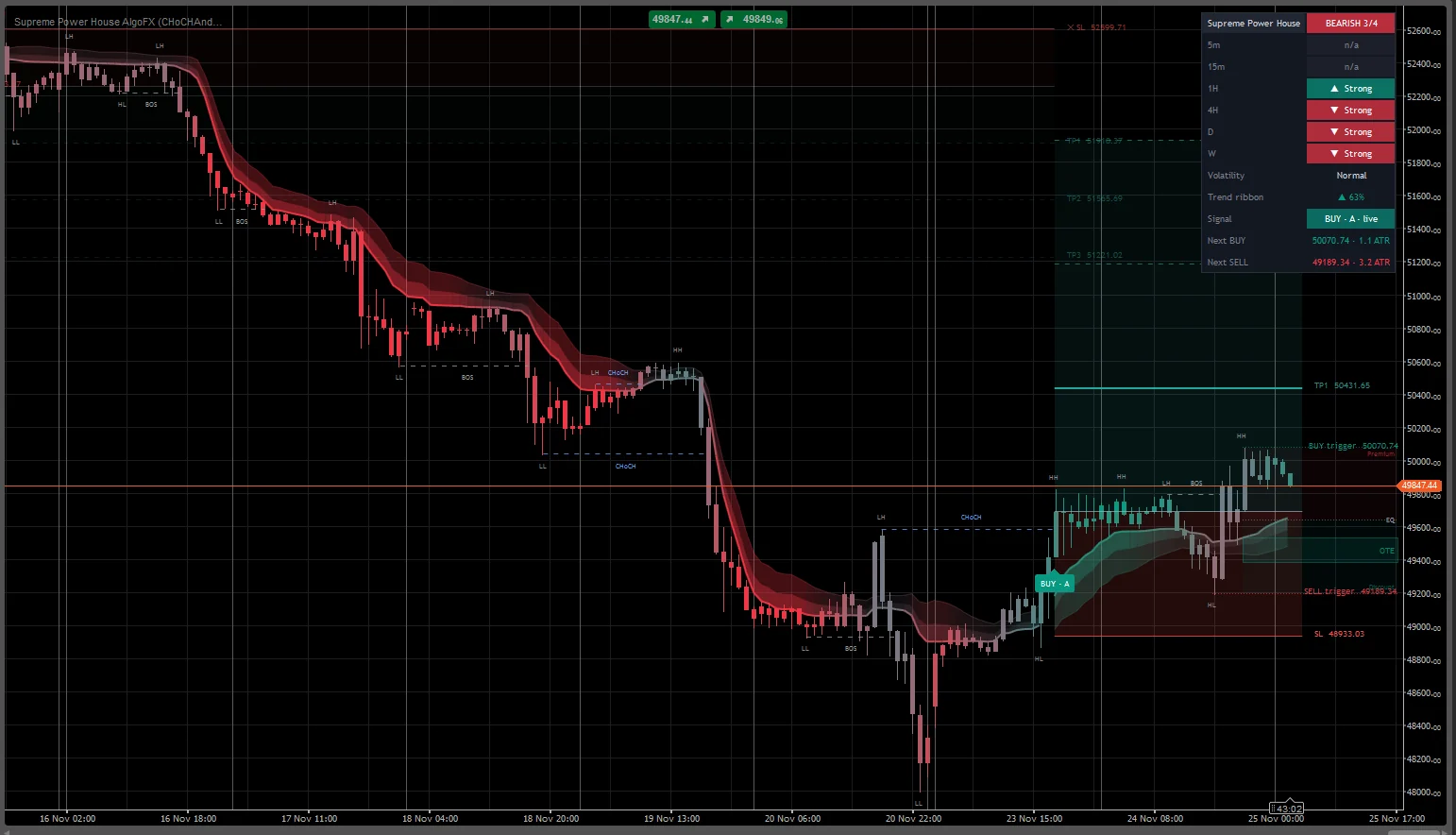
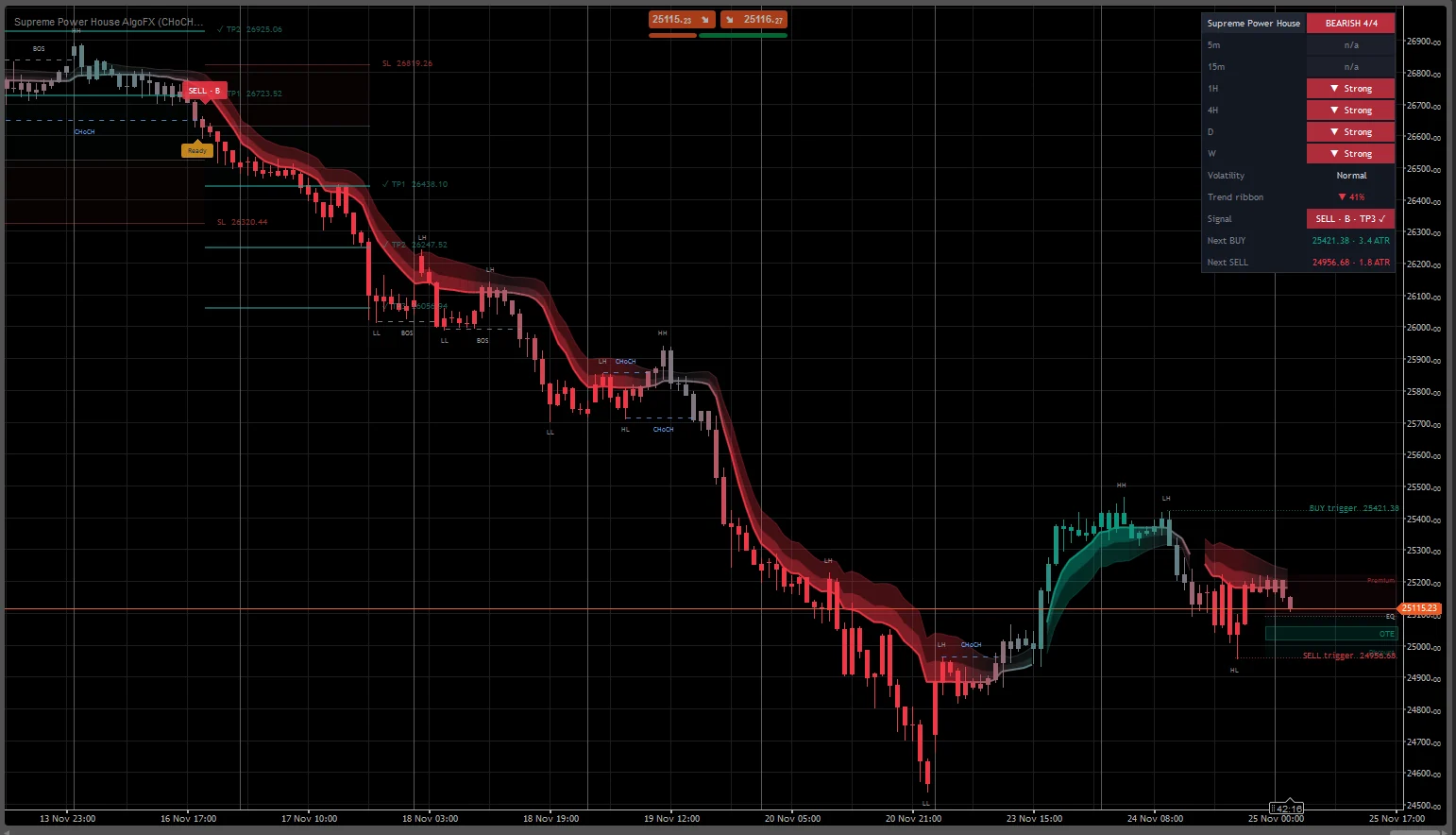
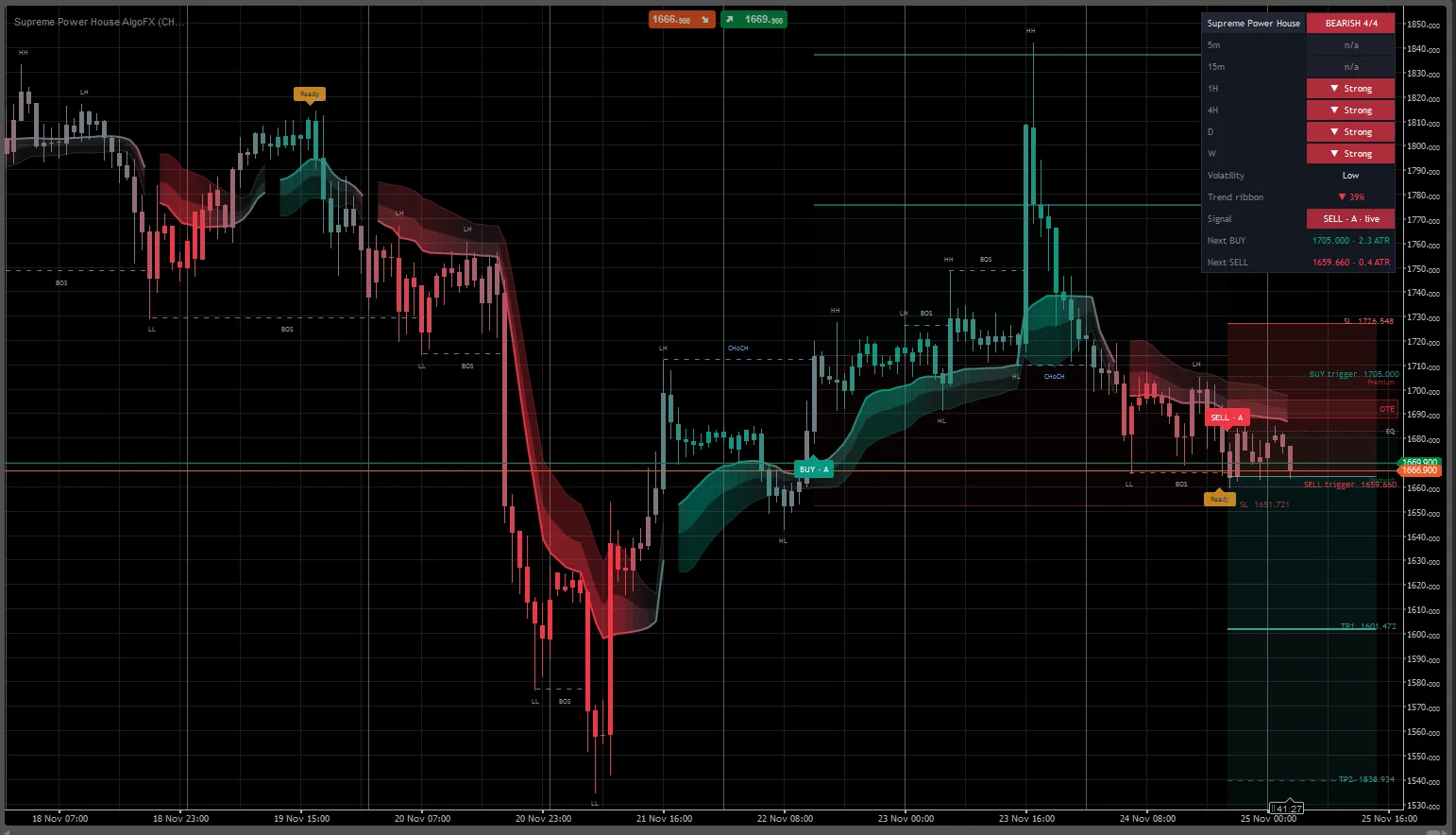
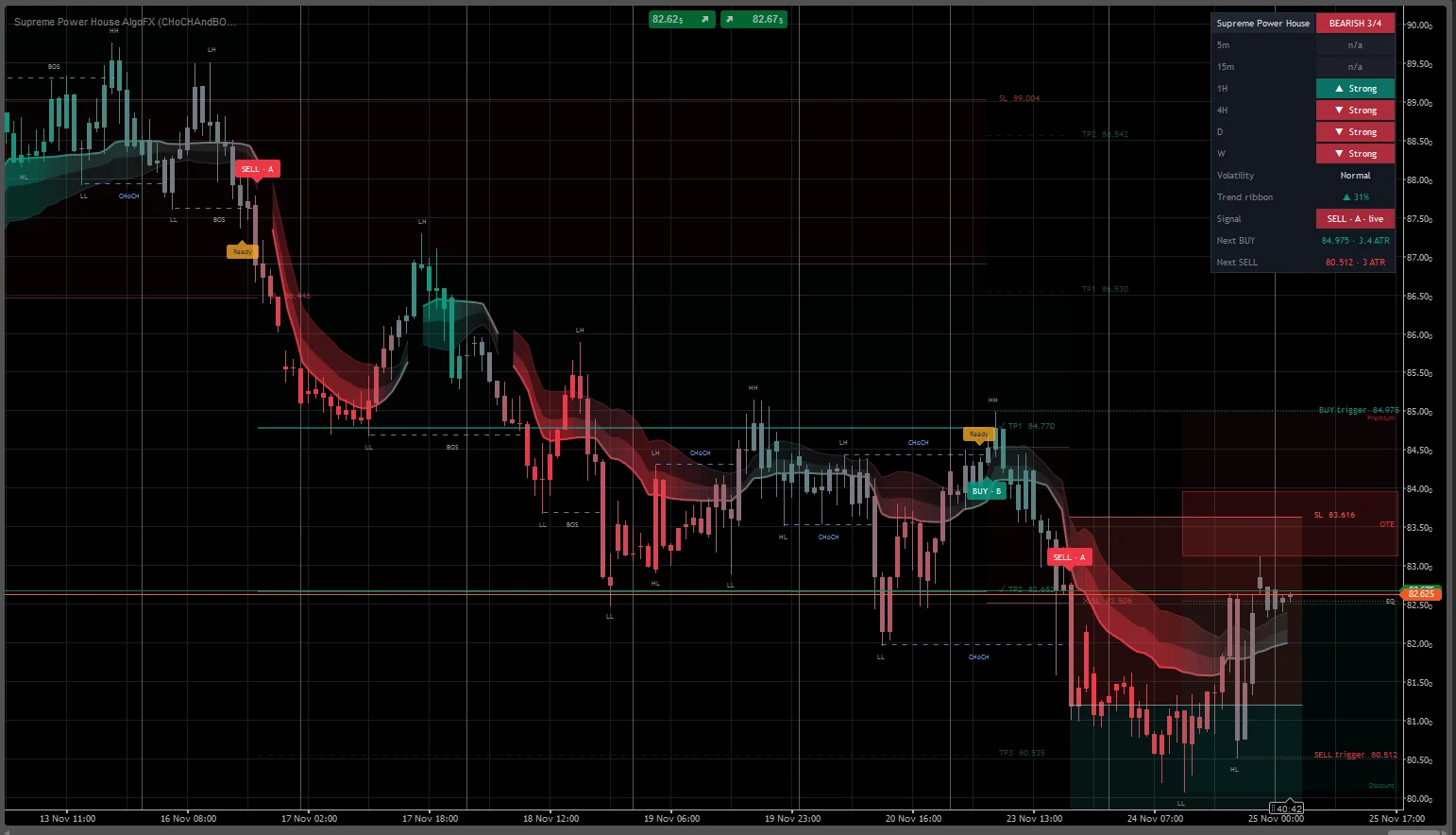
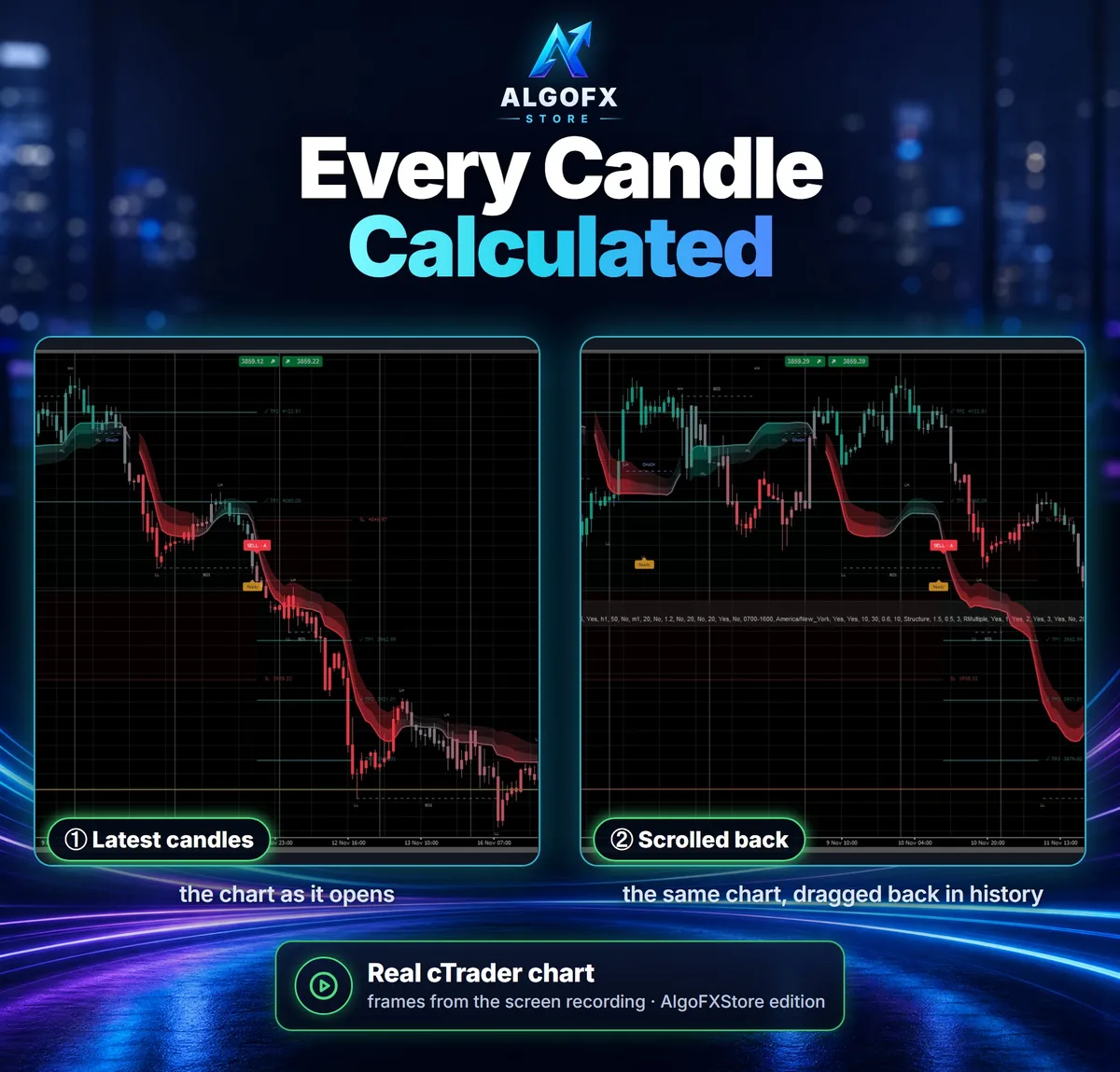
Supreme Power House on a real cTrader chart
The chart as it opens and the same chart scrolled back in history, with the shipped indicator at its default settings. Nothing is edited into the chart.
A practical way to trade the signals
The indicator lays out the evidence and the levels. The routine below turns them into a decision you can repeat, and you place every order yourself.
- 1
Start with the dashboard bias
Before any signal, read the header line of the dashboard, for example BULLISH 4/5, and the timeframes above your chart. A BUY with 4H and D pointing up is a different trade from a BUY against them. Note the Volatility row too: High means wider stops for the same structure, and so a smaller position.
- 2
Let Get Ready warn you
An orange Get Ready plate appears when price closes within 0.5 ATR of an unbroken swing while the filters other than momentum and breakout already agree. It is a warning, not a signal. Look at the dotted trigger line, note the opposite swing and work out your size before the break. Switch on the Get Ready alert if you will not be watching.
- 3
Read the plate in ten seconds
When a plate prints, ask four questions in order. What broke: a CHoCH turns the structure, a BOS continues it. Which grade: A or B. Is the stop sensible: a stop at the 3 ATR limit means the swing was far away and the position must be small. Does the dashboard agree. Hover the plate for the full checklist.
- 4
Size the position from the stop
The red stop label shows the stop price beside the entry. Size the trade so that the distance between entry and stop costs exactly what you accept to lose on one trade. Two A-grade signals can have very different stops, so the size follows the stop, never the other way round.
- 5
Decide your TP1 rule in advance
Before you enter, choose what you do at TP1: take part off, move your own stop, or hold for TP2 and TP3. The ticks on the target labels show what price has done; the indicator never moves the stop for you. A new signal ends the current plan, and the newest 5 plans stay drawn.
- 6
Know when to skip
Skip a plate when the stop is wider than your risk budget allows, when the higher timeframes and the bias line point the other way, or when Volatility reads High and you cannot size down. A wick through a trigger line is not a signal. Treat grade B as the weaker setup: a smaller position, or wait for more agreement.
The dashboard, row by row
- header | BULLISH / BEARISH / MIXED with how many matrix timeframes agree
- 5m, 15m, 1H, 4H, D, W (Matrix 1-6) | close vs EMA 50 on closed bars, up / down, Strong / Weak; n/a below the chart's timeframe
- Volatility | ATR percentile over 100 bars: Low / Normal / High
- Trend ribbon | Sideways, or direction with conviction %
- Signal | latest signal, its grade, plan live / stopped / targets reached
- Next BUY / Next SELL | trigger price and distance in ATR
Everything Supreme Power House does for you
One structure rule on every chart
Swings need 5 candles on each side by default and a break needs a close, so EURUSD, gold and an index are read with exactly the same rule, with no swing chosen by eye. Structure length changes the swing size for your style.
Every break has a name
Dashed lines run from the broken swing to the breaking candle, labelled CHoCH in blue (#5B9CF6) or BOS in grey (#9598A1). Signals can be limited to CHoCH only, BOS only or both; the lines are drawn either way.
A grade you can inspect
Plates read BUY or SELL with the grade letter. Hover a plate for the kind of break, the entry, the stop and each of the seven checks with a tick or a dash, and (off) after a filter that is switched off.
The full trade plan on the signal
A grey entry line, a red stop line with its label and a red risk zone, and green TP1, TP2 and TP3 lines with their prices and reward bands. Targets can be R multiples, ATR multiples or price points, and each can be switched off.
A stop that stays usable
The Structure stop sits beyond the opposite swing plus 0.1 ATR but is kept between 0.5 and 3 ATR from the entry, so a swing very close or very far away cannot produce an unusable stop. A fixed 1.5 x ATR stop is the alternative.
Warnings before the break
Orange Get Ready plates within 0.5 ATR of an unbroken swing, once per swing, and dotted Next BUY and Next SELL trigger lines labelled with the price a close must break. The dashboard repeats both triggers with their distance in ATR.
Adaptive trend ribbon and candles
A Kaufman adaptive average (Adaptive length 10, slow 30) that follows clean trends and slows in noise, with a two-layer band in green, red or grey and candles painted to match. It flips only on a close 0.6 ATR beyond it.
Zones of the live leg
An OTE box from 0.62 to 0.79 of the current leg, an EQ line at 50 % and premium and discount shading on either side. They follow the leg that is live now, from the swing the current structure started at to the extreme since.
Eight alert conditions
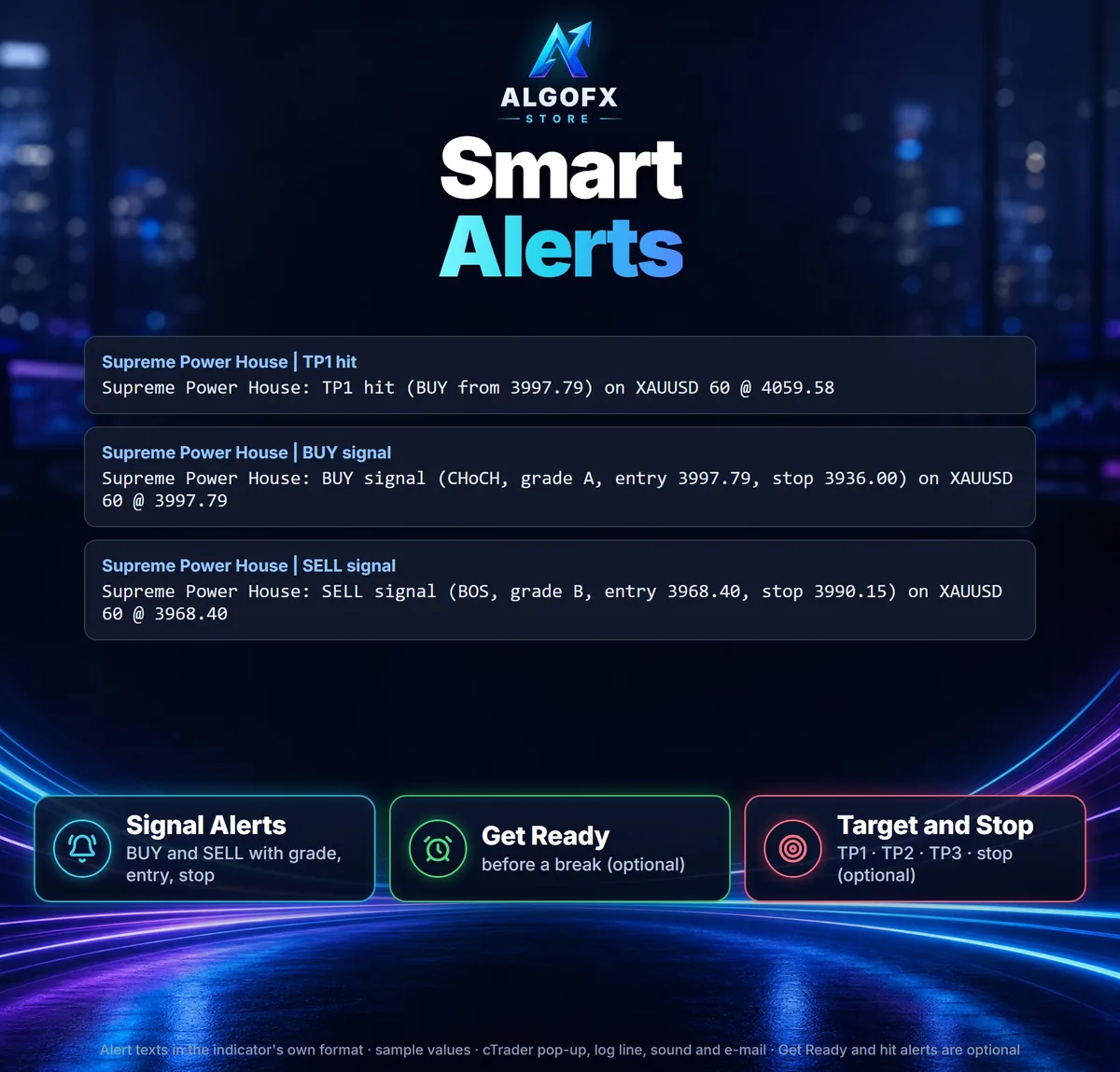
BUY and SELL on by default; Get Ready BUY and SELL, TP1, TP2, TP3 and Stop hit optional. cTrader's pop-up and a log line are on, a sound and e-mail are optional, and each message names the break, grade, entry, stop, symbol and timeframe.
Supreme Power House, feature by feature
Each picture is built from real platform screenshots of the shipped indicator at its default settings, labelled so you can see what every part does. Tap any picture to open it full size.


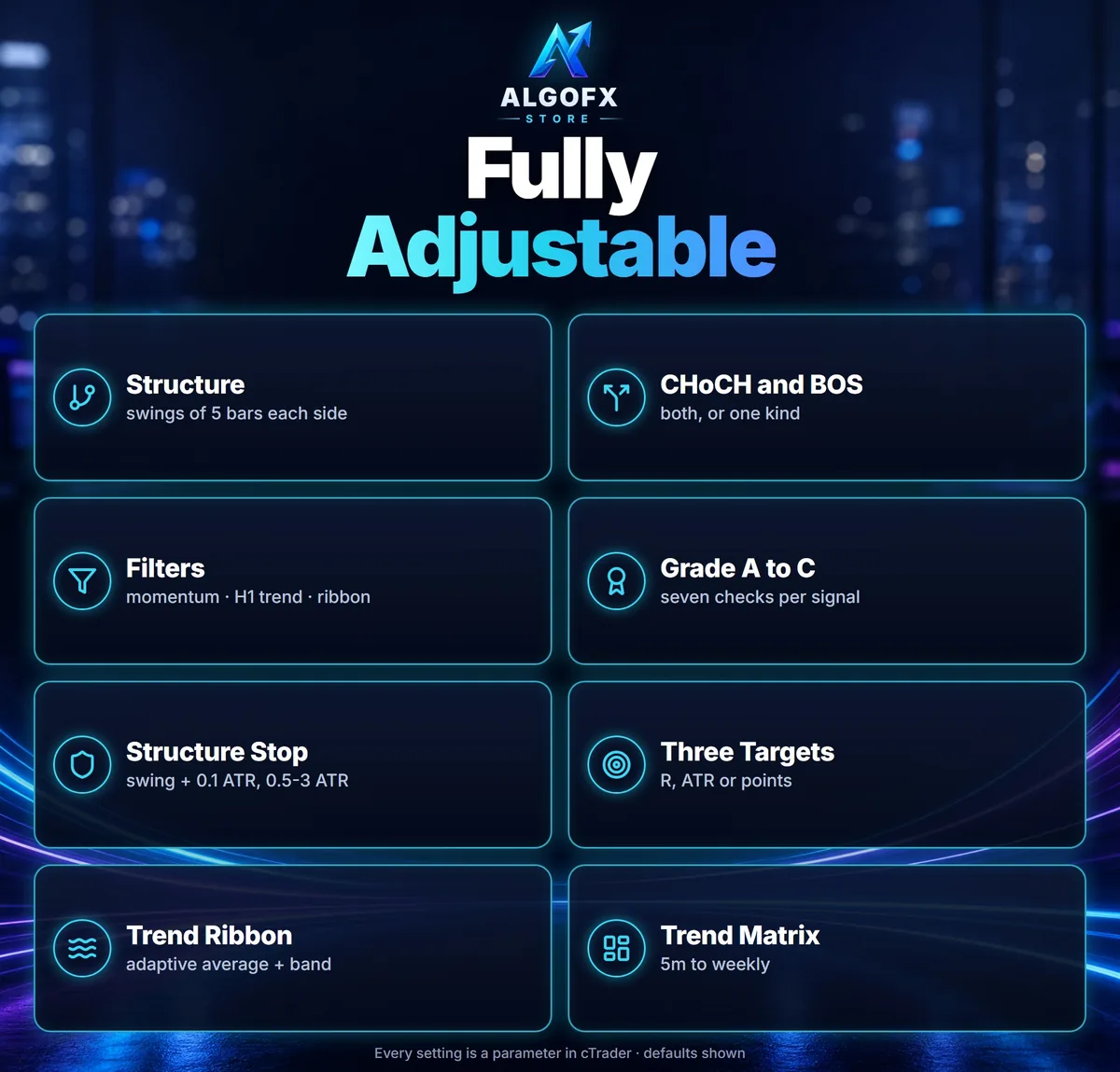
How traders put it to work
Forex swing trading on H1
On H1 the default higher-timeframe filter reads the closed H1 candle and every matrix row from 5m to W is live, so the bias line and the six timeframes can be read together. Swings of five candles on each side leave room between signals to manage each plan before the next one prints.
Gold and index symbols
XAUUSD and index symbols move far in price terms, so a fixed pip stop rarely fits. Here the stop is measured from the swing and kept between 0.5 and 3 ATR whatever the price level, and the targets follow the stop as R multiples, so the plan scales with the symbol.
Intraday on M5 and M15
On M5 plates come more often while the higher-timeframe filter still reads closed H1 candles, which keeps intraday signals in line with the hourly trend. The 5m matrix row is live on M5; on M15 it reads n/a because it is below the chart's timeframe. Choose other Matrix timeframes if you prefer.
Reversal traders who want CHoCH only
Set Signals to CHoCH only and plates appear only where the structure turns; BOS lines are still drawn for context. With the OTE box and the premium or discount shading, you see where a turn happened and where the pullback zone of the new leg lies.
Only during the hours you trade
Switch on Session window and signals and Get Ready plates print only inside it: 0700-1600 America/New_York by default, written HHMM-HHMM in any time zone such as Europe/London. Daylight saving is followed, the start minute counts and the end minute does not.
Every setting, with its default
The names are the ones in cTrader's parameters panel; the defaults are what every chart on this page uses.
| Setting | Default | What it does |
|---|---|---|
| Signals | CHoCHAndBOS | Which breaks may become signals (CHoCH only, BOS only). |
| Structure length | 5 | Bars each side of a swing. |
| One signal per direction until the opposite signal | Yes | After a BUY the next BUY waits for a SELL. |
| Get Ready pre-signals / within ATR | Yes / 0.5 | Warning plate near an unbroken swing. |
| Momentum (bars / ATR) | Yes (5 / 0.5) | Close must have moved 0.5 ATR over 5 bars. |
| Higher-timeframe trend (TF / EMA) | Yes (1 hour / 50) | Last closed H1 bar vs its EMA 50. |
| Lower-timeframe, Volume, Breakout, Order flow (CVD), Session window | No | Optional filters. |
| Trend ribbon filter | Yes | Blocks signals against a clear ribbon trend. |
| Ribbon / Candle colours / Adaptive length / slow / Flip band | Yes / Yes / 10 / 30 / 0.6 ATR | Adaptive (Kaufman) trend ribbon. |
| Stop / Stop ATR x / min / max | Structure / 1.5 / 0.5 / 3.0 | Swing-based stop kept between 0.5 and 3 ATR. |
| Targets in / TP1 / TP2 / TP3 | RMultiple / 1 / 2 / 3 | Targets in R, ATR or points; each can be switched off. |
| Show trade plan / Plan length / Signals kept | Yes / 20 / 5 | Plan drawing. |
| OTE zone (0.62-0.79) / Equilibrium / Premium-discount | Yes | Zones of the current leg. |
| Dashboard / position / text size | Yes / TopRight / Small | Six-timeframe matrix table. |
| Matrix 1-6 / Matrix EMA | 5m, 15m, 1h, 4h, D, W / 50 | Timeframes of the matrix. |
The alert events, one by one
You choose which alerts are on in the parameters. Alerts can go to a cTrader pop-up notification (on by default), a line in the cTrader log (on by default), a sound, cTrader's own or a .wav file you choose (off by default) and an e-mail (off by default; cTrader's own e-mail settings plus E-mail From and E-mail To must be filled in).
- BUY signal
- SELL signal
- Get Ready BUY
- Get Ready SELL
- TP1 hit
- TP2 hit
- TP3 hit
- Stop hit
Supreme Power House next to the usual options
Where it wins, and where it does not.
| Supreme Power House | Typical free structure indicator | Reading it by hand | |
|---|---|---|---|
| Break rule | A close beyond the newest unbroken swing, swings confirmed 5 candles later | Varies; many mark breaks on a wick or use their own swing rule | Your judgement, which can change from chart to chart |
| Stop and targets | Drawn with every signal: structure stop kept at 0.5 to 3 ATR, TP1 to TP3 | Usually left to you | Calculated by you on every trade |
| Signal quality | Grade A, B or C from seven checks, listed when you hover the plate | Rarely graded | Your own checklist, if you keep one |
| Warning before a signal | Get Ready plate within 0.5 ATR, trigger lines with prices | Uncommon | Only if you watch the chart constantly |
| Cost | One payment | Free | Free, but it costs screen time |
| Learning the method | You read finished drawings; the rules are explained but applied for you | Similar | Marking swings yourself teaches structure more deeply |
Honest about who this fits
A good fit if you
- You already trade market structure, CHoCH and BOS, and want the same rule applied on every chart.
- You want the stop and targets on the chart the moment a signal prints, so you can size before you act.
- You like to check why a signal printed: the grade and its seven-check list show it.
- You trade forex, gold, indices or crypto in cTrader Desktop, on any timeframe.
- You want pop-up or e-mail alerts for signals, Get Ready warnings, targets and stops while you are away from the chart.
Not for you if you
- Traders who want an automatic system: it draws and alerts, it never opens or closes a trade.
- Anyone looking for a signal on every move: one signal per direction and three default filters mean many breaks print no plate.
- Scalpers who need to act before the candle closes: signals are decided on closed candles and swings are confirmed five candles late.
- Traders who want a track record or performance figures: the indicator shows plans, not results.
One indicator file, one manual, installed in a minute
- 1cTrader indicatorSupreme Power House AlgoFX.algo (73 KB). Double-click it and it appears as “Supreme Power House AlgoFX” in your Indicators list.
- 15Page PDF manualInstallation, every setting with its default and how to read the chart.
- 109Settings in the parameters panelThe main ones are explained in the table above, with the defaults the charts use.
- ✓Alert eventsYou choose which ones are on in the settings.
- 60Day money-back guaranteeIf it is not for you, request a full refund within 60 days through your Digistore24 order e-mail.
Install in four steps
- Download the zip from the page Digistore24 sends you to after checkout and unzip it.
- Double-click “Supreme Power House AlgoFX.algo”: cTrader Desktop opens and installs it. You can also import the file in cTrader Automate.
- Open a chart, open the Indicators list and add “Supreme Power House AlgoFX” (you find it under Custom).
- Read the manual's quick start; the defaults are the settings shown on this page.

Kestutis Balciunas
AlgoFXStore · chart indicators
Kestutis Balciunas builds and publishes chart indicators under the AlgoFXStore name. Every product page shows what the indicator draws on real charts, and every number on it comes from the shipped build.
The charts on this page were captured in cTrader from the shipped Supreme Power House AlgoFX at its default settings and are shown unedited.
No get-rich claims and no quoted win rates. Every trade is uncertain, and no indicator changes that. If you want to know whether it suits the way you trade before you buy, e-mail [email protected] and you will get a straight answer.
One price, one payment
- The cTrader indicator (Supreme Power House AlgoFX.algo) and the 15-page PDF manual
- Delivered as a digital download: one zip with the .algo file and the PDF manual on your download page
- Return period: 60 days, with a full refund if it is not for you
- Free updates to the current version on the same download page
60-day money-back guarantee. Install it, run it on your own charts and read the manual. If Supreme Power House is not for you within 60 days of purchase, request a full refund from Digistore24, no questions asked: use the refund link in your Digistore24 order e-mail or Digistore24's order page digistore24.com/en/cancel-revoke-contract. Digistore24 refunds to your original payment method. It is a digital download: right after checkout you land on your download page, and the link to it is also in your Digistore24 order e-mail.
Also by Kestutis Balciunas: Supreme Power House for MT4 and MT5 and NinjaTrader 8.
About the signals
Does it repaint, or do signals change after they print?
Swings, breaks, signals, grades, Get Ready plates and target or stop hits are decided when a candle closes and do not change once printed. What follows the forming candle: the ribbon and candle colours, the OTE, EQ and premium or discount zones of the current leg, and the dashboard. Swing labels appear five candles after the swing, a confirmation delay. Loading more history recalculates from the first bar, which can change the earliest signals.
Why did a clear break print no plate?
A signal needs a close, not a wick, beyond the newest unbroken swing, and every enabled filter must agree. The usual blockers are Momentum (the move over 5 candles was under 0.5 ATR), the H1 trend pointing the other way, or a clearly opposite ribbon. The Signals choice, Session window and One signal per direction can also refuse it. The CHoCH or BOS line is drawn either way.
What is the difference between CHoCH and BOS?
Both are a close beyond the newest unbroken swing. A BOS continues the structure, for example a close above the last swing high after higher highs and higher lows. A CHoCH goes against it, a possible turn. The structure before the break decides the name, not the size of the candle.
Does an A grade mean the trade will work?
No. A means five or more of the seven checks agreed when the candle closed. It describes the conditions behind the signal, not the outcome. Use it to rank setups and size them, and treat B as the weaker of the two.
What do the colours mean?
Green BUY plates (#089981), red SELL plates (#F23645), orange Get Ready plates (#F5A623), blue CHoCH lines, grey BOS lines, a grey entry line, a red stop line and risk zone (#EF5350) and green target lines and bands (#26A69A). The stop is red and the targets green for BUY and SELL alike; every colour is a setting.
Settings and tuning
Should I keep the defaults or tune them?
The defaults are a complete setup. The settings that change the picture most are Signals (CHoCH and BOS, CHoCH only or BOS only), Structure length (2 to 3 gives many small swings with tighter stops, 10 or more few large ones) and the filters. Every filter you switch on removes signals and every one you switch off adds them.
Can I change the stop and the targets?
Yes. Stop can be Structure (beyond the swing plus 0.1 ATR, kept between Stop distance min 0.5 and max 3.0 ATR) or ATR with Stop ATR x 1.5. Targets in can be RMultiple, ATR or Points, and each of TP1, TP2 and TP3 can be switched off. Plan length sets how far right each plan is drawn, 20 bars by default.
Why do the dashboard and the grades appear a moment after the chart?
The higher-timeframe filter and the matrix read other timeframes of the same symbol from your broker. They load in the background after the chart's own candles, and the indicator recalculates once when they arrive. A matrix timeframe below your chart's timeframe reads n/a.
Dashboard, alerts and the chart
What does each dashboard row mean?
The header shows the bias, BULLISH, BEARISH or MIXED, with how many matrix timeframes agree. Rows 5m to W rate each timeframe's close against its EMA 50 on closed candles, Strong when the EMA points the same way and Weak when not. Volatility reads Low, Normal or High from the ATR percentile over 100 candles, then the ribbon, the latest signal with its state, and Next BUY and Next SELL in ATR.
What do the alert messages look like?
For example: Supreme Power House: BUY signal (CHoCH, grade A, entry 3997.79, stop 3936.00) on XAUUSD 60 @ 3997.79. The timeframe is written 5, 15, 60, 240 or 1D. Alerts fire on live closed candles only, never for the history loaded on attach and never in a backtest; a target or stop and a new signal on the same candle each send their own.
How do I get alerts away from my desk?
Set up the e-mail account in cTrader's own settings, set Alert E-mail to Yes and fill in E-mail From and E-mail To; Test Alerts on Start sends one test through every channel. There is no phone push, and the pop-up needs pop-up notifications enabled in cTrader. cTrader must keep running for any alert.
Why is there a dotted line below price after a BUY?
That is the Next SELL trigger, the swing low a close must break for the next SELL, labelled with its price. It is not a stop. The plan's stop is the solid red line with its label and the red risk zone behind it.
Will it crowd a long chart?
The newest 5 plans stay drawn (Signals kept on chart), the newest 40 swing labels, 20 structure lines and 10 Get Ready plates, and Keep Chart Object Limits holds the chart to the newest 500 boxes, lines and labels. Pin Labels Inside Chart keeps the labels drawn past the last candle inside the chart.
How it works
Will it place trades for me?
No. Supreme Power House is an indicator: it draws on the chart and can alert you. It never sends an order.
Which markets and timeframes does it work on?
Any symbol and any timeframe in cTrader Desktop 5.0+. Signals come from the chart's own closed candles; the higher-timeframe filter (H1 by default) and the dashboard matrix (5m, 15m, 1h, 4h, D, W) load those timeframes from the broker in the background - a matrix timeframe below the chart's reads n/a. Lower-timeframe and order-flow filters (off) need lower-timeframe candles.
After you buy
How do I get it after paying?
Digistore24 runs the checkout. Right after payment it takes you to your download page with one zip holding the .algo indicator file and the PDF manual; the link to that page is also in your Digistore24 order e-mail, so you can download again at any time.
How do I install it?
Double-click the .algo file: cTrader Desktop opens and installs it (you can also import the file in cTrader Automate). Then add “Supreme Power House AlgoFX” to a chart from the Indicators list. The manual walks through it step by step.
Who is Digistore24?
Digistore24 is the reseller that sells Supreme Power House for Kestutis Balciunas (AlgoFXStore): it runs the checkout, charges your card or PayPal, collects the VAT for your country and delivers the download. Its name is the one on your statement, and its order e-mail holds your download link and the refund link.
What is the refund policy?
A 60-day money-back guarantee, handled by Digistore24. If Supreme Power House is not for you within 60 days of purchase, use the refund link in your Digistore24 order e-mail or Digistore24's order page (digistore24.com/en/cancel-revoke-contract) for a full refund, no questions asked. Digistore24 makes the refund to your original payment method.
Do I get the source code?
No. The download holds the compiled .algo indicator file and the PDF manual.
Supreme Power House for cTrader.
Put the same structure rule, a graded signal and a ready-made plan on every cTrader chart you trade. The indicator, the manual and every setting explained. Instant download for €47, one payment.
Get instant access