Grade every opening range breakout before you trade it, or wait for the retest
Supreme ORB Confirmation marks the 15-minute opening range from the 09:30 New York open on your TradingView chart, plus London and Asia ranges, and grades every closed-candle breakout A or B+ from a six-point score.
- 15-minute ranges at 09:30 New York, 03:00 and 20:00 New York time, whatever your chart time zone
- Six-point score from candle displacement, the 60 minute trend, volume and range size
- Fakeout warning when price closes back inside the range within three candles
- Six alerts: bullish and bearish breakout, wait for retest, fakeout and two retest confirmations
- The full Pine Script source code. Paste it into the Pine Editor, save, and add “Supreme ORB Confirmation [AlgoFXStore]” to your chart.
- A 17-page PDF manual with installation, every setting and how to read the chart. One-time €47.
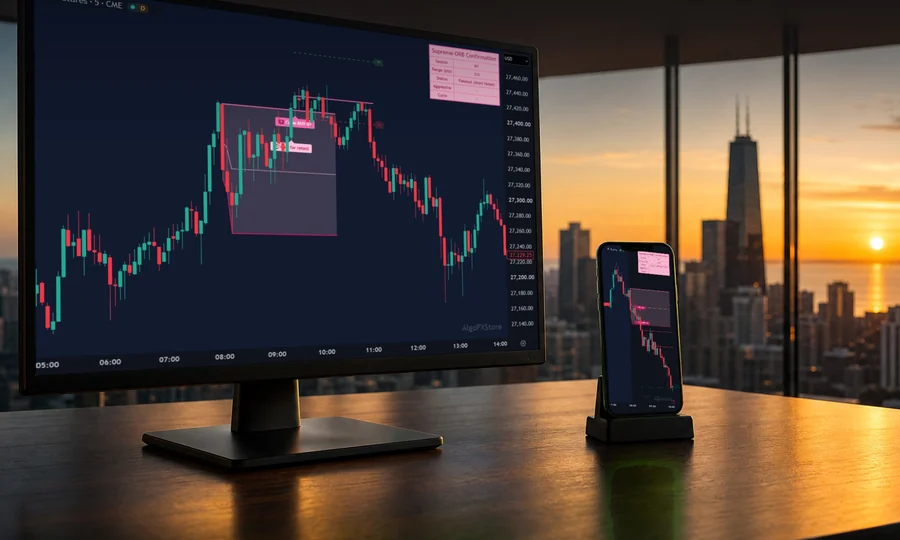
See Supreme ORB Confirmation on a real chart
Press play; use the full-screen button to see every detail.
Not every candle that closes outside the opening range is a breakout
The opening range breakout is one of the simplest intraday ideas: mark the high and low of the first minutes after the open and trade the side that breaks. In practice half the breaks are weak. A small candle pokes above the range on low volume, you buy it, and two candles later price is back in the middle of the range and your stop is hit.
The usual fix is a list of checks: was the breakout candle large compared with normal volatility, was it in the direction of the higher timeframe trend, was there volume behind it, was the range itself a sensible size? Doing that for each break, inside the first two hours of the session, while price is moving, is exactly when it gets skipped.
Supreme ORB Confirmation turns those checks into a score on every closed breakout candle. A strong break gets a plan straight away; a weak one is labelled Wait for retest, and if price comes back to the broken edge and closes beyond it again, that retest becomes a separate, confirmed signal.
Everything Supreme ORB Confirmation draws on your chart
Read from the shipped Pine Script code.
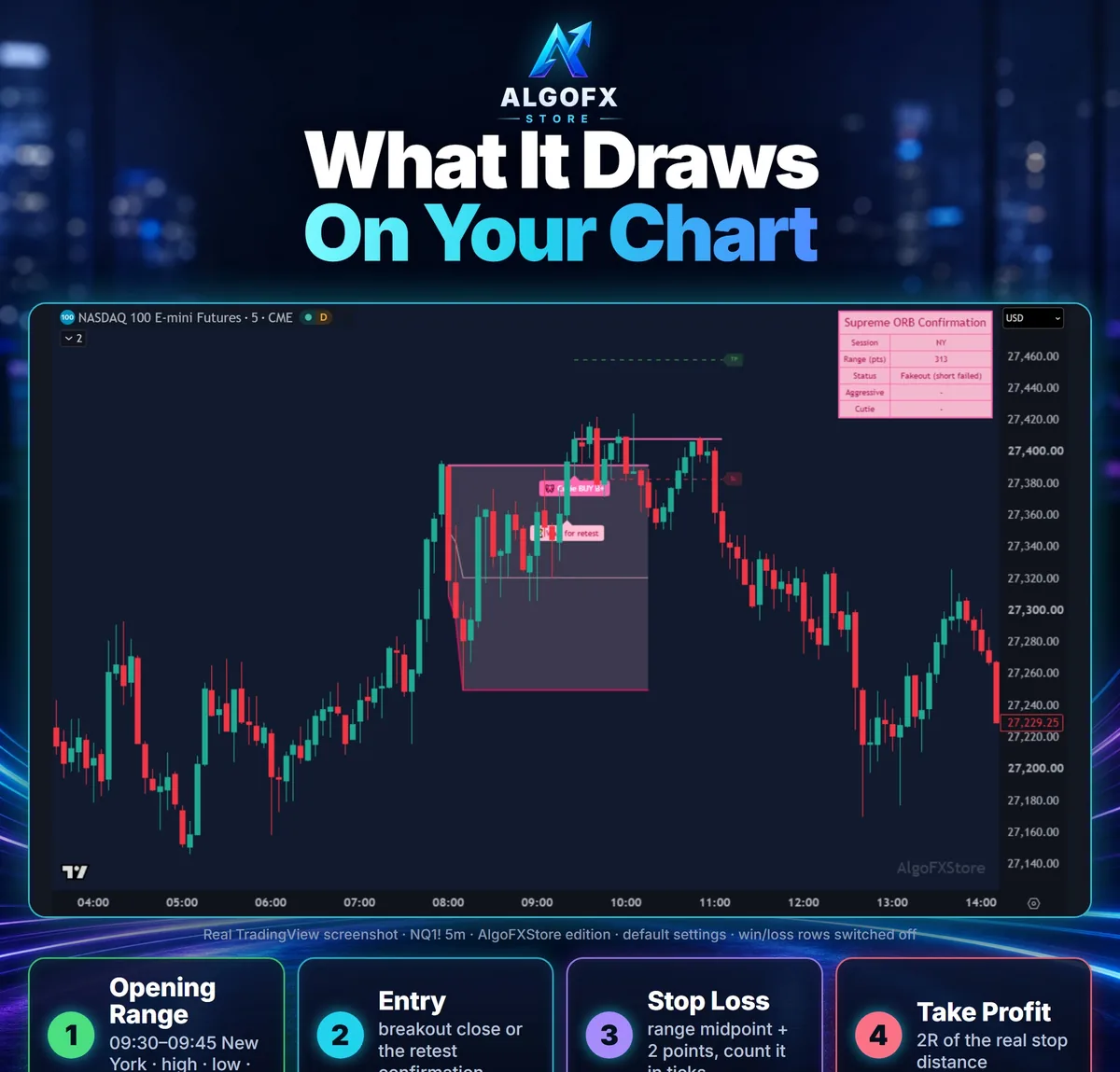
- Opening range band: plot 'OR High' (Bullish colour, width 2), plot 'OR Low' (Bearish colour, width 2), plot 'OR Mid' (Blush at 20 % transparency, width 1) and a Blush fill at 82 % transparency between High and Low. Shown from the first bar of the window until the end of the trade window; while the window is open the lines follow the running high and low
- Breakout labels on the breakout candle: ' BUY A' / ' BUY B+' below the bar (hot pink, white text) and ' SELL A' / ' SELL B+' above the bar (raspberry, white text)
- ' Wait for retest' (Blush label, raspberry text) below / above a breakout candle whose score is below 'Score needed for B+'
- ' Fakeout' (Blush label) above the bar when a long breakout failed, below the bar when a short breakout failed
- Retest confirmation labels: ' Cutie BUY A' / ' Cutie BUY B+' below the retest candle and ' Cutie SELL A' / ' Cutie SELL B+' above it
- For every BUY, SELL, Cutie BUY and Cutie SELL: a solid entry line (width 2, Bullish colour for buys, Bearish for sells), a dashed stop line with an 'SL' label and a dashed target line with a 'TP' label, from the signal bar to 20 bars right. The labels carry no price. Lines are not updated when price reaches them
- Watermark 'AlgoFXStore' bottom right, grey 55 % transparency, size large
How Supreme ORB Confirmation decides what to draw
This is the logic of the shipped Pine Script v6 code. The windows are read in New York time, and every breakout, fakeout and retest decision is made on a closed candle.
- 1
Building the opening range
Each bar whose open time falls inside a window builds the range: NY 09:30 to 09:45, London 03:00 to 03:15 and Asia 20:00 to 20:15, all in New York time and all on by default. The first bar after the window locks OR High, OR Low and OR Mid, and the trade window of 120 minutes starts.
- 2
Scoring the breakout candle
Every breakout starts with 1 point. Displacement adds 2 when the body is at least 0.8 x ATR(14) and at least 60 % of the candle's range in the breakout direction. One point each comes from the close against the 50 EMA of the previous closed 60 minute bar, volume above its 20-bar average, and a range height between 0.3 and 2.0 x ATR(14) of the previous closed 15 minute bar.
- 3
Breakout, grade or wait
The first closed candle beyond OR High or OR Low in the trade window is the breakout. With a score of 5 or 6 it prints BUY A or SELL A, with 4 it prints B+, and below 4 it prints Wait for retest without levels. Each direction can break out once per session, and a breakout that holds blocks the opposite side for that session.
- 4
The aggressive plan
For an A or B+ breakout the entry is the candle's close. The stop is OR Mid minus 2.0 points for a buy, or with Aggressive SL set to Opposite side, OR Low minus 2.0. The target is 2.0 times the stop distance. A solid entry line, a red dashed SL line and a green dashed TP line run 20 bars to the right.
- 5
Fakeouts and retests
If a candle closes back inside the range within 3 candles of the breakout, a Fakeout label appears. After a breakout, strong or weak, a later candle whose low comes within 2.0 points of OR High, closes above it and is bullish prints Cutie BUY: entry at its close, stop below the lower of its low and OR High minus 2.0, target 2R. Sells mirror it.
- 6
Dashboard and status
A small table shows the session of the latest range, the range height in points and a status line: waiting, building, range set, bullish or bearish breakout with its grade, weak breakout, fakeout, or retest confirmation. Two rows keep a hindsight win and loss tally of past signals on the loaded chart and can be switched off.
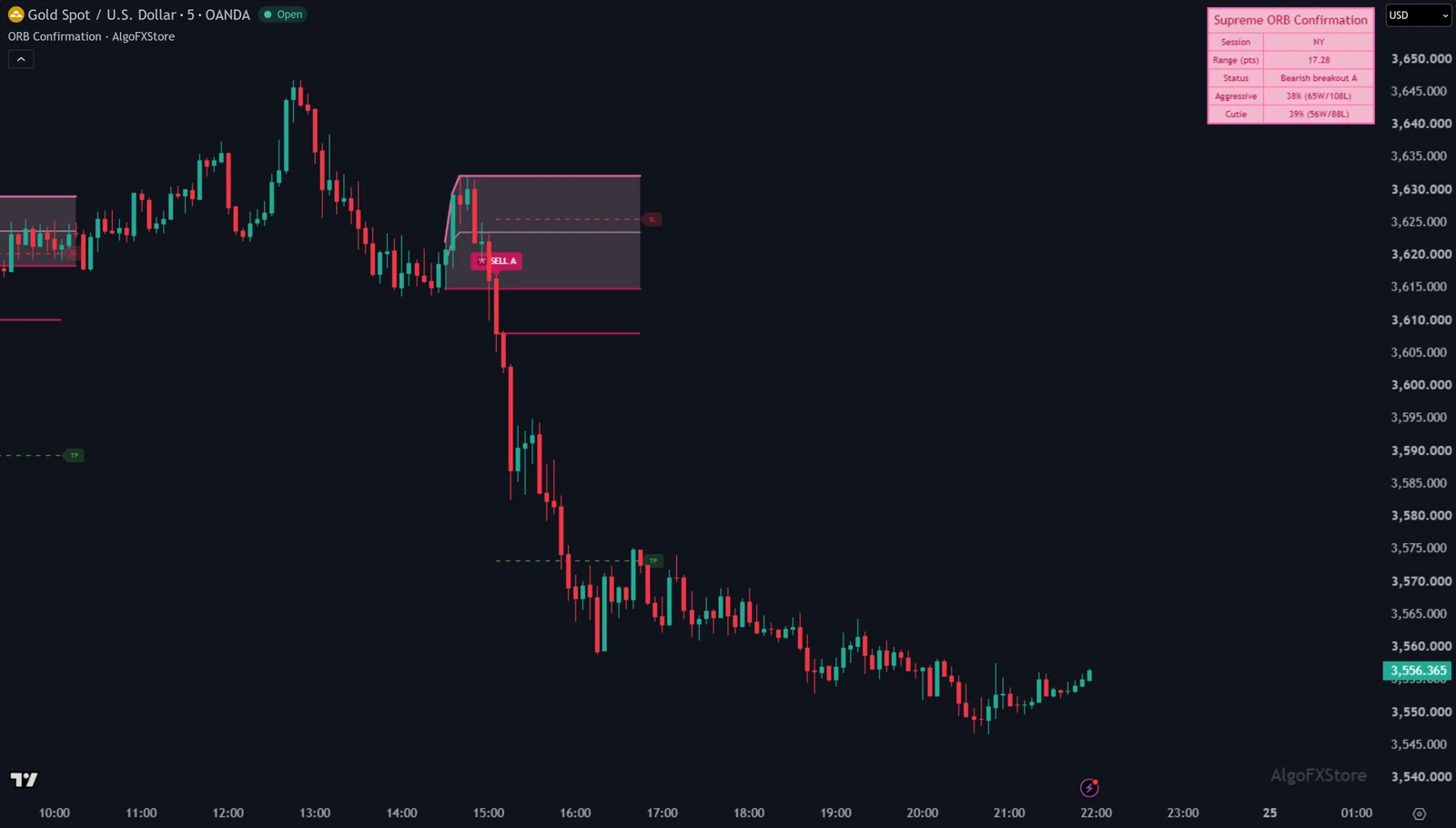
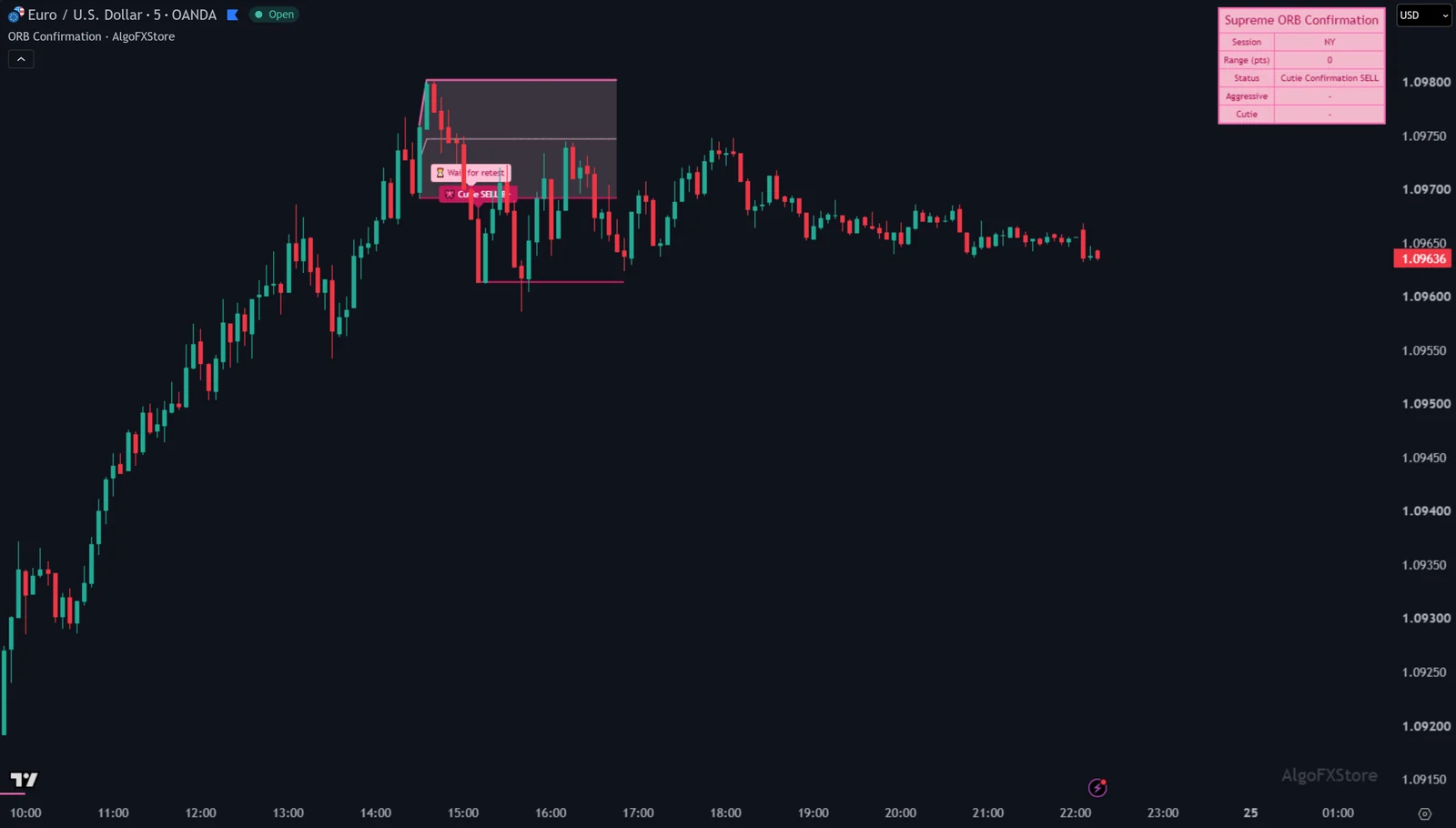
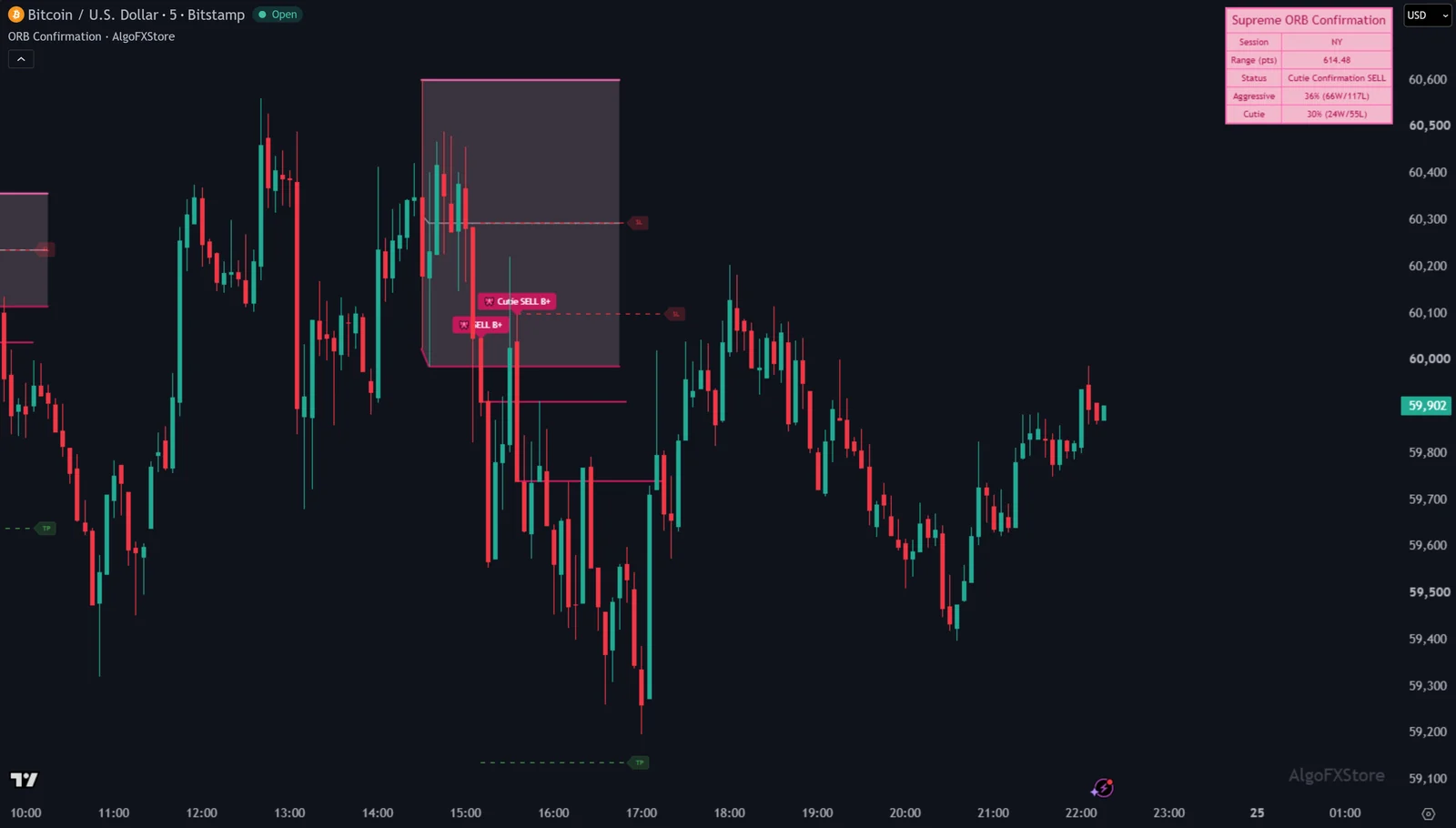
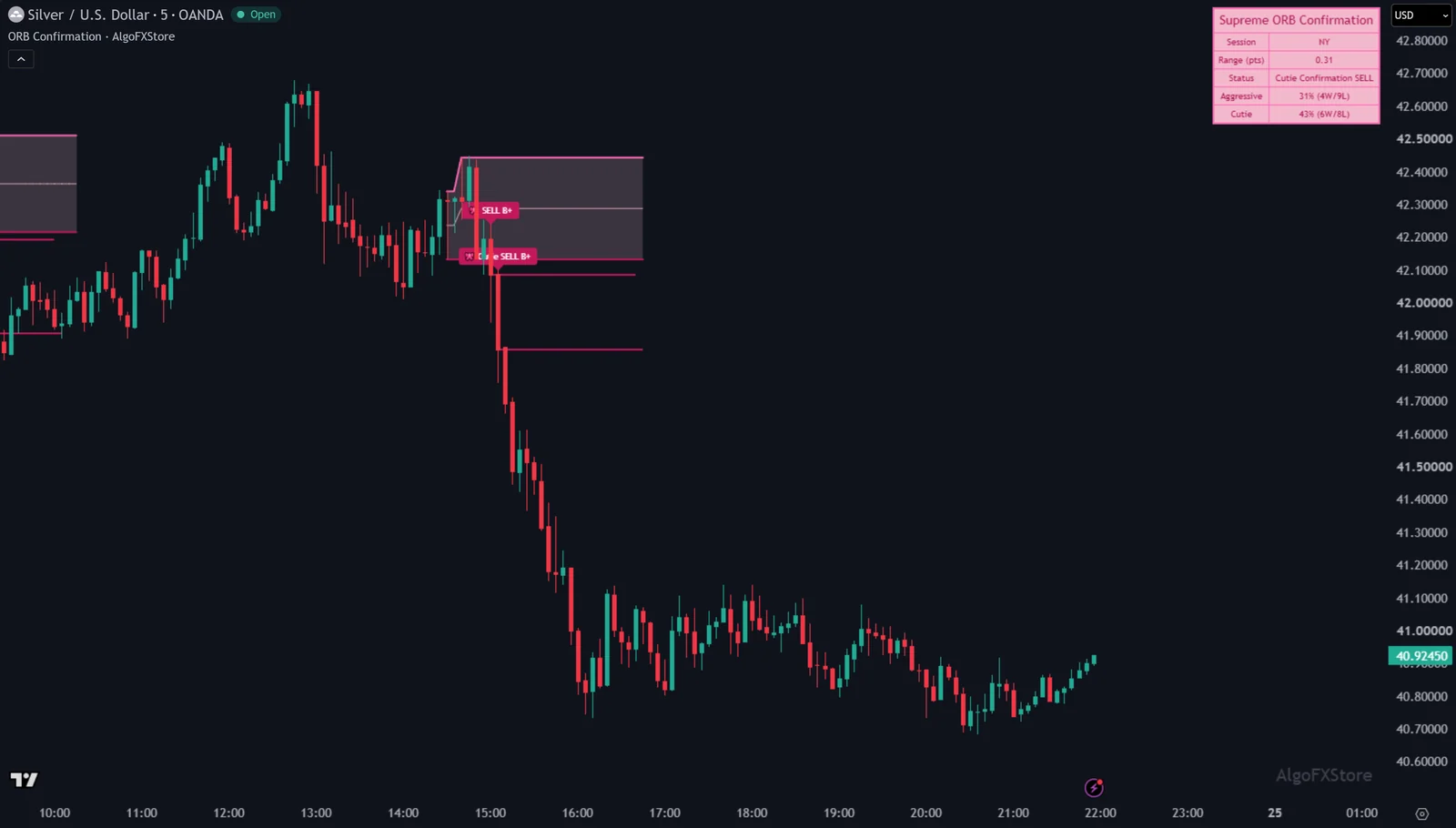
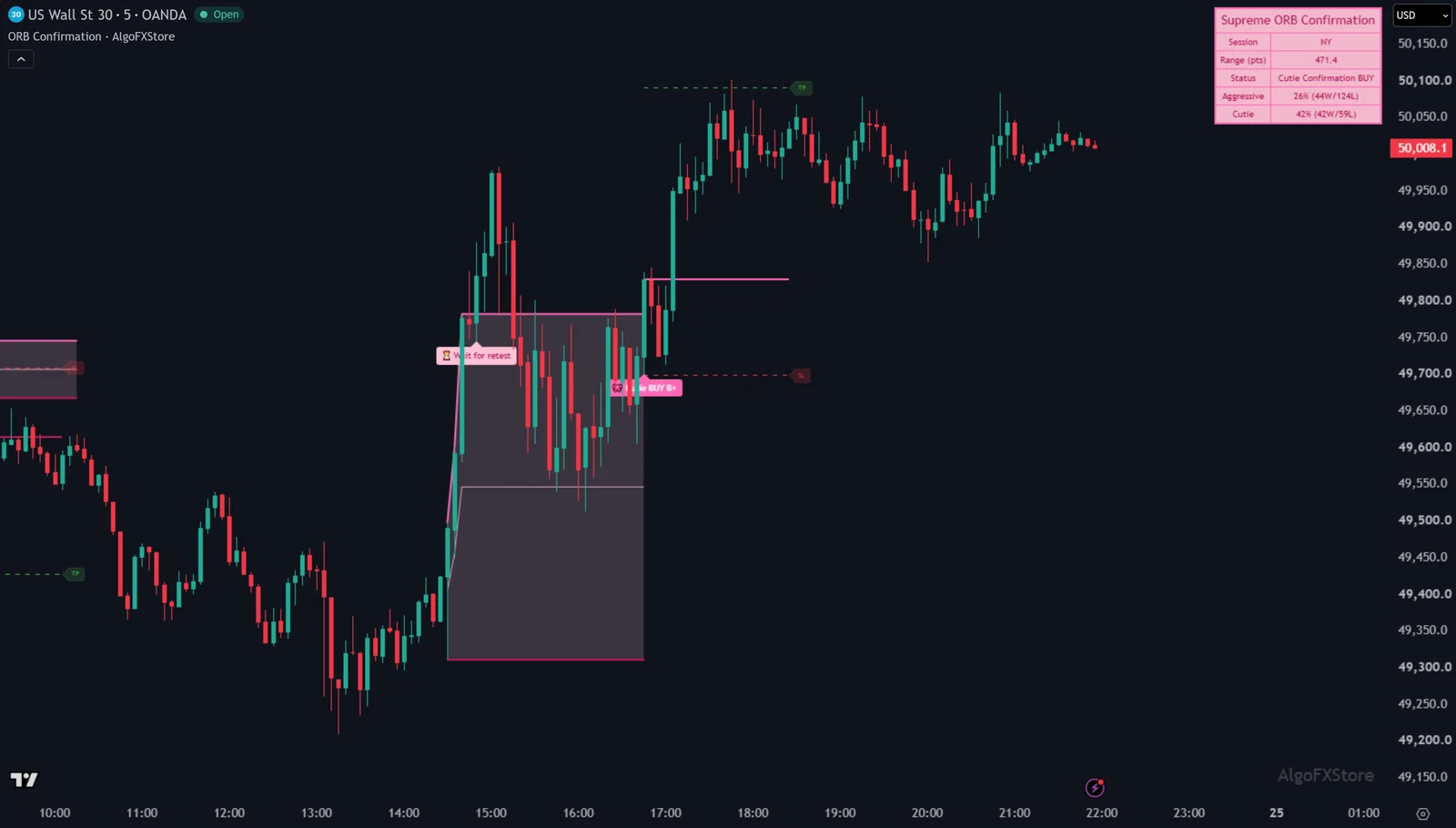
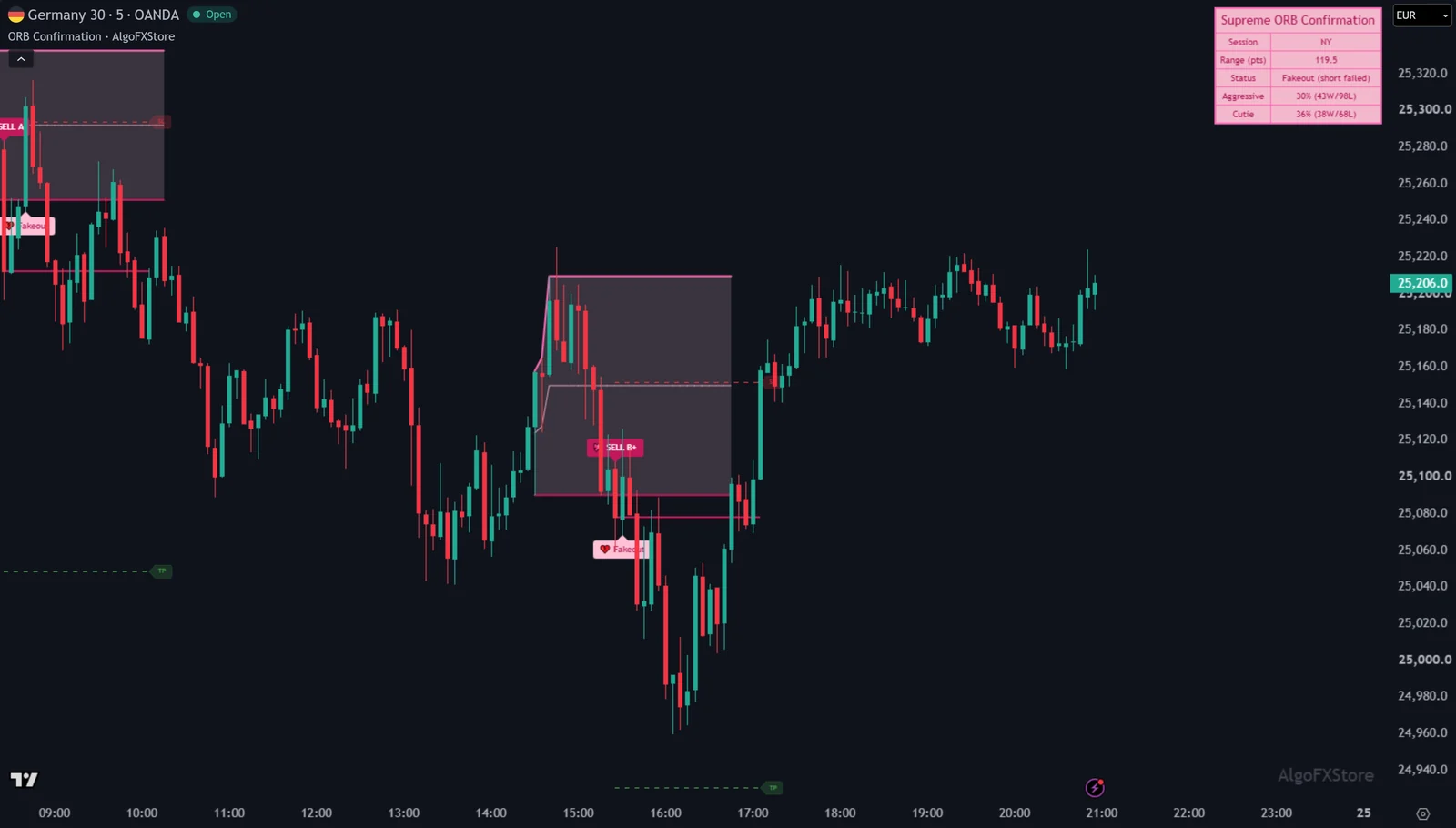
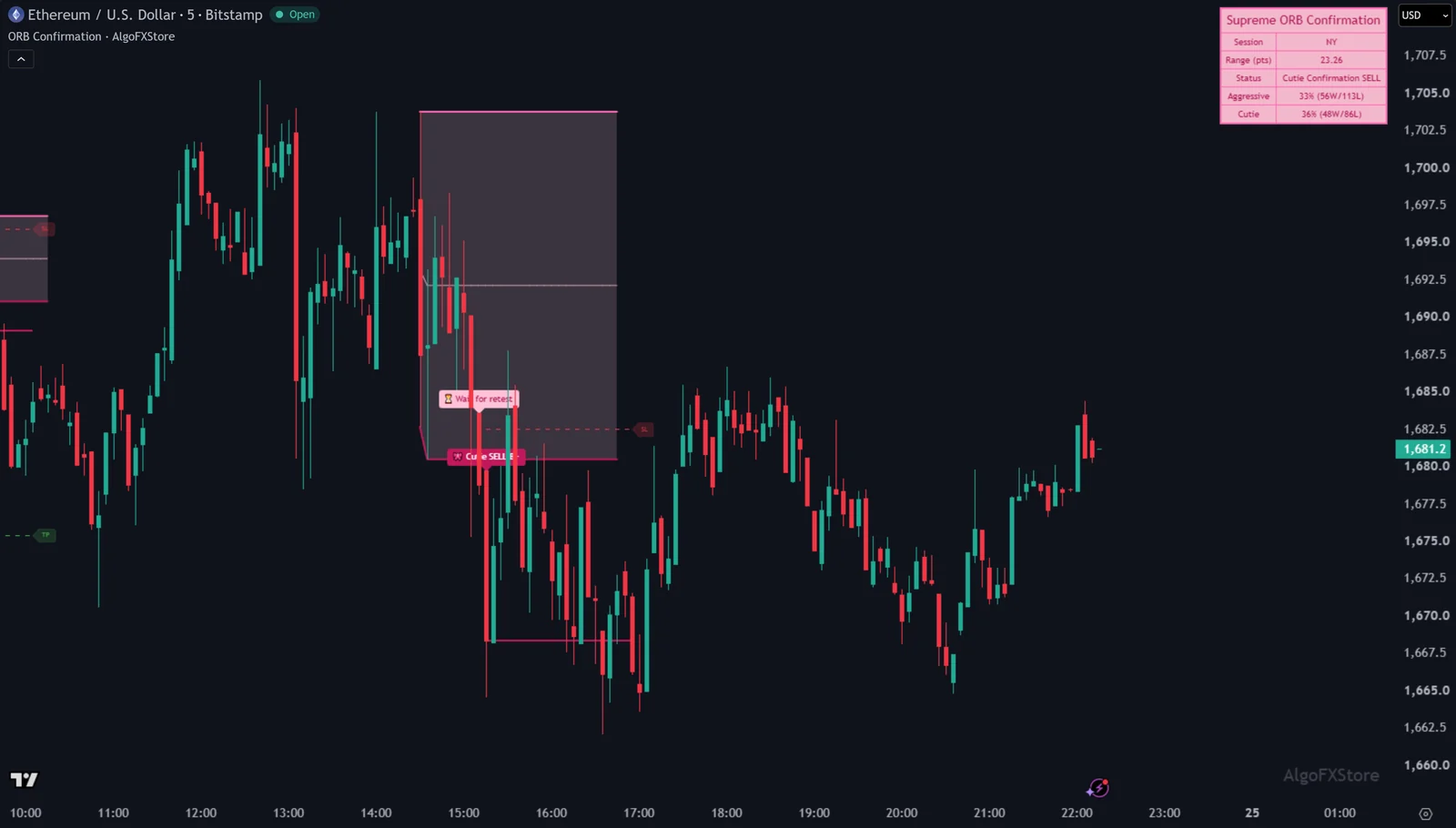
Supreme ORB Confirmation on 12 different markets
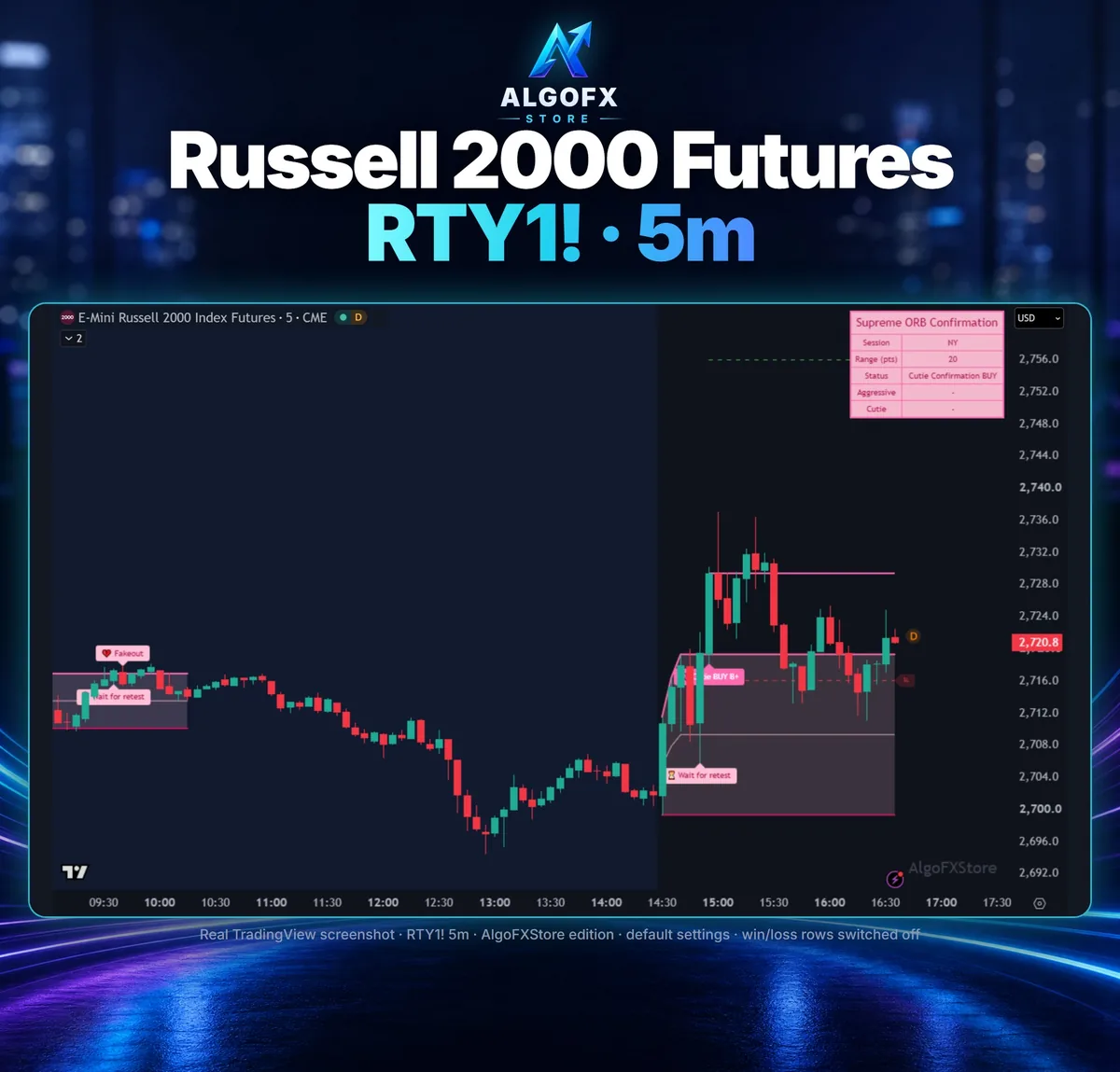
Every chart below is a screenshot of TradingView itself with the shipped Supreme ORB Confirmation [AlgoFXStore] attached at its default settings. Forex, metals, indices, energy and crypto, so you can see how it reads each kind of market. They show what the indicator draws; they are not trading results. Tap or click any chart to open it full size.
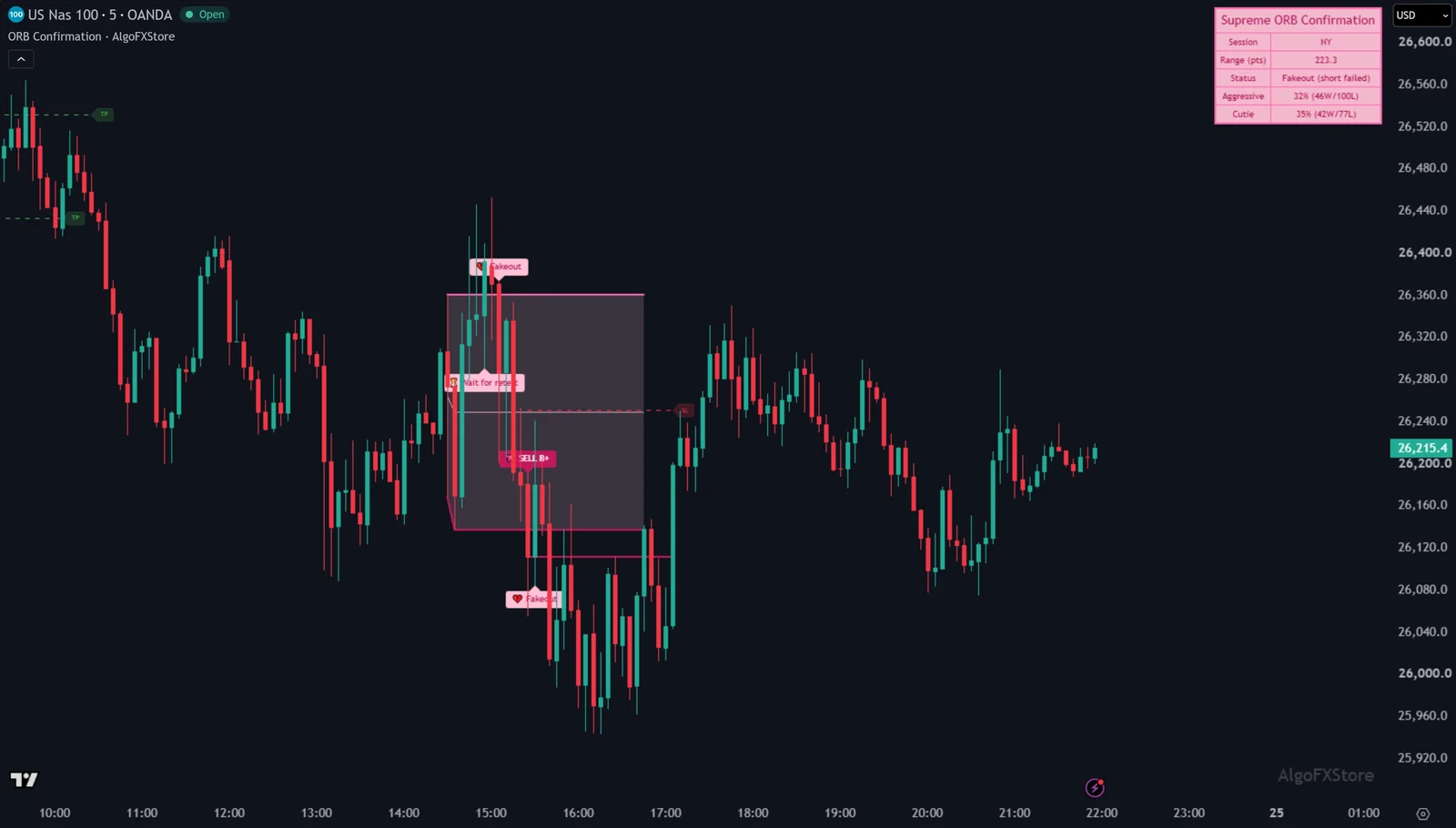
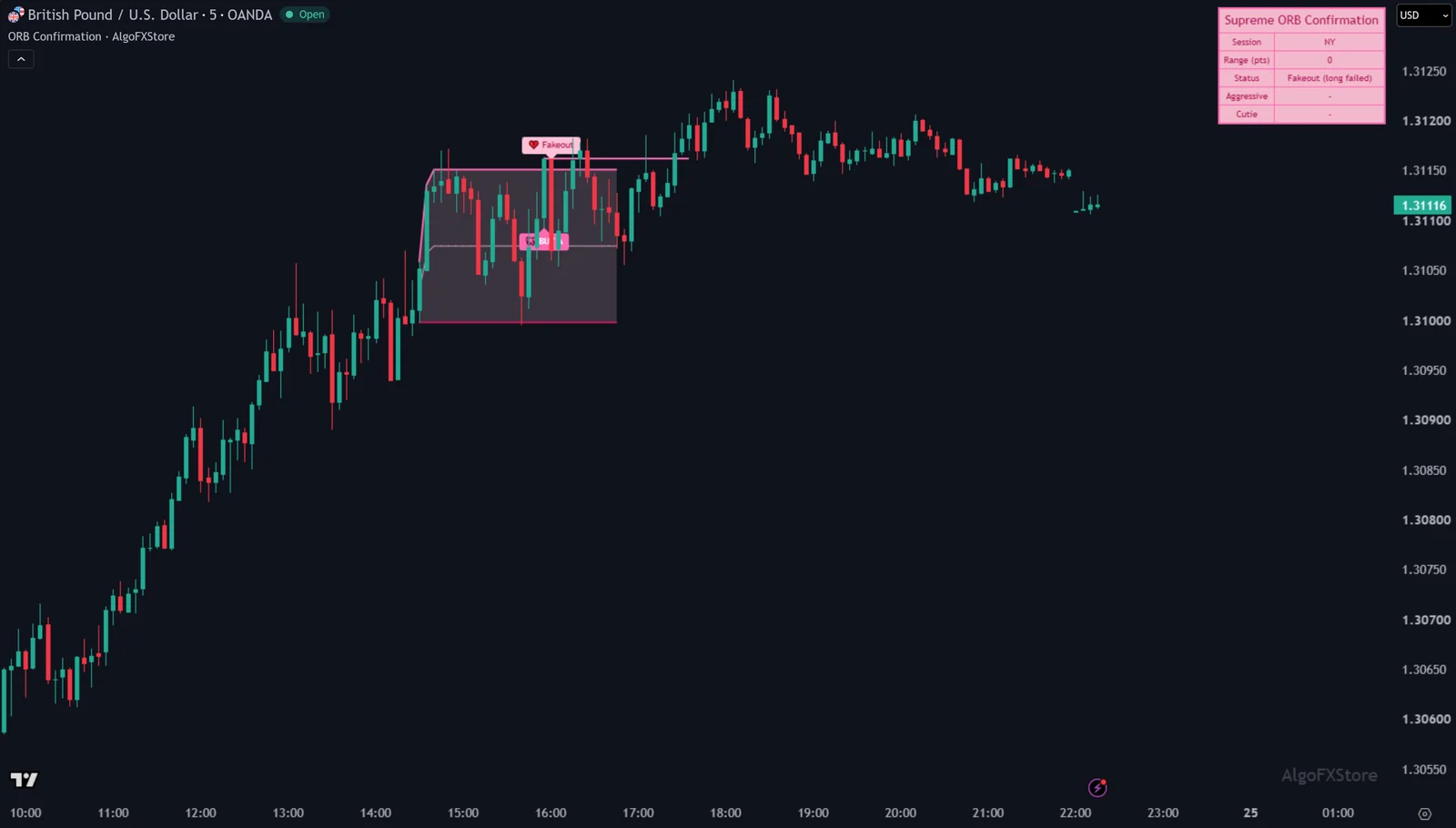
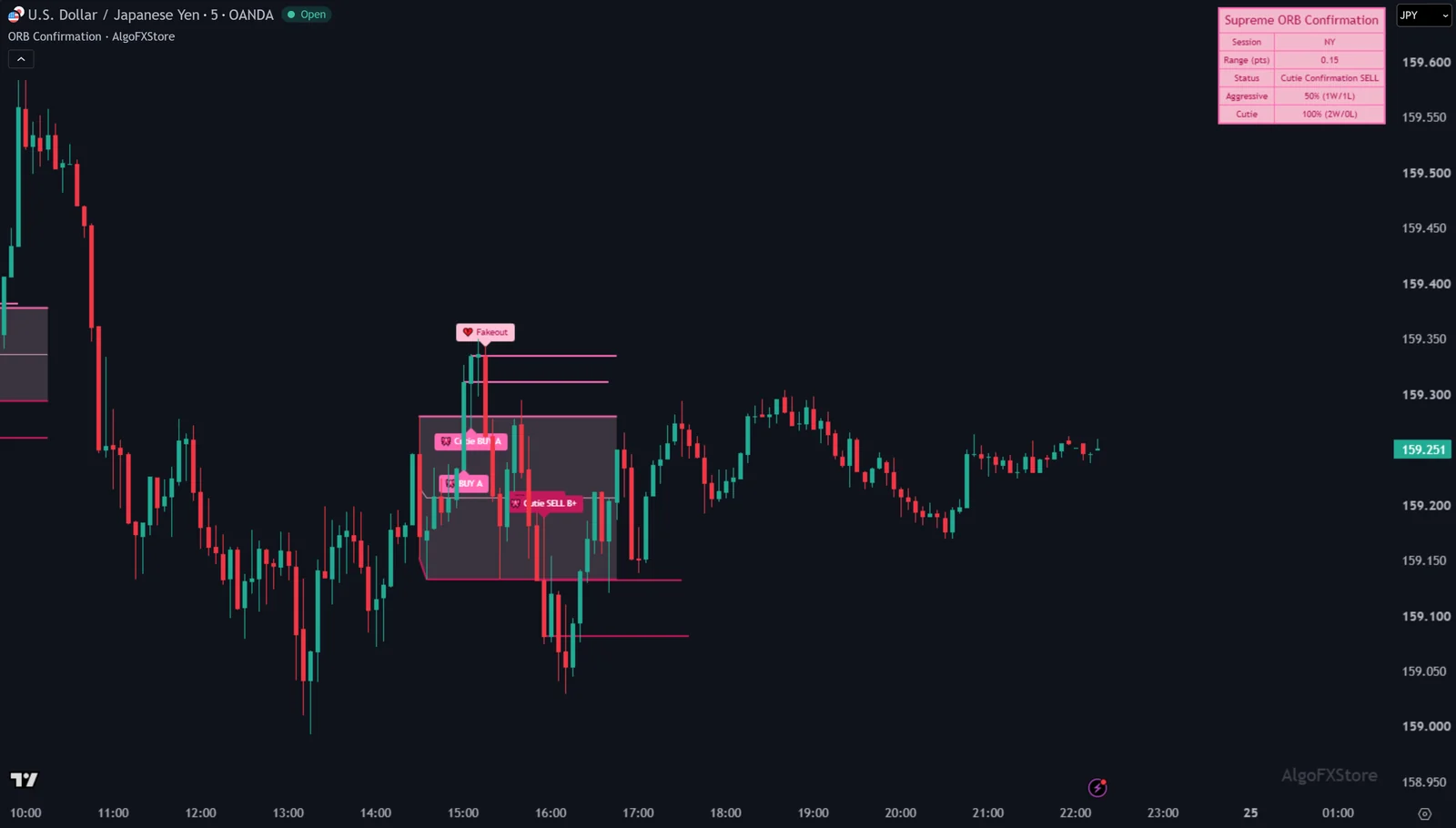
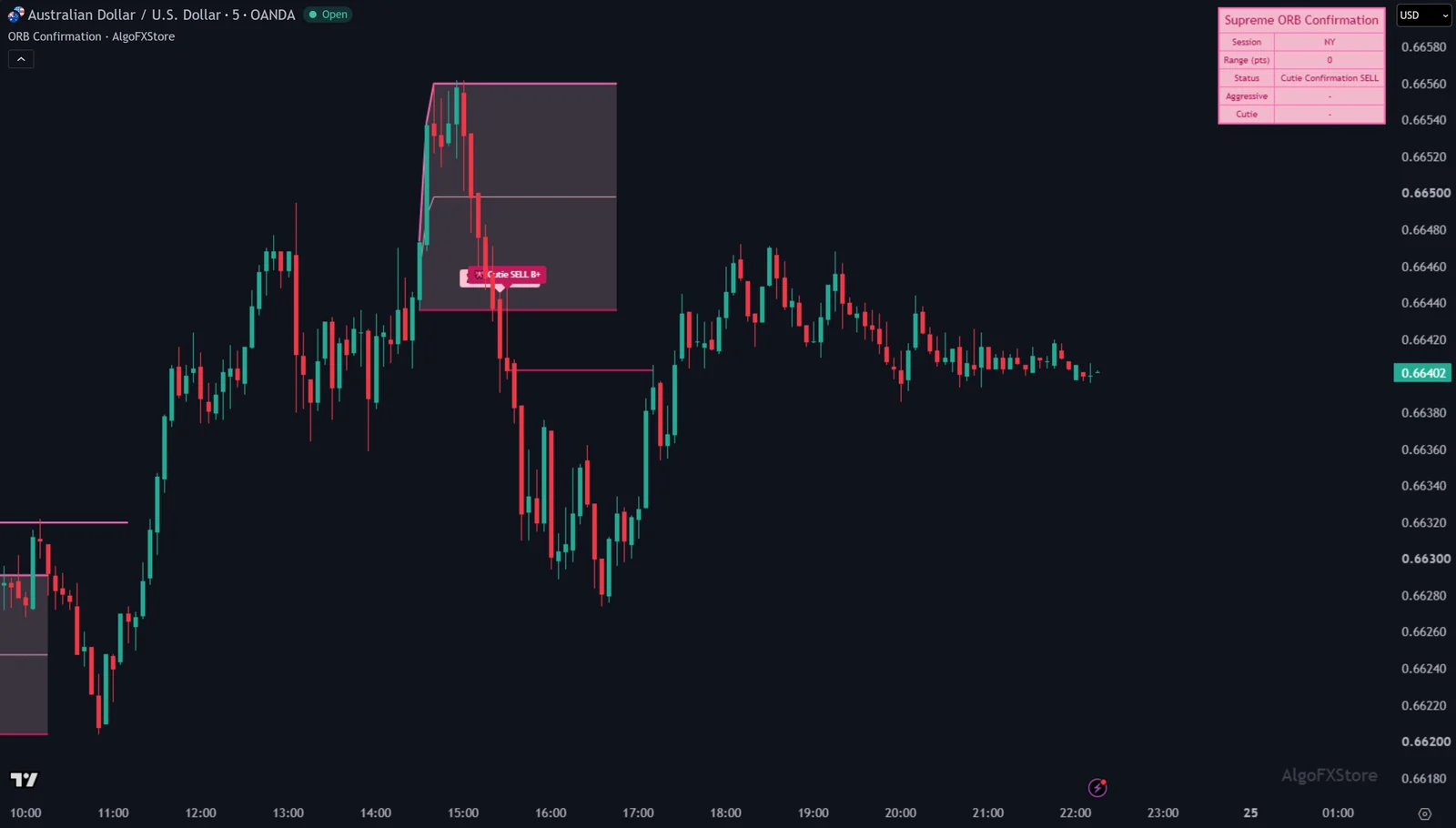
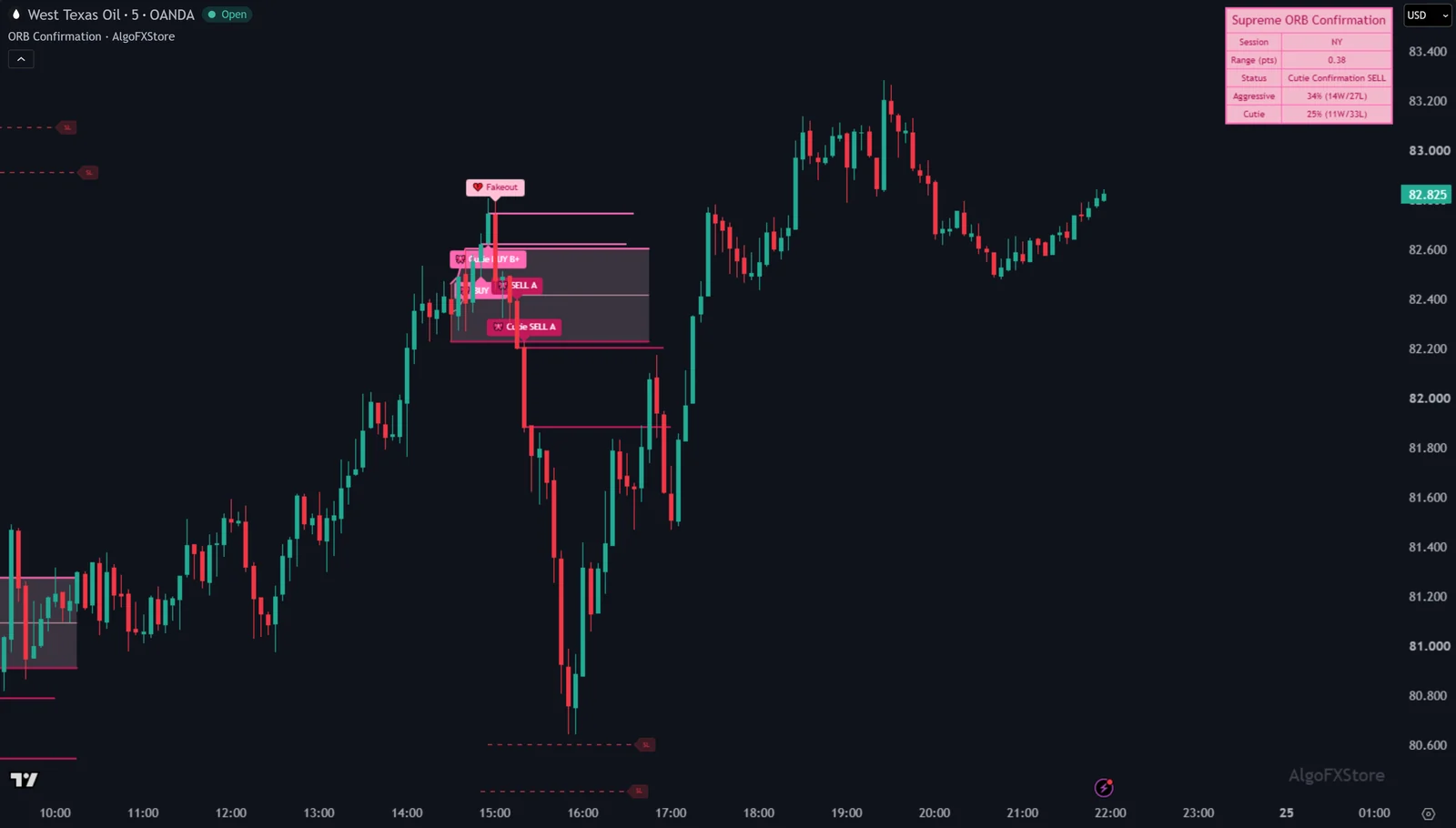
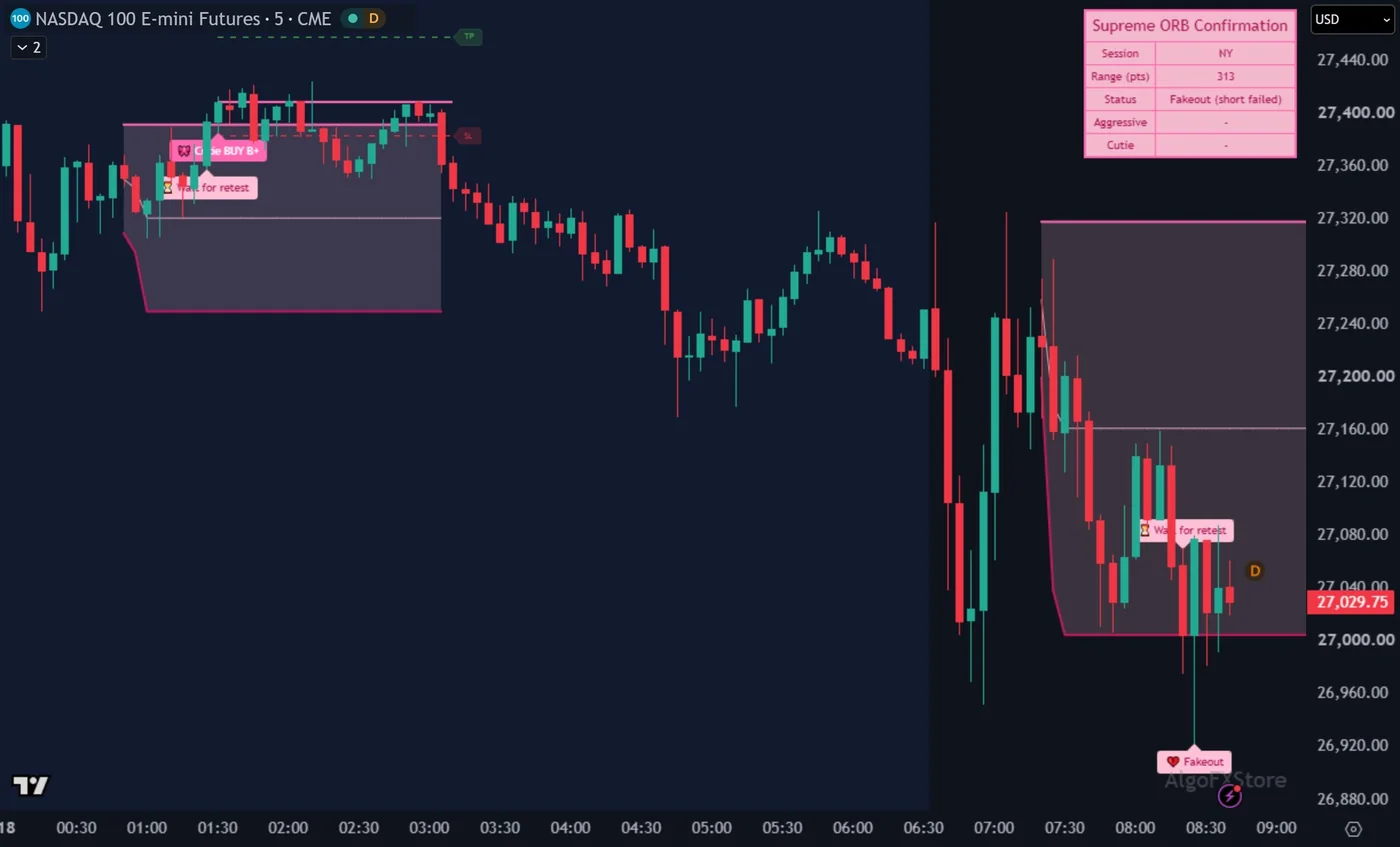
Supreme ORB Confirmation on a real TradingView chart, frame by frame
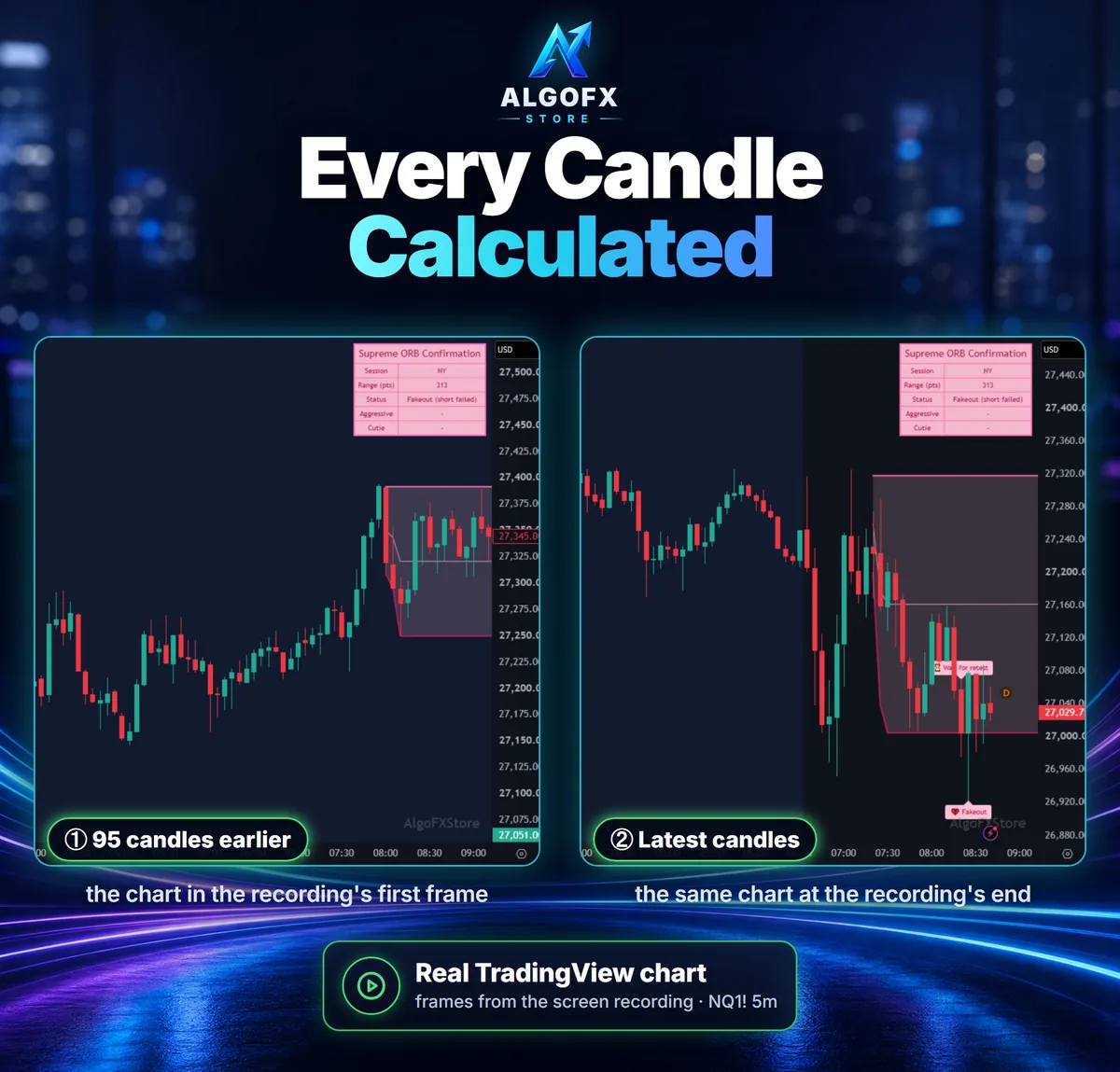
Frames of a screen recording of the shipped indicator at its default settings, as the chart updates. Nothing is edited into the chart.
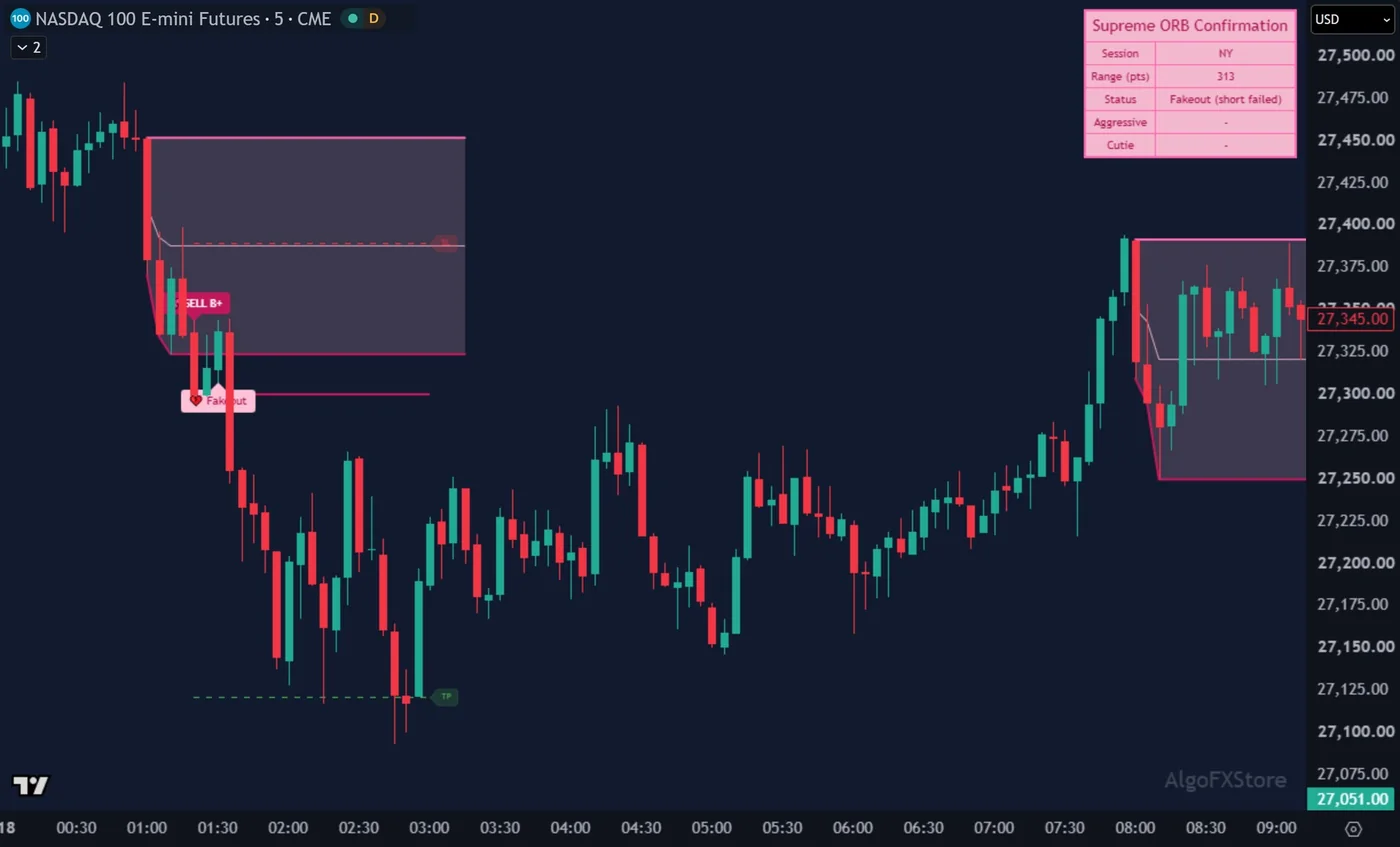
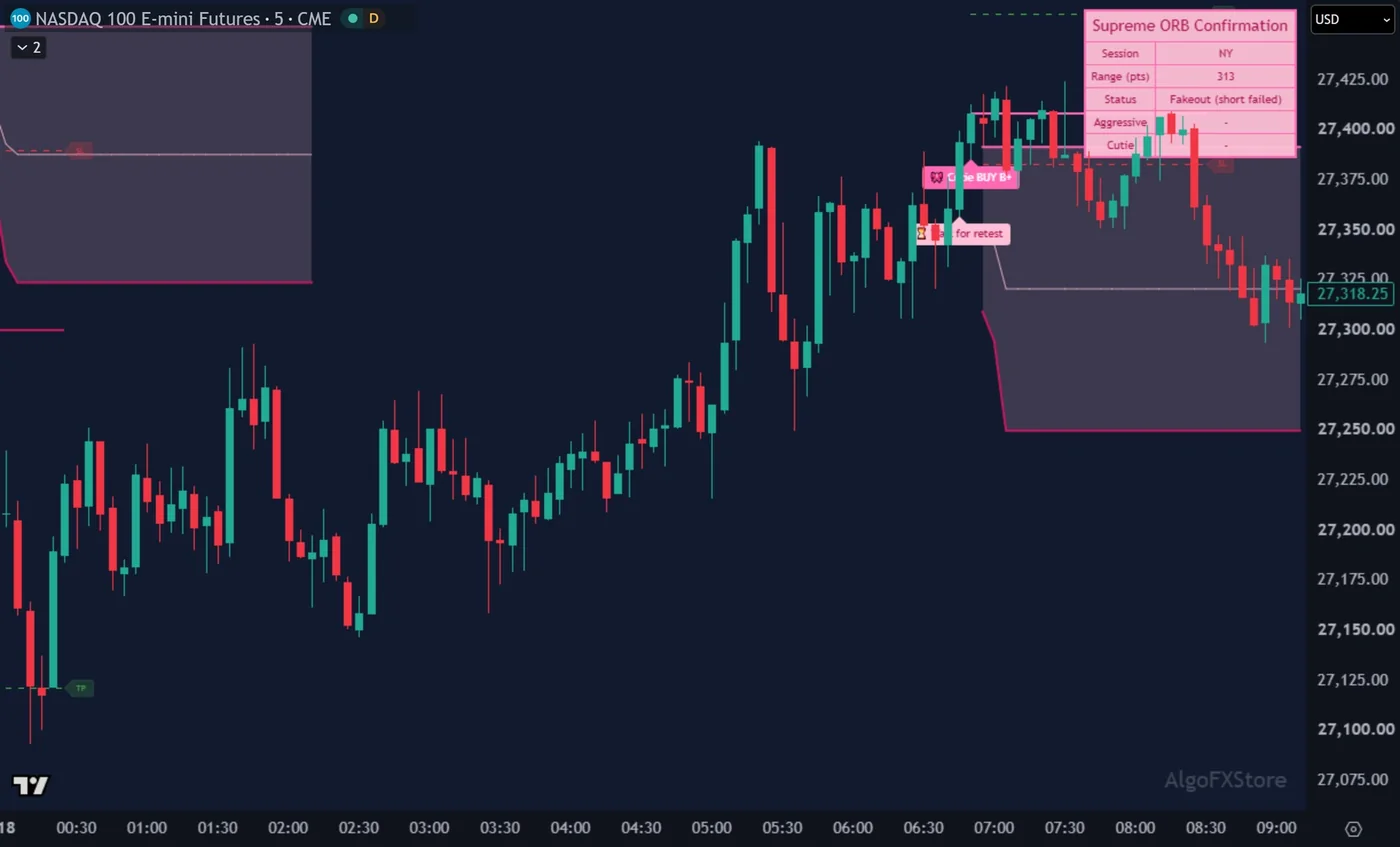
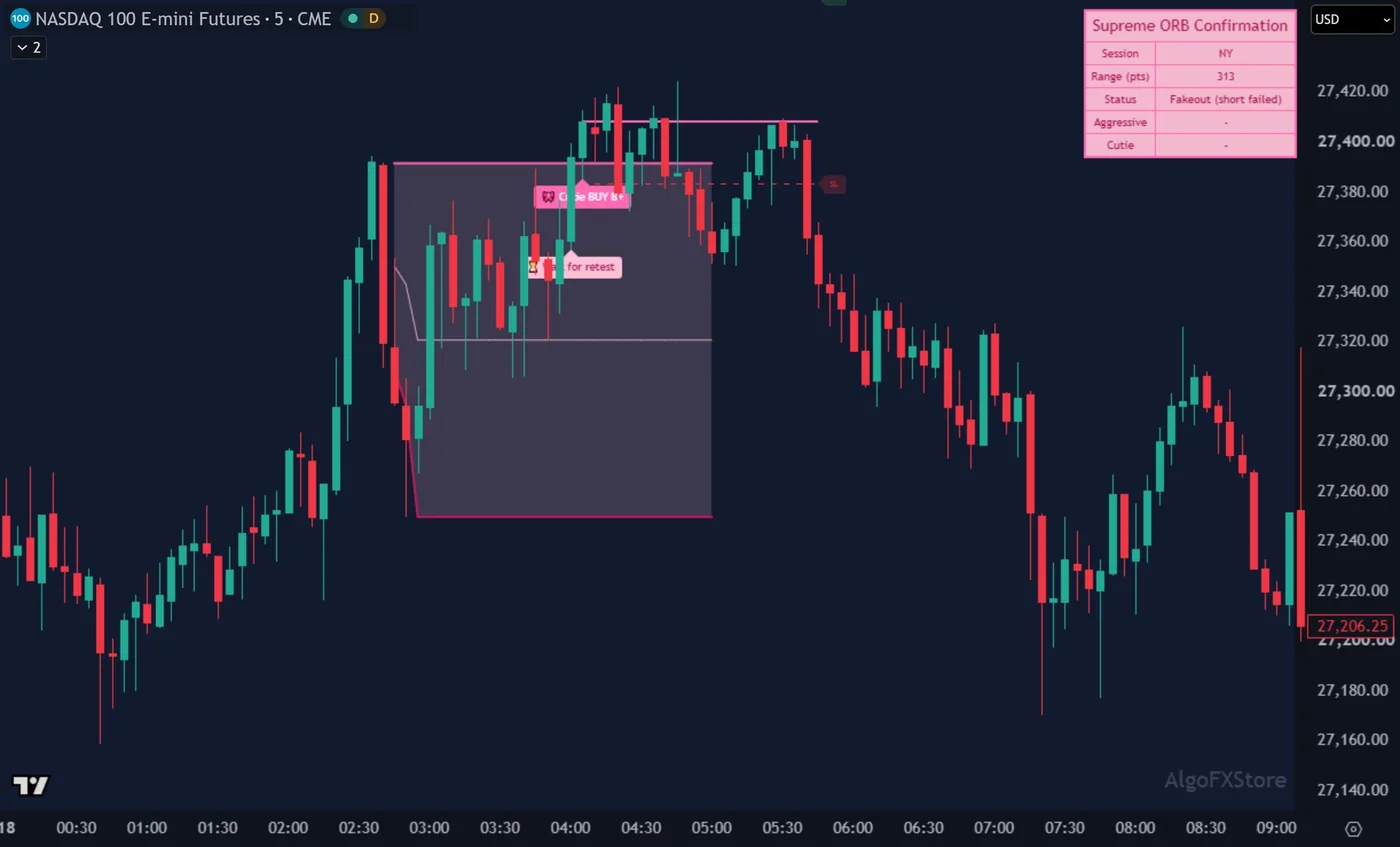
How to use it, step by step
The indicator separates strong breakouts, weak ones and retests. These steps cover what to do with each.
- 1
Set it up for your market
Use a 1, 3, 5 or 15 minute chart so the 15 minute window is exact. SL buffer and Retest tolerance are price points: the default 2.0 suits NQ. The guide suggests 1.0 for ES, RTY and gold futures, 10 for YM, 0.05 for crude oil and about 0.0002 for EURUSD. Switch London and Asia off for a New York only plan.
- 2
Read the range before 09:45
When the range locks, the dashboard shows Range (pts). With the Midpoint stop a buy closes above OR High, so the stop is more than half the range plus the buffer. If that minimum distance is already more than you are willing to risk on this session, you know before any breakout that the aggressive entry is not for you today.
- 3
Act on A and B+, wait on the rest
An A or B+ label comes with an entry, stop and target, decided on the closed candle. Read the stop distance, size so it is a loss you accept and skip it if it is too wide. A Wait for retest label means the break scored 3 or less; the indicator draws no levels and you wait to see whether price retests the edge.
- 4
Respect a fakeout
A Fakeout label within three candles means price closed back inside the range. If you took the breakout, that is the information you were waiting for. A retest confirmation can still fire on the candle after a breakout and a fakeout can follow, so do not treat a retest signal as protection from the fakeout check.
- 5
Use the retest for a tighter stop
A Cutie BUY or SELL needs the candle to touch back near the broken edge and close beyond it in the trade direction. Its stop sits below the retest candle's low or OR High, whichever is lower, minus the buffer, which is usually closer than the midpoint stop. The grade on that label is the breakout's grade, and B+ also appears after a weak breakout.
The dashboard, row by row
- Supreme ORB Confirmation (title, merged)
- Session: NY / London / Asia (the window of the latest range; '-' before the first)
- Range (pts): OR High - OR Low of the latest range, 2 decimals
- Status: Waiting for open / Building 15m range / Range set - watching / Bullish breakout A|B+ / Bearish breakout A|B+ / Weak breakout - WAIT for retest / Fakeout (long failed) / Fakeout (short failed) / Cutie Confirmation BUY / Cutie Confirmation SELL
- Aggressive: '67% (2W/1L)' style tally of the breakout signals, or '
- Cutie: the same tally for the retest signals, or '
Everything Supreme ORB Confirmation does for you
Three sessions, New York time
NY, London and Asia ranges, each switchable and each with its own window. The code reads the windows in New York time, so the chart's time zone does not change them.
A visible six-point score
Displacement, trend, volume and range size checks add up to a score from 1 to 6. Grade A from 5, B+ from 4, both adjustable, and lower scores tell you to wait.
Every decision on a closed candle
Breakouts, fakeouts and retests are only decided on confirmed candles, and the trend and range-size checks read previous closed 60 and 15 minute bars.
Two stop modes
The aggressive stop sits beyond the range midpoint or the opposite side of the range, plus a buffer. The retest stop sits beyond the retest candle or the broken edge, plus the same buffer.
Fakeout detection
A close back inside the range within 3 candles of the breakout marks a Fakeout. The number of candles to check is an input, minimum 1.
Retest confirmation signals
After any breakout, a candle that comes back within the retest tolerance of the edge and closes beyond it in the trade direction prints a confirmation with its own entry, stop and 2R target.
Six alerts
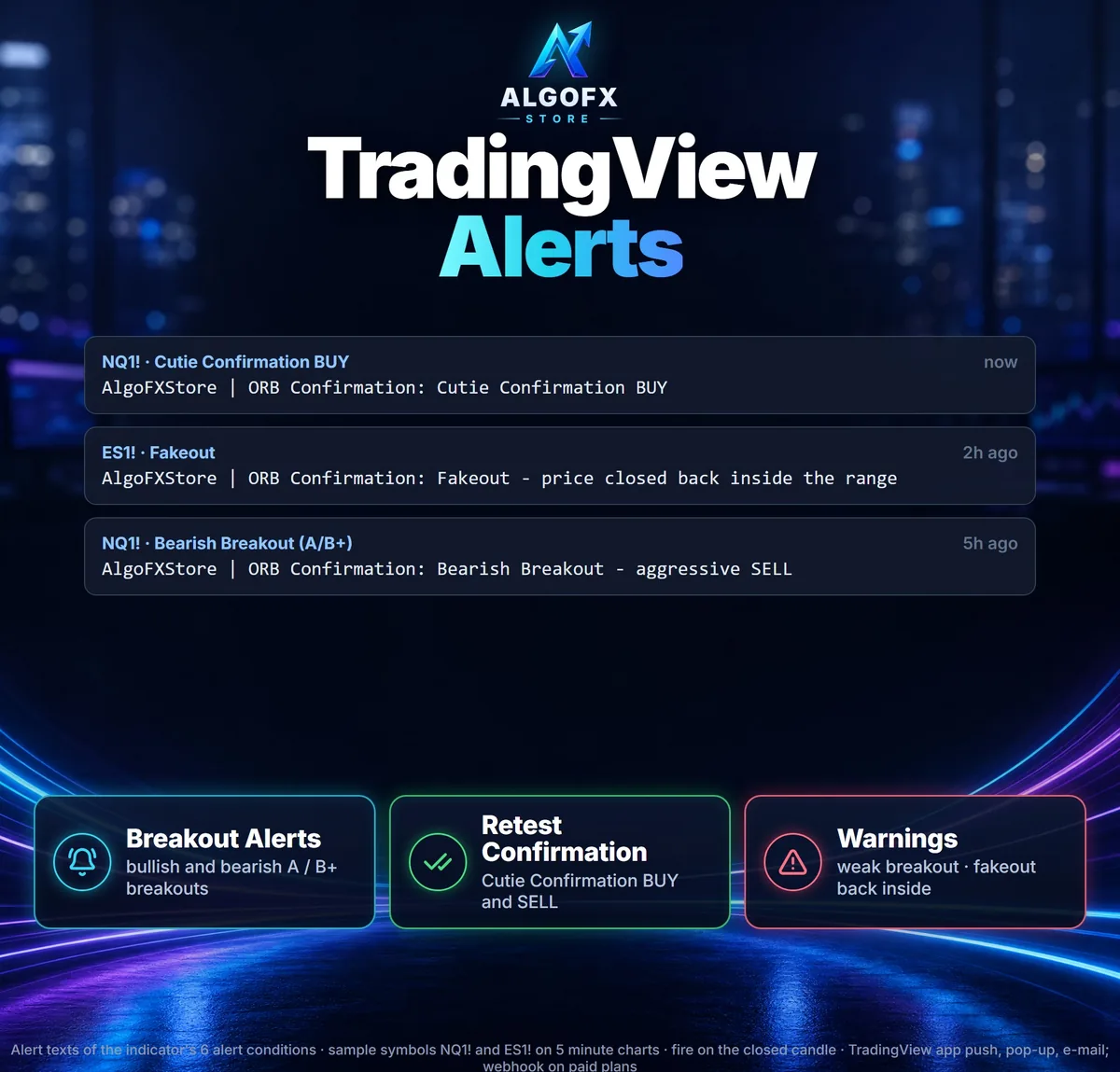
Bullish Breakout, Bearish Breakout, Wait for Retest, Fakeout, Cutie Confirmation BUY and Cutie Confirmation SELL, all set on closed candles. The messages are fixed texts, so name each alert with its symbol.
Your colours, fixed risk colours
Bullish, Bearish, Blush and Table text inputs style the range and labels. Stop lines and labels are always red and target lines and labels always green, for buys and sells.
Supreme ORB Confirmation, feature by feature
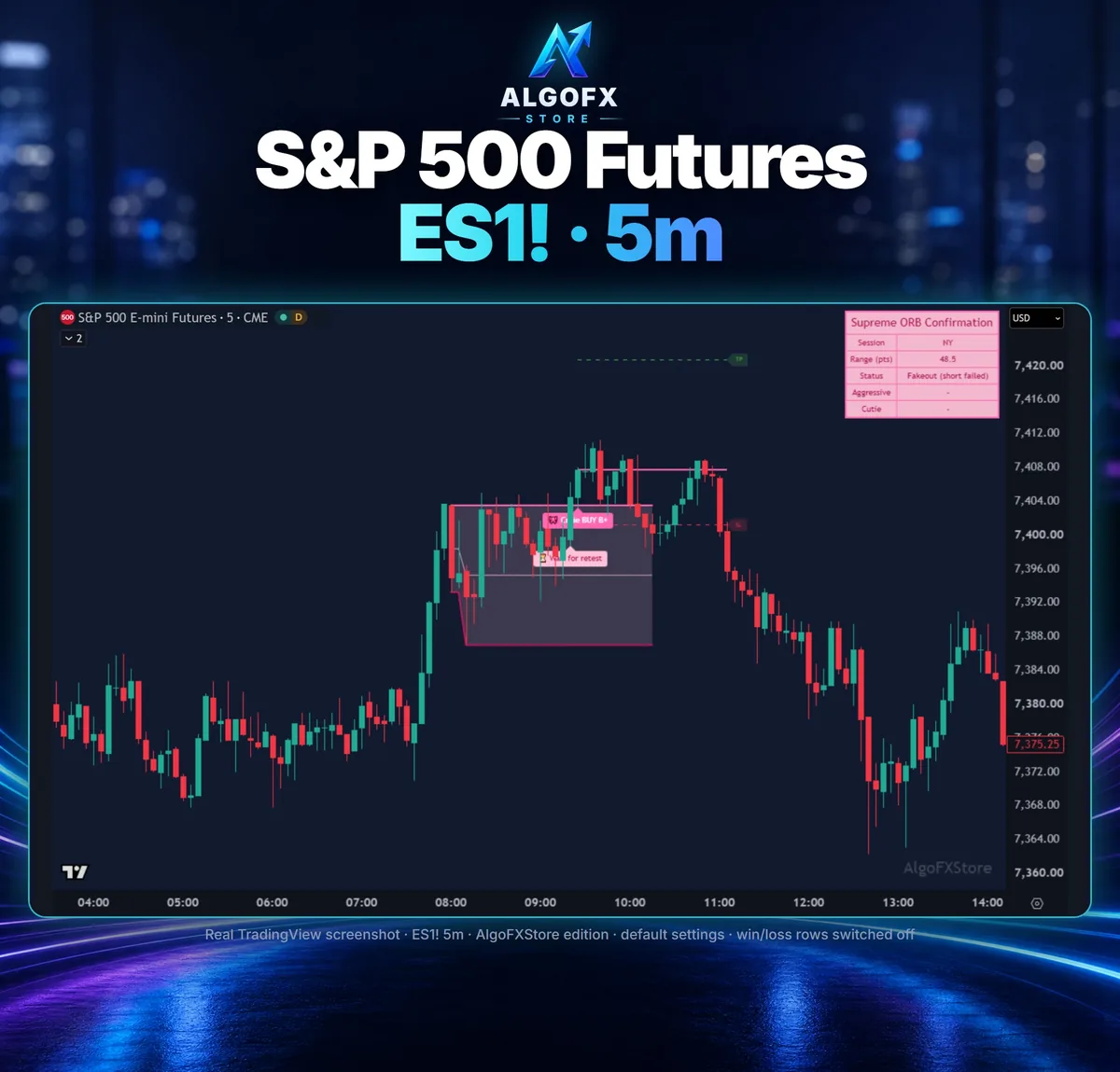
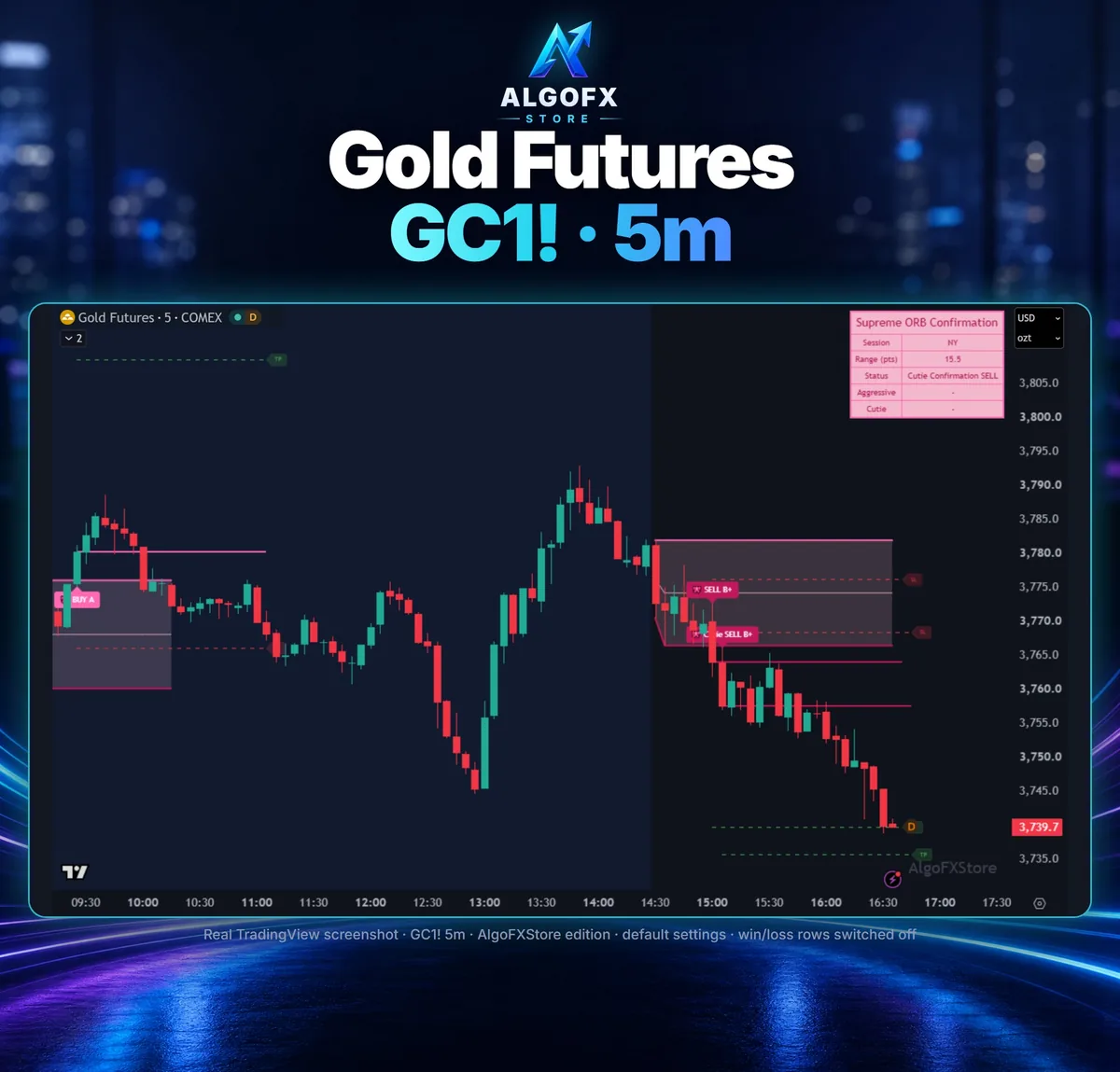
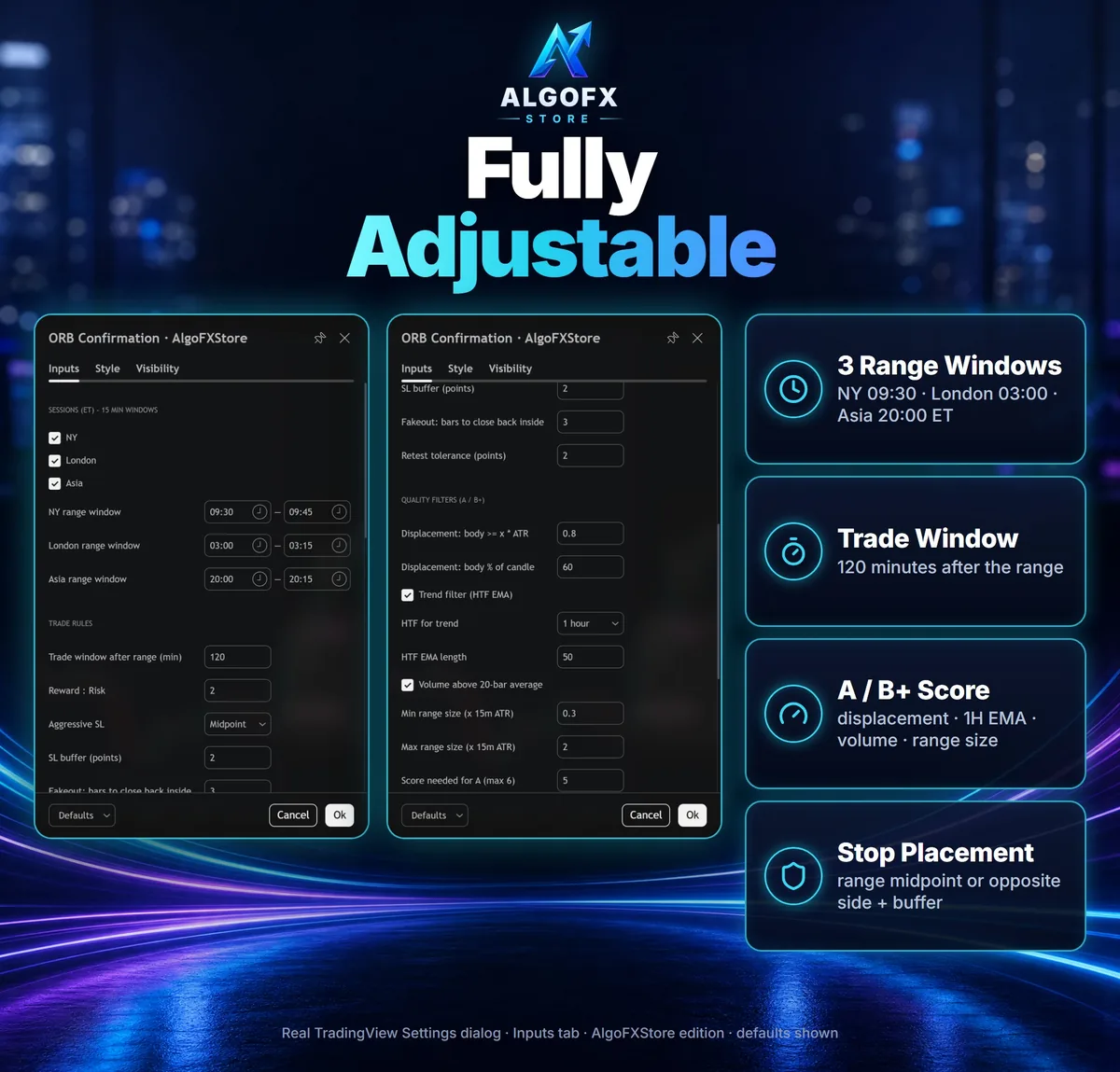
Each picture is built from real platform screenshots of the shipped indicator at its default settings, labelled so you can see what every part does. Tap any picture to open it full size.

How traders put it to work
Nasdaq and S&P futures on 5 minutes
On NQ and MNQ the defaults apply: the range is three 5 minute candles and the trade window 24 candles. On ES and MES set SL buffer and Retest tolerance to 1.0. Keep the NY window at 09:30 to 09:45, when the stock market opens.
Gold and crude oil futures
On GC and MGC use about 1.0 for buffer and tolerance; on CL and MCL about 0.05, because the default 2.0 would be 200 ticks. For crude oil the traditional NYMEX open window 09:00 to 09:15 can be set instead of 09:30.
London and Asia sessions
On instruments that trade overnight, the 03:00 and 20:00 New York windows give two more ranges per day. They need overnight bars on the chart. If you only trade one session, switch the others off to keep the chart and the status line clean.
Forex and CFDs
The indicator runs on forex and CFD symbols too, with the windows still in New York time. Set SL buffer and Retest tolerance in that market's price units, about 0.0002 on EURUSD and about 1.0 on gold CFDs. On symbols without volume data switch the volume check off.
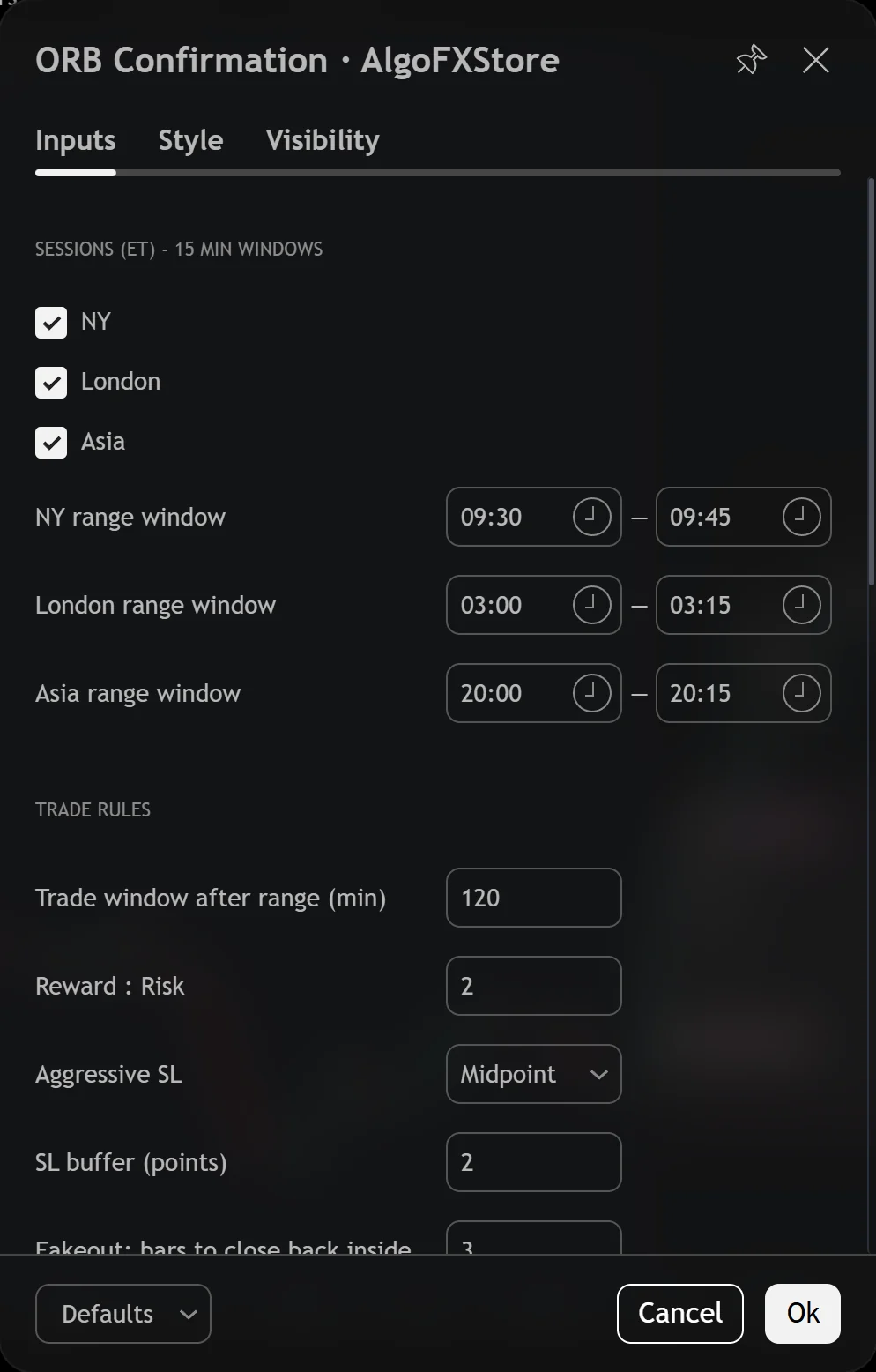
Every setting, with its default
The names are the ones in the script's Settings dialog in TradingView (Inputs tab); the defaults are what every chart on this page uses.
Sessions (ET) - 15 min windows (6)
| Setting | Default | What it does |
|---|---|---|
| NY | on | Build a range in the NY range window |
| London | on | Build a range in the London range window |
| Asia | on | Build a range in the Asia range window |
| NY range window | 0930-0945 | New York time (the code's time zone is fixed to America/New_York); bars whose open time is inside form the range |
| London range window | 0300-0315 | New York time (08:00 London for most of the year) |
| Asia range window | 2000-2015 | New York time (evening Asia session) |
Trade rules (6)
| Setting | Default | What it does |
|---|---|---|
| Trade window after range (min) | 120 | Minutes after the first bar after the range in which breakouts, fakeouts and retests are looked for (min 15) |
| Reward: Risk | 2.0 | Target = entry + / - this x the stop distance (step 0.5) |
| Aggressive SL | Midpoint | Stop of the breakout entry: Midpoint (OR Mid) or Opposite side (OR Low for a buy, OR High for a sell), plus the buffer |
| SL buffer (points) | 2.0 | Extra stop distance in price points for breakout and retest entries (2.0 = 8 ticks on NQ / ES, 20 on GC, 200 on CL) |
| Fakeout: bars to close back inside | 3 | A close back inside the range within this many bars after the breakout is a Fakeout (min 1) |
| Retest tolerance (points) | 2.0 | How near (price points) the retest candle must come to the broken range edge |
Quality filters (A / B+) (10)
| Setting | Default | What it does |
|---|---|---|
| Displacement: body >= x * ATR | 0.8 | 2 score points when the breakout candle's body is at least this x ATR(14) of the chart (and the next condition holds, candle in breakout direction) |
| Displacement: body % of candle | 60 | Body at least this % of the candle's high-low range |
| Trend filter (HTF EMA) | on | 1 point when the close is above (buy) / below (sell) the HTF EMA of the previous closed HTF bar; off = every breakout gets the point |
| HTF for trend | 60 | Timeframe of the trend EMA |
| HTF EMA length | 50 | Length of the trend EMA |
| Volume above 20-bar average | on | 1 point when the breakout bar's volume is above its 20-bar average; off = every breakout gets the point |
| Min range size (x 15m ATR) | 0.3 | 1 point when the range height is at least this x ATR(14) of the previous closed 15-minute bar... |
| Max range size (x 15m ATR) | 2.0 | ... and at most this x that ATR |
| Score needed for A (max 6) | 5 | Score for grade A (1-6) |
| Score needed for B+ | 4 | Lowest score for a BUY / SELL; lower scores print ' Wait for retest' |
Colors (4)
| Setting | Default | What it does |
|---|---|---|
| Bullish (hot pink) | #FF69B4 | BUY / Cutie BUY labels, OR High line, buy entry line (in the edition also the buy TP line and label) |
| Bearish (raspberry) | #C2185B | SELL / Cutie SELL labels, OR Low line, sell entry line (in the edition also every SL line and label and the sell TP) |
| Blush | #FFC1D6 | Range fill, OR Mid line, Wait / Fakeout labels, dashboard background |
| Table text | #AD1457 | Dashboard text and the text of the Wait / Fakeout labels (in the edition also TP / SL label text) |
The alert events, one by one
In TradingView: Create alert, choose “Supreme ORB Confirmation [AlgoFXStore]” as the condition and pick the event. TradingView then notifies you the way you set in that dialog: a pop-up in TradingView, a sound, the TradingView app on your phone or an e-mail.
- Bullish Breakout (A/B+)
- Bearish Breakout (A/B+)
- Wait for Retest
- Fakeout
- Cutie Confirmation BUY
- Cutie Confirmation SELL
Supreme ORB Confirmation next to the usual options
Where it wins, and where it does not.
| Supreme ORB Confirmation | Typical free opening range indicator | Reading it by hand | |
|---|---|---|---|
| The range | NY, London and Asia windows in New York time | Usually one window | Drawn each morning |
| Breakout quality | Six-point score with A, B+ or wait | Every break is a signal | Your judgement under time pressure |
| Fakeouts and retests | Fakeout label and separate retest confirmation | None | Watching every candle |
| Stop and target | Entry, stop and 2R target on every A, B+ and retest | Range lines only | Measured and drawn each time |
| Markets | Buffer and tolerance must be set per market | Usually works without settings | Any market |
| Simplicity | Scores, grades and two stop modes to learn | Two lines | Nothing to install |
| Cost | A one-time purchase | Free | Free |
Honest about who this fits
A good fit if you
- Intraday traders on TradingView who trade the New York open on index futures and want each breakout graded before they act.
- Traders who are tired of buying weak breaks and want a clear Wait for retest instead.
- Traders who like a second chance: a retest of the broken edge with its own entry and a tighter stop.
- Traders who size from the stop and want the stop and a 2R target drawn on every graded signal.
- Traders on 1 to 15 minute charts who also want London or Asia ranges on instruments that trade overnight.
Not for you if you
- Traders on charts above 15 minutes: the 15 minute window is not exact there.
- Anyone who does not want to set the buffer and tolerance per market: the 2.0 point defaults are sized for NQ.
- Traders who want a trade every session: weak breaks print no levels, and each side breaks out once per session.
- Anyone who wants orders placed automatically: it draws and alerts and never places a trade.
The full code, one manual, installed in two minutes
- 1Pine Script source codeSupreme_ORB_Confirmation_TradingView_Code.txt (13 KB): the full code. Paste it into the Pine Editor and it appears as “Supreme ORB Confirmation [AlgoFXStore]”.
- 17Page PDF manualInstallation, every setting with its default and how to read the chart.
- ✓Every main setting explainedThe table above lists the main settings with the defaults the charts use.
- ✓Alert eventsYou choose which ones are on in the settings.
- 60Day money-back guaranteeIf it is not for you, request a full refund within 60 days through your Digistore24 order e-mail.
Install in five steps
- Download the zip from the page Digistore24 sends you to after checkout and unzip it.
- Open Supreme_ORB_Confirmation_TradingView_Code.txt in a text editor, select all and copy the whole code.
- In TradingView, open the Pine Editor, paste the code over everything that is there and click Save.
- Click Add to chart: “Supreme ORB Confirmation [AlgoFXStore]” appears on your chart.
- Read the PDF manual; the defaults are the settings shown on this page.

Kestutis Balciunas
AlgoFXStore · chart indicators
Kestutis Balciunas builds and publishes chart indicators under the AlgoFXStore name. Every product page shows what the indicator draws on real charts, and every number on it comes from the shipped build.
The charts on this page were captured in TradingView from the shipped Supreme ORB Confirmation [AlgoFXStore] at its default settings and are shown unedited.
No get-rich claims and no quoted win rates. Every trade is uncertain, and no indicator changes that. If you want to know whether it suits the way you trade before you buy, e-mail [email protected] and you will get a straight answer.
One price, one payment
- The full Pine Script source code of Supreme ORB Confirmation and the 17-page PDF manual
- Delivered as a digital download: one zip with the code file and the PDF manual on your download page
- Return period: 60 days, with a full refund if it is not for you
- Free updates to the current version on the same download page
60-day money-back guarantee. Install it, run it on your own charts and read the manual. If Supreme ORB Confirmation is not for you within 60 days of purchase, request a full refund from Digistore24, no questions asked: use the refund link in your Digistore24 order e-mail or Digistore24's order page digistore24.com/en/cancel-revoke-contract. Digistore24 refunds to your original payment method. It is a digital download: right after checkout you land on your download page, and the link to it is also in your Digistore24 order e-mail.
About the signals
Does it repaint?
The signals do not. Every breakout, fakeout and retest decision is made only on a closed candle, and the trend and range-size checks read the previous closed 60 and 15 minute bars. While a range window is still open, OR High, OR Low, OR Mid and the fill follow the running high and low of the forming candle; they are final on the first bar after the window.
What do the labels mean?
BUY A or SELL A is a breakout with a score of 5 or 6, B+ a score of 4. Wait for retest is a breakout with 3 or less and has no levels. Fakeout means a close back inside the range within three candles. Cutie BUY or Cutie SELL is a confirmed retest of the broken edge with its own plan.
Why does a retest label say B+ after a weak breakout?
The grade on a retest label is the breakout's grade, not a new score: an A breakout gives an A retest, anything below 5 shows B+. So a retest after a Wait for retest break is also labelled B+. The retest itself is confirmed by the touch, the close beyond the edge and the candle direction.
Why was there no signal on the other side after a breakout?
Each direction can break out once per session, and a breakout that is not a fakeout within three candles stays active for the rest of the trade window, which blocks the opposite side. After a fakeout the other side can still break out.
What does a Wait for retest alert ask me to do?
Nothing yet. It tells you a break happened but scored 3 or less, so no entry, stop or target was drawn. Watch whether price comes back to the broken edge: if a candle touches it within the retest tolerance and closes beyond it in the trade direction, the retest confirmation fires with a full plan.
Settings and the dashboard
Which timeframes should I use?
1, 3, 5 or 15 minutes, which divide the 15 minute window exactly. On 5 minutes the range is three candles, on 15 minutes one candle. On 2 or 10 minute charts the last bar reaches past 09:45, on 30 minutes the range becomes the first 30 minute candle, and above that the window may not be found.
Do the quality checks filter signals?
They feed the score. Switching the trend or volume check off does not remove a requirement; it gives every breakout that point, so you get more A and B+ labels and fewer waits. Use the switches for symbols without volume data or when you deliberately ignore the trend.
What do the Aggressive and Cutie rows on the dashboard show?
A hindsight tally of how past breakout and retest signals on the loaded chart ended against their 2R target and stop, checked from the next candle with no time exit. It depends on how much history is loaded and is a record of the chart, not a forecast. Show win/loss rows switches both rows to a dash.
Why are the levels not on the tick grid?
OR Mid is the exact middle of the range and can fall between ticks, and the SL and TP labels carry no price. Read the stop from OR Mid in the Data Window or with the crosshair and round it outward to the next tick when you place a real order.
Alerts and running it
Which alerts are there and when do they fire?
Six alertcondition alerts: Bullish Breakout, Bearish Breakout, Wait for Retest (both directions), Fakeout, Cutie Confirmation BUY and Cutie Confirmation SELL. They are set on closed candles, so Once Per Bar Close is the natural frequency. The messages carry no symbol or price, so give each alert a name with its symbol.
Does it need special data?
It reads the chart symbol plus its own 15 minute and 60 minute data, which every TradingView plan has. Futures data on TradingView is delayed unless you add a real-time package for the exchange; the indicator works the same way on delayed data.
Can I change the session windows?
Yes. Each window is an input in New York time, for example 09:00 to 09:15 for the traditional crude oil open. The status text Building 15m range keeps its wording if you set a window of another length.
Can I use it on continuous futures contracts?
Yes, symbols such as NQ1! and ES1! work. Around a contract roll the continuous chart can contain a price step; a range built across that step is not a real opening range, so treat the roll session with care.
How it works
Will it place trades for me?
No. Supreme ORB Confirmation is an indicator: it draws on the chart and can alert you. It never sends an order.
Do I need a paid TradingView plan?
No. It reads only the chart's own bars, so the free TradingView plan runs it. Alerts count against your plan's alert limit.
After you buy
How do I get it after paying?
Digistore24 runs the checkout. Right after payment it takes you to your download page with one zip holding the Pine Script source code file and the PDF guide; the link to that page is also in your Digistore24 order e-mail, so you can download again at any time.
How do I install it?
Open the code file, open the Pine Editor in TradingView, paste the whole code, click Save and then Add to chart: “Supreme ORB Confirmation [AlgoFXStore]” appears on your chart. The guide walks through it step by step.
Who is Digistore24?
Digistore24 is the reseller that sells Supreme ORB Confirmation for Kestutis Balciunas (AlgoFXStore): it runs the checkout, charges your card or PayPal, collects the VAT for your country and delivers the download. Its name is the one on your statement, and its order e-mail holds your download link and the refund link.
What is the refund policy?
A 60-day money-back guarantee, handled by Digistore24. If Supreme ORB Confirmation is not for you within 60 days of purchase, use the refund link in your Digistore24 order e-mail or Digistore24's order page (digistore24.com/en/cancel-revoke-contract) for a full refund, no questions asked. Digistore24 makes the refund to your original payment method.
Do I get the source code?
Yes. You get the full Pine Script source code as a text file for your own use; the licence line at the top of the code does not allow resale, sharing or republishing.
Supreme ORB Confirmation for TradingView.
Put graded opening range breakouts, fakeout warnings and retest confirmations on your own TradingView charts and decide which breaks are worth your risk. The full code, the manual and every setting explained. Instant download for €47, one payment.
Get instant access