Six momentum readings blended into one score, with a signal only when they agree
Supreme Momentum Confluence puts RSI, Stochastic, CCI, the MACD histogram, rate of change and MFI on one scale from -100 to +100 and blends them into a single momentum score in its own window on your MetaTrader 4 or MetaTrader 5 chart.
- Six oscillators rescaled to -100 to +100 and blended into one score with a signal line
- Signals need a cross, 60 % component agreement and a rising or falling slope
- Entry at the close, stop at 1.5 x ATR(14), targets at 1R, 2R and 3R
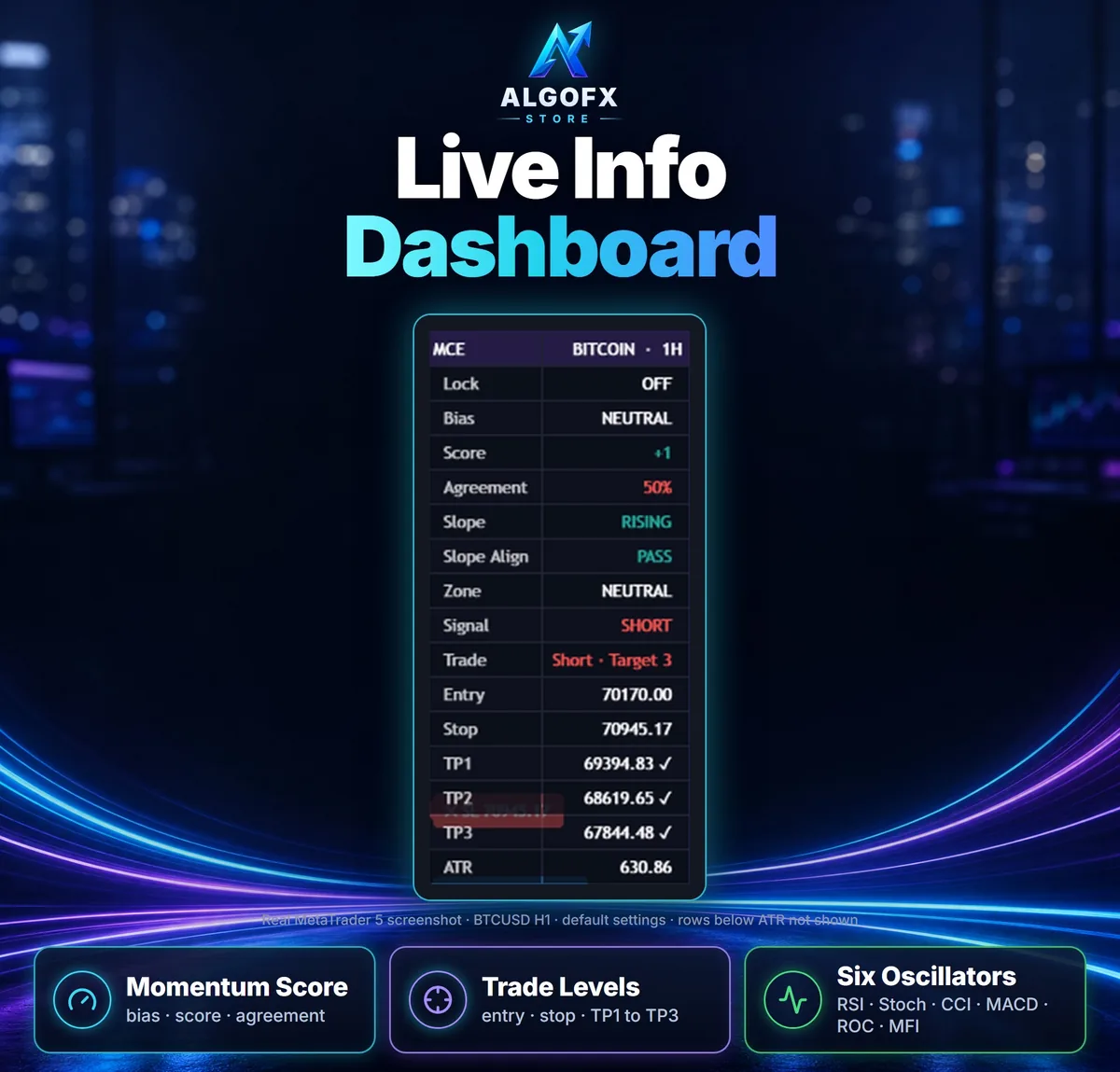
- Dashboard rows for bias, agreement, slope, zone, trade state and each component
- MetaTrader 4 and 5. Both builds in one download; it appears as “Supreme_Momentum_Confluence” in the Navigator.
- A 4-page PDF guide with installation, every setting and how to read the chart. One-time €47.

See Supreme Momentum Confluence on a real chart
Press play; use the full-screen button to see every detail.
Recorded on MetaTrader with Supreme Momentum Confluence on real charts. · 1:58 · Plays from YouTube when you press play (YouTube then sets its own cookies; see Privacy).
Six oscillator windows give six answers, and you settle it by eye
Momentum is easy to look at and hard to weigh. RSI says the move has room, the Stochastic says it is stretched, MACD has not turned yet, and CCI is somewhere in between. With each one in its own window, you end up settling the argument by eye, a little differently every time, and the decision depends on which window you looked at last.
Single-oscillator crosses have their own problem: a line crossing its signal line is easy to see but says nothing about whether the other readings back it up. A cross deep below zero with most of the market still pointing down looks the same on one oscillator as a cross with everything behind it.
Supreme Momentum Confluence answers these questions with fixed rules. Every reading is put on the same scale, the readings are weighted into one score, and a cross only counts when enough of them point the same way and the score is actually moving in that direction over the last few candles.
What Supreme Momentum Confluence draws, and what each mark means
Read from the shipped MetaTrader edition.
| What you see | What it means |
|---|---|
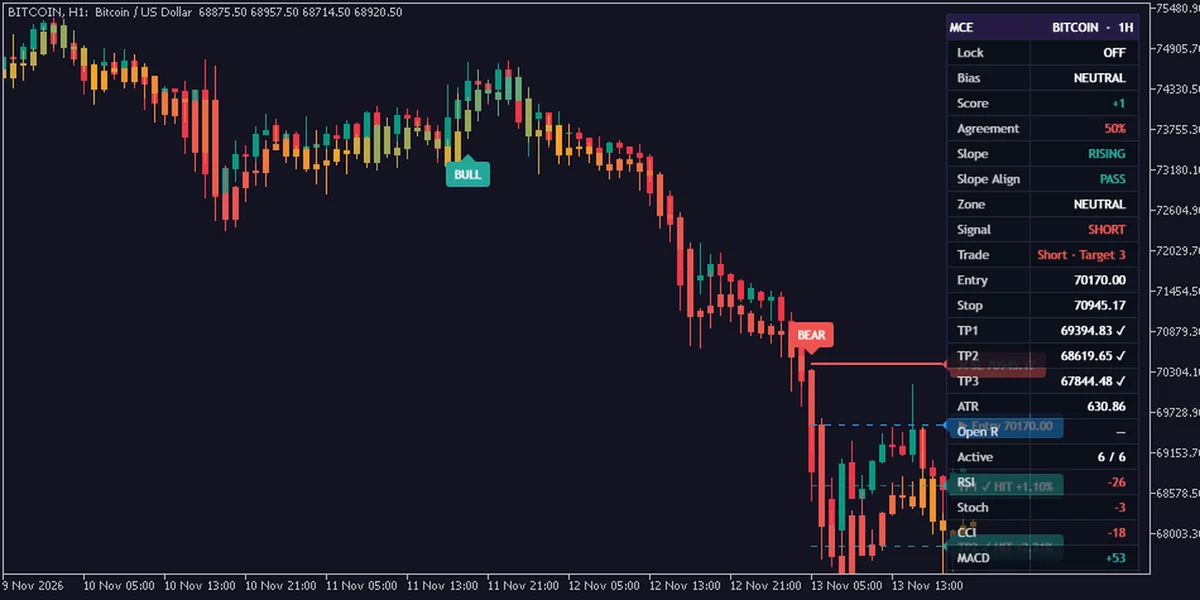
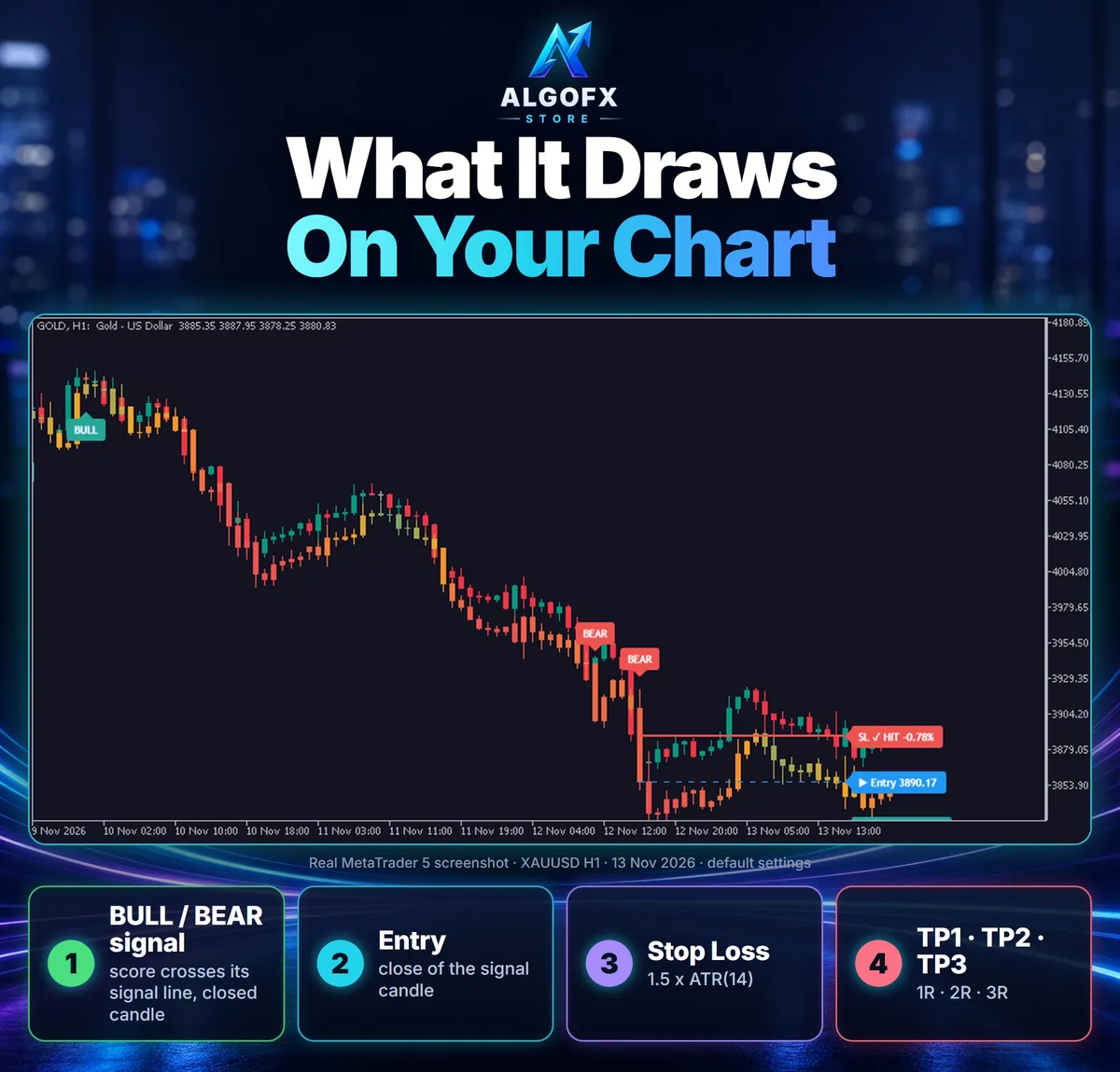
| BULL plate under a candle / BEAR plate above | A signal on that closed candle: the score crossed its signal line with enough agreement and slope. |
| Blue line '▶ Entry' | Entry: the close of the signal candle. |
| Red line '✕ SL' | Stop loss, 1.5 x ATR(14) from the entry (1R). Hit only when a candle closes beyond it. |
| Green lines '◆ TP1' '✦ TP2' '◆ TP3' | Targets at 1R, 2R and 3R; 'HIT' appears when price touches them. TP3 ends the trade. |
| Coloured candles | The score's colour: green when strongly positive, amber near zero, red when strongly negative. |
| Score window: thick line + purple line | The momentum score (-100..+100) and its signal line (EMA 9). |
| Shaded bands at +60 / -60 | Overbought / oversold zones of the score; dashed lines at +20 / -20 set the Bias. |
| Dashboard Agreement / Slope Align | How much of the component weight agrees right now, and whether the slope passes. |
How the score and the signals are built
Signals, markers, the stop and a new trade are decided on the closed candle. On the forming candle the score, the candle colour and the dashboard move with every tick.
- 1
Six readings on one scale
RSI(14) and Stochastic(14, smoothing 3) are taken minus 50, times 2. CCI(20) is divided by 200 and held at plus or minus 100. The MACD(12, 26, 9) histogram and ROC(14) become z-scores over 100 bars, reaching 100 at a z-score of 2.5. MFI(14) uses the candle's typical price and the broker's tick volume.
- 2
A weighted blend and its signal line
The components that are on and have a reading are averaged by their weights, 1.0 each by default and anywhere from 0 to 10. The blend is smoothed by a 3-bar EMA (Smooth) to become the Momentum Score; an optional Smoothing method can slow it first. A 9-bar EMA of the score is the violet signal line.
- 3
A cross becomes a candidate
A cross up means the score closes above its signal line after being at or below it on the candle before; a cross down is the mirror. A cross is only a candidate. Bias (above +20 or below -20) and the zones (beyond +60 or -60) are shown alongside but do not decide signals.
- 4
Agreement and slope must pass
At least 60 % of the component weight must point the signal's way (Min Agree %), which with six equal weights means four of six. With Slope Align on, a BULL needs the score higher than 3 bars ago and a BEAR lower. Higher TF Confirm (D1) and an ADX(14) of at least 20 are optional extra gates, off by default.
- 5
The trade is armed on the close
When a candidate passes, BULL or BEAR is drawn in both windows, the trade levels are armed and the alert fires. Entry is the signal candle's close, the stop is 1.5 x ATR(14) away and counts only when a candle closes beyond it, and targets at 1R, 2R and 3R count on a touch. TP3 ends the trade.
- 6
One trade on the chart at a time
A later signal replaces the open trade, whether on the same side or the opposite one, and deletes its lines and labels; the old BULL and BEAR markers stay. Lines run to the last candle plus 10 while the trade is open and stop 10 candles after it ends.
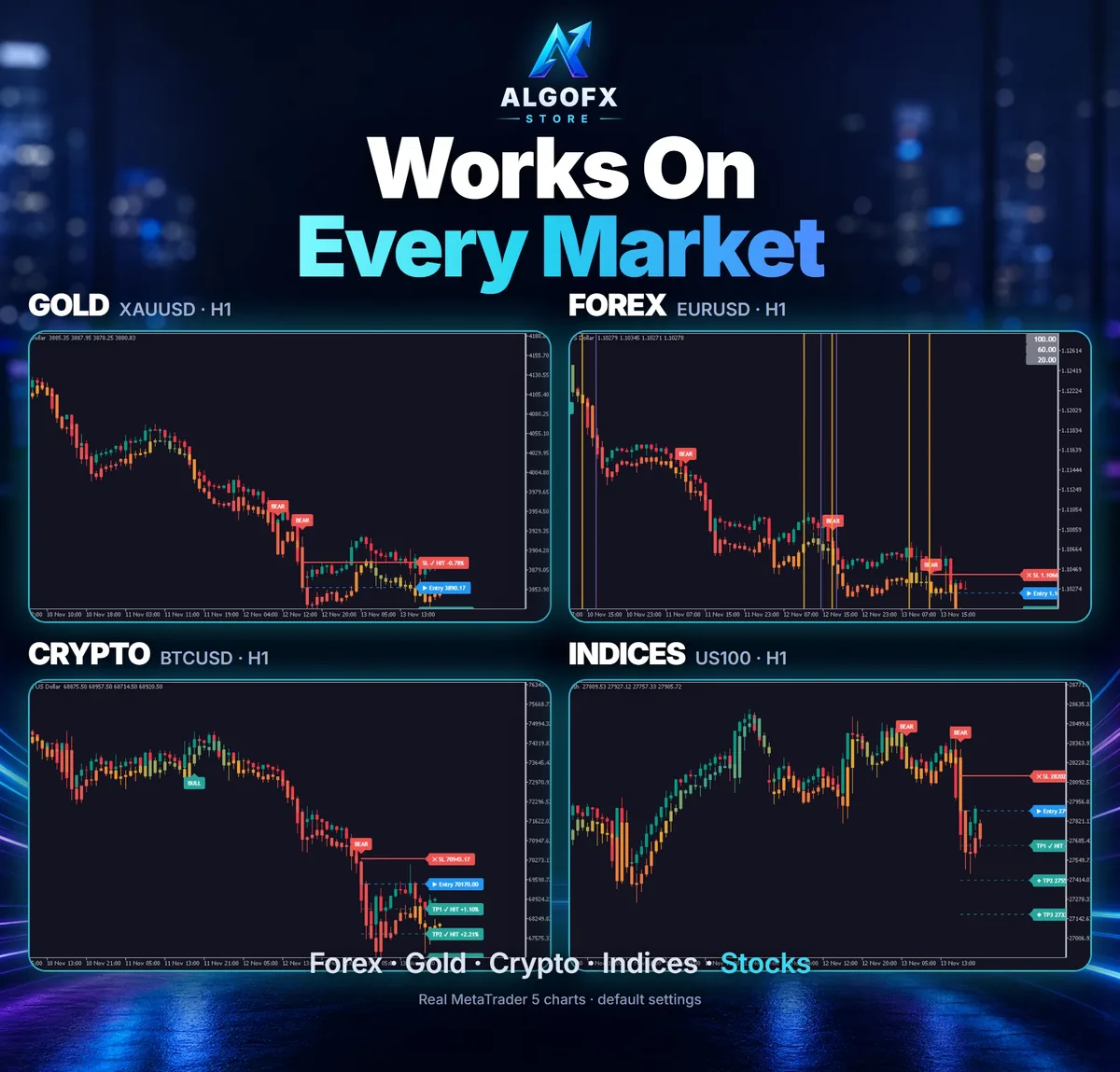
Supreme Momentum Confluence on 12 different markets
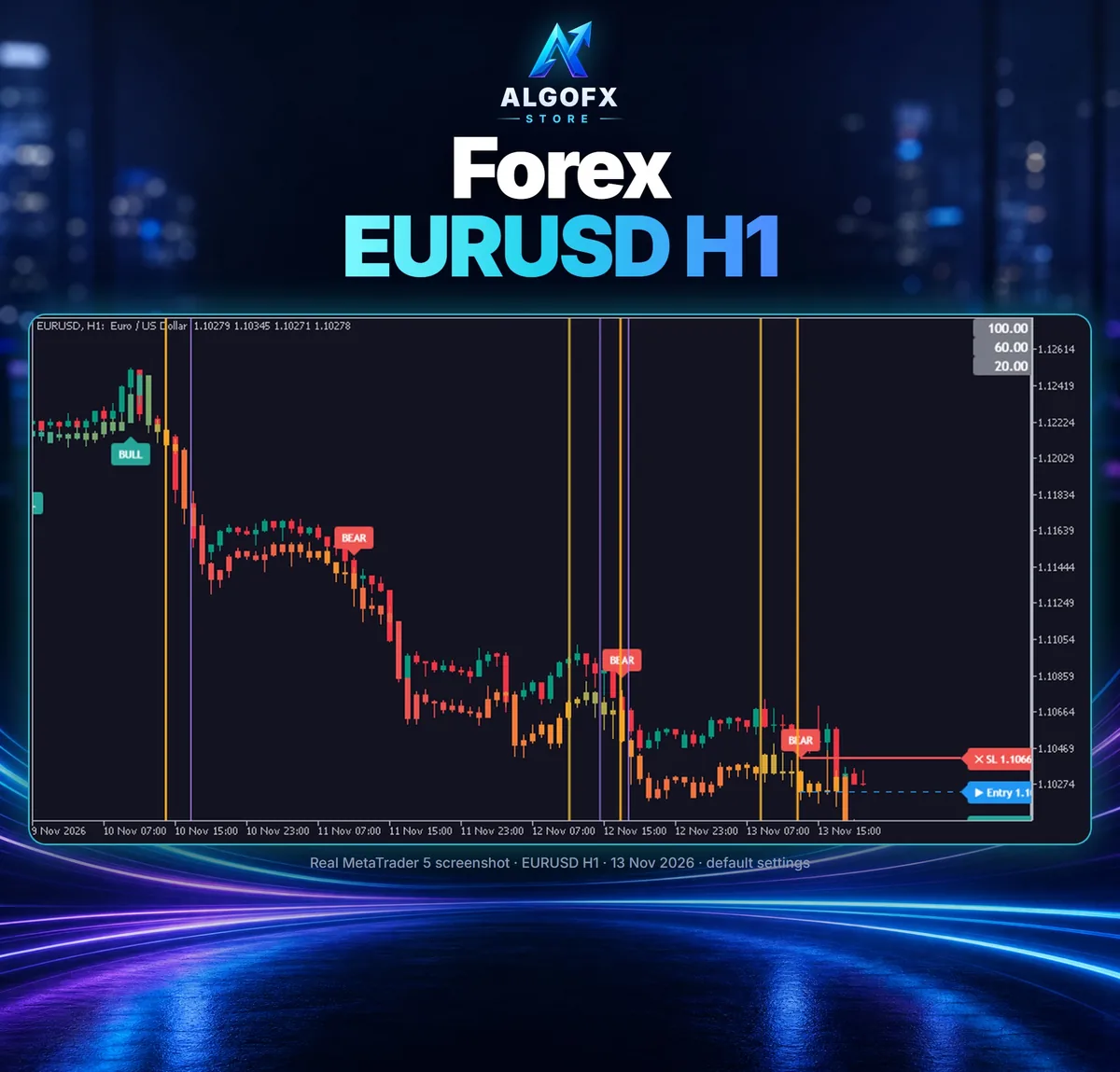
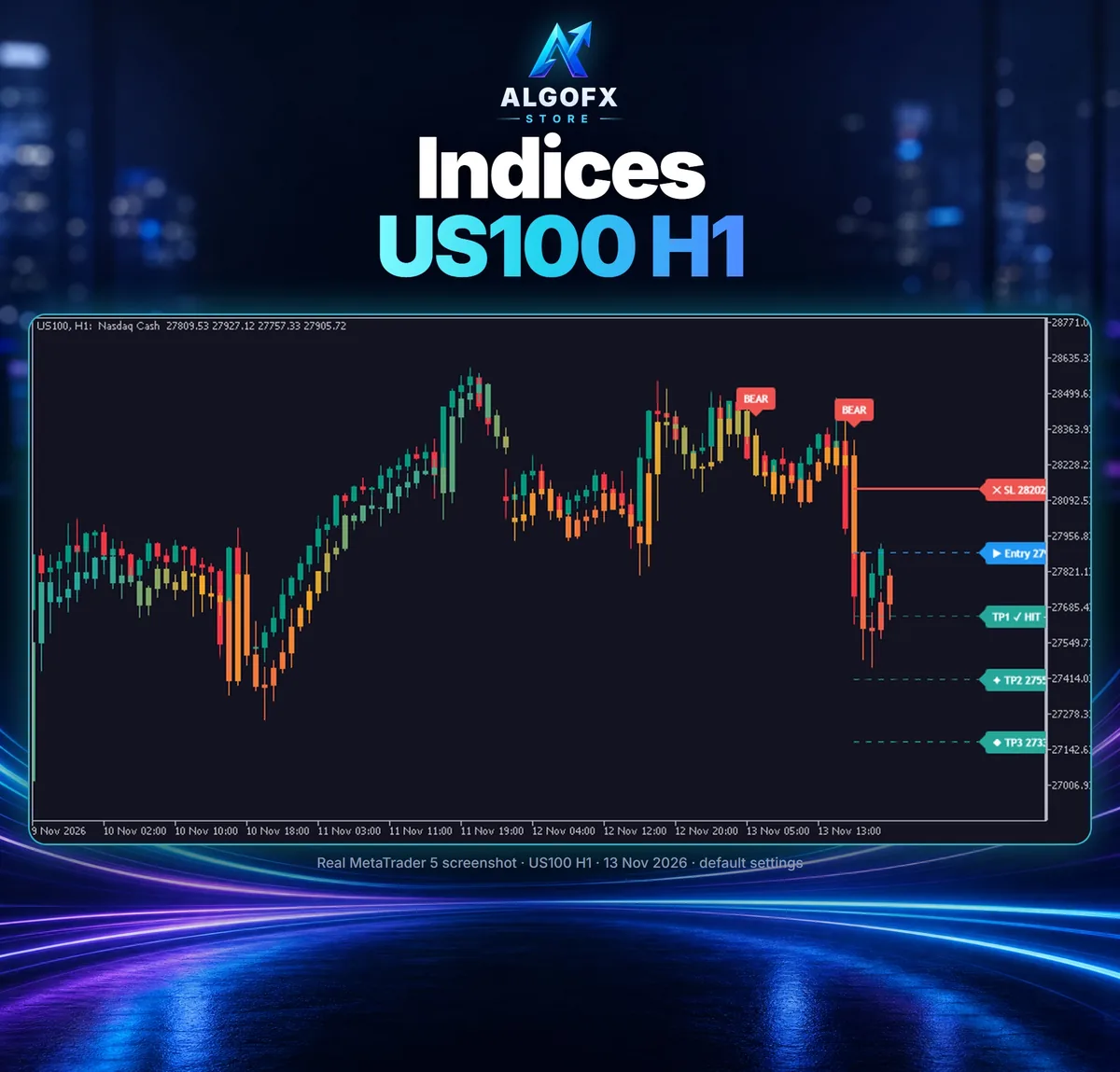
Every chart below is a screenshot of MetaTrader itself with the shipped Supreme_Momentum_Confluence attached at its default settings. Forex, metals, indices, energy and crypto, so you can see how it reads each kind of market. They show what the indicator draws; they are not trading results. Tap or click any chart to open it full size.
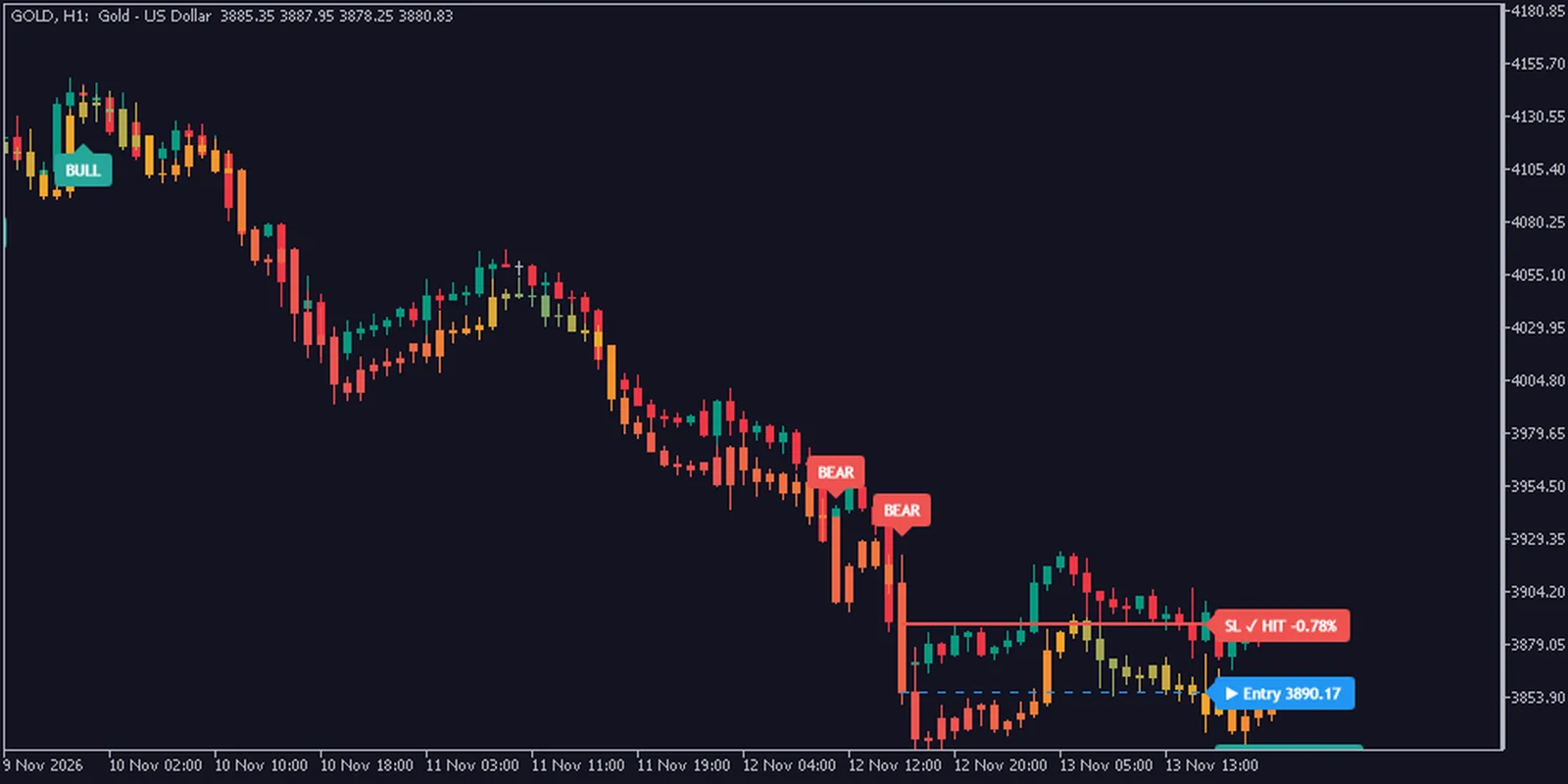
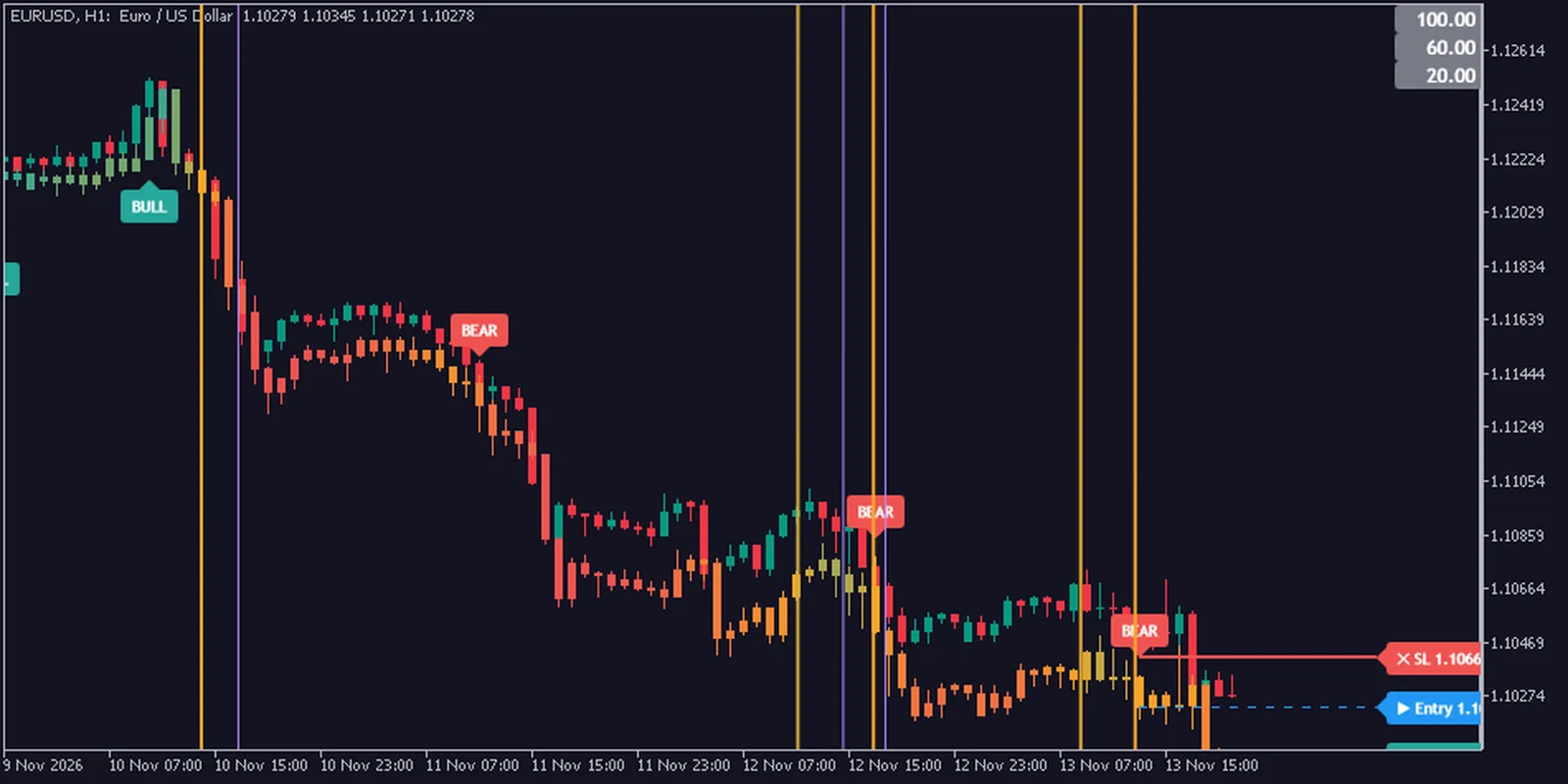
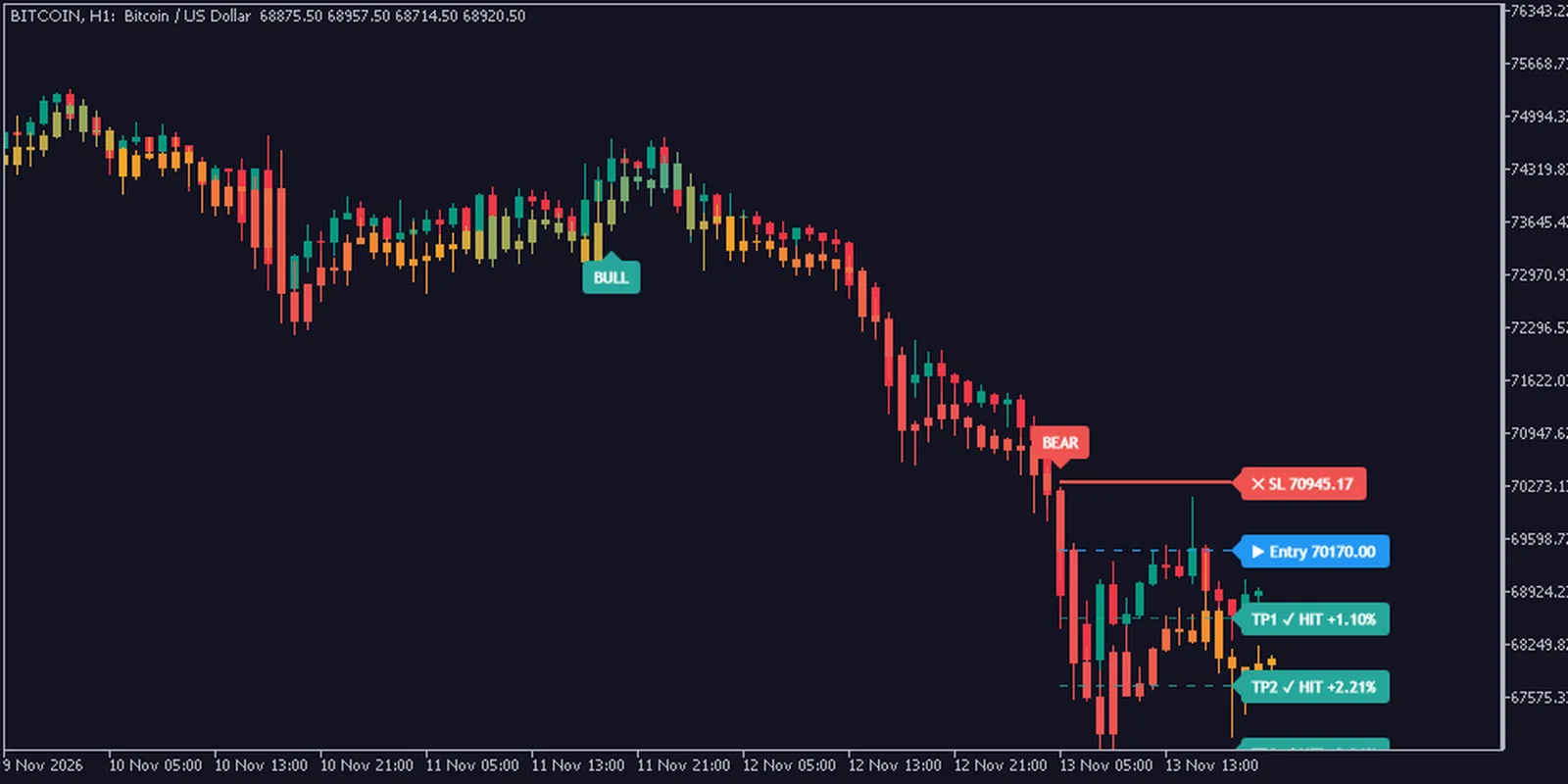
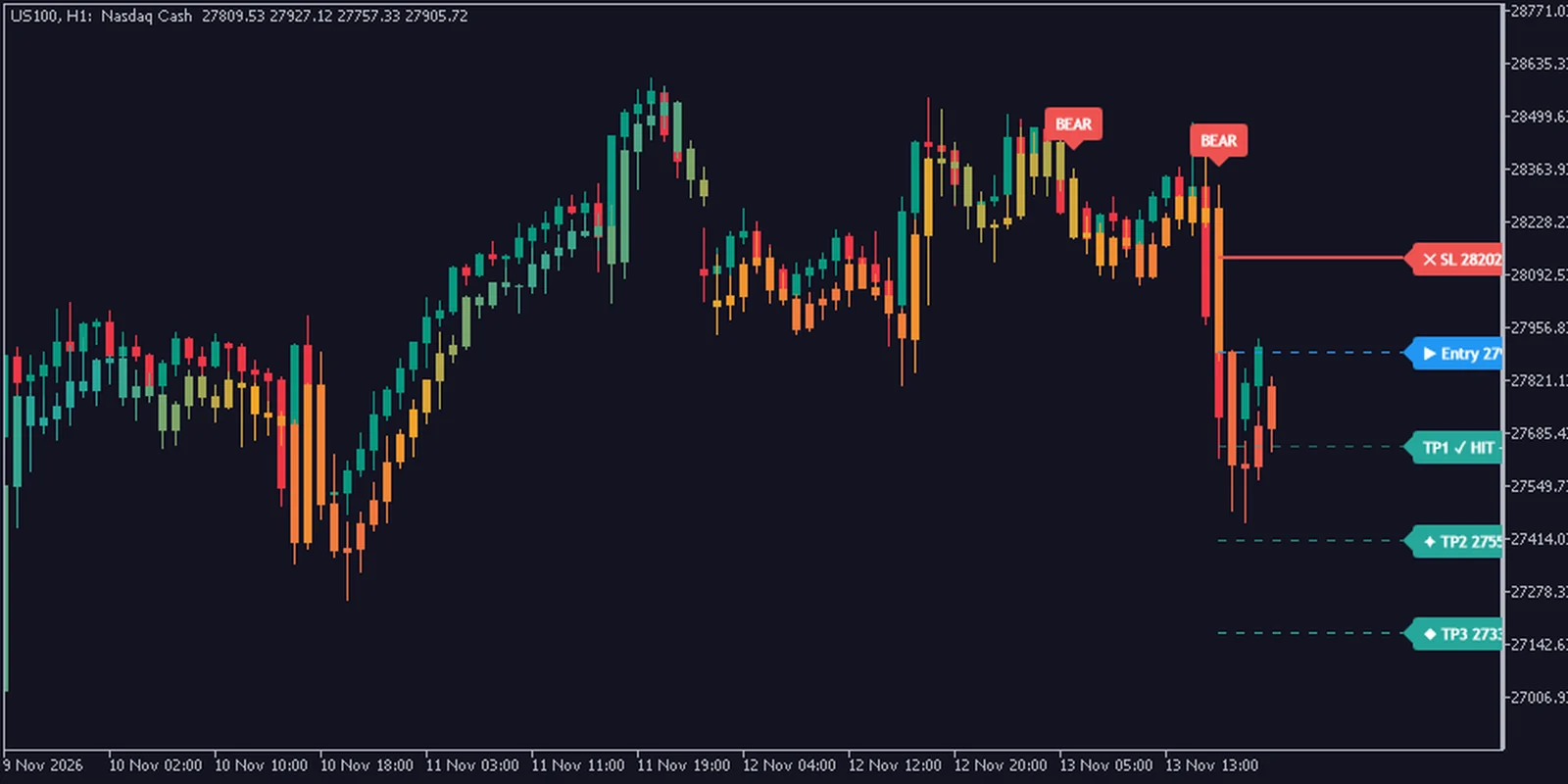
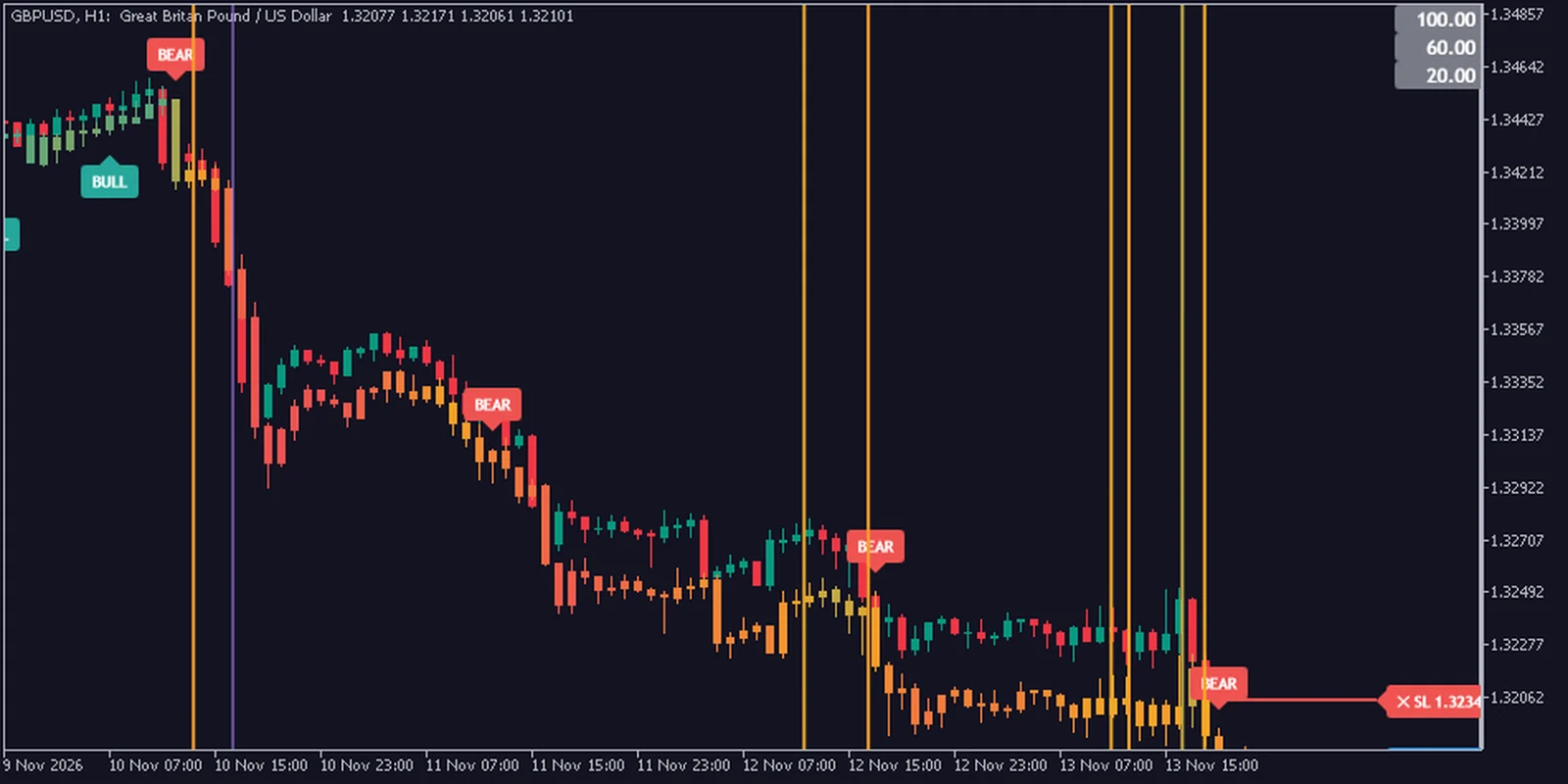
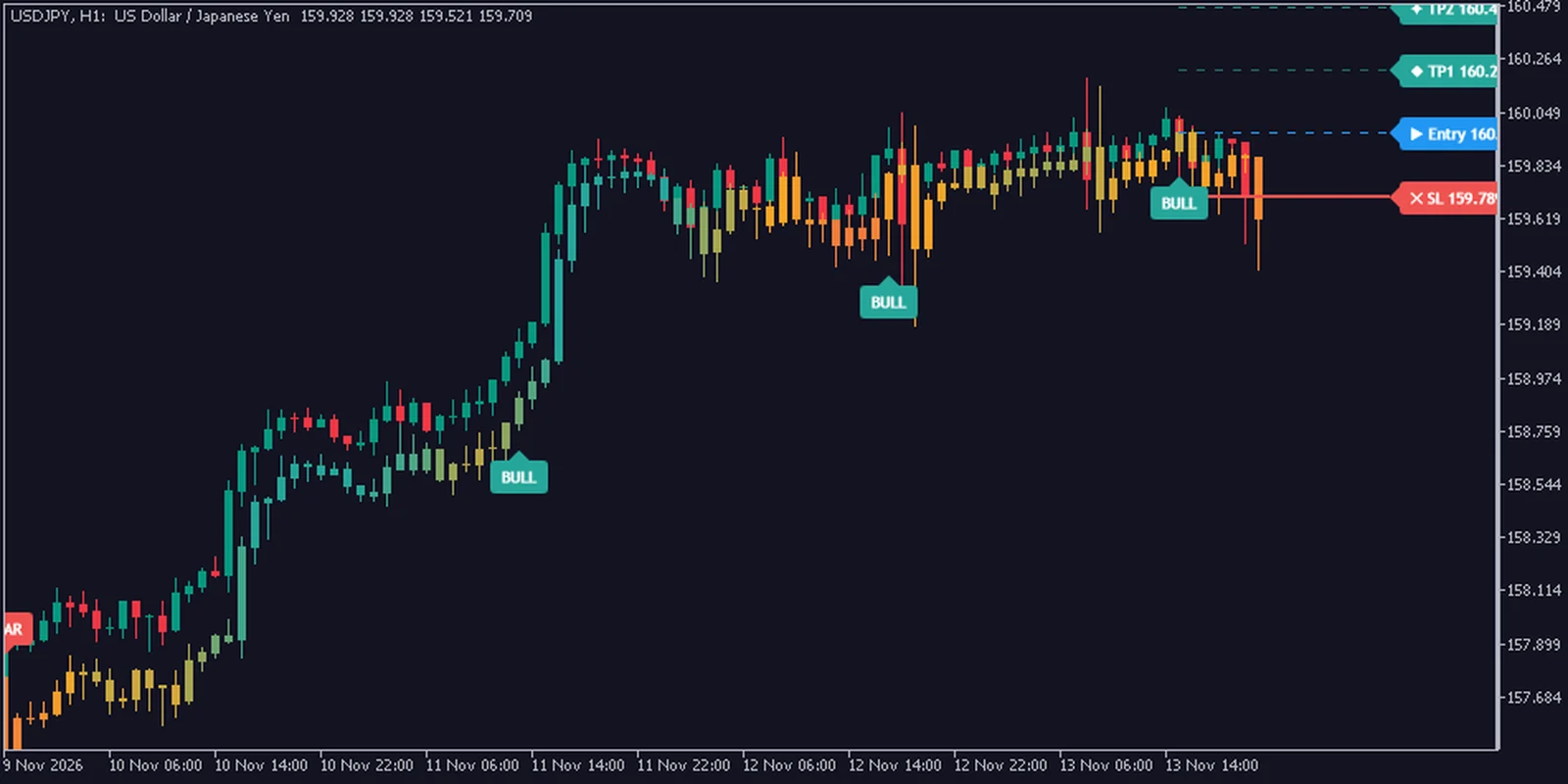
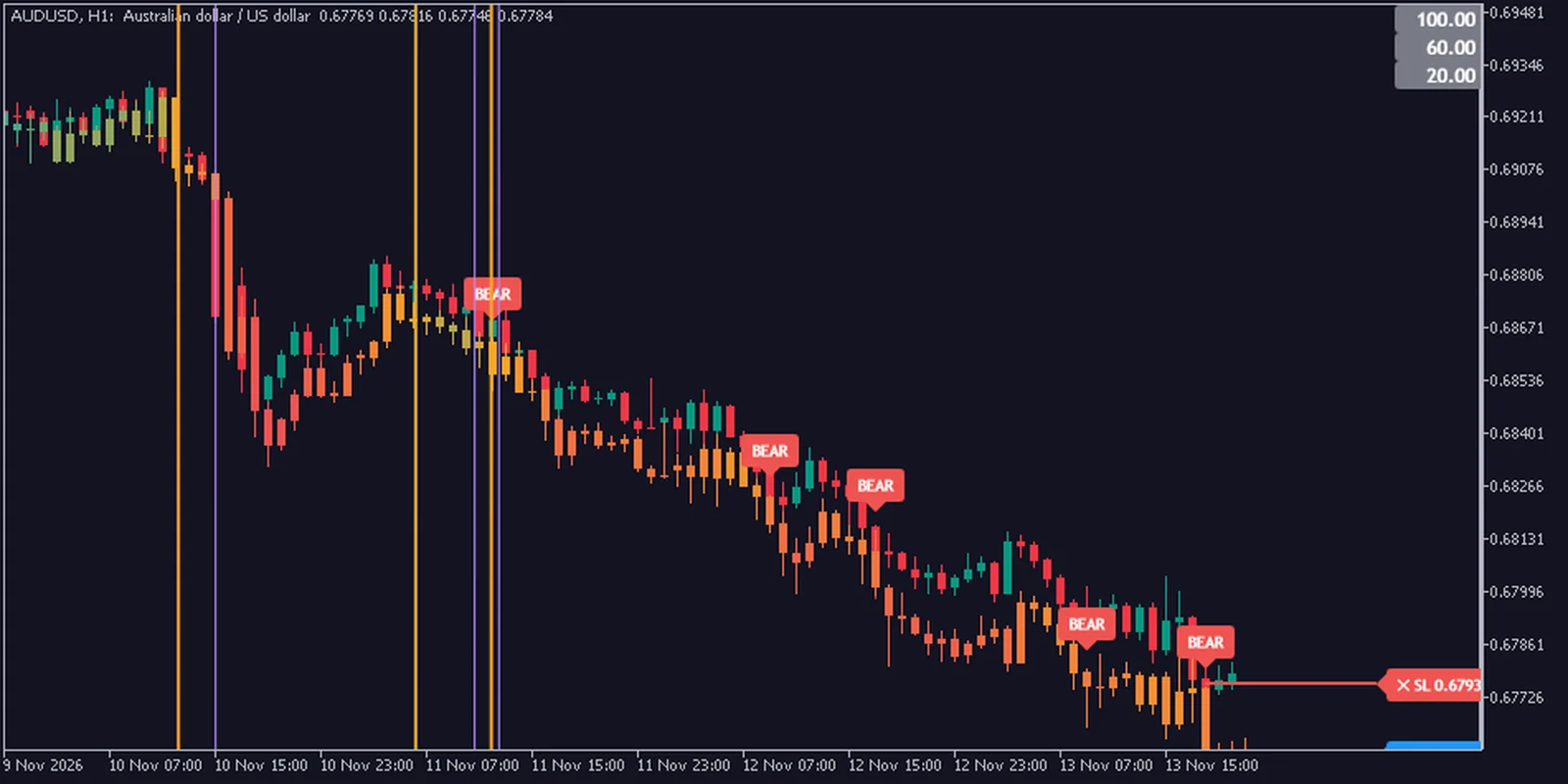
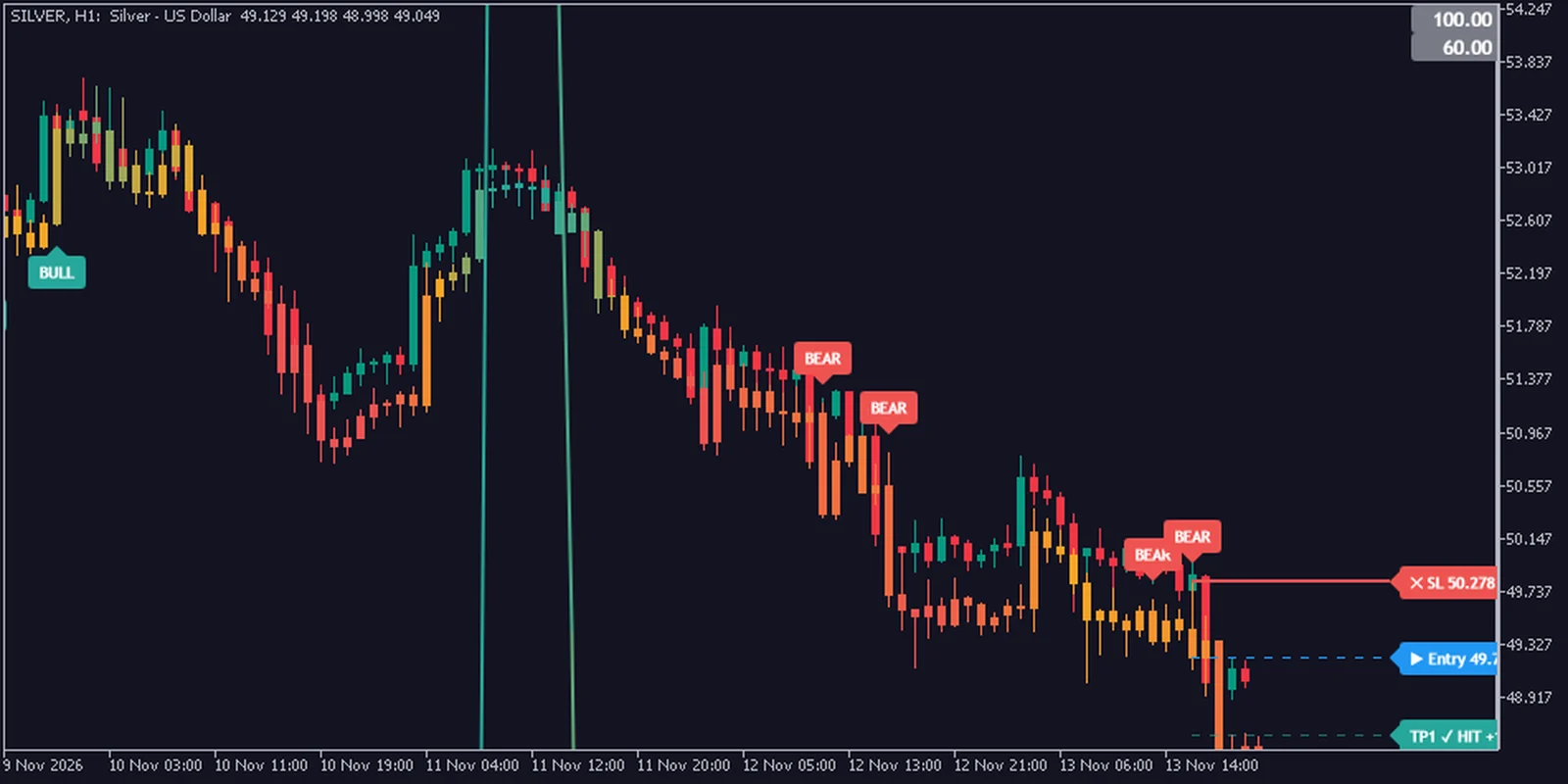
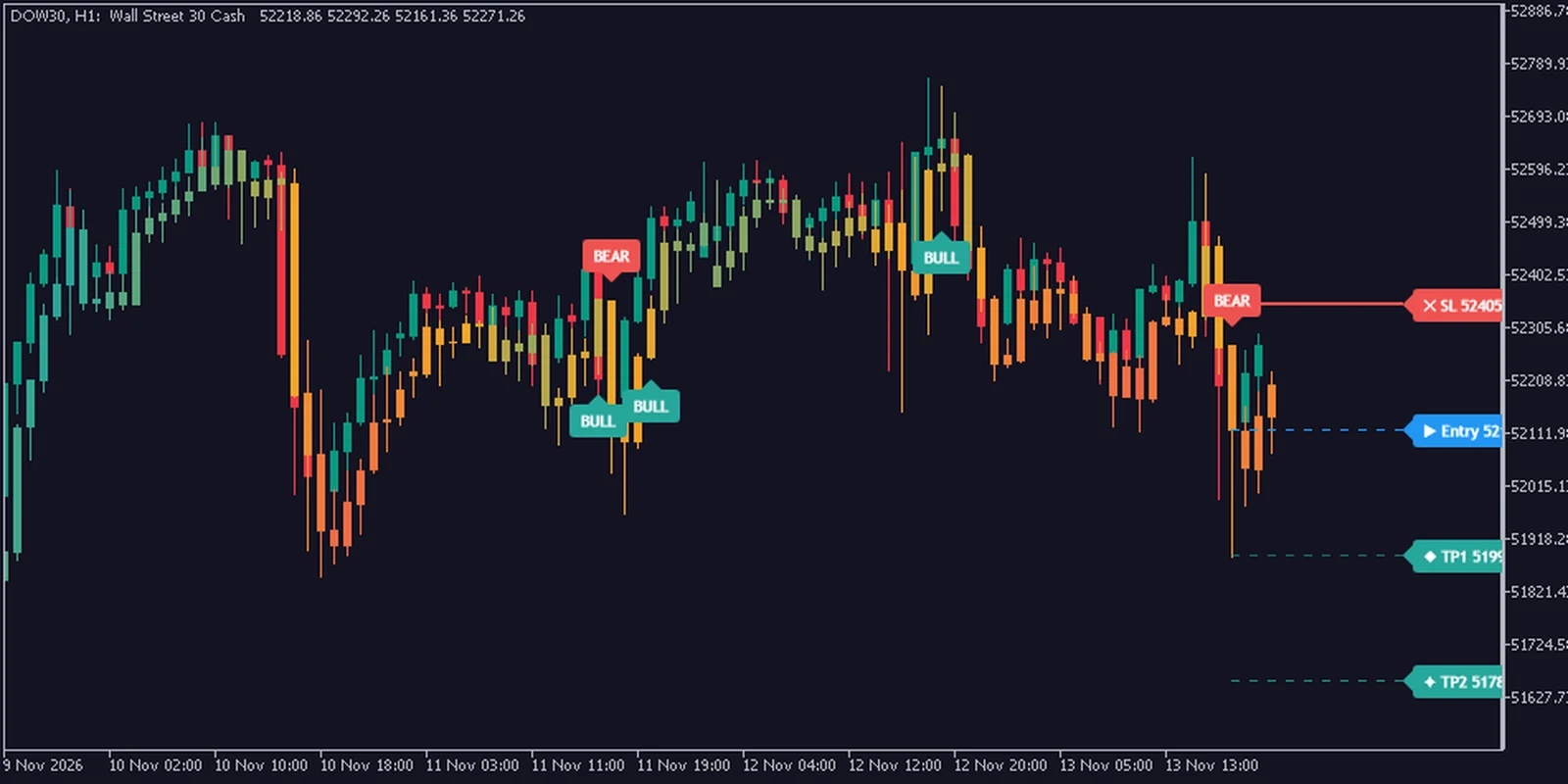
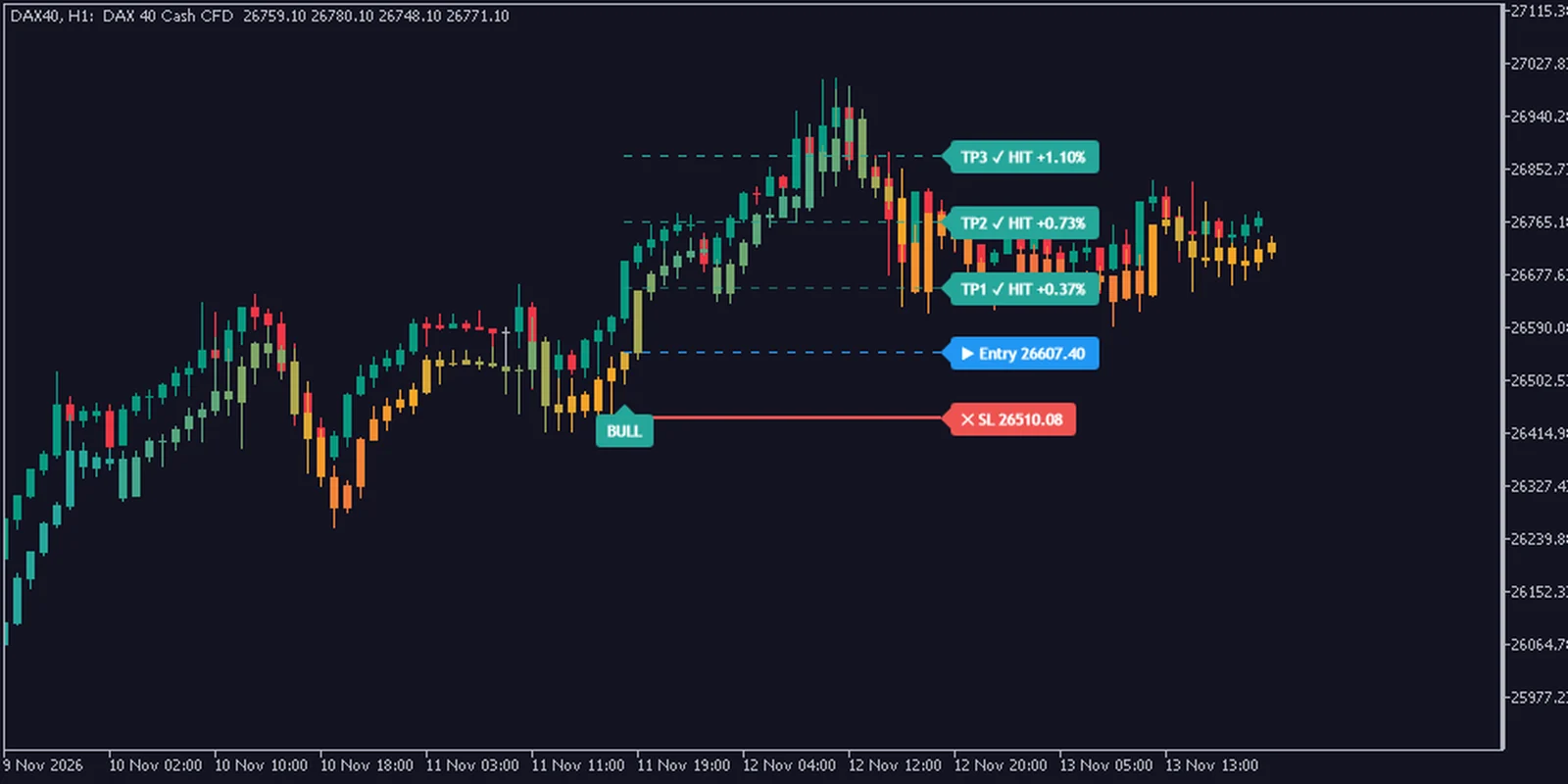
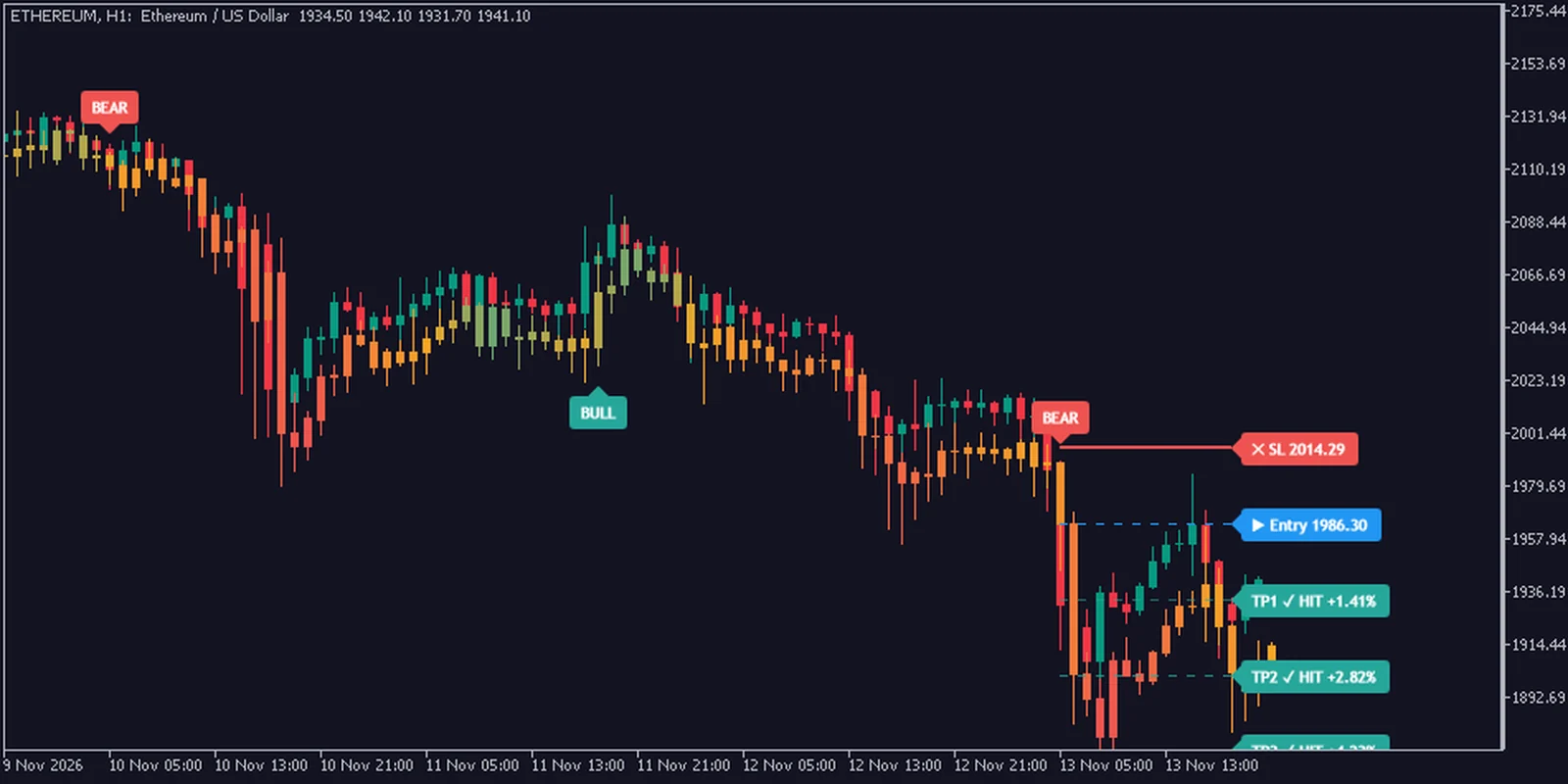
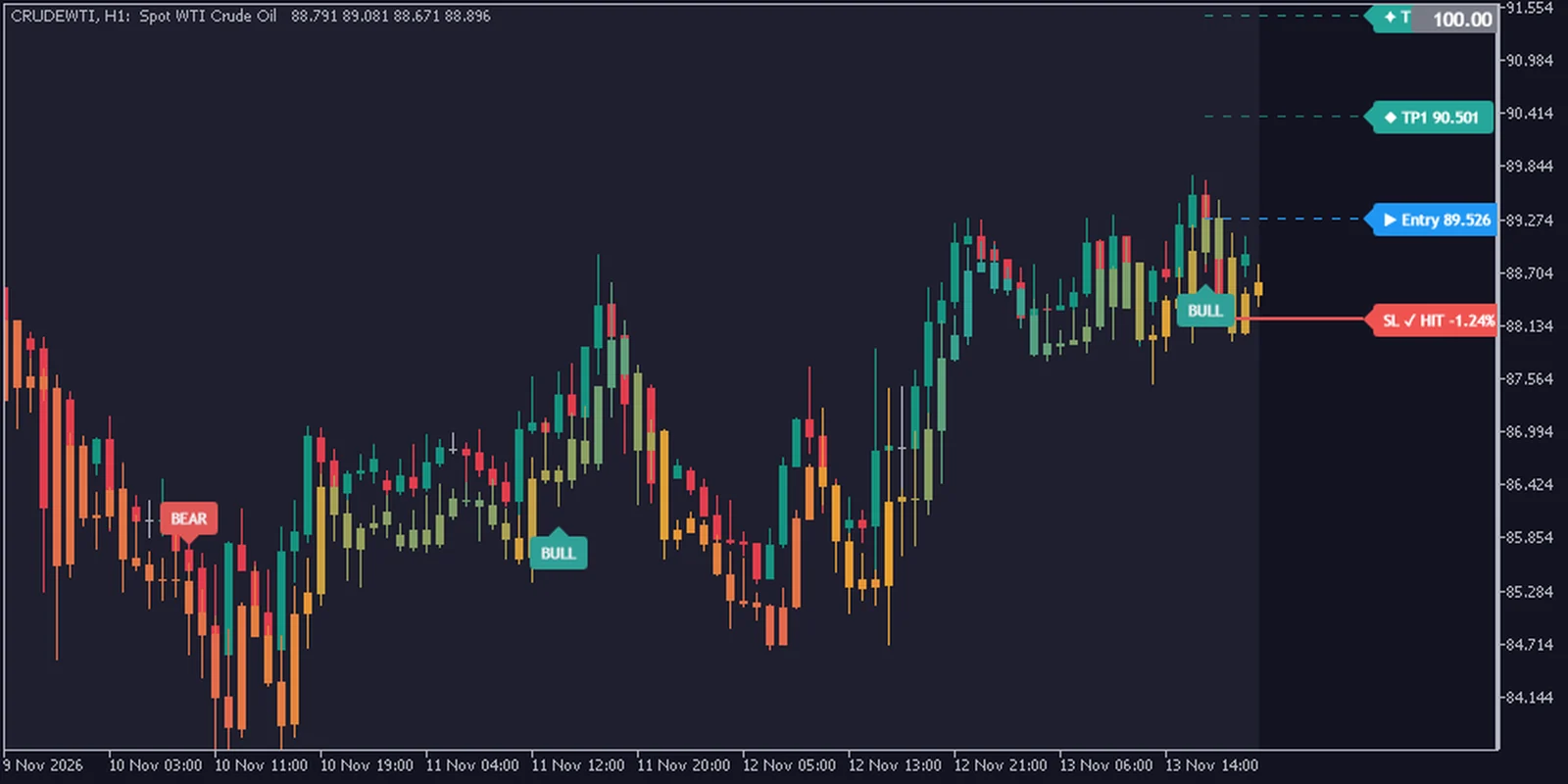
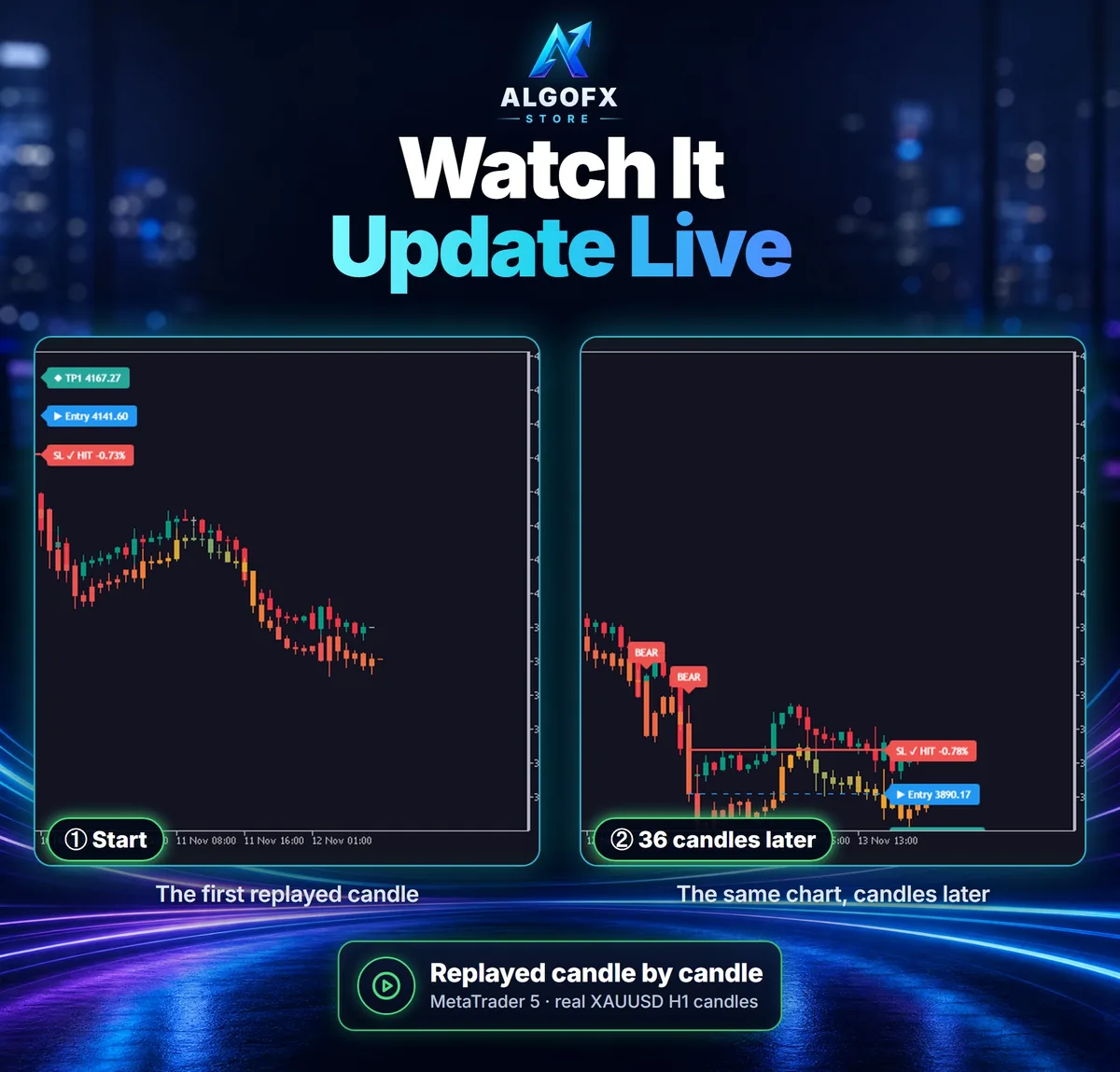
Watch Supreme Momentum Confluence work on a real MetaTrader 5 chart
A screen recording and frames from the shipped indicator at its default settings, as the chart updates. Nothing is edited into the chart.
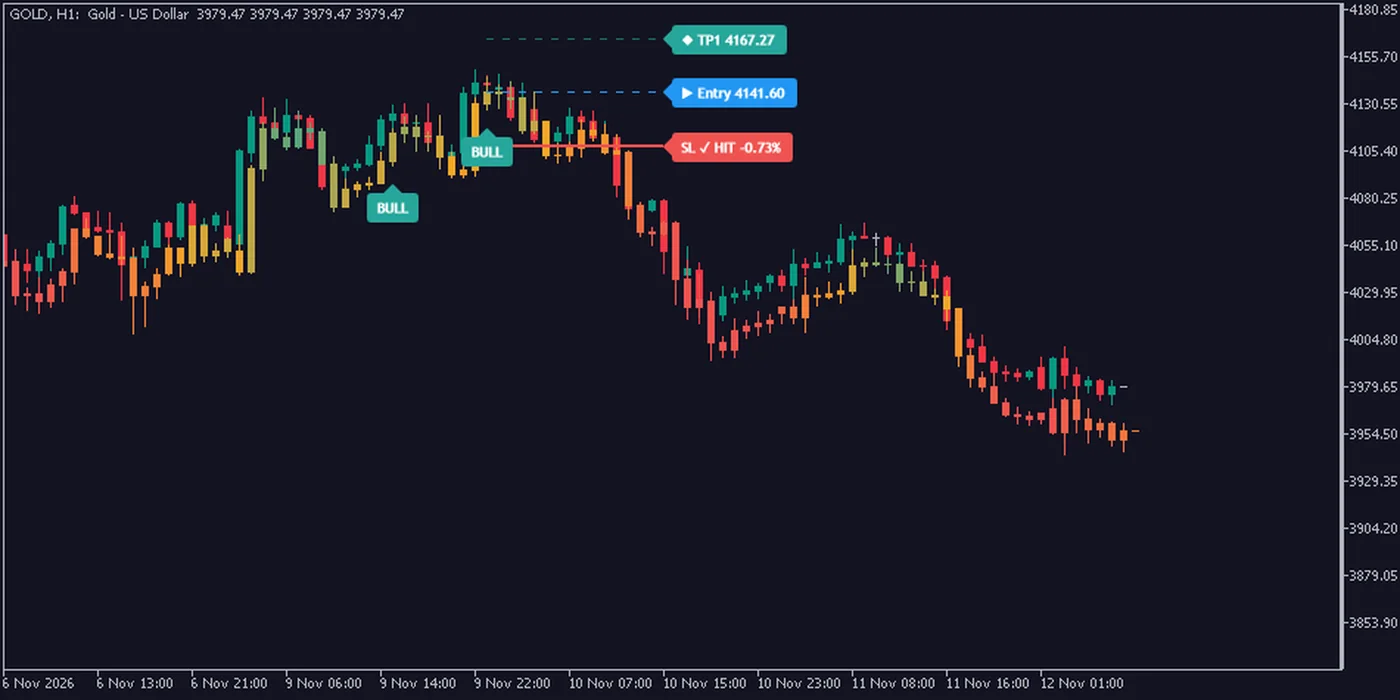
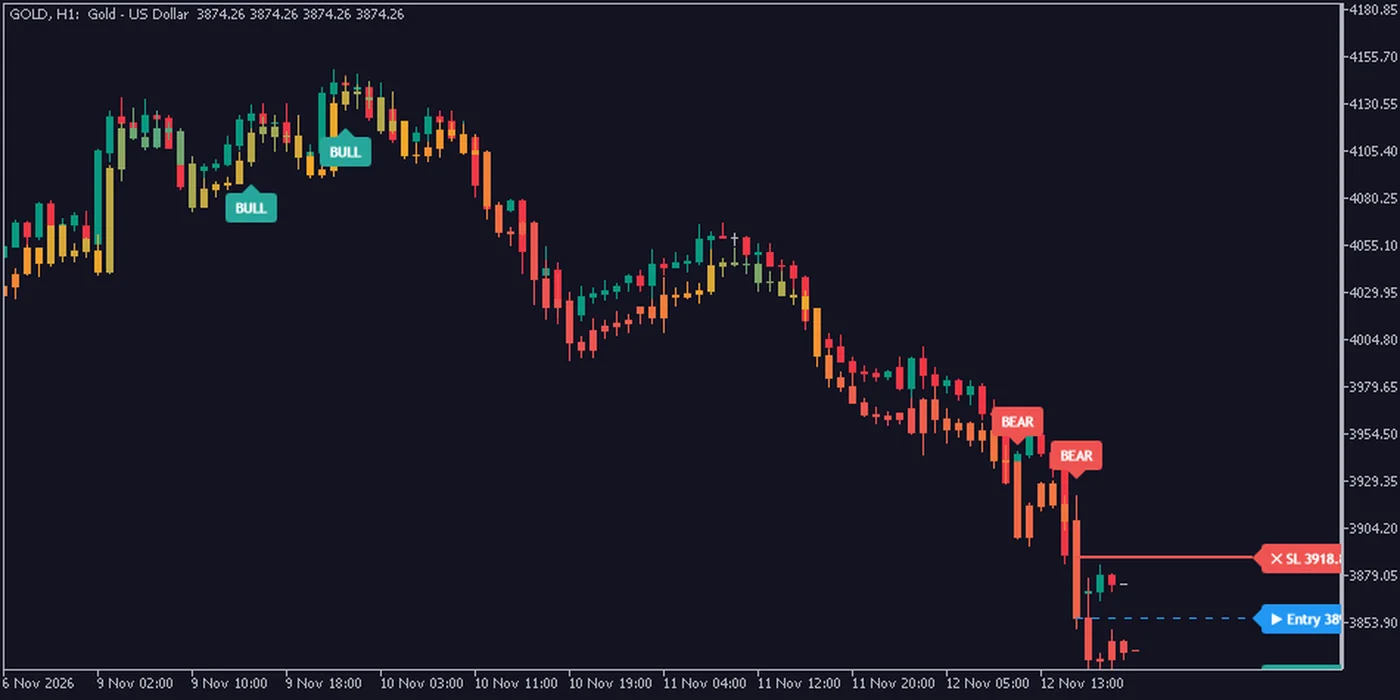
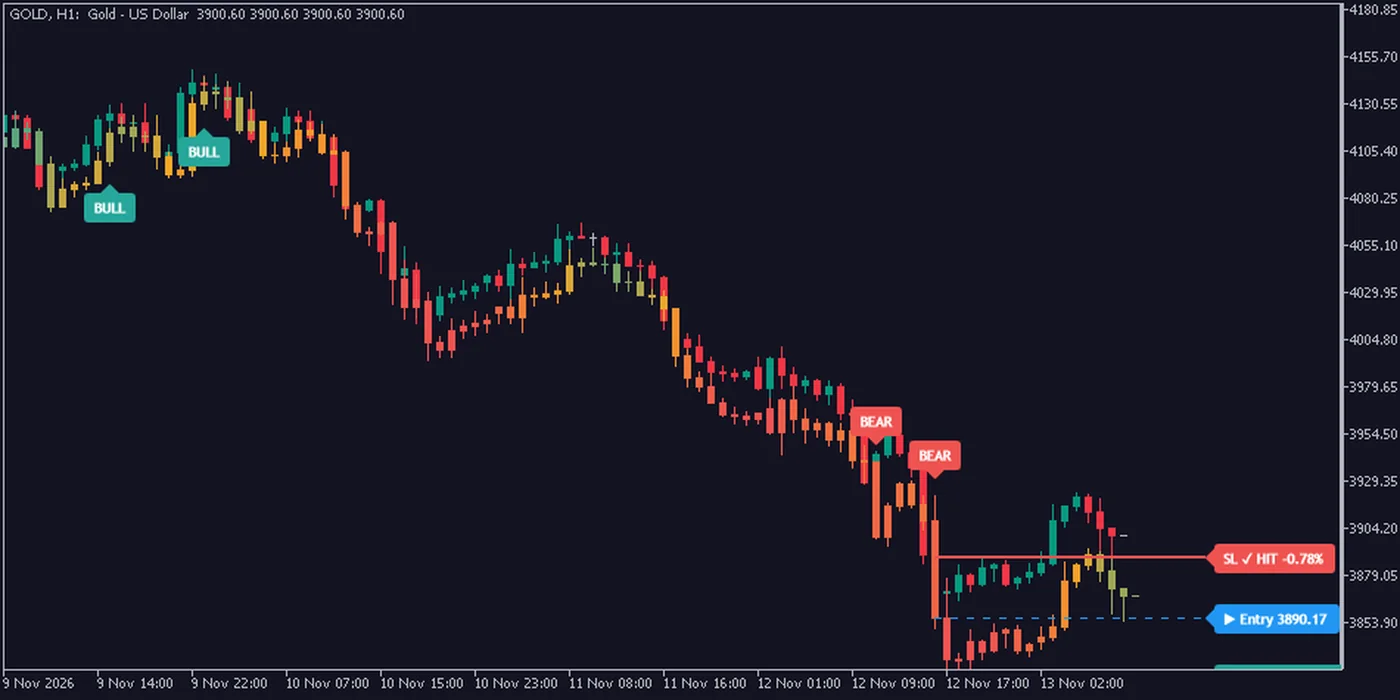
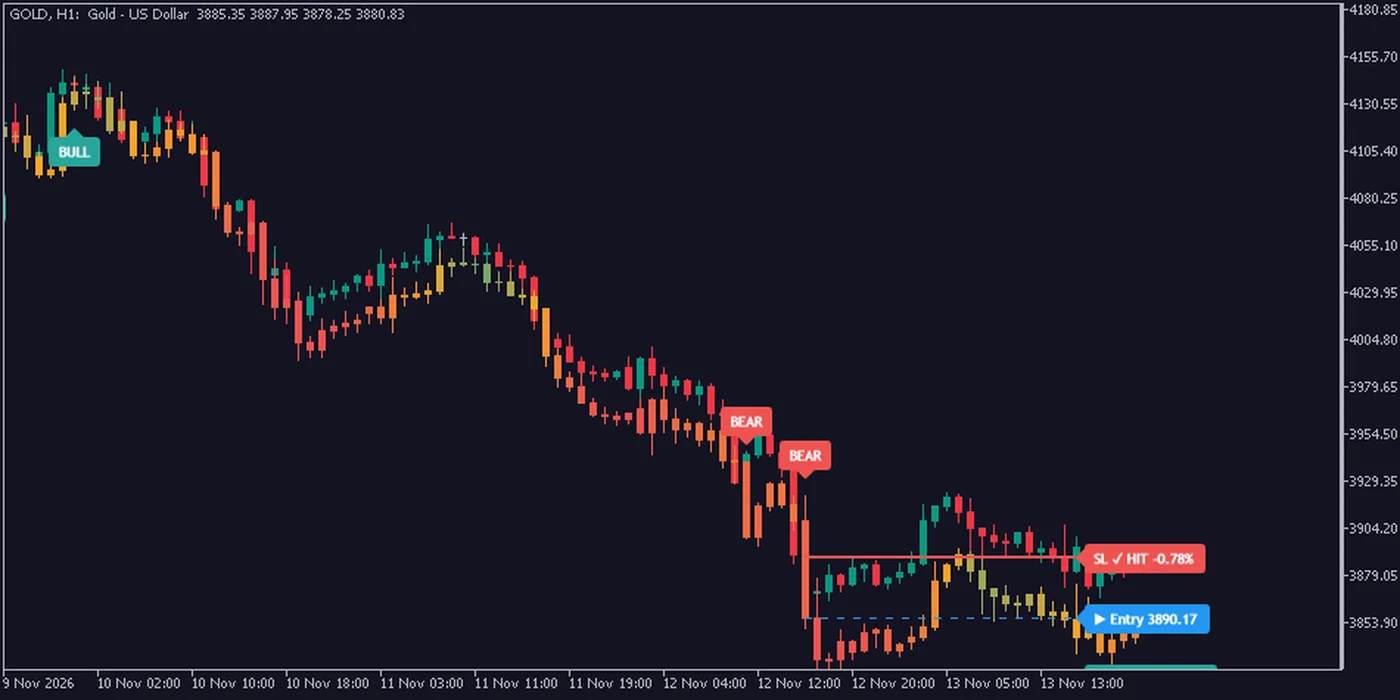
Reading a signal in the same order every time
The indicator lays out the evidence and the levels; the read and the order are yours. Use this sequence when a marker prints or an alert arrives.
- 1
Locate the score
Look at the score's colour and its place against zero, the +20 and -20 thresholds and the +60 and -60 zones. Green toward +60, amber around zero, red toward -60. A BULL can print while the score is still below zero: momentum has begun to turn but has not left the weak side yet.
- 2
Compare Bias with the marker
Bias reads BULL at +20 or more, BEAR at -20 or less, NEUTRAL between. A BULL with Bias already BULL is a cross in a move that is underway; a BULL with Bias NEUTRAL or BEAR is an early turn. Decide in advance which of the two you trade, because the indicator shows both.
- 3
Check agreement and slope
Read the Agreement row and, if it is close to 60 %, the six component rows to see which readings disagree. Check Slope and Slope Align. If you use Higher TF Confirm, the Higher TF row says PASS, BLOCK or SKIPPED when the chosen timeframe is not above the chart's.
- 4
Measure from your own price
The entry is the signal candle's close, which you cannot trade at once the candle has closed. Read the Trade row, then measure your own distance from your fill to the stop line, which sits 1.5 ATR from the entry. Size the position so that distance costs only what you accept to lose on one trade.
- 5
Manage targets and the stop
Targets count on a touch, even during a forming candle, and the TP label changes to HIT. The stop counts only when a candle closes beyond it, so a wick through the red line does not end the trade. Decide before entering what you do at TP1 and TP2; the Partial Close alerts can tell you when they are reached.
- 6
Know when to pass
Pass on a signal when Agreement only just clears 60 % with key components against it, when the higher timeframe disagrees and you trade with it, or when the score sits deep in a zone and you do not want to chase a stretched move. A refused cross explains itself in the dashboard rows.
16 rows that read the market for you
- Header: the indicator, the symbol and the chart timeframe
- Lock: OFF or ACTIVE
- Bias: BULL, BEAR or NEUTRAL, the score read against +20 and -20
- Score: the signed combined momentum score
- Agreement: how many of the active oscillators agree, in percent
- Slope: RISING, FALLING or FLAT
- Slope Align: PASS or BLOCK, shown while Slope Align is on (the default)
- Optional rows: Higher TF (PASS, BLOCK or SKIPPED), Trend Strength (ADX) and Smoothing, each shown only while its filter is on
- Zone: OVERBOUGHT, OVERSOLD or NEUTRAL
- Signal: LONG, SHORT or NONE
- Trade: the state of the latest signal's plan: open, target 1, 2 or 3 reached, stopped, or flat
- Entry, Stop, TP1, TP2 and TP3: the plan's prices, each ticked once price has reached it
- ATR: the current average true range
- Open R: where price stands against the open plan's entry, measured in multiples of its stop distance
- Active: how many of the six oscillators are switched on
- RSI, Stoch, CCI, MACD, ROC and MFI: each oscillator's own signed score
Everything Supreme Momentum Confluence does for you
One score instead of six windows
RSI, Stochastic, CCI, MACD, ROC and MFI on a common -100 to +100 scale, blended by weight. Six optional component lines show each reading separately in the window.
A cross that needs support
Min Agree % 60 and Slope Align over 3 bars filter crosses before they become signals. Lower Min Agree % or switch Slope Align off to let more through; switch on Higher TF Confirm or the Strength Filter to let fewer through.
Candles in the score's colour
With Candle Color on, every candle takes the score's gradient: green toward +60, amber at zero, red toward -60. The colour says where momentum is, not which way the candle went.
An ATR trade plan on every signal
A blue entry line at the close, a red stop line 1.5 x ATR(14) away and green TP1, TP2 and TP3 lines at 1R, 2R and 3R, each with a label that prints its price. Stop and target colours are separate inputs from the Bull and Bear colours.
A dashboard that explains refusals
Rows for Lock, Bias, Score, Agreement, Slope, Slope Align, Zone, Signal, Trade, Entry, Stop, TP1 to TP3, ATR, Active and each component score. Hover a cell for its explanation. It can sit in any corner or move into the score window.
A higher-timeframe gate when you want it
Higher TF Confirm reads the same symbol's last closed D1 bar by default, worked out with the same settings, so it never looks ahead. A timeframe below the chart's is skipped and the row reads SKIPPED.
Lock Signal while you manage a trade
Lock Signal blocks new signals on the live chart while targets and the stop go on being tracked, so a fresh cross does not replace the trade you are managing.
Ten alert conditions
BUY, SELL, Close Long, Close Short, Partial Close Long and Short, SL Hit and TP1 to TP3 Hit, through a pop-up, a sound file of your choice, a push notification or e-mail. Test Alerts on Start checks your setup.
Supreme Momentum Confluence, feature by feature
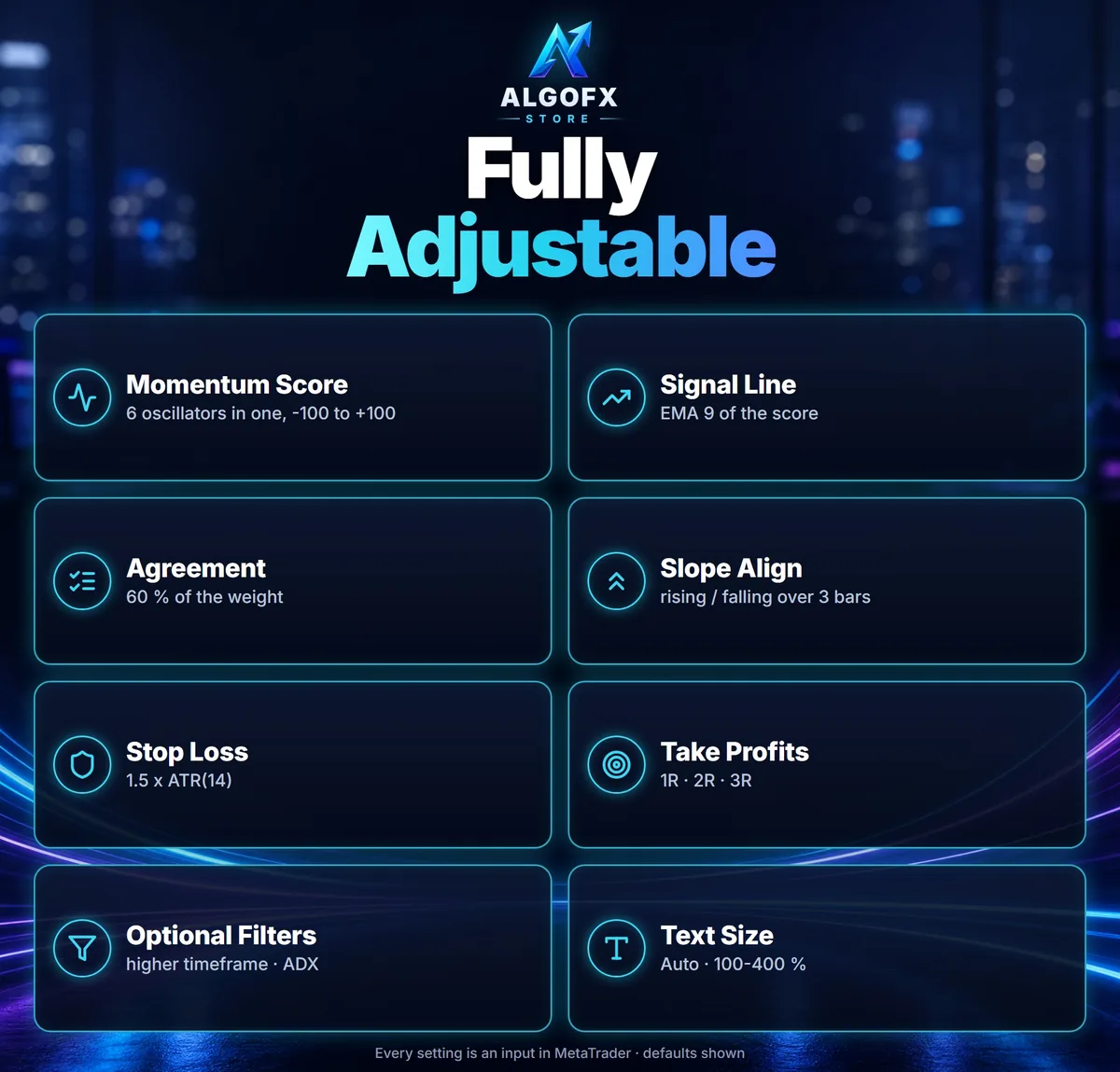
Each picture is built from real platform screenshots of the shipped indicator at its default settings, labelled so you can see what every part does. Tap any picture to open it full size.


How traders put it to work
Forex swing trades on H1 and H4
Use the defaults first. The 1.5 ATR stop scales with each timeframe's own ATR(14), so the plan widens on H4 without any change. Switch Higher TF Confirm on with D1 if you only want signals in the direction of the daily Bias; until D1 has a Bias, the filter blocks signals.
Intraday on M15
On faster charts more crosses appear. Raise Smooth or Signal Len to slow the score and get fewer crosses, or switch on the Strength Filter so signals need an ADX(14) of at least 20 on the signal candle as a minimum trend strength.
Gold, indices and crypto
All widths are in ATR, so the stop and targets scale with the symbol's own movement. MFI reads tick volume, so another broker's feed can give a slightly different score. Every component reads your broker's candles only; nothing from another symbol is used.
Building your own blend
Switch any component off or weight it from 0 to 10. A trader who trusts RSI and MACD most can raise their weights; Agreement is then measured against the new total weight. Change one setting at a time and judge it on your own market on a demo account.
Every setting, with its default
The names are the ones in the MetaTrader inputs dialog; the defaults are what every chart on this page uses.
| Setting | Default | What it does |
|---|---|---|
| Smooth / Signal Len | 3 / 9 | InpSmooth / InpSigLen: EMA smoothing of the blended score and the EMA length of its signal line. |
| Min Agree % | 60 | InpMinAgree: share of the component weight that must point the signal's way. |
| Slope Align / Slope Len | on / 3 | InpReqSlope / InpSlopeLen: the score must be rising (BUY) or falling (SELL) over 3 bars. |
| Components RSI · Stoch · CCI · MACD · ROC · MFI | all on, weight 1.0 each (RSI 14, Stoch 14 / 3, CCI 20 sat 200, MACD 12 / 26 / 9, ROC 14, MFI 14) | InpUseRsi..InpUseMfi with their lengths and weights InpWRsi..InpWMfi. |
| Norm Len / Z Sat | 100 / 2.5 | InpNormLen / InpSatZ: the window and cap of the z-scores (MACD, ROC). |
| OB Lvl / OS Lvl · Bull Thr / Bear Thr | +60 / -60 · +20 / -20 | InpOb / InpOs (shaded zones), InpThrBull / InpThrBear (the Bias row). |
| Higher TF Confirm / Strength Filter | off (D1) / off (ADX 14 >= 20) | InpHtfOn + InpHtfTf, InpAdxOn + InpAdxThr + InpAdxLen: optional extra gates. |
| ATR Length / SL ATR x | 14 / 1.5 | InpAtrLen / InpSlMult: the stop distance (1R). |
| TP1 R / TP2 R / TP3 R | 1 / 2 / 3 | InpTp1R..InpTp3R: targets in multiples of the stop distance. |
| Show Dash / Position / Show on Price Chart / Label + Dash Text Size | on / Top Right / on / Auto | InpShowDash, InpDashPos (4 corners), InpDashOnPrice (price chart or the score window), InpLabelSize / InpDashSize (Auto follows Windows scaling, 100-400 %). |
11 alert events
You choose which alerts are on in the inputs. Alerts can go to a pop-up in MetaTrader's Alert window, a sound, a push notification to the MetaTrader app on your phone and an e-mail (MetaTrader's e-mail settings must be filled in).
- Every alert the indicator raises (one switch for all)
- BUY signal
- SELL signal
- Close long
- Close short
- Partial close long
- Partial close short
- Stop loss hit
- TP1 hit
- TP2 hit
- TP3 hit
Supreme Momentum Confluence next to the usual options
Where it wins, and where it does not.
| Supreme Momentum Confluence | Typical free oscillator | Reading it by hand | |
|---|---|---|---|
| Readings combined | Six oscillators on one scale, weighted | One oscillator | Several windows weighed by eye |
| What makes a signal | Cross plus 60 % agreement plus slope, on the closed candle | Usually a line cross or a level | Your judgement |
| Trade levels | Entry, 1.5 ATR stop, TP1 to TP3 with prices | None | Calculated by you |
| Why a cross was refused | Dashboard rows for every test | Not shown | Not recorded |
| Cost | One payment | Free and built into the terminal | Free |
| Simplicity | More to learn: score, agreement, slope, zones | Very simple | As simple as you make it |
Honest about who this fits
A good fit if you
- You trade momentum and want several oscillators to agree before you act.
- You prefer one score with a signal line to six separate windows.
- You want an ATR stop and three targets drawn the moment a signal prints, so you can size before you trade.
- You want to see why a cross was refused, test by test, in a dashboard.
- You trade forex, gold, indices or crypto on MetaTrader 4 or MetaTrader 5 on any timeframe.
Not for you if you
- Traders who want orders placed for them: it draws and alerts, and every order stays with you.
- Anyone who wants one classic oscillator kept simple: this is a blend with several tests to learn.
- Traders who need the stop to trigger on a touch: the stop counts only on a candle close beyond it.
- Anyone who wants every past trade plan kept on the chart: only the current trade's levels are drawn.
Both builds, one guide, installed in a minute
- 2Indicator buildsSupreme_Momentum_Confluence.ex4 for MetaTrader 4 and Supreme_Momentum_Confluence.ex5 for MetaTrader 5, in one 1.2 MB zip.
- 4Page PDF guideInstallation, every setting with its default and how to read the chart.
- 10Setting groupsEvery one explained above, with the defaults the charts use.
- 11Alert eventsYou choose which ones are on in the settings.
- 60Day money-back guaranteeIf it is not for you, request a full refund within 60 days through your Digistore24 order e-mail.
Install in four steps
- Download the zip from the page Digistore24 sends you to after checkout and unzip it.
- MetaTrader: File, Open Data Folder, then MQL4\Indicators (MetaTrader 4) or MQL5\Indicators (MetaTrader 5).
- Copy the .ex4 (MetaTrader 4) or the .ex5 (MetaTrader 5) there, refresh the Navigator and drag “Supreme_Momentum_Confluence” onto a chart.
- Read the guide; the defaults are the settings shown on this page.

Kestutis Balciunas
AlgoFXStore · chart indicators for MetaTrader, TradingView, cTrader and NinjaTrader
Kestutis Balciunas builds and publishes chart indicators under the AlgoFXStore name for MetaTrader 4 and 5, TradingView, cTrader and NinjaTrader 8. Every product page shows what the indicator draws on real charts, and every number on it comes from the shipped build.
The charts on this page were captured in MetaTrader from the shipped Supreme_Momentum_Confluence at its default settings and are shown unedited.
No get-rich claims and no quoted win rates. Every trade is uncertain, and no indicator changes that. If you want to know whether it suits the way you trade before you buy, e-mail [email protected] and you will get a straight answer.
One price, both platforms
- Both builds: .ex4 for MetaTrader 4 and .ex5 for MetaTrader 5, plus the 4-page PDF guide
- Delivered as a digital download: one zip with both builds and the PDF guide on your download page
- Return period: 60 days, with a full refund if it is not for you
- Free updates to the current version on the same download page
60-day money-back guarantee. Install it, run it on your own charts and read the guide. If Supreme Momentum Confluence is not for you within 60 days of purchase, request a full refund from Digistore24, no questions asked: use the refund link in your Digistore24 order e-mail or Digistore24's order page digistore24.com/en/cancel-revoke-contract. Digistore24 refunds to your original payment method. It is a digital download: right after checkout you land on your download page, and the link to it is also in your Digistore24 order e-mail.
About the signals
Does it repaint?
Signals are decided on the closed candle and the BULL and BEAR markers do not change afterwards. On the forming candle the score, the newest candle's colour and the dashboard move with every tick, so a cross can appear and go away before the close. Targets count on a touch, so a TP can be marked HIT during a forming candle; a touch cannot be undone, so the closed candle agrees.
Why did a clear cross print no marker?
A cross is only a candidate. It needs Agreement of at least 60 %, Slope Align passing and any optional filter you switched on. On the newest candle the dashboard rows show which test refused it; for an older candle the Data Window lists the score, the signal line and each component.
Why is there a BULL marker on a red candle?
The candle colour shows where the score is, not the signal. The score can still be below zero, red, when it crosses up over its signal line. That is an early turn from the weak side, and Bias will still read NEUTRAL or BEAR.
Do OVERBOUGHT and OVERSOLD block signals?
No. The zones at +60 and -60 are conditions of stretched momentum shown in the window and the Zone row. In a strong move the score can stay in a zone for a long time, and a signal can come from inside one. Treat a zone as context, not as an instruction.
What happens when a new signal prints while a trade is open?
The open trade is closed and replaced: its lines and labels are deleted and the new trade is drawn from the new signal candle, on the same side or the opposite one. With their switches on, Close Long or Close Short fires together with the new BUY or SELL alert. Lock Signal prevents this while you manage a trade.
Settings and tuning
Which settings change the picture most?
Smooth and Signal Len (fewer or more crosses), Min Agree % and Slope Align (how much support a cross needs), Higher TF Confirm and Strength Filter (optional gates), and SL ATR x with TP1 R to TP3 R for the trade levels. Start with the defaults and change one setting at a time.
Can I change the stop and targets?
Yes. SL ATR x sets the stop distance in ATR(14), 1.5 by default, and every target moves with it because TP1 R, TP2 R and TP3 R are multiples of that distance. Targets typed out of order are sorted, and the dashboard says so.
How much history does it need?
The score needs a warm-up of the MACD slow length plus Norm Len, about 126 candles at the defaults, before every component reads; the Active row shows how many count. Bars To Calculate is 20,000 by default; a different setting can change the earliest signals at the left edge.
Dashboard, alerts and the chart
What do the dashboard rows mean?
The header shows the symbol and timeframe. Then Lock, Bias, Score, Agreement, Slope and Slope Align, Zone, Signal, Trade with its state, Entry, Stop and TP1 to TP3 with a tick once reached, ATR, Active components and one row per component score. Optional filter rows appear only when those filters are on. Hover any cell for its tooltip.
What do the alert messages look like?
Each message gives the indicator's name and the condition, for example BUY Signal Fired, TP1 Hit or Partial Close Long, followed by the symbol and timeframe. Entries, the stop and replaced trades alert on the closed candle; targets alert on the touch. Each fires once per candle and nothing fires for history or in the Strategy Tester.
Can alerts reach my phone?
Yes. Switch on Alert Push Notification and set your MetaQuotes ID in the terminal's Notifications options; e-mail uses the terminal's Email options. The indicator itself runs in MetaTrader on your computer, so that terminal must stay open for the phone to receive anything.
MetaTrader 4 and MetaTrader 5
Are the MT4 and MT5 builds the same?
Yes in what they calculate and draw: the same six components, the same score, the same signals, levels, dashboard and alerts, painted with real transparency into the chart on both. MFI reads tick volume in both terminals. The two builds were checked against the same reference with no differences.
How it works
Will it place trades for me?
No. Supreme Momentum Confluence is an indicator: it draws on the chart and can alert you. It never sends an order.
Which markets and timeframes does it work on?
Any symbol and any chart timeframe, MT4 and MT5. Only the chart's own bars are read unless 'Higher TF Confirm' is switched on (default D1; it must be ABOVE the chart timeframe, otherwise the dashboard says SKIPPED); then the same symbol's higher-timeframe history is read (closed bars). MFI uses tick volume. Window 'Bars To Calculate' 20000 (0 = all); the score needs its warm-up (MACD 26 + Norm Len 100 bars) before it reads.
Do I get both MetaTrader 4 and MetaTrader 5?
Yes. The download holds the .ex4 for MetaTrader 4 and the .ex5 for MetaTrader 5.
After you buy
How do I get it after paying?
Digistore24 runs the checkout. Right after payment it takes you to your download page with one zip holding both builds and the PDF guide; the link to that page is also in your Digistore24 order e-mail, so you can download again at any time.
How do I install it?
In MetaTrader: File, Open Data Folder, then MQL4\Indicators (MetaTrader 4) or MQL5\Indicators (MetaTrader 5); copy the matching file there, refresh the Navigator and drag “Supreme_Momentum_Confluence” onto a chart. The guide walks through it step by step.
Who is Digistore24?
Digistore24 is the reseller that sells Supreme Momentum Confluence for Kestutis Balciunas (AlgoFXStore): it runs the checkout, charges your card or PayPal, collects the VAT for your country and delivers the download. Its name is the one on your statement, and its order e-mail holds your download link and the refund link.
What is the refund policy?
A 60-day money-back guarantee, handled by Digistore24. If Supreme Momentum Confluence is not for you within 60 days of purchase, use the refund link in your Digistore24 order e-mail or Digistore24's order page (digistore24.com/en/cancel-revoke-contract) for a full refund, no questions asked. Digistore24 makes the refund to your original payment method.
Do I get the source code?
No. The download holds the compiled .ex4 and .ex5 files and the PDF guide.
Supreme Momentum Confluence for MetaTrader 4 and 5.
Trade momentum only when the readings agree, with the stop and targets already on your MetaTrader chart. Both builds, the guide and every setting explained. Instant download for €47, one payment.
Get instant access