Enter on the first pullback to a VWAP anchored at the last swing, not on any VWAP touch
Structure VWAP Scalper anchors a VWAP at every confirmed swing high or low, so each leg of the market has its own volume-weighted average, drawn green in a bullish leg and red in a bearish one.
- A VWAP anchored at each confirmed swing, so every leg has its own average and deviation band.
- Long or Short only on the first VWAP retest after five candles away, decided on the closed candle.
- Stop at 1.5 x ATR(13), targets at 1R, 2R and 3R, and the stop moved to entry after TP1.
- HH, HL, LH and LL swing labels, VWAP memory levels and a dashboard with the leg's state.
- The full Pine Script source code. Paste it into the Pine Editor, save, and add “Structure VWAP Scalper [AlgoFXStore]” to your chart.
- A 15-page PDF manual with installation, every setting and how to read the chart. One-time €47.
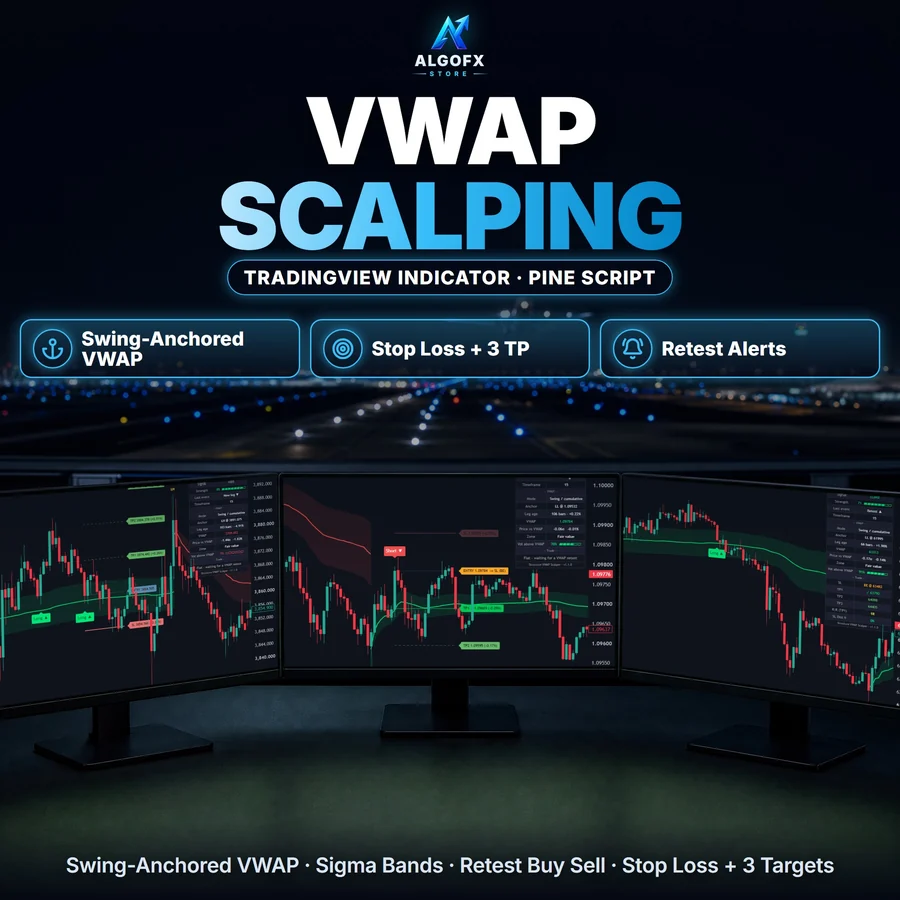
See Structure VWAP Scalper on a real chart
Press play; use the full-screen button to see every detail.
A session VWAP resets at midnight, not when the trend changes
VWAP is one of the most watched lines in intraday trading, but the usual session VWAP starts again at a fixed time every day, whatever the market is doing. In the middle of a trend it can sit far from price, and right after a reversal it still carries the volume of the move that just ended. Buying a touch of that line means buying an average that may have nothing to do with the current leg.
The second problem is timing. Price crosses a VWAP many times in a choppy hour, and each touch looks like a test. Traders who take every touch end up buying the middle of a range. What matters is a pullback after price has clearly left the average in the direction of the leg, and that is hard to judge consistently by eye.
Structure VWAP Scalper anchors the VWAP where the leg began: at the last confirmed swing low for a bullish leg, at the last swing high for a bearish one. A Long needs price to stay above that VWAP for at least five candles and then touch it again; a Short is the mirror. The stop, three targets and the break-even move are drawn with the signal.
Everything Structure VWAP Scalper draws on your chart
Read from the shipped Pine Script code.
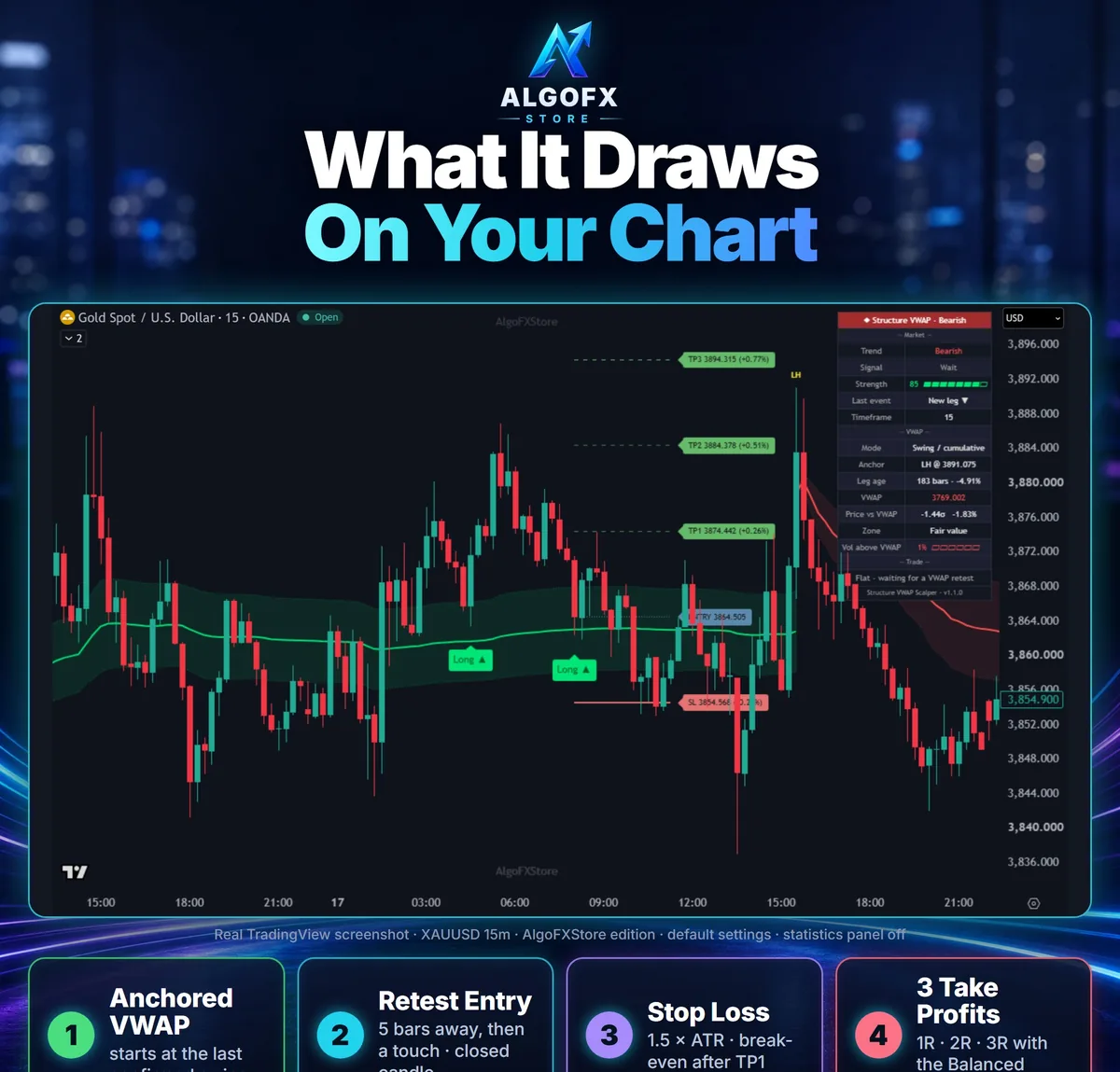
- Anchored VWAP curve of the current leg (polyline, width 2): green (input 'Bull') in a bullish leg anchored at a swing low, red ('Bear') in a bearish leg anchored at a swing high. Finished legs stay drawn up to the next anchor, so the curve has no gaps
- Band 1 (on): filled contour VWAP + / - 0.5 x the leg's volume-weighted standard deviation, dotted border, fill transparency 90. Band 2 (+ / - 2.0 sigma) is off by default
- Swing labels at confirmed pivots (55 / 55, at least 1.5 x ATR apart): HH (green), LH / EQH / H (yellow), HL / EQL / L (green), LL (red); tooltip with the swing price and the confirmation delay
- VWAP memory levels (on): dashed line at the last VWAP of a leg that flipped direction, extended until price trades through it, up to 4
- 'Long' label (green, below the candle) and 'Short' label (red, above) on the retest entry candle
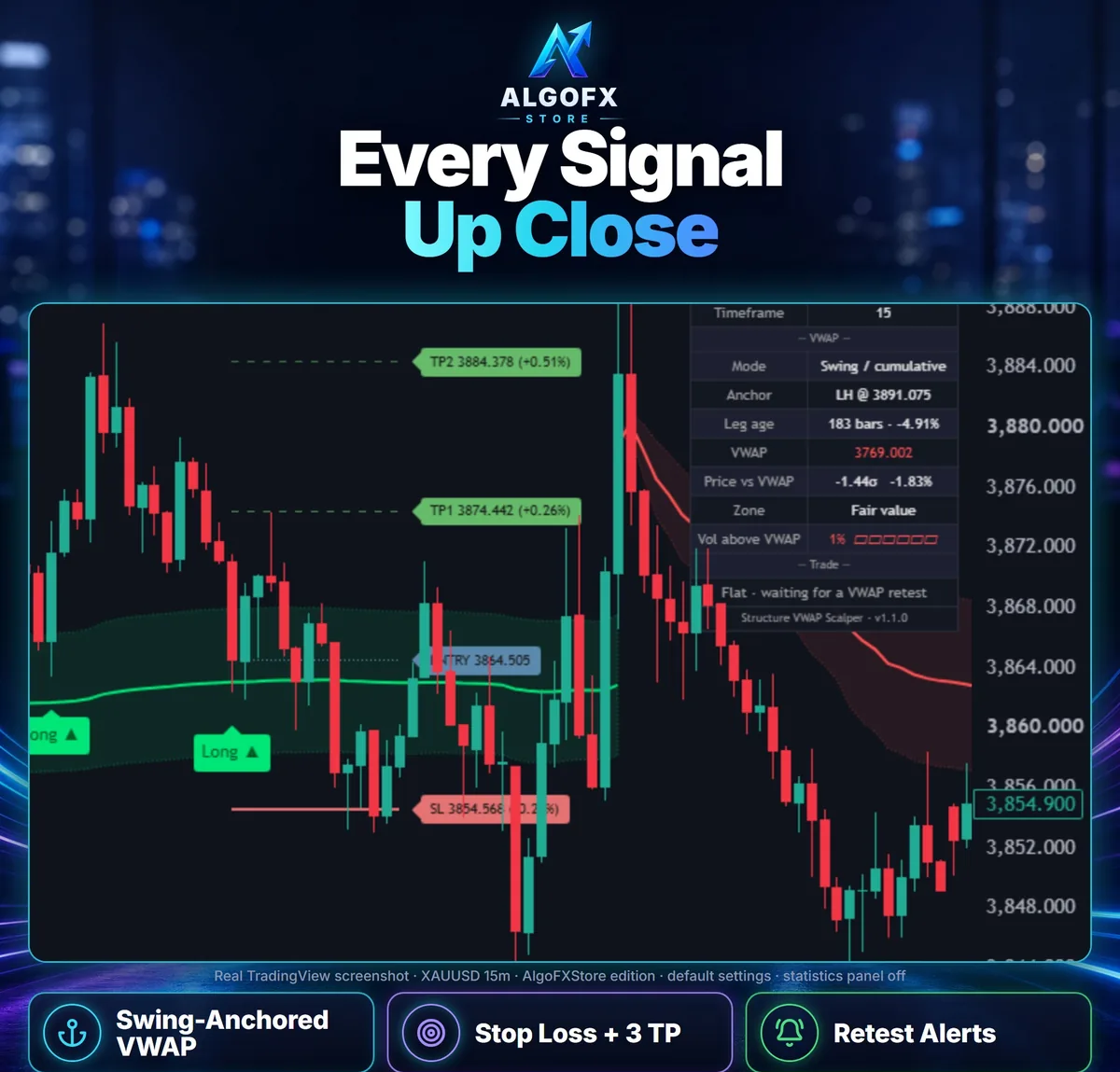
- Trade plan of the newest trade: dotted entry line (blue-grey), solid red SL line (width 2), dashed green TP1 / TP2 / TP3 lines, 20 bars forward, then kept 5 bars ahead of price while the trade runs; labels 'ENTRY <price>', 'SL <price> (-x.xx%)', 'TP1 / TP2 / TP3 <price> (+x.xx%)'. A reached target: solid green line, label 'TP1 tick...'. Break-even: SL line and label dim, entry label orange 'ENTRY <price> to SL (BE)'. The lines of the last trade stay until the next entry
- Dashboard: header ' Structure VWAP · Bullish / Bearish / Neutral' tinted by leg, sections Market, VWAP, Trade, Stats (each switchable), footer 'Structure VWAP Scalper · v1.1.0'
- Optional leg background tint
- AlgoFXStore watermark bottom centre and AlgoFXStore badge top centre
From swing structure to a VWAP retest
Everything below is read from the shipped Pine Script v6 code. It uses only the chart's own candles, with no request.security.
- 1
Swings define the legs
Swings are pivot highs and lows with 55 bars on each side, accepted on a closed candle when they alternate with the last swing and sit at least 1.5 x ATR(13) from the previous opposite one, or when they extend the last swing of the same kind. Each swing high starts a bearish leg and each swing low a bullish leg. HH, HL, LH, LL and equal highs and lows are labelled.
- 2
A VWAP for each leg
From the anchor, the script builds a volume-weighted average of hl2 and its volume-weighted standard deviation. Volume spikes are capped at 4 times the 50-bar median, and on a feed without volume the average is time-weighted. Band 1 at 0.5 sigma is shaded around the line; band 2 at 2.0 sigma is available. When a leg flips, its last VWAP stays as a dashed memory level until price trades through it.
- 3
Away first, then the retest
In a bullish leg, a candle counts as away when its low stays above the VWAP plus a tolerance of 0.25 sigma. After at least five away candles in a row, the first candle whose range touches the VWAP band is a retest and prints Long. In a bearish leg the highs must stay below the VWAP, and the retest prints Short.
- 4
Checked on the closed candle
A Long or Short prints only on a closed candle, after 110 candles of warm-up, and only when no trade is open. Swings are accepted on closed candles too, and the target and stop checks run on closed candles from the next candle on, so every signal and every hit belongs to a finished candle.
- 5
The plan and break-even
The entry is the retest candle's close. With the Balanced preset the stop sits 1.5 x ATR(13) away and TP1, TP2 and TP3 at 1, 2 and 3 times that distance. When TP1 is touched, the stop moves to the entry from the next candle. The trade ends at the stop, at the break-even stop or at TP3, and reached targets turn solid with a tick.
Structure VWAP Scalper on 12 different markets
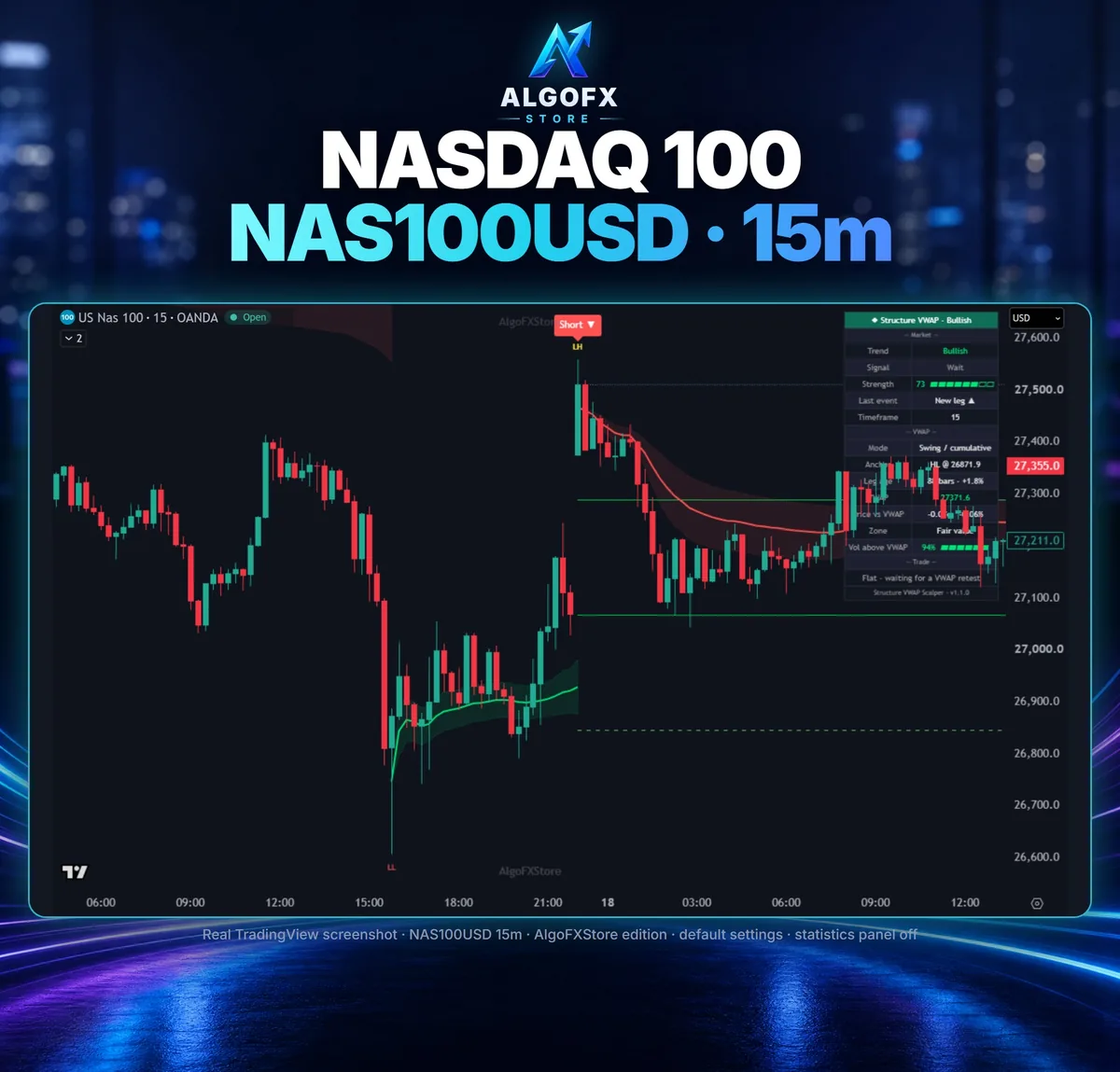
Every chart below is a screenshot of TradingView itself with the shipped Structure VWAP Scalper [AlgoFXStore] attached at its default settings. Forex, metals, indices, energy and crypto, so you can see how it reads each kind of market. They show what the indicator draws; they are not trading results. Tap or click any chart to open it full size.
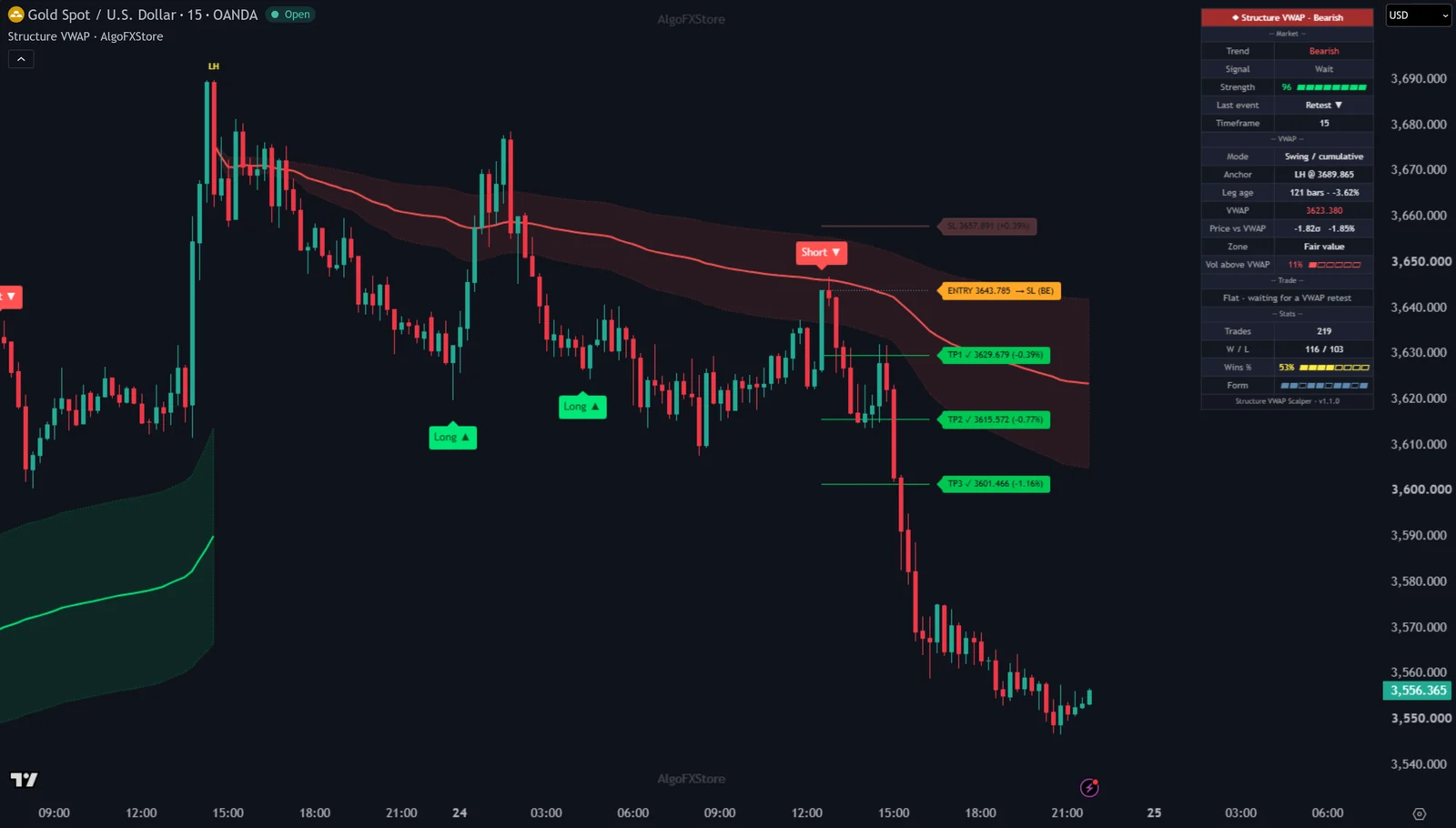
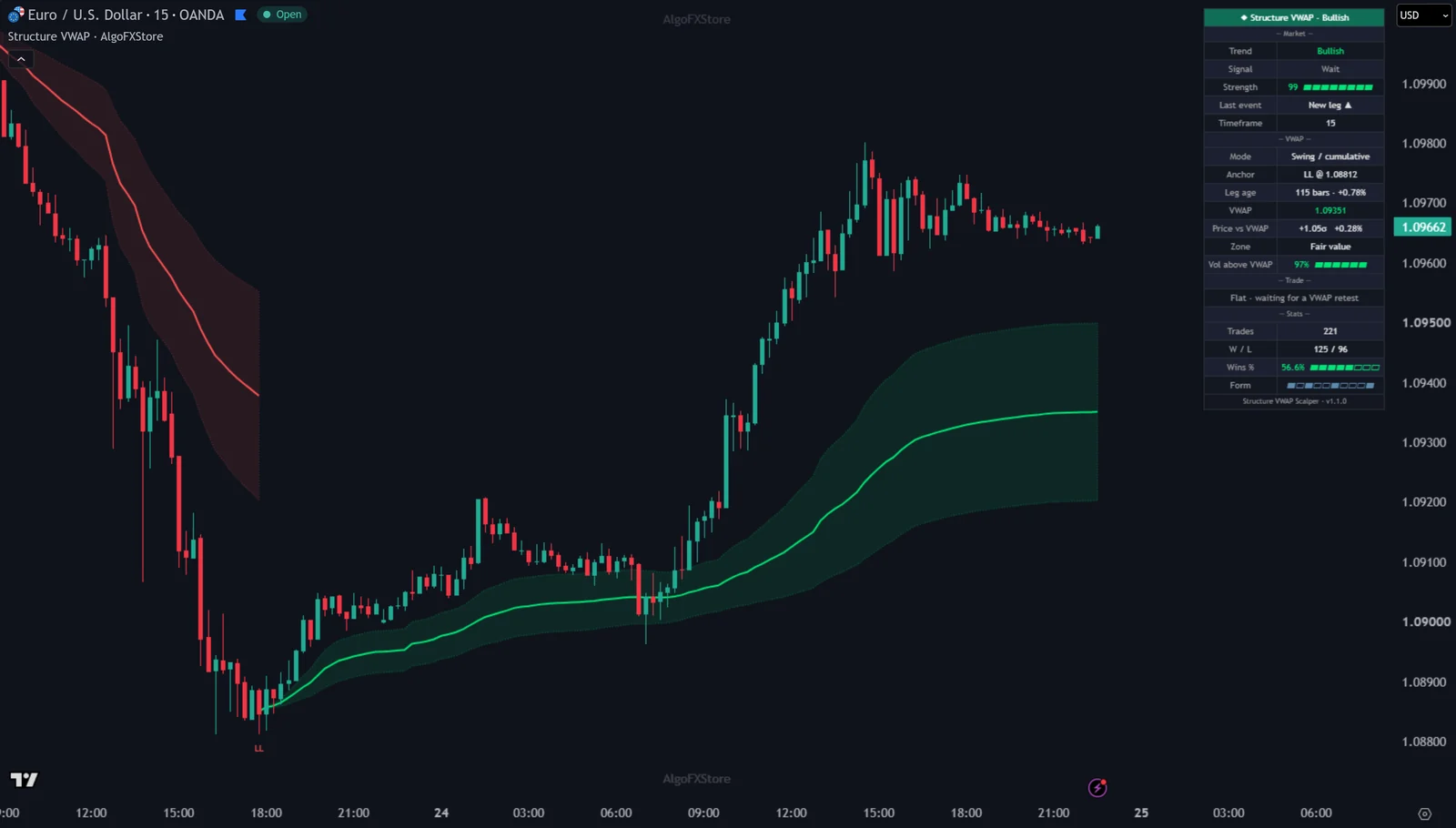
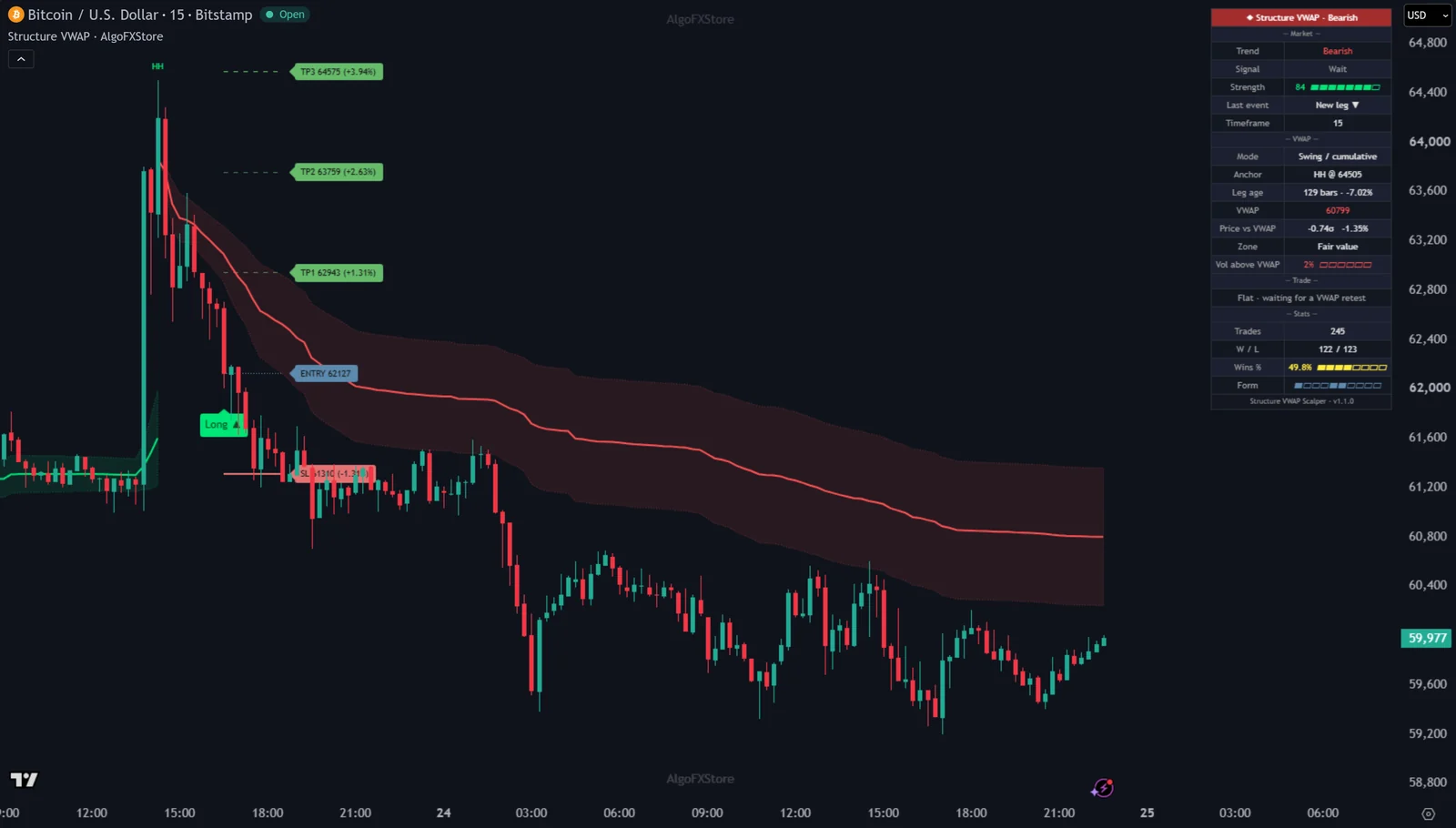
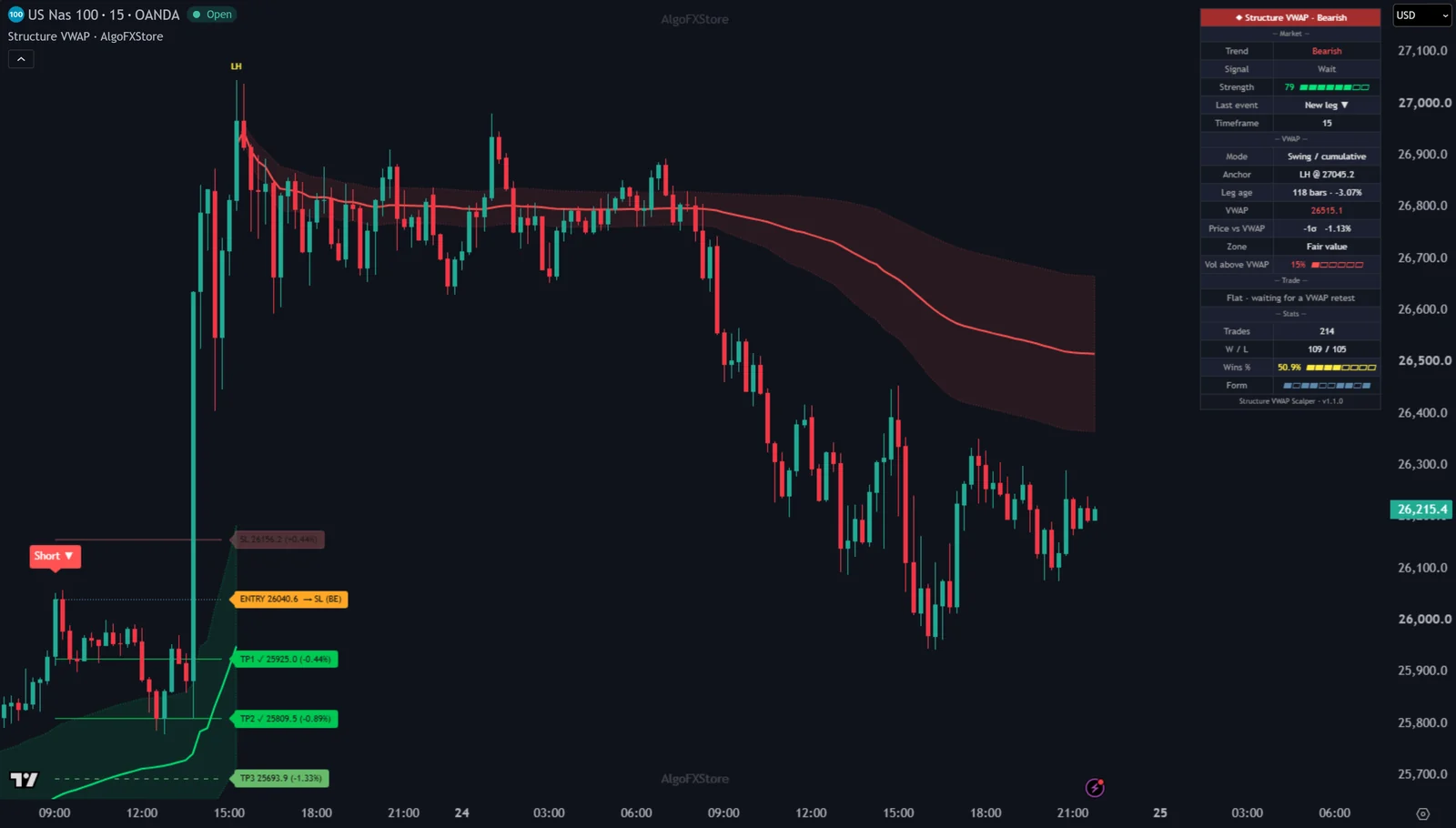
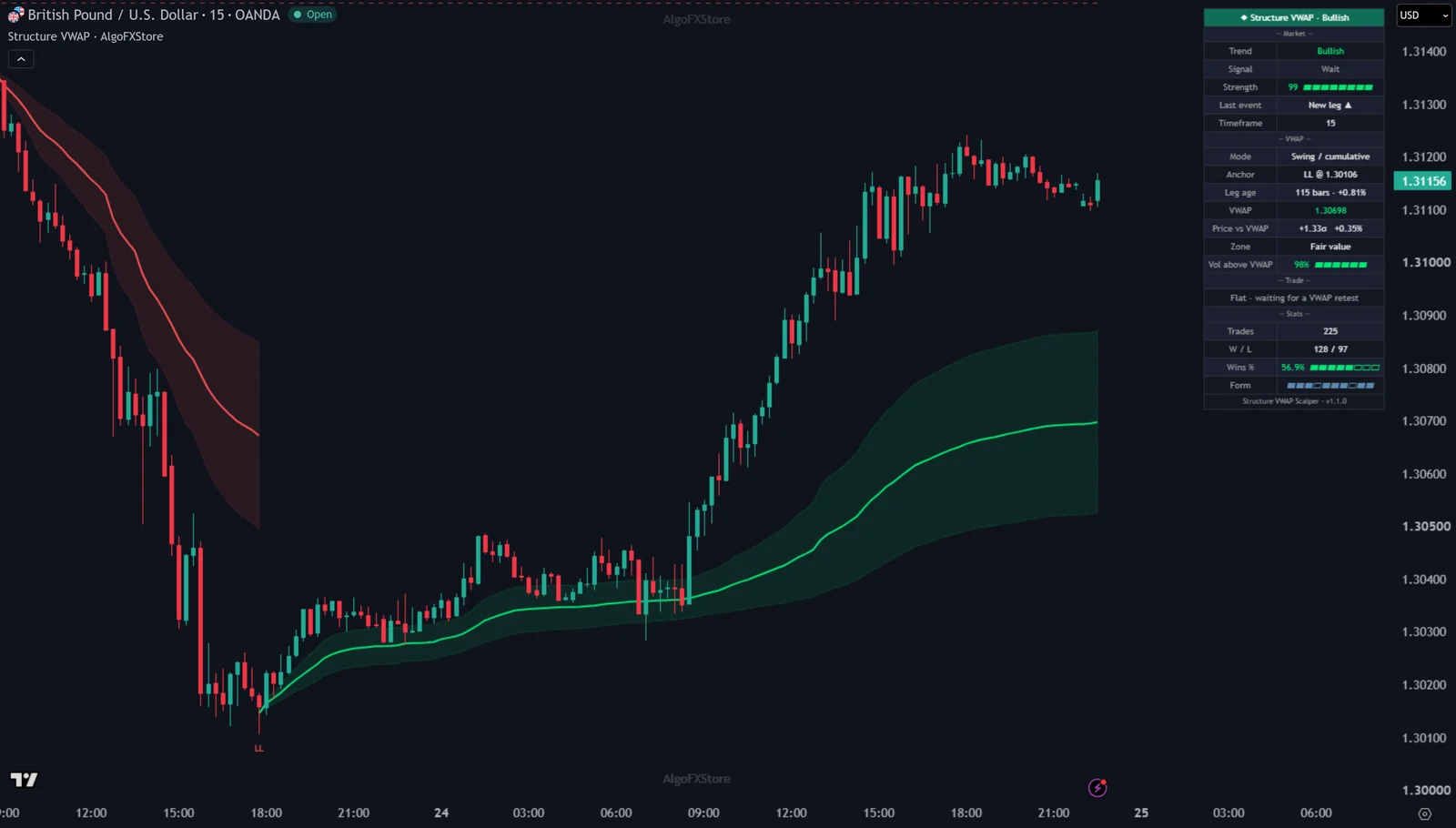
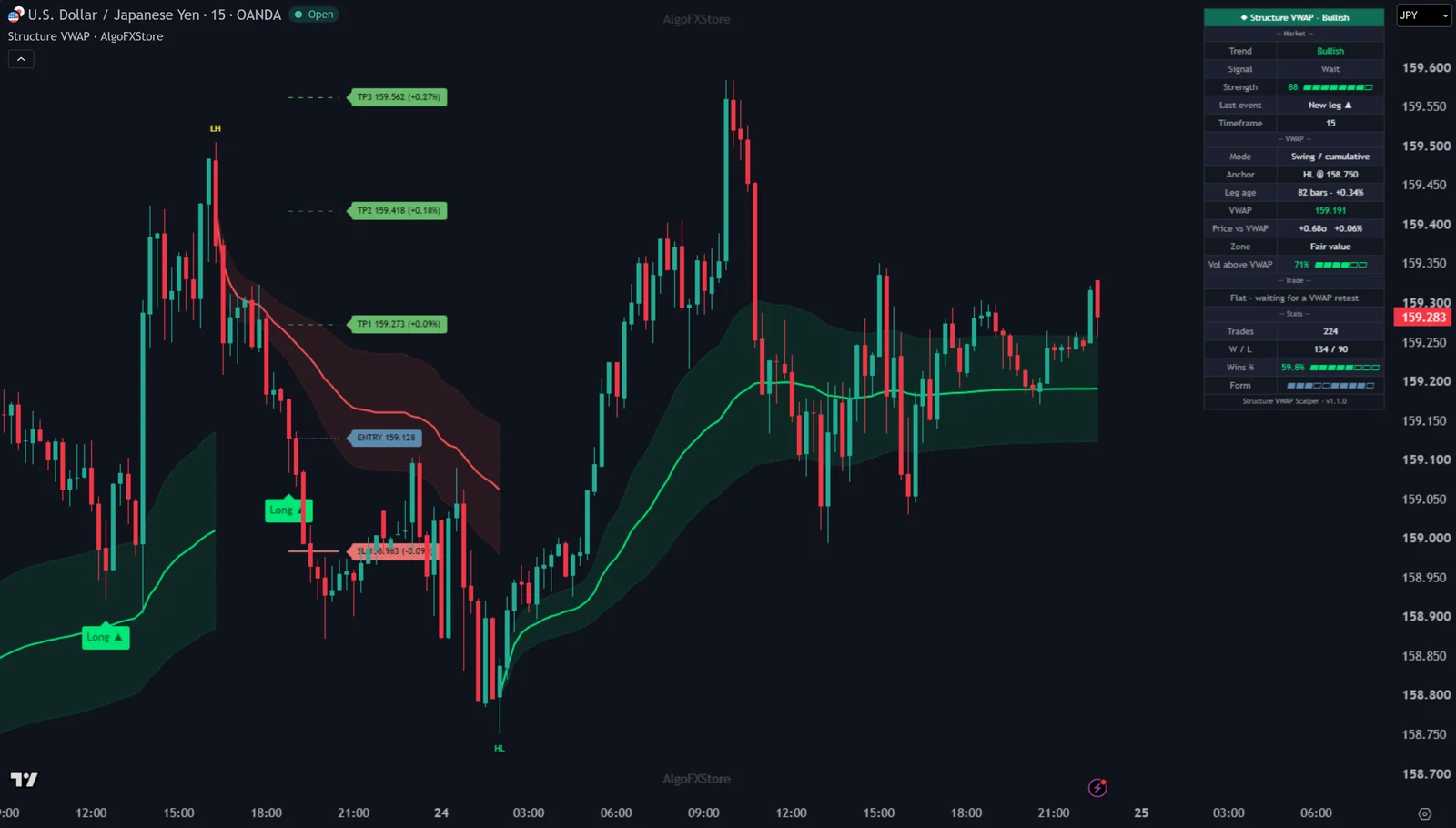
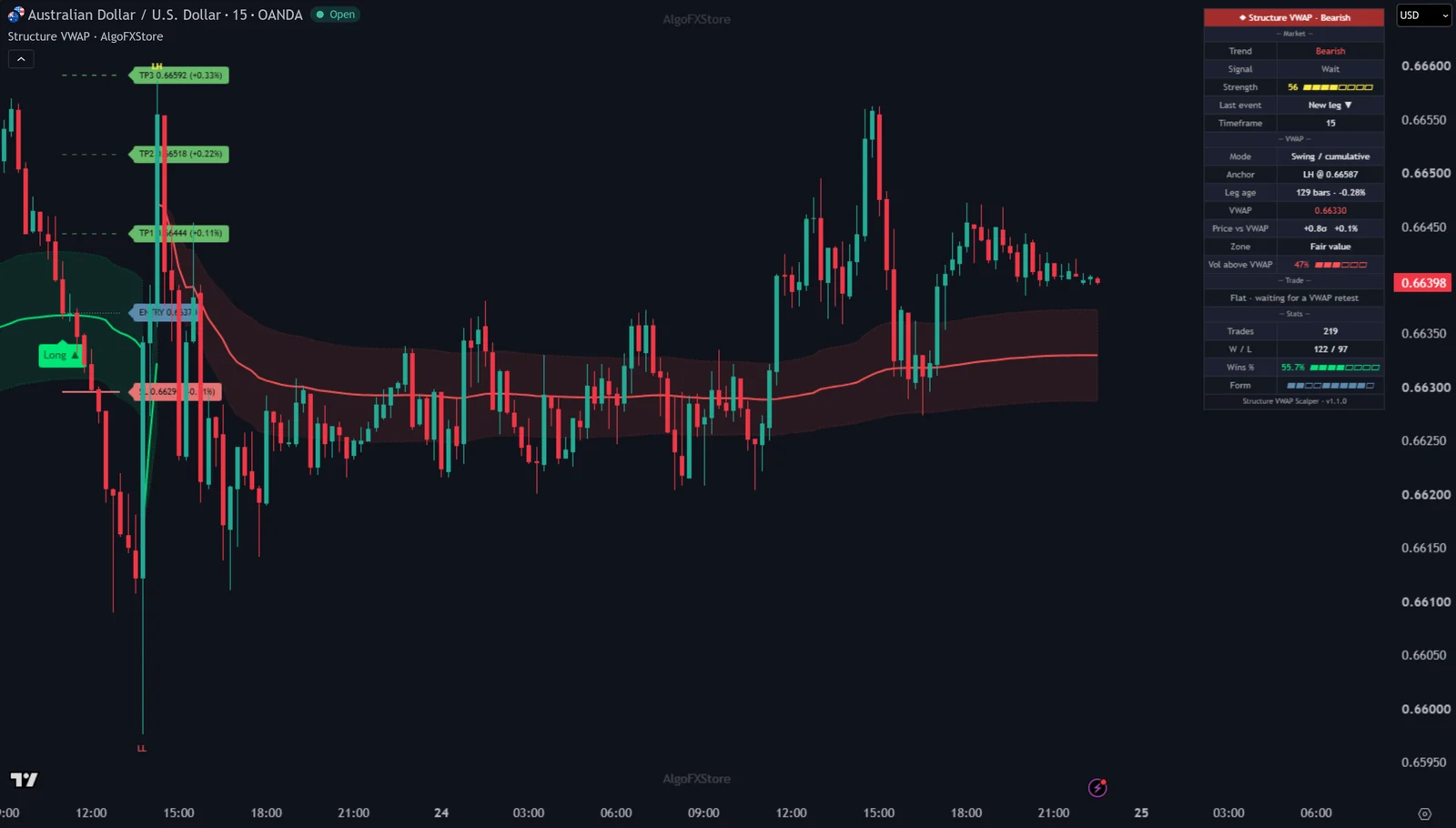
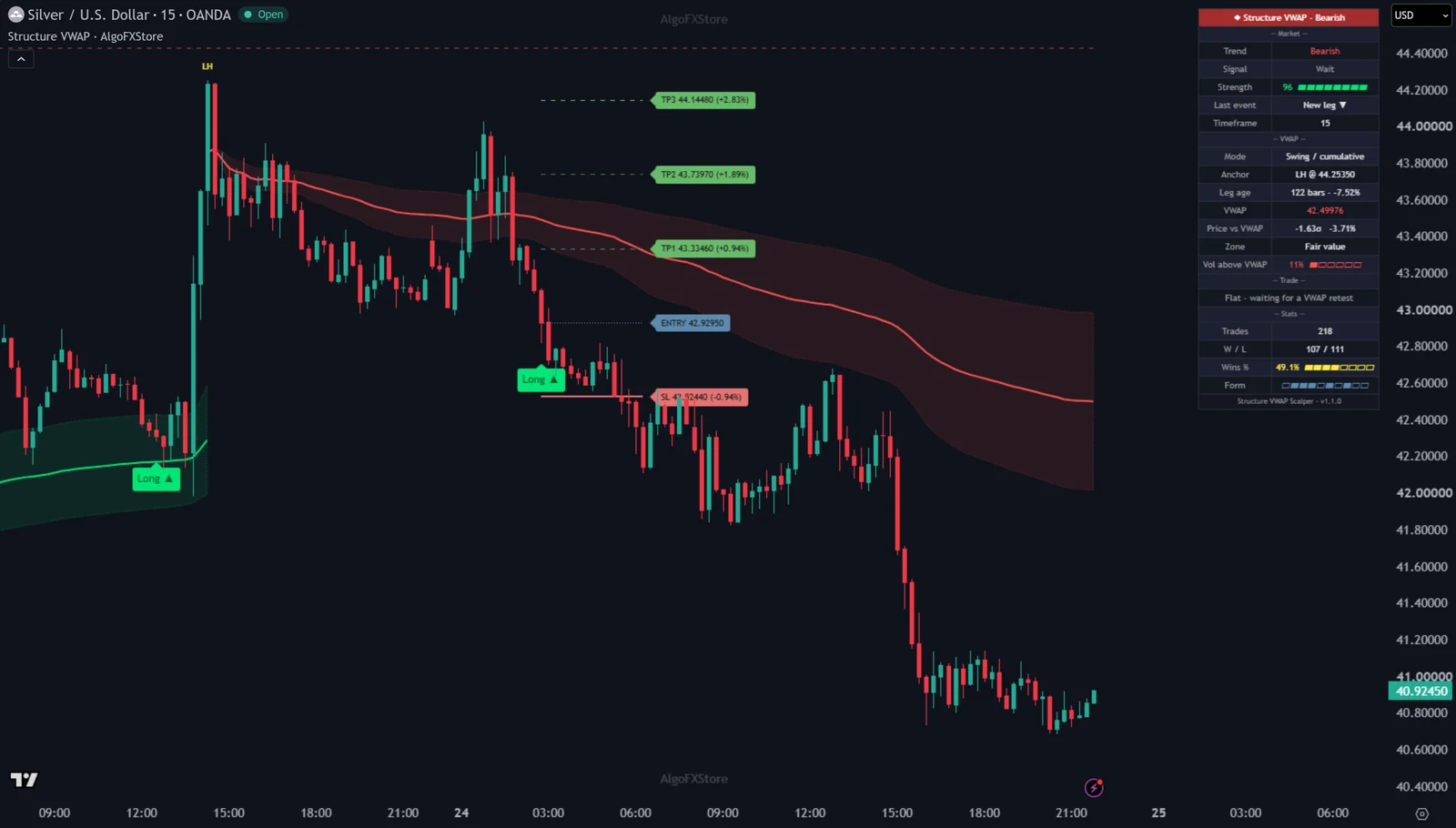
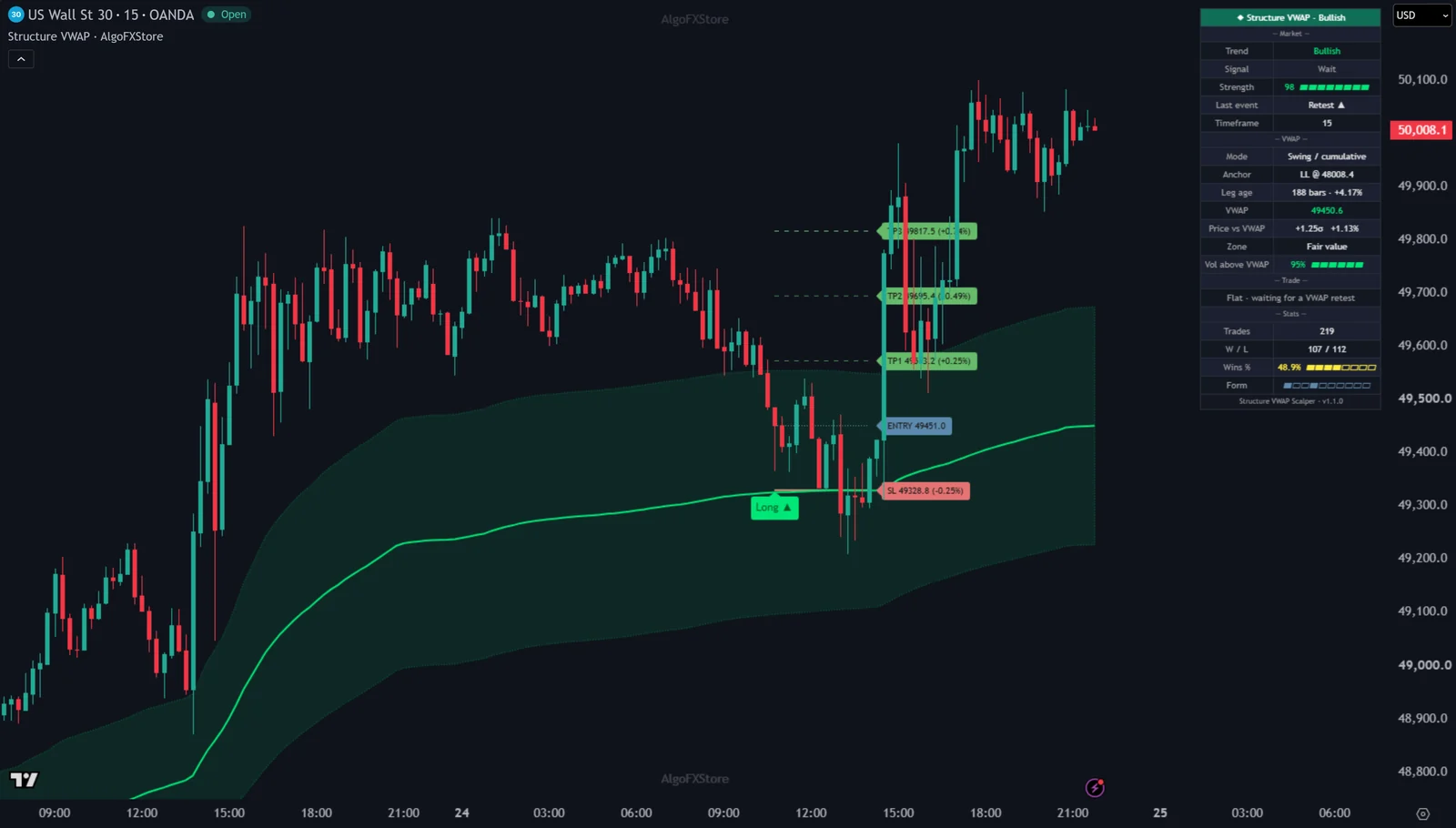
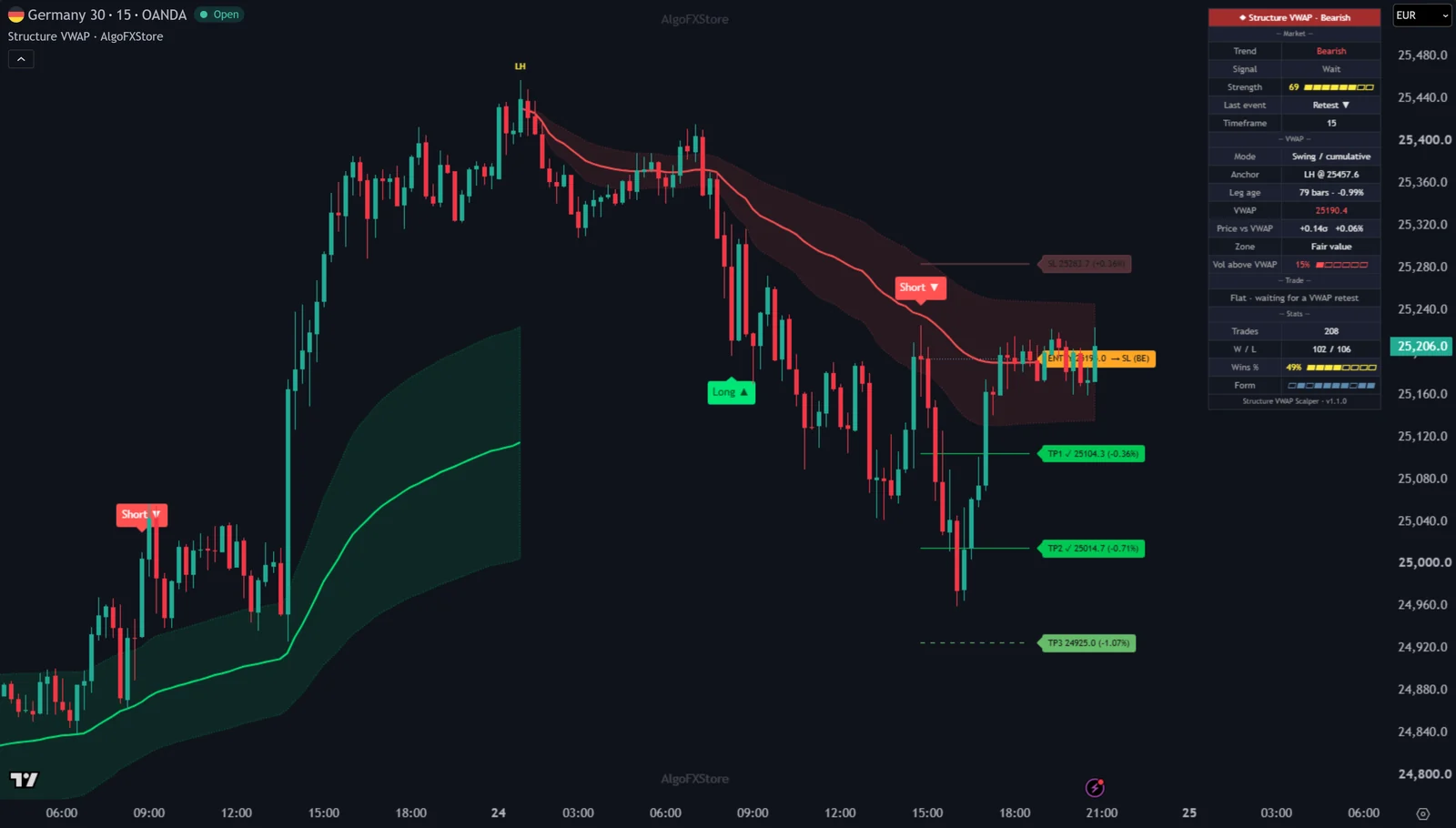
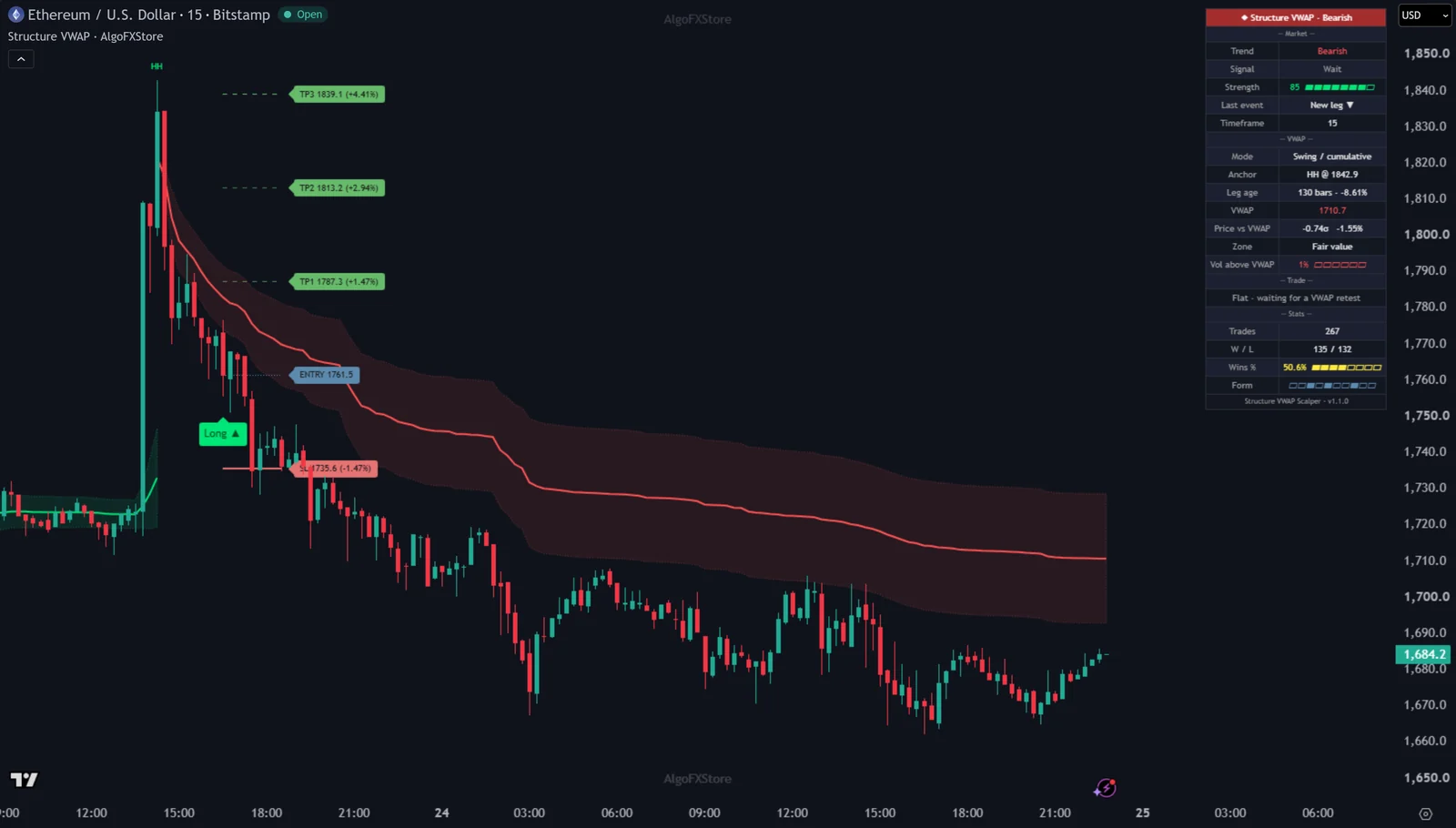
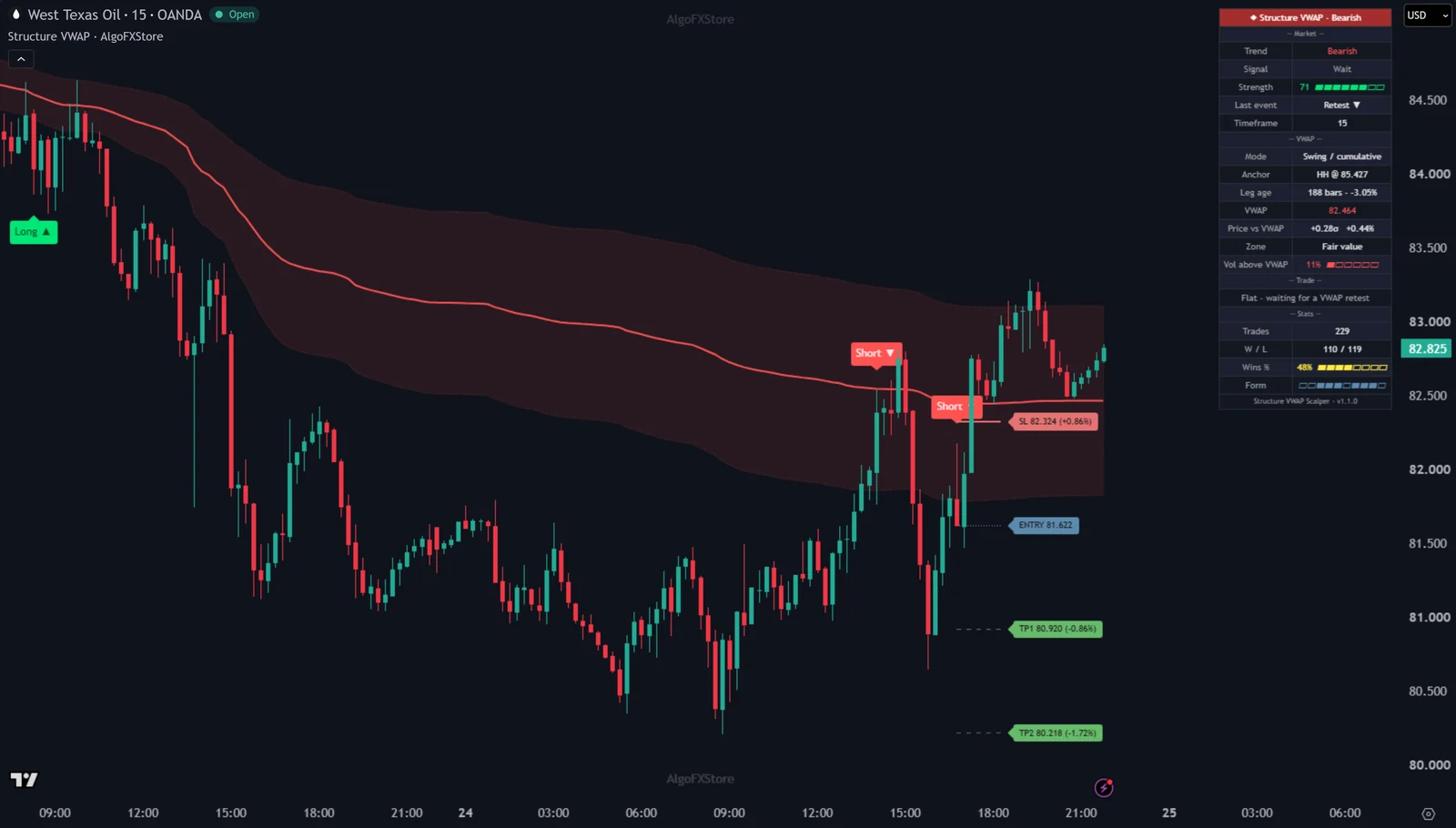
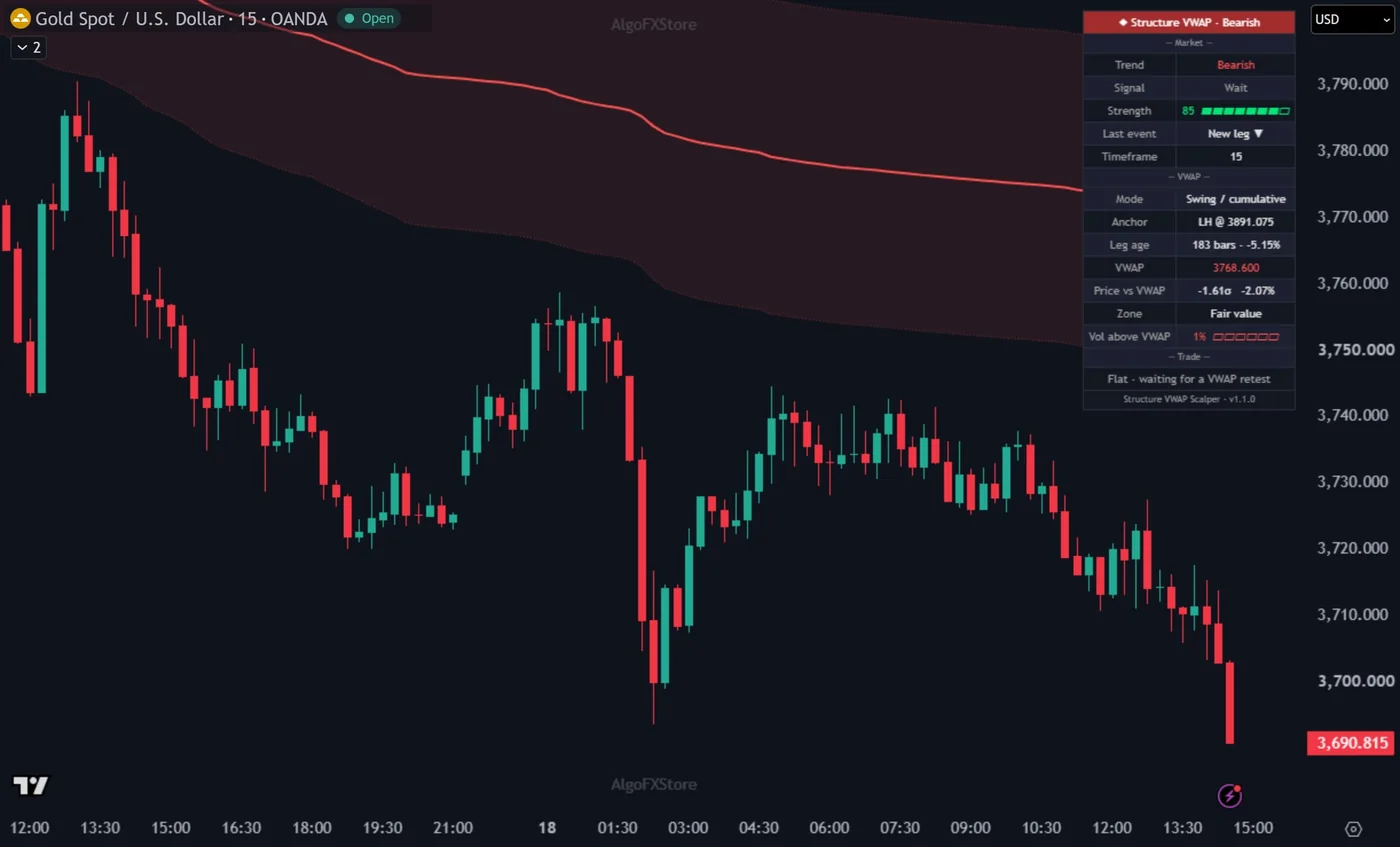
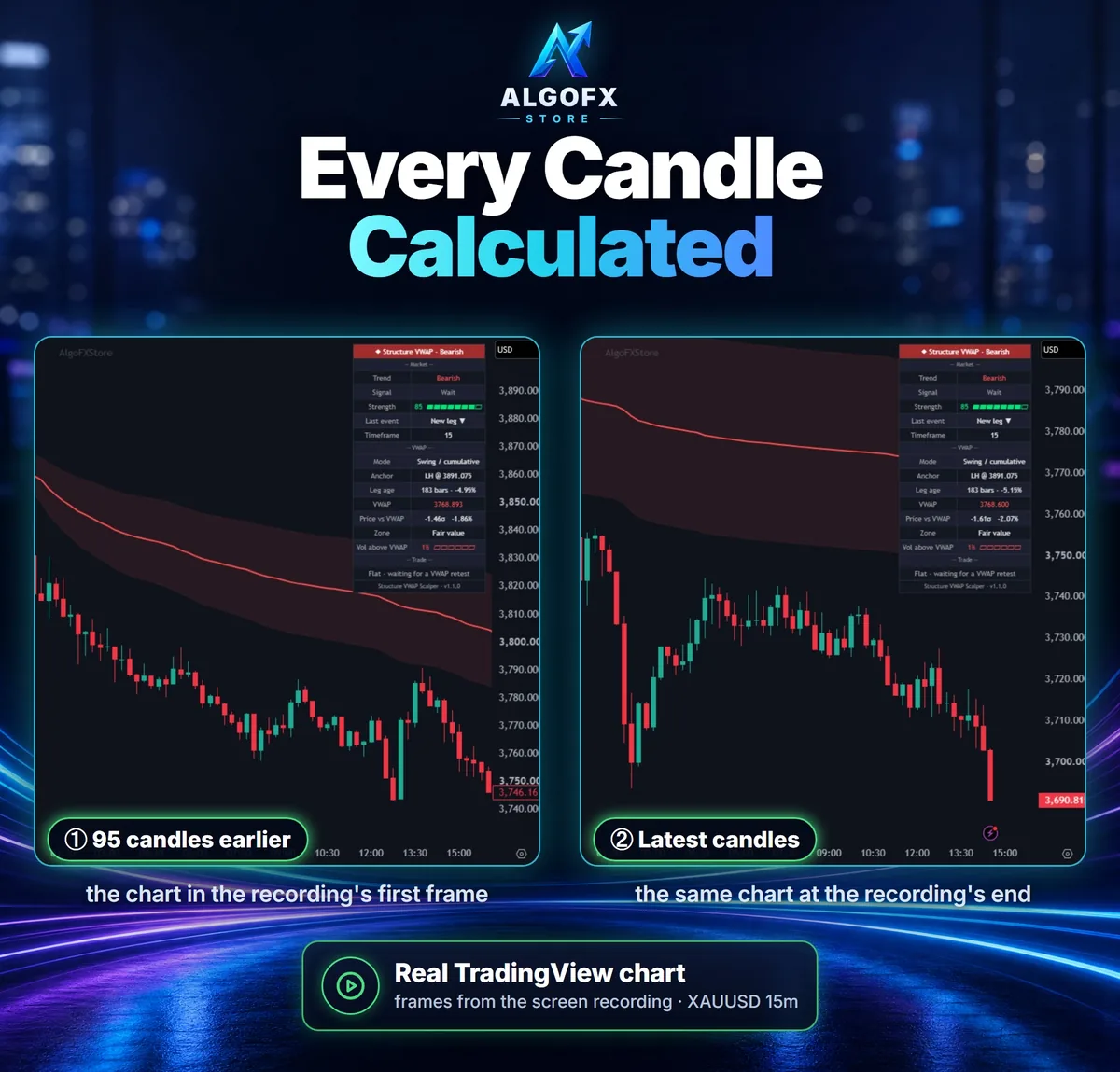
Structure VWAP Scalper on a real TradingView chart, frame by frame
Frames of a screen recording of the shipped indicator at its default settings, as the chart updates. Nothing is edited into the chart.
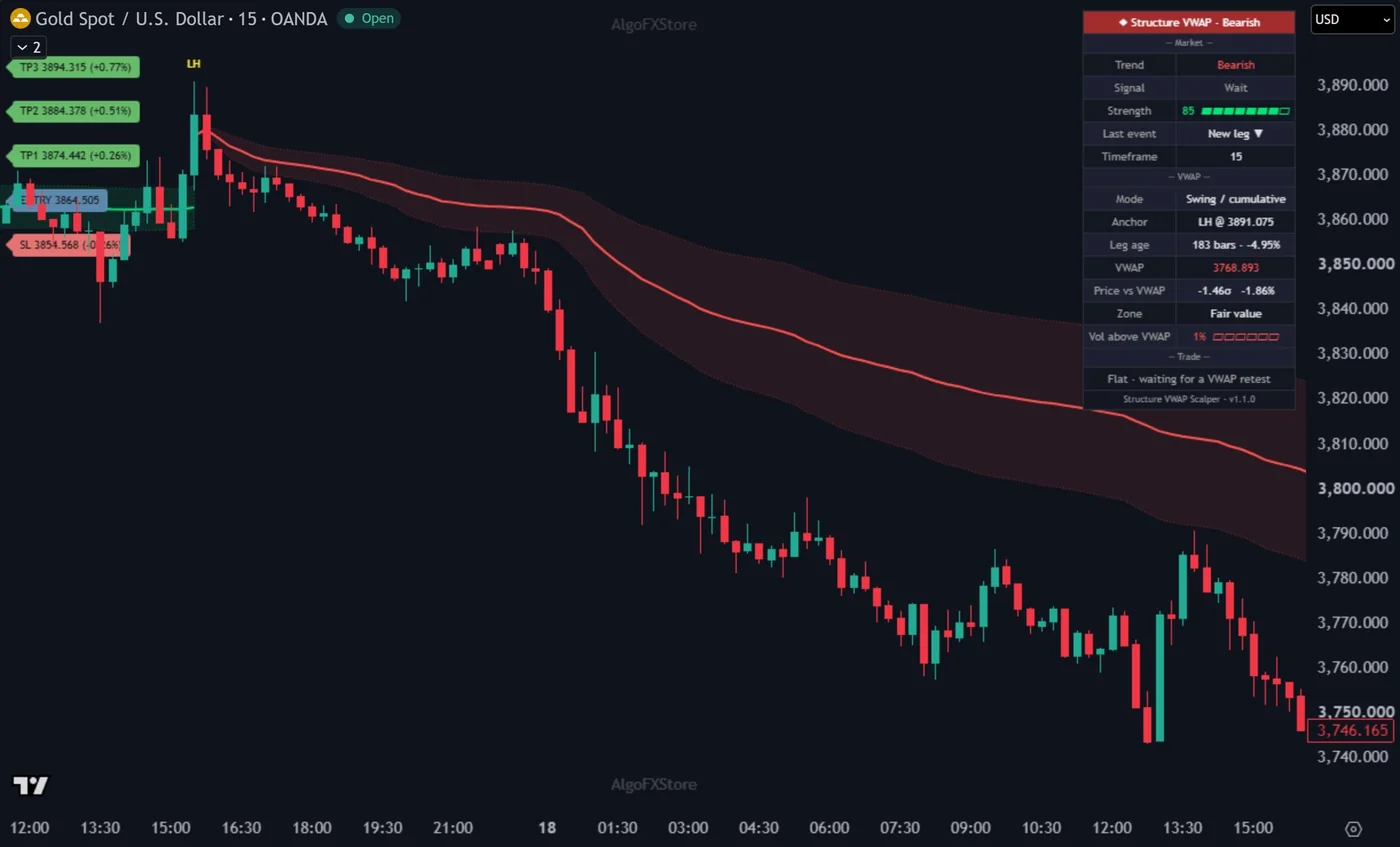
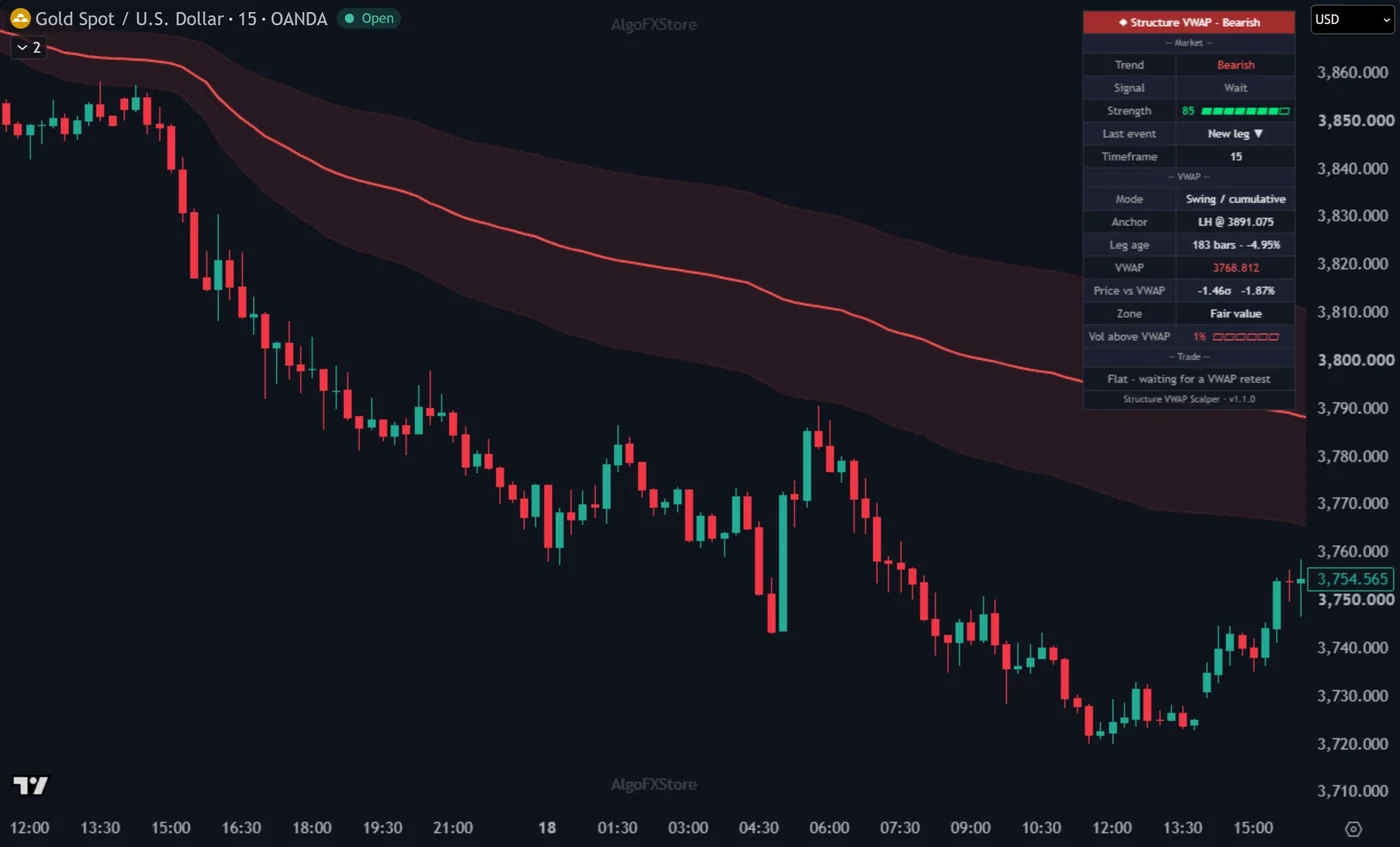
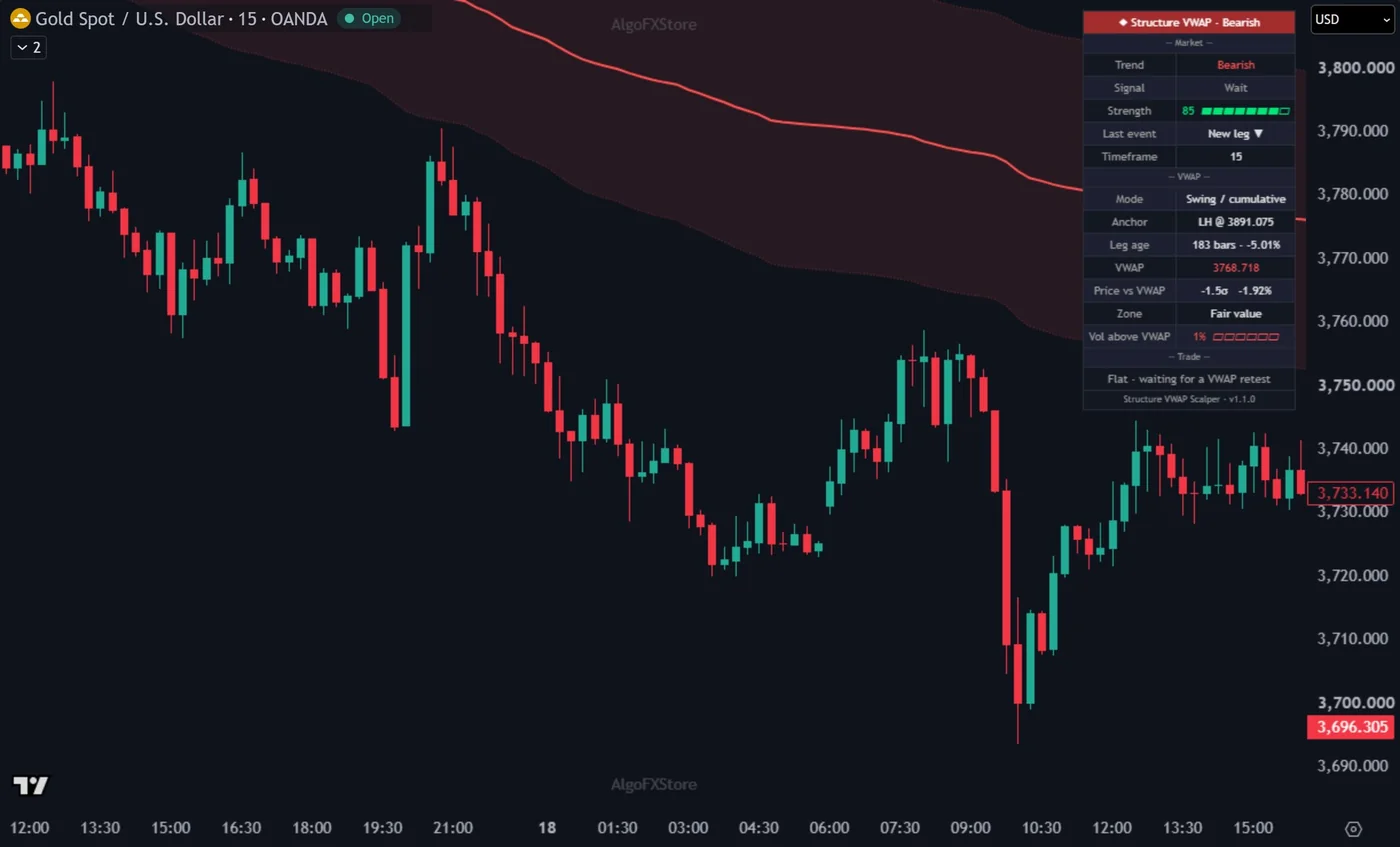
How to work a retest, step by step
A routine built from the indicator's rules and its manual. It is a way to read the chart and size the risk, not a promise of any result.
- 1
Read the leg first
The colour of the VWAP and the dashboard header tell you the current leg: green and Bullish after a swing low, red and Bearish after a swing high. The Anchor row shows the swing it started from and Leg age how long it has run. A young leg with price well away from its VWAP is the situation the retest rule waits for.
- 2
Let the retest come to you
Do not trade the first cross of the line. A Long needs at least five candles with lows above the VWAP band, then a touch. Create an alert with the alert() function call option in Create alert, so the Long or Short message, with the entry, stop and three targets, reaches you on the closed candle.
- 3
Check the zone and the strength
The VWAP section shows price against the VWAP in sigma and percent, and the Zone row says Premium above band 2, Discount below it, or Fair value. The Strength row combines volume balance, price on the leg's side, distance from band 2 and whether the leg was already retested. A Long with weak strength is a thin setup.
- 4
Size from the stop
Read the SL price and its percentage from the label and turn the distance into your own risk per trade before you size the position. The Risk Preset changes the stop: Conservative 2.5 ATR, Balanced 1.5, Aggressive 1.0 and Scalping 0.8, each with its own targets. Pick one preset and stay with it.
- 5
Manage with break-even
After TP1 the stop moves to the entry from the next candle, the entry label turns orange with SL (BE) and the SL line dims. You place and manage your own orders; follow the same rule in your platform if you want the drawn plan and your position to match. Switch on Alert on TP / Break-Even to be told.
- 6
Know when to skip
Skip a retest when the leg is old and price is already in the Premium zone for a Long or Discount for a Short, inside a news window, or when the stop does not fit your risk. Remember that a new swing is confirmed 55 candles late, so a leg can already have turned before the chart shows a new anchor.
The dashboard, row by row
- Structure VWAP | Bullish, Bearish or Neutral (header tinted by the leg)
- Market | Trend, Signal (LONG, SHORT or Wait), Strength 0 to 100, Last event (new leg or retest), Timeframe
- VWAP | Mode, Anchor (swing tag and price), Leg age (bars and move), VWAP, Price vs VWAP (sigma and percent), Zone (Premium, Fair value or Discount), Vol above VWAP
- Trade | SL (BE after break-even), TP1, TP2, TP3 ticked when touched, R:R of TP1, SL distance in percent; Flat, waiting for a VWAP retest, when no trade is open
Everything Structure VWAP Scalper does for you
VWAP anchored where the leg began
Each confirmed swing low starts a bullish VWAP and each swing high a bearish one. Finished legs stay drawn up to the next anchor, 30 by default, so the line has no gaps.
Volume-weighted deviation bands
Band 1 at 0.5 sigma is on and shaded, band 2 at 2.0 sigma can be switched on. Both sigma values, the fill transparency and the price source are inputs.
A retest rule, not a touch rule
Price must stay away from the VWAP band for at least five candles, then touch it. Bars away before a retest counts and Touch tolerance, 0.25 sigma, set how strict the rule is.
Decided on the closed candle
Long and Short, swings, target and stop hits and every alert wait for the candle to close. Only the newest VWAP point, the bands and the dashboard values update while the candle forms.
Stop, three targets and break-even
ENTRY, a red SL line and green TP1, TP2 and TP3 lines with prices and percentages. Four risk presets plus Custom, and break-even after TP1 on by default.
Structure labels and memory levels
HH, HL, LH, LL, EQH and EQL at confirmed swings, with the price in the tooltip, and up to 4 VWAP memory levels from flipped legs that stay until price trades through.
A dashboard in four sections
Market (trend, signal, strength, last event), VWAP (mode, anchor, leg age, VWAP, distance in sigma, zone, volume above VWAP), Trade (stop, targets, R:R, stop distance) and optional Stats, each switchable.
Alerts with the full plan
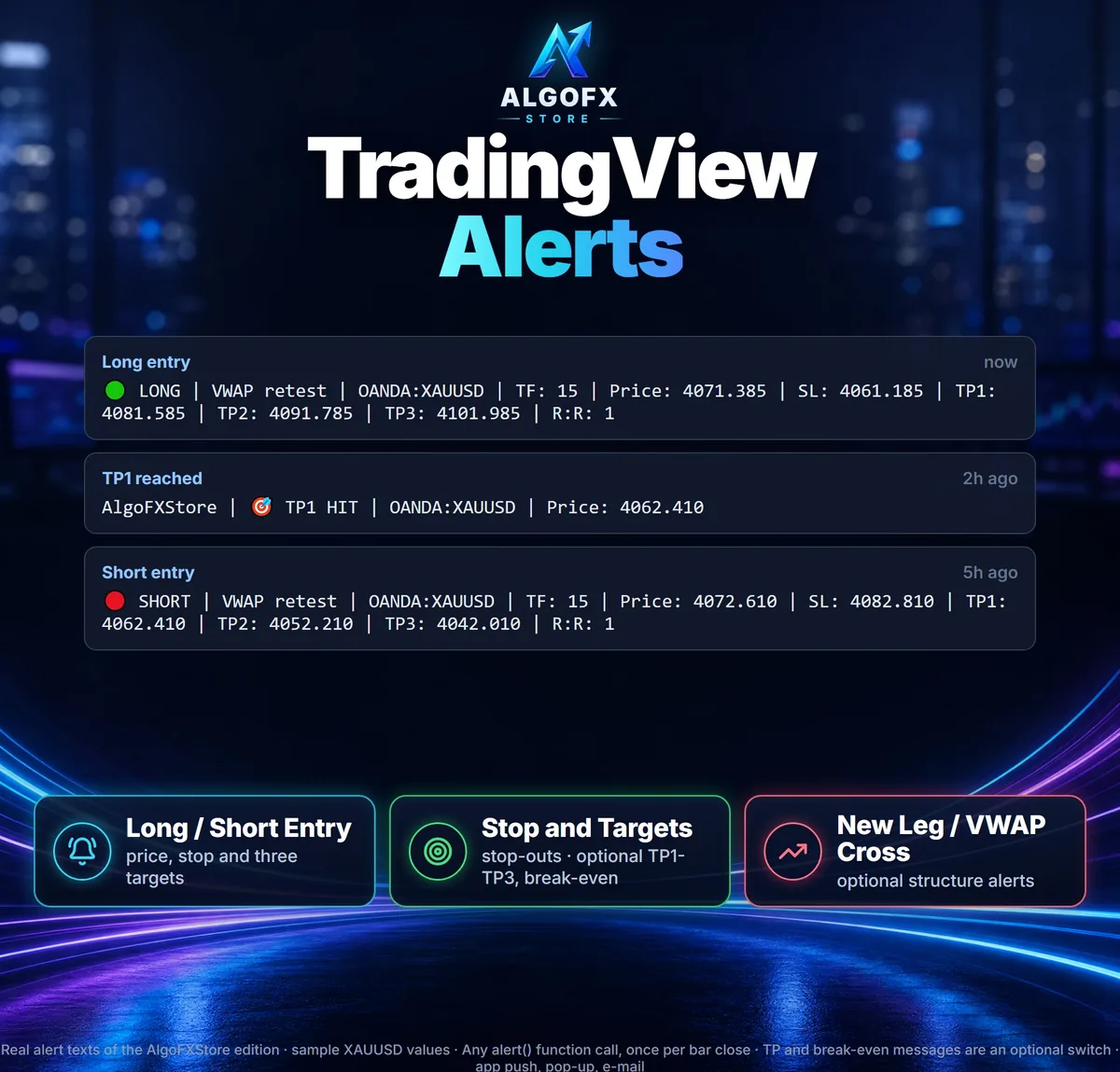
Long and Short entries with price, stop and three targets, stop-outs and break-even stop-outs, and optional alerts for break-even, each target, new legs and VWAP crosses.
Structure VWAP Scalper, feature by feature
Each picture is built from real platform screenshots of the shipped indicator at its default settings, labelled so you can see what every part does. Tap any picture to open it full size.



How traders put it to work
Gold, forex, crypto and indices on 15 minutes
The default 55 by 55 swings are made for 15 minute charts, where each leg covers a meaningful part of the session. The stop and targets come from ATR(13), so they widen on gold and tighten on a quiet currency pair. On a symbol whose feed has no volume, the VWAP is time-weighted instead.
Scalping on 1 to 5 minute charts
On fast charts lower the pivot strength, for example to 5 by 5 or 20 by 20 as the input tooltip suggests, so new legs start sooner. The Scalping preset uses a stop of 0.8 ATR with targets at 0.8, 1.5 and 2 times the risk. Count your spread against those small distances.
Swing trading on 1 to 4 hour charts
On higher timeframes keep the default swings, so each leg follows a larger structure. The Conservative preset, a 2.5 ATR stop with targets at 1, 2 and 4 times the risk, gives the trade more room. VWAP memory levels from earlier legs mark prices where the average used to sit.
Anchoring to an event
Besides Swing, the default, there is a Fast mode that reacts without waiting for pivot confirmation and flips more often, and a Manual mode that draws one leg from a date and time you choose, for example a news release or the start of a week.
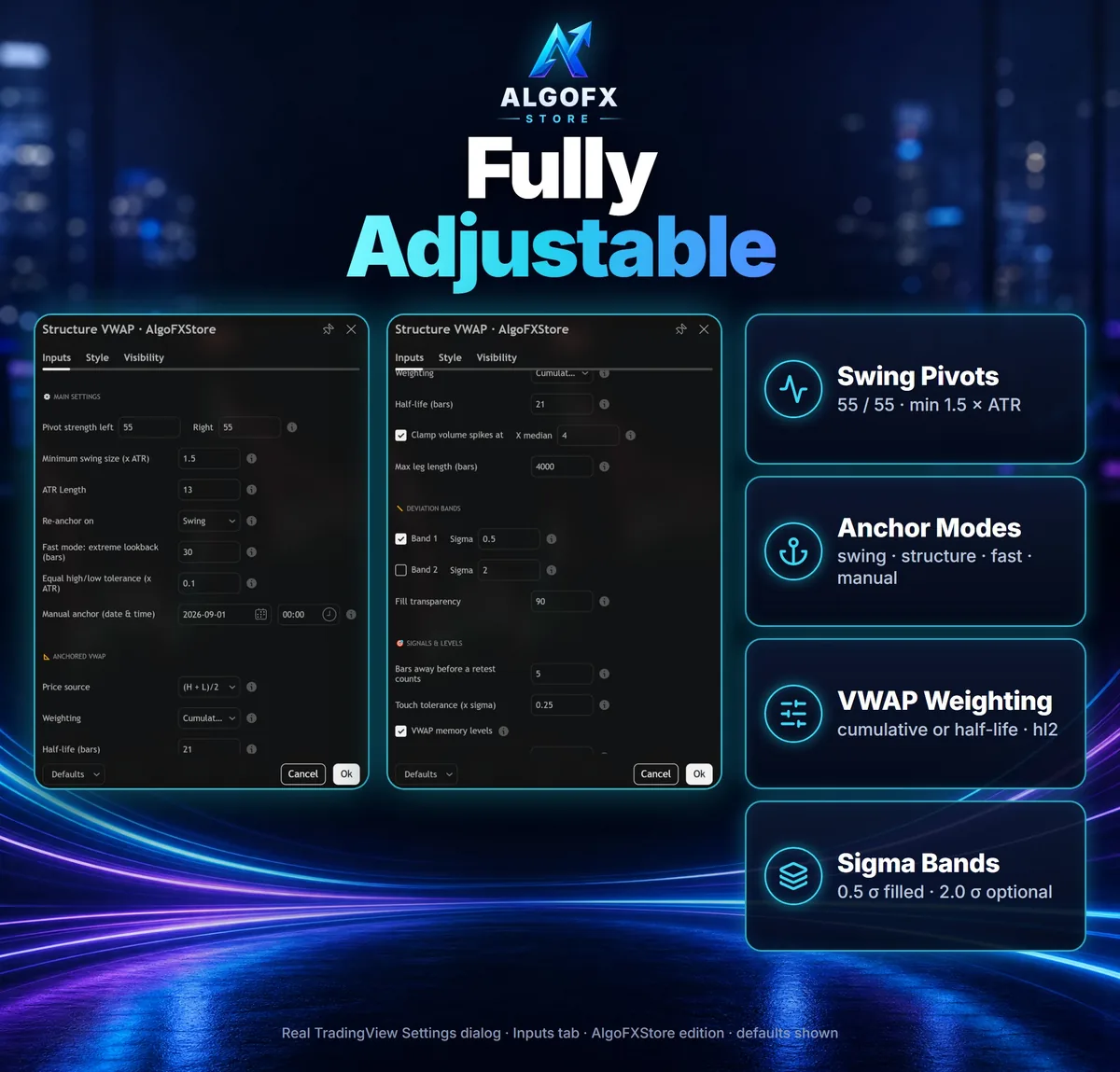
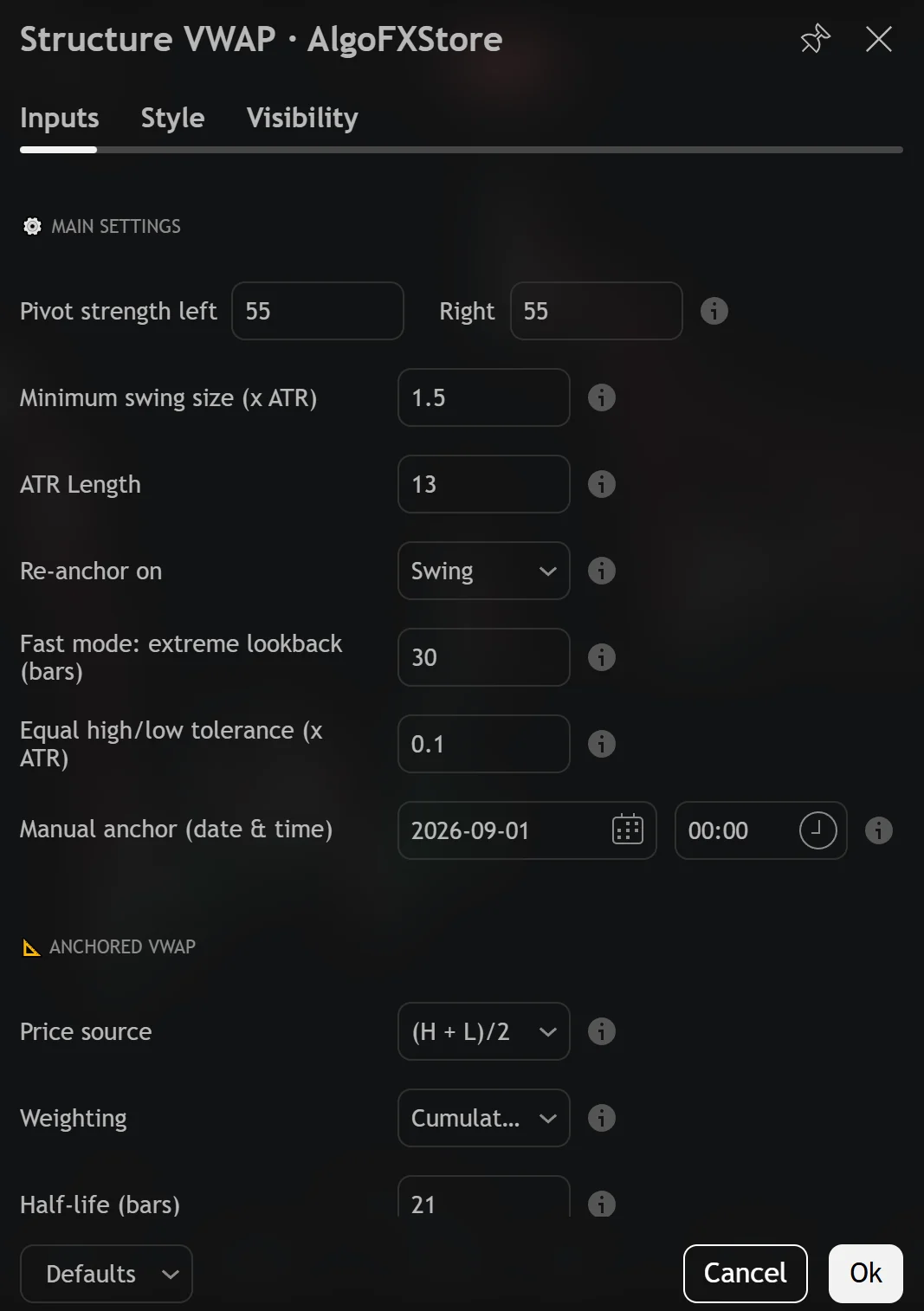
Every setting, with its default
The names are the ones in the script's Settings dialog in TradingView (Inputs tab); the defaults are what every chart on this page uses. Open a group to see its settings.
Main Settings (7)
| Setting | Default | What it does |
|---|---|---|
| Pivot strength left / right | 55 / 55 | Bars on each side a swing high / low needs; right = the confirmation delay. Tooltip: 5/5 scalping, 20/20 intraday, 55/55 large swings. |
| Minimum swing size (x ATR) | 1.5 | A new swing must be this many ATR from the previous opposite swing (0 = off). |
| ATR Length | 13 | ATR for the swing-size filter and the equal high / low tolerance. |
| Re-anchor on | Swing | Swing (every confirmed pivot), Structure break (close beyond the last swing, anchored at the extreme before it), Fast (no confirmation), Manual (one leg from a date). |
| Fast mode: extreme lookback (bars) | 30 | Fast mode only: highest high / lowest low lookback. |
| Equal high/low tolerance (x ATR) | 0.1 | Swings closer than this are labelled EQH / EQL. |
| Manual anchor (date & time) | 2026-09-01 00:00 UTC | Manual mode only: the leg starts at the first bar at or after this time. |
Anchored VWAP (5)
| Setting | Default | What it does |
|---|---|---|
| Price source | hl2 | Price inside the VWAP (hl2 matches TradingView's Anchored VWAP drawing tool). |
| Weighting | Cumulative | Cumulative = true anchored VWAP; Half-life = older bars fade. |
| Half-life (bars) | 21 | Half-life weighting only. |
| Clamp volume spikes at / x median | on / 4.0 | Volume above 4 x the 50-bar median counts at the cap. |
| Max leg length (bars) | 4000 | Longer legs roll their anchor forward to keep the script fast. |
Deviation Bands (3)
| Setting | Default | What it does |
|---|---|---|
| Band 1 / Sigma | on / 0.5 | Inner filled band in volume-weighted standard deviations of the leg. |
| Band 2 / Sigma | off / 2.0 | Outer band; its edge is also the Premium / Discount line of the dashboard. |
| Fill transparency | 90 | 50-99. |
Signals & Levels (5)
| Setting | Default | What it does |
|---|---|---|
| Bars away before a retest counts | 5 | Bars in a row on the leg's side of the VWAP, outside the touch tolerance, before a touch is a retest. |
| Touch tolerance (x sigma) | 0.25 | How close to the VWAP counts as a touch. |
| VWAP memory levels | on | Keeps the last VWAP of a flipped leg as a dashed level. |
| Max memory levels | 4 | 1-20, oldest dropped first. |
| Keep crossed levels (dotted) | off | On: crossed levels stay as faded dotted lines. |
Risk Management (13)
| Setting | Default | What it does |
|---|---|---|
| Risk Preset | Balanced | SL x ATR / TP1 / TP2 / TP3 in R: Conservative 2.5/1/2/4, Balanced 1.5/1/2/3, Aggressive 1.0/1.5/2.5/4, Scalping 0.8/0.8/1.5/2, Custom. |
| ATR Length (SL) | 13 | ATR for the stop distance. |
| SL ×ATR (Custom) | 1.5 | Custom preset only. |
| TP1 ×Risk (Custom) | 1 | Custom preset only. |
| TP2 ×Risk (Custom) | 2 | Custom preset only. |
| TP3 ×Risk (Custom) | 3 | Custom preset only. |
| Show SL/TP Lines | on | Trade plan lines; they stay until the next entry. |
| Show SL/TP Labels | on | Price labels at the right end of the lines. |
| Show % Distance on Labels | on | Adds the % distance from the entry. |
| Break-Even After TP1 | on | Stop to entry after TP1, from the next bar. |
| Entry Line Style | Dotted | Solid / Dashed / Dotted. |
| SL Line Style | Solid | Solid / Dashed / Dotted. |
| TP Line Style | Dashed | A reached TP turns solid green. |
Visual (7)
| Setting | Default | What it does |
|---|---|---|
| Theme | Auto | Auto (from the chart background), Dark, Light. |
| Show Buy/Sell Signals | on | Long / Short markers. |
| Show HH/HL/LH/LL | on / small | Swing labels and their size (tiny, small, normal). |
| SL/TP Label Font Size | Small | Tiny to Huge. |
| Show Leg Background | off | Tints the background with the leg direction. |
| Finished legs kept on chart | 30 | 1-45. |
| Show Watermark | on | AlgoFXStore watermark at the bottom centre. |
Dashboard (5)
| Setting | Default | What it does |
|---|---|---|
| Show Dashboard | on | Master switch. |
| Dashboard Position | Top Right | Top Left, Top Right, Bottom Left, Bottom Right, Middle Right. |
| ├ Market section | on | Trend, Signal, Strength, Last event, Timeframe. |
| ├ VWAP section | on | Mode, Anchor, Leg age, VWAP, distance, Zone, volume balance. |
| ├ Trade section | on | SL, TP1-3, R:R, SL distance; one row when flat. |
Alerts (4)
| Setting | Default | What it does |
|---|---|---|
| Webhook JSON Format | off | Entry alerts as machine-readable webhook messages for trade automation tools. |
| Alert on SL Hit | on | Stop-out messages. |
| Alert on TP / Break-Even | off | TP1, TP2, TP3 and break-even messages. |
| Alert on New Leg / VWAP Cross | off | New leg and close-across-VWAP messages. |
Colors (2)
| Setting | Default | What it does |
|---|---|---|
| Bull / Bear | #00E676 / #FF5252 | Leg, band and marker colours. |
| VWAP line width | 2 | 1-5. |
AlgoFXStore (1)
| Setting | Default | What it does |
|---|---|---|
| Show AlgoFXStore badge | on | Small AlgoFXStore name at the top centre. |
The alert events, one by one
In TradingView: Create alert, choose “Structure VWAP Scalper [AlgoFXStore]” as the condition and pick the event. TradingView then notifies you the way you set in that dialog: a pop-up in TradingView, a sound, the TradingView app on your phone or an e-mail.
- Long entry (VWAP retest) with price, stop and three targets
- Short entry (VWAP retest) with price, stop and three targets
- SL hit or break-even stop-out
- Break-even (optional)
- TP1, TP2 and TP3 hit (optional)
- New bullish or bearish leg (optional)
- Close above or below VWAP (optional)
Structure VWAP Scalper next to the usual options
Where it wins, and where it does not.
| Structure VWAP Scalper | Typical free VWAP indicator | Reading it by hand | |
|---|---|---|---|
| Where the VWAP starts | At each confirmed swing high or low | At the session start | Wherever you anchor it |
| Entry rule | First touch after five candles away, on the closed candle | None | Your judgement of each touch |
| Stop and targets | 1.5 x ATR(13) stop, 1R, 2R, 3R, break-even after TP1 | None | You calculate them yourself |
| Market structure | HH, HL, LH, LL and equal highs and lows labelled | No | You mark them yourself |
| Speed of new anchors | A swing is confirmed 55 candles later at the defaults | Resets at once each session | As fast as you see the swing |
| Cost | Paid once | Free | Free, but it costs your time |
Honest about who this fits
A good fit if you
- You use VWAP and want it anchored to market structure instead of the clock.
- You trade pullbacks and want a fixed rule for when a return to the average counts as a retest.
- You want the stop, three targets and a break-even rule drawn with every signal.
- You trade gold, forex, crypto or indices on 1 minute to 4 hour charts on TradingView.
- You like a dashboard that tells you the leg, its anchor, its age and where price sits against the bands.
Not for you if you
- You want something that places and manages orders: this indicator draws and alerts, and every order is yours.
- You need new legs the moment a turn happens: at the defaults a swing is confirmed 55 candles later.
- You want several trades at once: a new entry opens only when no trade is active.
- You want a plain session VWAP: this tool anchors at swings, and its line changes when a new swing is confirmed.
The full code, one manual, installed in two minutes
- 1Pine Script source codeStructure_VWAP_Scalper_TradingView_Code.txt (72 KB): the full code. Paste it into the Pine Editor and it appears as “Structure VWAP Scalper [AlgoFXStore]”.
- 15Page PDF manualInstallation, every setting with its default and how to read the chart.
- ✓Every main setting explainedThe table above lists the main settings with the defaults the charts use.
- ✓Alert eventsYou choose which ones are on in the settings.
- 60Day money-back guaranteeIf it is not for you, request a full refund within 60 days through your Digistore24 order e-mail.
Install in five steps
- Download the zip from the page Digistore24 sends you to after checkout and unzip it.
- Open Structure_VWAP_Scalper_TradingView_Code.txt in a text editor, select all and copy the whole code.
- In TradingView, open the Pine Editor, paste the code over everything that is there and click Save.
- Click Add to chart: “Structure VWAP Scalper [AlgoFXStore]” appears on your chart.
- Read the PDF manual; the defaults are the settings shown on this page.

Kestutis Balciunas
AlgoFXStore · chart indicators
Kestutis Balciunas builds and publishes chart indicators under the AlgoFXStore name. Every product page shows what the indicator draws on real charts, and every number on it comes from the shipped build.
The charts on this page were captured in TradingView from the shipped Structure VWAP Scalper [AlgoFXStore] at its default settings and are shown unedited.
No get-rich claims and no quoted win rates. Every trade is uncertain, and no indicator changes that. If you want to know whether it suits the way you trade before you buy, e-mail [email protected] and you will get a straight answer.
One price, one payment
- The full Pine Script source code of Structure VWAP Scalper and the 15-page PDF manual
- Delivered as a digital download: one zip with the code file and the PDF manual on your download page
- Return period: 60 days, with a full refund if it is not for you
- Free updates to the current version on the same download page
60-day money-back guarantee. Install it, run it on your own charts and read the manual. If Structure VWAP Scalper is not for you within 60 days of purchase, request a full refund from Digistore24, no questions asked: use the refund link in your Digistore24 order e-mail or Digistore24's order page digistore24.com/en/cancel-revoke-contract. Digistore24 refunds to your original payment method. It is a digital download: right after checkout you land on your download page, and the link to it is also in your Digistore24 order e-mail.
About the signals
Does it repaint?
Long and Short markers, swings, target and stop hits and every alert are decided on closed candles and stay on their candles. Two things move. On the forming candle the newest VWAP point, the bands and the dashboard values update with every price change. And when a new swing is confirmed 55 candles after it formed, the new leg's VWAP is drawn back to that swing, so the line behind an older marker can differ from the line that was retested when the marker printed. There is no request.security.
Why did price touch the VWAP without a signal?
A touch counts only after at least five candles in a row stayed away from the VWAP band in the leg's direction, and only when no trade is open and the 110-candle warm-up is over. A touch in the middle of a choppy stretch, or while a trade is still running, prints nothing.
What does the Strength row mean?
A composite from 0 to 100: volume balance on the leg's side counts up to 40, price being on the leg's side of the VWAP 25, price not beyond band 2 another 20, and a leg that has already been retested 15. It describes the current state of the leg; it is not a probability.
What are the HH, HL, LH and LL labels?
Confirmed swings compared with the previous swing of the same kind: higher high, higher low, lower high, lower low, with EQH and EQL for equal highs and lows within 0.1 ATR. They appear 55 candles after the swing. A higher high after a high replaces the earlier label and moves the anchor to the new extreme.
Levels and the dashboard
How are the stop and targets set?
The entry is the retest candle's close. With the Balanced preset the stop is 1.5 x ATR(13) away and the targets sit at 1, 2 and 3 times the stop distance. Conservative uses 2.5 ATR with 1, 2 and 4, Aggressive 1.0 ATR with 1.5, 2.5 and 4, Scalping 0.8 ATR with 0.8, 1.5 and 2, and Custom lets you set all four.
How does break-even work?
With Break-Even After TP1 on, the default, the stop moves to the entry from the candle after TP1 is touched. The entry label turns orange and reads SL (BE), the SL line dims, and the dashboard shows BE. The trade then ends at the entry, at TP3, or stays open until one is reached.
What are VWAP memory levels?
When a leg flips, the last value of its VWAP stays on the chart as a dashed line until price trades through it, up to four at a time. They mark where the average of a recent leg sat, which can matter when price comes back to it.
What is the Stats section?
An optional part of the dashboard: closed trades, wins and losses, the share of wins and the form of the last ten trades, counted on the loaded candles. A trade counts as a win once TP1 is touched. It is hindsight bookkeeping that resets on reload, not a forecast; switch it off with the Stats section input.
Charts and alerts
Which timeframes and markets does it work on?
Any symbol and timeframe. The defaults are made for 15 minutes on gold, forex, crypto and indices; use smaller swings on 1 to 5 minute charts and the defaults on 1 to 4 hours. It needs 110 candles of warm-up and uses only the chart's own data, so no extra data from other timeframes is required.
What happens on symbols without volume?
The VWAP becomes time-weighted, so each candle counts equally, and the Vol above VWAP row turns into Bars above VWAP. The retest rule, the bands and the plan work the same way.
Which alerts can I create?
All alerts are alert() messages once per bar close: in Create alert choose the alert() function call option. Long and Short entries carry the price, stop, three targets and R:R. Alert on SL Hit is on; Alert on TP / Break-Even and Alert on New Leg / VWAP Cross are off until you switch them on.
Can I run it on several charts?
Yes. Each chart runs its own copy with its own legs, plan, dashboard and alerts, and every message names the symbol and timeframe. The dashboard can sit in five positions, and each of its sections can be switched off to keep it small.
How it works
Will it place trades for me?
No. Structure VWAP Scalper is an indicator: it draws on the chart and can alert you. It never sends an order.
Do I need a paid TradingView plan?
No. It reads only the chart's own bars, so the free TradingView plan runs it. Alerts count against your plan's alert limit.
After you buy
How do I get it after paying?
Digistore24 runs the checkout. Right after payment it takes you to your download page with one zip holding the Pine Script source code file and the PDF guide; the link to that page is also in your Digistore24 order e-mail, so you can download again at any time.
How do I install it?
Open the code file, open the Pine Editor in TradingView, paste the whole code, click Save and then Add to chart: “Structure VWAP Scalper [AlgoFXStore]” appears on your chart. The guide walks through it step by step.
Who is Digistore24?
Digistore24 is the reseller that sells Structure VWAP Scalper for Kestutis Balciunas (AlgoFXStore): it runs the checkout, charges your card or PayPal, collects the VAT for your country and delivers the download. Its name is the one on your statement, and its order e-mail holds your download link and the refund link.
What is the refund policy?
A 60-day money-back guarantee, handled by Digistore24. If Structure VWAP Scalper is not for you within 60 days of purchase, use the refund link in your Digistore24 order e-mail or Digistore24's order page (digistore24.com/en/cancel-revoke-contract) for a full refund, no questions asked. Digistore24 makes the refund to your original payment method.
Do I get the source code?
Yes. You get the full Pine Script source code as a text file for your own use; the licence line at the top of the code does not allow resale, sharing or republishing.
Structure VWAP Scalper for TradingView.
Anchor your VWAP where the leg began, wait for the real pullback, and start every trade with its stop, three targets and break-even rule on the chart. The full code, the manual and every setting explained. Instant download for €47, one payment.
Get instant access