Five SMC and ICT tools for structure, order blocks, sweeps and planned entries
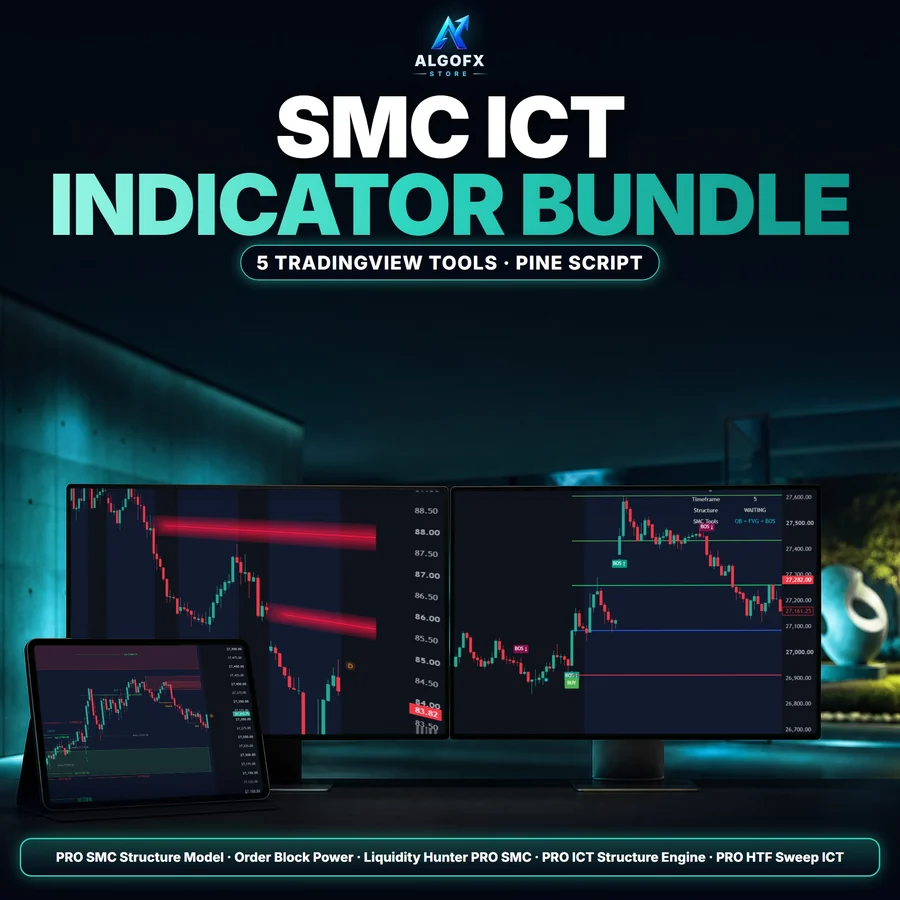
The SMC ICT Indicator Bundle puts five AlgoFXStore TradingView indicators in one download: PRO SMC Structure Model, Order Block Power, Liquidity Hunter PRO SMC, PRO ICT Structure Engine and PRO HTF Sweep ICT. Each comes as full Pine Script source code with its own PDF guide.
- Five separate indicators, each with its own full Pine Script source code and PDF guide
- BOS and CHoCH, order blocks, fair value gaps, liquidity pools, killzones and higher-timeframe sweeps
- Four of the five draw an entry, a stop and targets you can count in ticks before you trade
- Structure, zones and signals decided on closed bars in all five scripts
- 5 complete scripts. Each comes as full Pine Script source code that you paste into the Pine Editor.
- 5 PDF guides (71 pages) with installation, every setting and how to read each chart. One-time €47.
See SMC ICT Indicator Bundle on a real chart
Press play; use the full-screen button to see every detail.
Smart money concepts are easy to name and slow to mark by hand
Break of structure, change of character, order blocks, fair value gaps, liquidity sweeps: the vocabulary is simple, but marking it consistently is not. Which swing counts, which candle is the order block, when is a sweep real and when is it just a new high? Two traders looking at the same chart often draw different pictures, and the same trader draws a different one on a busy day.
Most free tools mark one of these concepts and leave the rest to you, often with their own definitions that do not fit together. Then there is still the trade itself: where exactly the entry is, where the stop goes and how far the targets are, which is what you need to size a position.
The SMC ICT Indicator Bundle gives you five tools from the same maker with written rules for each concept, from a lean structure model to a full ICT engine, so you can pick the depth you want and know how every mark was decided.
What each script does
These are the rules of the five shipped Pine Script v6 files. Each is a separate indicator with its own settings, alerts and guide.
- 1
PRO SMC Structure Model
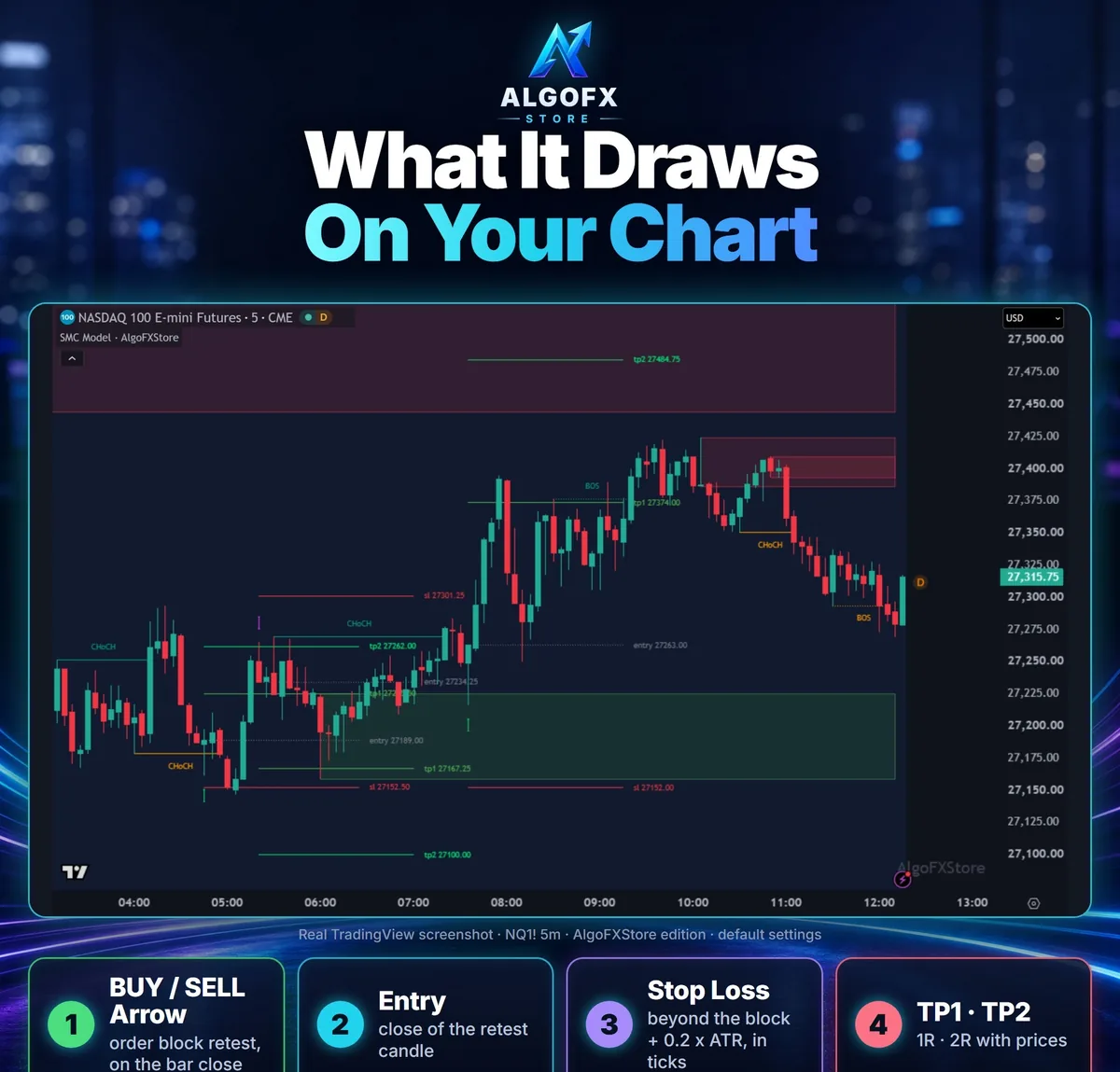
Marks BOS and CHoCH from 5-bar swings on closed bars and draws the order block behind every break. When a closed candle retests a block in the direction of the structure, it prints an arrow with the entry at the close, a stop beyond the block or the bar plus 0.2 x ATR(14), and TP1 and TP2 at 1R and 2R.
- 2
Order Block Power
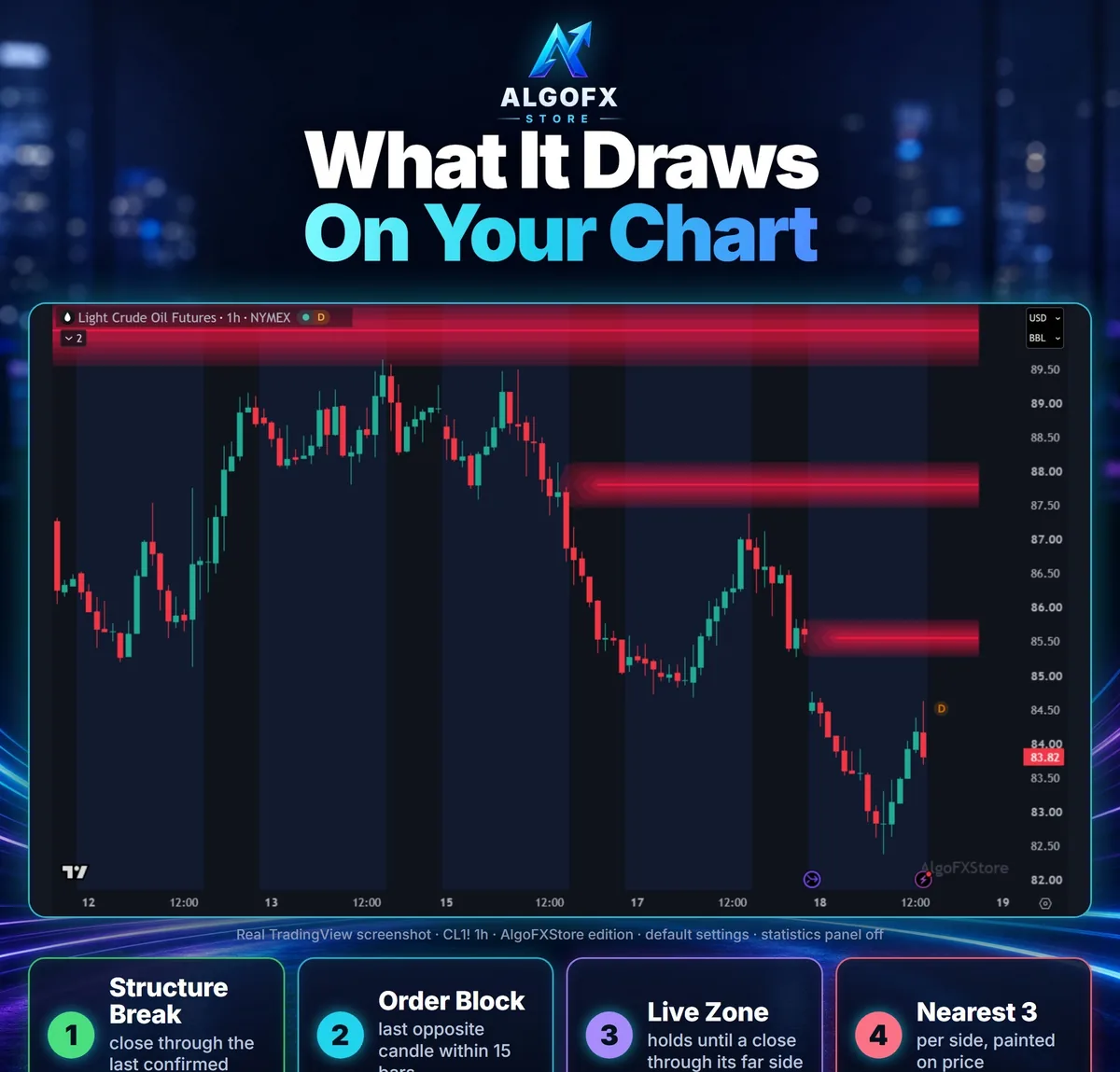
Marks order blocks only: when a closed bar breaks the last confirmed swing, the last opposite candle within 15 bars before the break becomes a support or resistance zone. It stays until a closed bar closes through it. The live blocks nearest to price are painted, with hold curves built from the blocks in the loaded history. It draws no signals and has no alerts.
- 3
Liquidity Hunter PRO SMC
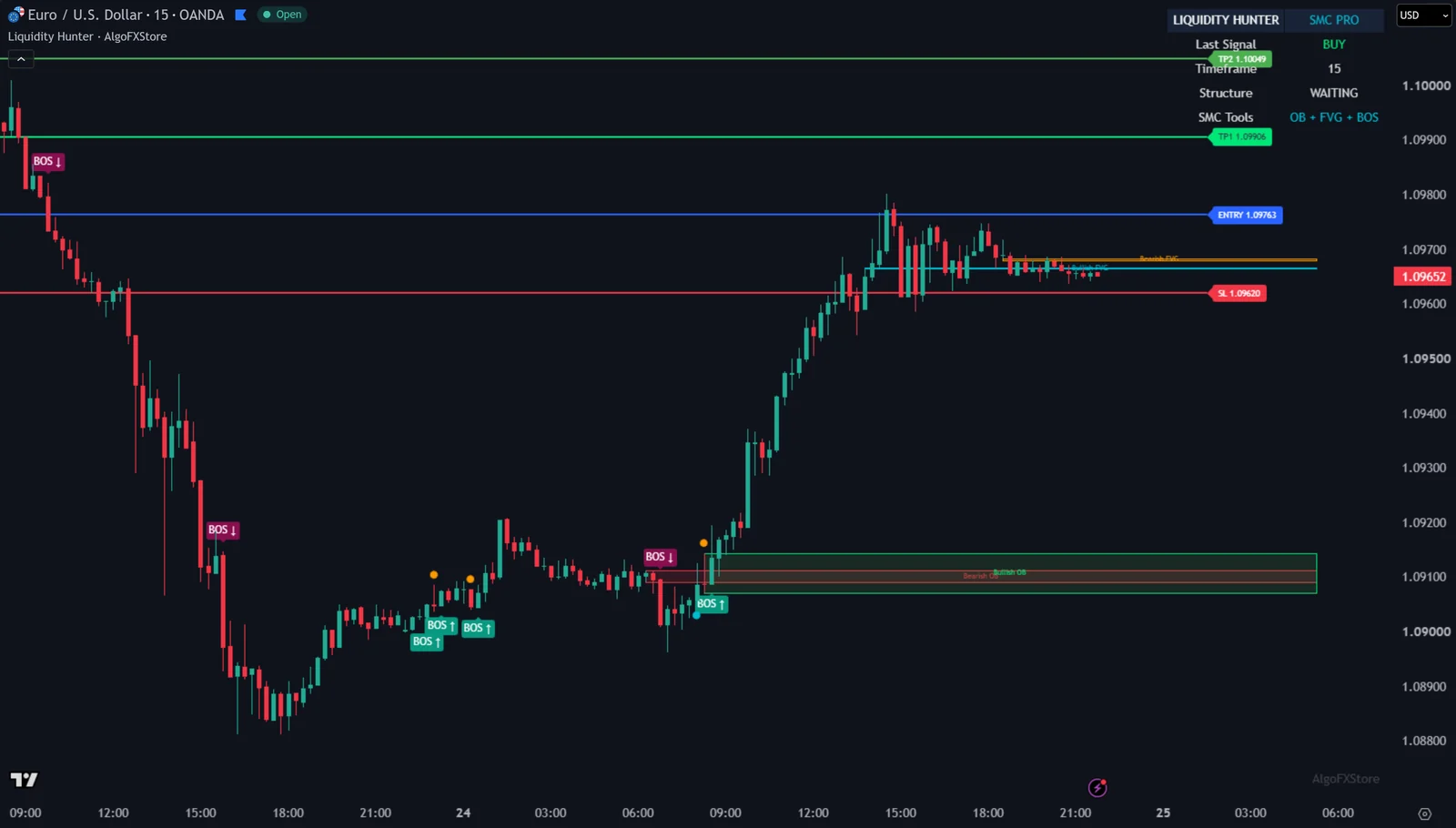
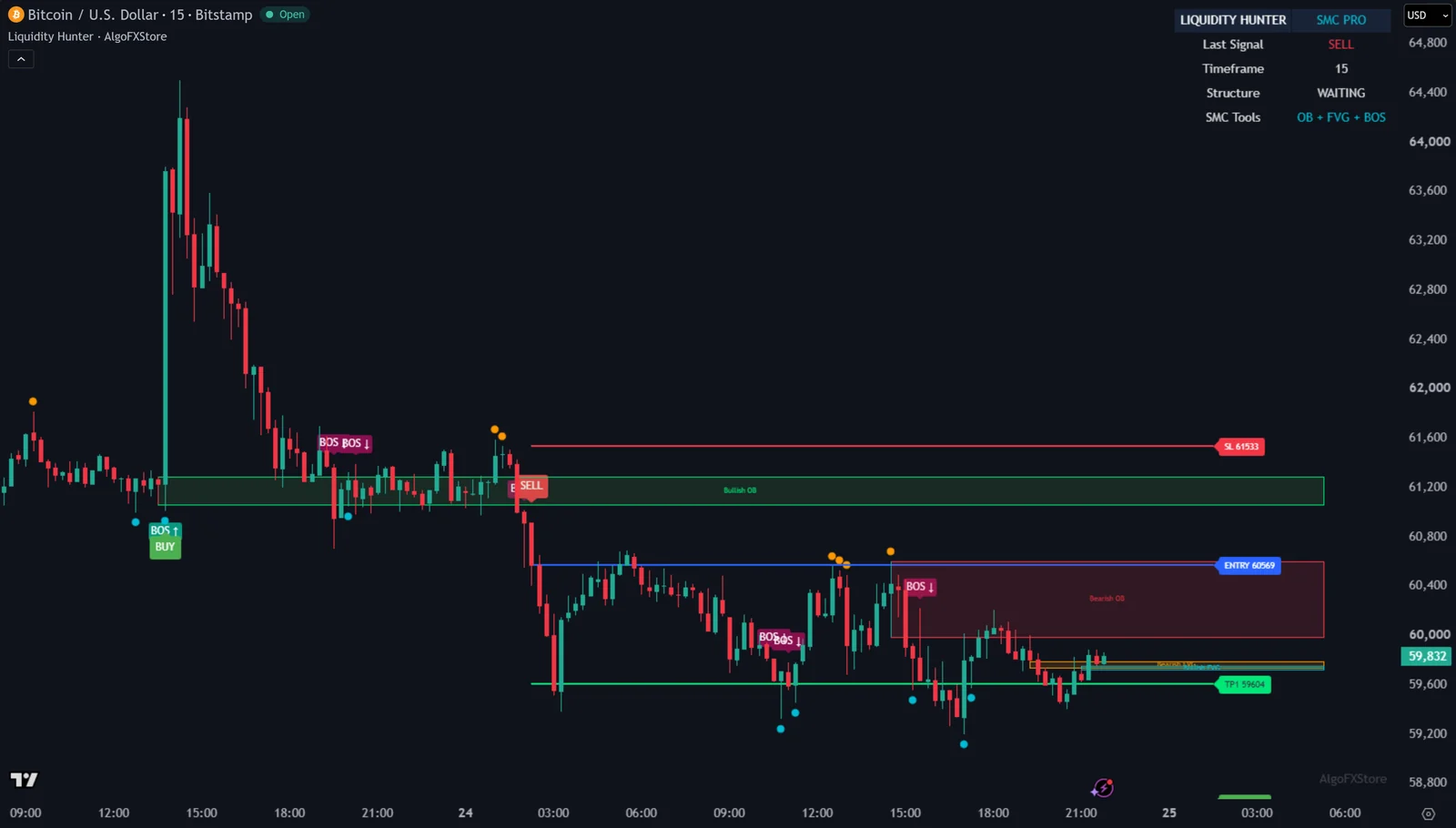
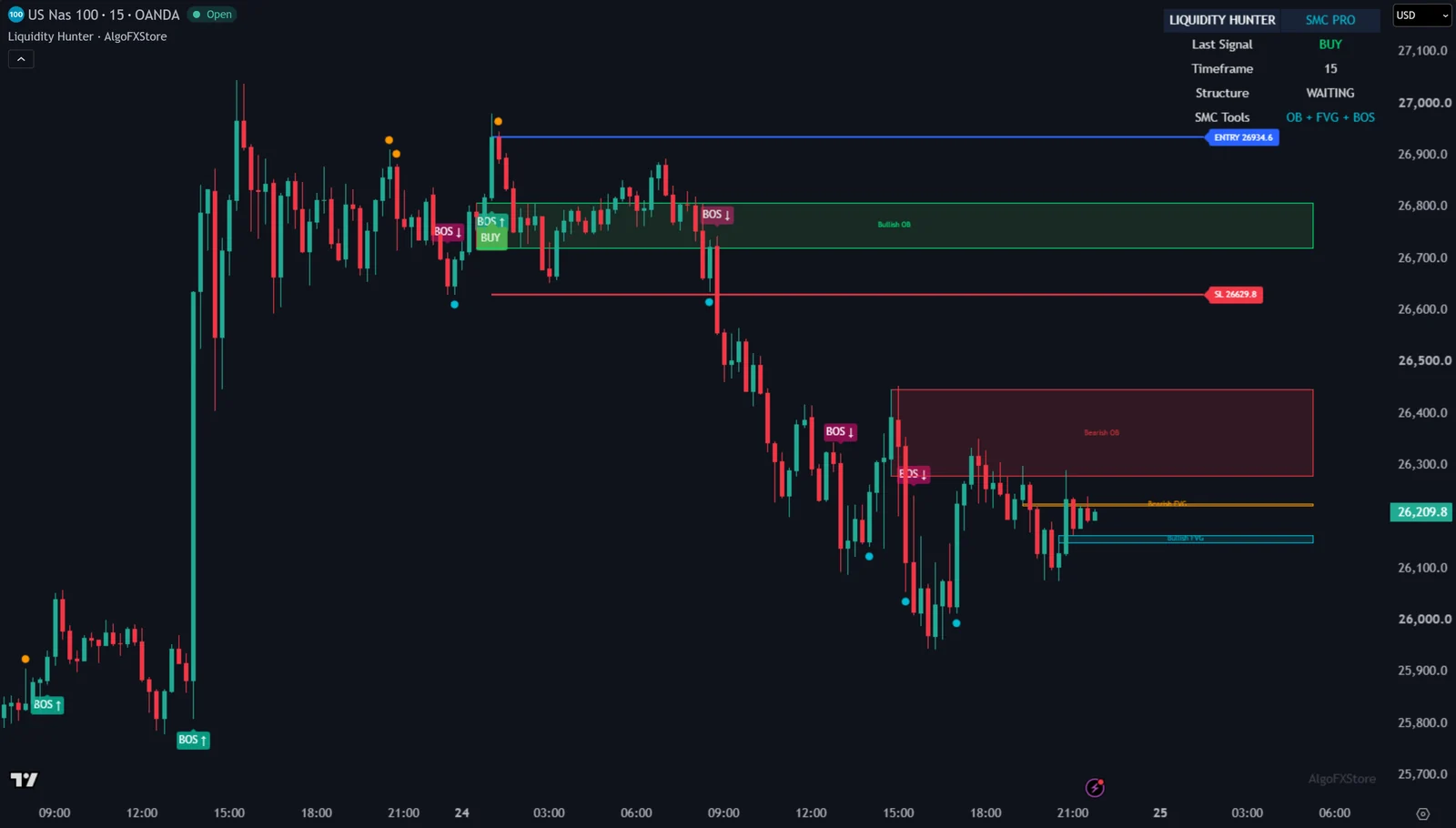
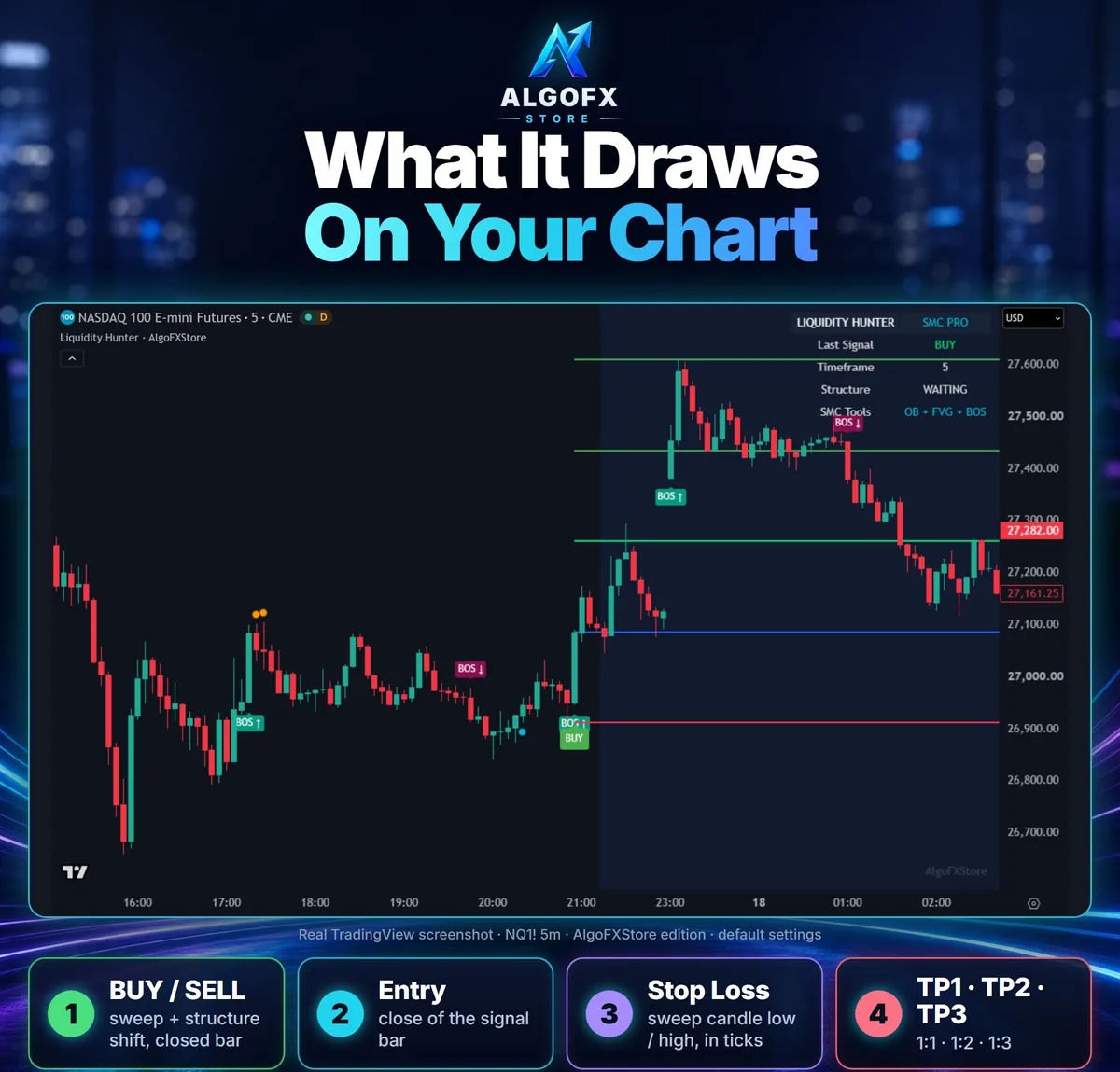
Waits for a closed bar that sweeps the last swing high or low and closes back. Within 10 bars, a closed bullish or bearish bar that closes beyond the market structure level with a body of at least 0.15 x ATR(14) prints BUY or SELL, with the entry at the close, the stop at the sweep candle and TP1 to TP3 at 1R, 2R and 3R.
- 4
PRO ICT Structure Engine
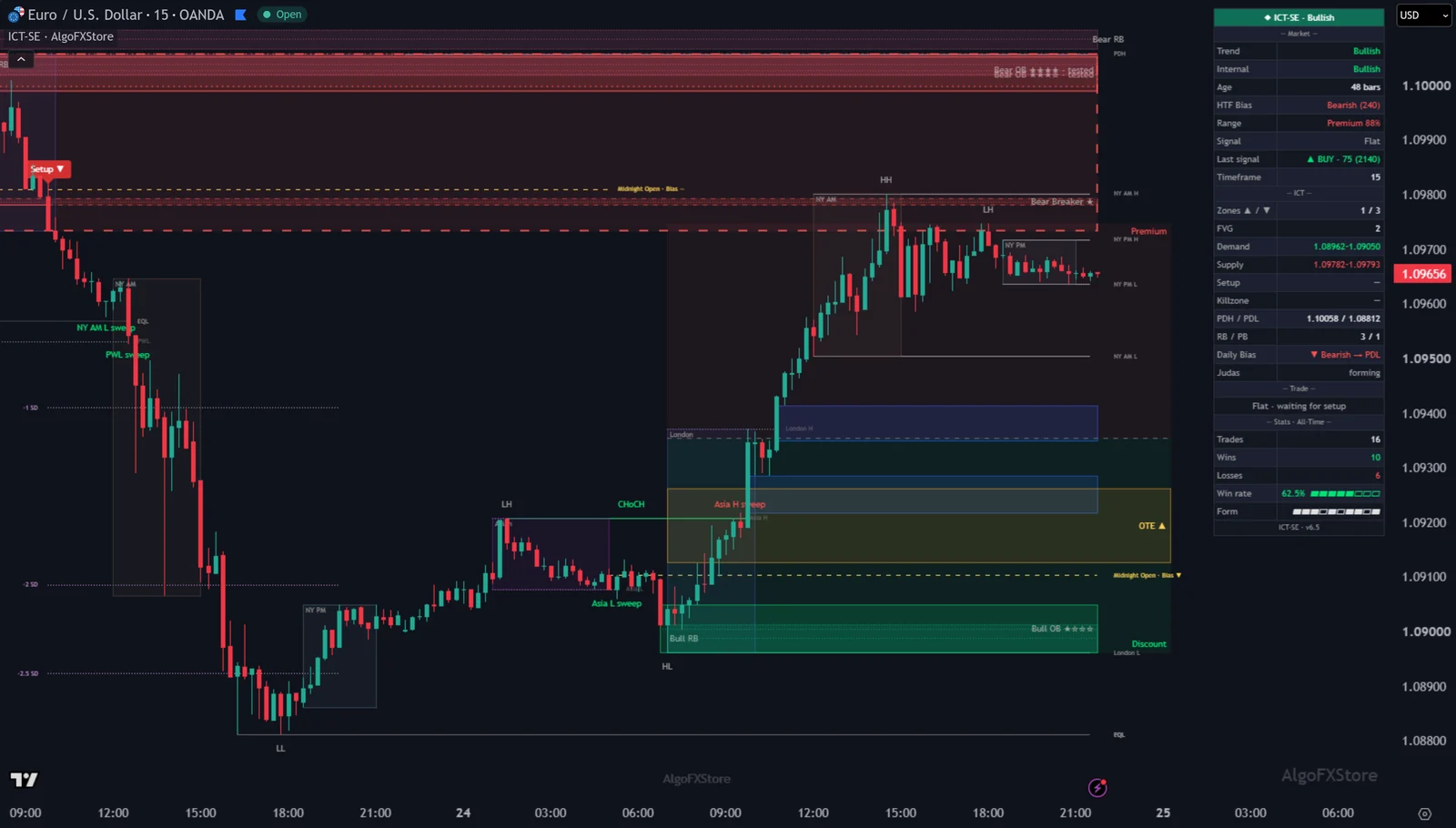
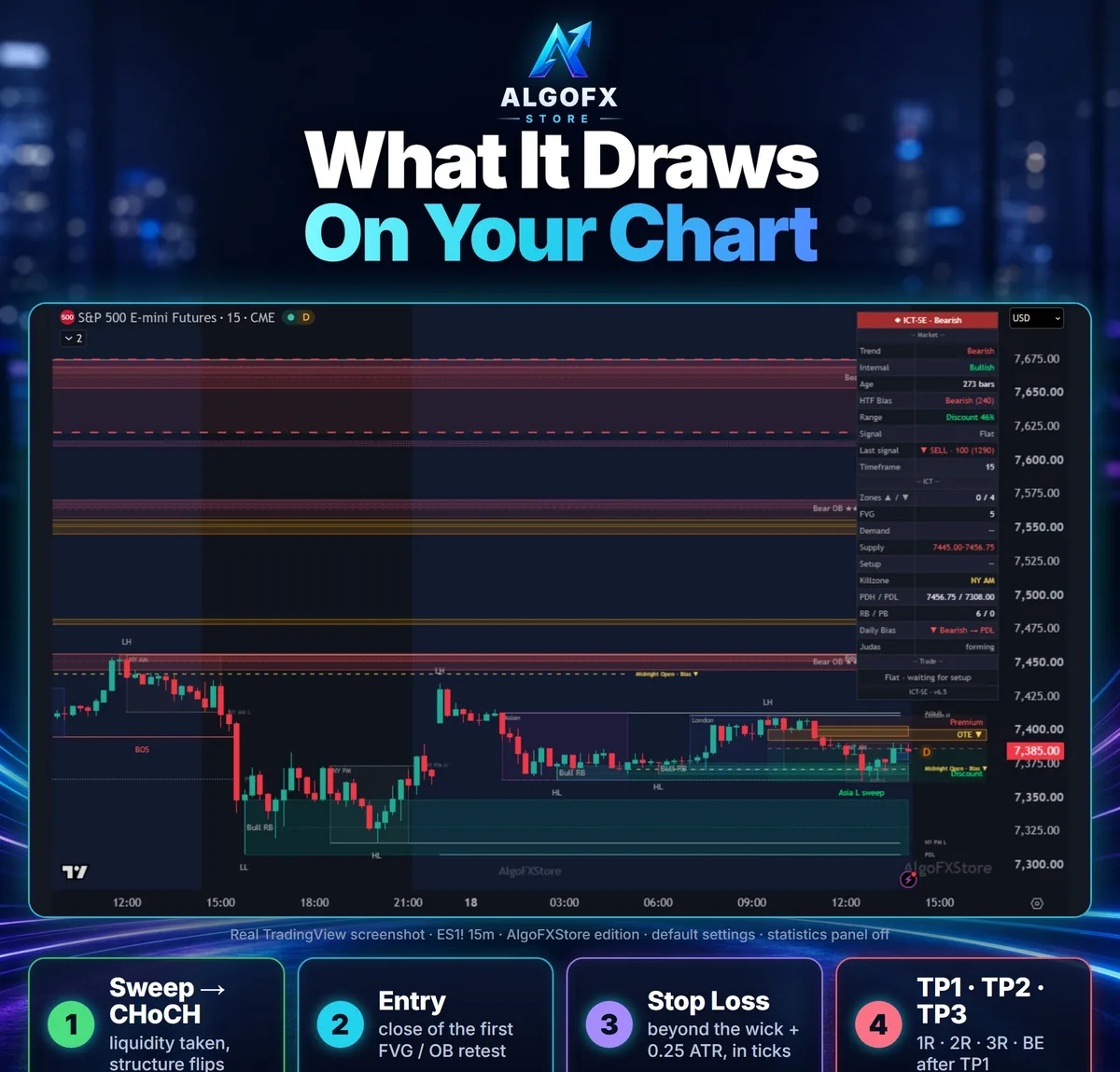
Maps external and internal structure, scored order blocks and breakers, fair value gaps, liquidity pools, killzones, the daily bias with the Midnight Open and the Judas Swing. A sweep of a liquidity pool followed by a CHoCH with displacement inside a killzone arms a setup; a retest of its fair value gap or order block gives the entry, with a stop and three targets.
- 5
PRO HTF Sweep ICT
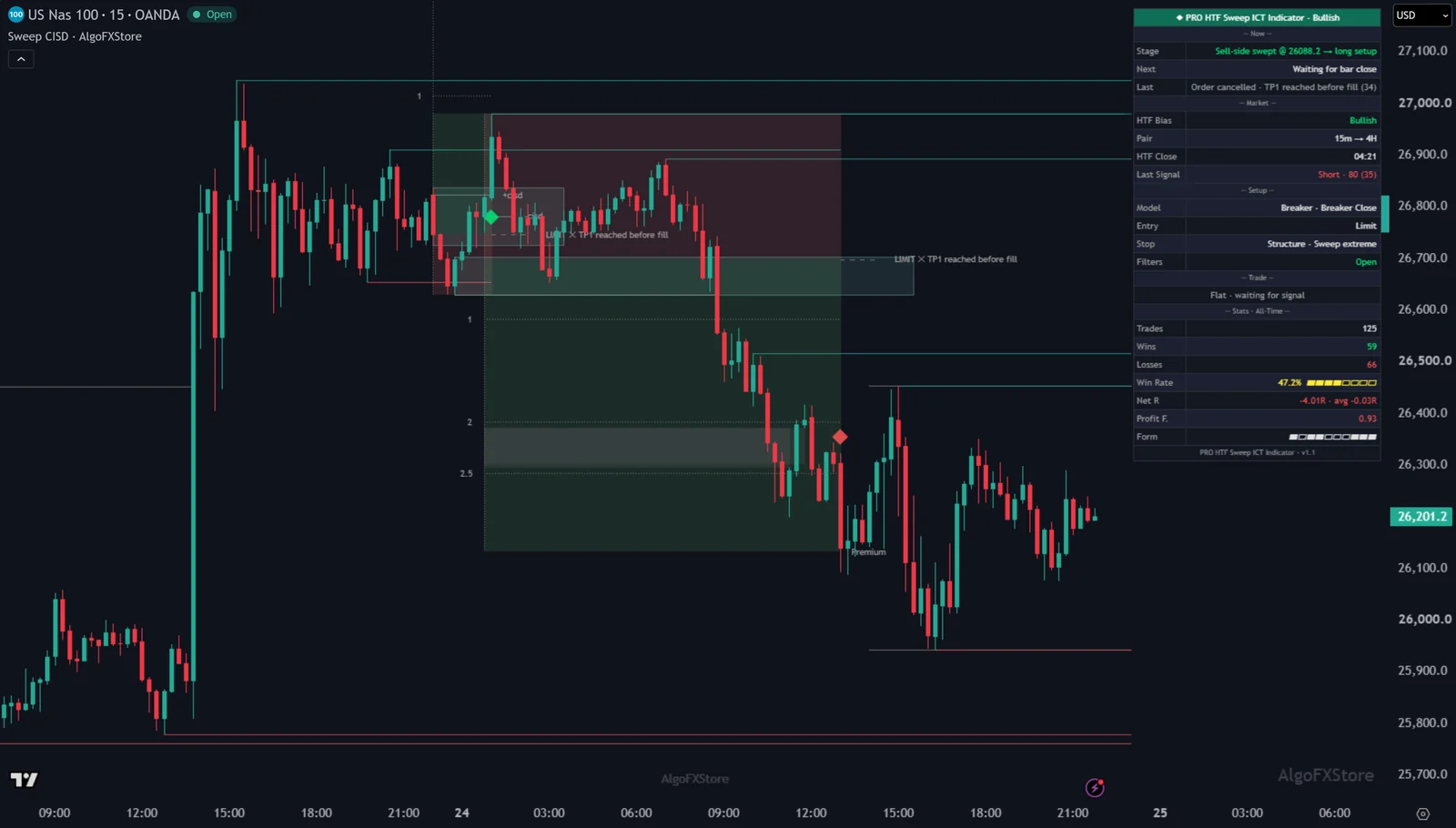
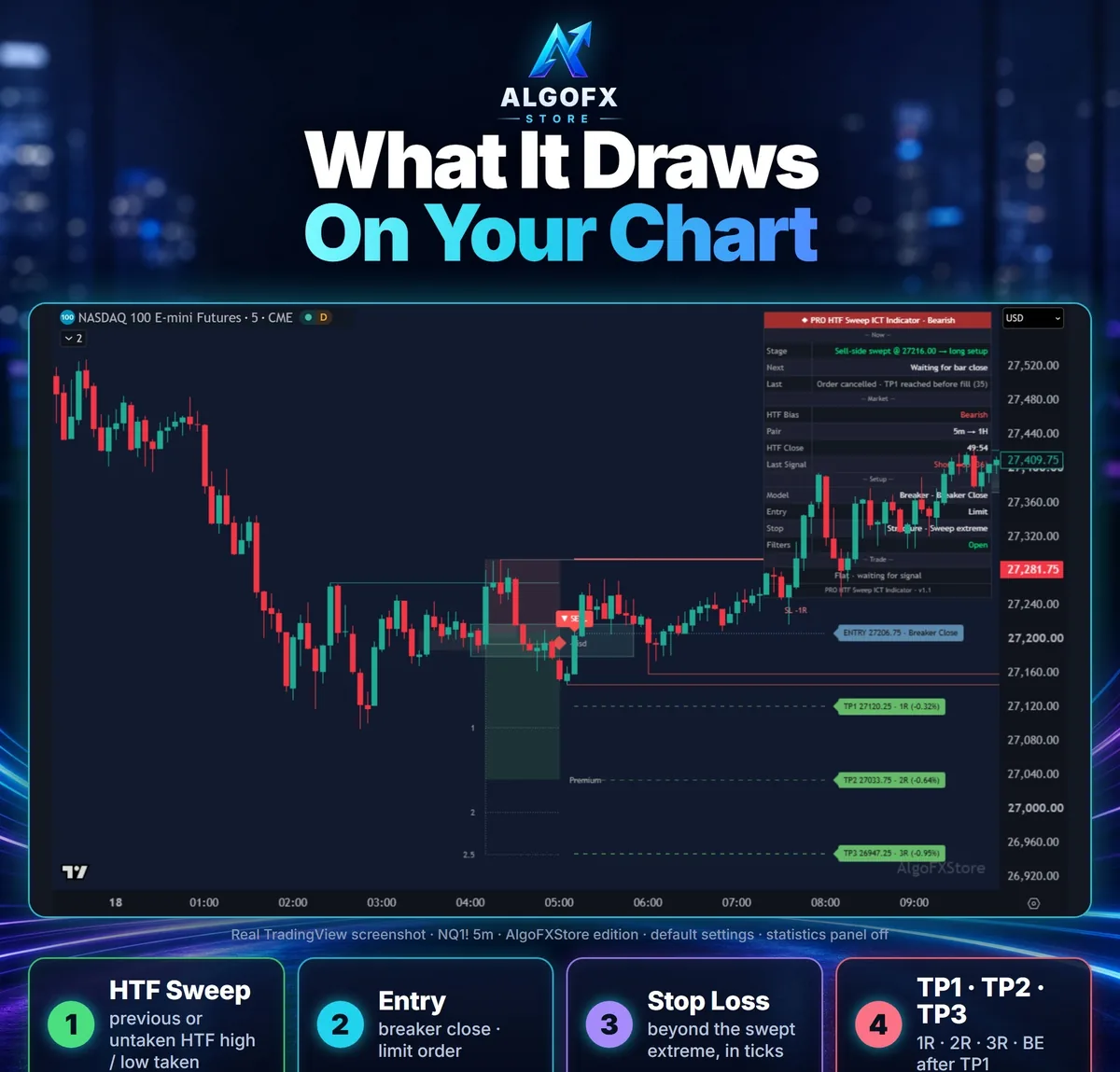
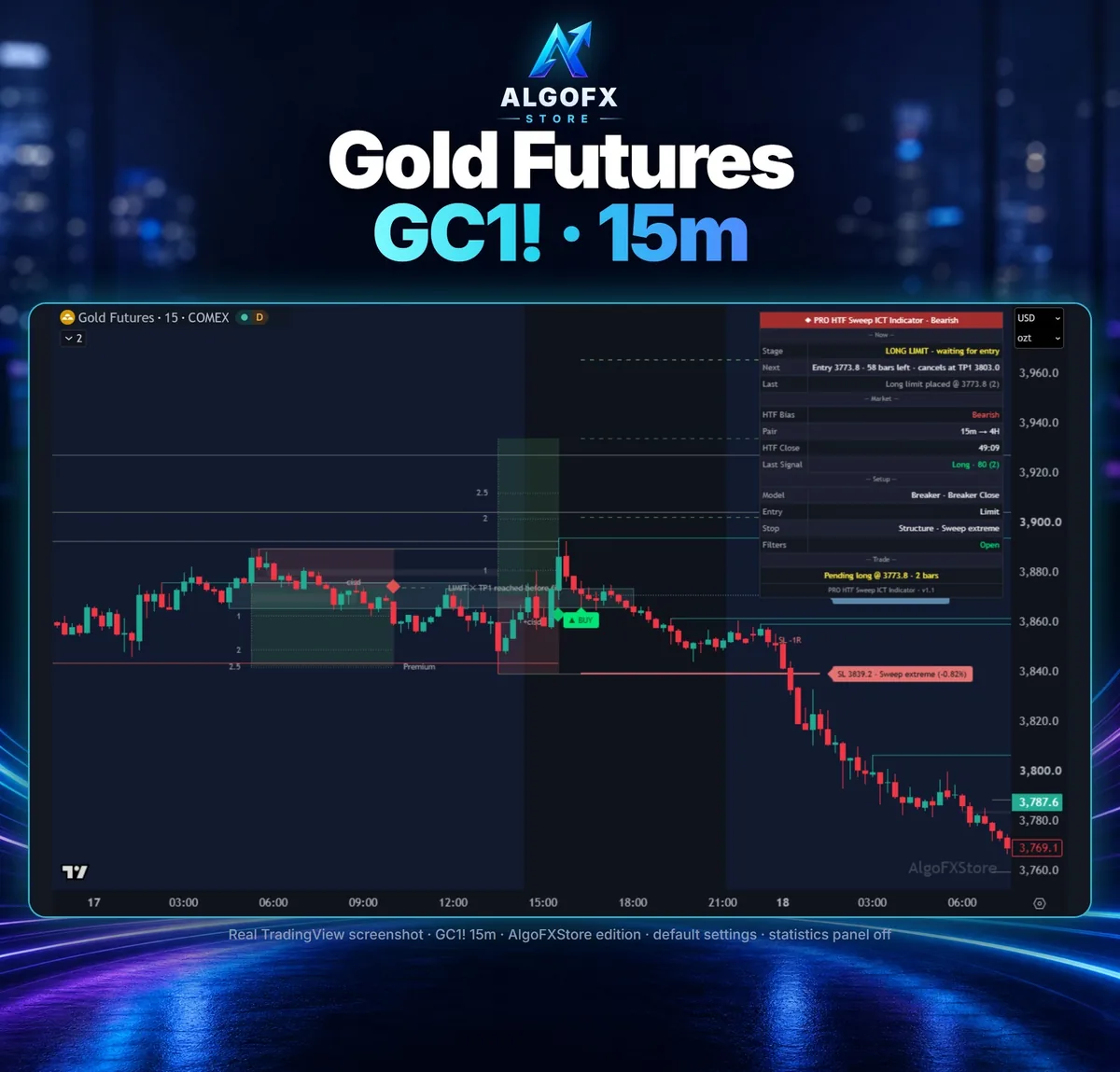
Pairs your chart with a higher timeframe automatically, for example 5 minutes with 1 hour, and waits for a higher-timeframe high or low to be swept. It then builds an entry on your chart, by default a breaker made with displacement, with a limit entry at the breaker close, a stop at the swept extreme and three targets. A dashboard says what it is waiting for.
- 6
How the five fit together
Order Block Power and PRO SMC Structure Model give a lean view of structure and zones. Liquidity Hunter PRO SMC adds the sweep and the shift. PRO ICT Structure Engine combines sessions, liquidity and structure in one model, and PRO HTF Sweep ICT anchors the sweep on a higher timeframe. You can run one, or two side by side for a second opinion.
5 complete TradingView scripts
Each one comes as its full Pine Script source code with its own PDF guide, in its own folder of the download.
PRO SMC Structure Model
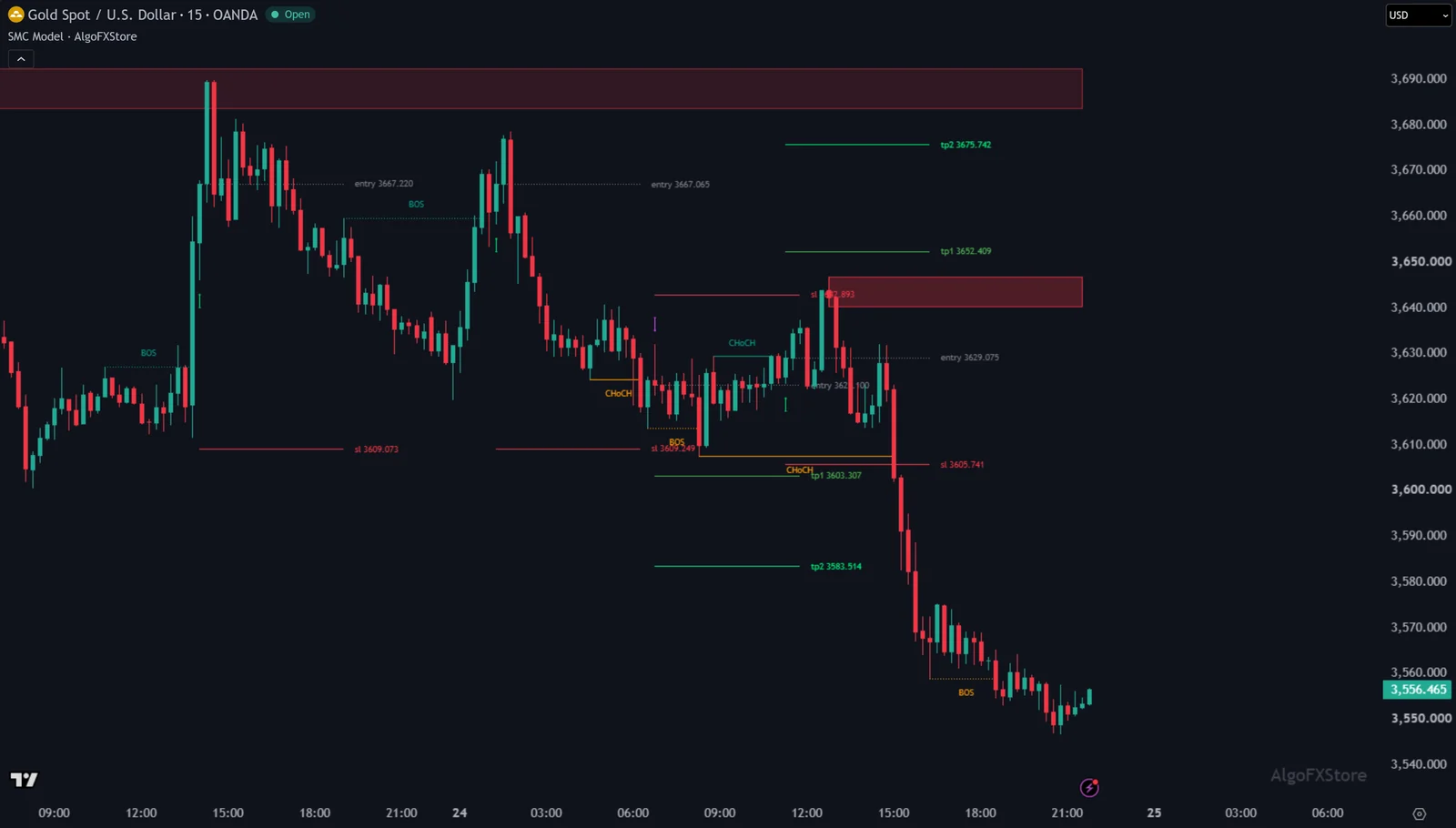
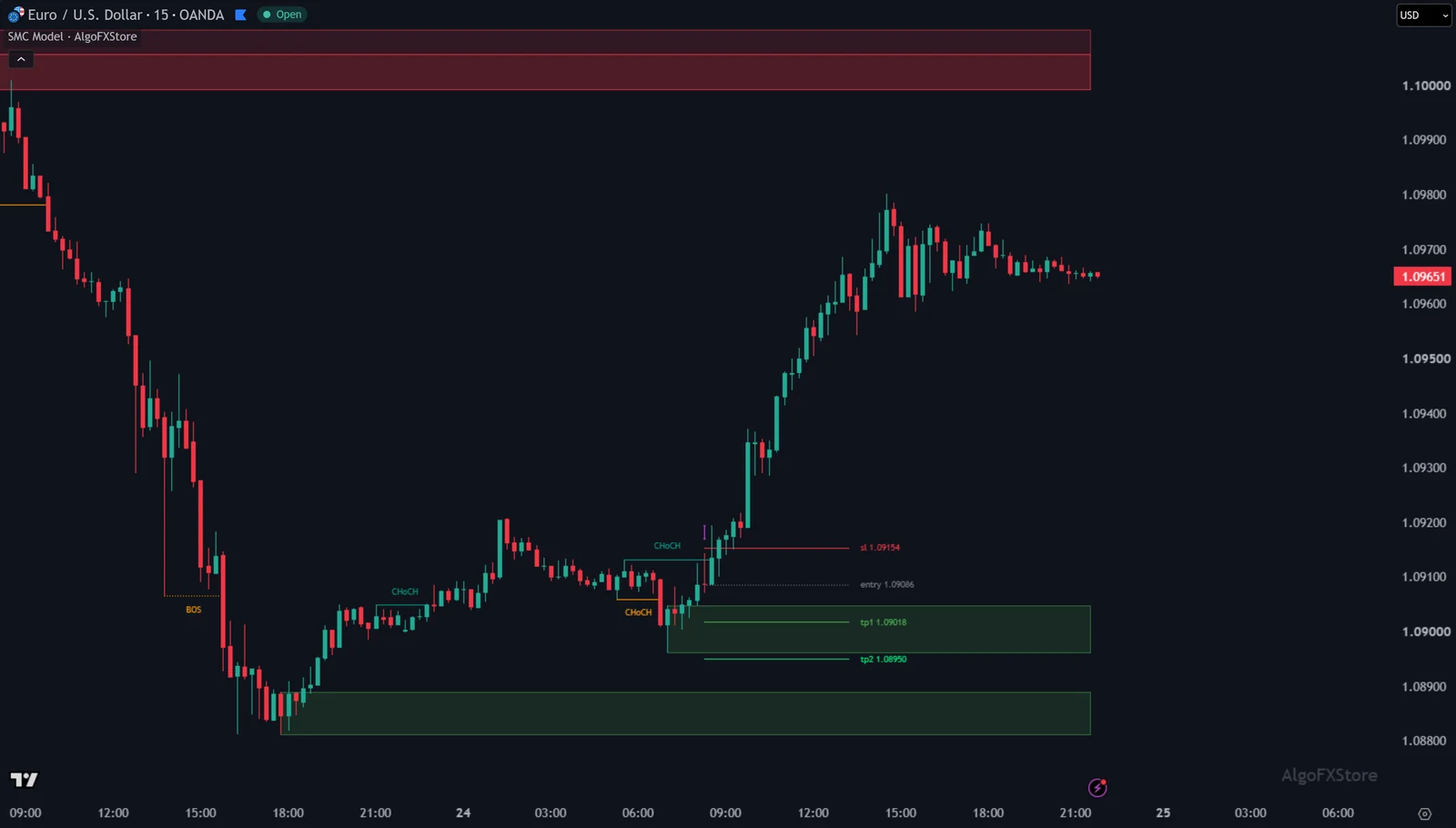
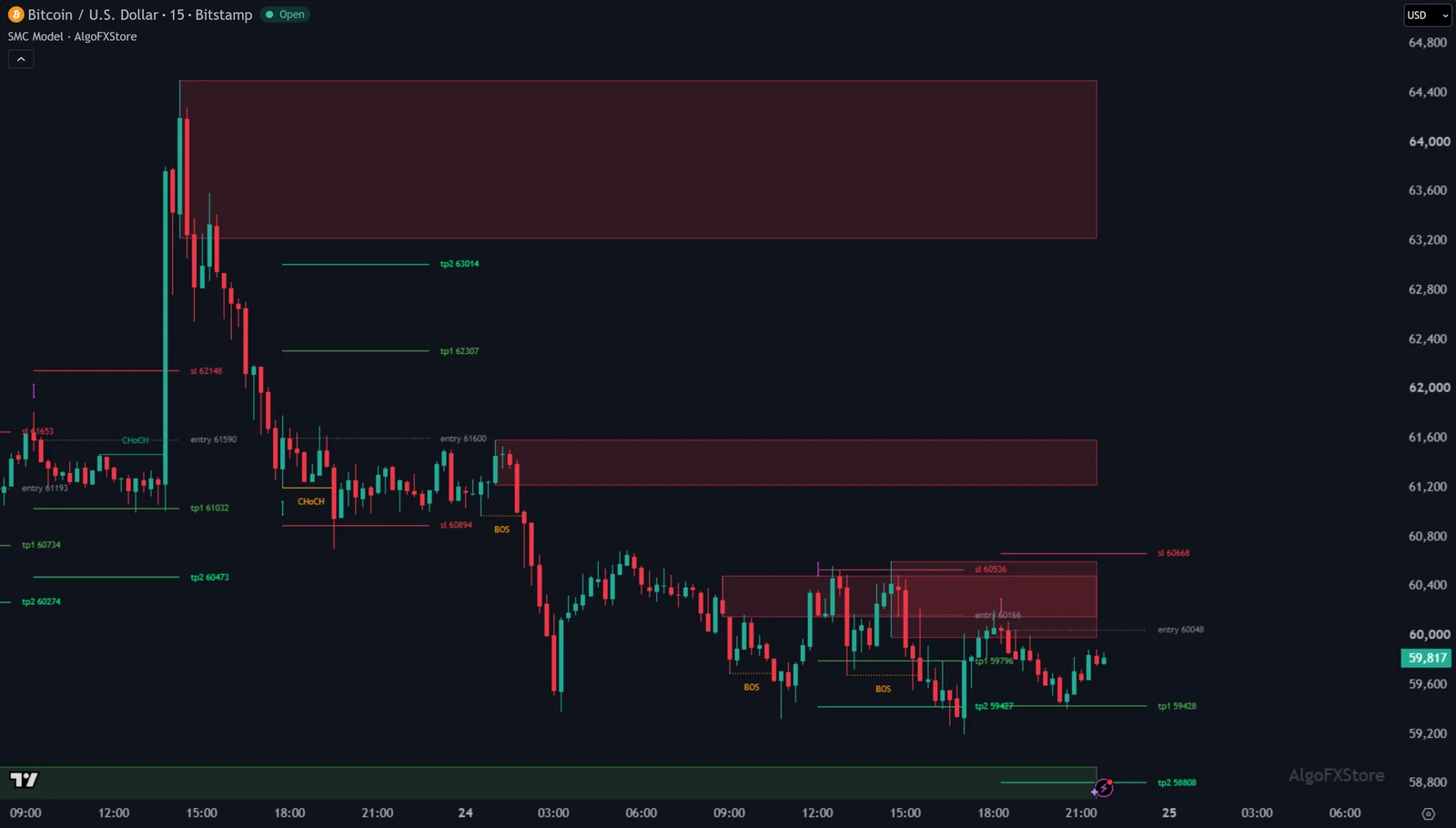
PRO SMC Structure Model marks every break of structure on your TradingView chart as BOS or CHoCH, draws the order block that started the move and prints an arrow when a closed candle retests that block in the direction of the structure.
- BOS and CHoCH from swing highs and lows with five candles on each side, decided on the candle close
- Order block from the extreme candle of each breaking leg, the newest four kept per side
- Retest arrow with entry, a stop 0.2 x ATR(14) beyond the block, TP1 at 1R and TP2 at 2R
Signals decided on closed bars · 32 settings · 4 alert events
Order Block Power
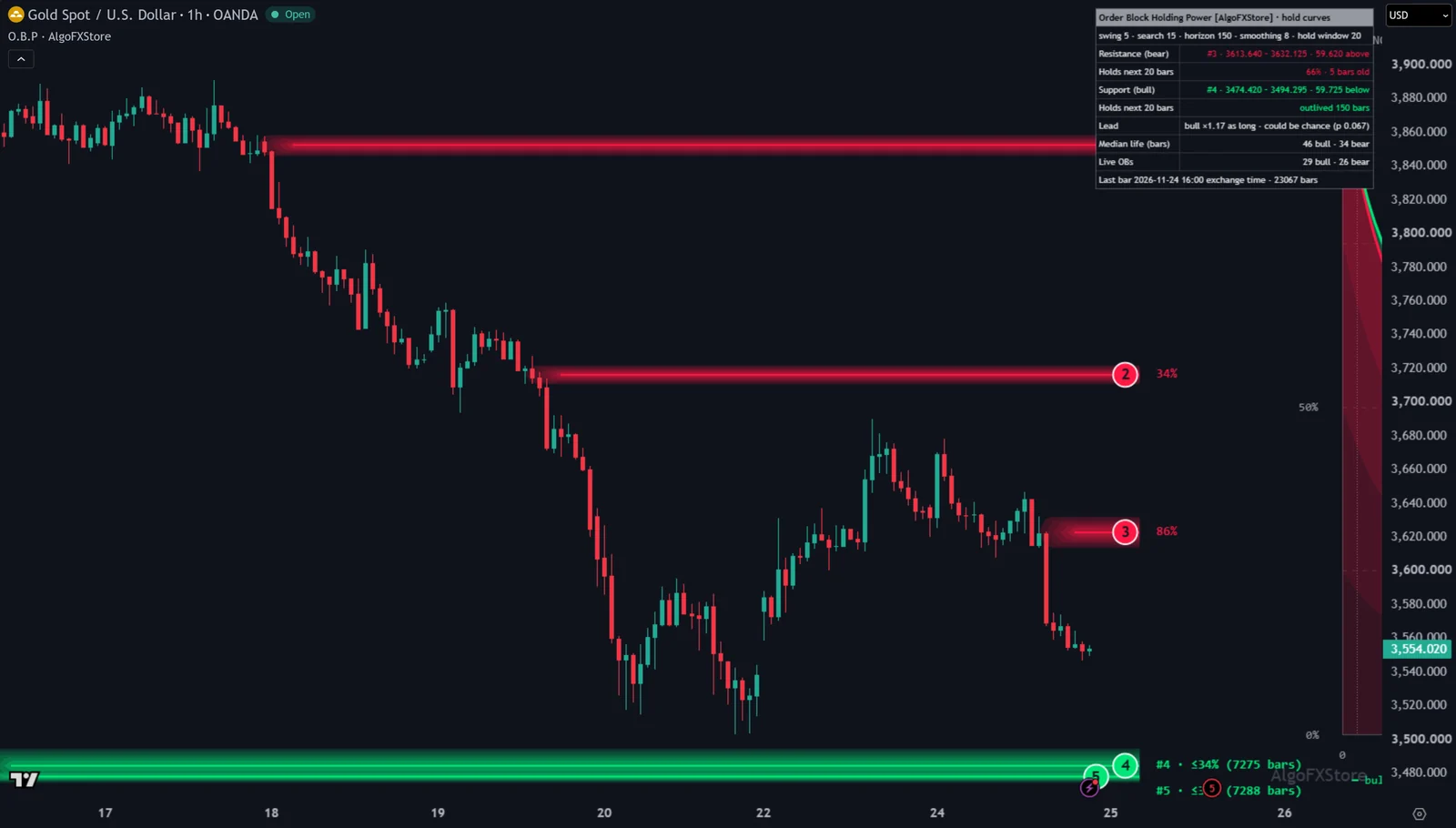
Order Block Power marks bull and bear order blocks on your TradingView chart from closed-candle structure breaks and paints only the live zones nearest to price, three above and three below by default.
- Bull and bear order blocks from closes beyond confirmed swings, decided on the closed candle
- Only the live zones nearest to price are painted, with up to 60 per side tracked
- Hold curves and the median life of past blocks, measured on the loaded history
Signals decided on closed bars · 13 settings
Liquidity Hunter PRO SMC
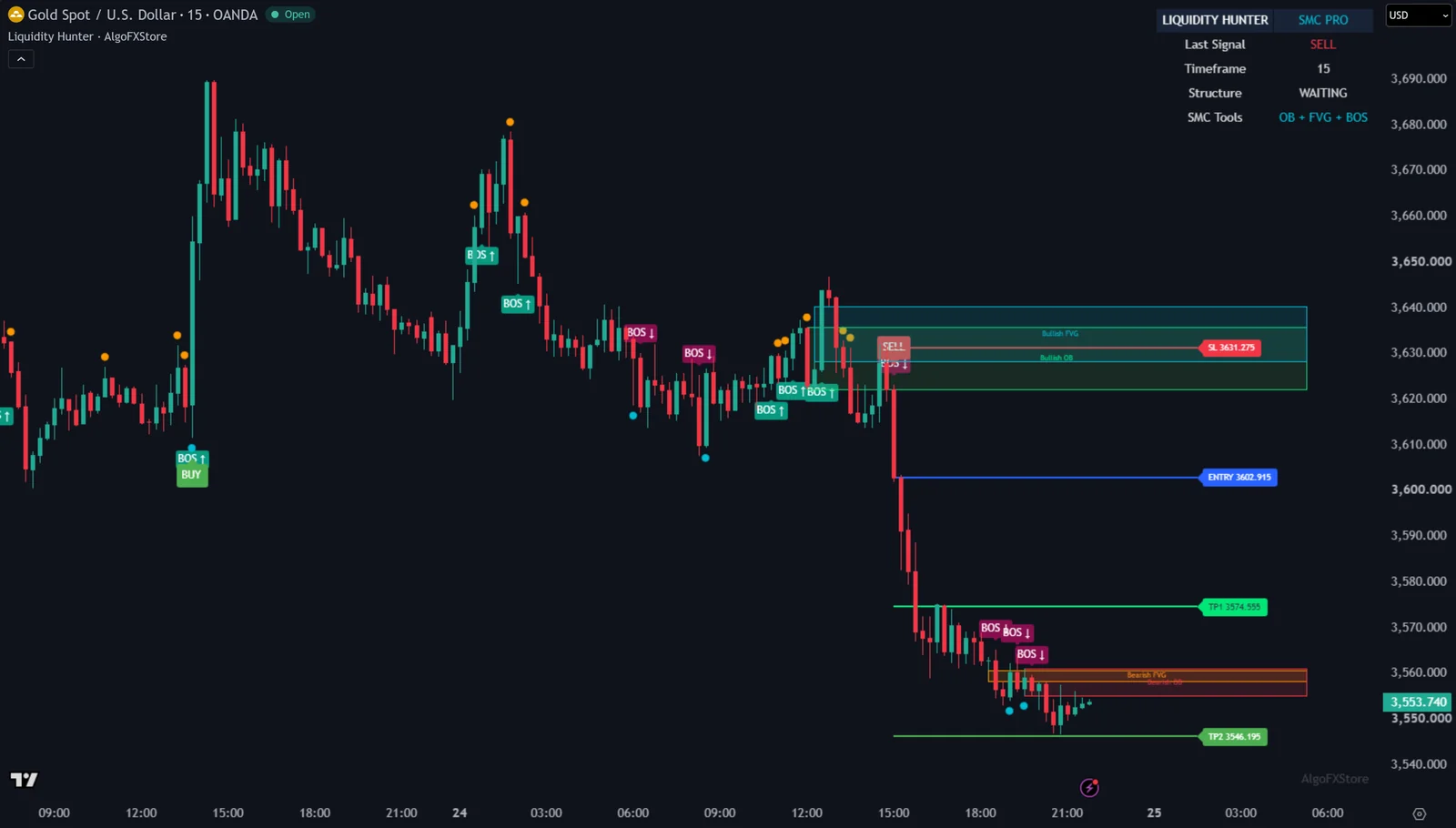
Liquidity Hunter PRO SMC marks every closed bar that sweeps the last swing high or low and closes back inside, then prints BUY or SELL only when a strong closed candle breaks the opposite swing within 10 bars.
- Sweep circles on closed bars that trade beyond the last 5-bar swing and close back inside.
- BUY or SELL when a candle with a body of 0.15 ATR closes beyond the opposite swing.
- Entry, a stop at the sweep candle's extreme and TP1, TP2, TP3 at 1, 2 and 3 times the risk.
Signals decided on closed bars · 17 settings · 6 alert events
PRO ICT Structure Engine
PRO ICT Structure Engine draws the ICT toolkit on your TradingView chart: market structure, order blocks, fair value gaps, liquidity pools, killzones and the premium and discount range.
- External and internal structure with BOS, CHoCH and HH, LH, HL, LL labels
- Order blocks scored 0 to 4 stars, fair value gaps, rejection and propulsion blocks
- Sweep, CHoCH within 20 candles and a retest, gated by killzone and premium or discount
Signals decided on closed bars · 115 settings · 9 alert events
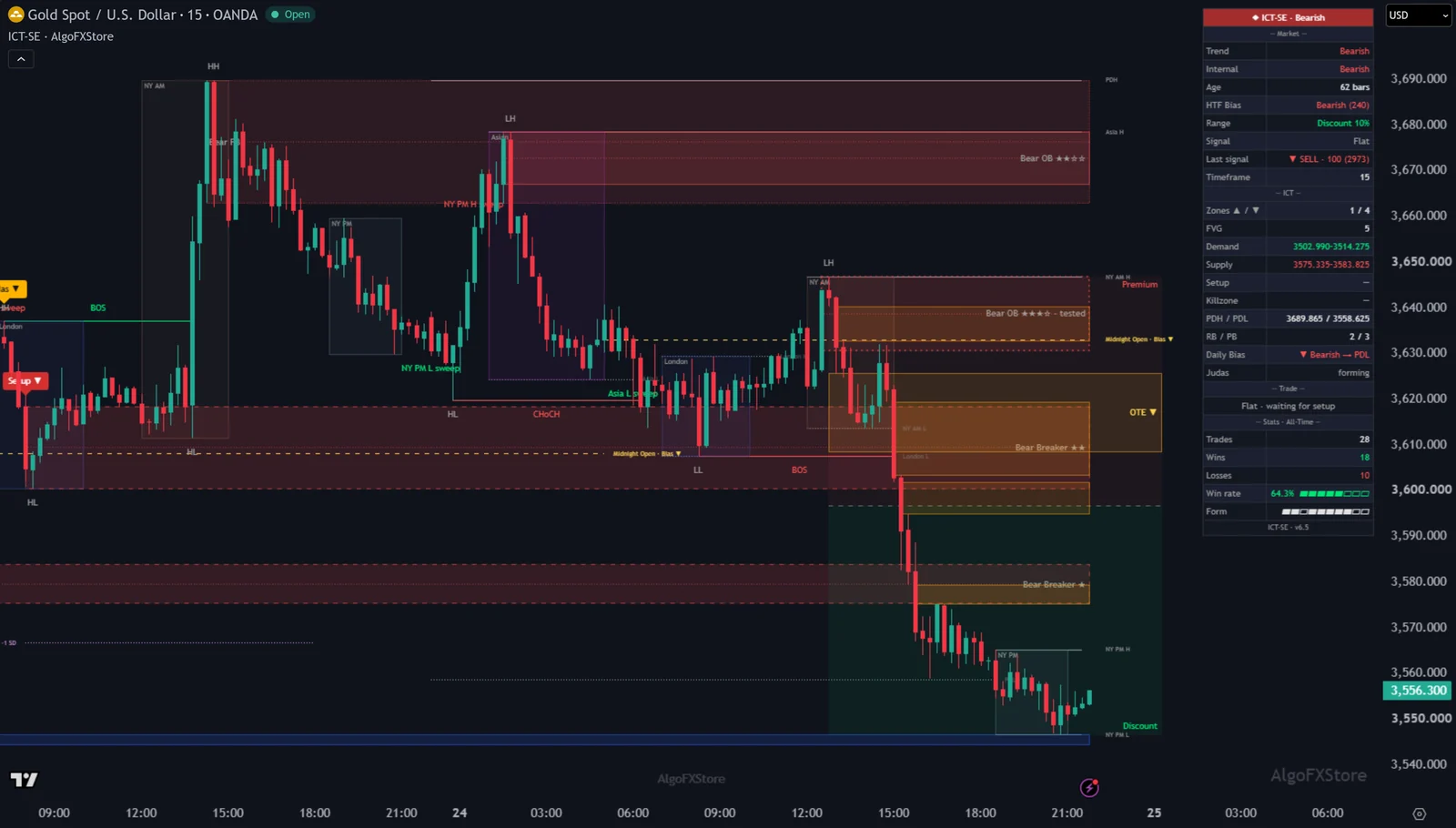
PRO HTF Sweep ICT
PRO HTF Sweep ICT watches the higher-timeframe candles behind your TradingView chart, waits for price to sweep a previous HTF high or low, and then looks on your chart timeframe for the structure that follows: order block and CISD level, fair value gaps, inversions and breakers.
- Automatic HTF pairing, such as 5 minutes to 1 hour and 15 minutes to 4 hours
- Sweeps of the previous HTF candle and of untaken HTF highs and lows of the last 10 candles
- Entry at a breaker by default, with 18 entry points across OB, CISD, FVG, IFVG and breaker
Signals decided on closed bars · 122 settings · 12 alert events
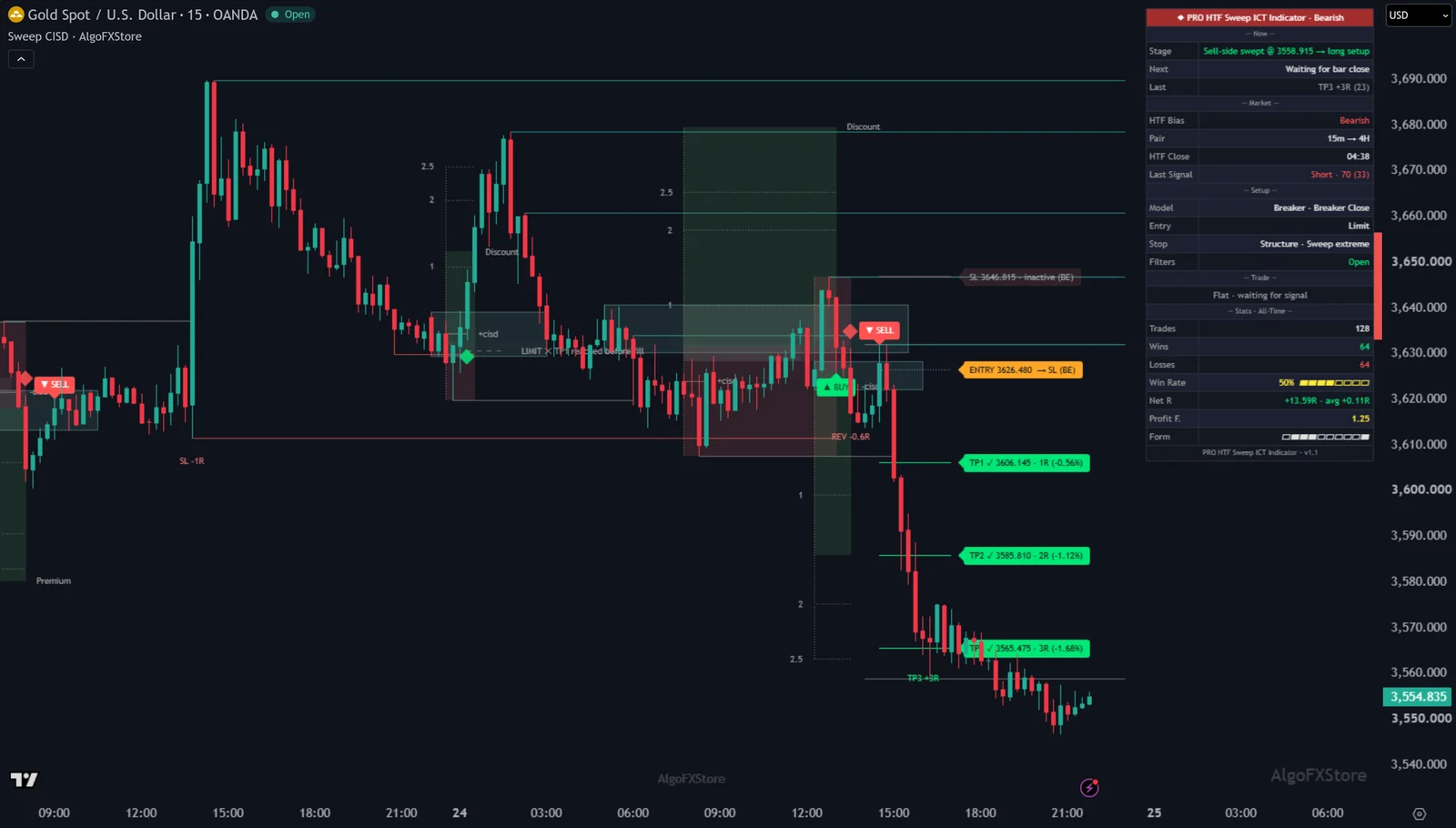
SMC ICT Indicator Bundle on 20 different markets
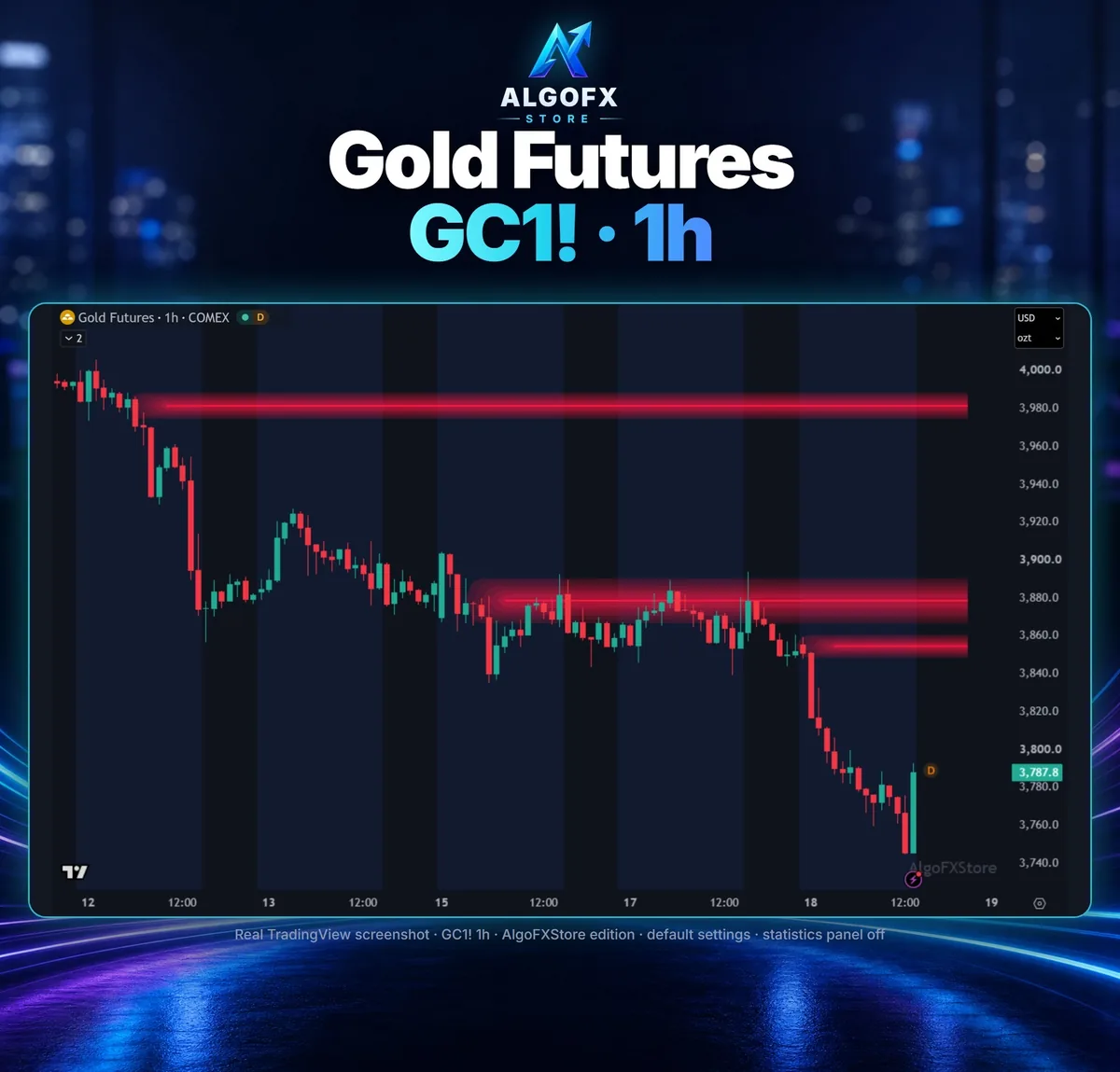
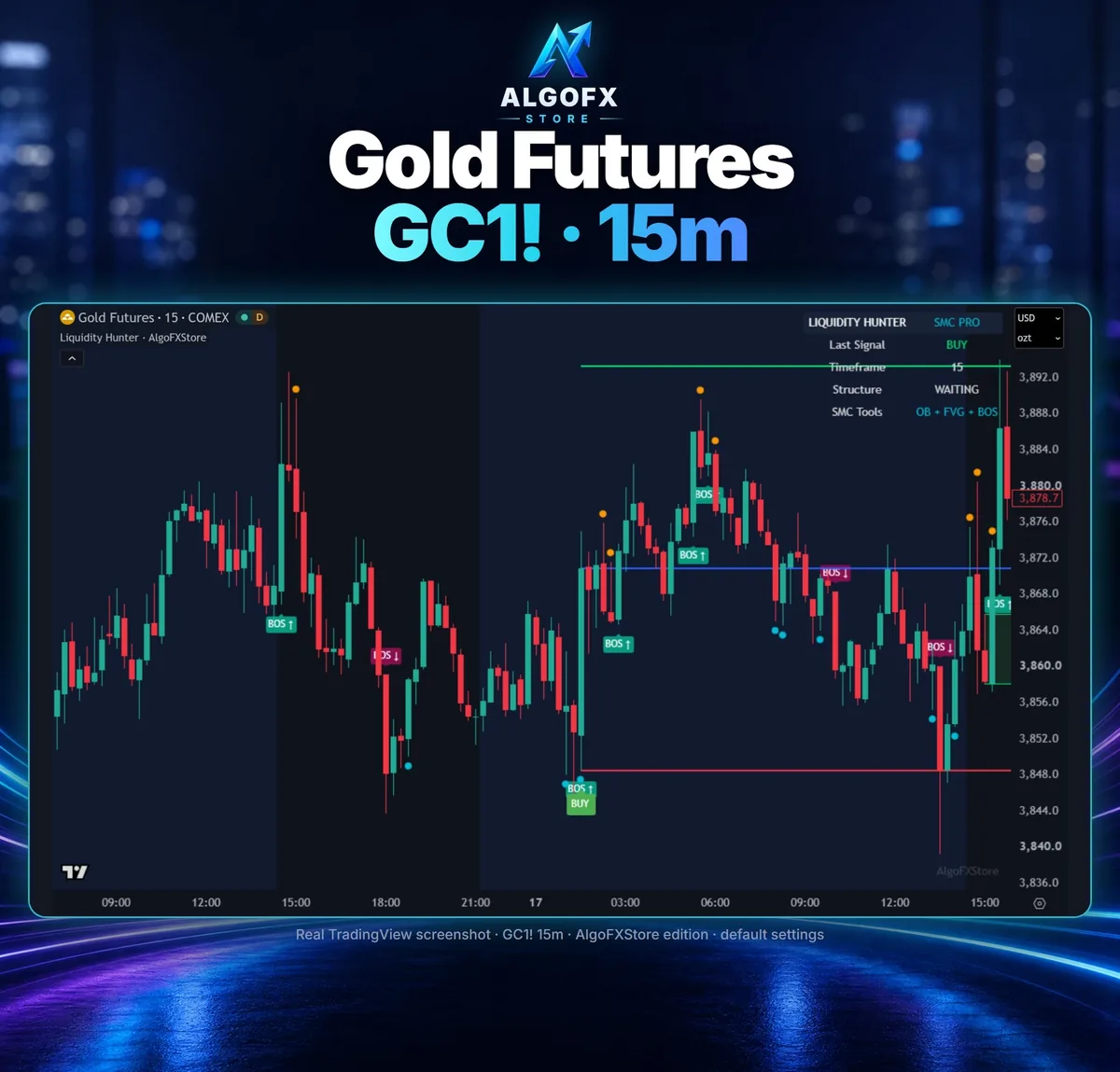
Every chart below is a screenshot of TradingView itself with the shipped scripts of this bundle attached at their default settings. They show what the indicator draws; they are not trading results. Tap or click any chart to open it full size.
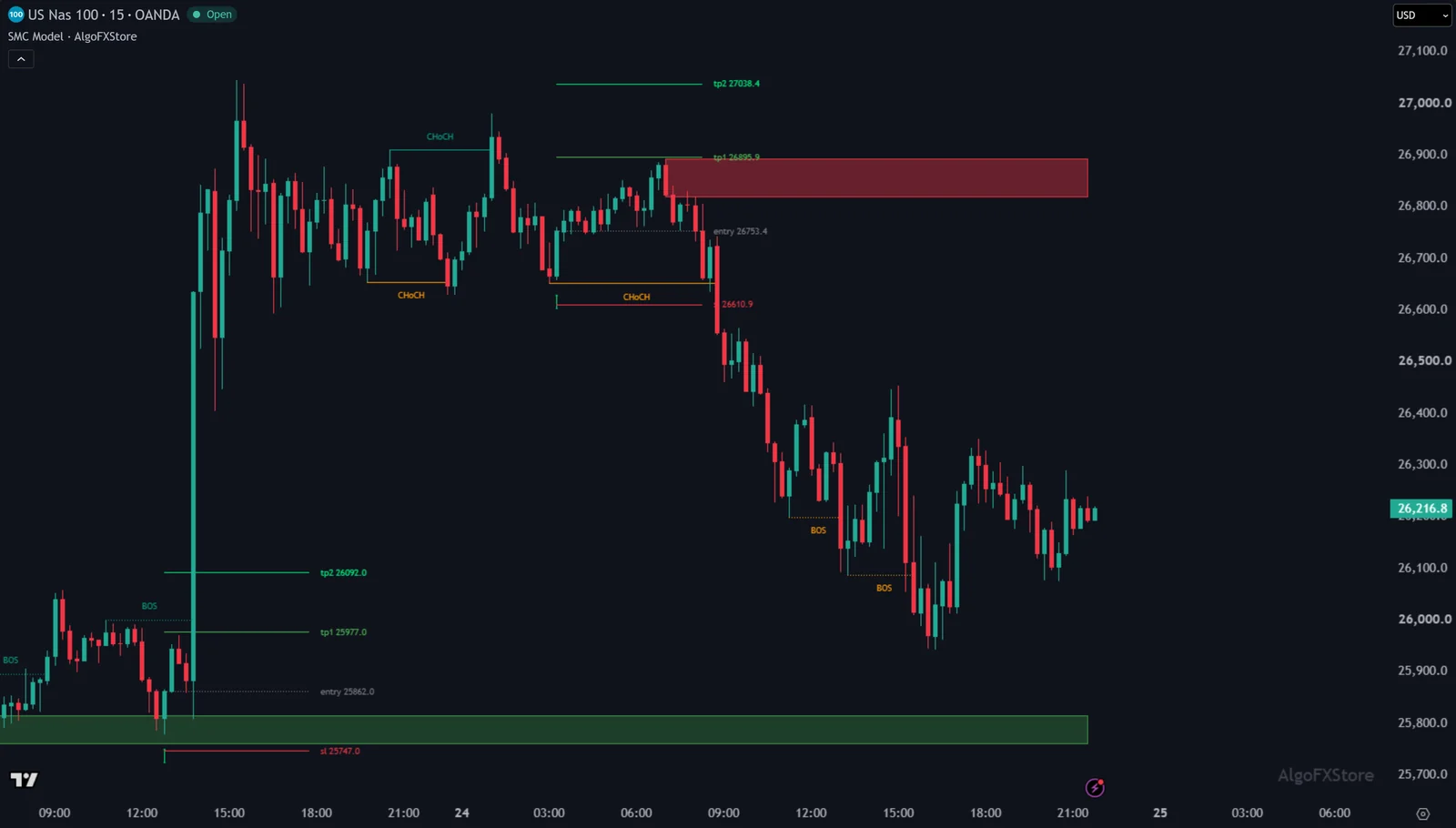
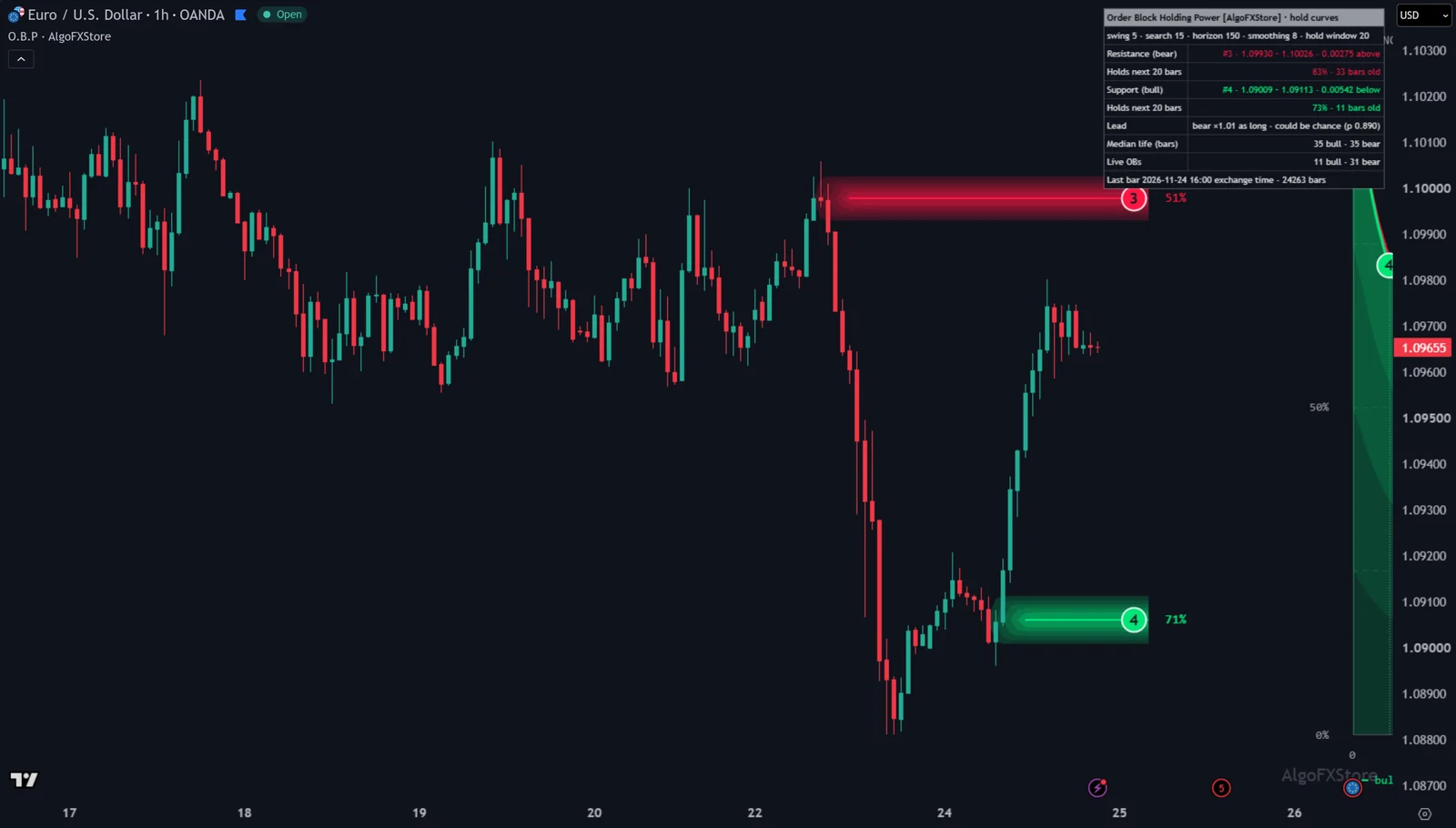
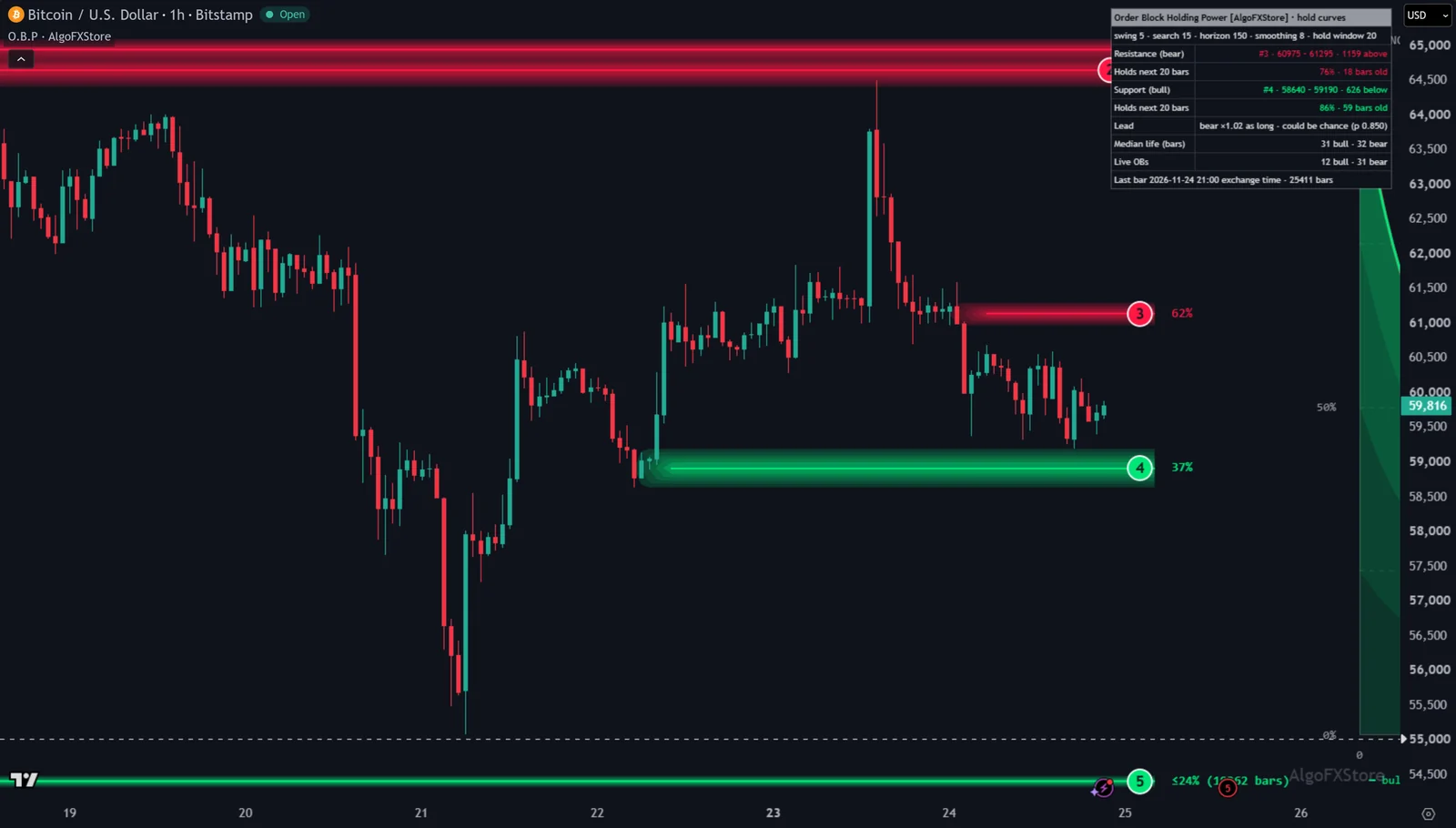
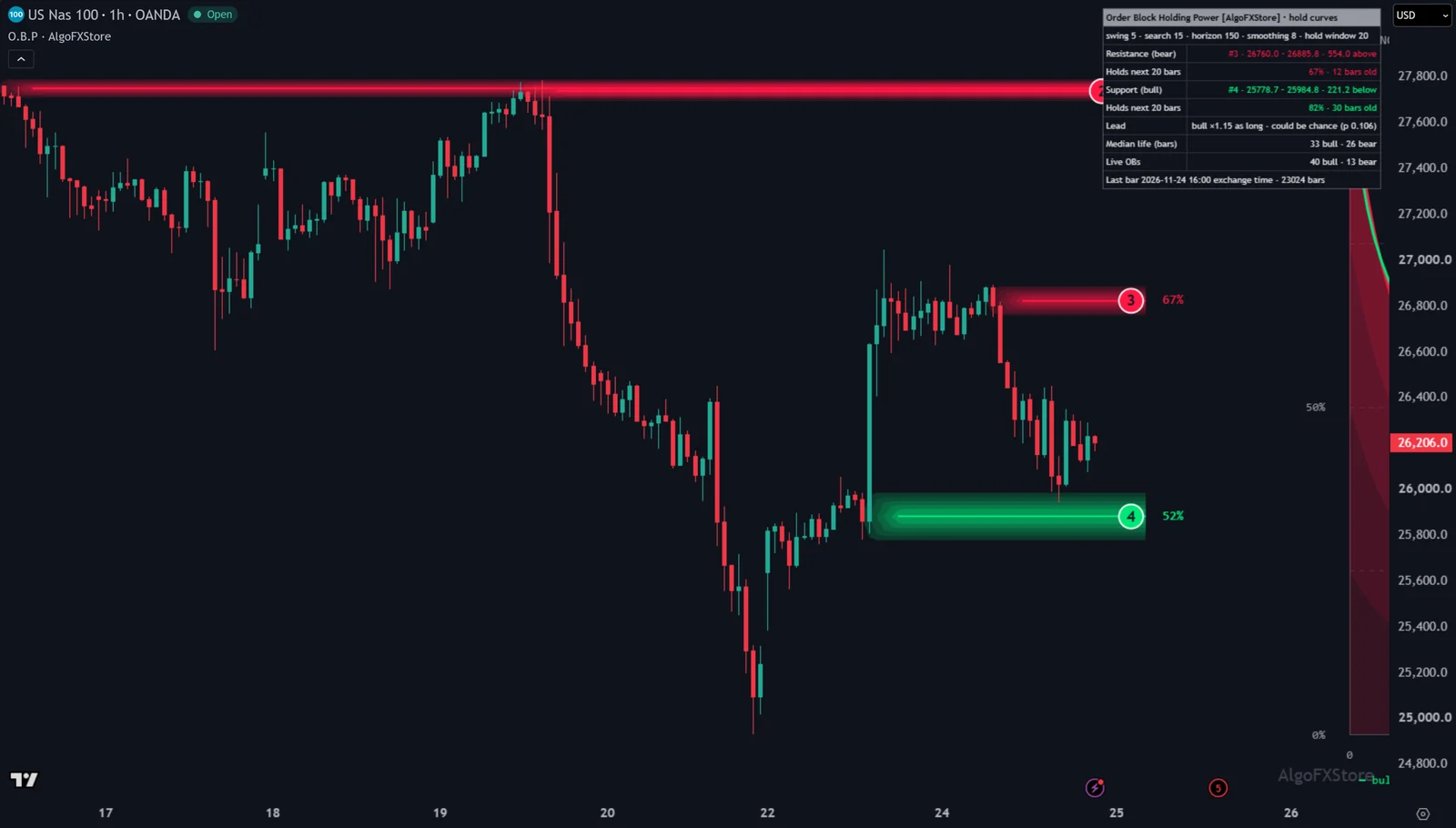
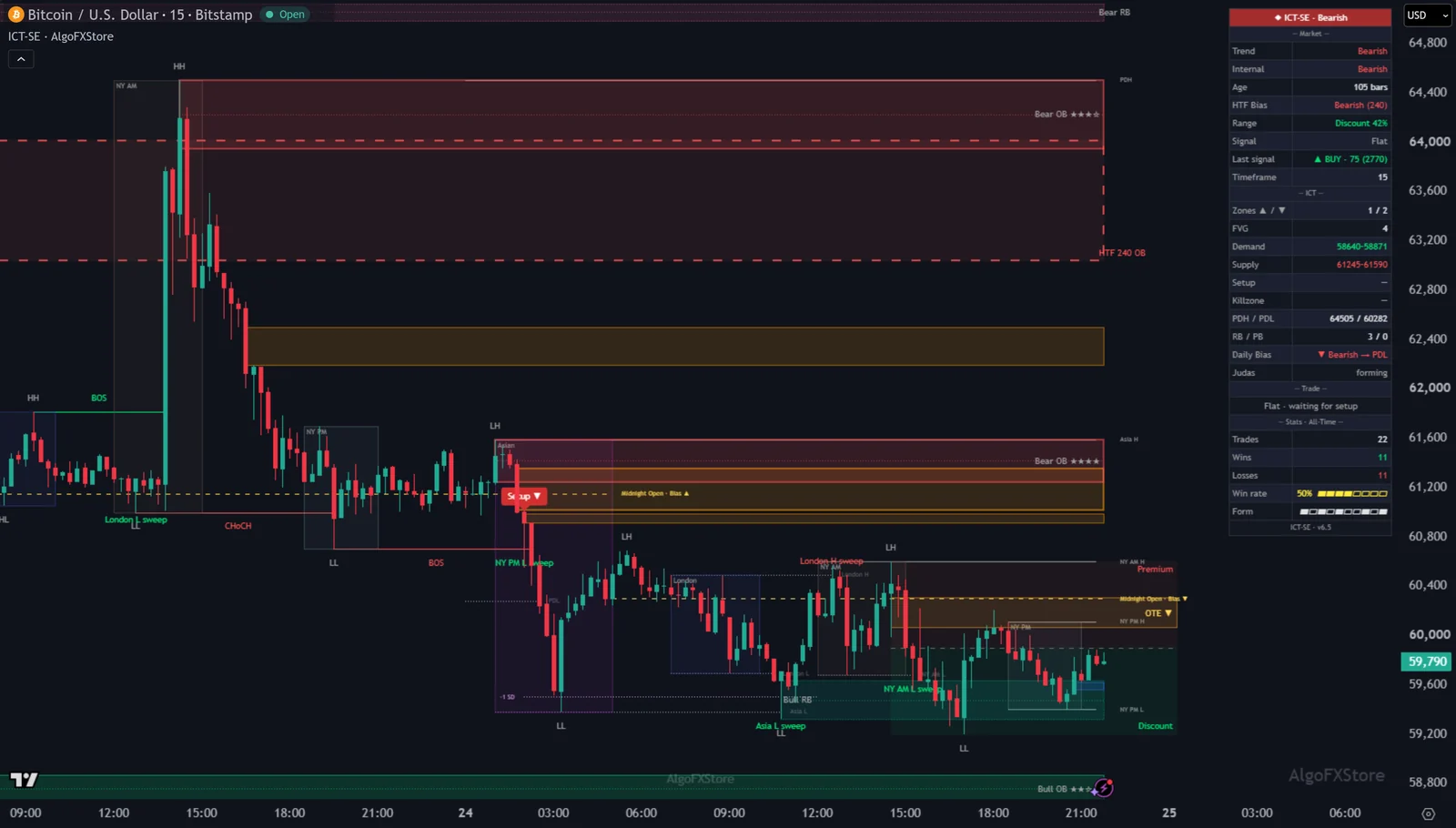
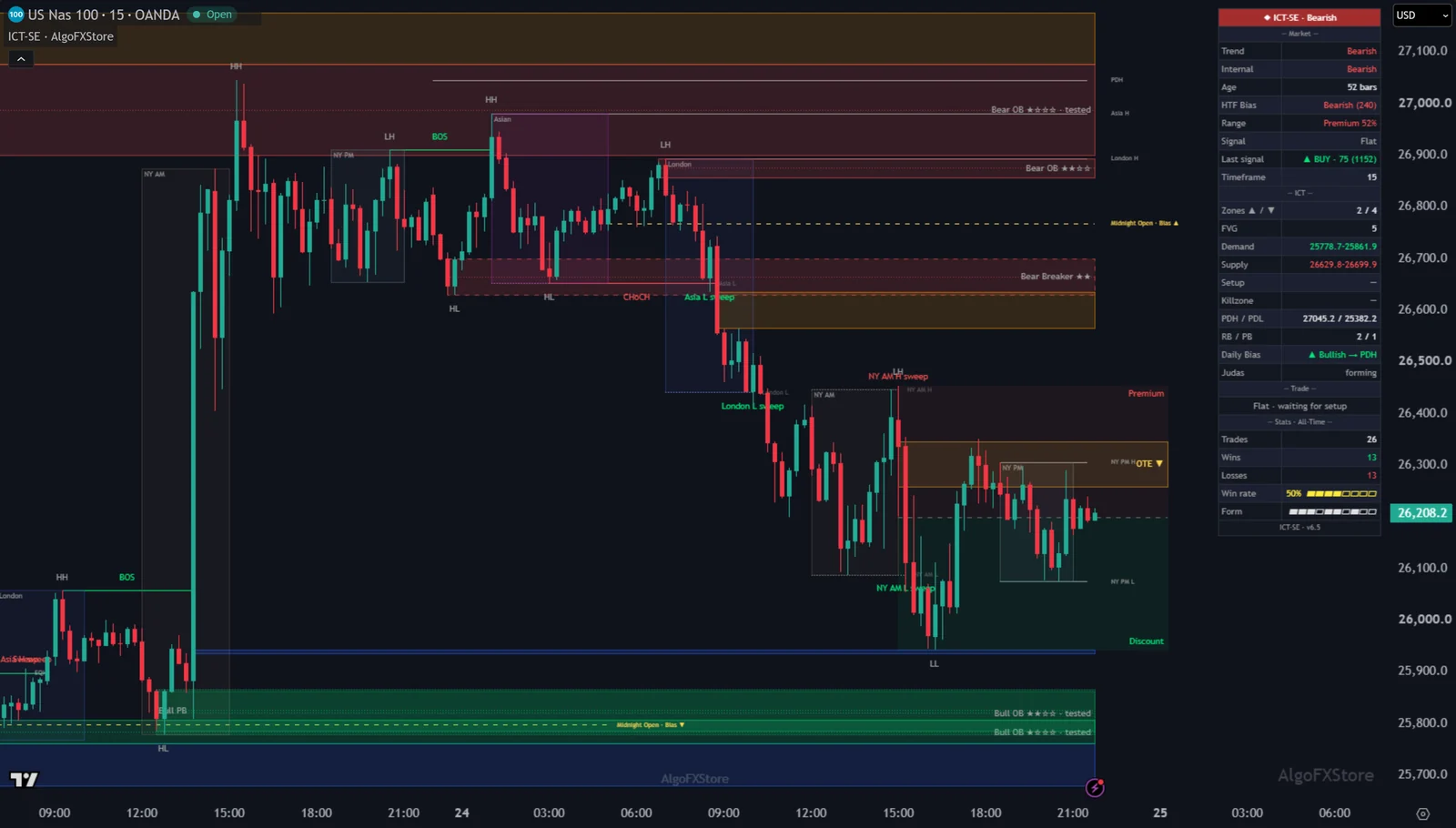
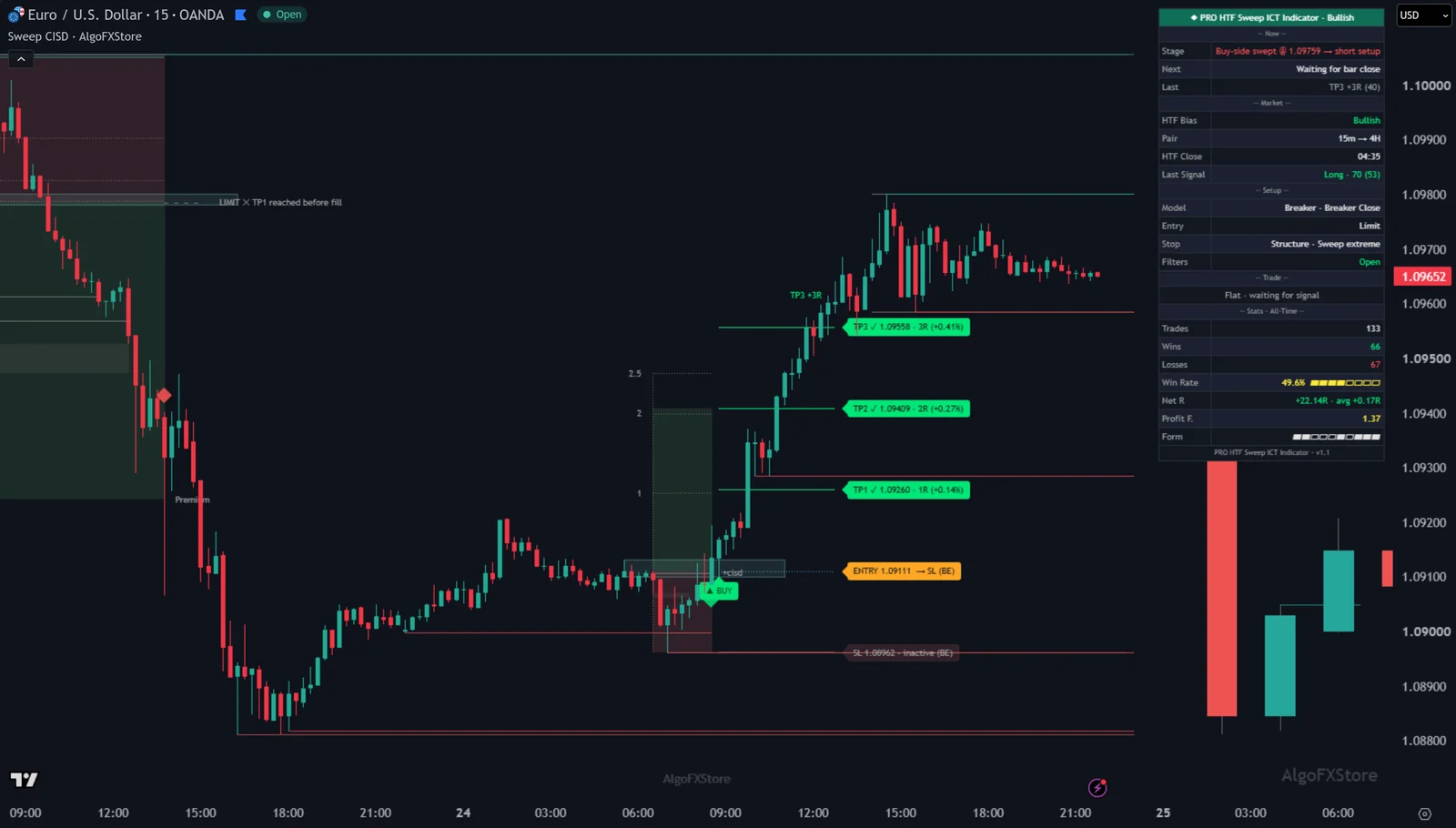
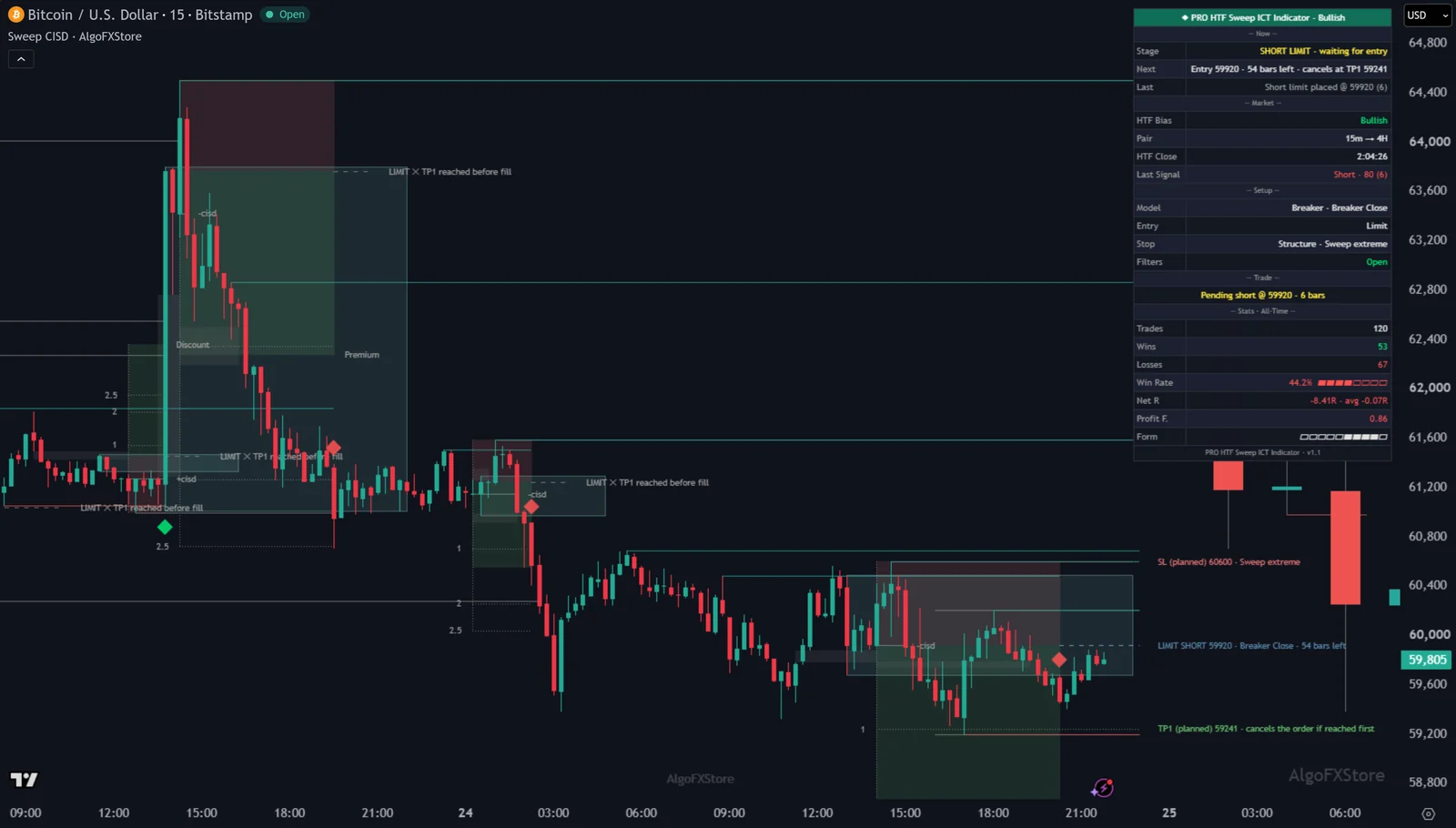
One way to use them together
You do not have to run all five, and five SMC overlays on one chart would be crowded. This is one workflow; each guide explains its own script in detail.
- 1
Start with the bigger picture
Use PRO HTF Sweep ICT on a 5 or 15 minute chart to see the higher-timeframe levels and whether one has been swept. Its dashboard tells you whether it is waiting for a sweep, building a setup or why a setup was skipped. A sweep of a 1 hour or 4 hour level is the context the other tools then work inside.
- 2
Read structure and zones
Add PRO SMC Structure Model or Order Block Power for the current BOS and CHoCH and the live order blocks near price. An order block that sits where the higher-timeframe sweep reversed is a zone where two independent rules point to the same area.
- 3
Wait for the shift
Liquidity Hunter PRO SMC prints BUY or SELL only after a sweep of the last swing and a closed bar that shifts structure the other way within 10 bars. PRO ICT Structure Engine requires the sweep, a CHoCH with a fair value gap in the leg, and a killzone. Waiting for one of these keeps you from entering on the sweep itself.
- 4
Count the stop before you trade
Each signal comes with its stop: beyond the order block, at the sweep candle, wick-anchored, or at the swept higher-timeframe extreme. Convert the distance to ticks for your contract or to price units for your symbol, size so it is a loss you accept, and skip setups whose stop is wider than your normal risk.
- 5
Manage the targets
Targets sit at multiples of the risk, or at liquidity levels if you choose that mode in the two ICT scripts. PRO ICT Structure Engine and PRO HTF Sweep ICT can move the stop to break-even after TP1 on the chart; in the other scripts that decision is yours. None of the five places or closes a trade for you.
Everything SMC ICT Indicator Bundle does for you
Five complete indicators
PRO SMC Structure Model, Order Block Power, Liquidity Hunter PRO SMC, PRO ICT Structure Engine and PRO HTF Sweep ICT, each as a full Pine Script source code file with its own PDF guide.
Written rules for every concept
Swings, BOS, CHoCH, order blocks, fair value gaps and sweeps follow fixed definitions in each script, set out in its guide, so every mark on the chart can be traced to a rule.
Closed-bar decisions
Structure breaks, order blocks, sweeps and signals are decided on closed bars in all five scripts. PRO HTF Sweep ICT has an optional live preview that repaints and is off by default.
Entries with stops in four scripts
PRO SMC Structure Model, Liquidity Hunter PRO SMC, PRO ICT Structure Engine and PRO HTF Sweep ICT draw an entry, a stop and targets for every signal. Order Block Power draws zones only.
Sessions and liquidity
PRO ICT Structure Engine marks killzones, Asia, London and New York session highs and lows, previous day and week highs and lows, equal highs and lows, and the Midnight Open.
Higher-timeframe anchoring
PRO HTF Sweep ICT pairs 1 minute with 15 minutes, 5 minutes with 1 hour and 15 minutes with 4 hours automatically, and tracks untaken higher-timeframe highs and lows of the last 10 candles.
Dashboards that explain
Liquidity Hunter PRO SMC, PRO ICT Structure Engine and PRO HTF Sweep ICT show dashboards, and PRO HTF Sweep ICT says what it is waiting for and why a setup was skipped.
Alerts in four scripts
PRO SMC Structure Model and Liquidity Hunter PRO SMC use alertcondition alerts; the two ICT scripts send every event through alert() once per bar close. Order Block Power has no alerts in the code.
SMC ICT Indicator Bundle, feature by feature
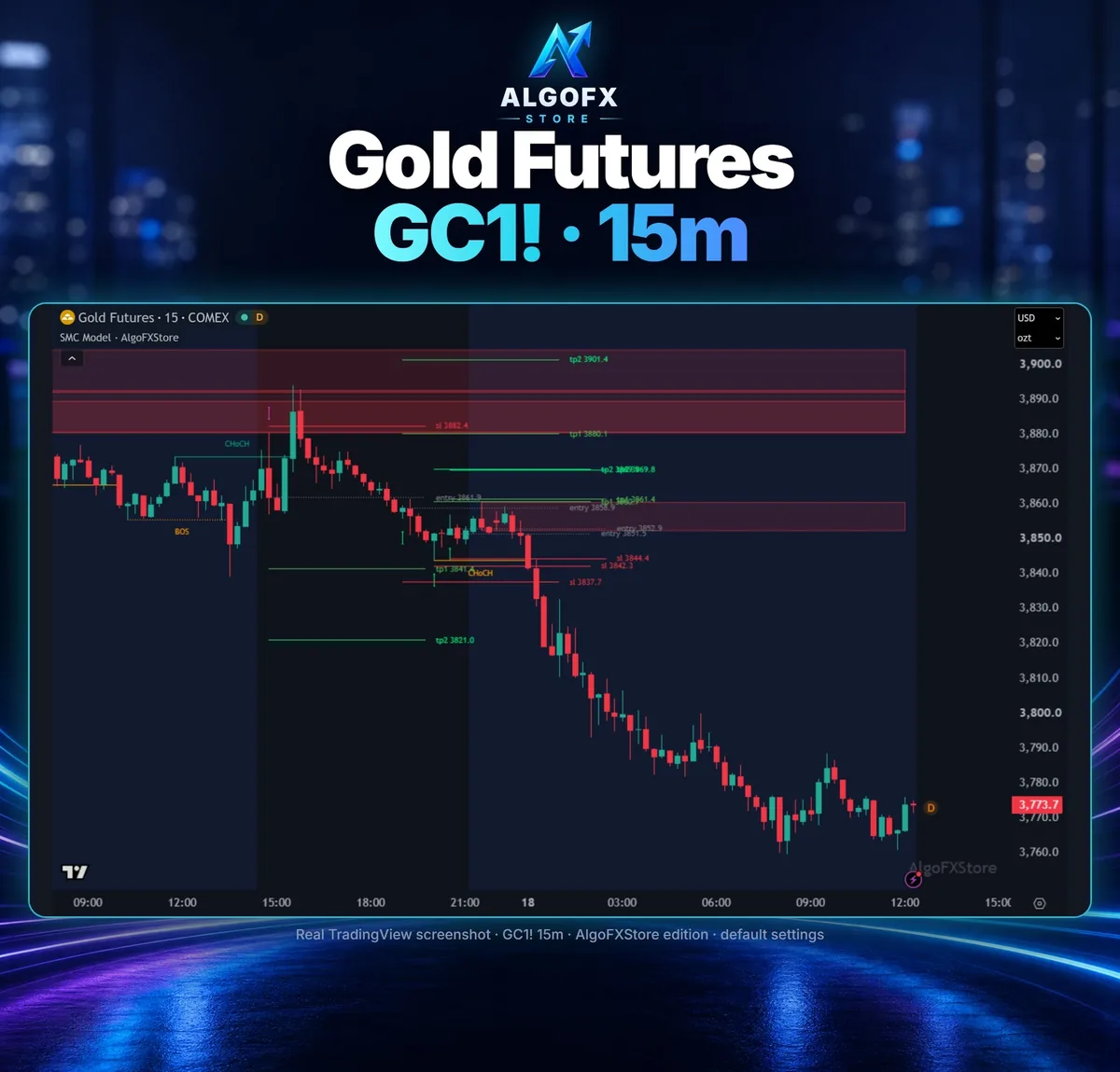
Each picture is built from real platform screenshots of the shipped indicator at its default settings, labelled so you can see what every part does. Tap any picture to open it full size.

How traders put it to work
Index futures on 5 minutes
On NQ and ES at 5 minutes, PRO HTF Sweep ICT pairs with 1 hour, the classic index pairing, and PRO ICT Structure Engine shows the killzones and session levels for each day. Keep the full electronic session so the midnight New York bar exists for the Midnight Open.
Gold and crude oil on 15 minutes
On GC and CL at 15 minutes, PRO HTF Sweep ICT pairs with 4 hours, and PRO ICT Structure Engine's defaults match the 15 minute to 4 hour pairing. PRO SMC Structure Model and Liquidity Hunter PRO SMC also use 15 minutes as their starting point on gold and crude.
Forex and spot gold
All five run on forex and spot gold symbols as well. Every stop and target is in price units of the symbol, so measure the stop in pips or price before sizing, and check the session settings of the ICT scripts against your data feed's time zone.
Learning the concepts
If you are new to these ideas, start with PRO SMC Structure Model and Order Block Power: they mark structure and blocks with few inputs. Move to the ICT scripts, with well over a hundred inputs each, once you know which concepts you actually trade.
SMC ICT Indicator Bundle next to the usual options
Where it wins, and where it does not.
| SMC ICT Indicator Bundle | Buying the five scripts one by one | Typical free SMC indicators | |
|---|---|---|---|
| What you get | All five scripts and their five PDF guides in one download | The same files, one product at a time | Usually one concept per tool |
| The code | The same source files as the single products | The same source files | Varies, often without a guide |
| Cost | One purchase for all five | Five separate purchases | Free |
| If you need only one tool | You also pay for four you may not use | You buy only the one you need | Free to try |
| Trade plans | Entry, stop and targets in four of the five | Same, bought separately | Usually zones and labels only |
| Simplicity | From 13 inputs up to well over 100 per script | Learn them one at a time | Usually a few inputs |
Honest about who this fits
A good fit if you
- Traders on TradingView who trade smart money and ICT concepts and want each mark decided by a written rule.
- Index futures, gold and crude oil traders on 5 and 15 minute charts.
- Traders who want an entry, a stop and targets with every setup so they can count the risk in ticks before they trade.
- Traders who want both a lean structure tool and a full ICT model, and to compare them on the same chart.
- Traders interested in at least two or three of the five tools, which is when one bundle makes sense.
Not for you if you
- Traders who only want one of the five tools: buying that script alone is the simpler choice.
- Anyone who wants one combined signal: these are five separate indicators, and combining them is your decision.
- Traders who want a quiet chart with few inputs from every tool: the two ICT scripts are large and detailed.
- Anyone who wants orders placed automatically: all five draw and alert and never place a trade.
5 scripts, 5 guides, one download
- 5Pine Script source code filesPRO SMC Structure Model, Order Block Power, Liquidity Hunter PRO SMC, PRO ICT Structure Engine, PRO HTF Sweep ICT: one folder each, with the full code.
- 5PDF guides71 pages in all: installation, every setting with its default and how to read the chart.
- 60Day money-back guaranteeIf it is not for you, request a full refund within 60 days through your Digistore24 order e-mail.
Install in five steps
- Download the zip from the page Digistore24 sends you to after checkout and unzip it: one folder per script.
- Open a script's code file in a text editor, select all and copy the whole code.
- In TradingView, open the Pine Editor, paste the code over everything that is there and click Save.
- Click Add to chart; repeat for each script you want to use.
- Read each script's PDF guide; the defaults are the settings shown on this page.

Kestutis Balciunas
AlgoFXStore · chart indicators
Kestutis Balciunas builds and publishes chart indicators under the AlgoFXStore name. Every product page shows what the indicator draws on real charts, and every number on it comes from the shipped build.
The charts on this page were captured in TradingView from the shipped scripts at their default settings and are shown unedited.
No get-rich claims and no quoted win rates. Every trade is uncertain, and no indicator changes that. If you want to know whether it suits the way you trade before you buy, e-mail [email protected] and you will get a straight answer.
One price, one payment
- 5 complete scripts (PRO SMC Structure Model, Order Block Power, Liquidity Hunter PRO SMC, PRO ICT Structure Engine, PRO HTF Sweep ICT), each with its full Pine Script source code and PDF guide
- Delivered as a digital download: one zip with a folder per script on your download page
- Return period: 60 days, with a full refund if it is not for you
- Free updates to the current version on the same download page
60-day money-back guarantee. Install it, run it on your own charts and read the guides. If SMC ICT Indicator Bundle is not for you within 60 days of purchase, request a full refund from Digistore24, no questions asked: use the refund link in your Digistore24 order e-mail or Digistore24's order page digistore24.com/en/cancel-revoke-contract. Digistore24 refunds to your original payment method. It is a digital download: right after checkout you land on your download page, and the link to it is also in your Digistore24 order e-mail.
About the bundle
Are these the same scripts as the single products?
Yes. The zip holds one folder per script, each with the same Pine Script source code file and PDF guide as the single product: PRO SMC Structure Model, Order Block Power, Liquidity Hunter PRO SMC, PRO ICT Structure Engine and PRO HTF Sweep ICT.
Which script should I start with?
For structure and order blocks with few inputs, PRO SMC Structure Model or Order Block Power. For sweep and shift entries, Liquidity Hunter PRO SMC. For a full session and liquidity model, PRO ICT Structure Engine. For entries anchored on a higher-timeframe sweep, PRO HTF Sweep ICT.
Should I run all five on one chart?
Usually not. Five overlays that all draw structure and zones make the chart hard to read. One or two at a time works better, for example PRO HTF Sweep ICT with Order Block Power, or Liquidity Hunter PRO SMC with PRO SMC Structure Model.
What should I do when two scripts mark structure differently?
They use different swing lengths on purpose: 5 bars in PRO SMC Structure Model, Order Block Power and Liquidity Hunter PRO SMC, 10 for external and 3 for internal structure in PRO ICT Structure Engine. A CHoCH on internal structure can come before one on external structure. Decide which swing size you trade and read that script's marks.
What happens to order blocks that price runs through?
Each script handles it its own way. PRO SMC Structure Model deletes a block once a close goes beyond its far edge, or keeps it in grey if you switch that off. Order Block Power removes a block when a closed bar closes through it. Liquidity Hunter PRO SMC keeps only the newest order block and fair value gap per side.
Signals and repainting
Do the scripts repaint?
Signals, structure breaks, order blocks and sweeps are decided on closed bars in all five. Swings are confirmed late by design, 3 to 10 bars depending on the script, and their labels and blocks are drawn back at the swing or block candle. Order Block Power re-ranks which zones are painted as price moves and redraws when you scroll. PRO HTF Sweep ICT's optional live preview repaints and is off by default.
Which scripts draw entries, stops and targets?
PRO SMC Structure Model draws entry, stop and TP1 and TP2 at 1R and 2R. Liquidity Hunter PRO SMC draws entry, a stop at the sweep candle and TP1 to TP3. PRO ICT Structure Engine and PRO HTF Sweep ICT draw entries with stop modes and three targets, with break-even after TP1. Order Block Power draws zones only.
Do the scripts track results?
PRO ICT Structure Engine and PRO HTF Sweep ICT have a stats section built from an OHLC model of the loaded history, and Order Block Power shows hold curves of past blocks. These are hindsight records of the chart, not broker fills and not forecasts. PRO SMC Structure Model and Liquidity Hunter PRO SMC do not track whether targets were reached.
Which timeframes suit them?
5 minutes on index futures and 15 minutes on gold and crude oil are the starting points in the guides. PRO ICT Structure Engine's killzones, Midnight Open and Judas Swing need 1 hour or lower. PRO HTF Sweep ICT works from 1 minute up with its automatic higher-timeframe pairing.
What is the breaker entry in PRO HTF Sweep ICT?
After the higher-timeframe sweep, a breaker forms when a candle closes through the last confirmed chart-timeframe pivot before the new extreme, with a displacement body of at least 0.5 x ATR(14). The default entry is a limit at the close of that breaker candle. A pending limit is cancelled after 60 bars, when TP1 trades first or on an opposite signal.
Alerts and running them
Which alerts do the scripts have?
PRO SMC Structure Model has four alertcondition alerts: bullish and bearish order block retests and CHoCH. Liquidity Hunter PRO SMC has six: BUY, SELL, bullish and bearish BOS and FVG. The two ICT scripts send entries, targets, break-even, stops and information events through alert() once per bar close. Order Block Power has none.
How do I set alerts for the ICT scripts?
Create one alert with the indicator and Any alert() function call. Which events are included is set by switches in each script's Alerts settings, and both can switch to a webhook message format. Webhook delivery needs a paid TradingView plan.
Do they need a paid TradingView plan?
No. PRO SMC Structure Model, Order Block Power and Liquidity Hunter PRO SMC read only the chart. PRO ICT Structure Engine reads closed higher-timeframe bars of the same symbol, and PRO HTF Sweep ICT builds its higher-timeframe candles from your chart's bars. Plan limits on indicators and alerts still apply.
How it works
Will it place trades for me?
No. SMC ICT Indicator Bundle is a set of TradingView scripts: it draws on the chart. It never sends an order.
After you buy
How do I get it after paying?
Digistore24 runs the checkout. Right after payment it takes you to your download page with one zip with a folder per script, each holding its Pine Script source code file and PDF guide; the link to that page is also in your Digistore24 order e-mail, so you can download again at any time.
How do I install it?
For each script: open its code file, open the Pine Editor in TradingView, paste the whole code, click Save and then Add to chart. Each guide walks through it step by step.
Who is Digistore24?
Digistore24 is the reseller that sells SMC ICT Indicator Bundle for Kestutis Balciunas (AlgoFXStore): it runs the checkout, charges your card or PayPal, collects the VAT for your country and delivers the download. Its name is the one on your statement, and its order e-mail holds your download link and the refund link.
What is the refund policy?
A 60-day money-back guarantee, handled by Digistore24. If SMC ICT Indicator Bundle is not for you within 60 days of purchase, use the refund link in your Digistore24 order e-mail or Digistore24's order page (digistore24.com/en/cancel-revoke-contract) for a full refund, no questions asked. Digistore24 makes the refund to your original payment method.
Do I get the source code?
Yes. Every script comes as its full Pine Script source code in a text file for your own use; the licence line at the top of each file does not allow resale, sharing or republishing.
SMC ICT Indicator Bundle for TradingView.
Put market structure, order blocks, liquidity sweeps and higher-timeframe sweep entries on your own TradingView charts and decide which setups are worth your risk. 5 scripts, their guides and every setting explained. Instant download for €47, one payment.
Get instant access