Trade the liquidity sweep only after structure confirms it, with the stop already drawn
SMC Buy Sell Scalper marks swing liquidity, sweeps, BOS and CHoCH breaks and fair value gaps on your TradingView chart, then prints a BUY or SELL when a sweep of a swing low or high is followed within six candles by a structure break or a strong close.
- BUY and SELL only after a liquidity sweep, confirmed by a structure break or a strong close within six candles.
- BOS and CHoCH labels, BSL and SSL liquidity lines and fair value gaps of at least 0.25 x ATR(14).
- Stop beyond the sweep candle plus 0.5 x ATR(14), targets at 1R, 2R and 3R in a drawn ladder.
- No request.security at all: everything comes from your chart's own candles, on any symbol and timeframe.
- The full Pine Script source code. Paste it into the Pine Editor, save, and add “SMC Buy Sell Scalper [AlgoFXStore]” to your chart.
- A 14-page PDF manual with installation, every setting and how to read the chart. One-time €47.
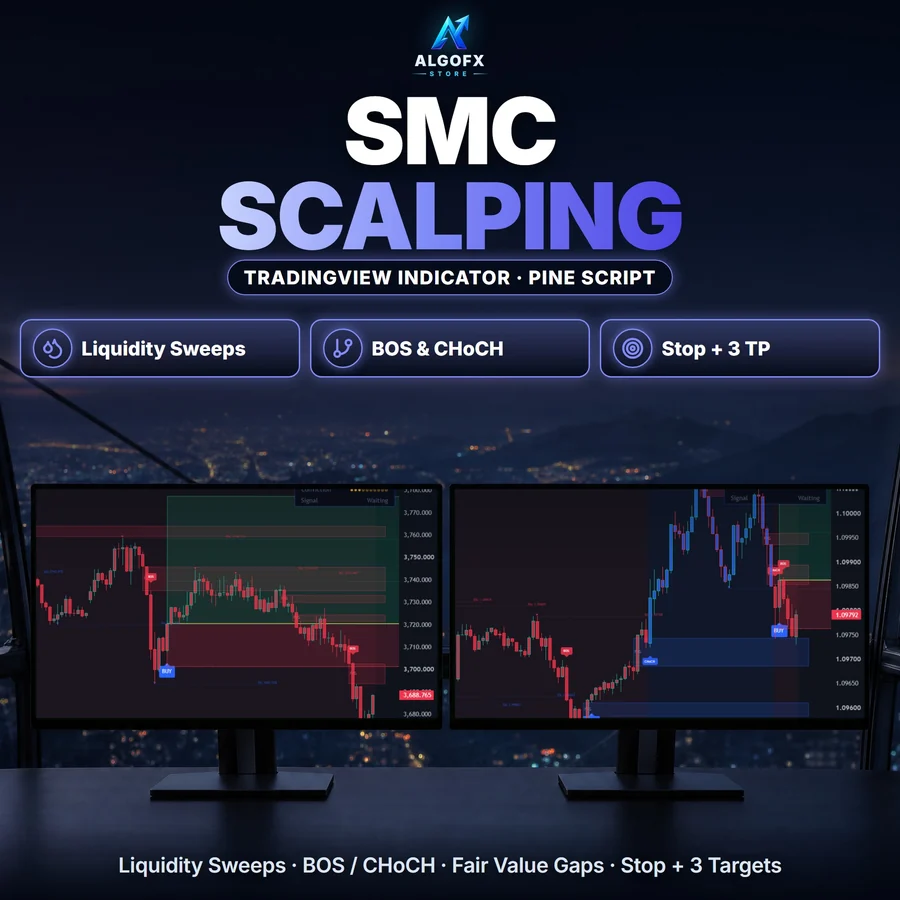
See SMC Buy Sell Scalper on a real chart
Press play; use the full-screen button to see every detail.
A sweep on its own is a wick, not a trade
Smart money traders learn to look for liquidity: stops resting above swing highs and below swing lows. The common mistake is to treat every wick through a swing as a reversal. Price takes a swing low, you buy the wick, and the market keeps falling because nothing changed in the structure. A sweep tells you liquidity was taken; it does not tell you that buyers have taken control.
The second mistake is timing. Many traders wait for a clean CHoCH and then find price far from the sweep, with a stop so wide the trade makes no sense. Others enter on the sweep candle and place the stop by feel, a few points under the wick, where the next poke takes it out. Without a fixed rule the stop and the targets change from trade to trade, and so does your risk.
SMC Buy Sell Scalper ties the two together. A sweep arms a setup for six candles, and only a bullish structure break or a green candle closing above the previous high turns it into a BUY; the SELL is the mirror. The stop goes beyond the sweep extreme plus half an ATR, the targets sit at fixed multiples of that distance, and you see the whole ladder the moment the signal prints.
Everything SMC Buy Sell Scalper draws on your chart
Read from the shipped Pine Script code.
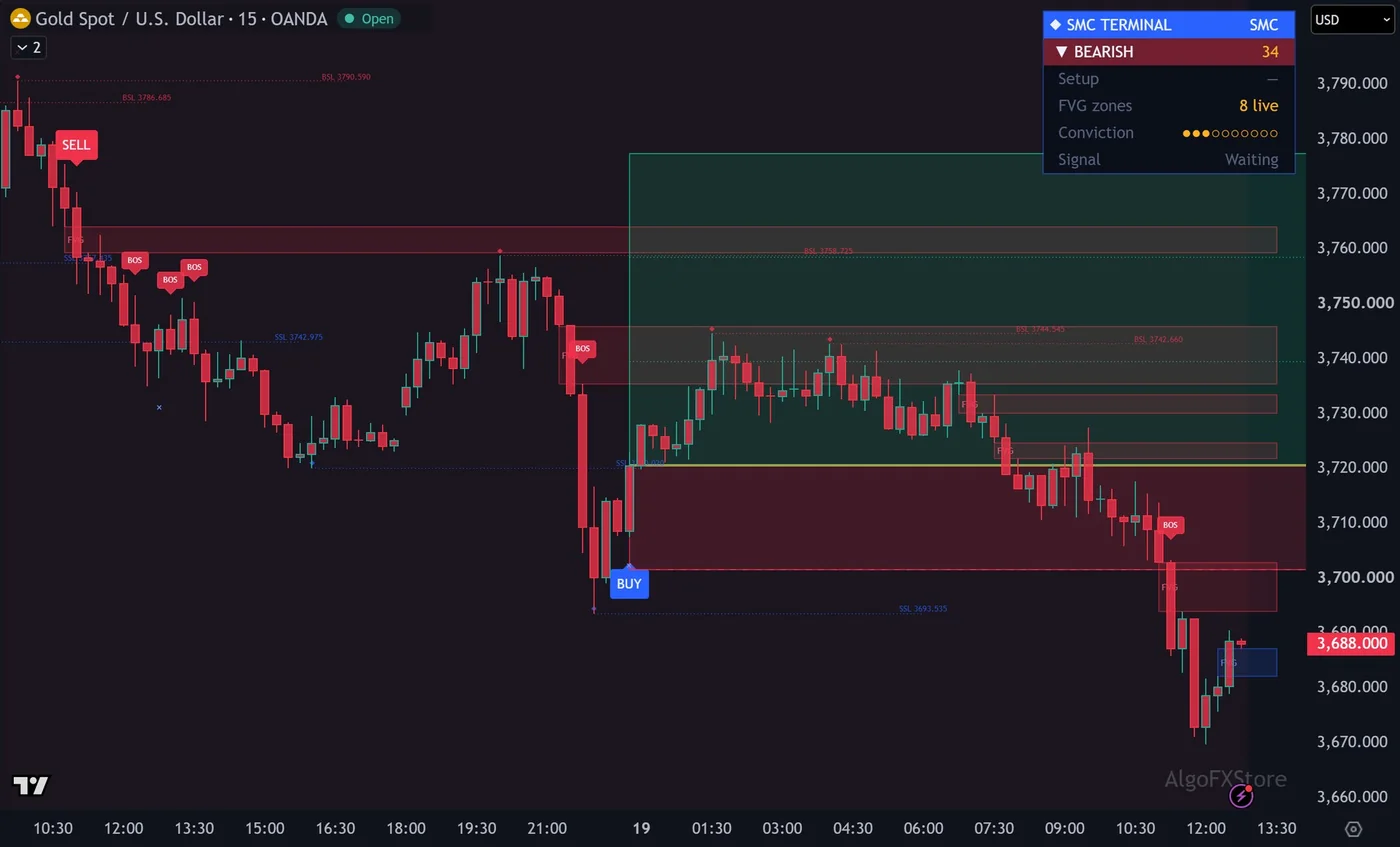
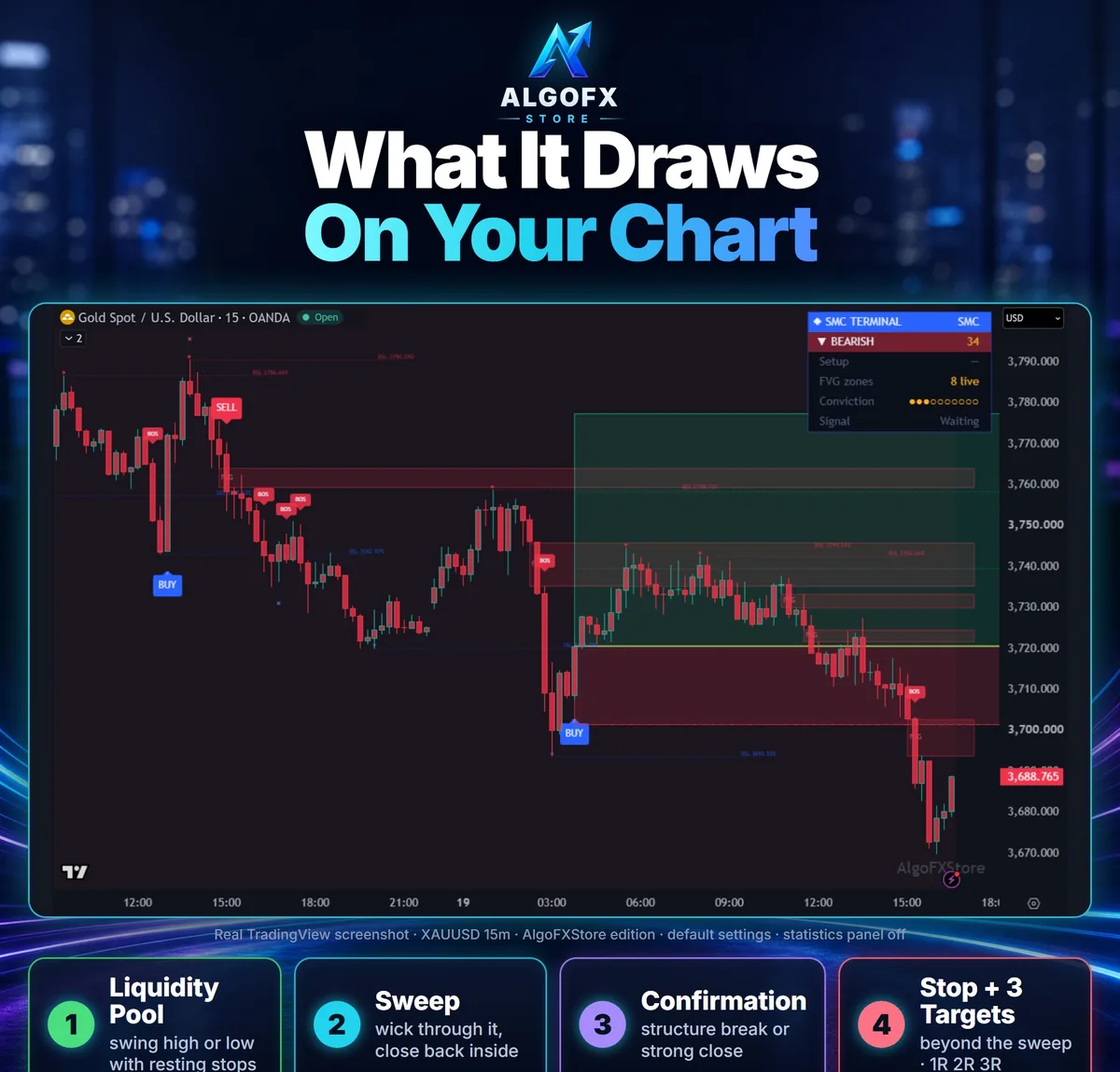
- BUY label below the candle (blue) and SELL label above it (red) on signal candles
- Swing points: a small ' ' at every confirmed swing high (red) and swing low (blue), 8 bars after the extreme
- Liquidity lines: a dotted line from each swing high (red, buy-side liquidity) and swing low (blue, sell-side liquidity) to 20 bars past the confirming bar, labelled 'BSL <price>' / 'SSL <price>'
- Structure labels: 'BOS' (break with the current structure) or 'CHoCH' (first break against it) under the candle that closes above the last swing high (blue) or over the candle that closes below the last swing low (red)
- Sweep marks: a '×' under a candle that wicked below the last swing low and closed back above it (light blue) or over a candle that wicked above the last swing high and closed back below it (pink-red); once per swing
- Fair value gaps: 3-candle imbalances of at least 0.25 x ATR(14) as boxes labelled 'FVG' (blue bullish, red bearish), extended to the right while unfilled, deleted once a close fills them, at most 8 live
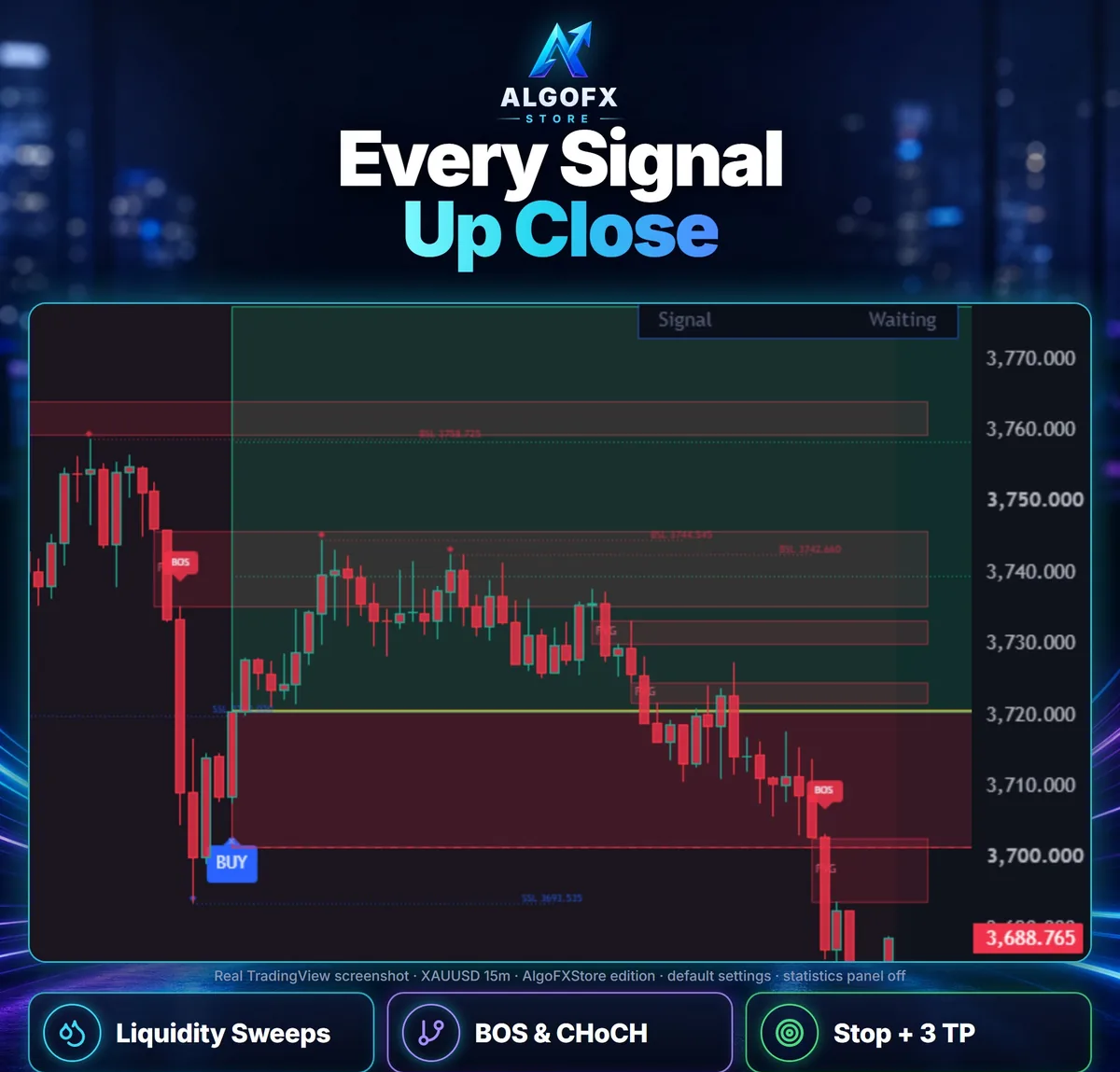
- TP/SL ladder of the newest signal: red risk box (entry to stop) and green reward box (entry to TP3), 24 bars wide; gold entry line, red dashed SL line, green dotted TP1 and TP2 lines; labels ' ENTRY <price>', ' SL <price>', ' TP1 · 1R <price>', ' TP2 · 2R <price>', ' TP3 · 3R <price>'; on the last bar the newest ladder is stretched to 24 bars right of the current candle
- Structure colouring: background tinted blue while structure is bullish, red while bearish (95 % transparent), candles tinted the same way (input Colour candles by structure, on)
- Dashboard 'SMC TERMINAL' top right
- AlgoFXStore watermark, bottom right
From swing to signal in five steps
Everything below is read from the shipped Pine Script v6 code. Each step leaves a mark on the chart, so you can follow any signal back to its cause.
- 1
Swings become liquidity levels
Swing highs and lows come from ta.pivothigh and ta.pivotlow with Swing pivot strength 8, so a swing is confirmed 8 candles after its extreme and drawn back on the swing candle with a small diamond. Each new swing high is the current buy-side liquidity, a dotted red BSL line with its price; each swing low is sell-side liquidity, a dotted blue SSL line. The lines reach 20 bars past the confirming candle.
- 2
Structure breaks: BOS and CHoCH
A close crossing above the last swing high is a bullish break, a close crossing below the last swing low a bearish break. The first break against the current structure is labelled CHoCH, a break in the same direction BOS. The structure follows the last break, and the chart background and candles are tinted blue while it is bullish and red while it is bearish.
- 3
A sweep arms the setup
A sell-side sweep is a candle whose low goes below the last swing low, by at least Min wick beyond level x ATR (0 by default, so any amount), and that closes back above it. It is marked with a cross under the candle, once per swing, and arms a long for 6 candles. A buy-side sweep is the mirror above the last swing high and arms a short.
- 4
Confirmation prints the signal
While a long is armed, a BUY prints on a bullish structure break or on a green candle that closes above the previous candle's high; this can be the sweep candle itself. A SELL needs an armed short and a bearish break or a red close below the previous low. With Require FVG confluence on, a fresh gap in the same direction must form on that candle. If both sides qualify, SELL wins, and at least 8 candles separate two signals.
- 5
The ladder is drawn
The entry is the signal candle's close. A BUY's stop is the lower of the signal candle's low and the sweep candle's low, minus 0.5 x ATR(14); a SELL's is the higher high plus the same padding. TP1, TP2 and TP3 sit at 1, 2 and 3 times that distance. A red risk box, a green reward box and the ENTRY, SL and TP labels show the newest signal's plan, 24 bars wide.
SMC Buy Sell Scalper on 12 different markets
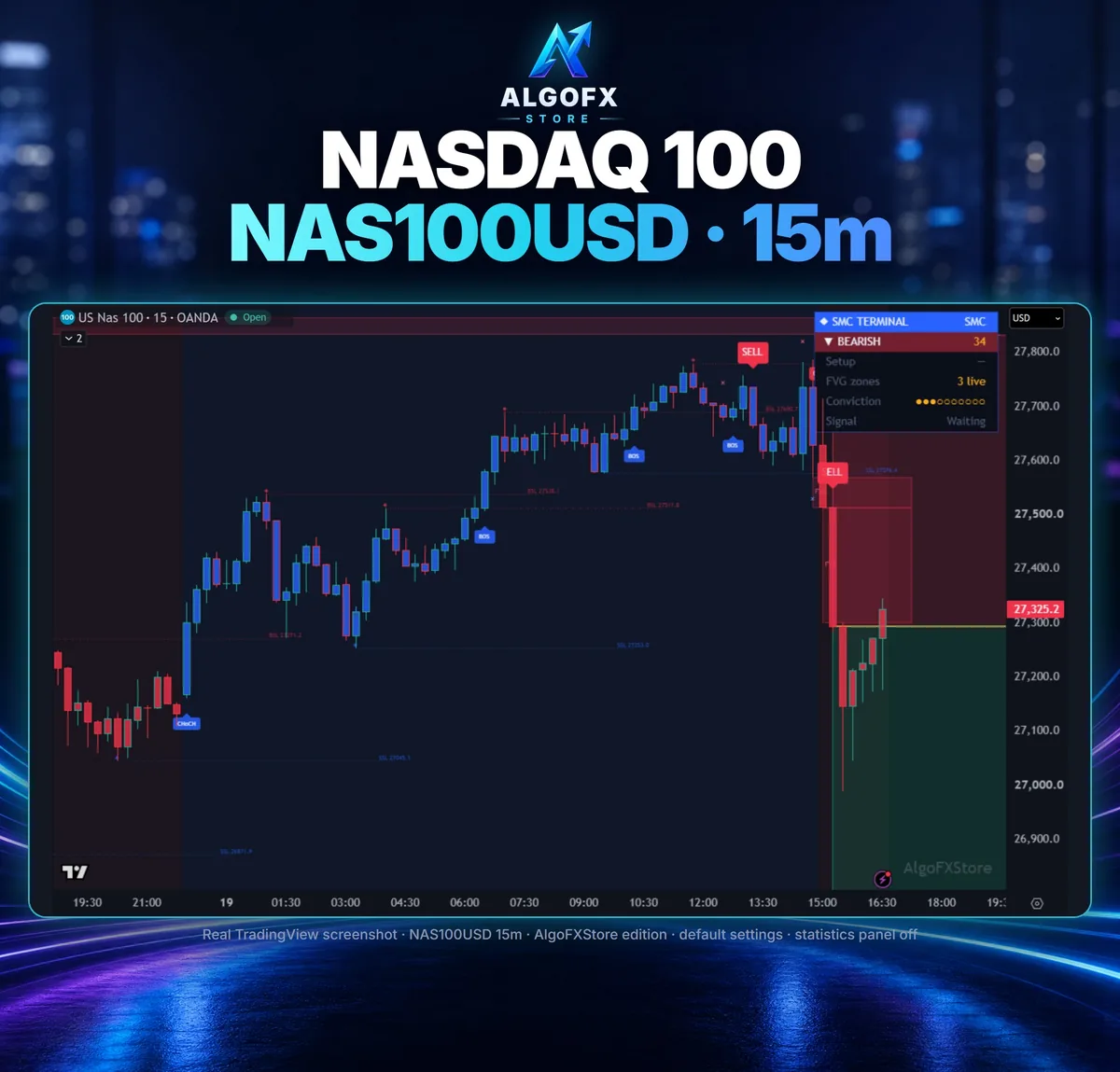
Every chart below is a screenshot of TradingView itself with the shipped SMC Buy Sell Scalper [AlgoFXStore] attached at its default settings. Forex, metals, indices, energy and crypto, so you can see how it reads each kind of market. They show what the indicator draws; they are not trading results. Tap or click any chart to open it full size.
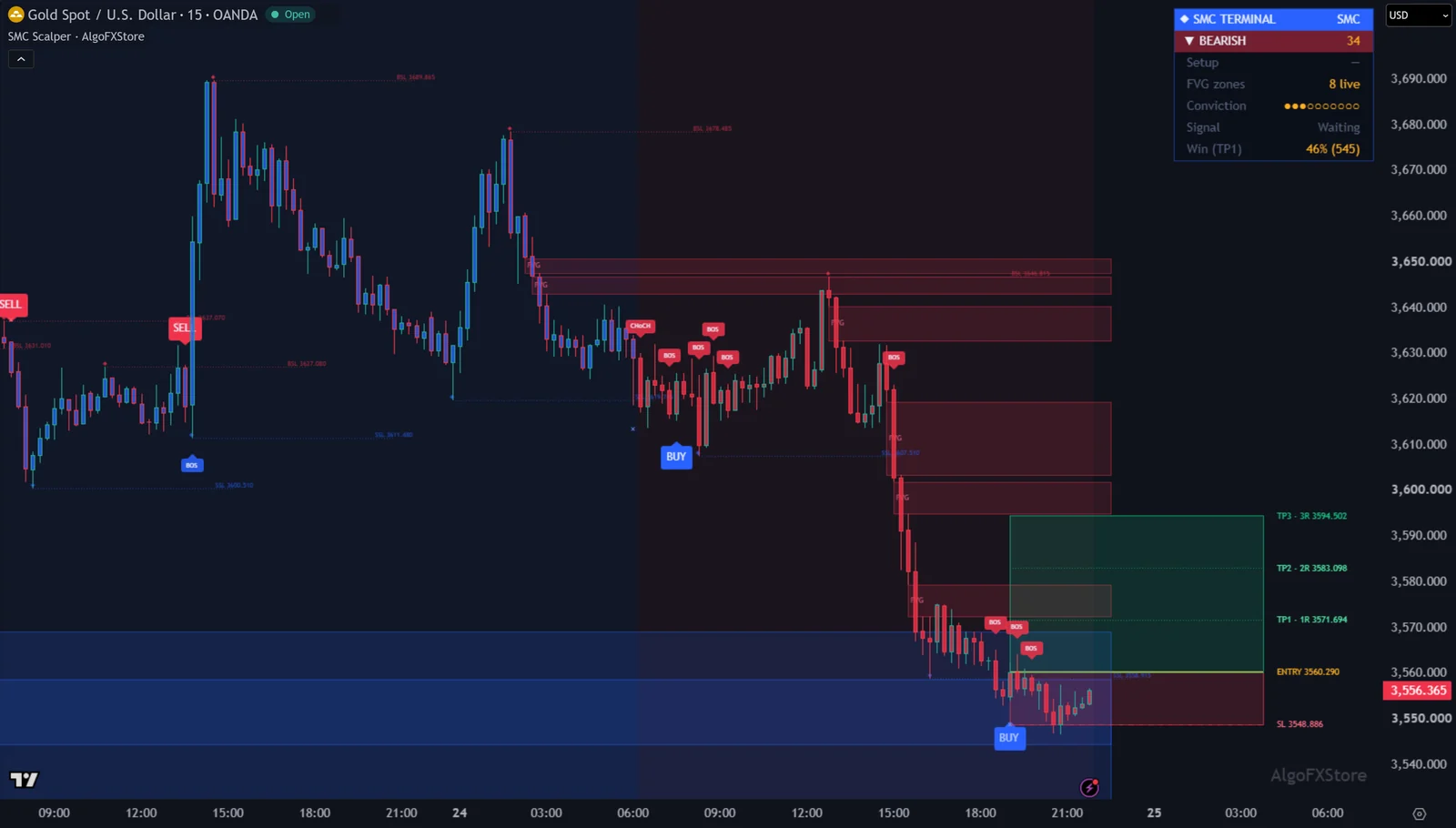
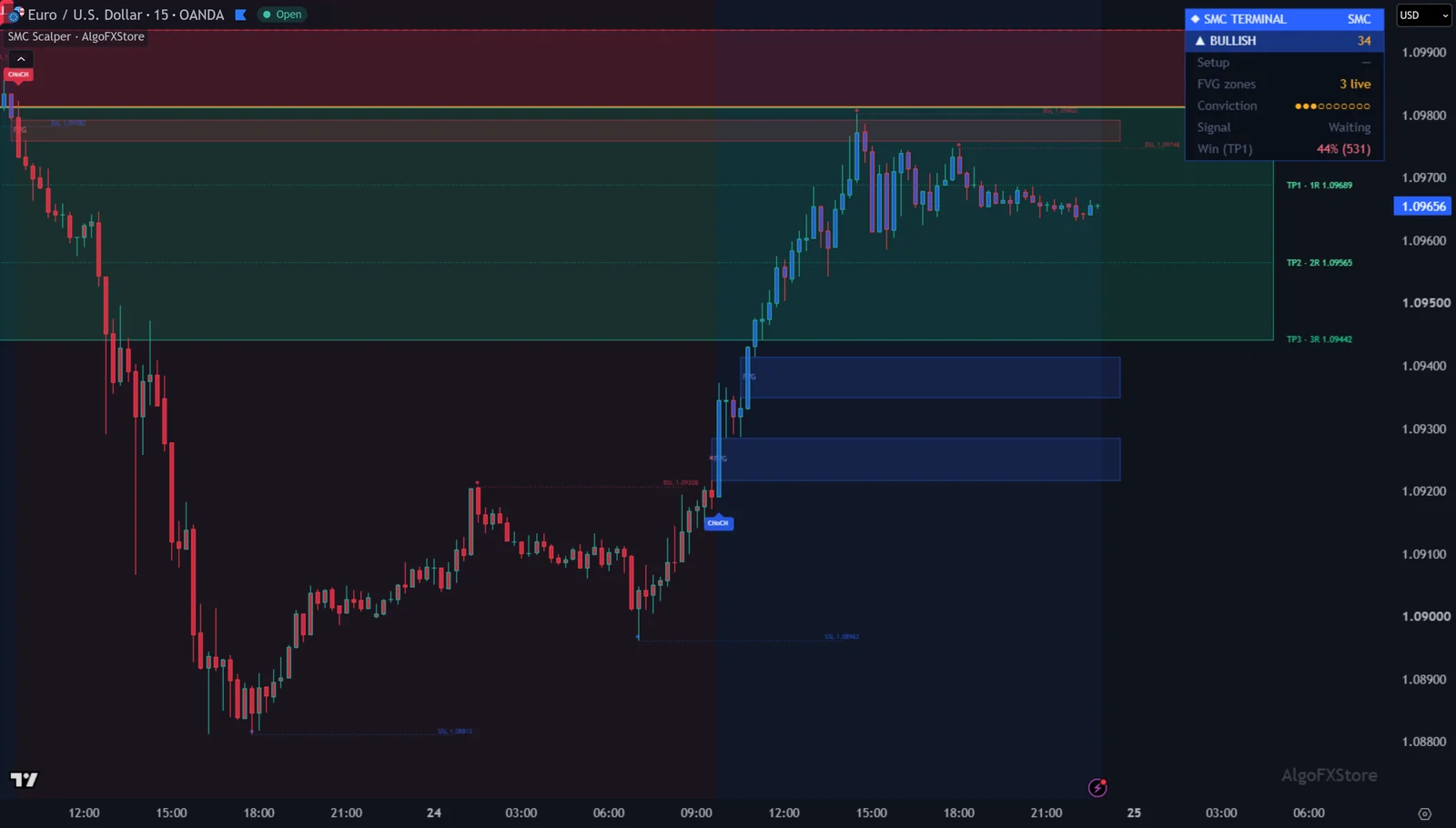
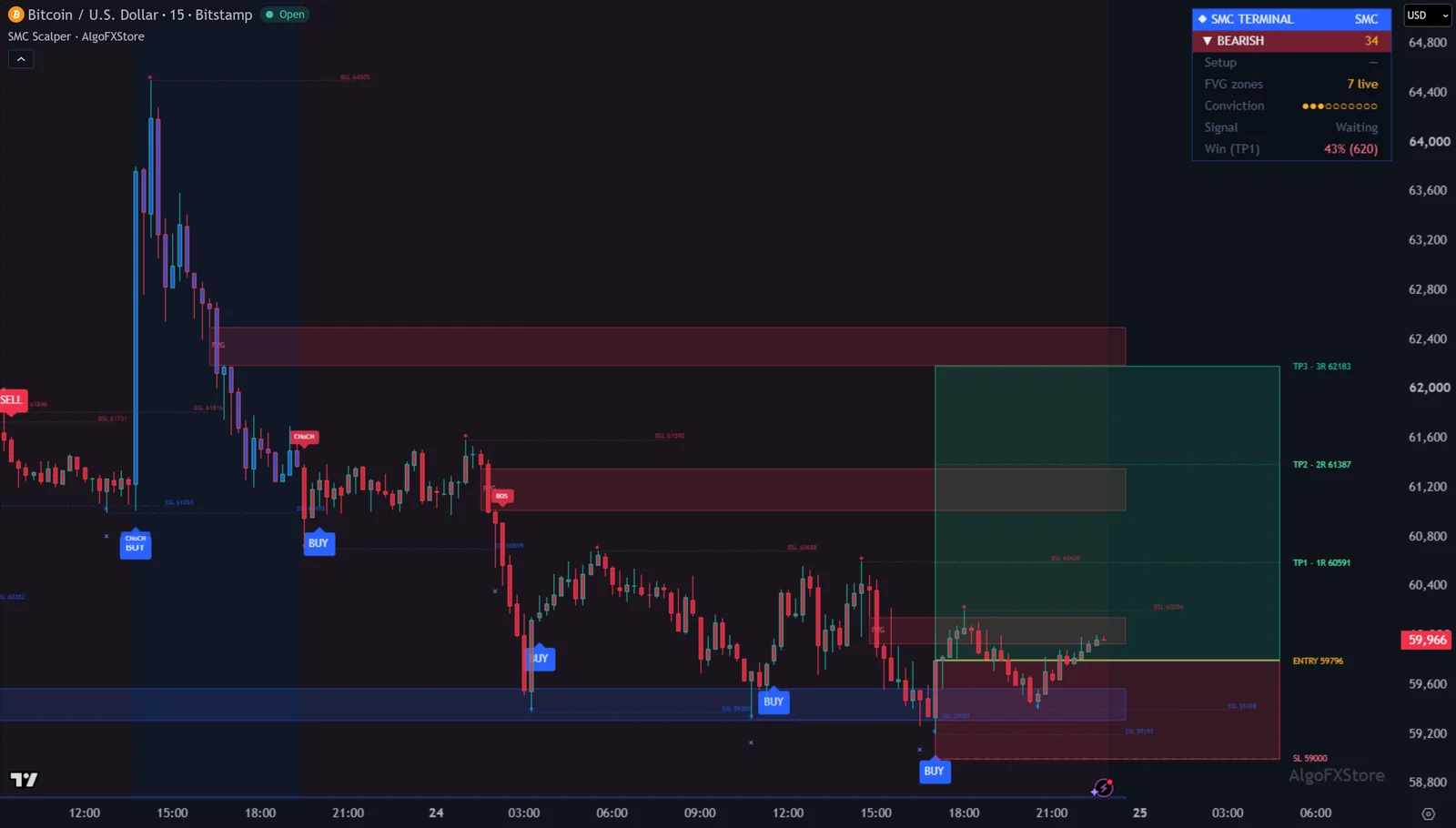
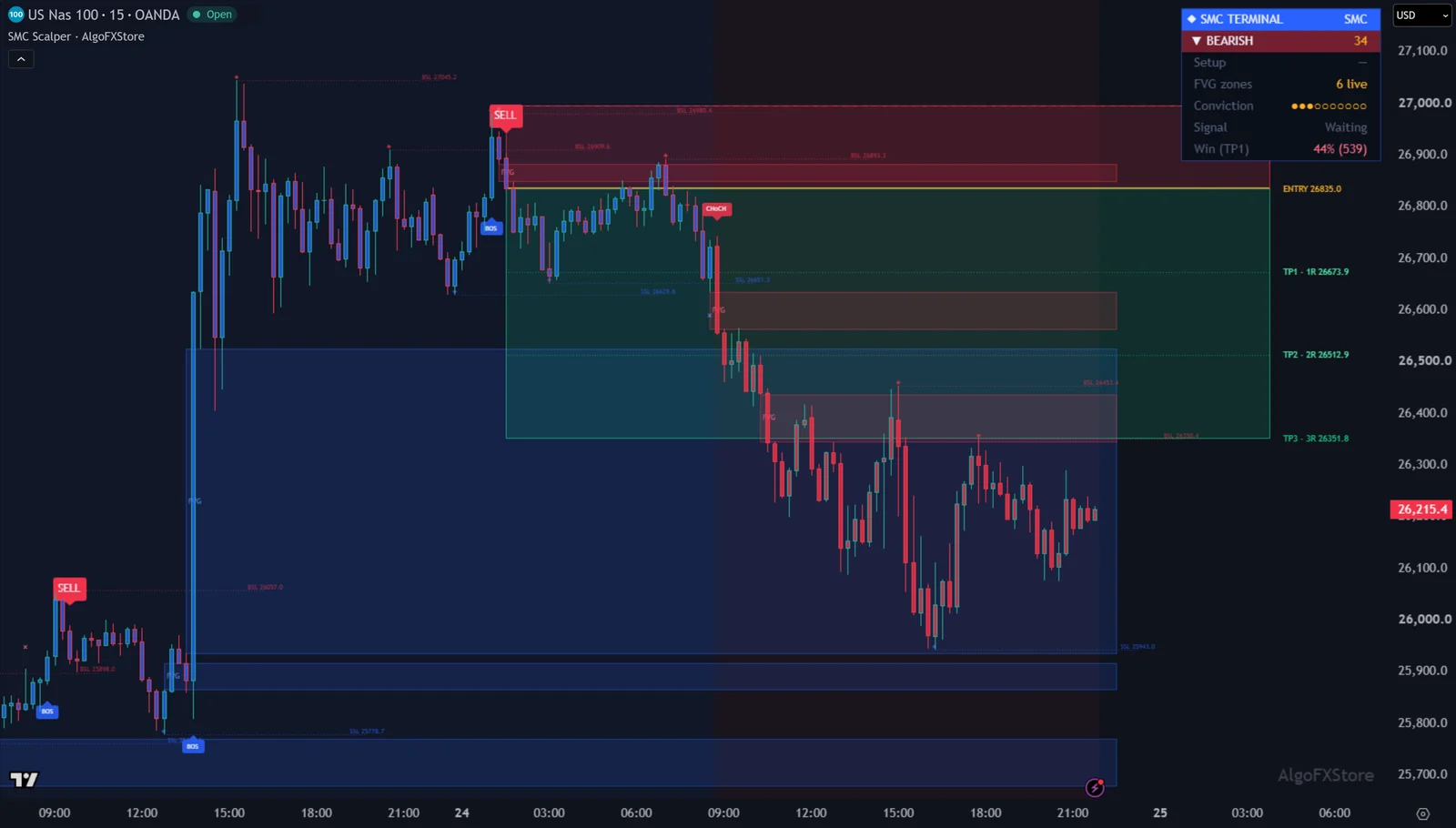
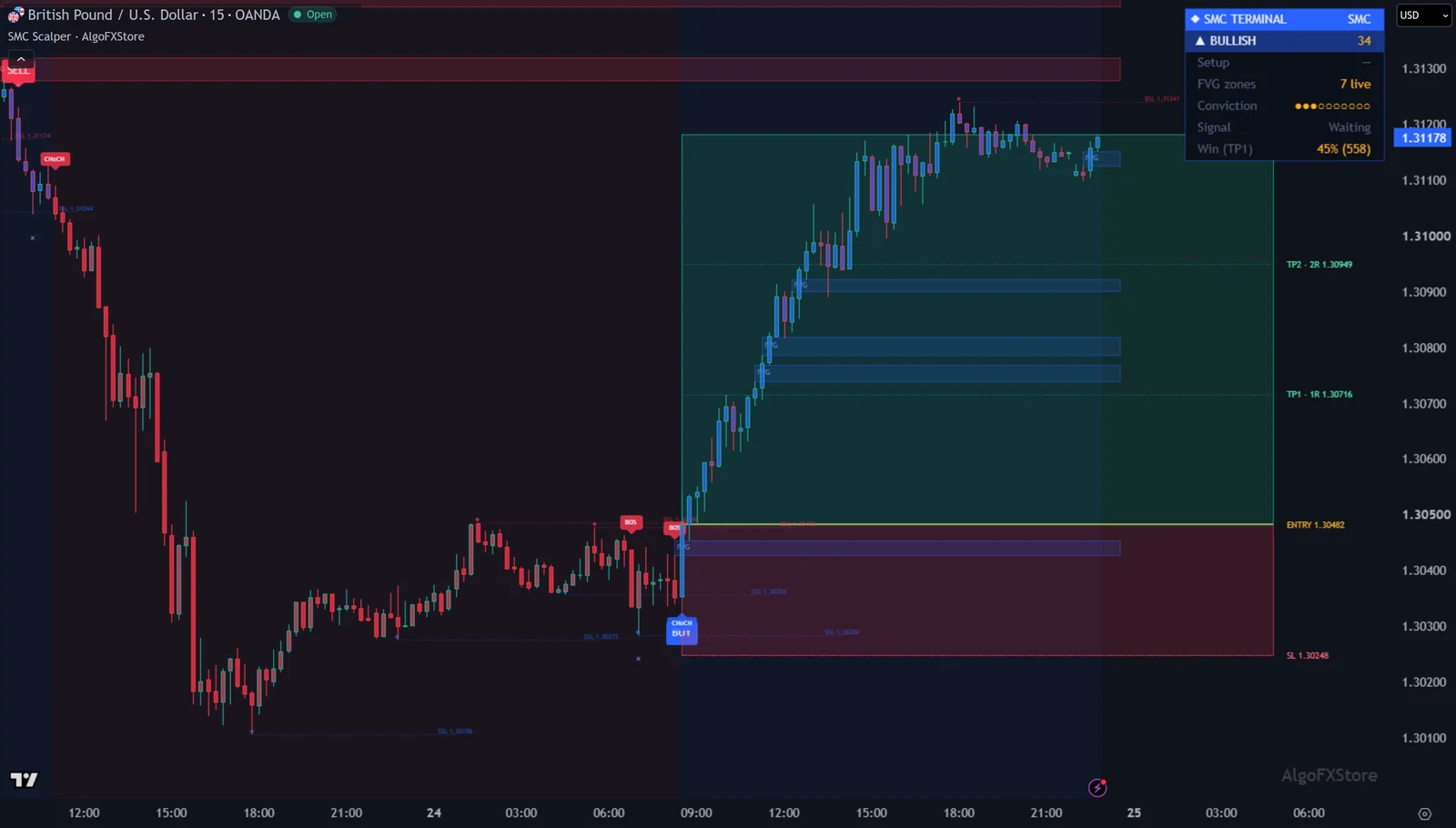
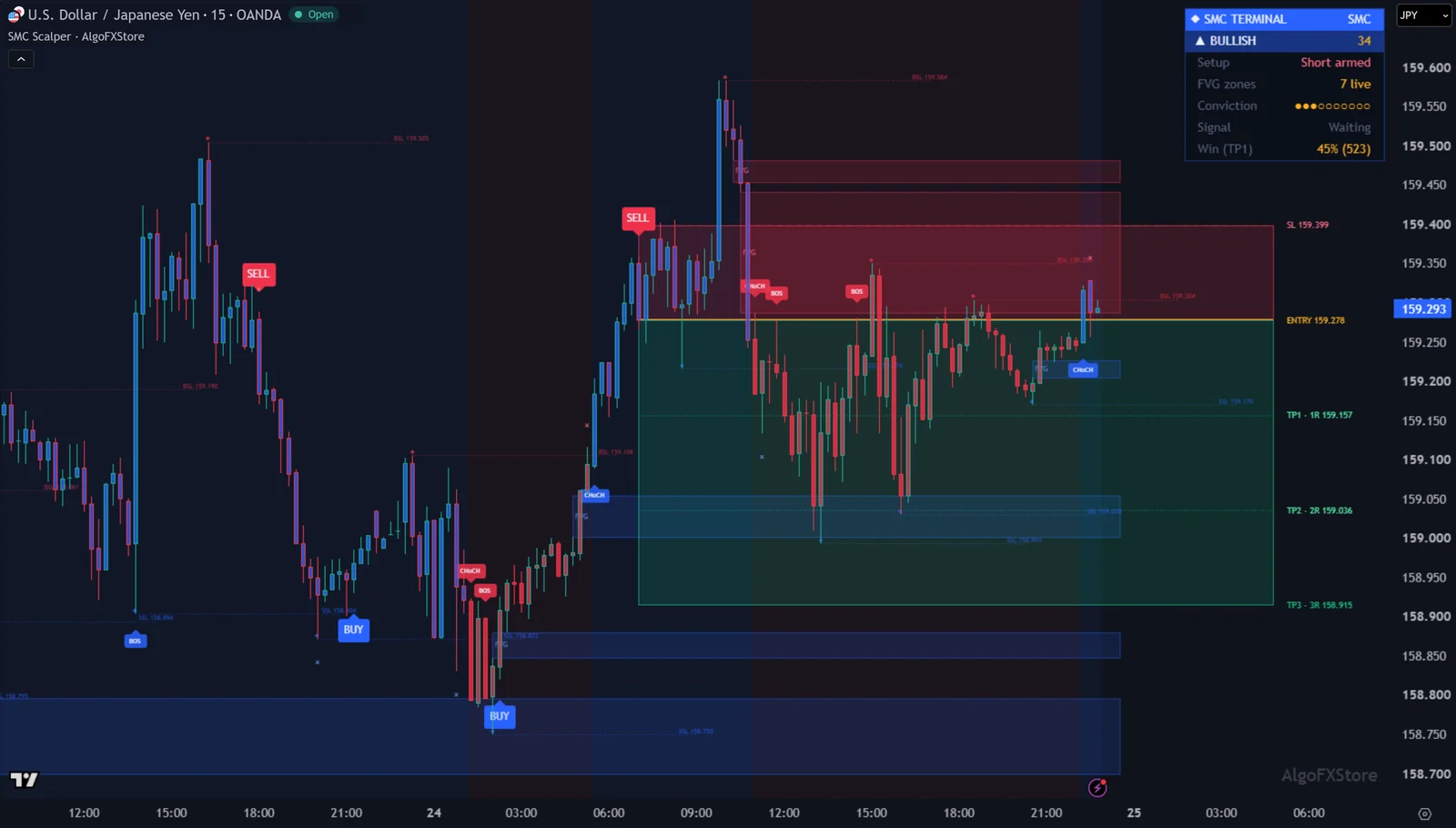
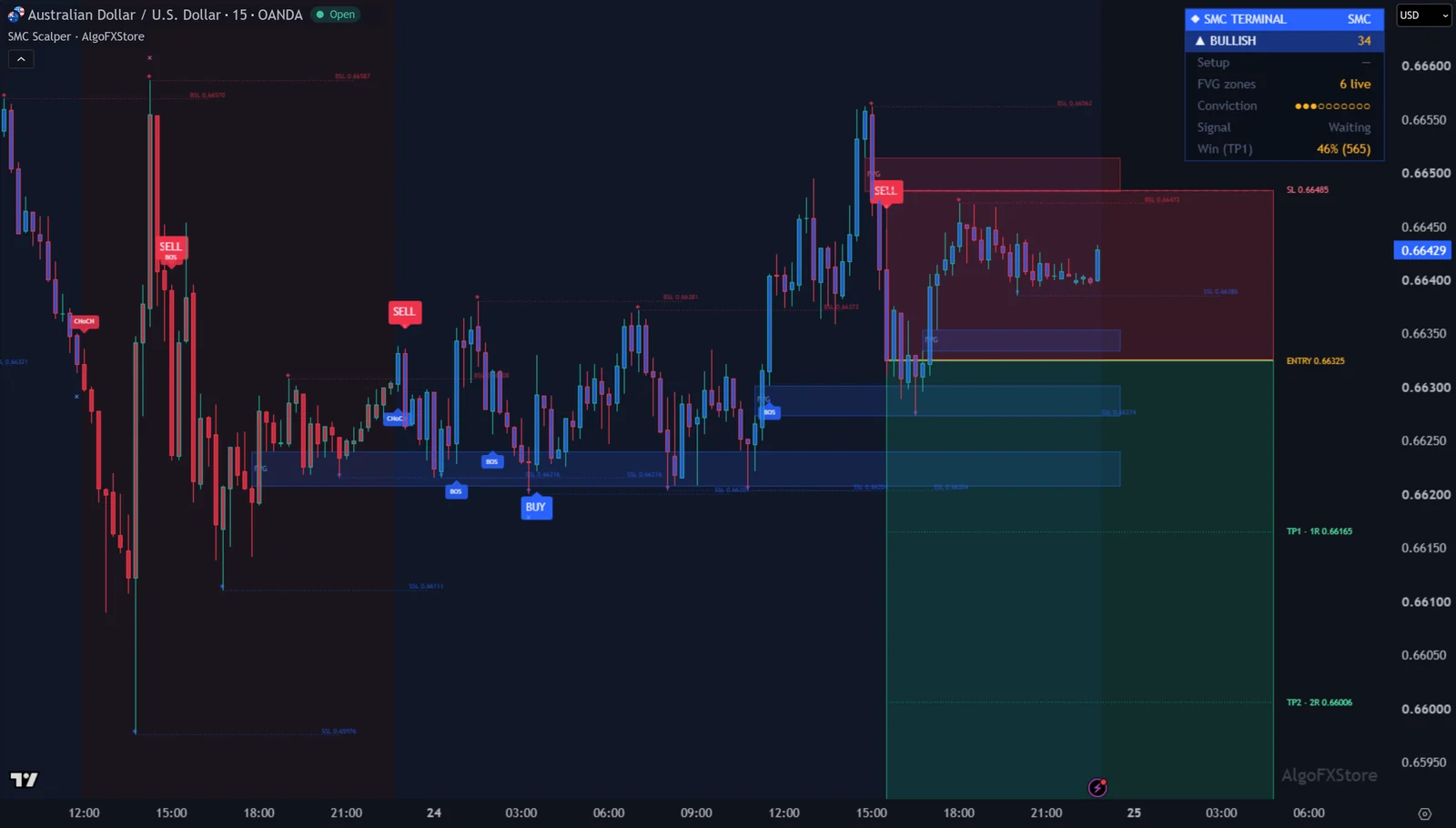
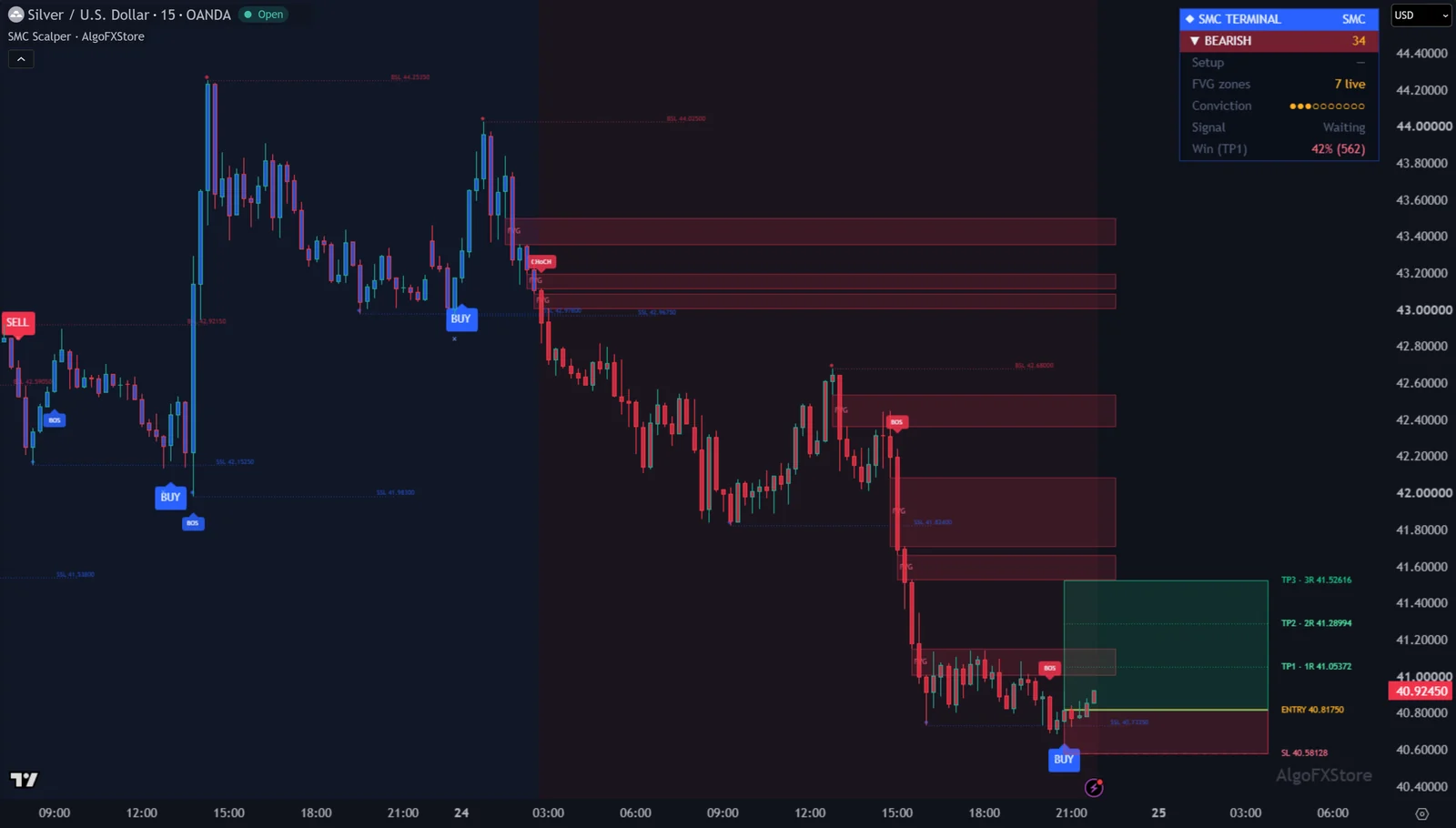
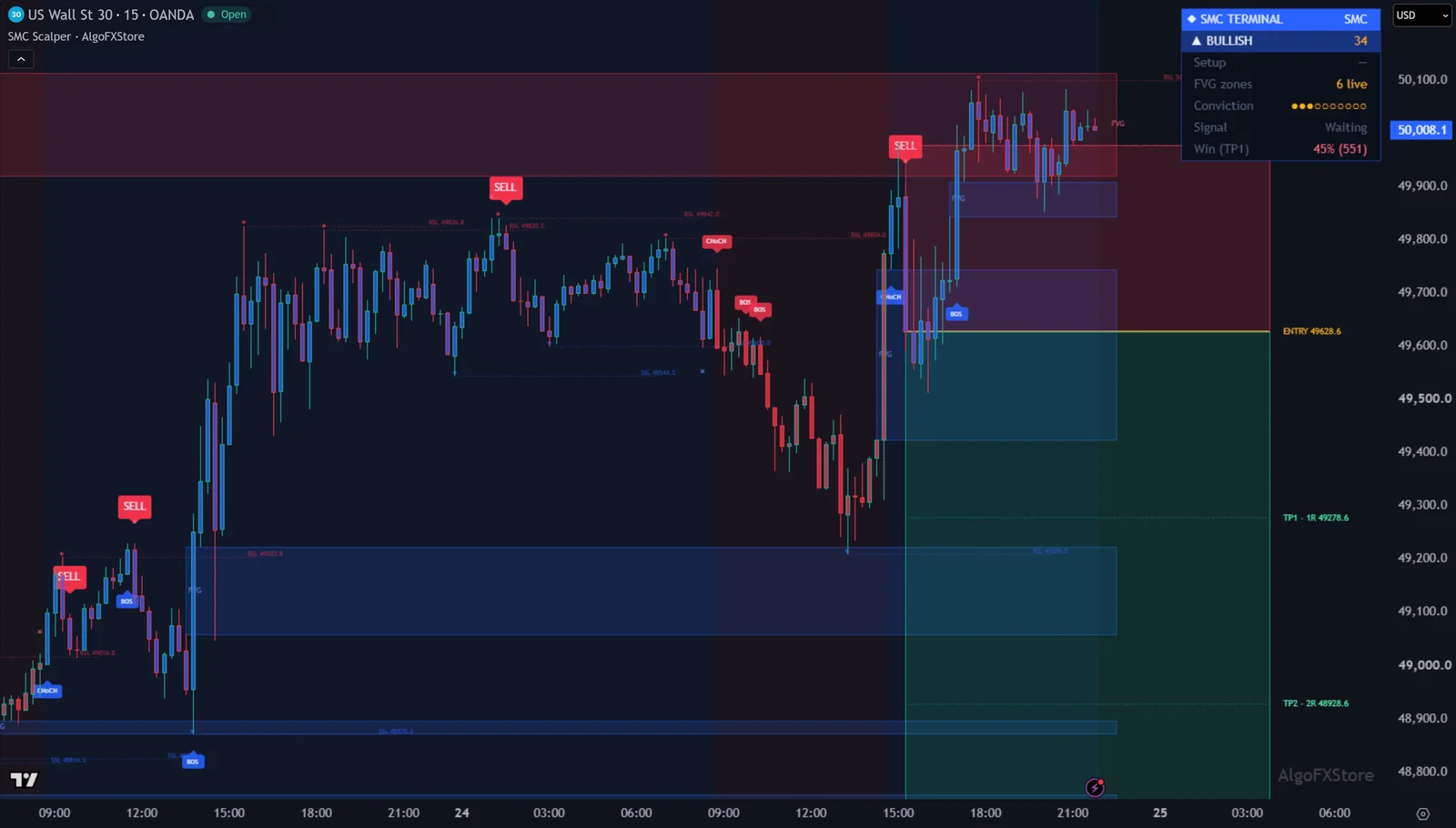
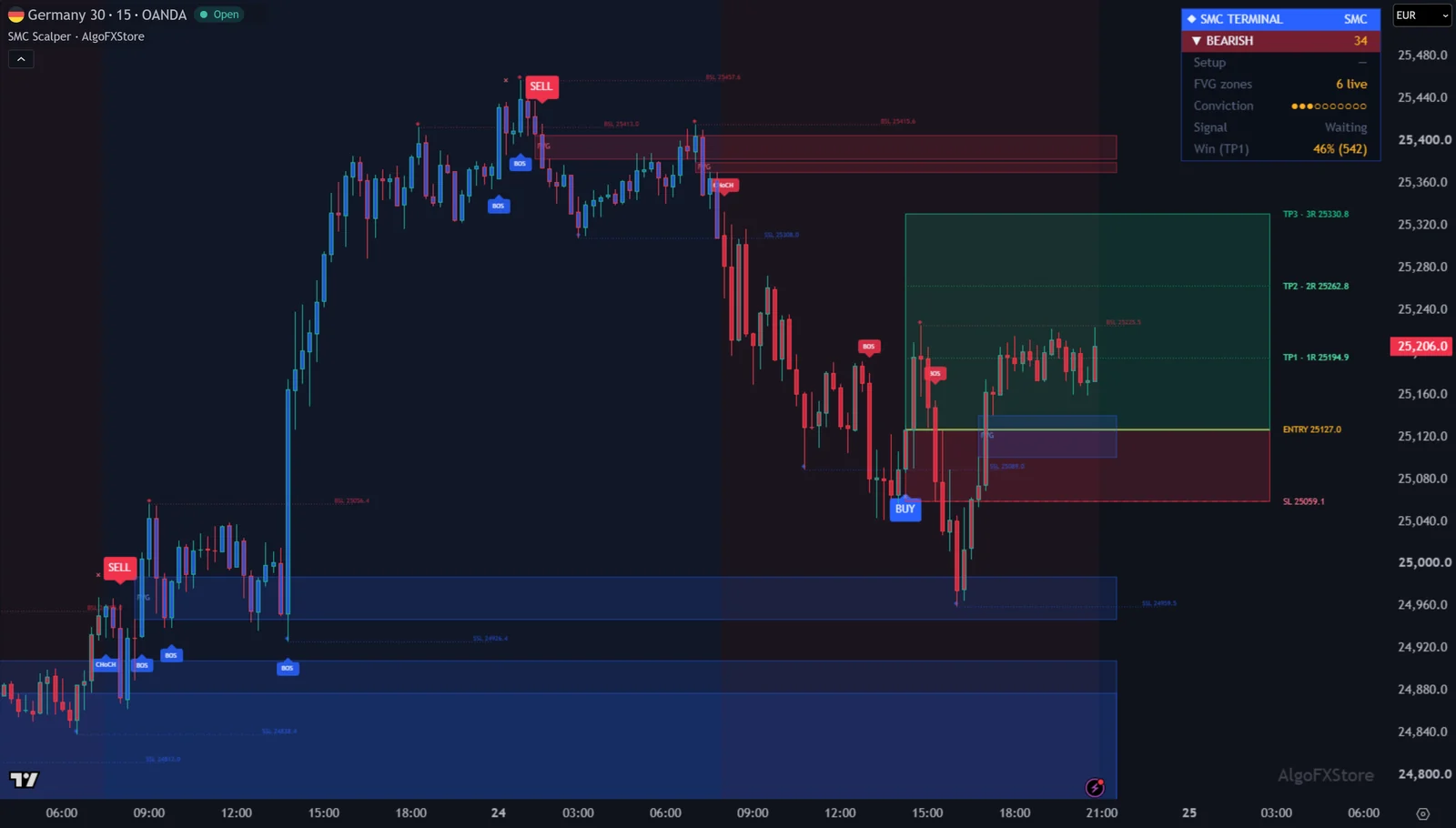
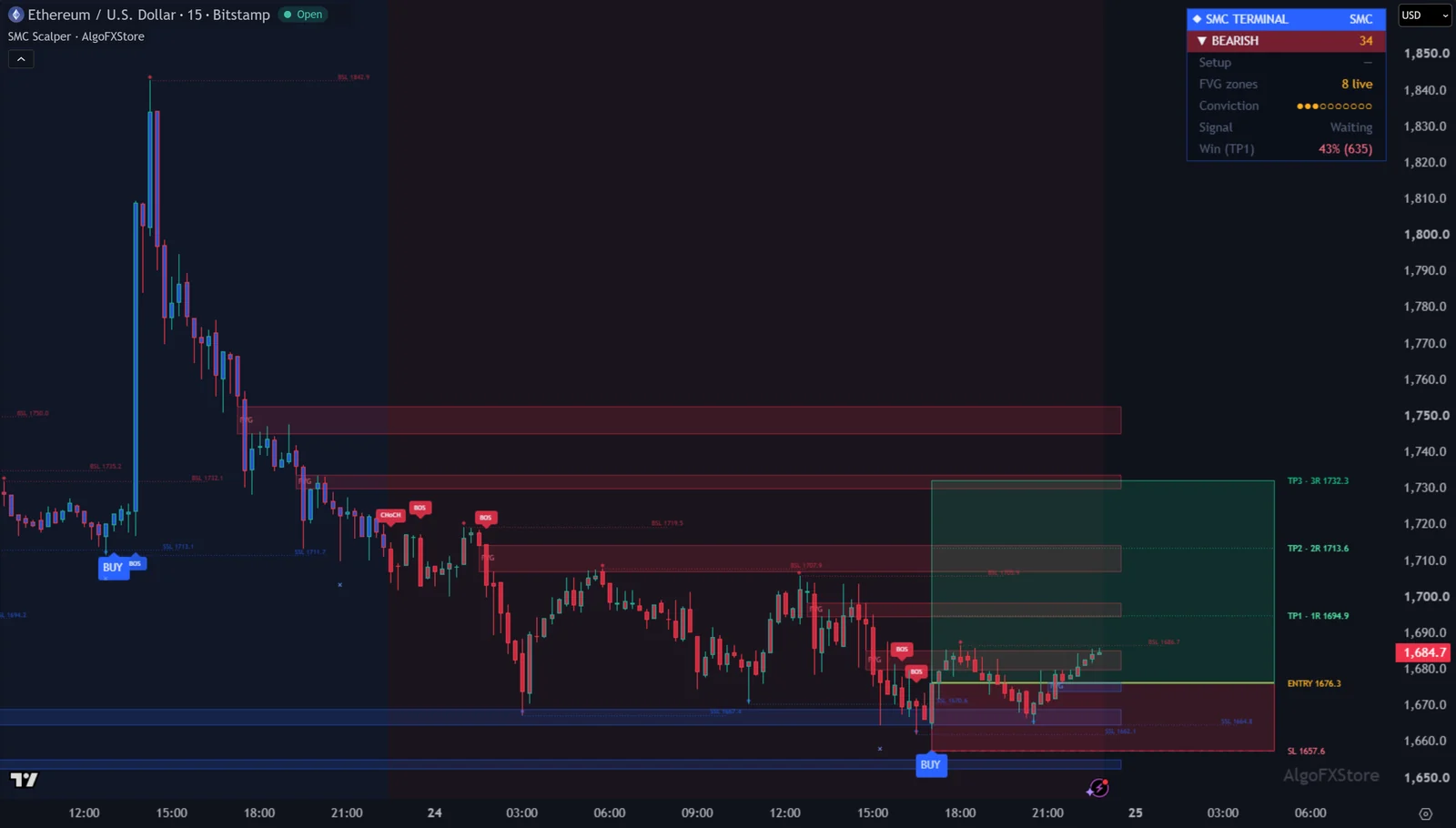
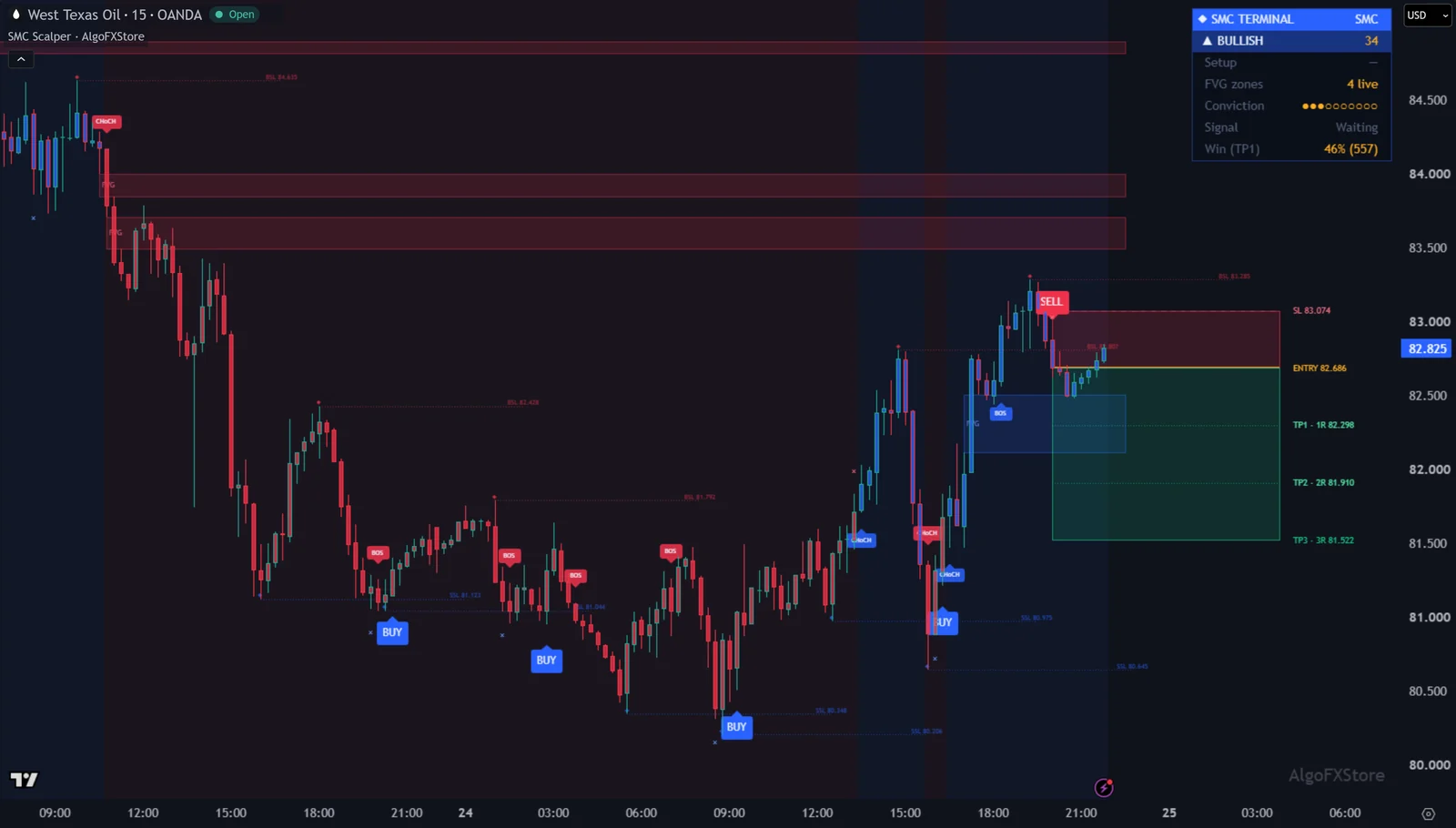
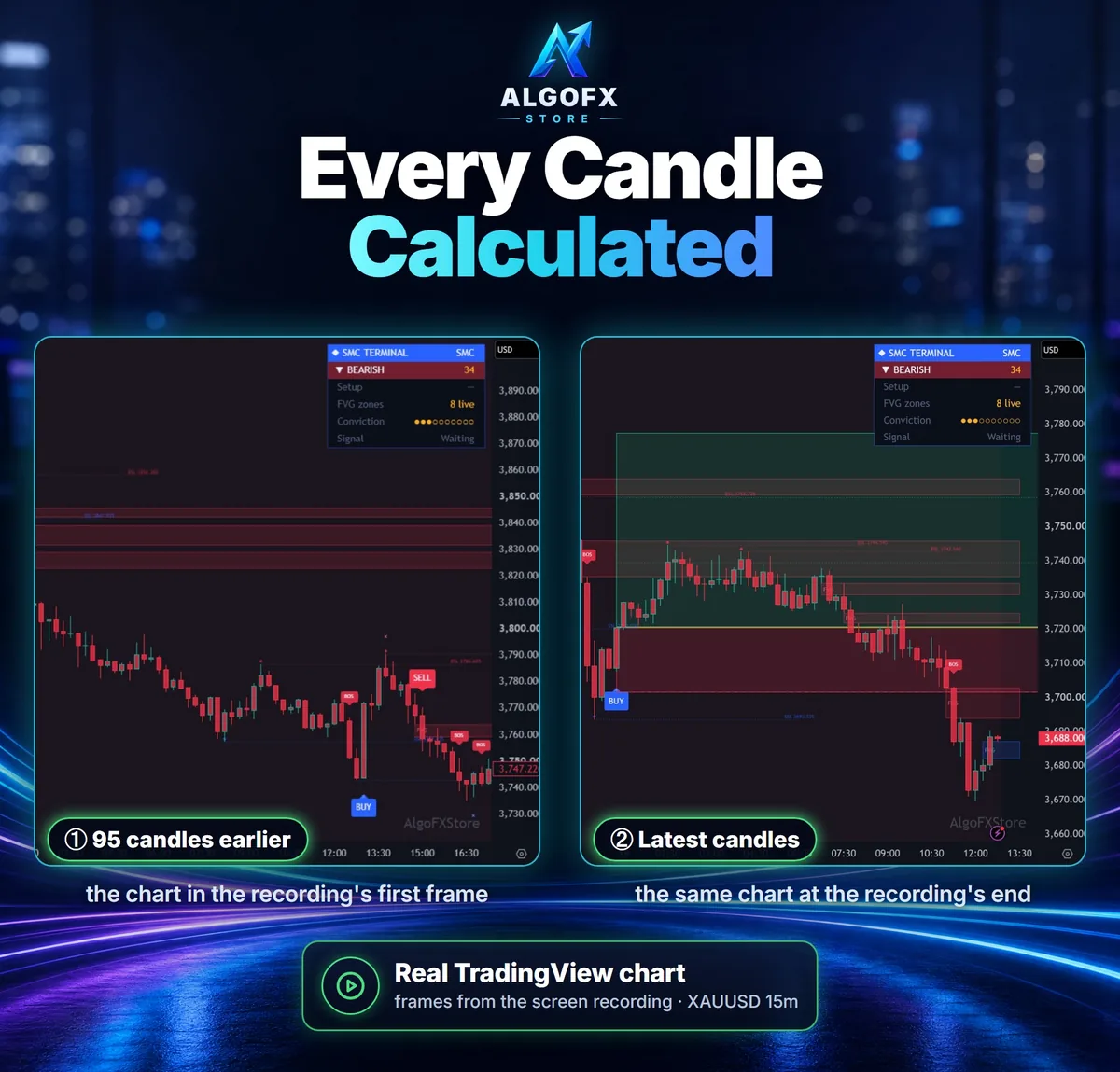
SMC Buy Sell Scalper on a real TradingView chart, frame by frame
Frames of a screen recording of the shipped indicator at its default settings, as the chart updates. Nothing is edited into the chart.
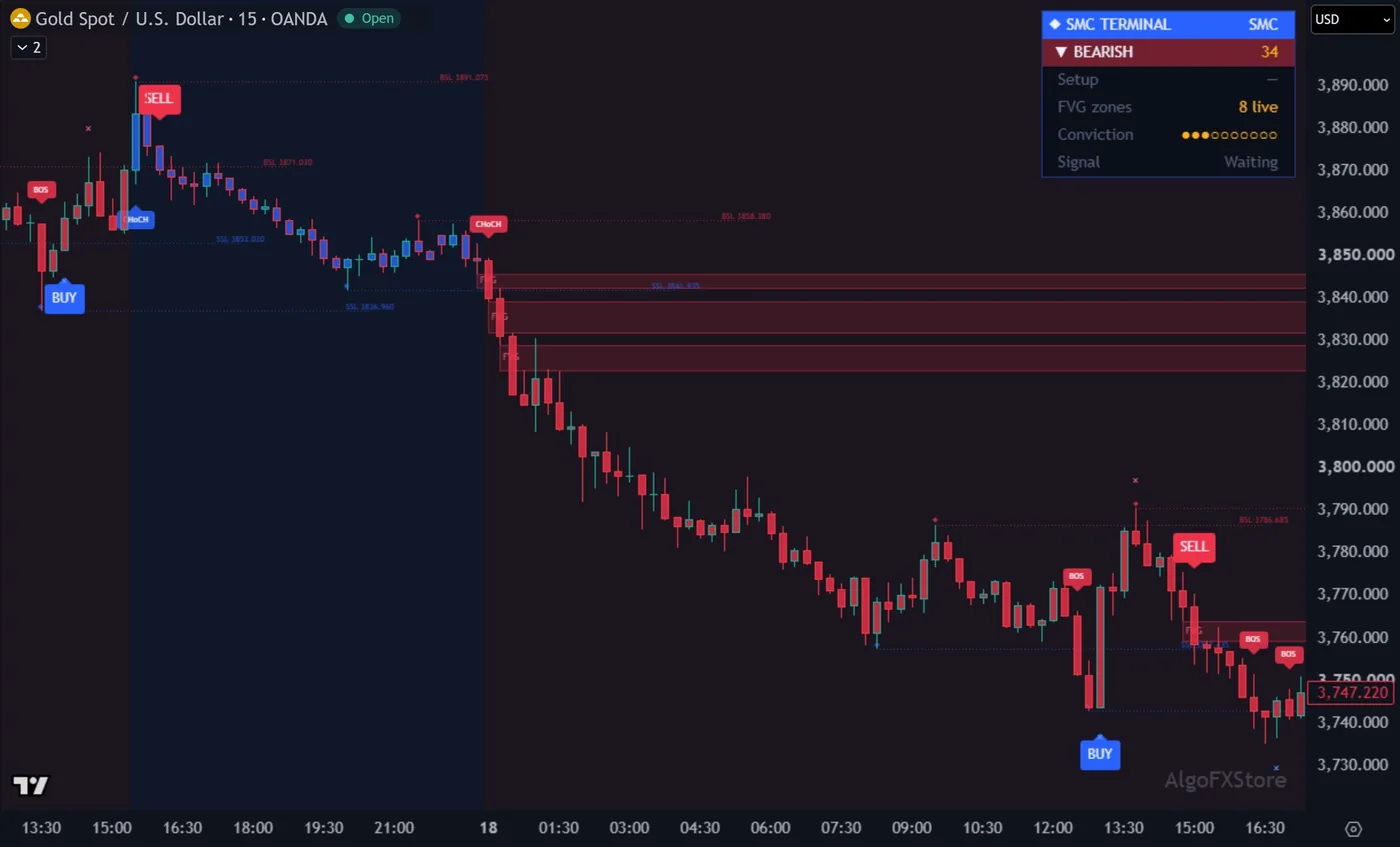
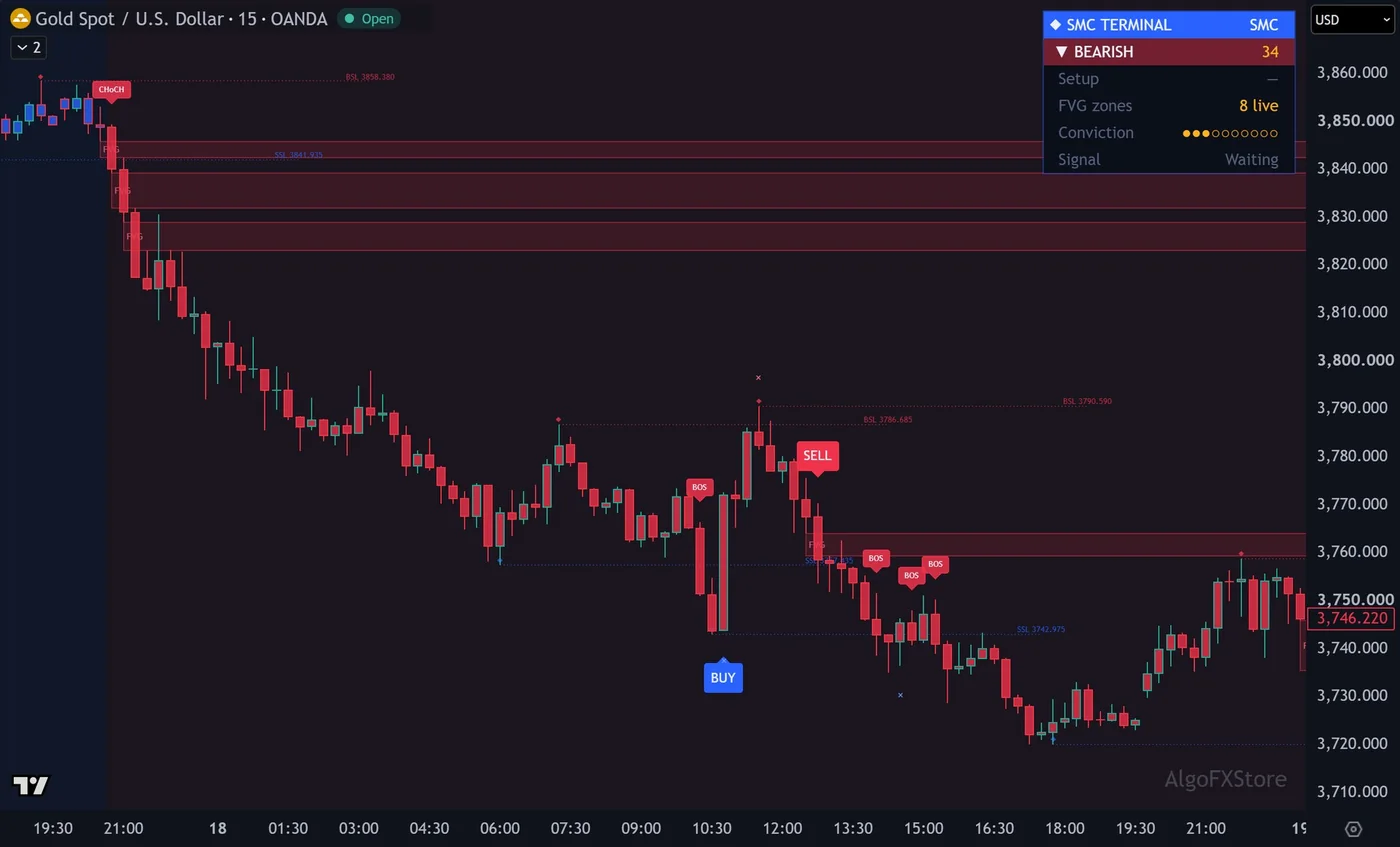
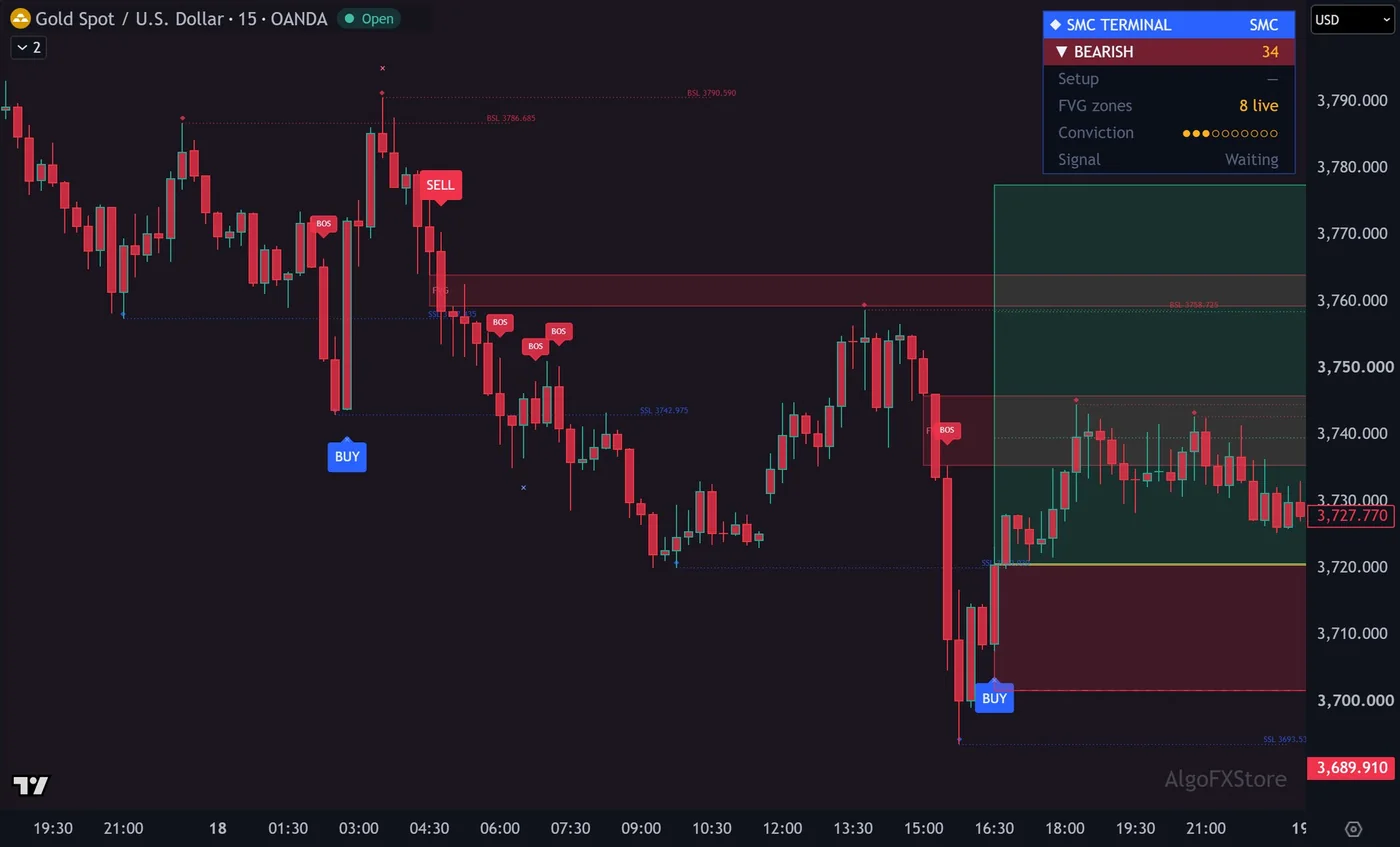
How to work a signal, step by step
A routine built from the script's rules and its manual. It is a way to read the chart and size the risk, not a promise of a result.
- 1
Pick the chart and the alert
The manual's starting point is a 15 minute chart, with 1 or 5 minutes for fast scalping and 15 minutes to 1 hour on stocks. Because signals are calculated on every price update, judge them on closed candles and create your alerts with the trigger Once Per Bar Close, so an alert only fires for a candle that closed with the event.
- 2
Find the sweep behind the label
Every BUY has a cross under a recent candle: the sweep of the last swing low. Check how deep it went. A wick that barely touched the SSL line took little liquidity, and the Conviction meter shows it. A sweep followed by a CHoCH label is the classic setup; a BUY from a strong close while the background is still red is the weakest kind.
- 3
Check what stands in the way
Look between the entry and TP1. A red fair value gap or a fresh BSL line just above a BUY entry is where sellers can wait, and the mirror applies to a SELL. If BUY and SELL have been alternating every few candles, price is ranging between swings and the manual's advice is to wait.
- 4
Size from the stop
Read the SL label and turn the distance from ENTRY into your own risk per trade, then size the position from it and round down. A sweep candle with a huge wick makes a wide stop: take a smaller position for the same risk or let it pass. Never move the stop further away after the entry.
- 5
Plan the targets yourself
Decide before the entry whether you take everything at one target or parts at TP1, TP2 and TP3. The script does not manage the trade: on the newest candle the latest ladder is stretched to the right edge even after price reached a target or the stop, so check the candles since the signal. Moving the stop to entry after TP1 is your own choice.
- 6
Respect sessions and news
Sweeps cluster around session opens: the London open often takes the Asian high or low, and indices move fastest at the US cash open. News candles sweep both sides, so skip signals in the minutes around major data. On 1 and 5 minute charts, count the spread and commission, which are a large part of a small stop.
The dashboard, row by row
- SMC TERMINAL | SMC
- Status | BULLISH, BEARISH or NEUTRAL structure | conviction 0 to 100
- Setup | Long armed, Short armed or none: a sweep waiting for its confirmation
- FVG zones | number of unfilled fair value gaps on the chart
- Conviction | ten-dot meter, 0 to 100 in tens
- Signal | BUY, SELL or Waiting on the current candle
- Win (TP1) | optional (Show statistics rows): hindsight bookkeeping of how many loaded signals touched TP1 before the stop, resets on reload, not a forecast
Everything SMC Buy Sell Scalper does for you
Signals that need a sweep first
No BUY without a sell-side sweep in the last six candles and no SELL without a buy-side sweep. A sweep alone never prints a signal; it needs a structure break or a strong close in the new direction.
BOS and CHoCH on the chart
Each close through the last swing is labelled: CHoCH for the first break against the structure, BOS for a break with it. The background and the candles take the structure's colour, which you can switch off with Colour candles by structure.
Liquidity lines with prices
Every confirmed swing high draws a dotted red BSL line and every swing low a dotted blue SSL line, each with its price. Level extension sets how far right they reach, 20 bars by default.
Fair value gaps that clear themselves
Three-candle imbalances of at least 0.25 x ATR(14) are drawn as FVG boxes, blue for bullish and red for bearish. They extend while unfilled and are deleted once a close fills them, with at most 8 live (1 to 30).
A drawn risk and reward ladder
A red box from entry to stop and a green box from entry to TP3, a gold entry line, a red dashed SL line and green dotted TP1 and TP2 lines, with price labels. TP1, TP2 and TP3 multiples are inputs, 1R, 2R and 3R by default.
A conviction score for each setup
Conviction rates the signal candle from 0 to 100: 40 percent structure (full with a CHoCH), 35 percent sweep depth in ATR (full at 1 ATR) and 25 percent fair value gap (full with a fresh gap). It describes the setup; it is not a probability.
A compact SMC TERMINAL dashboard
Structure state, Setup (Long armed, Short armed or none), live fair value gaps, the conviction meter and the signal on the current candle, in five positions and four text sizes, with your own background colour.
Four alert conditions
Buy, Sell, Liquidity Sweep and CHoCH, chosen in Create alert. Each sends a fixed message that names the setup, for example a sell-side sweep plus bullish structure confirmation.
Light on any TradingView plan
There is no request.security or other data request: every value comes from the chart's own candles. Every distance is measured in ATR and every swing in bars, so the defaults carry over from one market to the next.
SMC Buy Sell Scalper, feature by feature
Each picture is built from real platform screenshots of the shipped indicator at its default settings, labelled so you can see what every part does. Tap any picture to open it full size.





How traders put it to work
Gold on 5 and 15 minute charts
The manual starts gold on 15 minutes and uses 5 minutes to scalp the London and New York sweeps of the Asian range highs and lows. Stops are read in price per ounce from the SL label. Gold jumps on US data, so skip signals in the minutes around those releases, when news candles sweep both sides.
Forex pairs in the London and New York sessions
Start on 15 minutes and drop to 5 minutes during the London and New York sessions. The manual suggests Min wick beyond level 0.1 on forex to ignore tiny pokes through a swing. The London and New York overlap is the busiest period, and the London open often sweeps the Asian session's high or low.
Crypto with fewer, cleaner setups
Crypto spikes fast and trades around the clock, with thinner weekends where false sweeps are more common. The manual's crypto setting is Swing pivot strength 10 with Require FVG confluence on, so only larger swings count and every signal needs a fresh gap in its direction.
Indices and stocks around the open
On NAS100, US30 or GER40 use 5 or 15 minutes; most sweeps come at the cash open, when price takes the overnight highs or lows. On stocks use 15 minutes to 1 hour, and judge the first candle of the day carefully, because an overnight gap can jump straight over a swing.
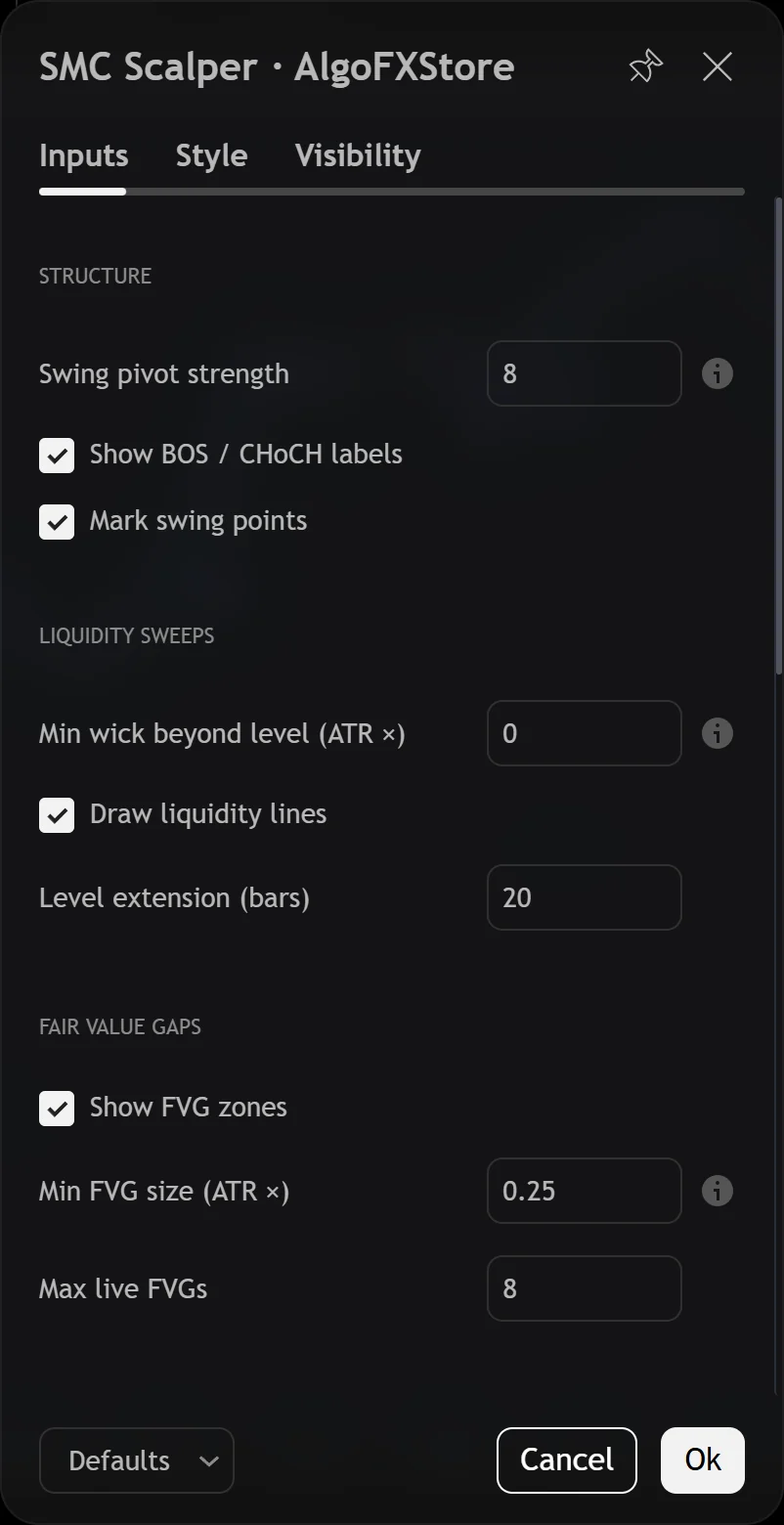
Every setting, with its default
The names are the ones in the script's Settings dialog in TradingView (Inputs tab); the defaults are what every chart on this page uses.
Structure (3)
| Setting | Default | What it does |
|---|---|---|
| Swing pivot strength | 8 | Bars on each side that confirm a swing high / low; higher = major structure only. |
| Show BOS / CHoCH labels | on | Structure break labels. |
| Mark swing points | on | The ' ' marks on swing highs and lows. |
Liquidity Sweeps (3)
| Setting | Default | What it does |
|---|---|---|
| Min wick beyond level (ATR ×) | 0 | How far the wick must go past the swing (in ATR) before a close back inside counts as a sweep; 0 = any amount. |
| Draw liquidity lines | on | BSL / SSL lines and price labels at every swing. |
| Level extension (bars) | 20 | How far right of the confirming bar the liquidity lines reach. |
Fair Value Gaps (3)
| Setting | Default | What it does |
|---|---|---|
| Show FVG zones | on | FVG boxes (also needed for 'Require FVG confluence' and the FVG part of conviction). |
| Min FVG size (ATR ×) | 0.25 | Ignore gaps smaller than this multiple of ATR(14). |
| Max live FVGs | 8 | Unfilled FVG boxes kept on the chart (1-30). |
Signals & Trade (8)
| Setting | Default | What it does |
|---|---|---|
| Require FVG confluence | off | Signal only when a fresh FVG in the trade direction forms on the signal candle. |
| TP/SL ladder | on | Risk / reward boxes, lines and labels of the newest signal. |
| ATR length | 14 | ATR for the stop padding, FVG size and sweep depth. |
| SL padding beyond sweep (ATR ×) | 0.5 | Stop distance beyond the sweep / signal candle extreme. |
| TP1 (R) | 1 | TP1 as a multiple of the stop distance. |
| TP2 (R) | 2 | TP2 multiple. |
| TP3 (R) | 3 | TP3 multiple. |
| TP/SL box width (bars) | 24 | Width of the ladder boxes. |
Visuals (1)
| Setting | Default | What it does |
|---|---|---|
| Colour candles by structure | on | Tint candles blue while structure is bullish, red while bearish. |
Dashboard (5)
| Setting | Default | What it does |
|---|---|---|
| Show dashboard | on | The SMC TERMINAL table. |
| Position | Top Right | Top Right, Top Left, Bottom Right, Bottom Left, Middle Right. |
| Background | #0B0F1A | Dashboard background colour. |
| Show statistics rows | on | The Win (TP1) row (statistics of the loaded history); switched off for the screenshots. |
| Dashboard text size | Normal | Tiny, Small, Normal, Large. |
Signals (1)
| Setting | Default | What it does |
|---|---|---|
| Min bars between signals | 8 | Minimum bars between two printed signals (0 = off). |
The alert events, one by one
In TradingView: Create alert, choose “SMC Buy Sell Scalper [AlgoFXStore]” as the condition and pick the event. TradingView then notifies you the way you set in that dialog: a pop-up in TradingView, a sound, the TradingView app on your phone or an e-mail.
- Buy: sell-side sweep plus bullish structure confirmation
- Sell: buy-side sweep plus bearish structure confirmation
- Liquidity Sweep
- CHoCH
SMC Buy Sell Scalper next to the usual options
Where it wins, and where it does not.
| SMC Buy Sell Scalper | Typical free SMC indicator | Reading it by hand | |
|---|---|---|---|
| Liquidity sweeps marked | Yes, once per swing, with an adjustable minimum depth in ATR | Sometimes | Possible if you watch every wick |
| Entry rule | Sweep, then a structure break or strong close within six candles | Usually structure labels only | Your own judgement each time |
| Stop and targets | Beyond the sweep plus 0.5 ATR, 1R, 2R and 3R drawn | No | You calculate them yourself |
| Fair value gaps | Sized in ATR, deleted once filled, at most 8 live | Often never cleared | Slow to keep up to date |
| Decided on the closed candle | No: calculated on every update; judge on closed candles | Depends on the script | Yes, if you wait for the close |
| Cost | Paid once | Free | Free, but it costs your time |
Honest about who this fits
A good fit if you
- You trade smart money ideas and want a fixed rule for when a sweep becomes a trade.
- You scalp or day trade on 1 to 15 minute charts in gold, forex, crypto, indices or stocks.
- You want the stop placed beyond the sweep by a fixed ATR padding and the targets drawn at 1R, 2R and 3R.
- You like to see BOS, CHoCH, BSL, SSL and fair value gaps on the same chart as your signals.
- You are happy to judge signals on closed candles and to set alerts to Once Per Bar Close.
Not for you if you
- You want something that places and manages orders: this script draws and alerts, and every order is yours.
- You need signals that can never change while the candle forms: they are calculated on every update and are final only at the close.
- You want a signal on every swing: many sweeps never get a confirmation, and at least 8 candles separate two signals.
- You want the ladder to follow every trade to the end: only the newest signal keeps its ladder, and it does not mark which level was hit.
The full code, one manual, installed in two minutes
- 1Pine Script source codeSMC_Buy_Sell_Scalper_TradingView_Code.txt (26 KB): the full code. Paste it into the Pine Editor and it appears as “SMC Buy Sell Scalper [AlgoFXStore]”.
- 14Page PDF manualInstallation, every setting with its default and how to read the chart.
- 24SettingsEvery one explained above, with the defaults the charts use.
- ✓Alert eventsYou choose which ones are on in the settings.
- 60Day money-back guaranteeIf it is not for you, request a full refund within 60 days through your Digistore24 order e-mail.
Install in five steps
- Download the zip from the page Digistore24 sends you to after checkout and unzip it.
- Open SMC_Buy_Sell_Scalper_TradingView_Code.txt in a text editor, select all and copy the whole code.
- In TradingView, open the Pine Editor, paste the code over everything that is there and click Save.
- Click Add to chart: “SMC Buy Sell Scalper [AlgoFXStore]” appears on your chart.
- Read the PDF manual; the defaults are the settings shown on this page.

Kestutis Balciunas
AlgoFXStore · chart indicators
Kestutis Balciunas builds and publishes chart indicators under the AlgoFXStore name. Every product page shows what the indicator draws on real charts, and every number on it comes from the shipped build.
The charts on this page were captured in TradingView from the shipped SMC Buy Sell Scalper [AlgoFXStore] at its default settings and are shown unedited.
No get-rich claims and no quoted win rates. Every trade is uncertain, and no indicator changes that. If you want to know whether it suits the way you trade before you buy, e-mail [email protected] and you will get a straight answer.
One price, one payment
- The full Pine Script source code of SMC Buy Sell Scalper and the 14-page PDF manual
- Delivered as a digital download: one zip with the code file and the PDF manual on your download page
- Return period: 60 days, with a full refund if it is not for you
- Free updates to the current version on the same download page
60-day money-back guarantee. Install it, run it on your own charts and read the manual. If SMC Buy Sell Scalper is not for you within 60 days of purchase, request a full refund from Digistore24, no questions asked: use the refund link in your Digistore24 order e-mail or Digistore24's order page digistore24.com/en/cancel-revoke-contract. Digistore24 refunds to your original payment method. It is a digital download: right after checkout you land on your download page, and the link to it is also in your Digistore24 order e-mail.
About the signals
Does it repaint?
There is no request.security, so nothing comes from another timeframe, and candles that have closed are final. But there is no closed-candle gate: sweeps, BOS and CHoCH and the BUY and SELL signals are calculated on every price update. While a candle is forming, a BUY, a SELL, a sweep cross or a structure label can appear and disappear again. Once the candle closes, what you see stays. Swings and their liquidity lines are drawn back on the swing candle 8 candles after it. Judge signals on closed candles and create alerts with Once Per Bar Close.
What is the difference between BOS and CHoCH?
Both are a close through the last swing. CHoCH is the first close against the current structure, a sign the trend may be turning. BOS is a close through a swing in the direction of the structure, a sign the trend continues. A BUY after a sell-side sweep and a CHoCH is the setup the manual calls the classic one.
Why did a sweep not produce a signal?
A sweep only arms a setup for six candles. Within that window the script needs a bullish structure break or a green candle that closes above the previous high for a BUY, or the mirror for a SELL. If neither happens, the setup lapses. With Require FVG confluence on, a fresh fair value gap in the same direction must also form on the signal candle, and the 8-candle spacing between signals can block it as well.
What happens when both a BUY and a SELL qualify?
On one candle the SELL is printed and the BUY is dropped, so you never get both labels together. Across candles, the newest signal replaces the ladder of the previous one, whichever direction it points. Min bars between signals, 8 by default, keeps labels apart; set it to 0 to turn the spacing off.
What does the Conviction number mean?
It scores the signal candle from 0 to 100: 40 percent for structure (full with a CHoCH, 60 percent of that with a BOS or a strong close), 35 percent for how deep the sweep went in ATR, full at 1 ATR, and 25 percent for a fair value gap, full with a fresh gap on that candle. Between signals it rests at its base value of 34. It describes the setup; it is not a probability.
The ladder and the dashboard
How are the stop and the targets set?
The entry is the signal candle's close. For a BUY the stop is the lower of the signal candle's low and the sweep candle's low, minus SL padding beyond sweep, 0.5 x ATR(14) by default; for a SELL it is the higher of the two highs plus the padding. TP1, TP2 and TP3 are 1, 2 and 3 times the stop distance. If that distance were zero, one ATR is used.
Why does the ladder still show after the stop was hit?
The script draws the plan of the newest signal and does not manage the trade. On the newest candle it stretches that ladder to the right edge so you can always read its prices, even after price has reached a target or the stop. Check the candles since the signal to see what happened.
What do the colours mean?
Blue is bullish: BUY labels, bullish structure, sell-side liquidity lines and bullish gaps. Red is bearish: SELL labels, bearish structure, buy-side liquidity and bearish gaps. In the ladder the stop is always red and every target green, for buys and sells alike, and the entry line is gold. The tinted background and candles show the current structure.
What is the Win (TP1) row?
An optional statistics row, switched with Show statistics rows. It counts how many signals in the loaded history touched TP1 before their stop, ignores spread and resets on every reload, and a signal replaced by the next one before TP1 or the stop counts as a loss. It is hindsight bookkeeping of drawn plans, not a forecast.
Charts, markets and alerts
Which timeframes and markets does it suit?
Any symbol and timeframe, because every distance is in ATR and every swing in bars. It is made for scalping and day trading on 1 to 15 minute charts, with 15 minutes as the reference and 1 hour for fewer, larger setups. Swings need 8 candles on each side, so the first structure appears after about 17 candles. There is no session filter.
How do I get fewer or more signals?
For fewer, larger setups raise Swing pivot strength to 10 or 12, switch on Require FVG confluence, or raise Min bars between signals. For more signals use a pivot strength of 5. Min wick beyond level raises the bar for a sweep: at 0.1 the wick must go a tenth of an ATR past the swing before it counts.
Which alerts can I create?
Four alert conditions: Buy, Sell, Liquidity Sweep and CHoCH. In Create alert choose the script, then the condition, and set the trigger to Once Per Bar Close. The messages are fixed texts that describe the event; TradingView adds the symbol to the notification. Delivery can be the app, a pop-up, a sound, e-mail or, on plans that offer it, a webhook.
Why do old swing marks disappear on a long chart?
TradingView keeps at most 500 lines and 500 labels per script. On a long history the oldest swing diamonds, liquidity lines and structure labels are removed first. The ladder of the newest signal is created again with every signal, so it stays on the chart.
How it works
Will it place trades for me?
No. SMC Buy Sell Scalper is an indicator: it draws on the chart and can alert you. It never sends an order.
Do I need a paid TradingView plan?
No. It reads only the chart's own bars, so the free TradingView plan runs it. Alerts count against your plan's alert limit.
After you buy
How do I get it after paying?
Digistore24 runs the checkout. Right after payment it takes you to your download page with one zip holding the Pine Script source code file and the PDF guide; the link to that page is also in your Digistore24 order e-mail, so you can download again at any time.
How do I install it?
Open the code file, open the Pine Editor in TradingView, paste the whole code, click Save and then Add to chart: “SMC Buy Sell Scalper [AlgoFXStore]” appears on your chart. The guide walks through it step by step.
Who is Digistore24?
Digistore24 is the reseller that sells SMC Buy Sell Scalper for Kestutis Balciunas (AlgoFXStore): it runs the checkout, charges your card or PayPal, collects the VAT for your country and delivers the download. Its name is the one on your statement, and its order e-mail holds your download link and the refund link.
What is the refund policy?
A 60-day money-back guarantee, handled by Digistore24. If SMC Buy Sell Scalper is not for you within 60 days of purchase, use the refund link in your Digistore24 order e-mail or Digistore24's order page (digistore24.com/en/cancel-revoke-contract) for a full refund, no questions asked. Digistore24 makes the refund to your original payment method.
Do I get the source code?
Yes. You get the full Pine Script source code as a text file for your own use; the licence line at the top of the code does not allow resale, sharing or republishing.
SMC Buy Sell Scalper for TradingView.
Mark the sweep, wait for structure to confirm it, and know your stop and three targets the moment the signal prints. The full code, the manual and every setting explained. Instant download for €47, one payment.
Get instant access