Four scalping tools for zones, quiet-range breakouts, swing reversals and scored levels
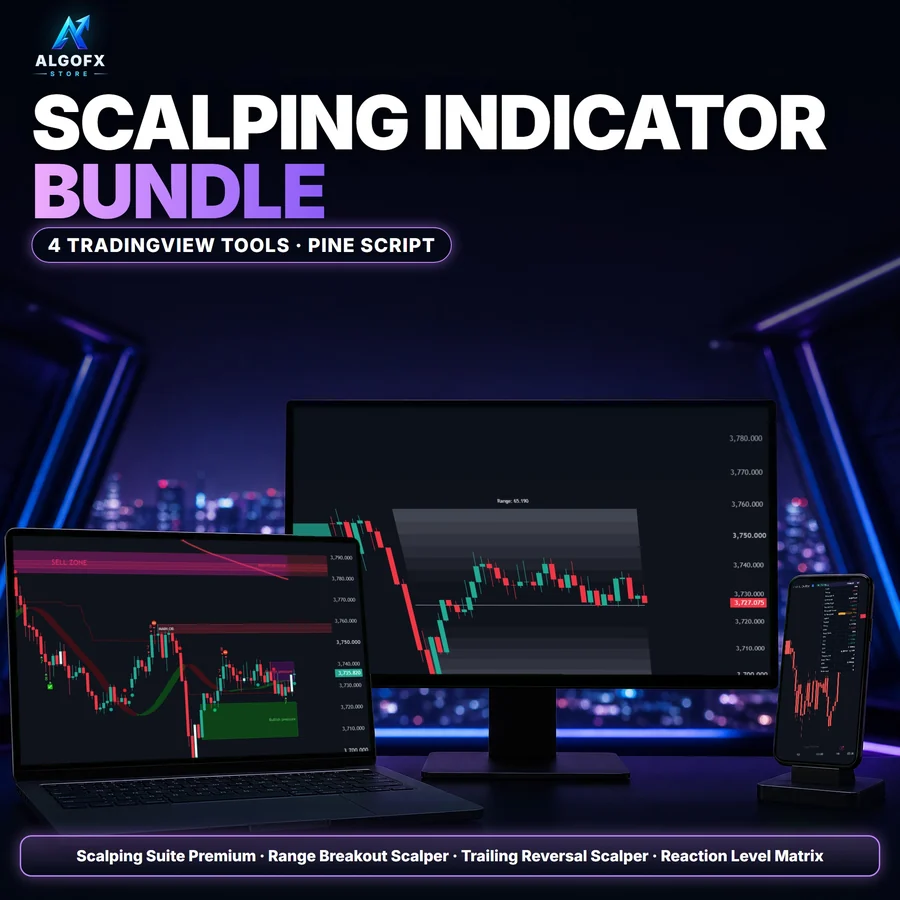
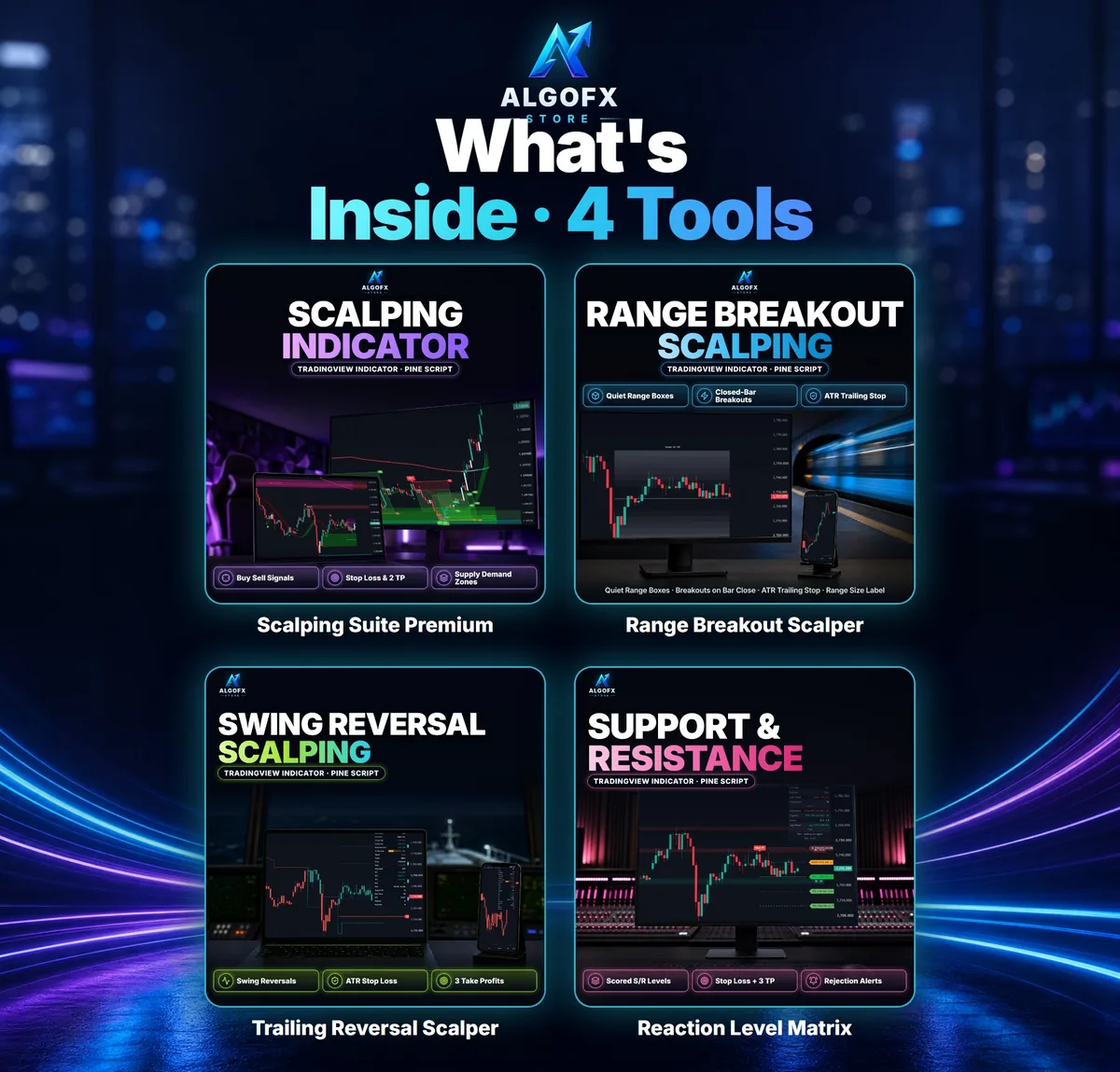
The Scalping Indicator Bundle puts four AlgoFXStore TradingView scripts in one download: Scalping Suite Premium, Range Breakout Scalper, Trailing Reversal Scalper and Reaction Level Matrix. Each comes as full Pine Script source code with its own PDF guide.
- Four separate indicators, each with its own full Pine Script source code and PDF guide
- Zones and order blocks, quiet-range breakouts, percentage swing reversals and scored support and resistance
- Three of the four draw an entry, a stop and targets for every signal
- Built for 5 to 15 minute charts on gold, forex, crypto and indices; any symbol works
- 4 complete scripts. Each comes as full Pine Script source code that you paste into the Pine Editor.
- 4 PDF guides (56 pages) with installation, every setting and how to read each chart. One-time €47.
See Scalping Indicator Bundle on a real chart
Press play; use the full-screen button to see every detail.
One scalping indicator rarely answers every question on a fast chart
Scalping on a 5 or 15 minute chart means making several decisions quickly: where the nearby levels are, whether price is ranging or about to break out, and whether a pullback is a real turn or just noise. Most single indicators answer one of those questions well and leave the others to you, so you end up with a pile of free scripts that do not fit together.
Building that set yourself takes time. You need tools that draw clean zones without cluttering the chart, a way to spot a quiet range before the breakout, a rule for when a swing has turned, and levels that are scored rather than drawn at every wick, ideally each with a stop and targets you can size from.
The Scalping Indicator Bundle gives you four tools that each do one of those jobs, from the same maker and in the same chart style. You can run them one at a time, or put two or three on one chart and let them confirm each other.
What each script does
These are the rules of the four shipped Pine Script v6 files. Each script is a separate indicator with its own settings, alerts and guide.
- 1
Scalping Suite Premium
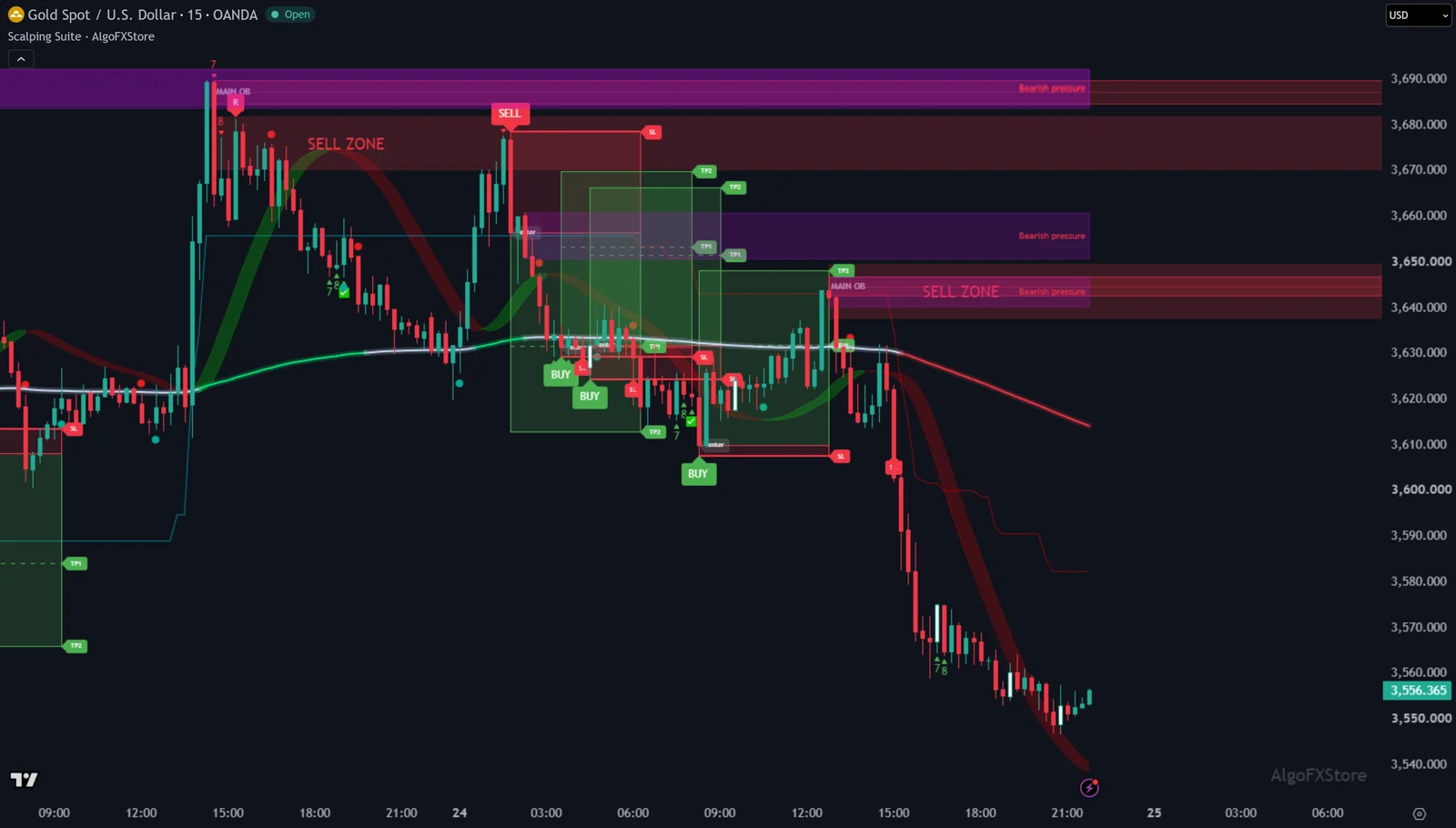
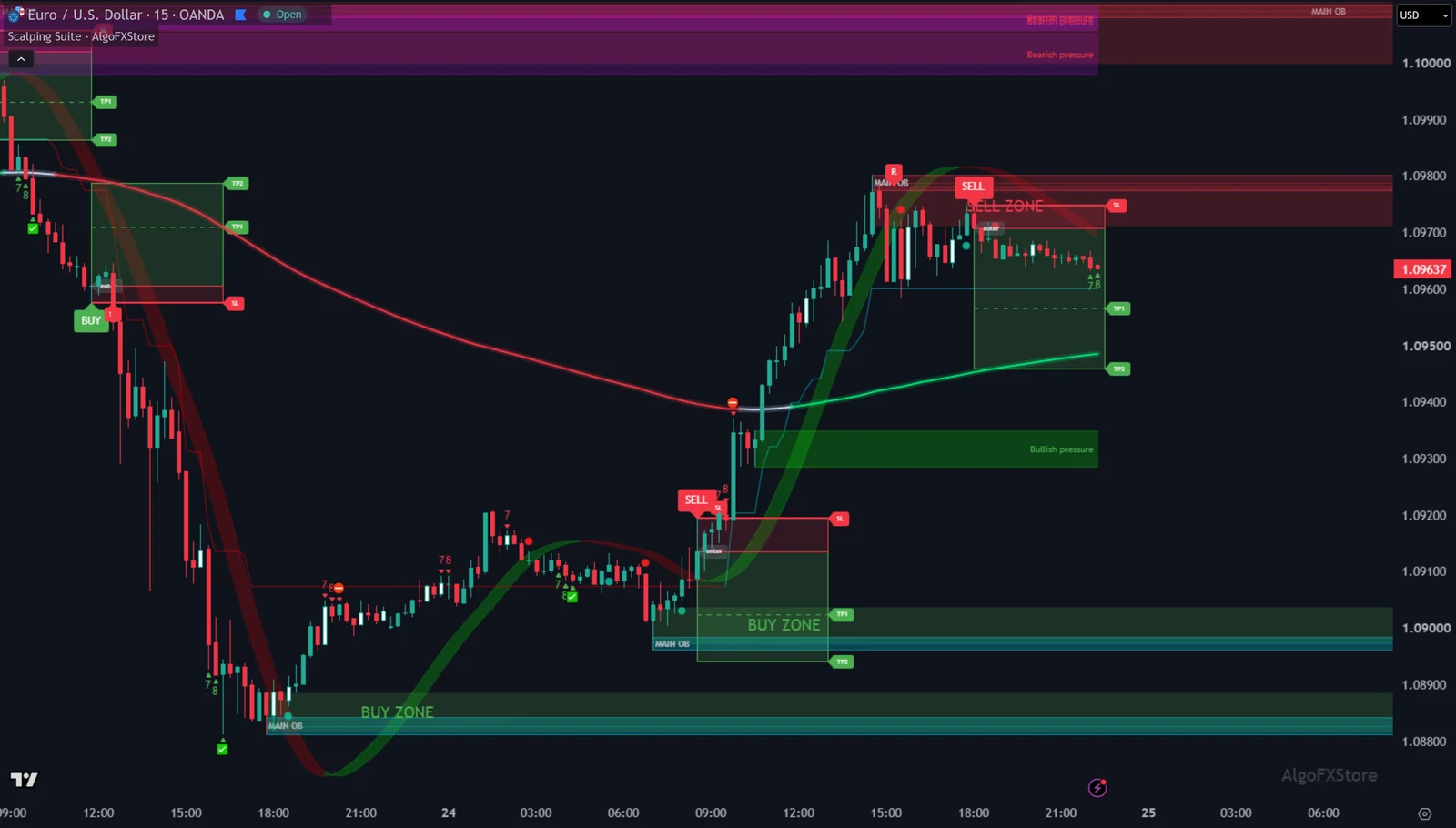
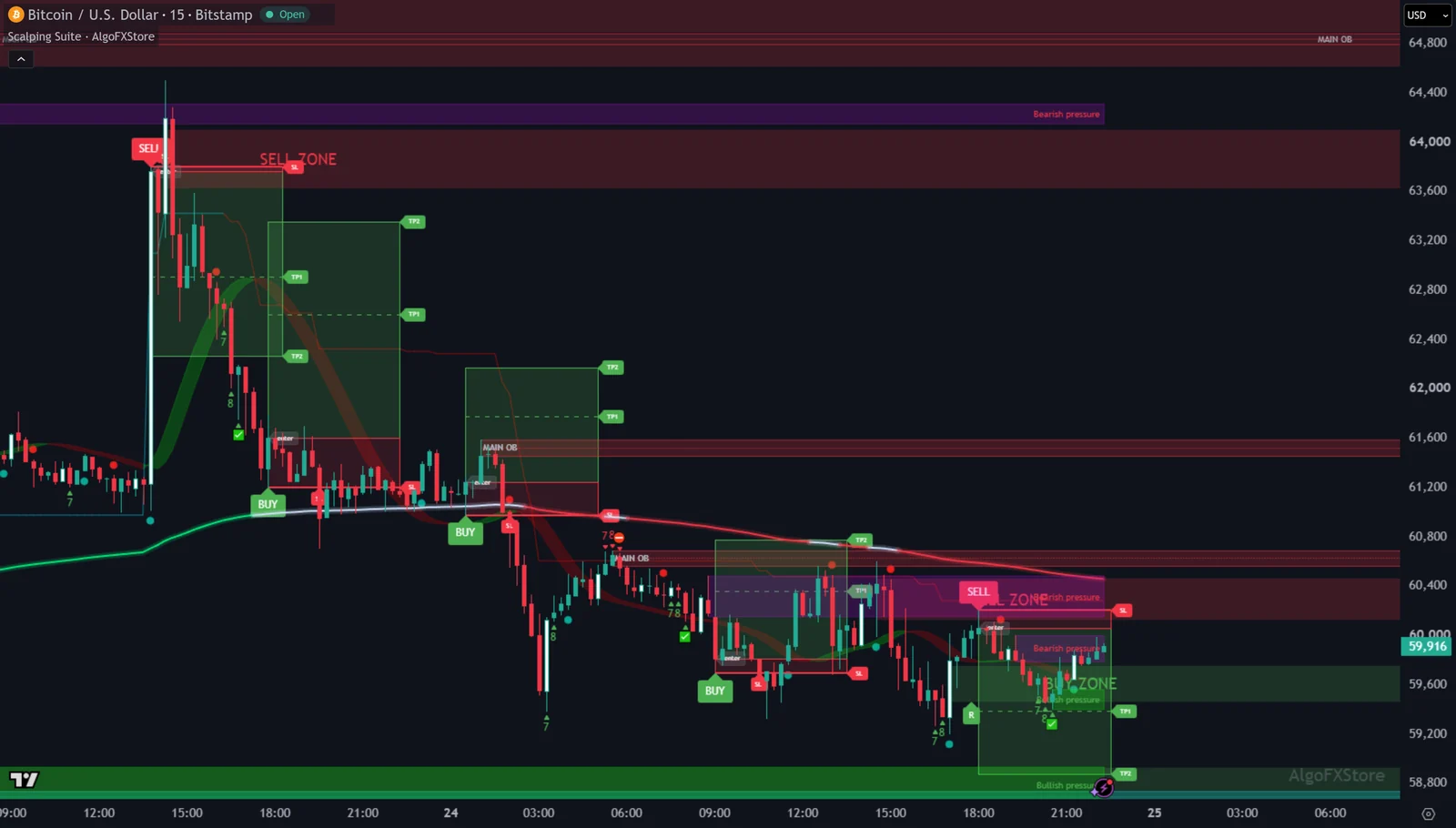
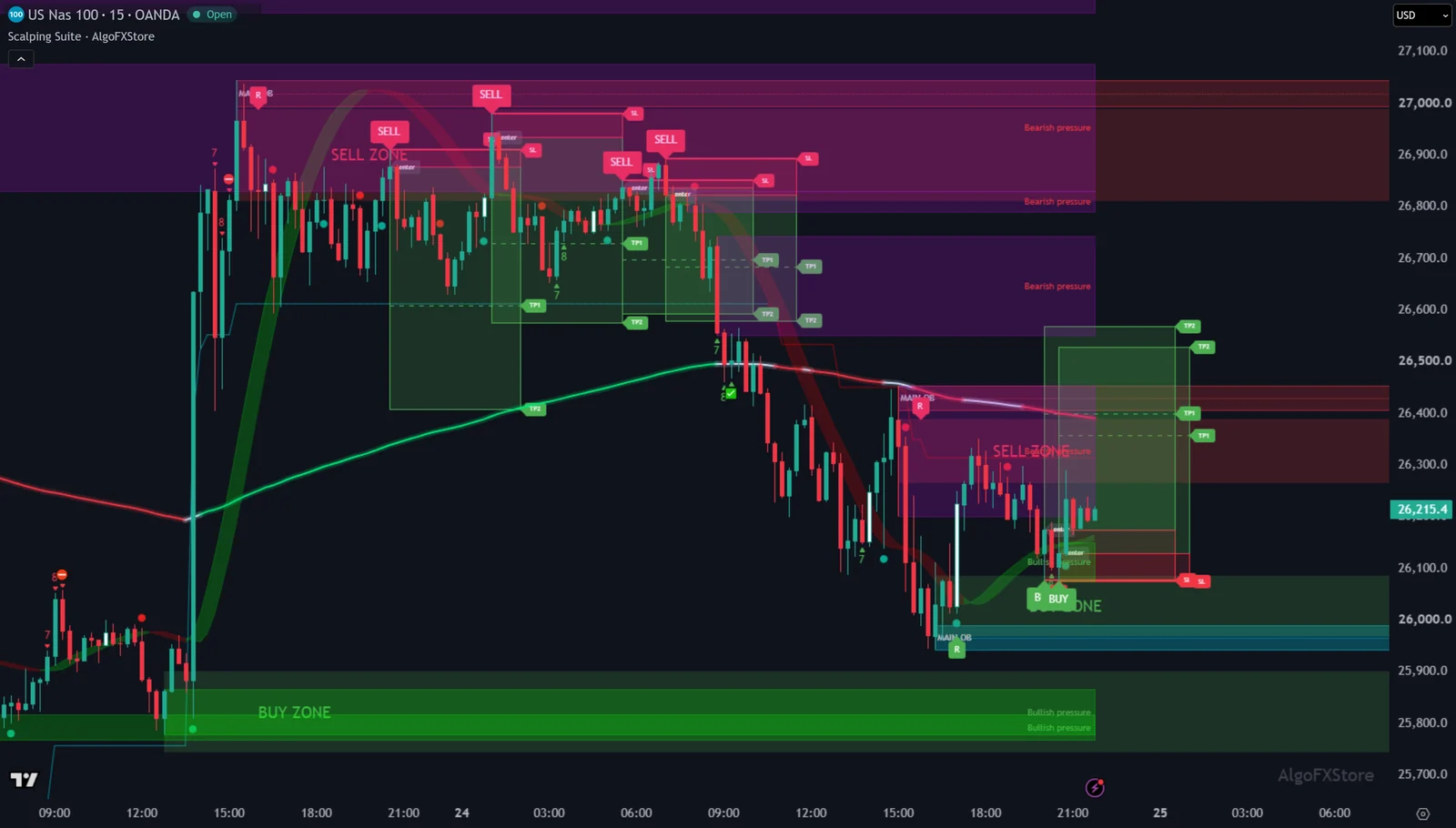
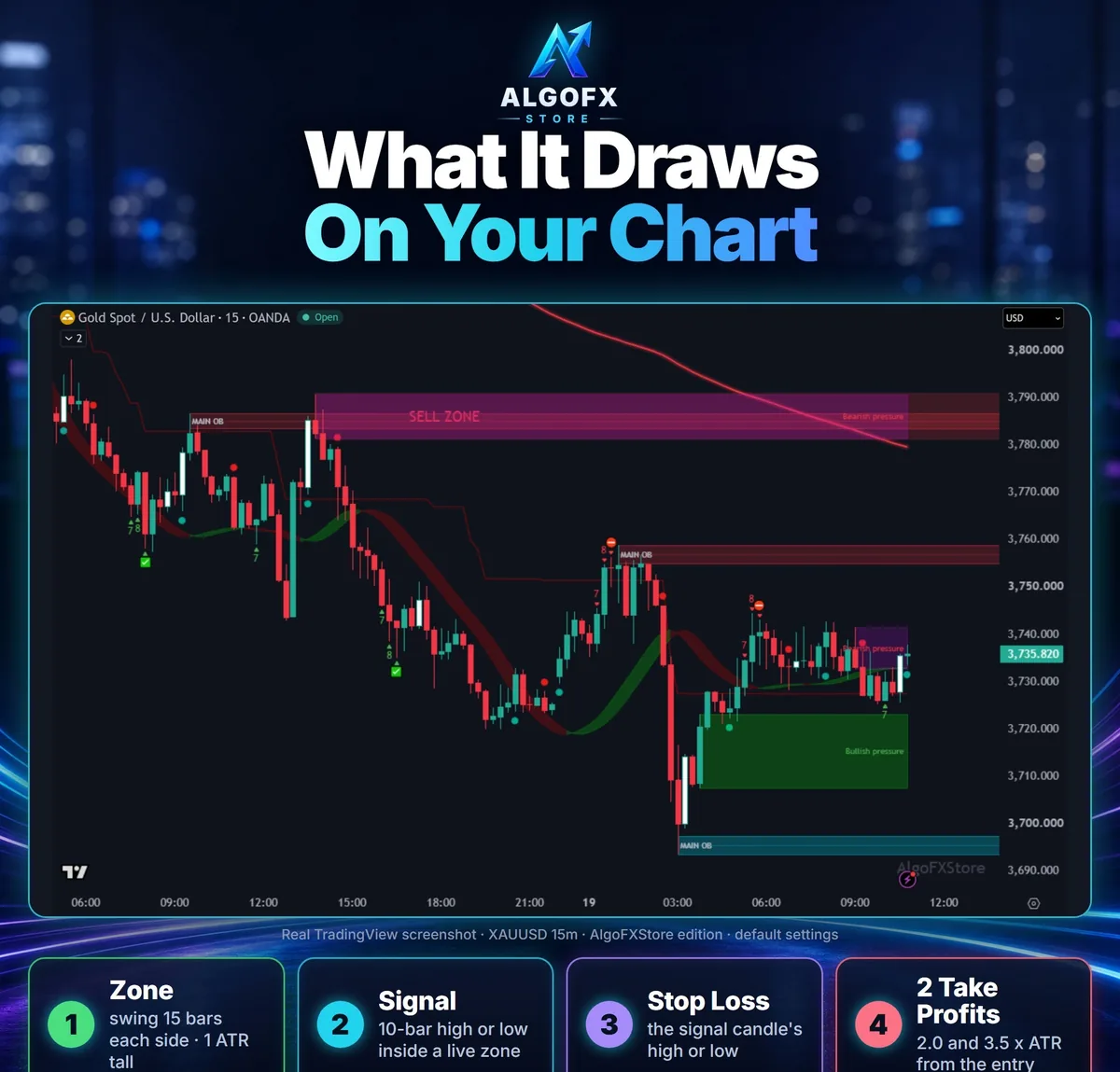
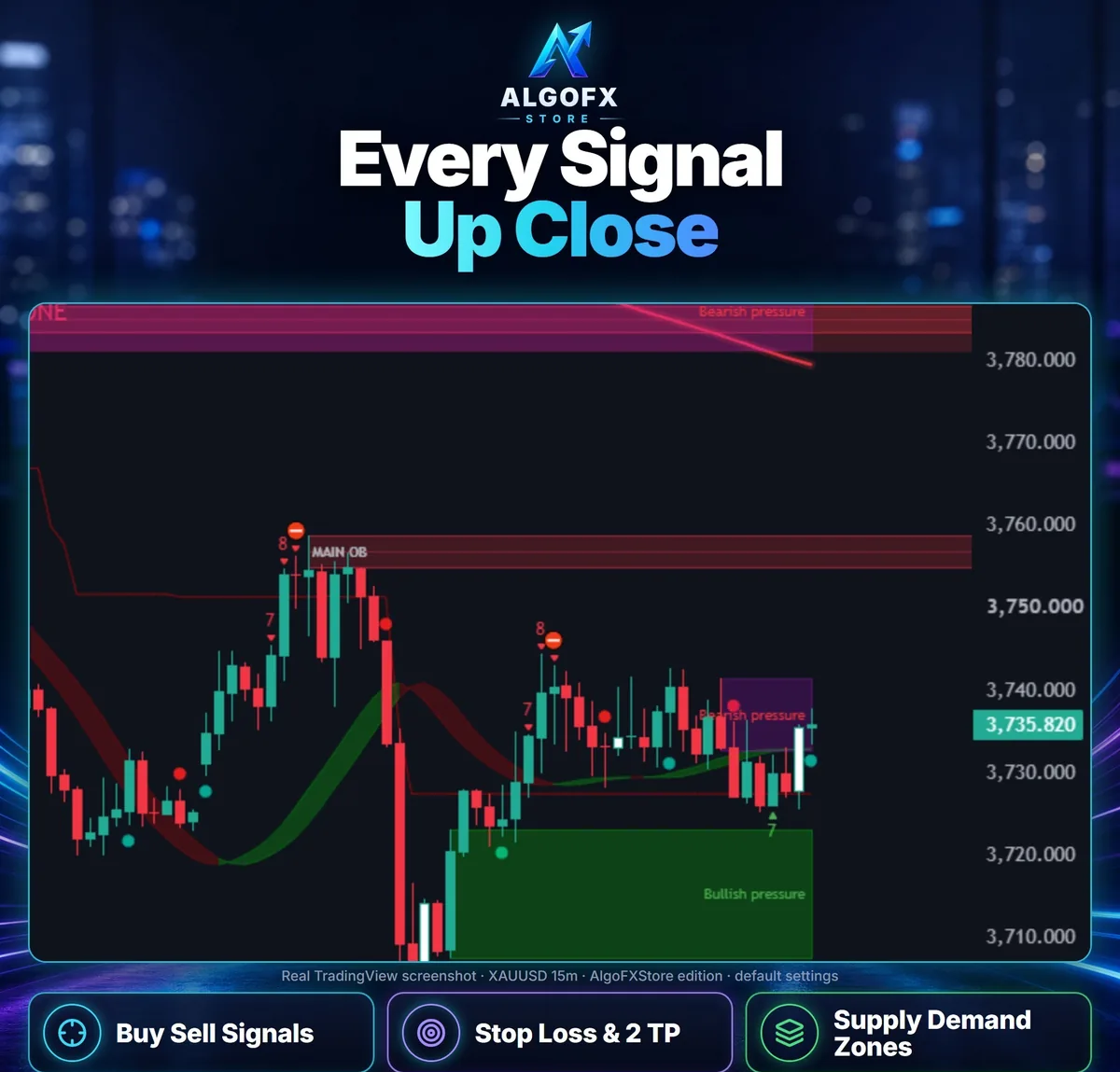
Draws supply and demand zones from 15-bar swings, support and resistance zones, single candle order blocks, pressure blocks and trend lines on one chart. It prints SELL when a 10-bar swing high forms inside a live supply zone and BUY at a swing low inside a live demand zone: entry at the swing candle's close, stop at its high or low, TP1 and TP2 at 2.0 and 3.5 x ATR(14).
- 2
Range Breakout Scalper
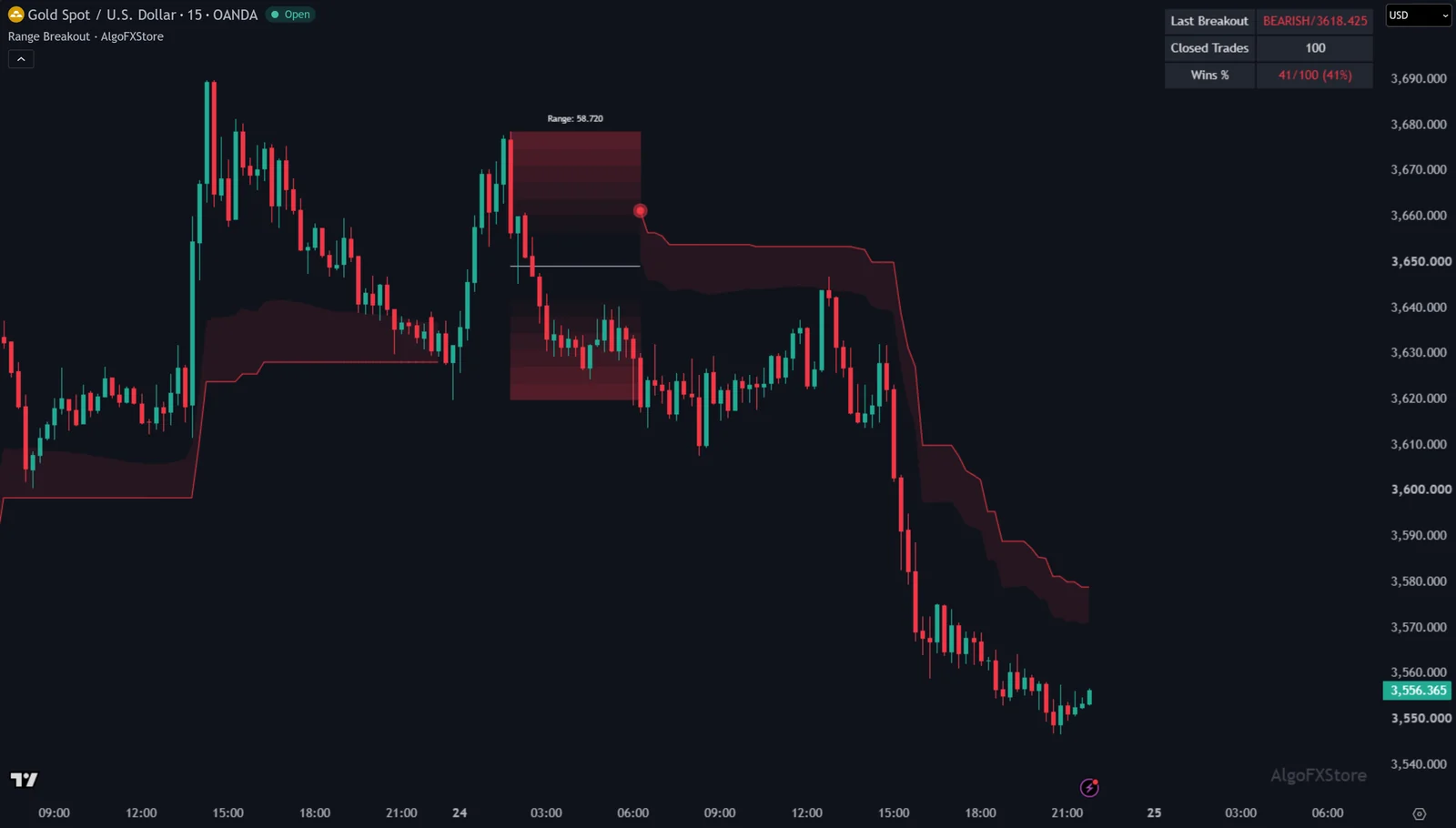
Watches the middle of the last 20 bars' range. When it has not moved for 5 bars, the market is quiet and the range is boxed. A candle that closes outside the box is a breakout and starts a trailing stop 3 x ATR(14) beyond that candle, which only tightens until a candle closes back through it. It draws no targets.
- 3
Trailing Reversal Scalper
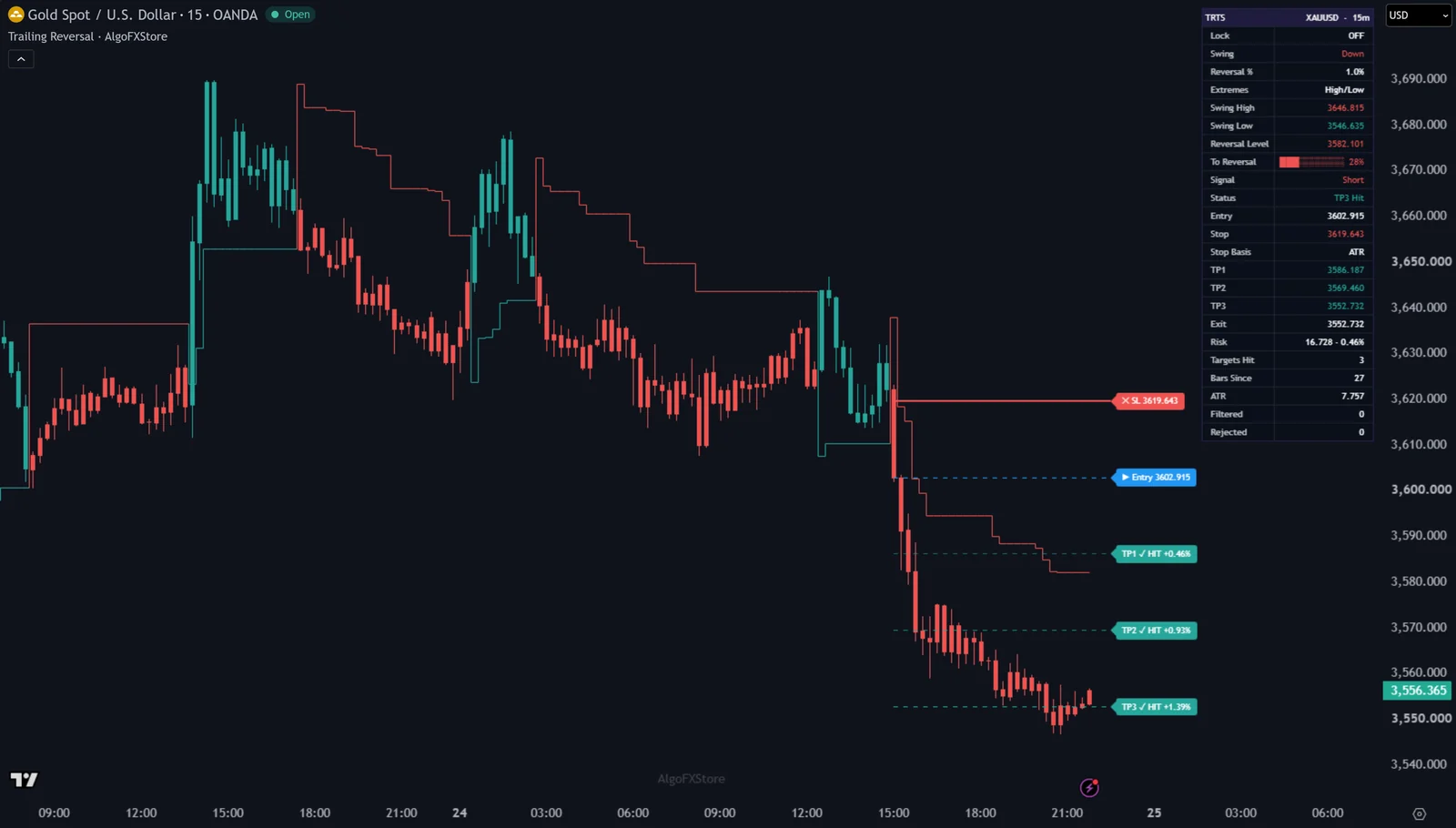
Follows price swing by swing: an up swing lasts until price falls Reversal % (1.0 by default) from its high, a down swing until it rises that much from its low. Each turn on a closed candle becomes a BUY or SELL with the entry at the close, a stop at 1.5 x ATR(14) capped at the swing pivot, and targets at 1R, 2R and 3R.
- 4
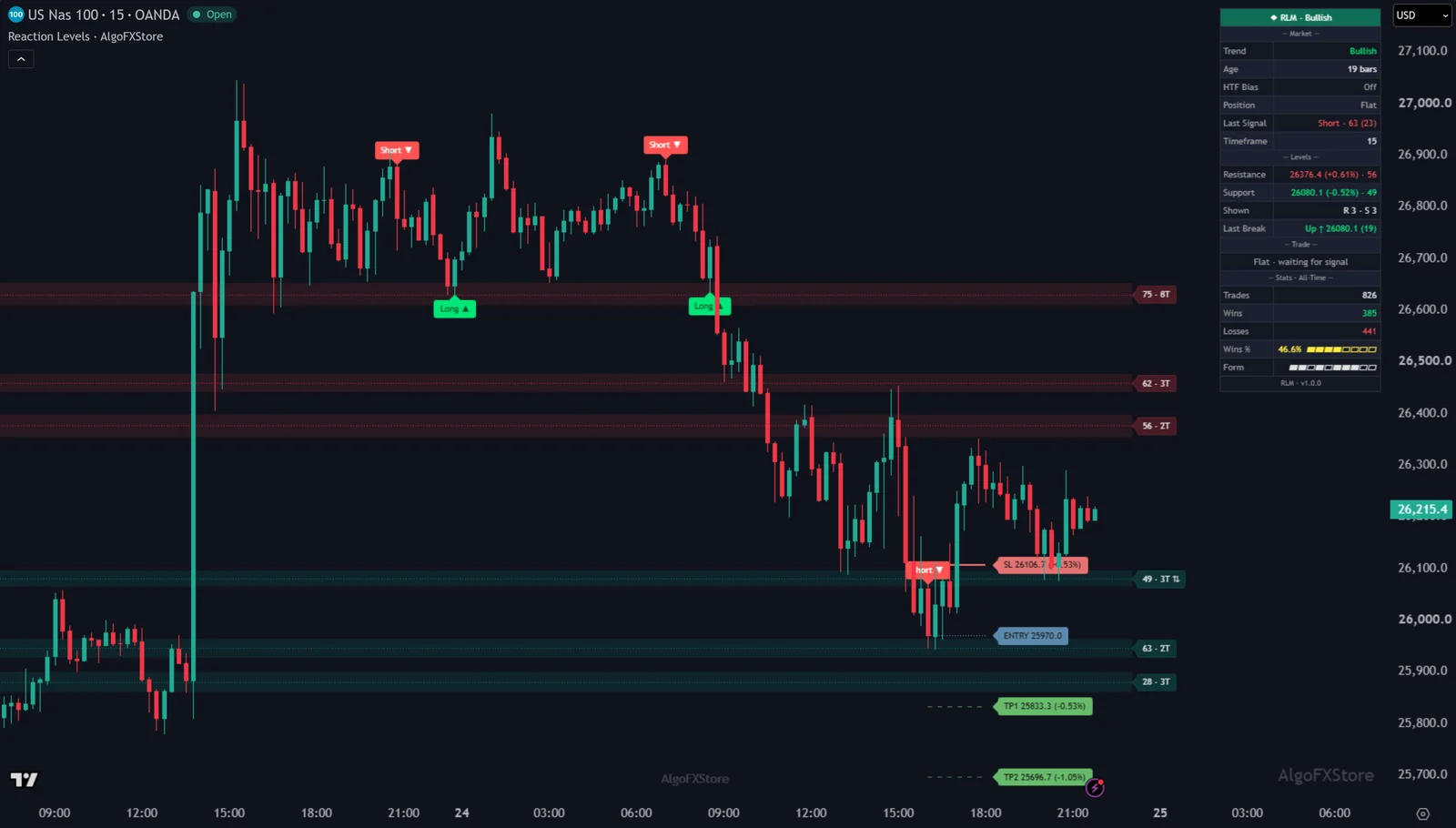
Reaction Level Matrix
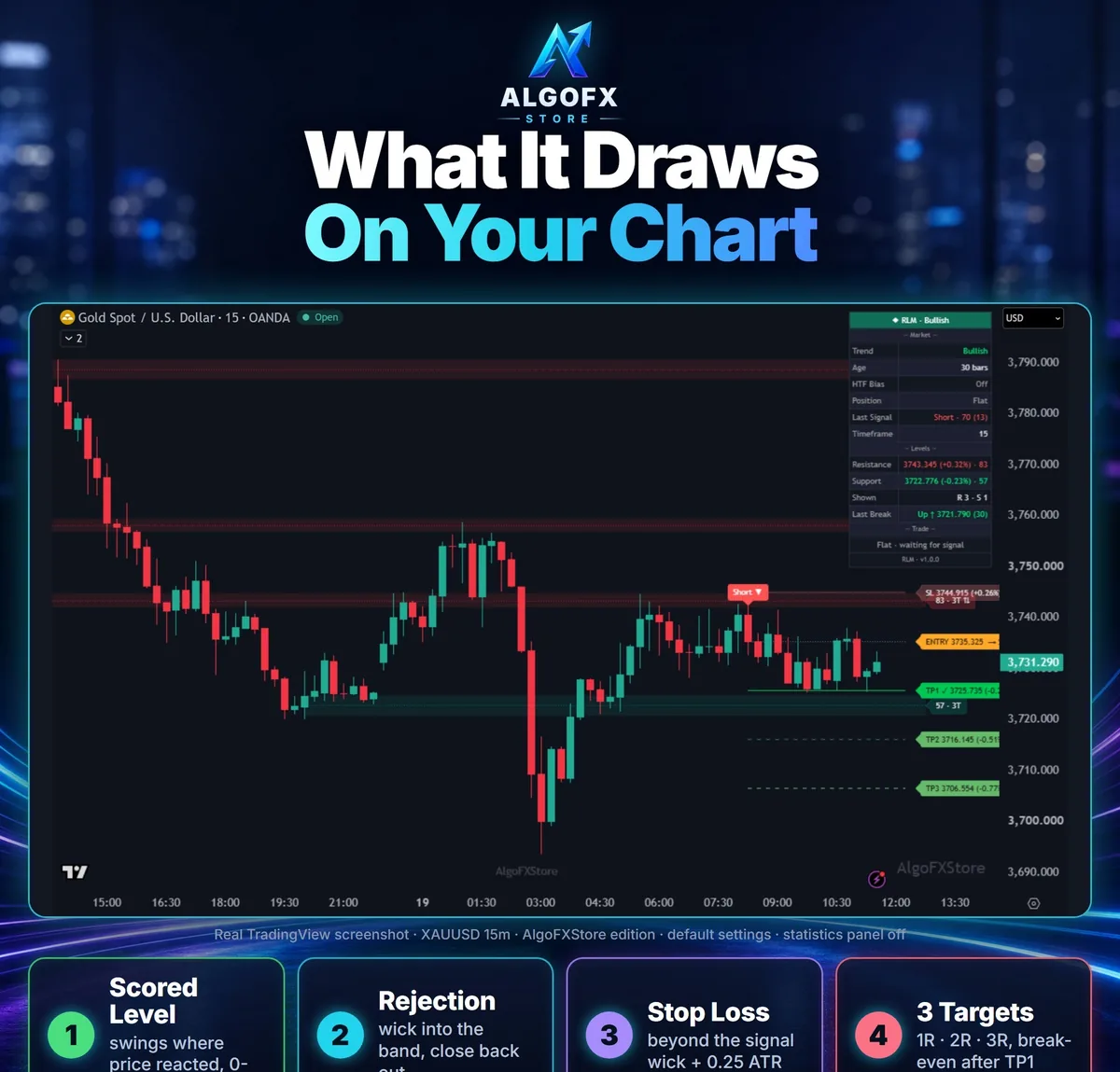
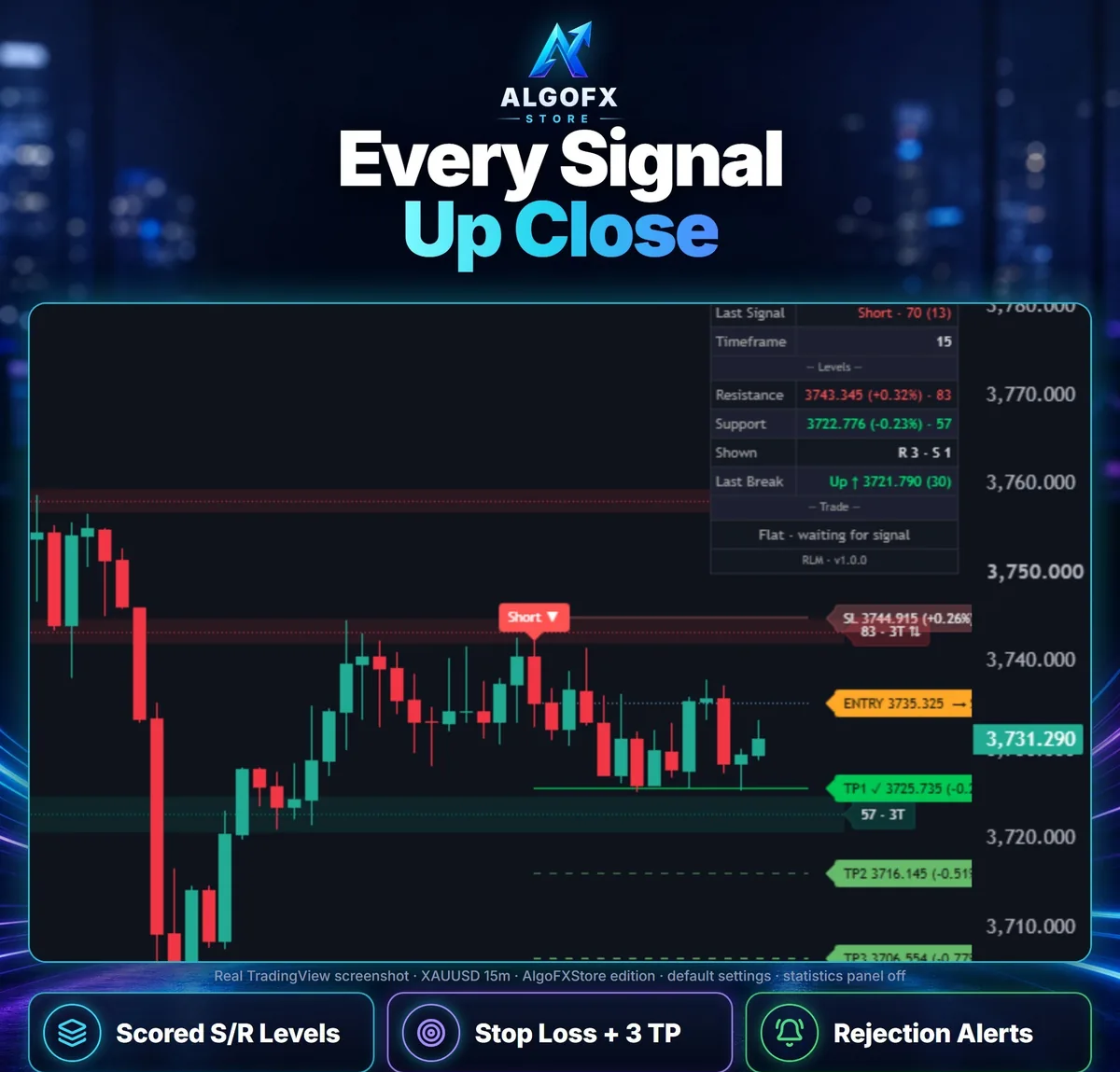
Builds support and resistance from 6-bar swings that sit within 0.6 x ATR(34) of each other, scores each level from 0 to 100 and shows the three nearest above and below price. A Long or Short prints when a closed candle wicks into a level scoring 50 or more and closes back out strongly, with a wick-anchored stop, three targets and a break-even rule.
- 5
Which parts are final at the close
Range Breakout Scalper breakouts, Trailing Reversal Scalper signals and Reaction Level Matrix signals are decided on closed candles. Scalping Suite Premium's BUY and SELL labels are decided while the next candle forms and are final when it closes. Zones and levels in all four can appear, change or be redrawn on the live candle, as each guide explains.
- 6
How the four fit together
The zone and level tools, Scalping Suite Premium and Reaction Level Matrix, tell you where price is likely to react. Range Breakout Scalper tells you whether the market is quiet or leaving a range. Trailing Reversal Scalper tells you whether the swing has actually turned. Read together, a signal at a strong level after a quiet range carries more information than any one of them alone.
4 complete TradingView scripts
Each one comes as its full Pine Script source code with its own PDF guide, in its own folder of the download.
Scalping Suite Premium
Scalping Suite Premium puts supply and demand zones, support and resistance zones, single-candle order blocks and several trend tools on one TradingView chart.
- SELL only at a 10-bar swing high inside a live supply zone, BUY at a swing low inside demand.
- Stop at the swing candle's high or low, TP1 at 2.0 and TP2 at 3.5 x ATR(14).
- Supply and demand zones, MAIN OB support and resistance, pressure blocks and order block dots on one chart.
78 settings · 18 alert events
Range Breakout Scalper
Range Breakout Scalper watches the last 20 bars on your TradingView chart, and when the middle of their high-low range stops moving for 5 bars it boxes that quiet range.
- Quiet ranges found by a fixed rule: the 20-bar range's midpoint unchanged for 5 bars, boxed with its height.
- Breakouts decided on the candle close, never on a wick, with the box turning teal or red.
- A red ATR trailing stop, 3 x ATR(14) from the breakout candle, that only moves towards price.
Signals decided on closed bars · 10 settings
Trailing Reversal Scalper
Trailing Reversal Scalper follows price swing by swing on your TradingView chart: an up swing lasts until price falls a set percentage from its highest point, a down swing until it rises that much from its lowest point.
- One visible rule: a swing turns when price moves Reversal % (1.0 by default) against its extreme
- BUY and SELL decided on the closed candle, with the entry at that candle's close
- Stop at 1.5 x ATR(14) or the swing pivot, whichever is closer, and targets at 1R, 2R, 3R
Signals decided on closed bars · 42 settings · 13 alert events
Reaction Level Matrix
Reaction Level Matrix builds support and resistance from confirmed swings, scores every level from 0 to 100 by how often and how sharply price turned there, and shows the three nearest levels above and below price on your TradingView chart.
- Levels built from confirmed swings and scored 0 to 100 by touches, reaction size, age and breaks.
- The three nearest scored levels above and below price, drawn as bands with their score and touch count.
- Long or Short only on a closed-candle rejection of a level scoring 50 or more.
Signals decided on closed bars · 49 settings · 8 alert events
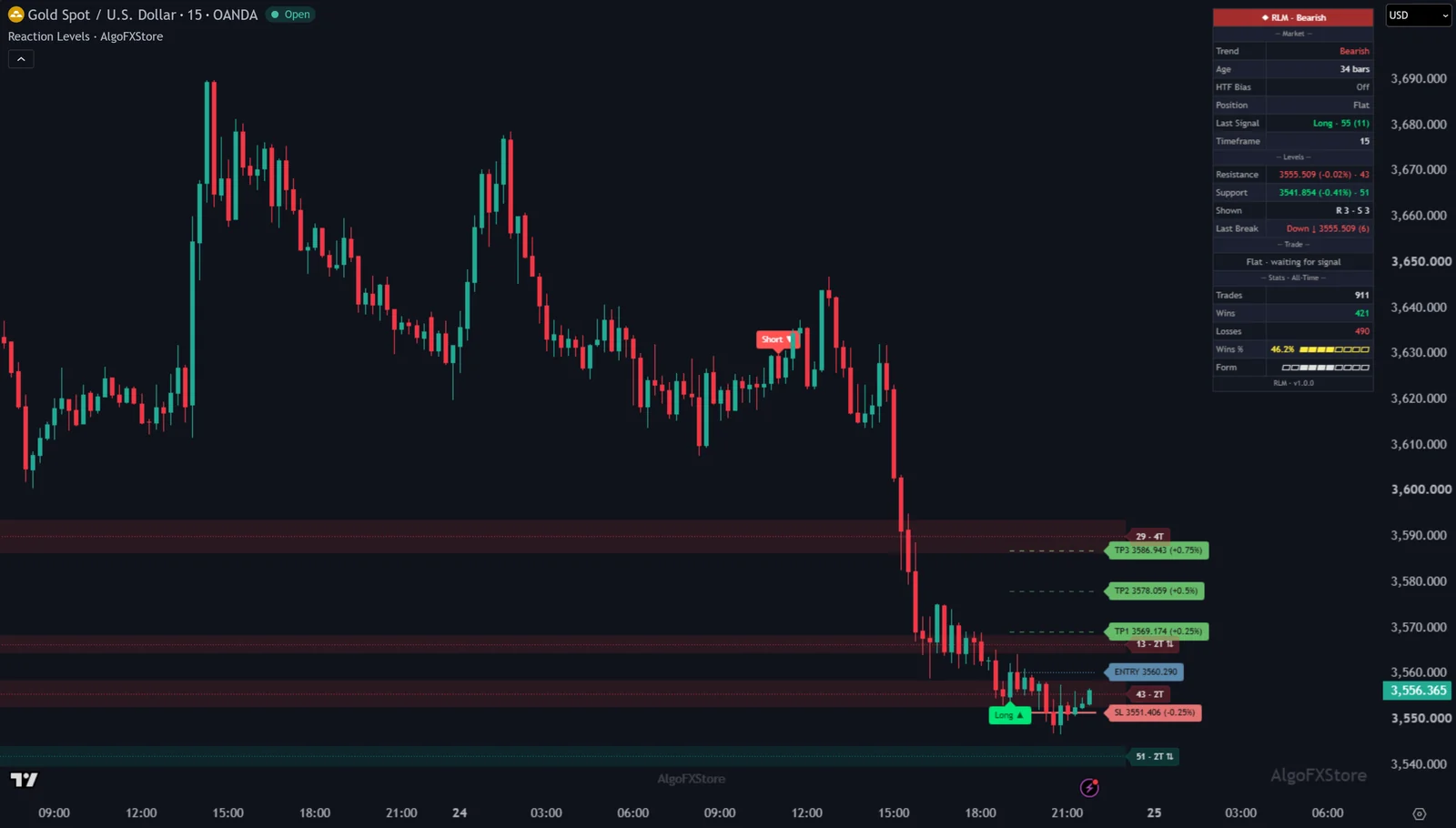
Scalping Indicator Bundle on 16 different markets
Every chart below is a screenshot of TradingView itself with the shipped scripts of this bundle attached at their default settings. They show what the indicator draws; they are not trading results. Tap or click any chart to open it full size.
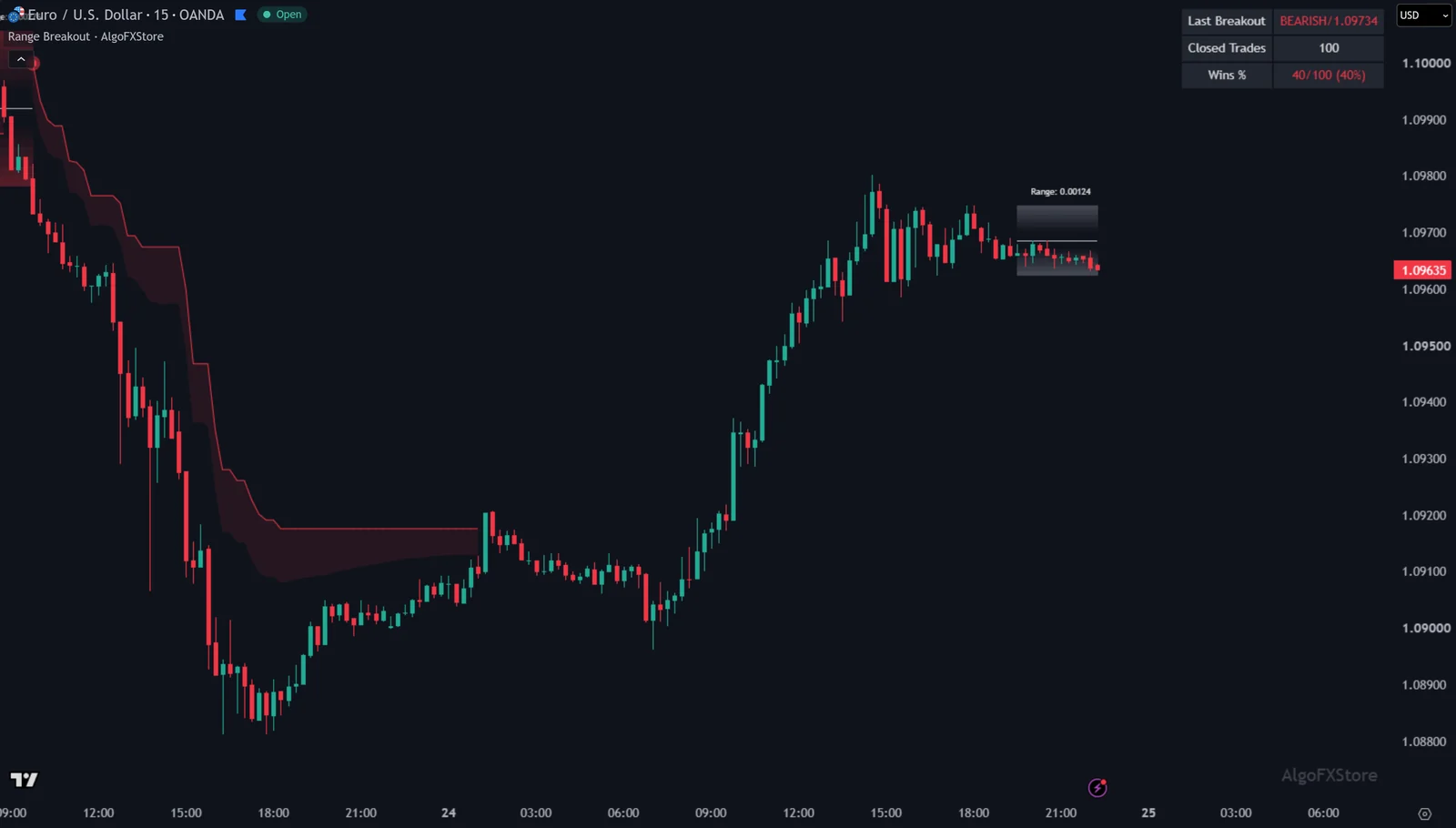
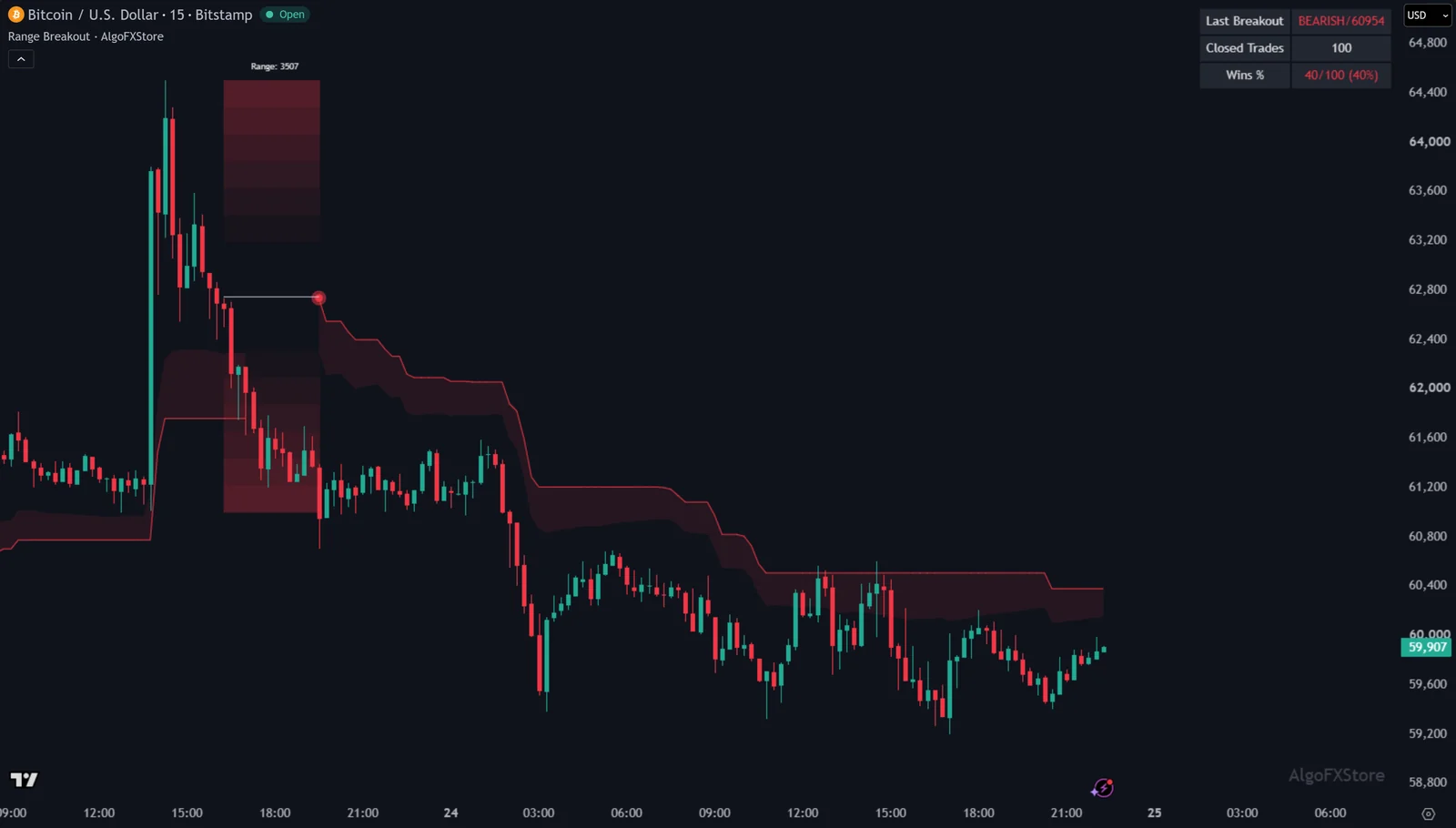
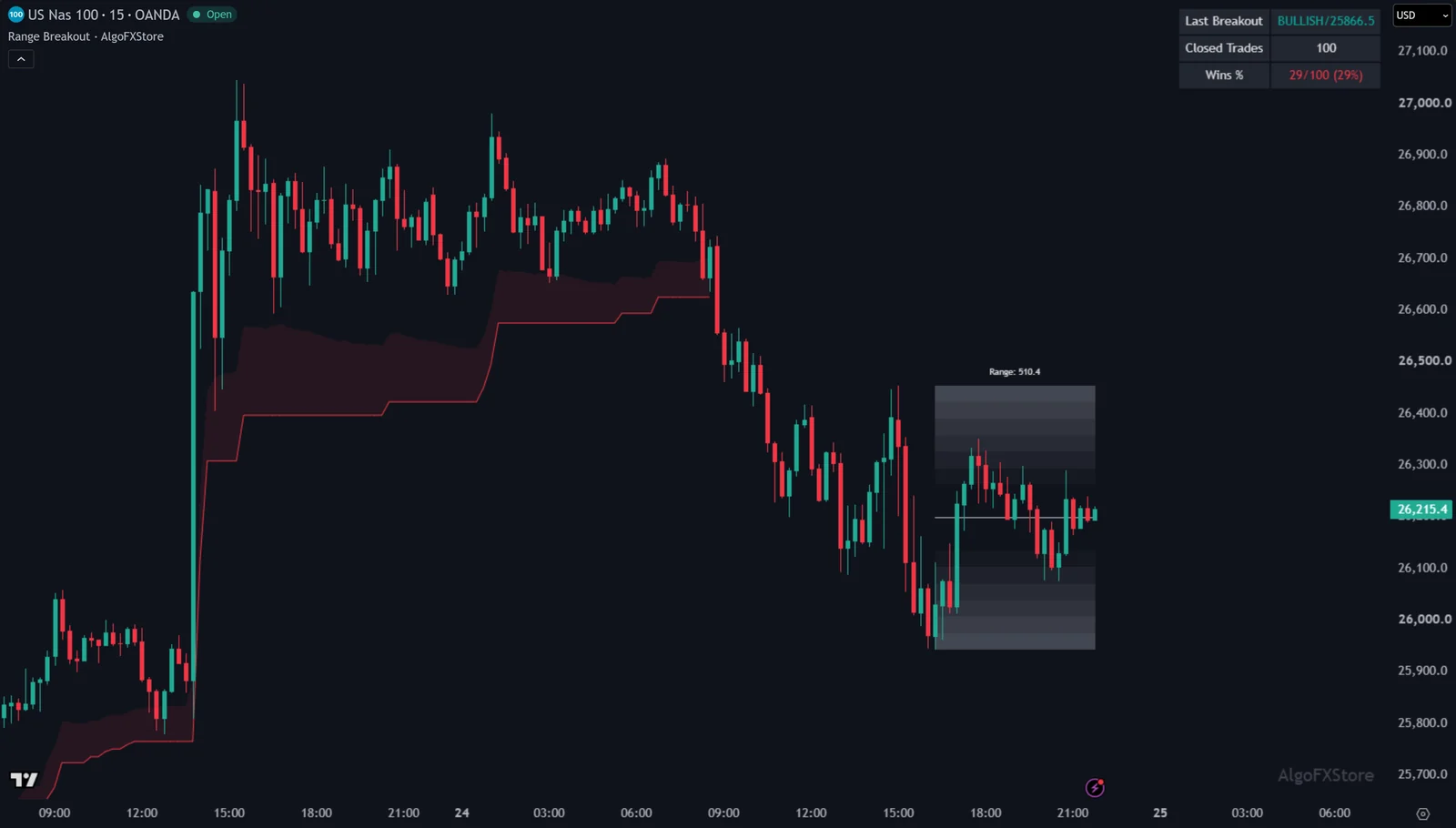
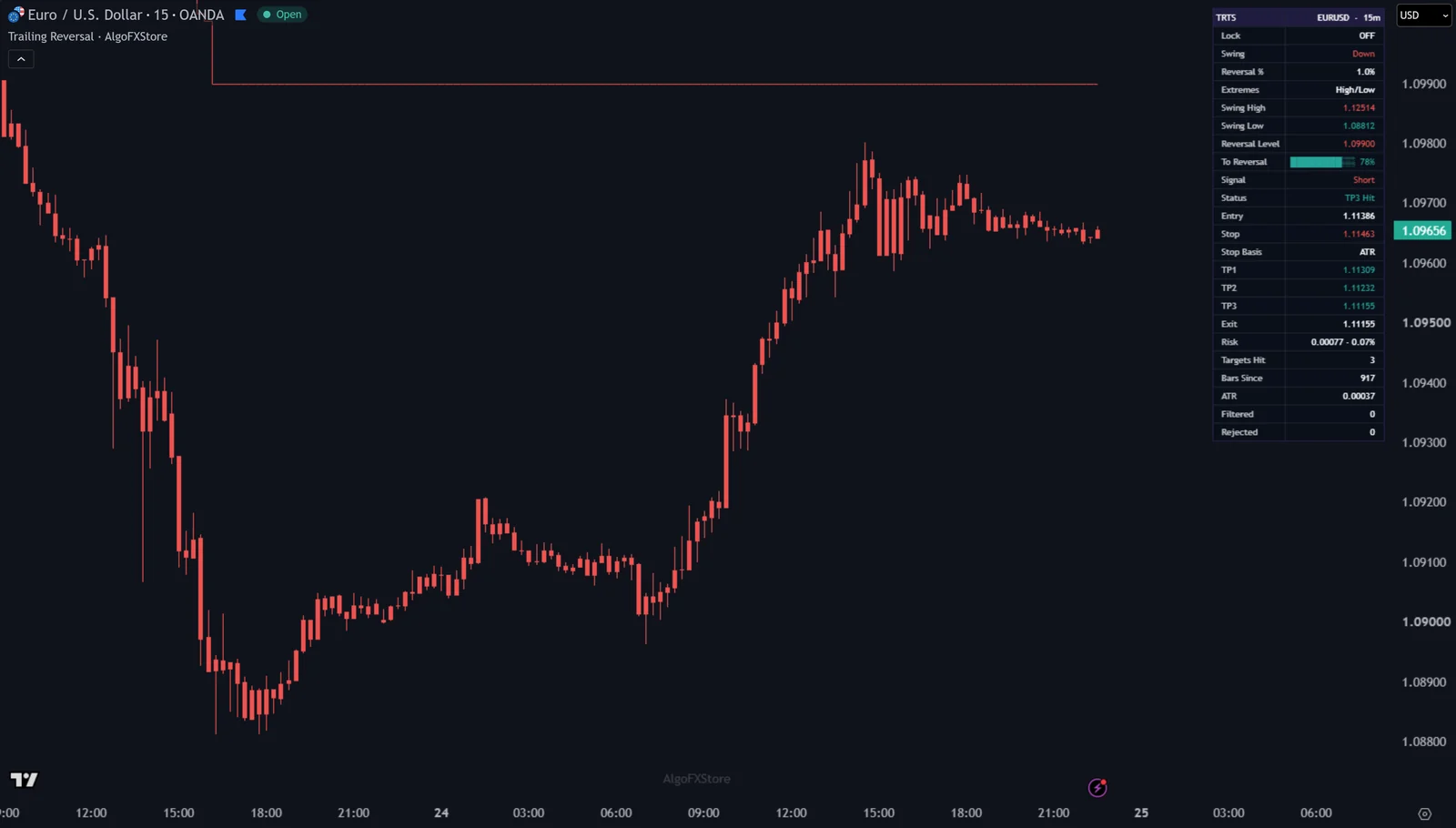
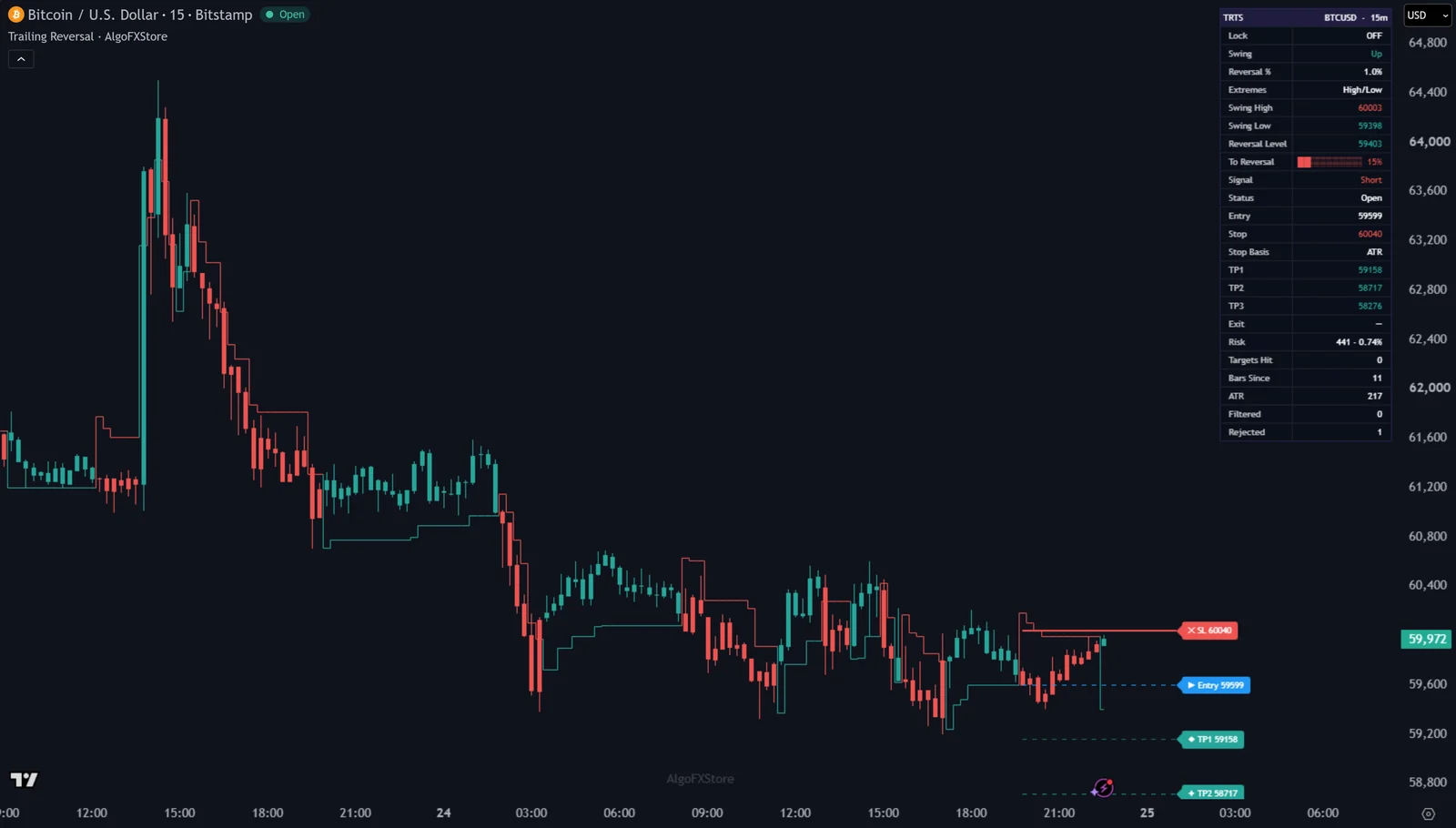
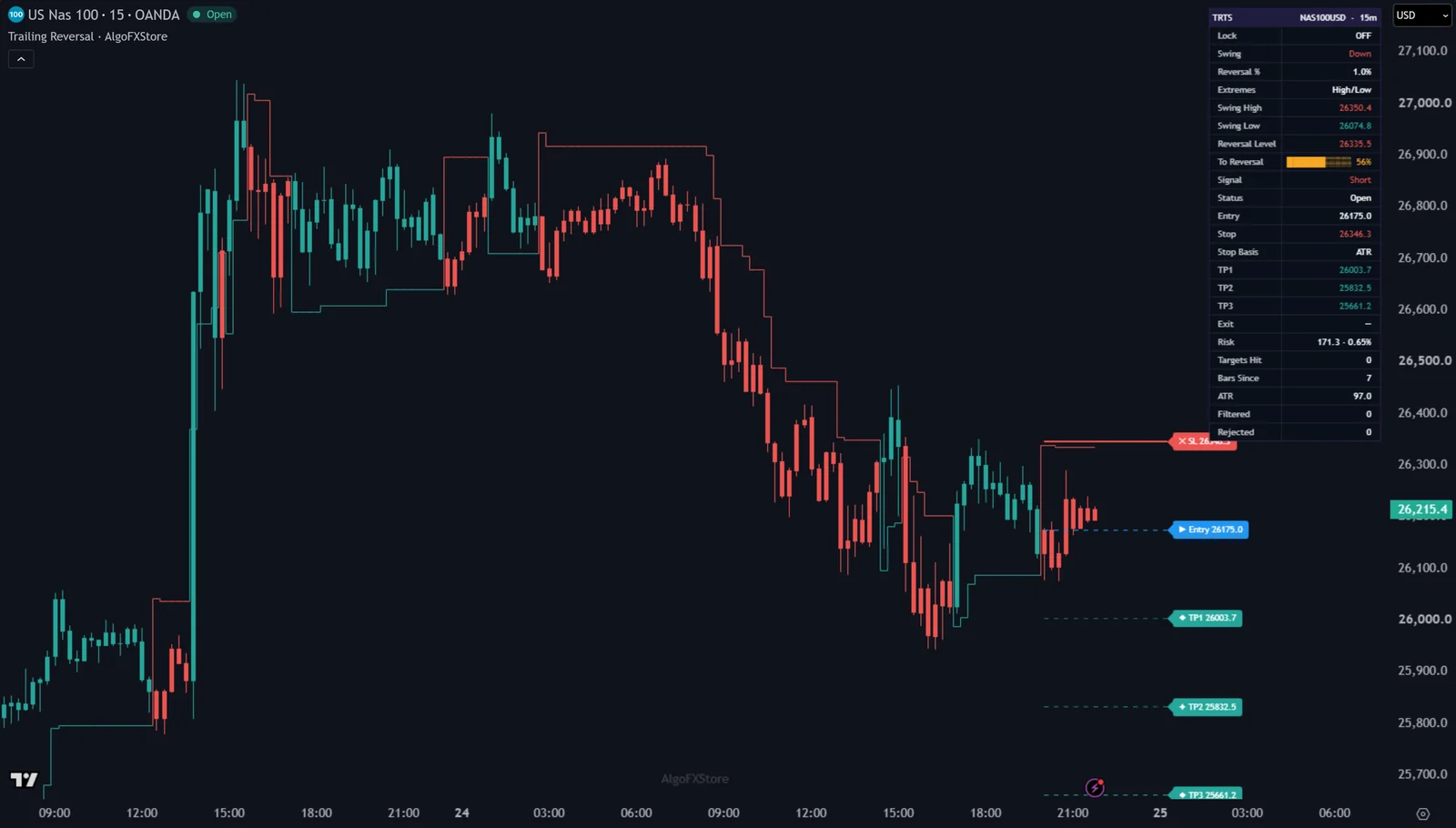
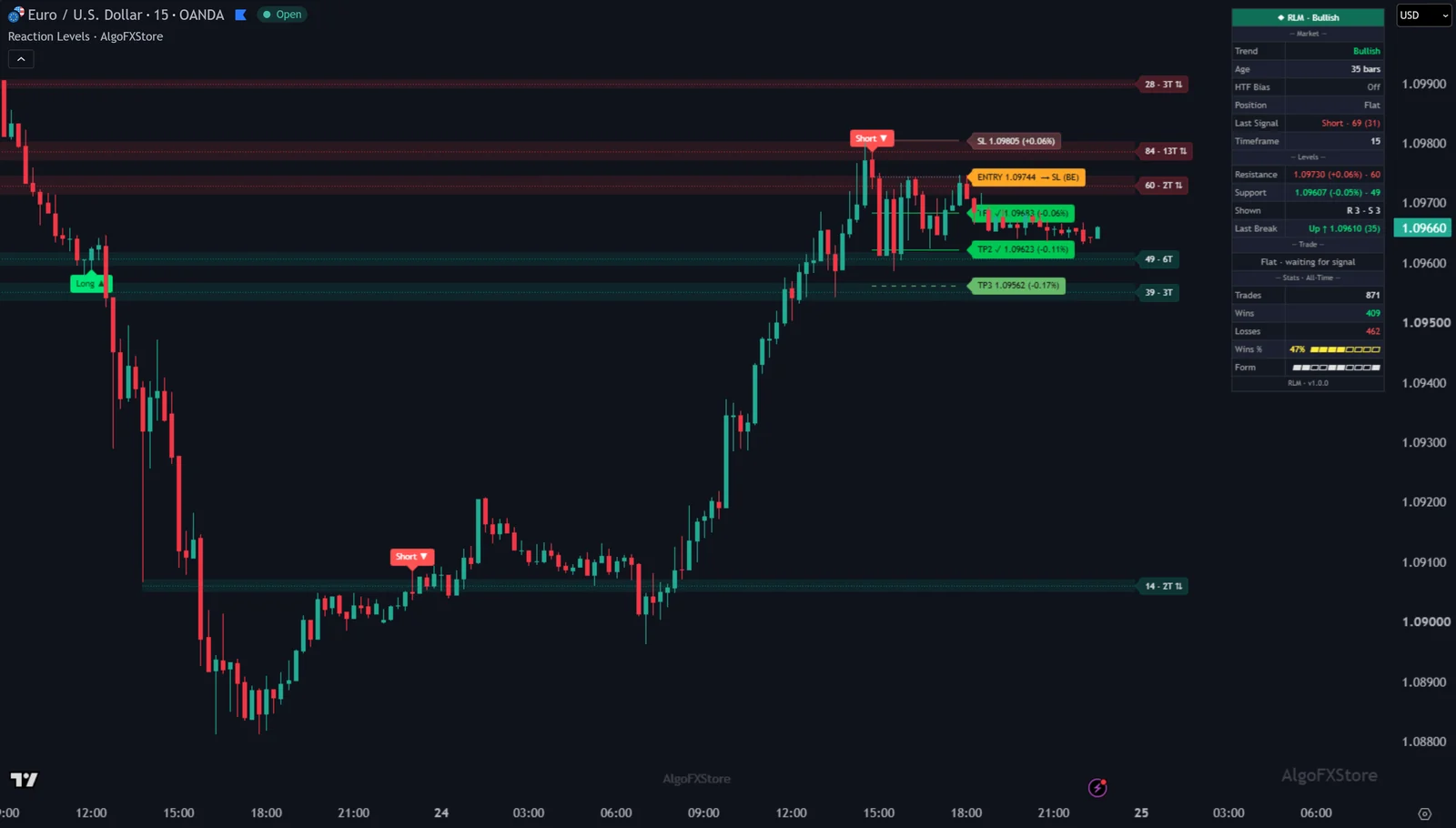
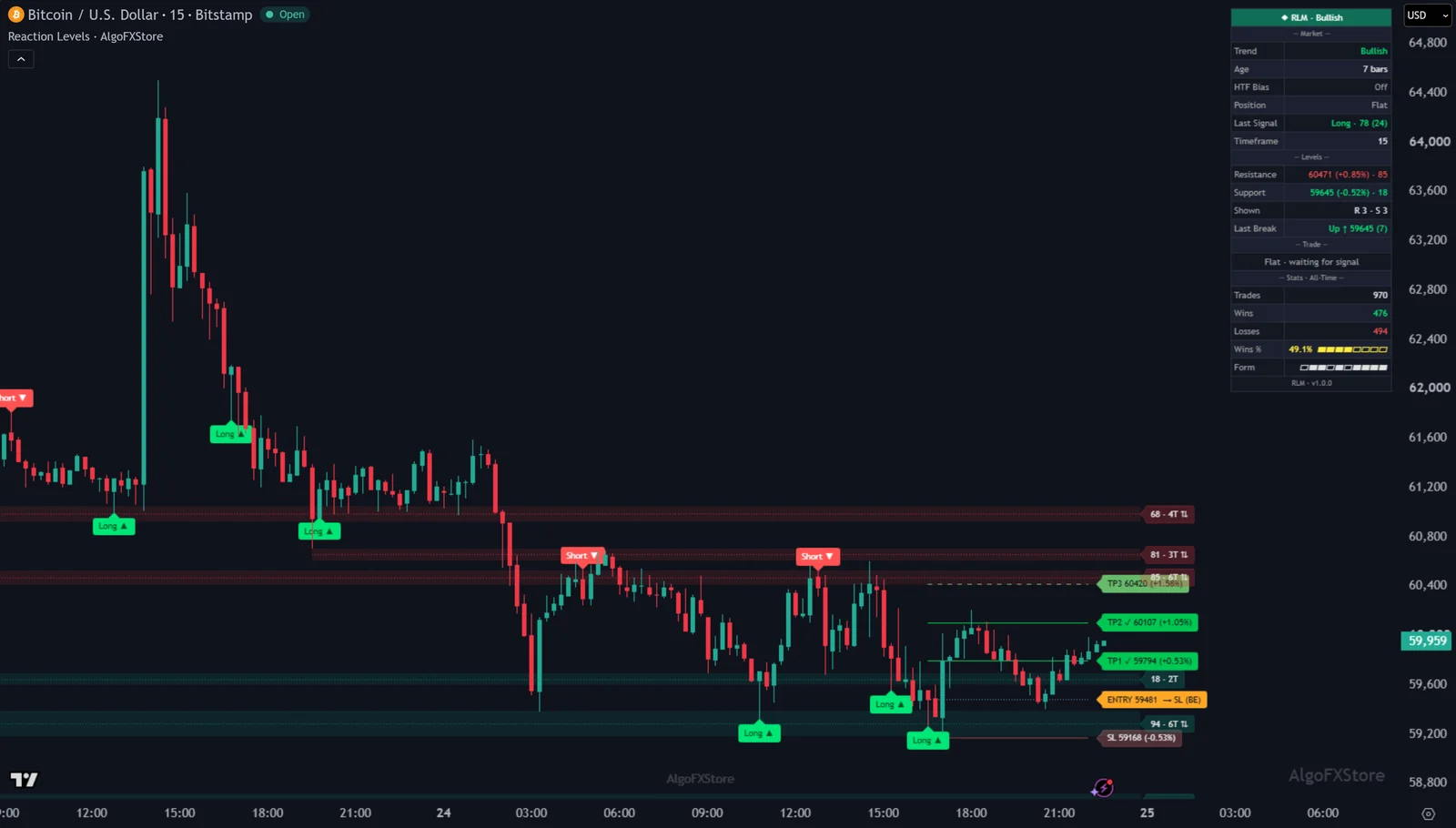
One way to use them together
You do not have to run all four at once. This is one workflow on a 5 or 15 minute chart; each guide explains its own script in detail.
- 1
Map the levels first
Start with Reaction Level Matrix for the three scored levels above and below price, and add Scalping Suite Premium's supply and demand zones if you trade zones. A level scoring high that sits inside or next to a live zone is an area where both tools agree price has reacted before. Note those areas before the session gets busy.
- 2
See whether the market is quiet
Range Breakout Scalper boxes the range when the middle of the last 20 bars stops moving. A quiet box under a strong resistance or above a strong support tells you a decision is building there. A close outside the box starts its trailing stop; until a candle closes outside, the range stays active.
- 3
Time the entry with a signal
Take the entry from the script that fits your setup: a Reaction Level Matrix Long or Short at the level, a Scalping Suite Premium BUY or SELL in the zone, or a Trailing Reversal Scalper turn after the swing has moved Reversal % against its extreme. Wait for the candle to close, especially with Scalping Suite Premium.
- 4
Size from that script's stop
Each signal comes with its own stop: the swing high or low for Scalping Suite Premium, the closer of ATR and pivot for Trailing Reversal Scalper, the wick-anchored stop for Reaction Level Matrix. Measure the distance from your entry and size so it is a loss you accept. Skip signals whose stop is wider than your normal risk.
- 5
Manage the exit
Use the targets of the script you entered with, or let Range Breakout Scalper's trailing stop follow a breakout trade, since it only tightens. Reaction Level Matrix moves its stop to break-even after TP1 on the chart; in the other scripts any stop move is your own decision. None of the four places or closes a trade for you.
Everything Scalping Indicator Bundle does for you
Four complete scripts
Scalping Suite Premium, Range Breakout Scalper, Trailing Reversal Scalper and Reaction Level Matrix, each as a full Pine Script source code file with its own PDF guide.
Zones and order blocks
Scalping Suite Premium draws supply and demand zones, support and resistance zones, single candle order blocks, pressure blocks and trend lines on one chart, with 18 alert conditions.
Scored support and resistance
Reaction Level Matrix scores levels from 0 to 100 from real reactions, lets them decay without touches and shows only the three nearest on each side, with a dashboard and switchable statistics section.
Quiet range detection
Range Breakout Scalper finds ranges where the middle of the last 20 bars has stopped moving and follows the breakout with a 3 ATR trailing stop that only tightens.
Rule-based swing reversals
Trailing Reversal Scalper turns every swing that reverses by Reversal % on a closed candle into a plan with entry, stop and three targets, plus a live dashboard.
Trade plans on three of four
Scalping Suite Premium, Trailing Reversal Scalper and Reaction Level Matrix draw an entry, a stop and targets for each signal. Range Breakout Scalper draws the trailing stop only.
Alerts where they exist
Three scripts have their own alerts, from alertcondition alerts to alert() messages. Range Breakout Scalper has none in the code; a TradingView alert on its Trailing Stop plot can watch it instead.
Any symbol and timeframe
All four run on any TradingView symbol and timeframe and are measured in ATR, bars or percent, so they scale from forex to gold, crypto and indices.
Scalping Indicator Bundle, feature by feature
Each picture is built from real platform screenshots of the shipped indicator at its default settings, labelled so you can see what every part does. Tap any picture to open it full size.
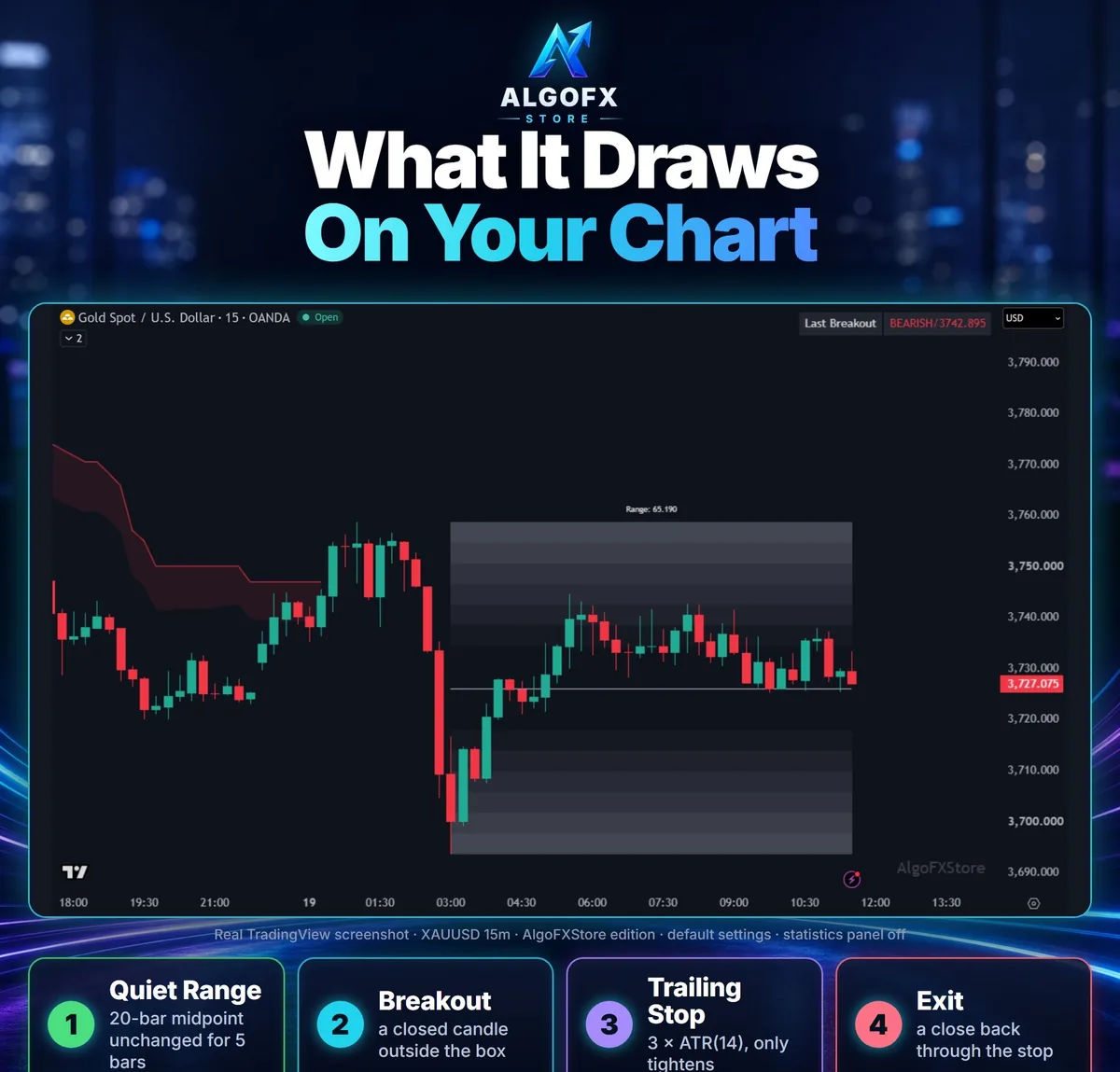
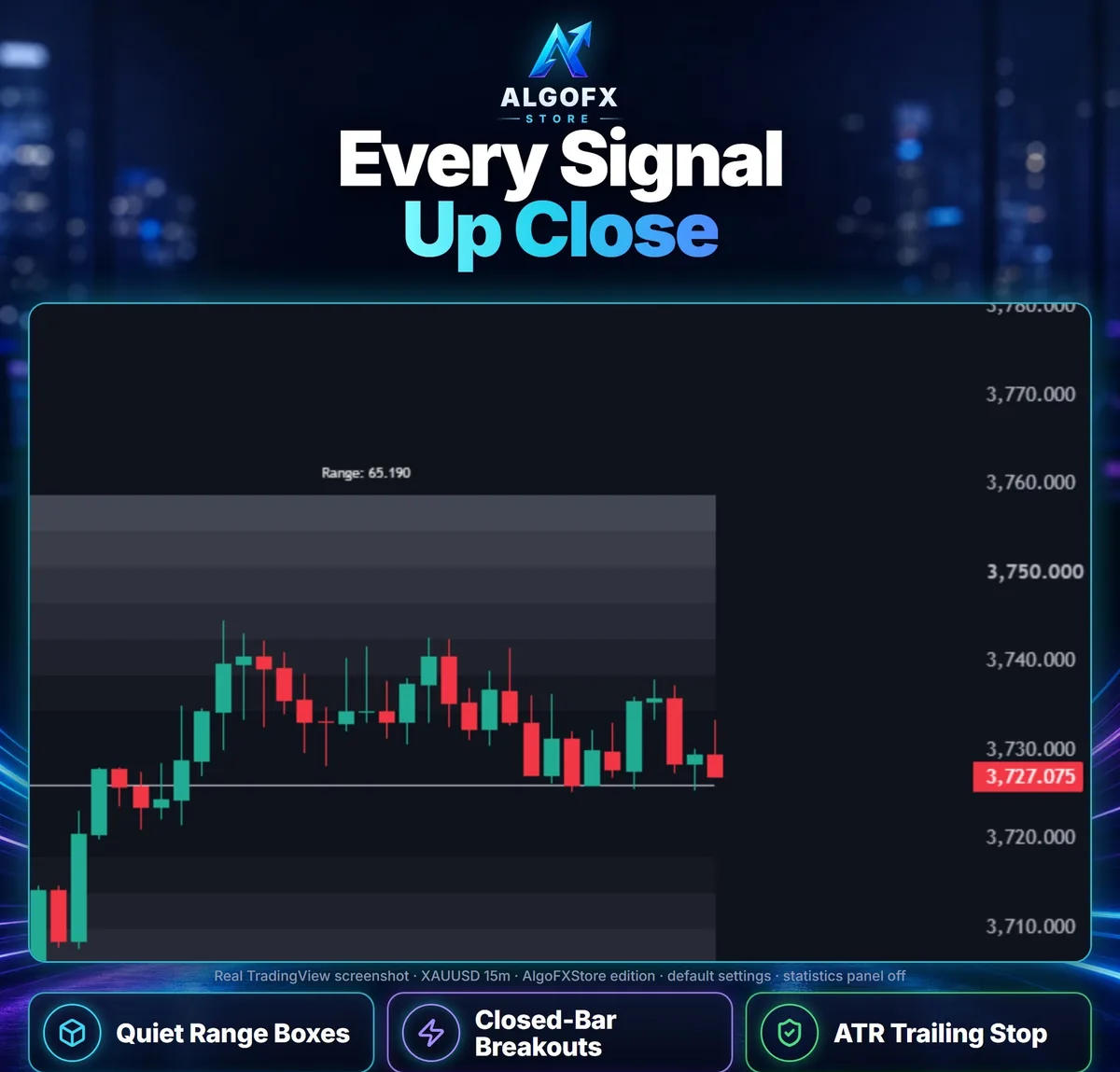
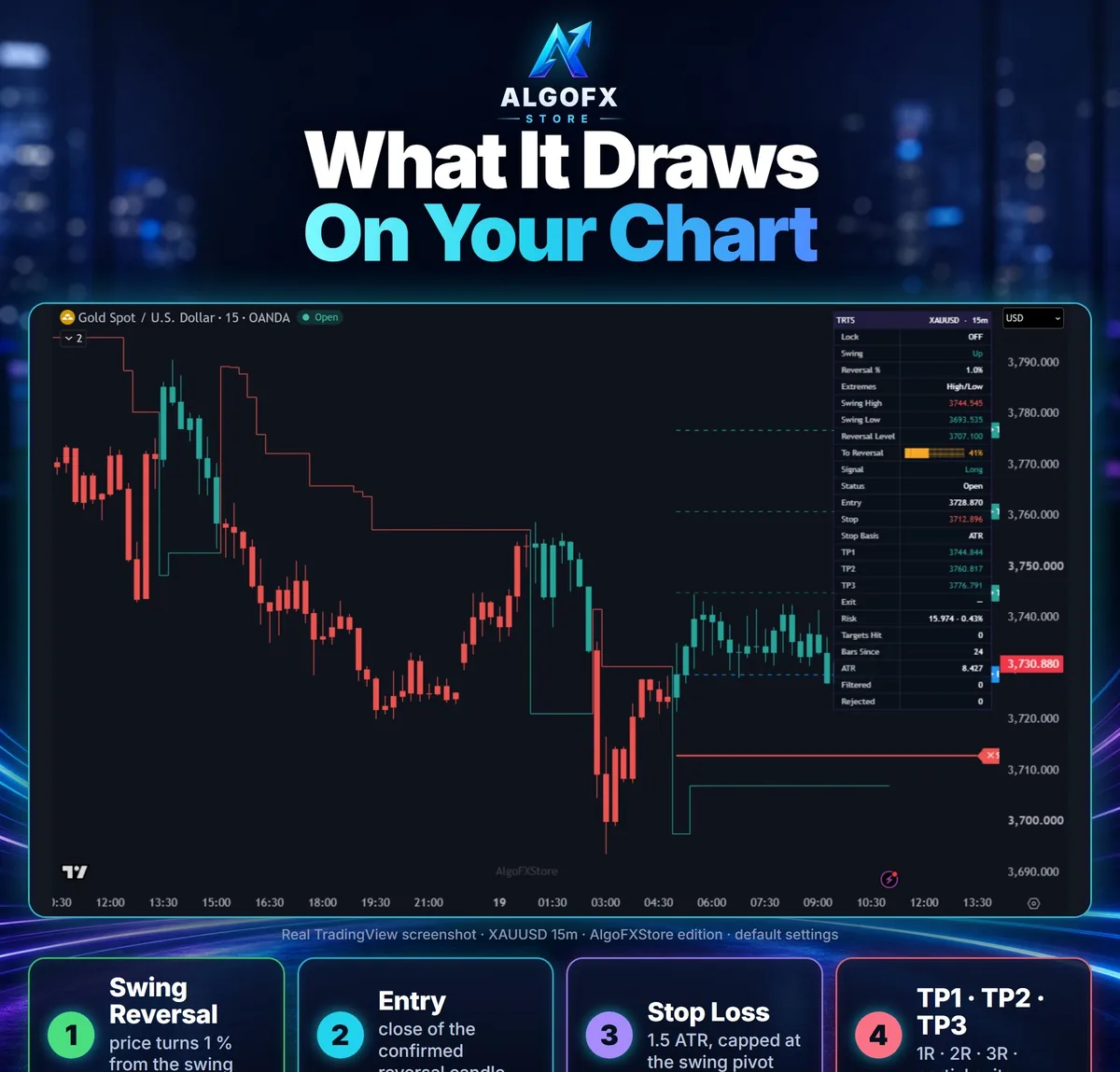
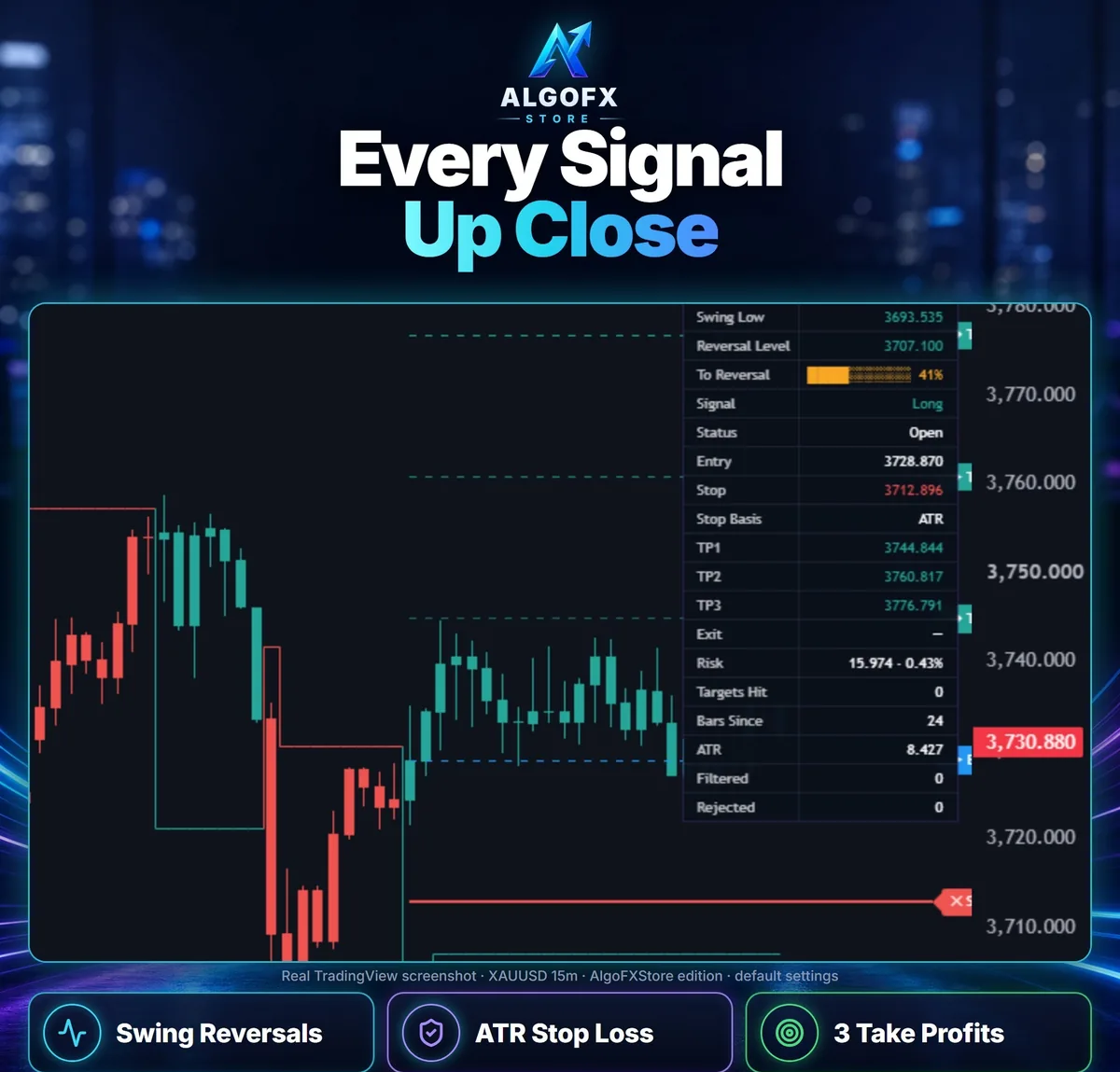
How traders put it to work
Gold scalping on 5 to 15 minutes
On XAUUSD the default Reversal % of 1.0 in Trailing Reversal Scalper is set for gold, Bitcoin and index scalping. Reaction Level Matrix and Scalping Suite Premium measure in ATR, so their defaults scale to gold's larger bars without changes.
Forex pairs on 15 minutes
On EURUSD lower Trailing Reversal Scalper's Reversal % to 0.3 to 0.5, as its guide suggests, because a 1 % move is rare for a major pair intraday. The ATR-based tools need no change; a Range Breakout Scalper range on 15 minutes covers 5 hours.
Crypto and indices
On Bitcoin and index charts all four run with their defaults. On 1 minute charts Scalping Suite Premium's zones come and go fast, because they need 15 bars after a swing and 44 bars between zones of one type, so 5 minutes is the more stable starting point.
Slower trades on 1 hour
On 1 hour charts ranges become larger and signals rarer. Reaction Level Matrix and Trailing Reversal Scalper also suit swing trading on 1 to 4 hour charts, where you would raise Reversal % for larger swings.
Scalping Indicator Bundle next to the usual options
Where it wins, and where it does not.
| Scalping Indicator Bundle | Buying the four scripts one by one | Typical free scalping indicators | |
|---|---|---|---|
| What you get | All four scripts and their four PDF guides in one download | The same files, one product at a time | Usually one tool, often without a guide |
| The code | The same source files as the single products | The same source files | Varies |
| Cost | One purchase for all four | Four separate purchases | Free |
| If you need only one tool | You also pay for three you may not use | You buy only the one you need | Free to try |
| Fit between tools | Same maker, same chart style, guides that use the same terms | Same, bought separately | Different authors and styles |
| Simplicity | Four sets of settings and four guides to learn | Learn them one at a time | Usually a few inputs |
Honest about who this fits
A good fit if you
- Scalpers and day traders on TradingView who trade 5 to 15 minute charts and want more than one way to read them.
- Traders who like levels and zones but want them scored or filtered instead of drawn at every swing.
- Traders who want trade plans with a stop on each signal so they can size from the risk.
- Traders who are interested in at least two or three of the four tools, which is when one bundle makes sense.
- Traders who want the source code, so they can read exactly how each signal is decided.
Not for you if you
- Traders who only want one of the four tools: buying that script alone is the simpler choice.
- Anyone who wants one combined signal: these are four separate indicators, and combining them is your decision.
- Traders who need every signal fixed the moment it appears: Scalping Suite Premium's labels are only final when the next candle closes.
- Anyone who wants orders placed automatically: all four draw and alert and never place a trade.
4 scripts, 4 guides, one download
- 4Pine Script source code filesScalping Suite Premium, Range Breakout Scalper, Trailing Reversal Scalper, Reaction Level Matrix: one folder each, with the full code.
- 4PDF guides56 pages in all: installation, every setting with its default and how to read the chart.
- 60Day money-back guaranteeIf it is not for you, request a full refund within 60 days through your Digistore24 order e-mail.
Install in five steps
- Download the zip from the page Digistore24 sends you to after checkout and unzip it: one folder per script.
- Open a script's code file in a text editor, select all and copy the whole code.
- In TradingView, open the Pine Editor, paste the code over everything that is there and click Save.
- Click Add to chart; repeat for each script you want to use.
- Read each script's PDF guide; the defaults are the settings shown on this page.

Kestutis Balciunas
AlgoFXStore · chart indicators
Kestutis Balciunas builds and publishes chart indicators under the AlgoFXStore name. Every product page shows what the indicator draws on real charts, and every number on it comes from the shipped build.
The charts on this page were captured in TradingView from the shipped scripts at their default settings and are shown unedited.
No get-rich claims and no quoted win rates. Every trade is uncertain, and no indicator changes that. If you want to know whether it suits the way you trade before you buy, e-mail [email protected] and you will get a straight answer.
One price, one payment
- 4 complete scripts (Scalping Suite Premium, Range Breakout Scalper, Trailing Reversal Scalper, Reaction Level Matrix), each with its full Pine Script source code and PDF guide
- Delivered as a digital download: one zip with a folder per script on your download page
- Return period: 60 days, with a full refund if it is not for you
- Free updates to the current version on the same download page
60-day money-back guarantee. Install it, run it on your own charts and read the guides. If Scalping Indicator Bundle is not for you within 60 days of purchase, request a full refund from Digistore24, no questions asked: use the refund link in your Digistore24 order e-mail or Digistore24's order page digistore24.com/en/cancel-revoke-contract. Digistore24 refunds to your original payment method. It is a digital download: right after checkout you land on your download page, and the link to it is also in your Digistore24 order e-mail.
About the bundle
Are these the same scripts as the single products?
Yes. The zip holds one folder per script, each with the same Pine Script source code file and PDF guide as the single product: Scalping Suite Premium, Range Breakout Scalper, Trailing Reversal Scalper and Reaction Level Matrix.
Do I have to use all four on one chart?
No. Each script is a separate indicator and works on its own. Putting all four on one chart can make it busy; a pair such as Reaction Level Matrix for levels with Trailing Reversal Scalper or Range Breakout Scalper for timing keeps it readable.
Which script draws what on the chart?
Scalping Suite Premium draws zones, order blocks, trend lines and BUY or SELL labels with SL, TP1 and TP2. Range Breakout Scalper draws range boxes, coloured breakouts and a red trailing stop. Trailing Reversal Scalper colours candles by swing and draws the latest trade's levels. Reaction Level Matrix draws scored level bands, Long or Short labels and the newest trade's levels.
What should I do when two scripts disagree?
Treat it as information, not a contradiction. If Trailing Reversal Scalper turns down while price sits on a high-scoring Reaction Level Matrix support, the swing turned into a level that has held before. Either wait for the level to break or hold, or skip the trade. None of the scripts overrides another.
Signals and repainting
Do the scripts repaint?
It differs by script. Range Breakout Scalper breakouts and exits, Trailing Reversal Scalper signals and Reaction Level Matrix signals are decided on closed candles and stay. Scalping Suite Premium's BUY and SELL labels are decided while the next candle forms and can appear or disappear until it closes. Range boxes, swing colours, level sets and zones can change on the live candle, and zones and levels confirmed from swings appear some bars after the swing.
Which scripts draw a stop and targets?
Scalping Suite Premium draws a stop at the swing and TP1 and TP2 at 2.0 and 3.5 ATR. Trailing Reversal Scalper draws a stop and targets at 1R, 2R and 3R. Reaction Level Matrix draws a wick-anchored stop and three targets with break-even after TP1. Range Breakout Scalper draws only its trailing stop, no target.
Do the dashboards show results?
Range Breakout Scalper and Reaction Level Matrix can show a hindsight tally of the trades on the loaded chart; both can switch those rows off, and they change as history loads. Trailing Reversal Scalper's dashboard shows the latest trade only. Scalping Suite Premium has no dashboard. None of these tallies is a forecast.
Which timeframes suit the bundle?
5 and 15 minute charts are the common ground: Scalping Suite Premium is built for them, Range Breakout Scalper for 1 to 15 minutes, Trailing Reversal Scalper's default for 5 to 15 minute gold, crypto and indices, and Reaction Level Matrix for 5 to 15 minutes as well as 1 to 4 hours.
What is the trend signal in Scalping Suite Premium?
Besides the zone BUY and SELL labels, Scalping Suite Premium has a separate trend signal: the close crossing a SuperTrend with factor 6 and ATR 11 while the close is at or beyond the 13-bar SMA. By default it only feeds the Trend Buy and Trend Sell alerts; optional Risk Management labels can show an entry, a stop and three targets for it.
Alerts and running them
Which alerts do the scripts have?
Scalping Suite Premium has 18 alertcondition alerts, from Buy and Sell Signal to zones, order blocks and trend signals. Trailing Reversal Scalper has seven alertcondition alerts plus alert() messages. Reaction Level Matrix sends all its alerts through alert(), once per bar close. Range Breakout Scalper has no alerts in the code; you can set a TradingView alert on its Trailing Stop plot.
Which alert frequency should I use?
Once Per Bar Close for anything signal related, and especially for Scalping Suite Premium's Buy and Sell Signal alerts, because those labels are decided while the candle forms. Trailing Reversal Scalper's target alerts are the exception by design: they fire once per bar as soon as a target is touched.
Do they need a paid TradingView plan?
No. All four use only the chart's own bars, apart from optional higher-timeframe inputs that every plan supports. Your plan's limits on indicators per chart and active alerts apply, so running all four with alerts uses more of that allowance. Webhook delivery needs a paid plan.
Do the scripts read other timeframes or symbols?
Range Breakout Scalper reads only the chart. The others have optional higher-timeframe inputs, off by default: a daily EMA filter in Trailing Reversal Scalper, an informational bias in Reaction Level Matrix, and a higher-timeframe Hull band and support and resistance timeframe in Scalping Suite Premium. None of them reads another symbol.
How it works
Will it place trades for me?
No. Scalping Indicator Bundle is a set of TradingView scripts: it draws on the chart. It never sends an order.
After you buy
How do I get it after paying?
Digistore24 runs the checkout. Right after payment it takes you to your download page with one zip with a folder per script, each holding its Pine Script source code file and PDF guide; the link to that page is also in your Digistore24 order e-mail, so you can download again at any time.
How do I install it?
For each script: open its code file, open the Pine Editor in TradingView, paste the whole code, click Save and then Add to chart. Each guide walks through it step by step.
Who is Digistore24?
Digistore24 is the reseller that sells Scalping Indicator Bundle for Kestutis Balciunas (AlgoFXStore): it runs the checkout, charges your card or PayPal, collects the VAT for your country and delivers the download. Its name is the one on your statement, and its order e-mail holds your download link and the refund link.
What is the refund policy?
A 60-day money-back guarantee, handled by Digistore24. If Scalping Indicator Bundle is not for you within 60 days of purchase, use the refund link in your Digistore24 order e-mail or Digistore24's order page (digistore24.com/en/cancel-revoke-contract) for a full refund, no questions asked. Digistore24 makes the refund to your original payment method.
Do I get the source code?
Yes. Every script comes as its full Pine Script source code in a text file for your own use; the licence line at the top of each file does not allow resale, sharing or republishing.
Scalping Indicator Bundle for TradingView.
Put zones, quiet-range breakouts, swing reversals and scored levels on your own TradingView charts and decide which setups are worth your risk. 4 scripts, their guides and every setting explained. Instant download for €47, one payment.
Get instant access