Liquidity sweeps scored on the closed candle, with a stop beyond the wick and three targets
Liquidity Sweep Reversal and Targets turns confirmed swing highs and lows on your TradingView chart into buy-side and sell-side liquidity pools, and watches for a closed candle that trades through a pool and closes back on the other side of its level.
- BSL and SSL pools from 10-candle swings, drawn as ATR-sized defence zones
- Sweep candles scored 0 to 100 from close location, relative volume and body
- Seven filter profiles, from Aggressive to Conservative, plus Trend-Aligned and Volume Climax
- Entry, a stop beyond the wick, TP1 to TP3, break-even after TP1 and seven alert conditions
- The full Pine Script source code. Paste it into the Pine Editor, save, and add “Liquidity Sweep Reversal and Targets [AlgoFXStore]” to your chart.
- A 14-page PDF manual with installation, every setting and how to read the chart. One-time €47.
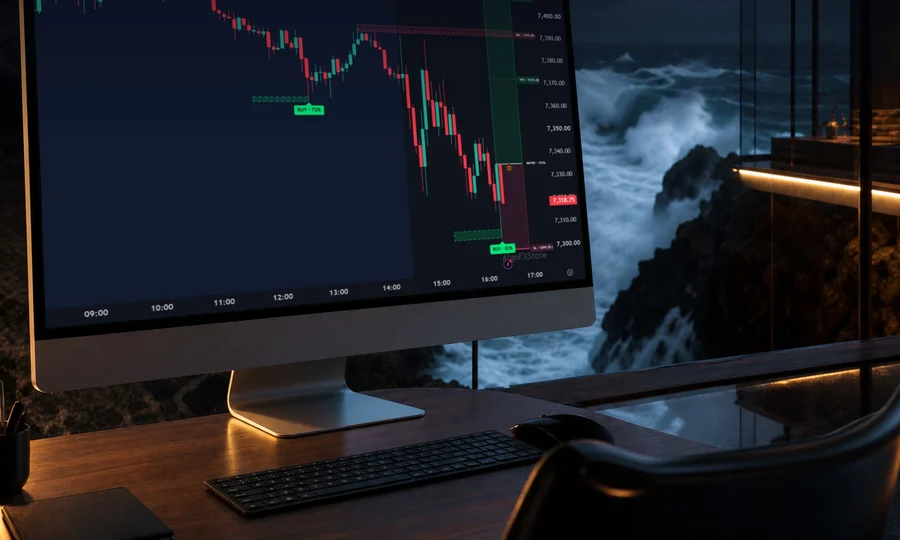
See Liquidity Sweep Reversal and Targets on a real chart
Press play; use the full-screen button to see every detail.
A wick through a swing level is not a reversal on its own
Everyone can see the obvious swing highs and lows, which is why stops gather beyond them. When price runs through such a level and snaps back, traders call it a sweep, and many take every one. But plenty of sweeps are simply the start of a breakout: price pokes through, pauses and keeps going, and the reversal trade is stopped out a few candles later.
The difference usually shows in the sweep candle itself: where it closed in its range, how much activity was behind it, and whether its body points back into the range. Reading those details by eye on every sweep, then placing a stop beyond the wick and working out targets before the next candle opens, is a lot to ask in real time.
Liquidity Sweep Reversal and Targets writes that process down. Pools come from confirmed swings, a sweep needs a close back on the far side of the level, and the sweep candle gets a score from stated parts. A profile decides whether the score is high enough to take. The plan follows from the wick and ATR, so every signal comes with a stop at a real price.
Everything Liquidity Sweep Reversal and Targets draws on your chart
Read from the shipped Pine Script code.
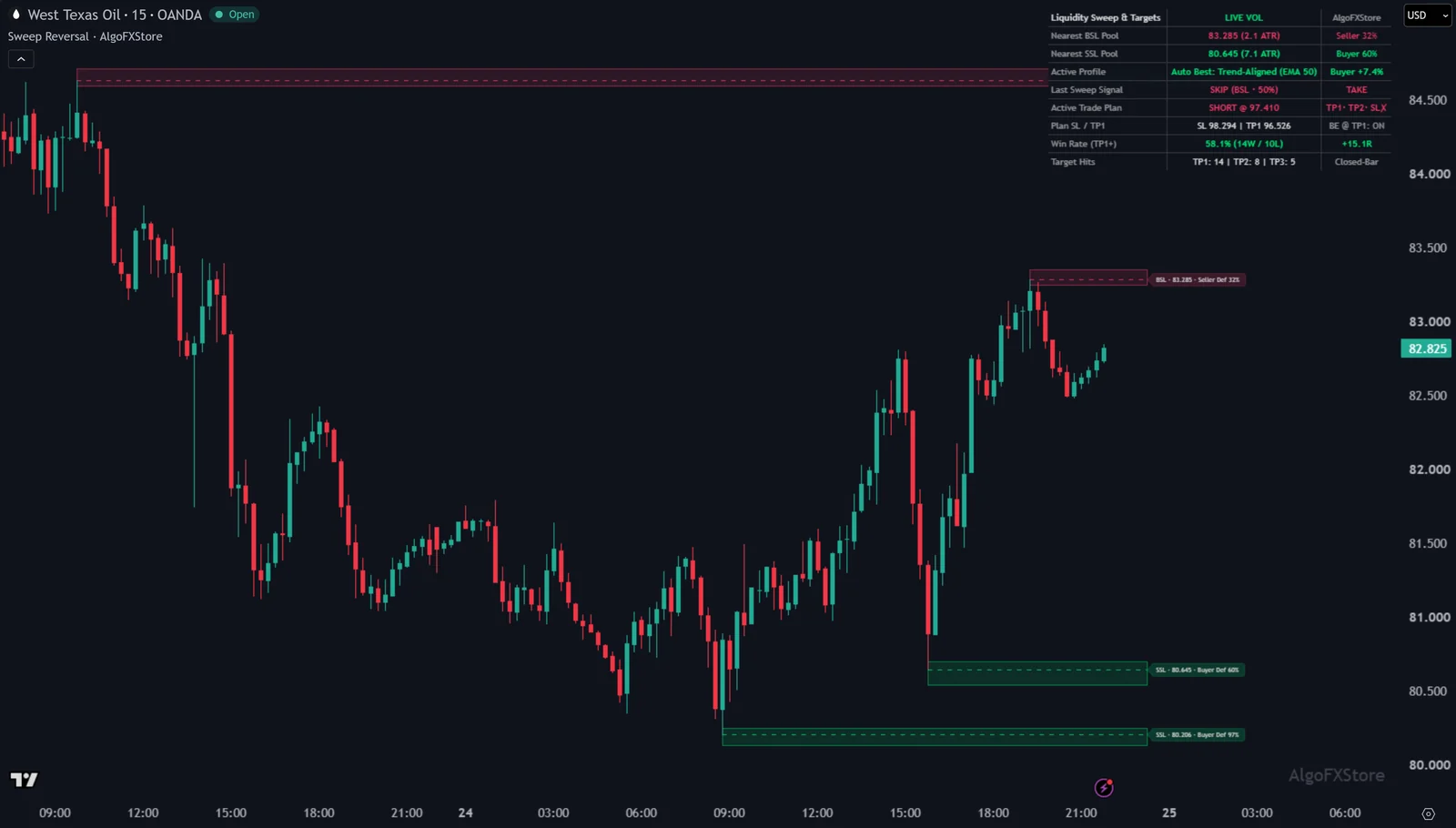
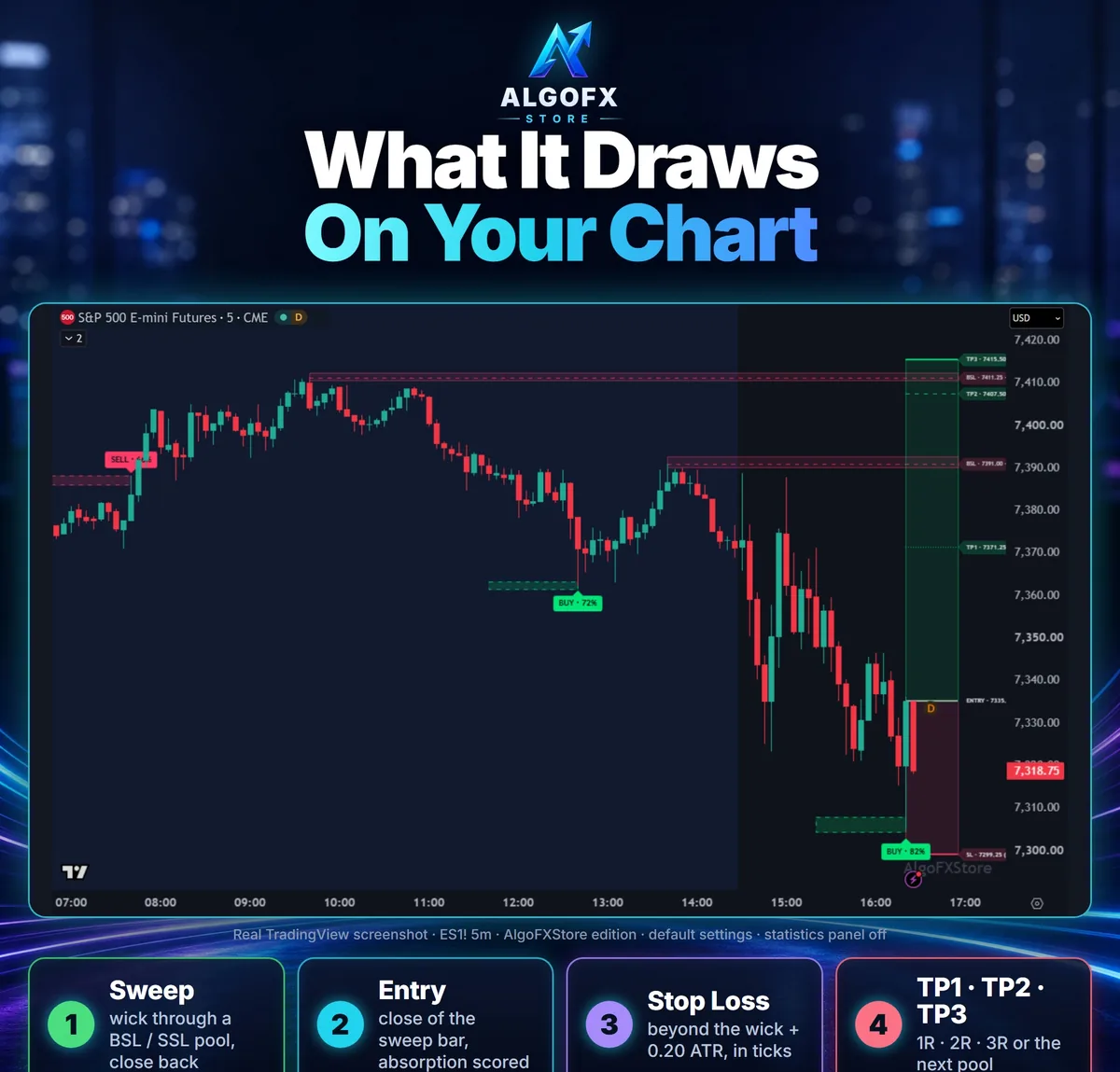
- BSL defense zones above price (Bearish colour: box at 88 % transparency, dashed level line, label 'BSL · <price> · Seller Def <n>%') and SSL defense zones below price (Bullish colour: 'SSL · <price> · Buyer Def <n>%') - the 2 pools per side nearest to the close (Active Pools Shown Per Side), from the swing bar to 6 bars right of the last bar; zone = 0.35 x ATR(14), 65 % beyond the level, 35 % inside
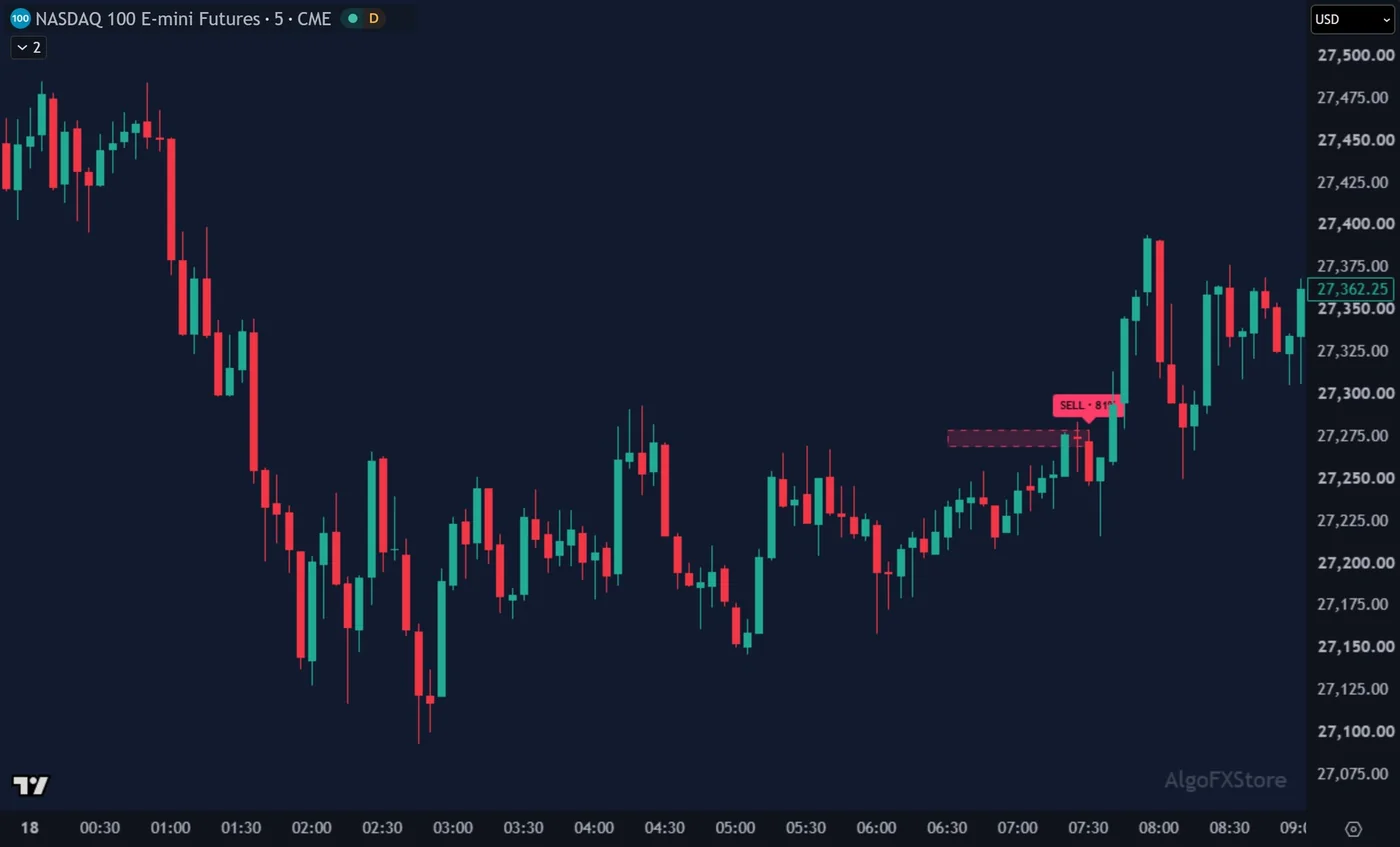
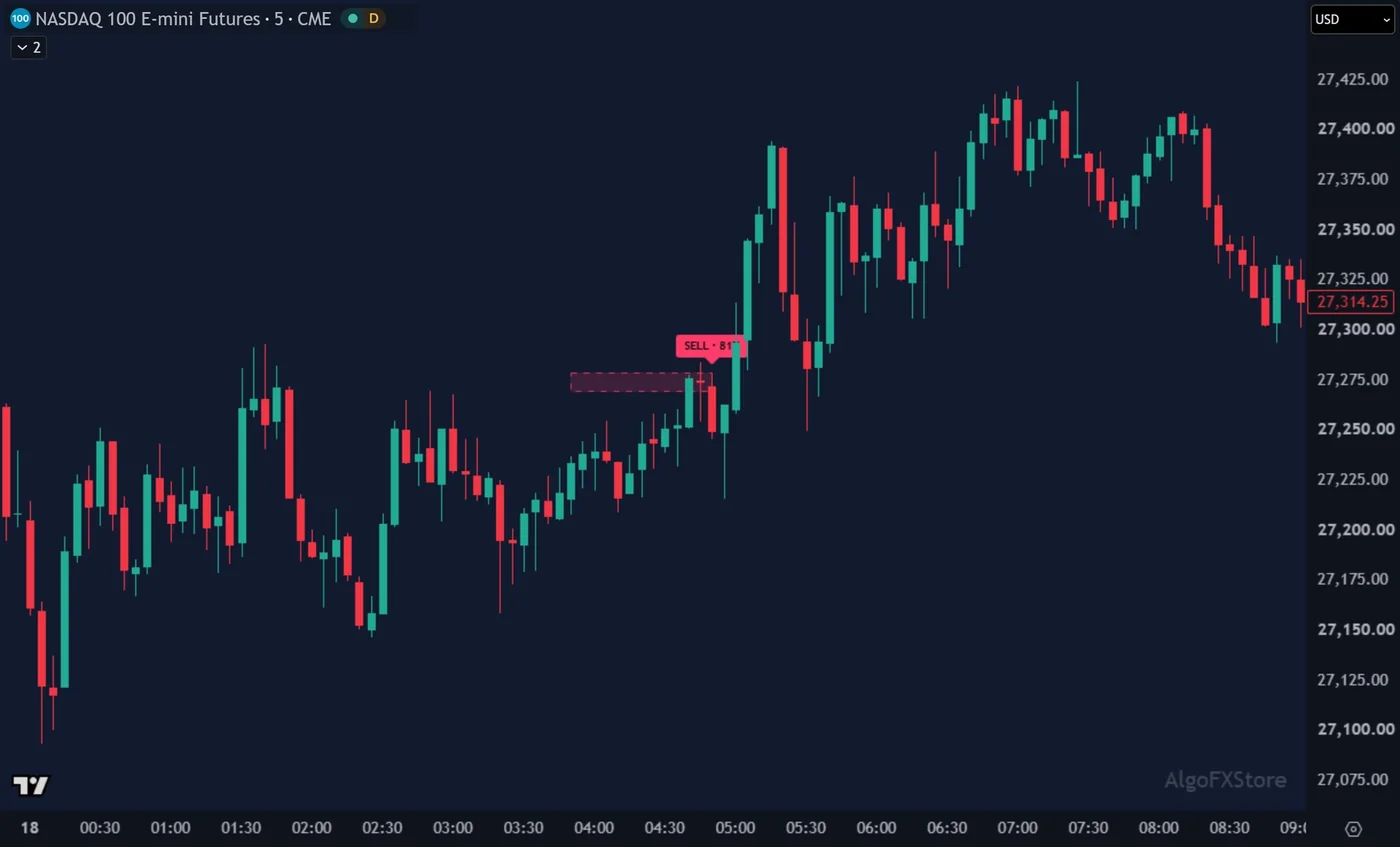
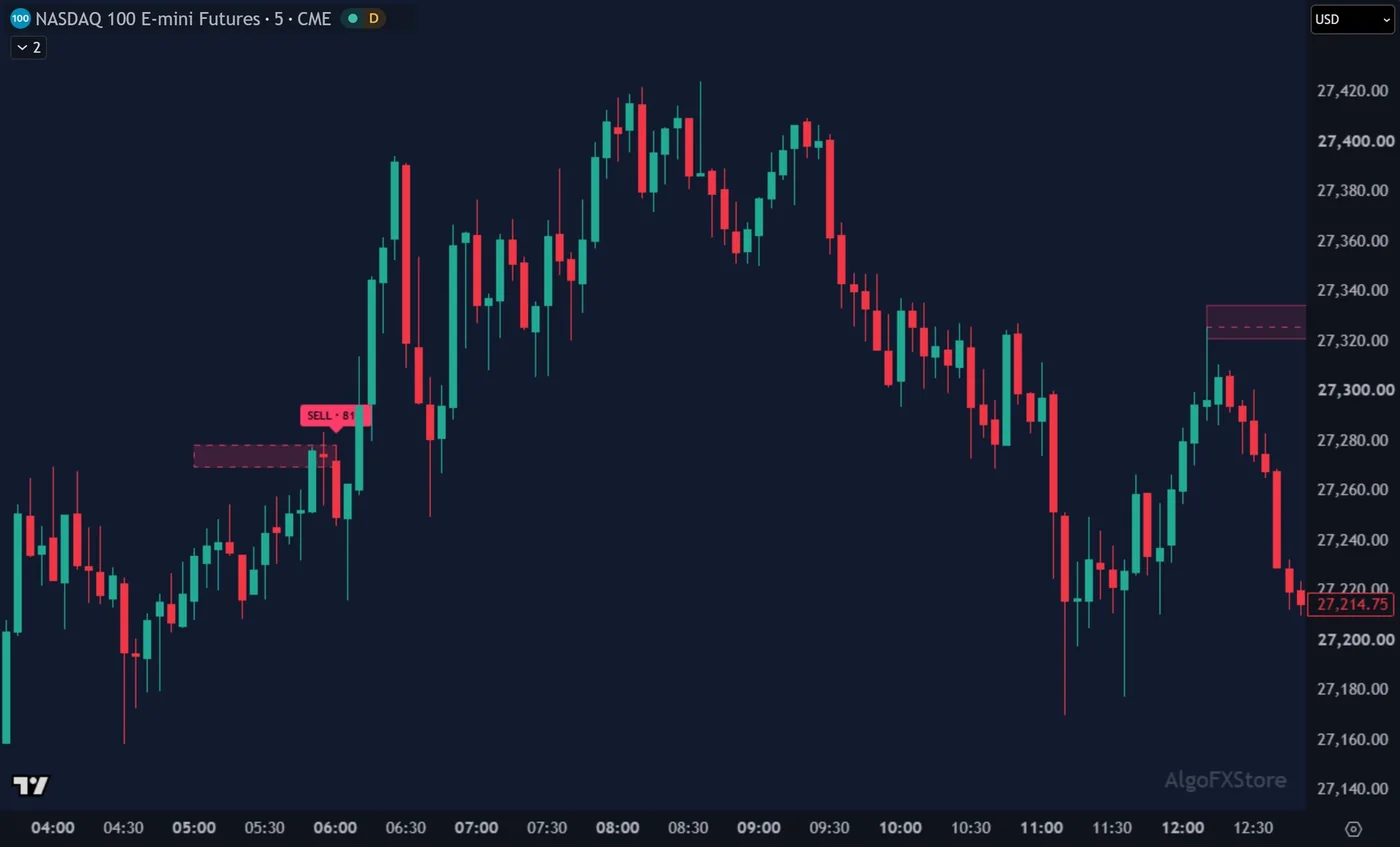
- For the last 8 signals of the active profile: a dashed swept-zone box from the pool's swing bar (at most 12 bars back) to the signal bar, and a 'BUY · <score>%' label below / 'SELL · <score>%' label above the signal bar, tooltip 'Bullish SSL Sweep Reversal / Buyer Absorption: 72.0%'
- Trade plan of the newest signal (or the last 5 with Keep Historical Trade Plans): red risk box entry-to-SL, green reward box entry-to-TP3, ENTRY line (chart text colour, solid, width 2), SL line (red, solid, width 2), TP1 dotted, TP2 dashed, TP3 solid width 2 (green); labels at the right end with price, R and tick when reached; an open plan extends 6 bars right of the last bar, a closed one ends at its exit bar
- Optional (off): small 'SKIP' circles for sweeps that failed the active profile
- Dashboard top right, 3 x 9 table
- Gray 'AlgoFXStore' watermark bottom right
- Five data values for the Data Window / Pine Screener (not drawn on the chart): signal +1/-1, sweep absorption %, pressure estimate %, open plan direction, the profile's TP1+ record %; two invisible price-scale anchor plots
Pools, sweeps, scores and plans
Pools, sweeps, profile verdicts and every update of a plan are decided only on closed candles.
- 1
Liquidity pools from swings
A swing high or low needs 10 candles on each side (Swing Liquidity Lookback), so it is confirmed 10 candles after it forms and is then drawn back to the swing. It becomes a buy-side (BSL) or sell-side (SSL) pool if no close of the last 10 candles went beyond its outer edge. Each pool is a zone 0.35 x ATR(14) thick; up to 8 per side are tracked and the 2 nearest are drawn.
- 2
The sweep candle
A bullish sweep is a closed candle whose low trades below an SSL level and whose close is back at or above it; a bearish sweep mirrors that at a BSL level. A swept pool is removed. A pool that price closes beyond, or trades more than 2 ATR past, is deleted without a signal, and a candle that sweeps both sides gives no signal at all.
- 3
The absorption score
The sweep candle is scored from 0 to 100: half from where it closed in its range, 35 % from its volume against the 20-candle average (or its range against ATR when the symbol has no volume), and 15 % from its body, full when the body points the trade's way. The score is an estimate built from candles, not from order-book data.
- 4
Profiles decide take or skip
Each profile has its own minimum score and maximum sweep depth: Balanced 55, Conservative 65, Aggressive 45, Trend-Aligned 52 with the close on the right side of EMA 50, Volume Climax 62 with 1.25 times average activity, Wide-Stop Defense 60 with a wider stop, and Custom. A crash guard skips trades against a fast five-candle move of more than 3.6 ATR.
- 5
The plan on every take
Entry is the close of the sweep candle. The stop sits beyond the wick or the pool's outer edge, whichever is further, plus 0.20 ATR, held between the profile's minimum and 3 ATR. TP1, TP2 and TP3 are 1R, 2R and 3R; by default TP3 moves to the nearest opposing pool when one sits 2.2 to 4.5R away, and its label then reads MAG.
- 6
Following the plan
After TP1 the stop moves to the entry by default, and the SL label reads BE ARMED. A plan ends at TP3, at the stop, 60 candles after entry, or when a new signal of the same profile replaces it. When one candle touches both the stop and a target, the stop is counted first.
Liquidity Sweep Reversal and Targets on 12 different markets
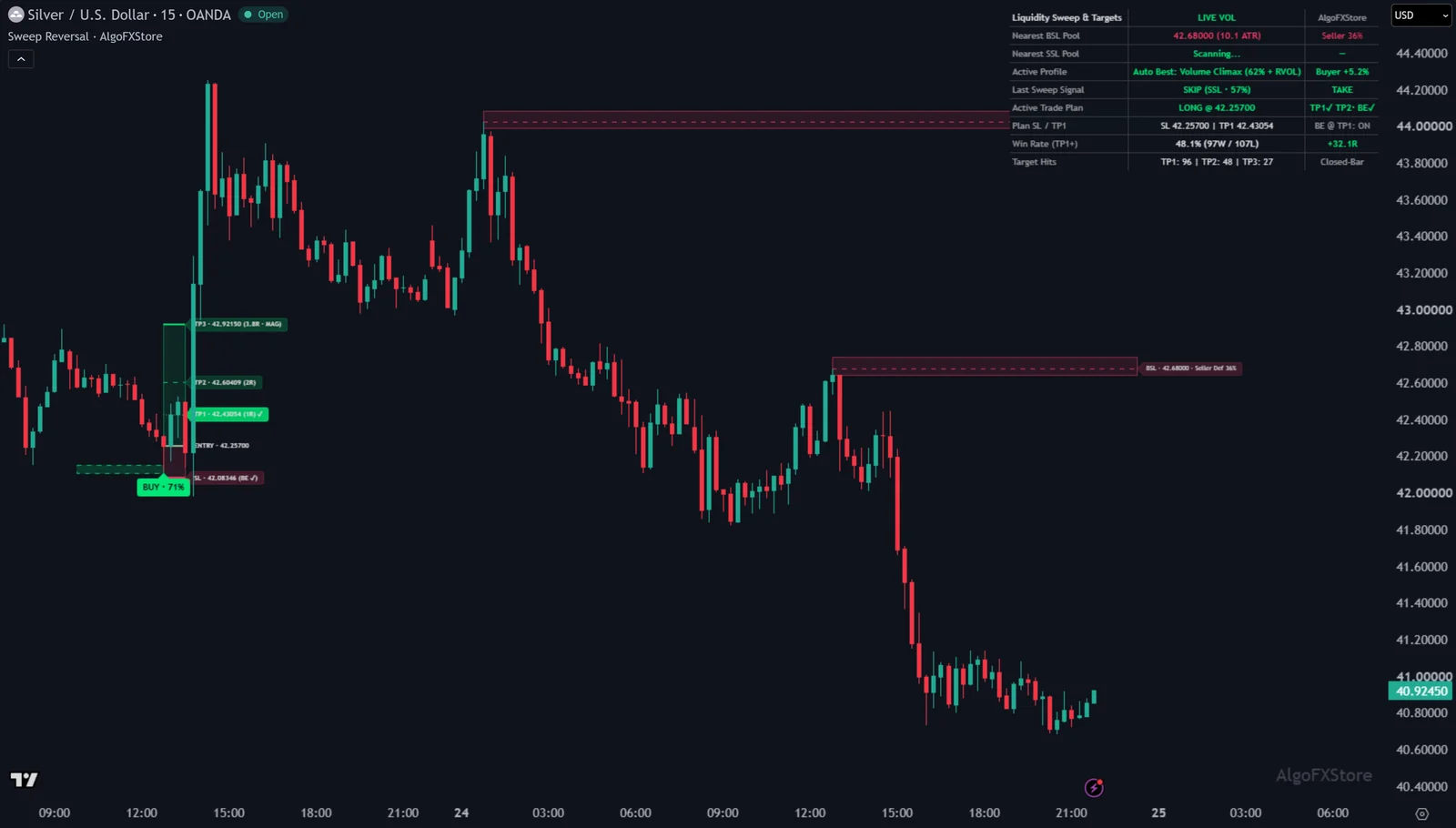
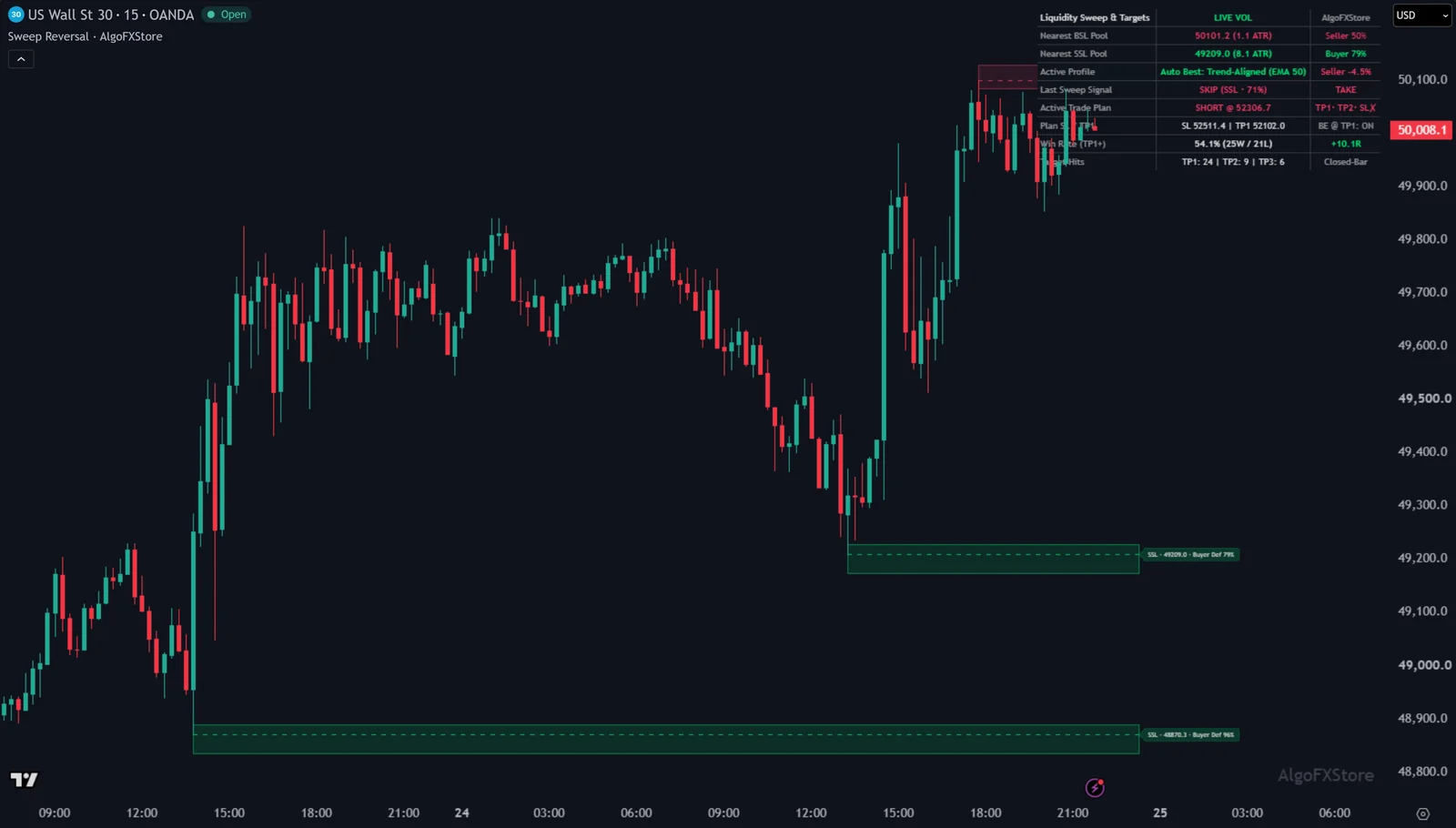
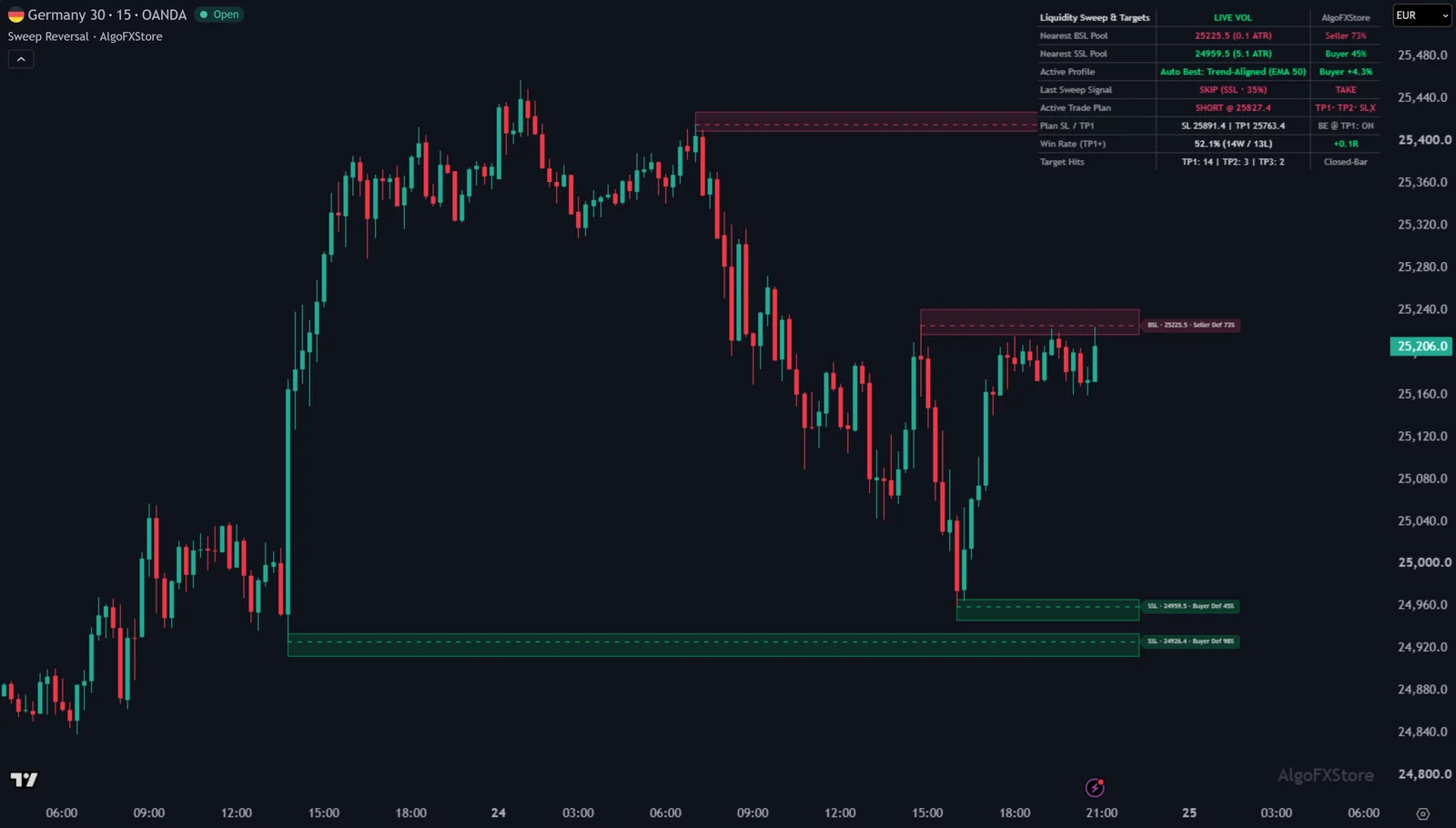
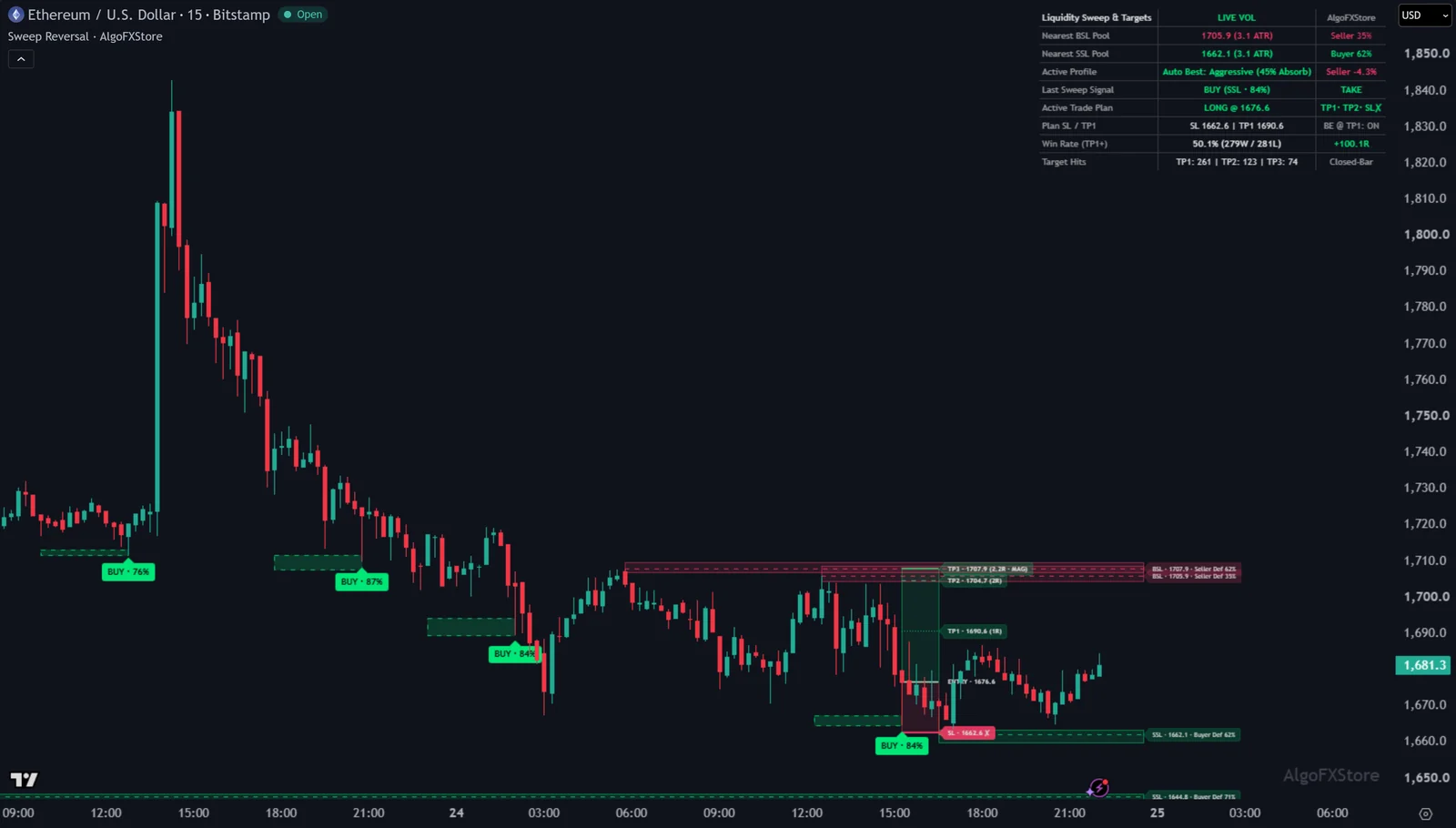
Every chart below is a screenshot of TradingView itself with the shipped Liquidity Sweep Reversal and Targets [AlgoFXStore] attached at its default settings. Forex, metals, indices, energy and crypto, so you can see how it reads each kind of market. They show what the indicator draws; they are not trading results. Tap or click any chart to open it full size.
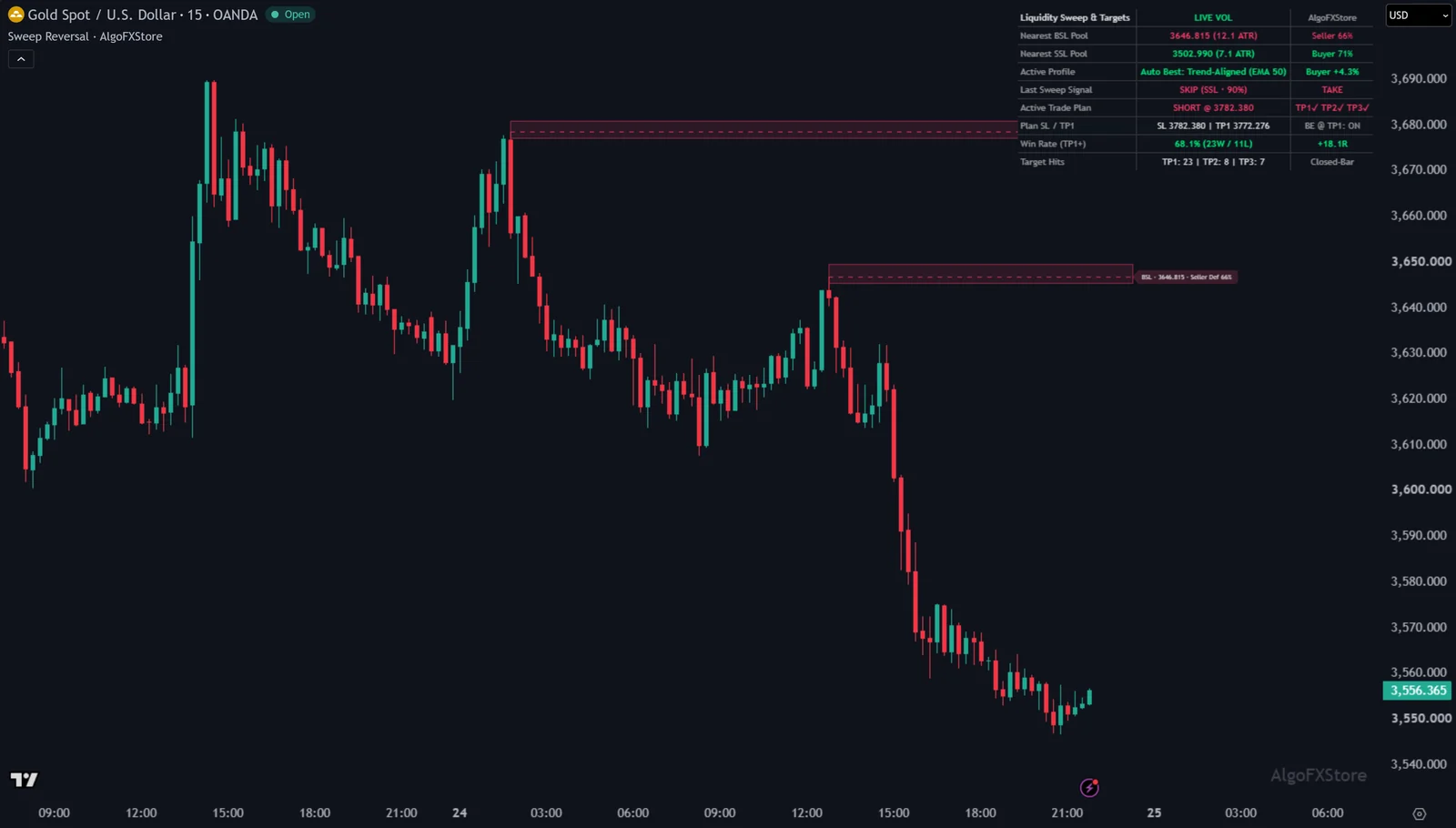
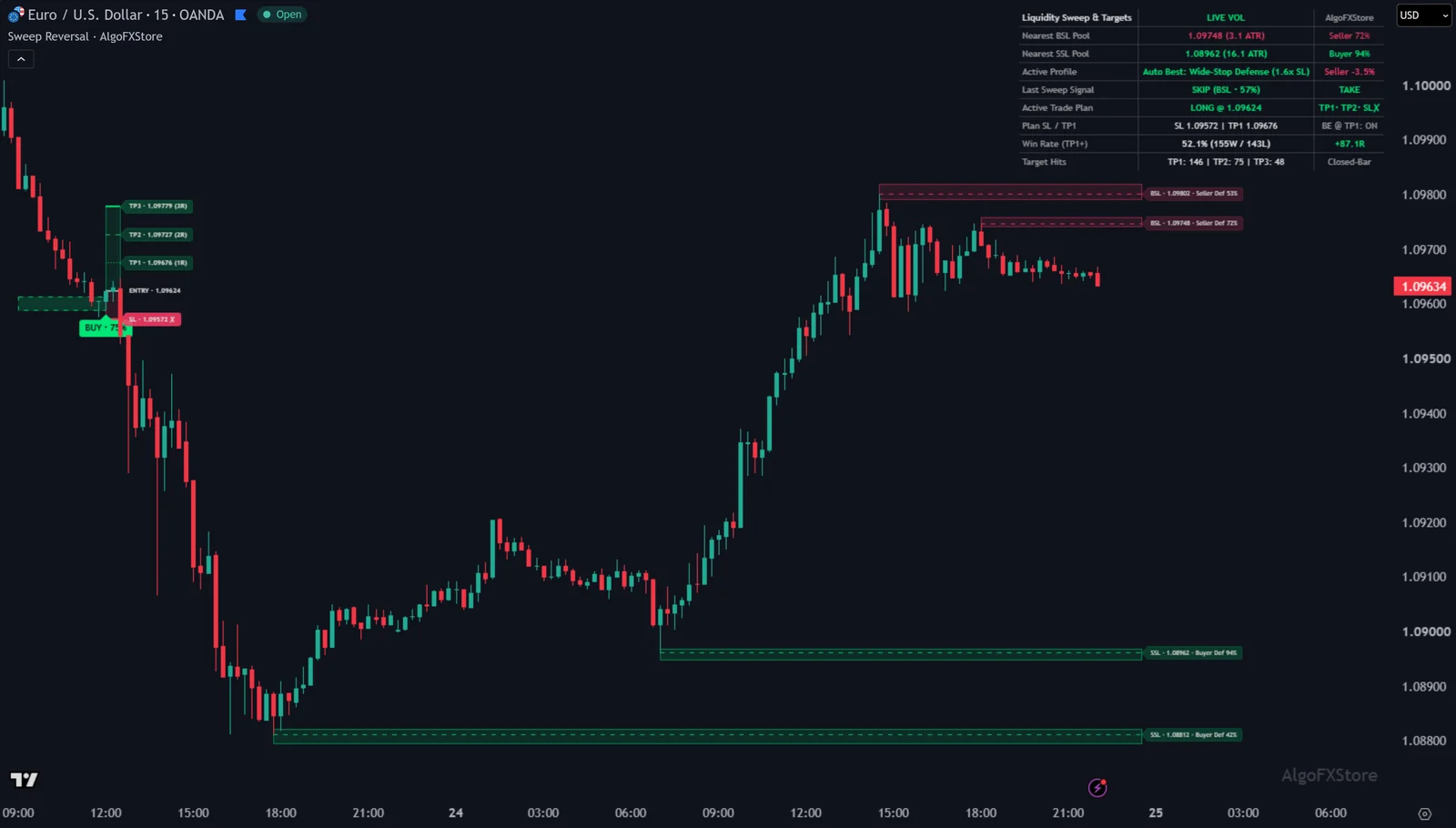
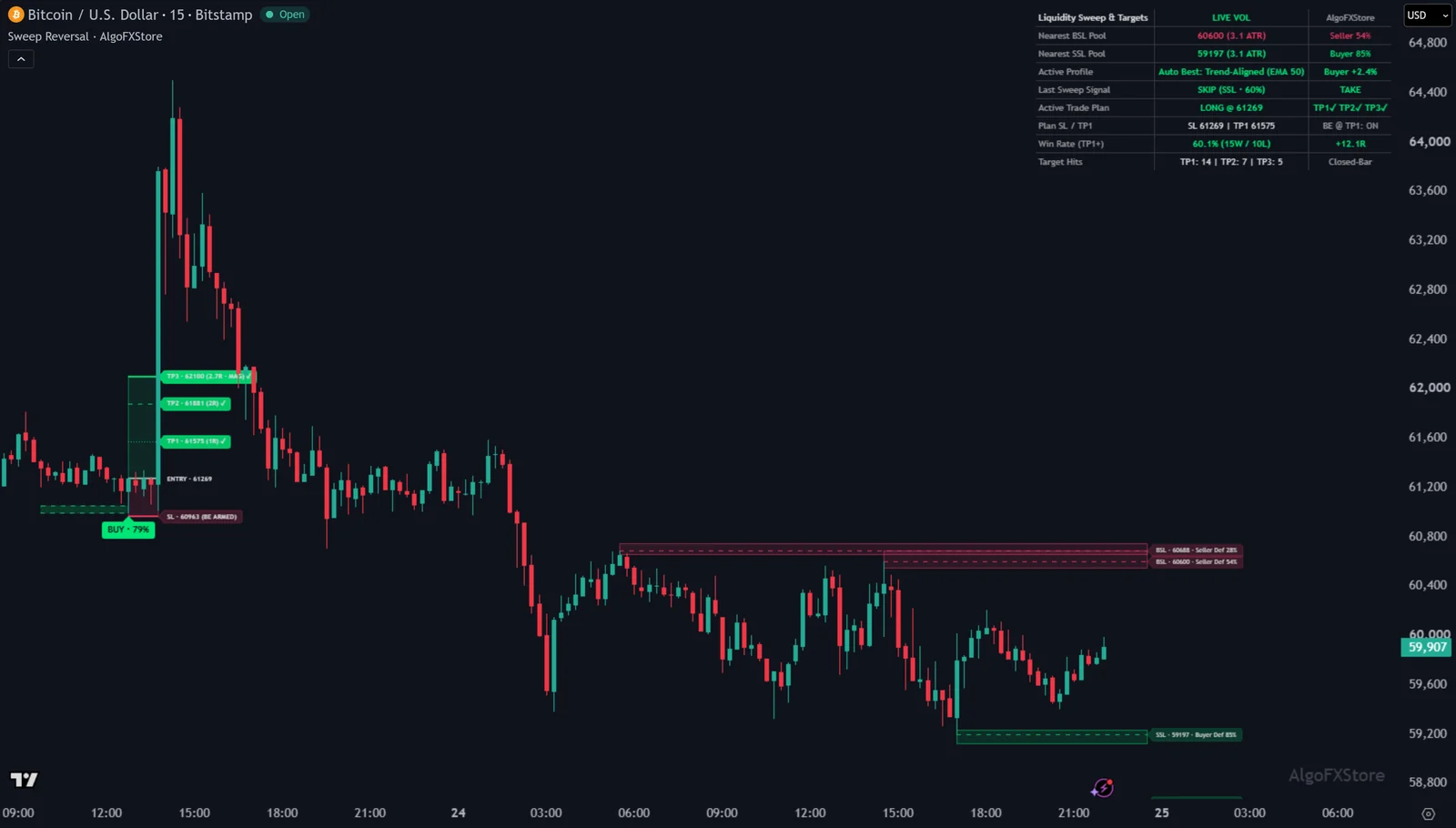
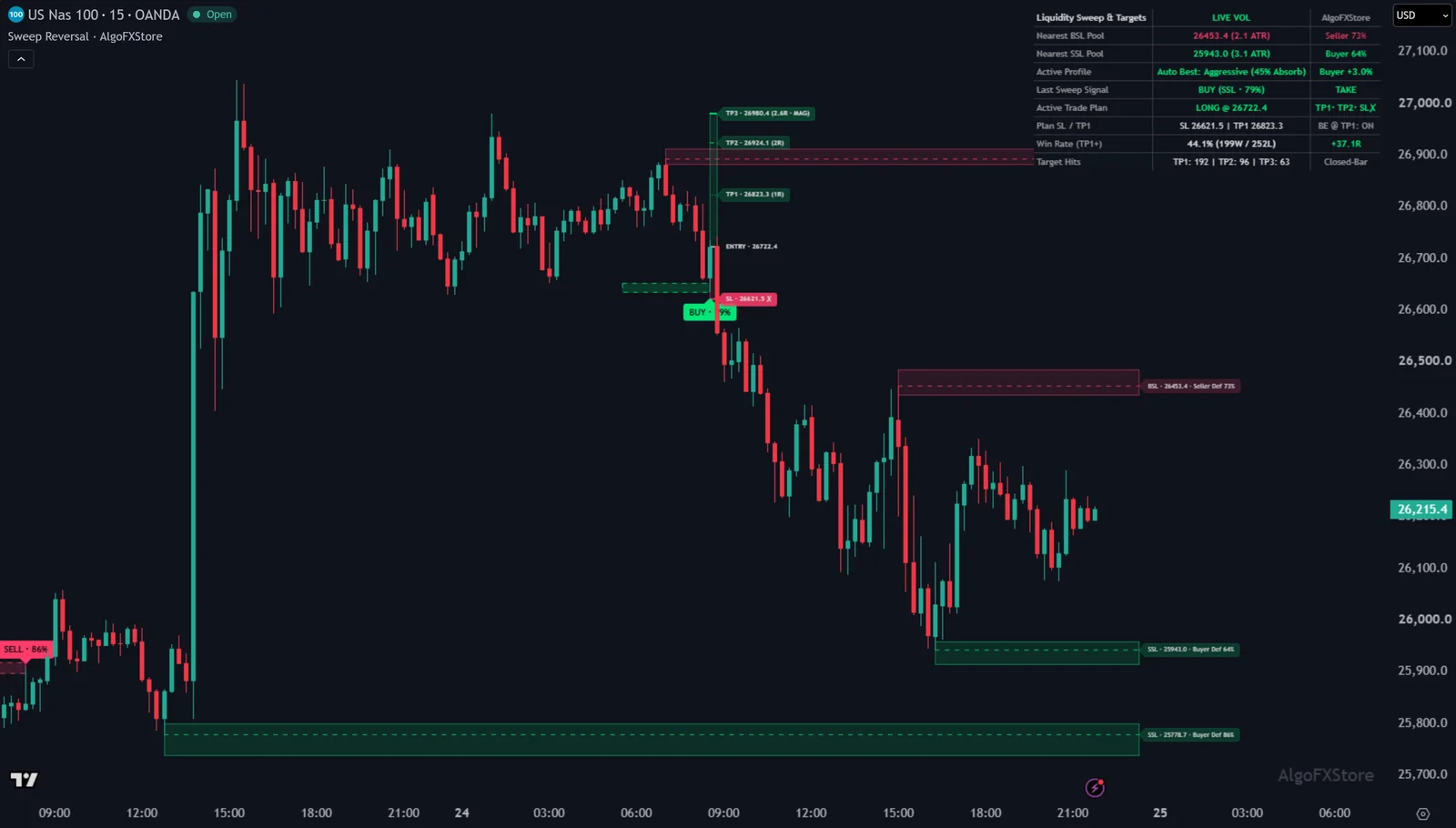
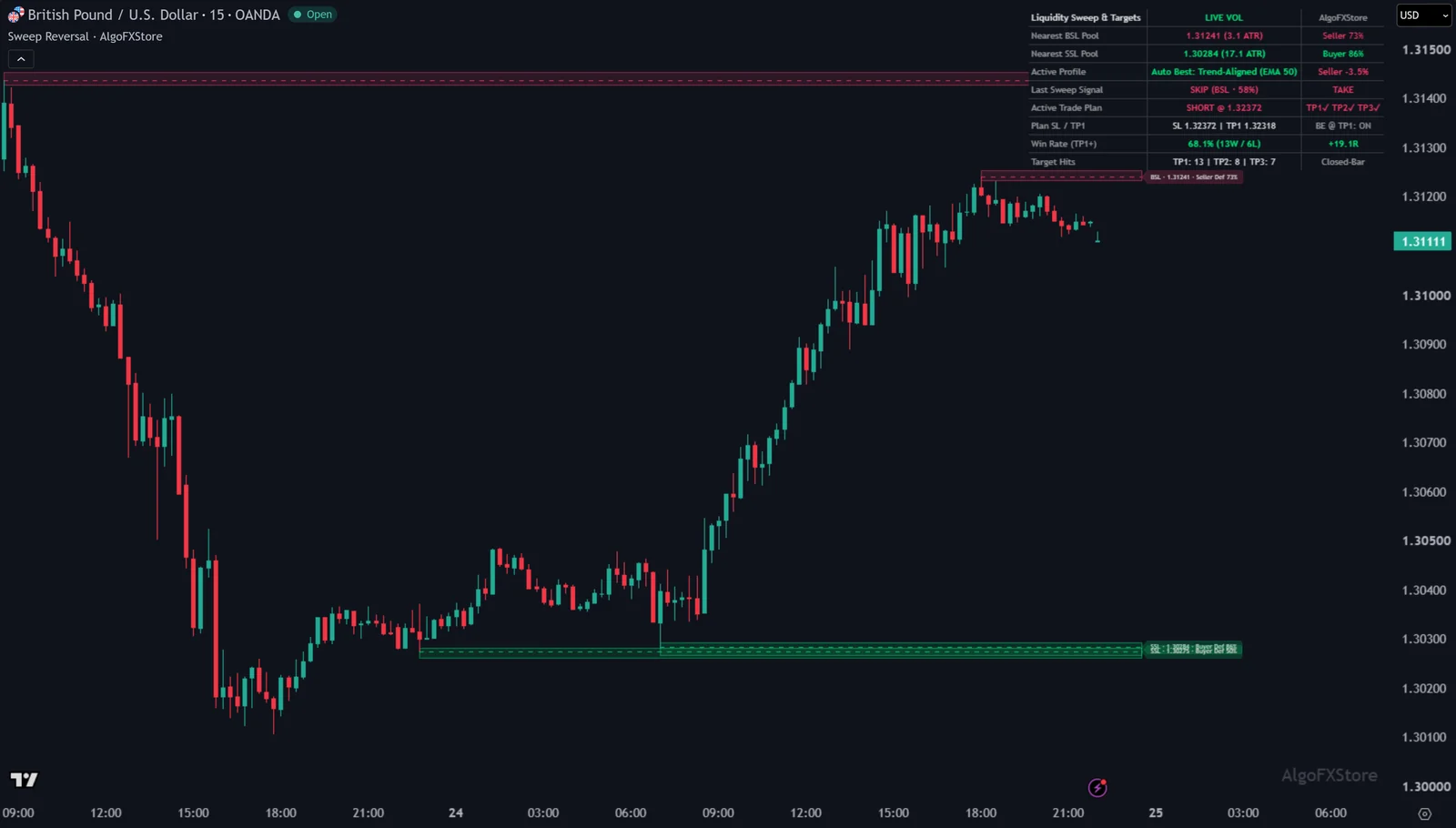
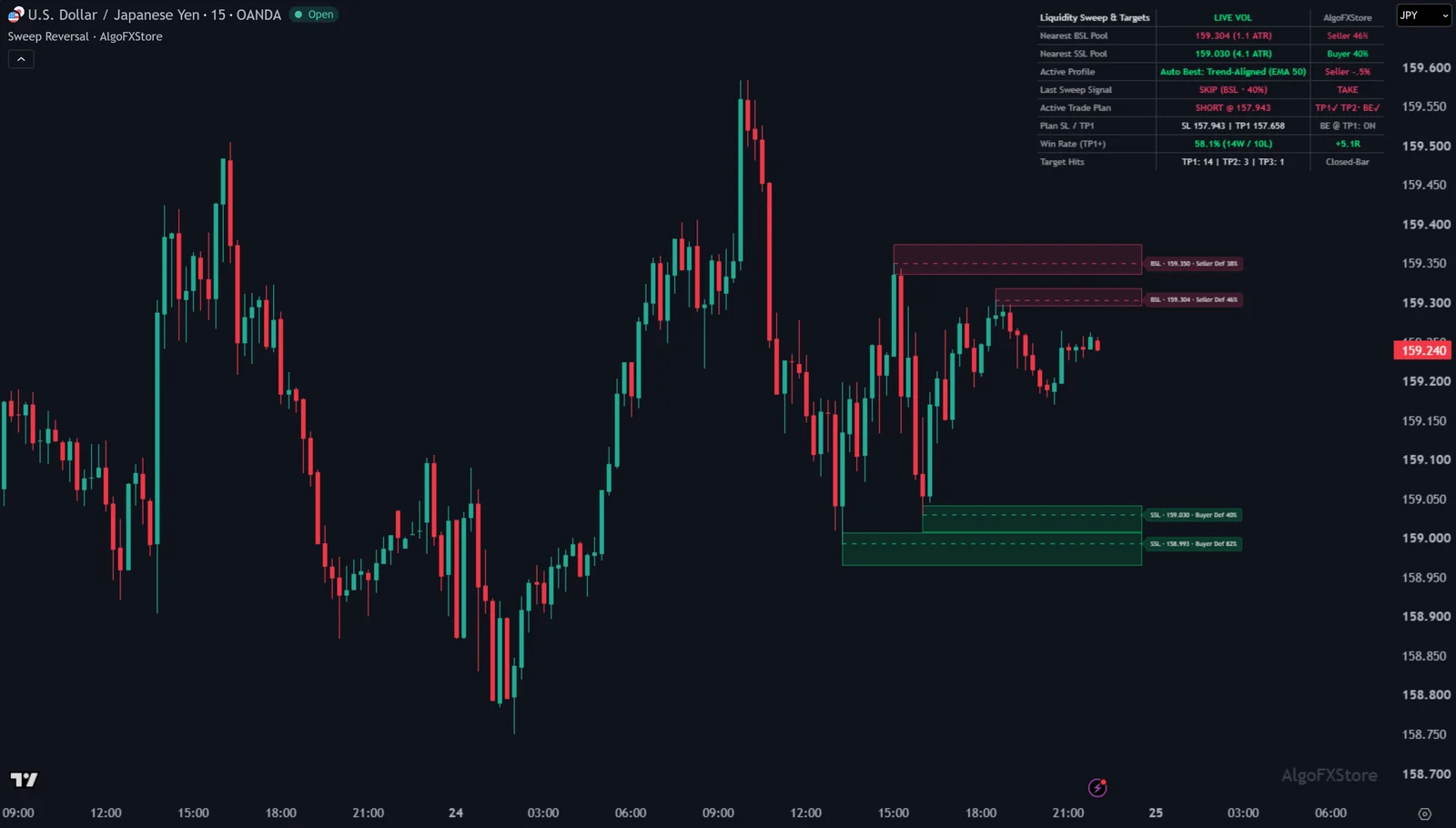
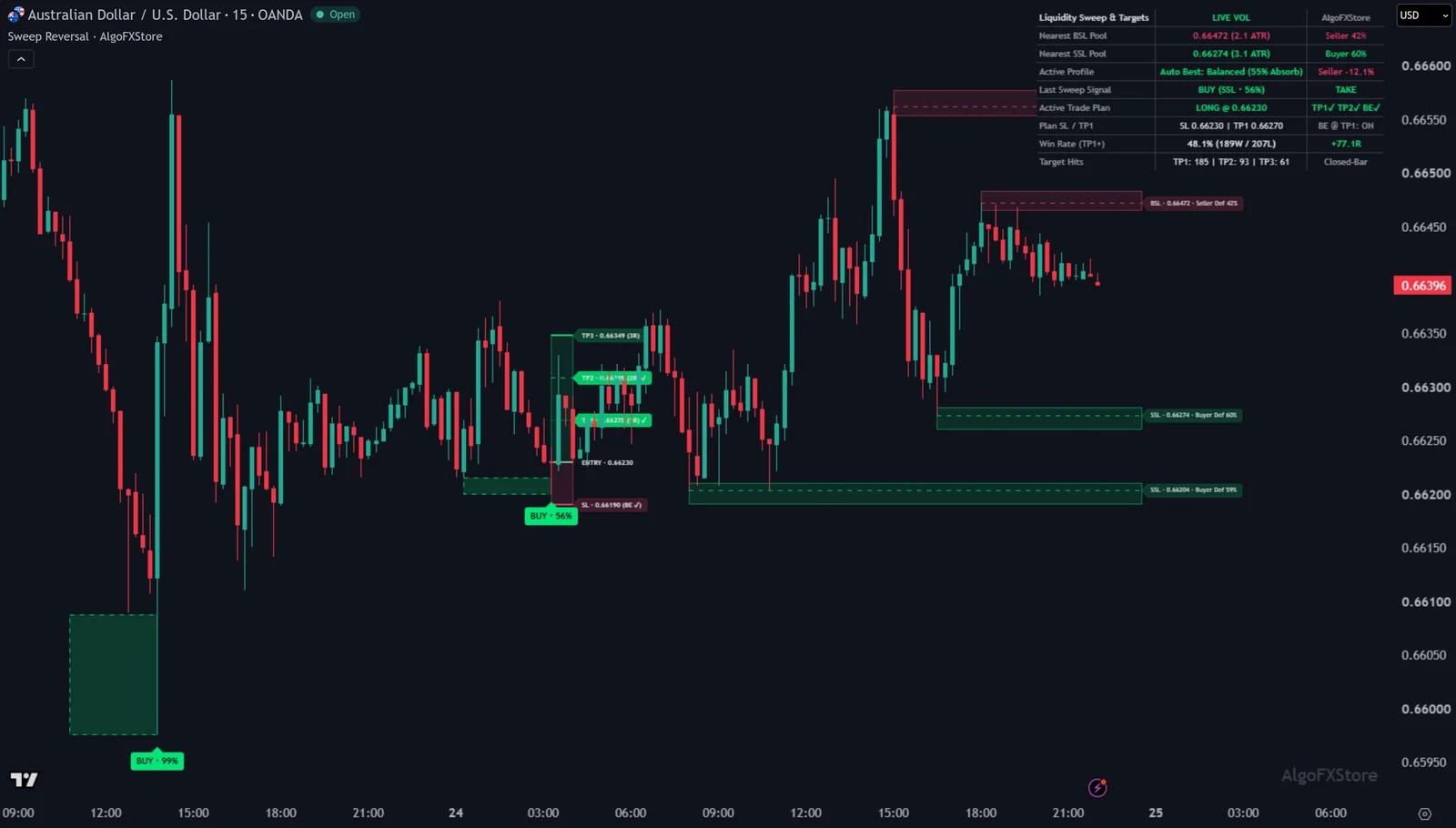
Liquidity Sweep Reversal and Targets on a real TradingView chart, frame by frame
Frames of a screen recording of the shipped indicator at its default settings, as the chart updates. Nothing is edited into the chart.
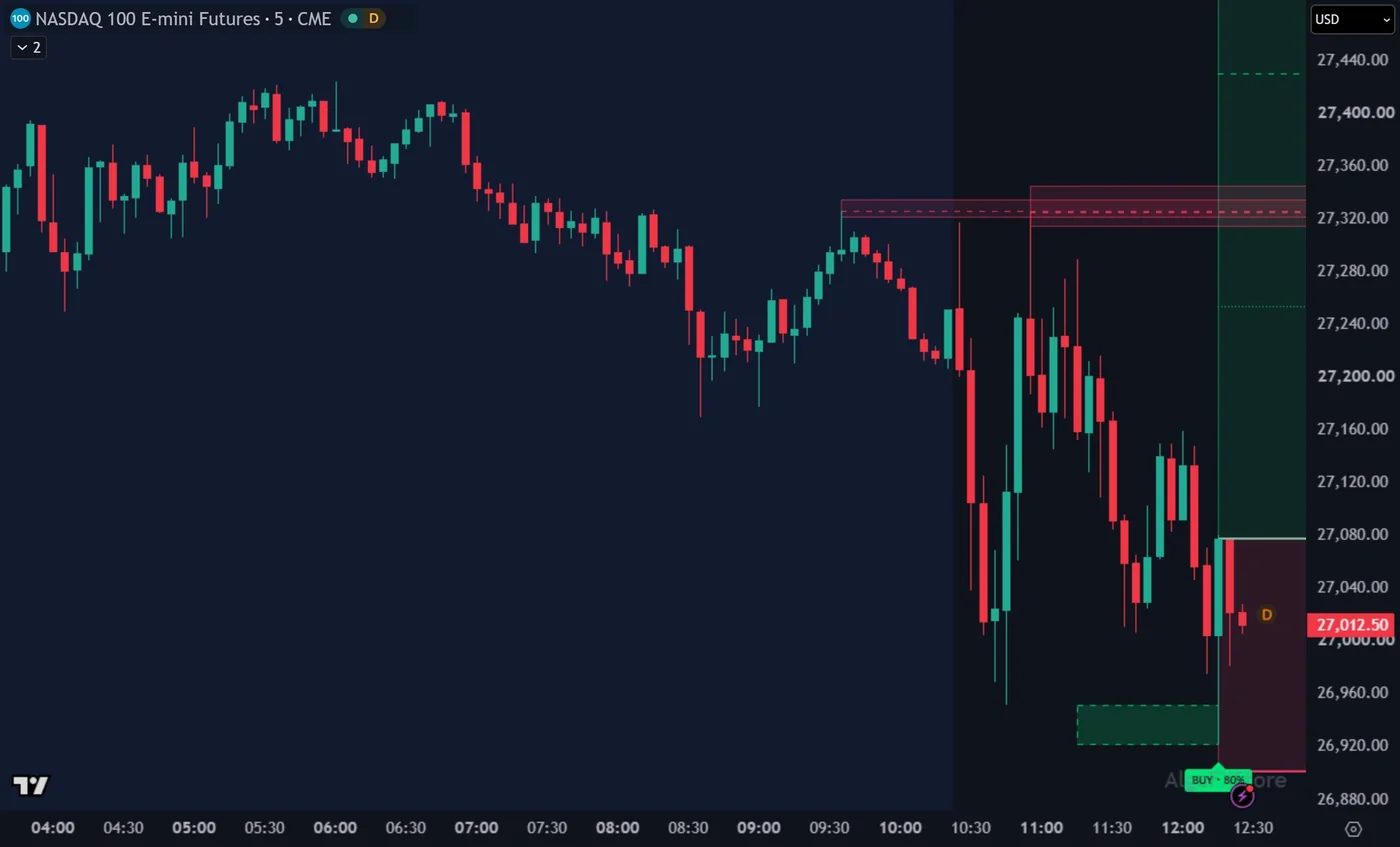
From sweep signal to your own trade
The indicator scores sweeps and draws plans; it never places an order. These steps keep the decisions with you.
- 1
Choose a fixed profile
The default, Auto-Optimize, shows whichever built-in profile has the strongest past record on the loaded chart, and it can switch while you watch. For live use, pick one profile that suits your market, such as Balanced or Trend-Aligned, and keep it, so the rules behind every signal stay the same from day to day.
- 2
Read the sweep, not just the badge
The badge shows BUY or SELL with the score; hover it for the details. Check where price swept: a sweep of the nearest pool inside a range is a different setup from one that pierces a level in a strong trend. A dashed box marks the swept zone, so you can see how deep the wick went.
- 3
Size the position from the stop
Read the ENTRY and SL prices from the plan labels and count the distance in ticks or points. Convert it into money with your symbol's tick value, divide your planned loss by that figure and round down. If even the smallest size risks too much, skip the signal; the stop can sit up to 3 ATR away.
- 4
Plan your exits
TP1, TP2 and TP3 let you scale out, and the break-even move after TP1 protects the rest of a position. Set the stop in your platform at the SL price as soon as you enter, because the signal arrives at the candle close and your fill comes on the next candle.
- 5
When to let a sweep go
Skip a signal when the stop is wider than your risk allows, when a major news release is minutes away, or when price has already moved far from the entry. The code has no session or news filter, and a strong trend can sweep a level and simply carry on.
The dashboard, row by row
- Header: Liquidity Sweep & Targets, LIVE VOL or PRICE-PROXY, AlgoFXStore
- Nearest BSL Pool: price and distance in ATR, with the seller defence score
- Nearest SSL Pool: price and distance in ATR, with the buyer defence score
- Active Profile: the Auto-Optimize pick or the chosen mode, with a buyer or seller pressure estimate
- Last Sweep Signal: BUY, SELL, SKIP or NONE with the pool side and score, and TAKE or WAIT
- Active Trade Plan: LONG or SHORT at the entry price, or No Active Plan, with the progress of TP1 to TP3, stop or break-even
- Plan SL / TP1: the current stop and TP1, and whether break-even at TP1 is on
- Target Hits: TP1, TP2 and TP3 counts on the loaded chart
Everything Liquidity Sweep Reversal and Targets does for you
Pools drawn as zones
Buy-side pools above swing highs in red, sell-side pools below swing lows in green, each with its level and a defence score. Active Pools Shown Per Side (2) and Defense Zone Thickness (0.35 ATR) are inputs.
A sweep score you can read
Close location, relative volume or range, and body combine into one 0 to 100 score shown on every badge. Symbols without volume switch to a price-range proxy, and the dashboard shows LIVE VOL or PRICE-PROXY.
Seven profiles
Balanced, Conservative, Aggressive, Trend-Aligned, Volume Climax, Wide-Stop Defense and Custom (55 by default), each with its own minimum score and depth limit, plus Auto-Optimize, which picks among the six built-in ones on past chart data.
A complete plan per signal
Red risk box, green reward box, an ENTRY line, a red SL line and green TP1, TP2 and TP3 lines with price and R. Reached targets are ticked, and the stop label reads BE ARMED after TP1.
Targets at liquidity
Target Projection Mode R Ladder + Opposing Pool Magnet moves TP3 to the nearest opposing pool 2.2 to 4.5R away; Fixed R Ladder keeps the targets at 1R, 2R and 3R.
Optional history and skipped sweeps
Keep Historical Trade Plans shows the last 5 plans, and Show Filtered (SKIP) Sweeps marks the sweeps the profile rejected with small circles, so you can see what the filter removed.
A summary dashboard
Nearest BSL and SSL pools with their distance in ATR, the active profile with a buyer or seller pressure estimate, the last sweep verdict, the plan's current stop and TP1, its progress, and a record of modelled plans. Four table sizes.
Seven alert conditions
BUY, SELL, any sweep reversal, TP1, TP2 and TP3 reached, and stop loss hit, each naming the symbol and the timeframe. Prices are not in the messages, so read them from the chart.
Liquidity Sweep Reversal and Targets, feature by feature
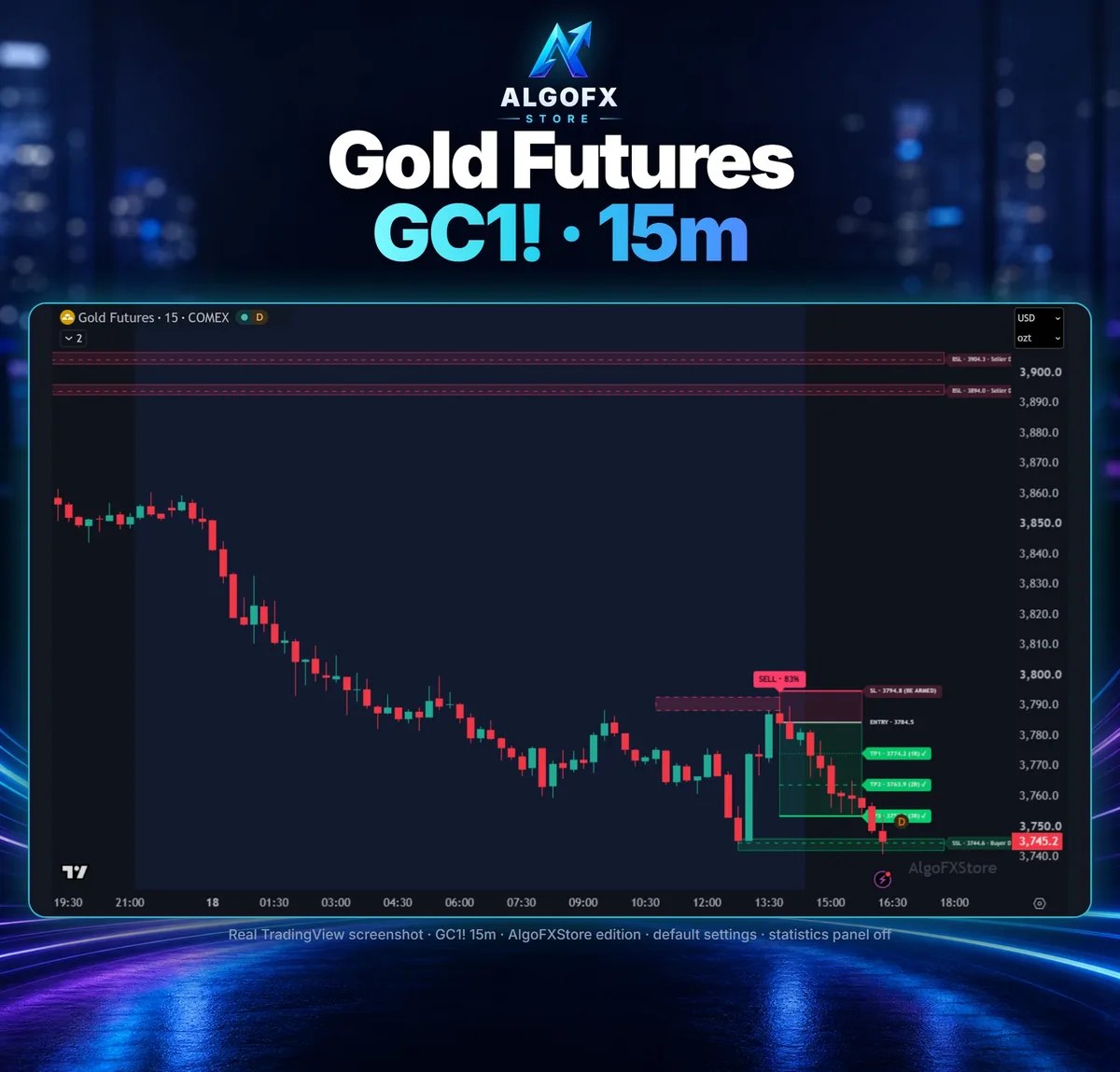
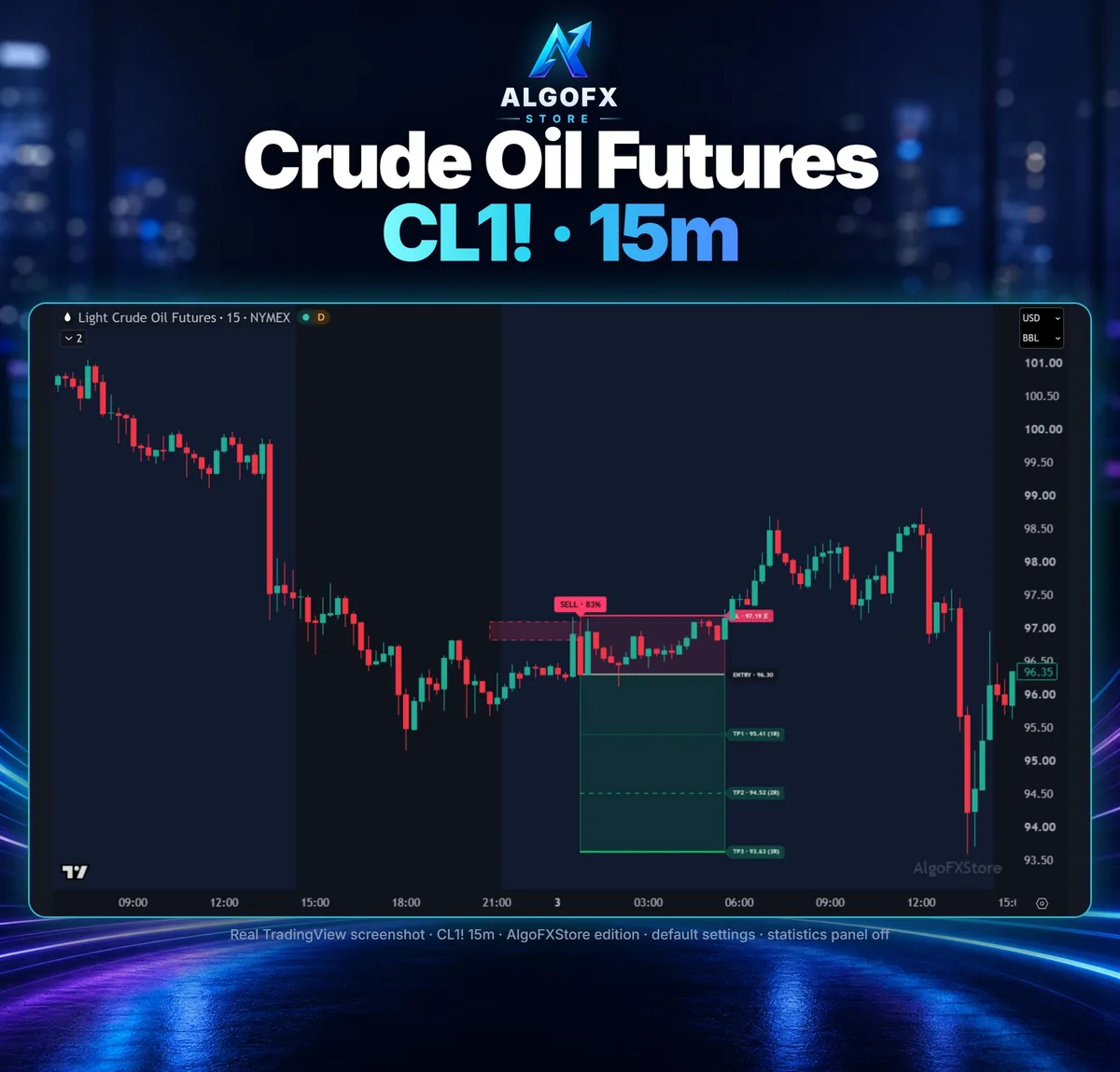
Each picture is built from real platform screenshots of the shipped indicator at its default settings, labelled so you can see what every part does. Tap any picture to open it full size.
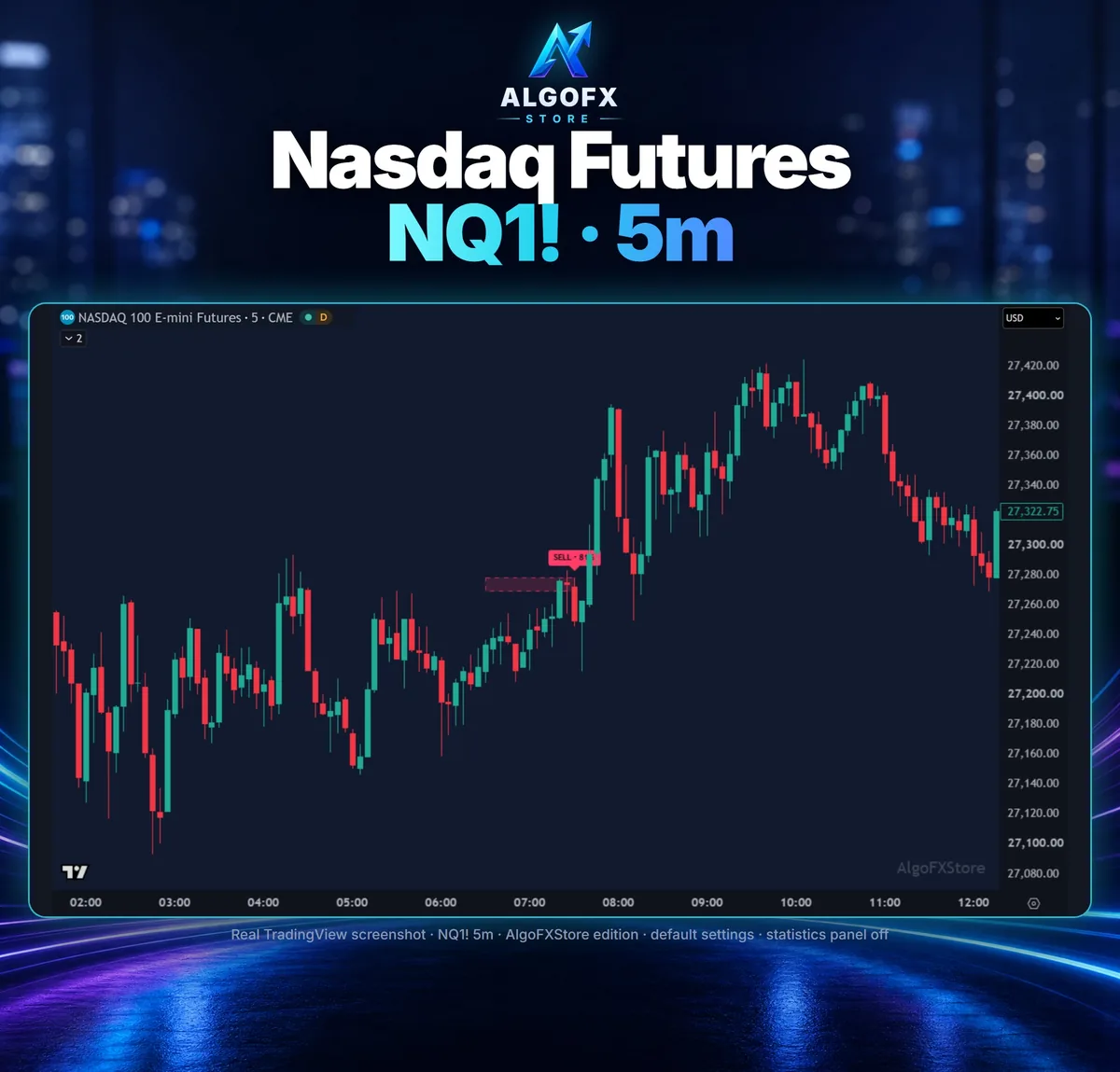
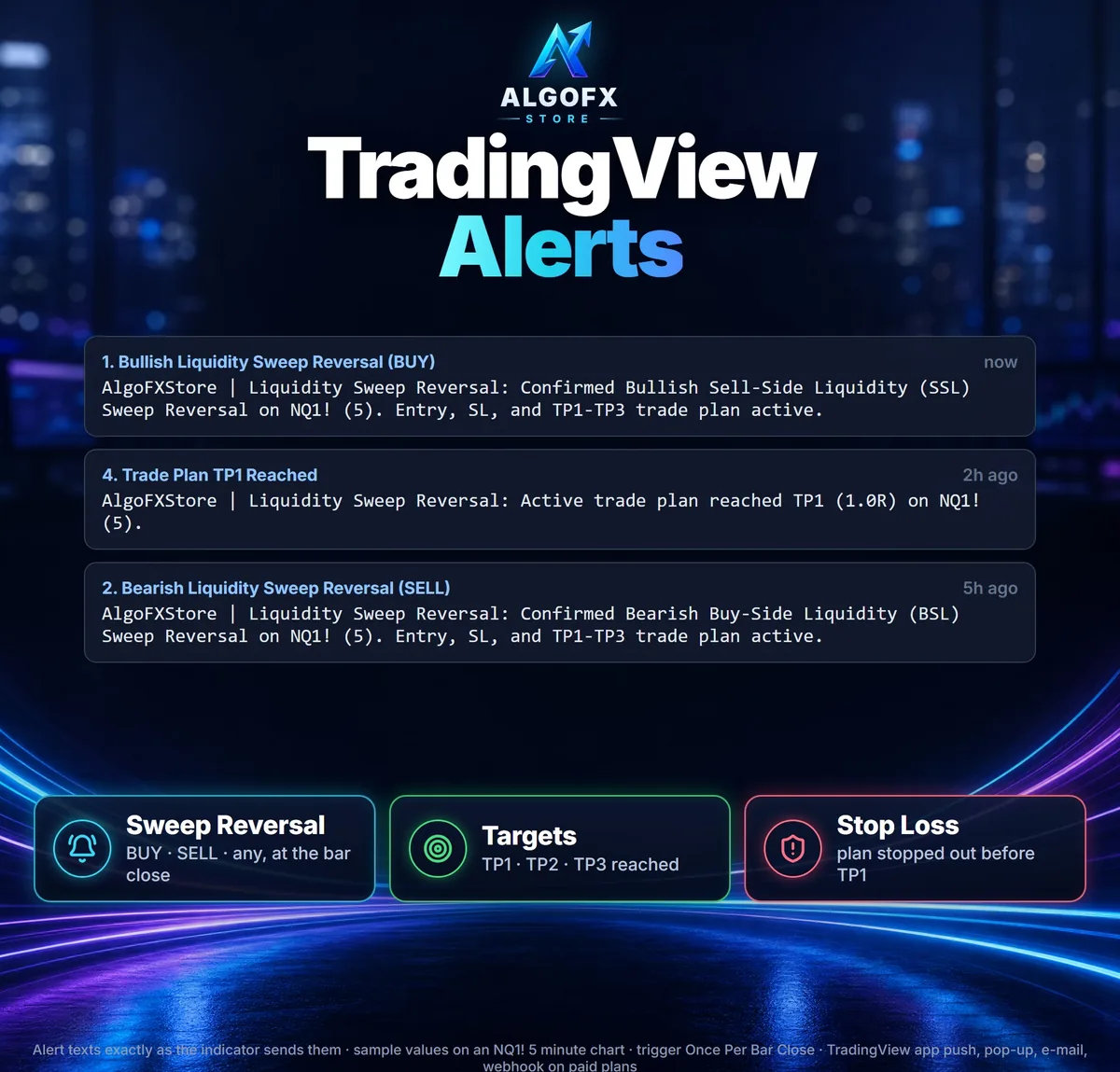

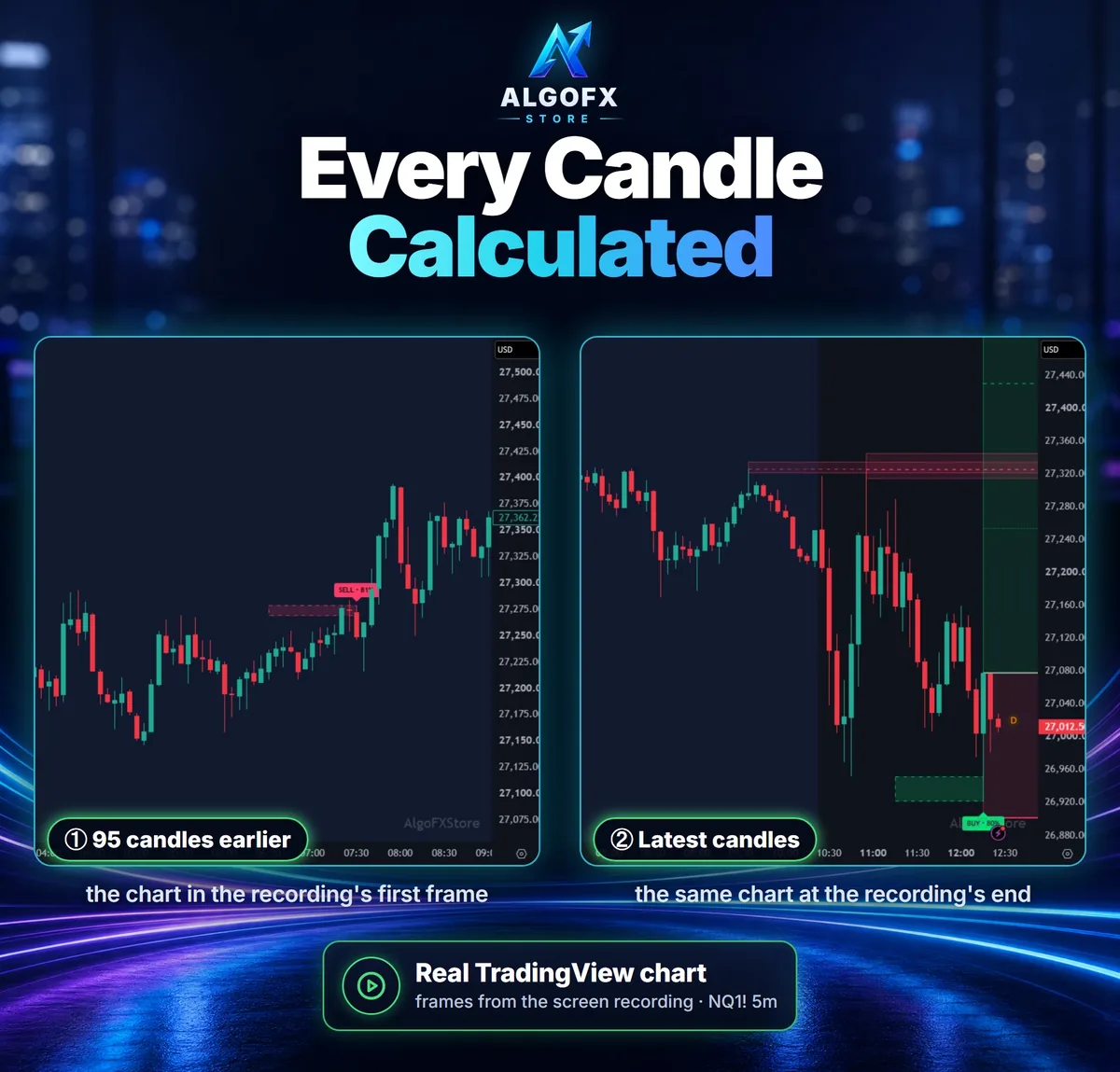
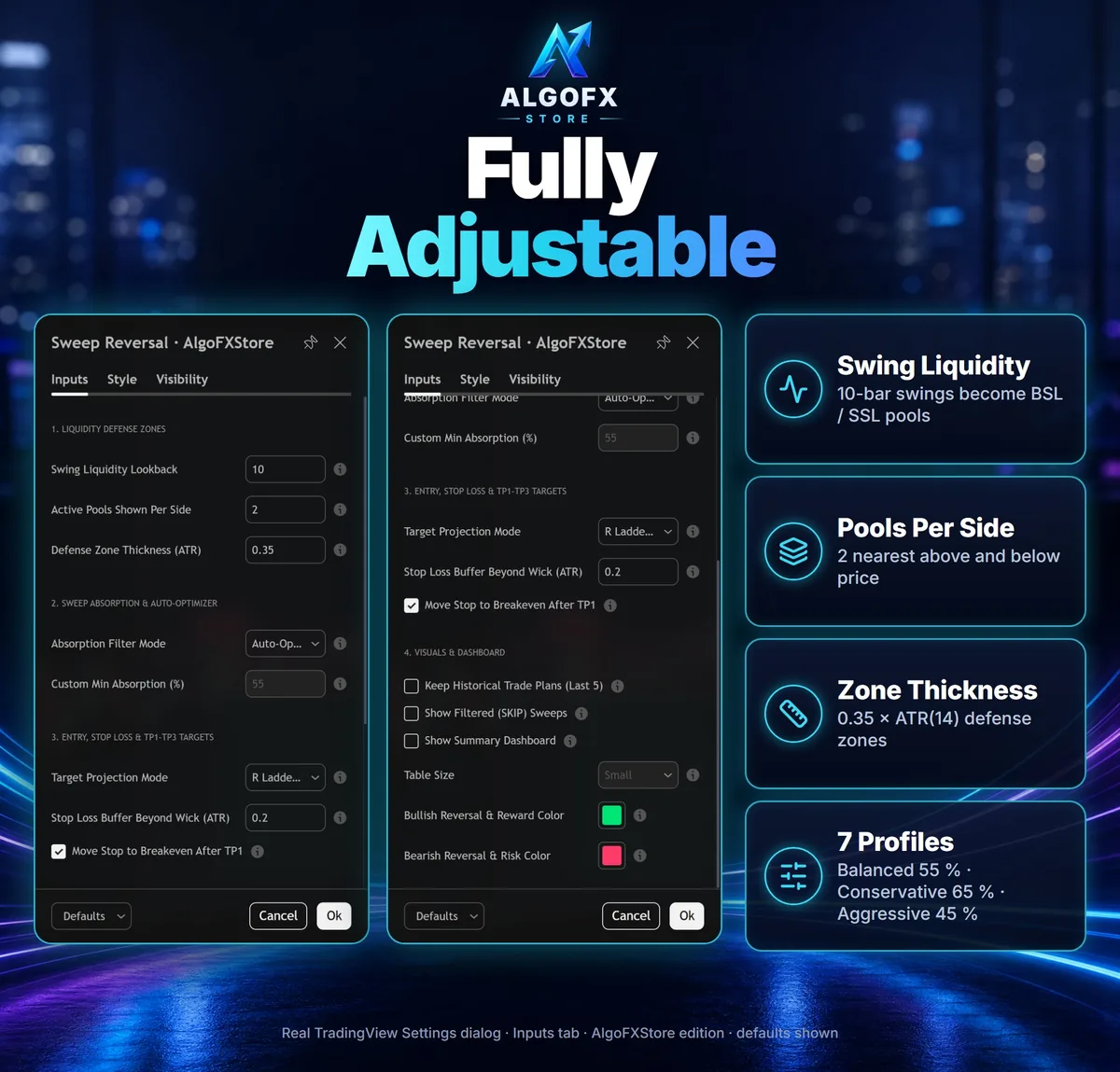
How traders put it to work
Index futures on 5 minutes
On NQ and ES 5-minute charts a pool is the extreme of a 105-minute window, and a plan lives at most 60 candles, five hours. Count the stop in ticks from the SL label and size micro or full contracts from that distance.
Gold and crude on 15 minutes
Markets with spiky wicks give fewer, cleaner pools on 15 minutes than on 5. The stop buffer scales with ATR, so a wide gold candle gets a wider stop and, for the same money at risk, a smaller position.
Forex and crypto
On symbols without real volume the score switches to a range proxy automatically, and the dashboard shows PRICE-PROXY. A 1-hour chart suits slower swing trading; on 1 or 2-minute charts a larger Swing Liquidity Lookback keeps the pools meaningful.
With the trend only
Choose Trend-Aligned and only sweeps on the right side of the 50 EMA are taken: buys with the close above it, sells with the close below it. That removes counter-trend sweeps, so every signal goes with the larger move.
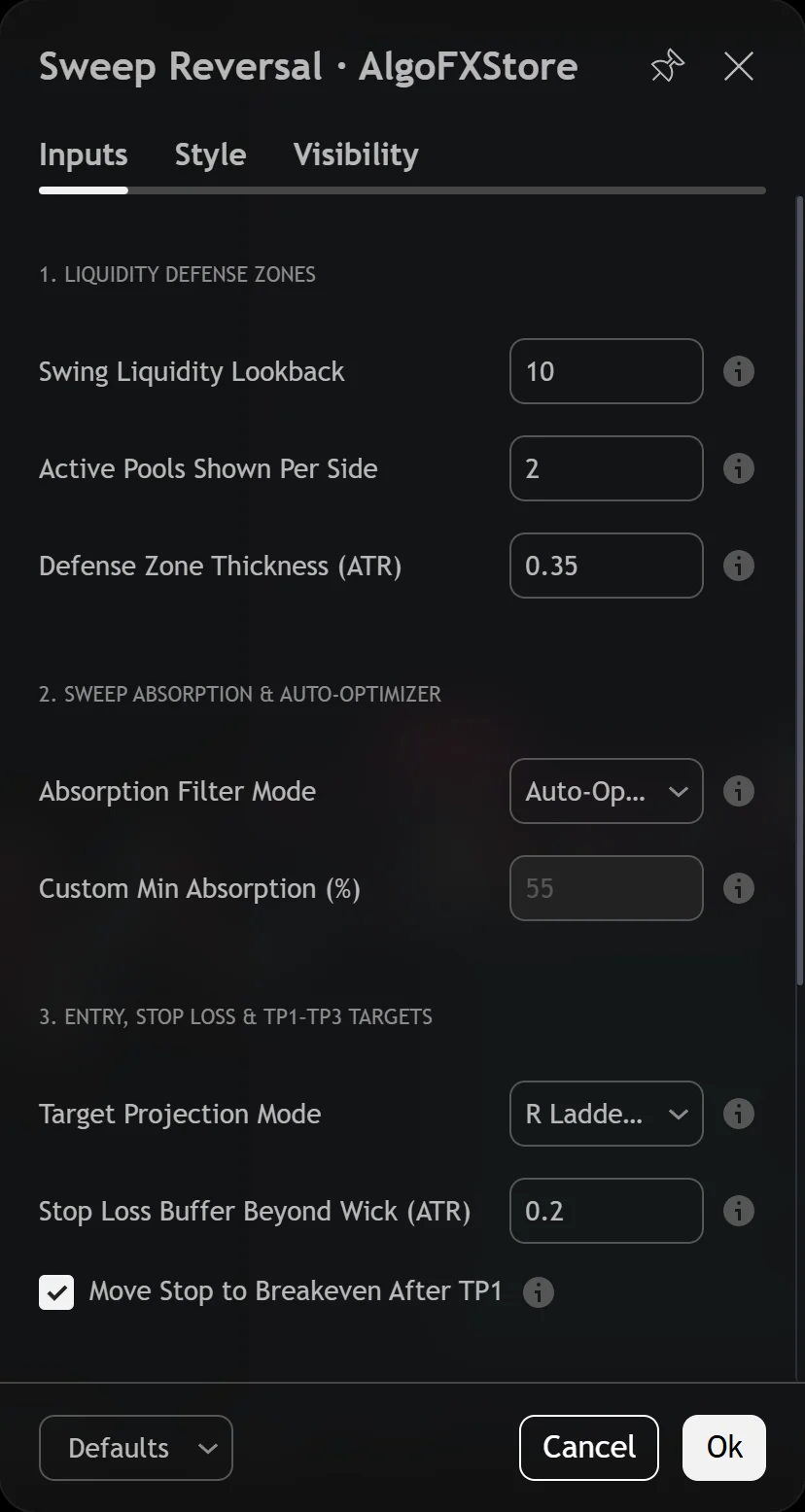
Every setting, with its default
The names are the ones in the script's Settings dialog in TradingView (Inputs tab); the defaults are what every chart on this page uses.
1. Liquidity Defense Zones (3)
| Setting | Default | What it does |
|---|---|---|
| Swing Liquidity Lookback | 10 | Bars left and right that confirm a swing high (BSL pool) or swing low (SSL pool), 3-50. A pool appears once the swing is confirmed, this many bars later, and is drawn back to the swing bar. |
| Active Pools Shown Per Side | 2 | How many unswept BSL pools and SSL pools are drawn - the nearest to the close, 1-5. Up to 8 per side are tracked (and used for the TP3 magnet). |
| Defense Zone Thickness (ATR) | 0.35 | Zone height in ATR(14), 0.10-1.20: 65 % of it beyond the swing level (the outer bound that decides sweep vs breakdown and anchors the stop), 35 % inside. |
2. Sweep Absorption & Auto-Optimizer (2)
| Setting | Default | What it does |
|---|---|---|
| Absorption Filter Mode | Auto-Optimize (Top Chart Profile) | Which profile decides BUY / SELL vs SKIP and is drawn: Auto-Optimize (picks one of the six built-in profiles from the plans modelled on the loaded chart), Balanced (55% Absorb), Conservative (65% Absorb), Aggressive (45% Absorb), Trend-Aligned (EMA 50 + 52% Absorb), Volume Climax (62% Absorb + 1.25x Vol), Wide-Stop Defense (60% Absorb + 1.6x SL), Custom Threshold. |
| Custom Min Absorption (%) | 55 | Minimum absorption score for Custom Threshold, 25-90, step 5; active only when Custom Threshold is chosen. |
3. Entry, Stop Loss & TP1-TP3 Targets (3)
| Setting | Default | What it does |
|---|---|---|
| Target Projection Mode | R Ladder + Opposing Pool Magnet | TP1 / TP2 / TP3 at 1R / 2R / 3R; in this mode TP3 moves to the nearest opposing pool 2.2-4.5R away ('· MAG'). Other choice: Fixed R Ladder (1R / 2R / 3R). |
| Stop Loss Buffer Beyond Wick (ATR) | 0.2 | ATR(14) distance placed beyond the sweep wick or the pool's outer bound (whichever is further), times the profile's stop scale, 0.05-1.00. |
| Move Stop to Breakeven After TP1 | on | After a confirmed bar reaches TP1, the plan's stop moves to entry for TP2 and TP3 (model, labels and dashboard). |
4. Visuals & Dashboard (6)
| Setting | Default | What it does |
|---|---|---|
| Keep Historical Trade Plans (Last 5) | off | Off: only the newest plan is drawn. On: the last 5 plans of the shown profile. |
| Show Filtered (SKIP) Sweeps | off | Small muted 'SKIP' circles where a sweep failed the shown profile's filter. |
| Show Summary Dashboard | on | The table at the top right. |
| Table Size | Small | Tiny / Small / Normal / Large text in the table; active while the dashboard is on. |
| Bullish Reversal & Reward Color | #00E6A8 (#00E676 after code_patches) | SSL zones, BUY badges, bullish swept boxes, TP lines and labels, reward box, positive dashboard cells. |
| Bearish Reversal & Risk Color | #FF3B69 | BSL zones, SELL badges, bearish swept boxes, SL line and label, risk box, negative dashboard cells. |
The alert events, one by one
In TradingView: Create alert, choose “Liquidity Sweep Reversal and Targets [AlgoFXStore]” as the condition and pick the event. TradingView then notifies you the way you set in that dialog: a pop-up in TradingView, a sound, the TradingView app on your phone or an e-mail.
- 1. Bullish Liquidity Sweep Reversal (BUY)
- 2. Bearish Liquidity Sweep Reversal (SELL)
- 3. Any Confirmed Liquidity Sweep Reversal (BUY or SELL)
- 4. Trade Plan TP1 Reached
- 5. Trade Plan TP2 Reached
- 6. Trade Plan TP3 Reached
- 7. Trade Plan Stop Loss Hit
Liquidity Sweep Reversal and Targets next to the usual options
Where it wins, and where it does not.
| Liquidity Sweep Reversal and Targets | Typical free liquidity sweep indicator | Reading it by hand | |
|---|---|---|---|
| Pools | BSL and SSL from 10-candle swings, drawn as ATR zones | Often lines at every swing | Marked by eye |
| Sweep test | Close back across the level on a closed candle, scored 0 to 100 | Often any wick through a level | Judged on the spot |
| Filtering | Seven profiles with score, depth, trend and activity rules | Usually none | Your own discipline |
| Stop and targets | Stop beyond the wick, TP1 to TP3, optional pool target | Rarely drawn | Calculated by you |
| Signals on the chart | Last 8 signals; Auto-Optimize can switch which profile is shown | Usually every mark stays | Whatever you keep |
| Simplicity | Profiles, scores and a dashboard to learn | Few marks, quick to read | As simple as you make it |
| Cost | One payment | Free | Free |
Honest about who this fits
A good fit if you
- You trade reversals after stop runs at swing highs and lows and want a stated rule for what counts as a sweep.
- You want the stop beyond the wick and three targets drawn the moment the sweep candle closes.
- You trade futures, forex, gold, indices or crypto on TradingView on charts from 1 minute to 1 hour.
- You are willing to pick one profile and stick with it.
- You want alerts for new signals and for each target and the stop.
Not for you if you
- Traders who want the indicator to choose its own settings for live trading: Auto-Optimize looks back at past chart data, and its pick can change the signals shown on the chart.
- Anyone who reads the dashboard's record as a forecast: it is a model of past plans on the loaded chart.
- Traders who need order-book or exchange order-flow data: the score and the pressure figure are estimates from candles and volume.
- Anyone who wants orders placed: it scores, draws and alerts only.
The full code, one manual, installed in two minutes
- 1Pine Script source codeLiquidity_Sweep_Reversal_and_Targets_TradingView_Code.txt (54 KB): the full code. Paste it into the Pine Editor and it appears as “Liquidity Sweep Reversal and Targets [AlgoFXStore]”.
- 14Page PDF manualInstallation, every setting with its default and how to read the chart.
- 14SettingsEvery one explained above, with the defaults the charts use.
- ✓Alert eventsYou choose which ones are on in the settings.
- 60Day money-back guaranteeIf it is not for you, request a full refund within 60 days through your Digistore24 order e-mail.
Install in five steps
- Download the zip from the page Digistore24 sends you to after checkout and unzip it.
- Open Liquidity_Sweep_Reversal_and_Targets_TradingView_Code.txt in a text editor, select all and copy the whole code.
- In TradingView, open the Pine Editor, paste the code over everything that is there and click Save.
- Click Add to chart: “Liquidity Sweep Reversal and Targets [AlgoFXStore]” appears on your chart.
- Read the PDF manual; the defaults are the settings shown on this page.

Kestutis Balciunas
AlgoFXStore · chart indicators
Kestutis Balciunas builds and publishes chart indicators under the AlgoFXStore name. Every product page shows what the indicator draws on real charts, and every number on it comes from the shipped build.
The charts on this page were captured in TradingView from the shipped Liquidity Sweep Reversal and Targets [AlgoFXStore] at its default settings and are shown unedited.
No get-rich claims and no quoted win rates. Every trade is uncertain, and no indicator changes that. If you want to know whether it suits the way you trade before you buy, e-mail [email protected] and you will get a straight answer.
One price, one payment
- The full Pine Script source code of Liquidity Sweep Reversal and Targets and the 14-page PDF manual
- Delivered as a digital download: one zip with the code file and the PDF manual on your download page
- Return period: 60 days, with a full refund if it is not for you
- Free updates to the current version on the same download page
60-day money-back guarantee. Install it, run it on your own charts and read the manual. If Liquidity Sweep Reversal and Targets is not for you within 60 days of purchase, request a full refund from Digistore24, no questions asked: use the refund link in your Digistore24 order e-mail or Digistore24's order page digistore24.com/en/cancel-revoke-contract. Digistore24 refunds to your original payment method. It is a digital download: right after checkout you land on your download page, and the link to it is also in your Digistore24 order e-mail.
About the signals
Does it repaint?
Pools, sweeps, verdicts and plan updates are decided on closed candles, and a pool appears 10 candles after its swing. Two things can still change the chart. With the default Auto-Optimize, the shown profile can switch when another profile takes the lead on the loaded history, and then every badge and the plan on the chart switch to that profile's signals; a fixed profile avoids this. And signal flags stay set while the next candle forms, so use Once Per Bar Close alerts.
What counts as a sweep?
A closed candle whose low trades below a sell-side pool level and closes back at or above it (bullish), or whose high trades above a buy-side level and closes back at or below it (bearish). A close beyond the pool's outer edge breaks the pool without a signal, and a candle that sweeps both sides is ignored.
Why did a sweep show no BUY or SELL?
The profile rejected it: the score was below the profile's minimum, the wick went deeper than its limit, the crash guard saw a fast move against the trade, or a trend or activity rule failed. Switch on Show Filtered (SKIP) Sweeps to see those sweeps as small circles.
What does Auto-Optimize do?
It compares the six built-in profiles on the plans they would have produced on the loaded chart and shows the one with the strongest past record there, once it has at least 3 closed plans. That is a look back at in-sample data, not a forecast, and it depends on how much history is loaded. For live trading, a fixed profile keeps the rules steady.
What happens when one candle touches the stop and a target?
The stop is counted first. Inside one candle the order of prices is unknown, so the code takes the cautious reading. After TP1, with break-even on, a return to the entry ends the plan at break-even.
The plan and the dashboard
Why is the stop sometimes inside the wick?
The stop distance is held between the profile's minimum and 3 ATR. On the rare sweep whose wick-based stop would be further than 3 ATR away, the stop is pulled in to 3 ATR, which can place it inside the swept wick. Check the stop against the wick before you trade such a signal.
How should I read the record rows on the dashboard?
They count how the shown profile's modelled plans ended on the loaded chart, how many reached TP1, TP2 and TP3, and their net result in R. It is hindsight bookkeeping from a candle model: the stop counted first on a shared candle, plans closed after 60 candles. It ignores slippage and real fills, cannot be hidden on its own, and is not a forecast.
Why does the dashboard still show TAKE or OPEN?
The Last Sweep Signal cell keeps reading TAKE after the first taken sweep, even when the newest sweep was skipped, and Active Trade Plan keeps the last plan after it has closed; a plan that expired or was replaced still reads OPEN in its progress cell. Read the chart for the current state.
What do the colours mean?
Green is bullish and reward: sell-side pools below price, BUY badges, the TP lines and the reward box. Red is bearish and risk: buy-side pools above price, SELL badges, the SL line and the risk box. The ENTRY line uses the chart's text colour. Both colours are inputs.
Should I keep the defaults?
Keep the plan defaults to start, but change Absorption Filter Mode from Auto-Optimize to a fixed profile. Swing Liquidity Lookback, Defense Zone Thickness and Stop Loss Buffer Beyond Wick change the pools and stops the most. Change one input at a time.
Alerts and daily use
Which alerts are available, and which frequency should I use?
Seven alert conditions: bullish sweep reversal (BUY), bearish sweep reversal (SELL), any sweep reversal, TP1, TP2 and TP3 reached, and stop loss hit. Pick the indicator and the event in Create alert and use Once Per Bar Close, because other frequencies can fire again while the next candle forms. The stop alert fires only for stops before TP1, and messages carry no prices.
Which markets and timeframes suit it?
Any TradingView symbol and timeframe, with no session or higher-timeframe logic, on the free plan too. The guide suggests 5 minutes for NQ and ES and 15 minutes for gold and crude; anything from 1 minute to 1 hour works. It needs about 21 candles for the first confirmed swings.
Can I use it on several charts?
Yes. Each copy builds its own pools, verdicts and record from its own symbol and timeframe, so a fixed profile on each chart keeps the signals comparable. Each chart needs its own alerts.
Can I combine it with other tools?
Yes. It draws on the price chart and adds values to the Data Window, such as the signal and the sweep score. A higher-timeframe chart or a session indicator next to it helps you judge whether a sweep fights the larger trend.
How it works
Will it place trades for me?
No. Liquidity Sweep Reversal and Targets is an indicator: it draws on the chart and can alert you. It never sends an order.
Do I need a paid TradingView plan?
No. It reads only the chart's own bars, so the free TradingView plan runs it. Alerts count against your plan's alert limit.
After you buy
How do I get it after paying?
Digistore24 runs the checkout. Right after payment it takes you to your download page with one zip holding the Pine Script source code file and the PDF guide; the link to that page is also in your Digistore24 order e-mail, so you can download again at any time.
How do I install it?
Open the code file, open the Pine Editor in TradingView, paste the whole code, click Save and then Add to chart: “Liquidity Sweep Reversal and Targets [AlgoFXStore]” appears on your chart. The guide walks through it step by step.
Who is Digistore24?
Digistore24 is the reseller that sells Liquidity Sweep Reversal and Targets for Kestutis Balciunas (AlgoFXStore): it runs the checkout, charges your card or PayPal, collects the VAT for your country and delivers the download. Its name is the one on your statement, and its order e-mail holds your download link and the refund link.
What is the refund policy?
A 60-day money-back guarantee, handled by Digistore24. If Liquidity Sweep Reversal and Targets is not for you within 60 days of purchase, use the refund link in your Digistore24 order e-mail or Digistore24's order page (digistore24.com/en/cancel-revoke-contract) for a full refund, no questions asked. Digistore24 makes the refund to your original payment method.
Do I get the source code?
Yes. You get the full Pine Script source code as a text file for your own use; the licence line at the top of the code does not allow resale, sharing or republishing.
Liquidity Sweep Reversal and Targets for TradingView.
Put scored liquidity sweeps with a stop beyond the wick and three targets on your own TradingView charts. The full code, the manual and every setting explained. Instant download for €47, one payment.
Get instant access