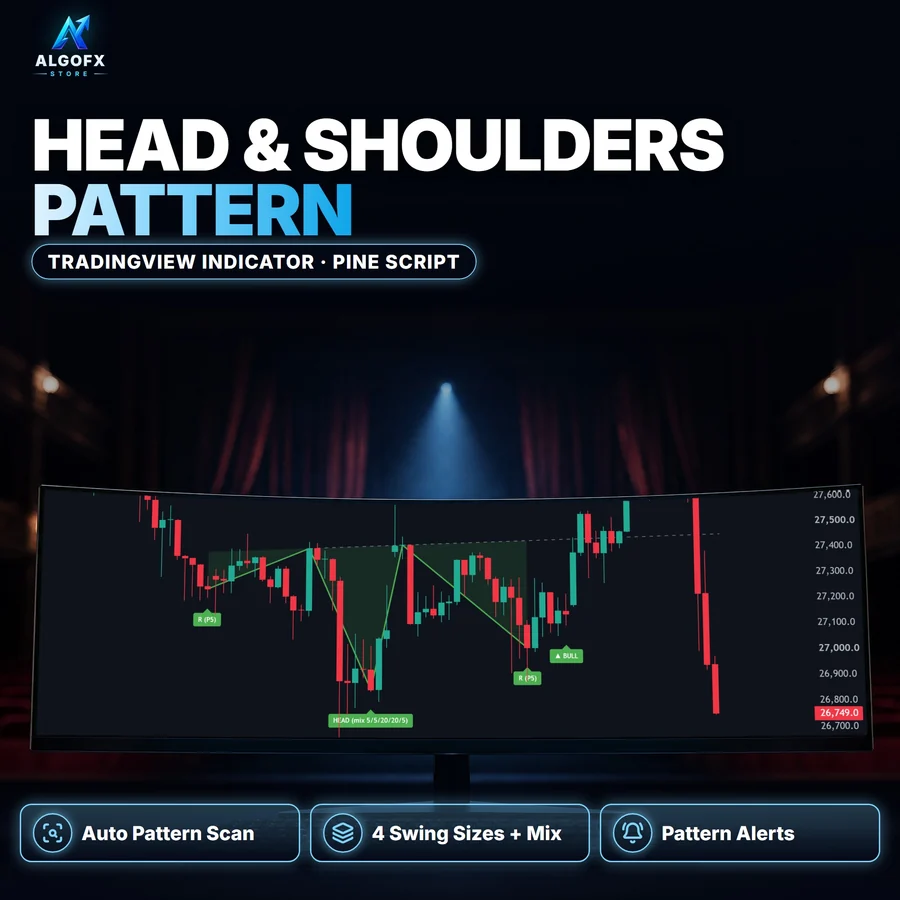
Find head and shoulders tops and inverse bottoms at four swing sizes, neckline drawn
Head and Shoulders Detector scans your TradingView chart for classic head and shoulders tops and inverse bottoms at four swing sizes at once, 5, 12, 20 and 30 bars, plus patterns built from mixed swing sizes.
- Tops and inverse bottoms from 5, 12, 20 and 30-bar swings, plus mixed swing sizes in one pattern.
- Head size, shoulder symmetry and prior trend all measured in ATR(200), so the rules scale with the market.
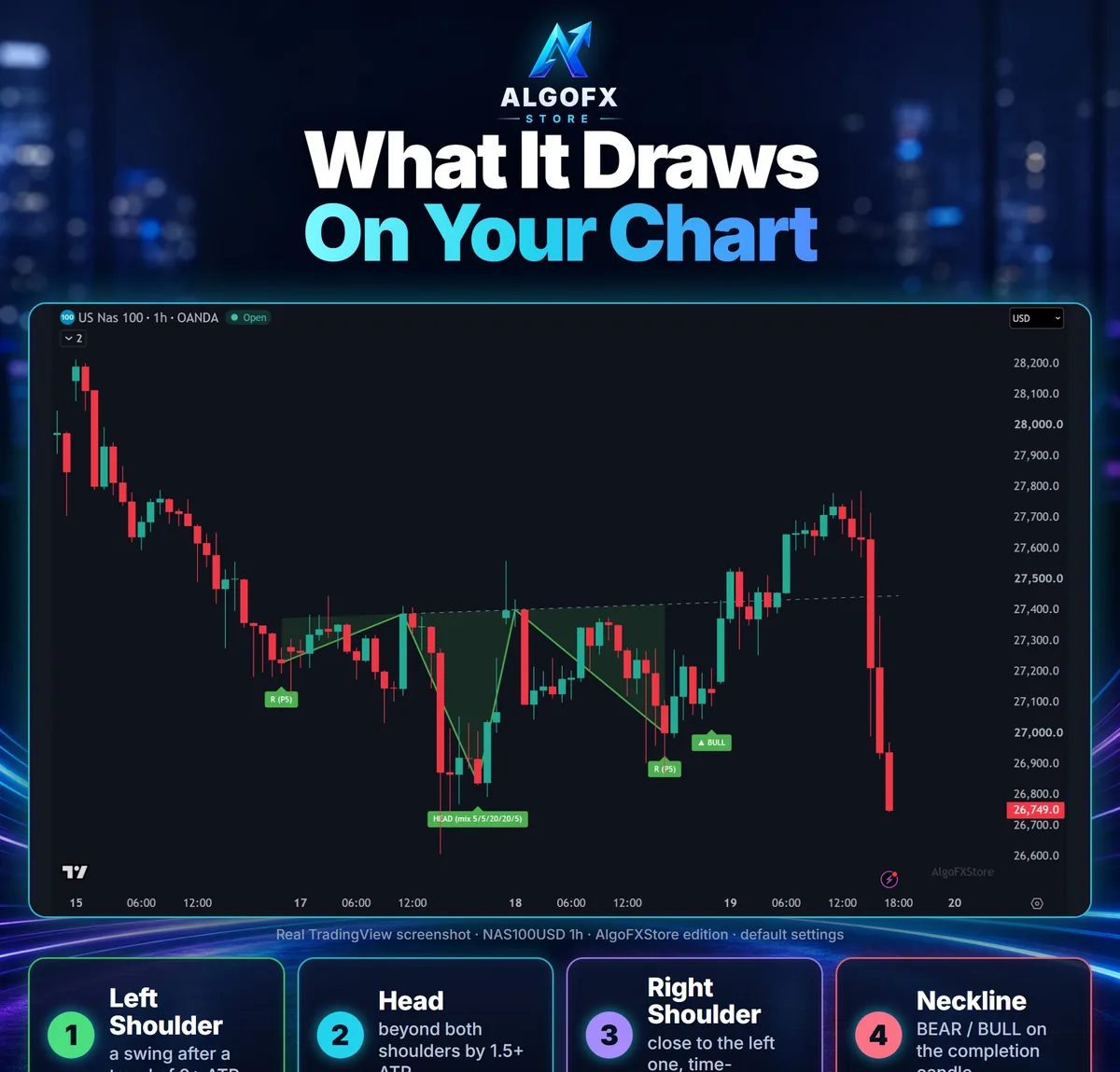
- Outline, filled shape, dashed neckline, HEAD and R labels and a BULL or BEAR label on completion.
- Optional neckline mode: the pattern signals only after a closed candle breaks the neckline.
- The full Pine Script source code. Paste it into the Pine Editor, save, and add “Head and Shoulders Detector [AlgoFXStore]” to your chart.
- A 13-page PDF manual with installation, every setting and how to read the chart. One-time €47.
See Head and Shoulders Detector on a real chart
Press play; use the full-screen button to see every detail.
Most head and shoulders you see by eye are not head and shoulders
The head and shoulders is the chart pattern everybody recognises, which is exactly the problem. Once you look for it, you find it everywhere: three bumps of any size, a neckline drawn wherever it looks good, and a pattern that is really just noise in a sideways market. The pattern has rules, but by eye they get bent to fit the chart you want to see.
A real pattern needs a head that clearly stands out from both shoulders, shoulders at a similar height, two halves that take a similar time, and a trend before it to reverse. It also needs to be judged on the right swing size: a structure that is obvious on 30-bar swings disappears on 5-bar swings and the other way round. Checking all of that on every chart, every day, is slow work.
Head and Shoulders Detector applies the same tests to every candidate at four swing sizes and in mixed sizes, with every distance measured against ATR(200). Shapes that pass are drawn with their neckline; shapes that fail are not. You start your analysis from a pattern that met fixed rules instead of from three bumps that looked convincing.
Everything Head and Shoulders Detector draws on your chart
Read from the shipped Pine Script code.
- Pattern outline: 4 solid lines (width 2) left shoulder to neckline point to head to neckline point to right shoulder; red (input 'Bear color') for a head and shoulders top, green ('Bull color') for an inverse bottom; created on the completion bar
- Neckline: dashed grey line ('Neckline color') from the first neckline point through the second, extended to 20 bars past the completion bar
- Pattern fill: polygon between the outline and the neckline in the pattern colour, 85 % transparent
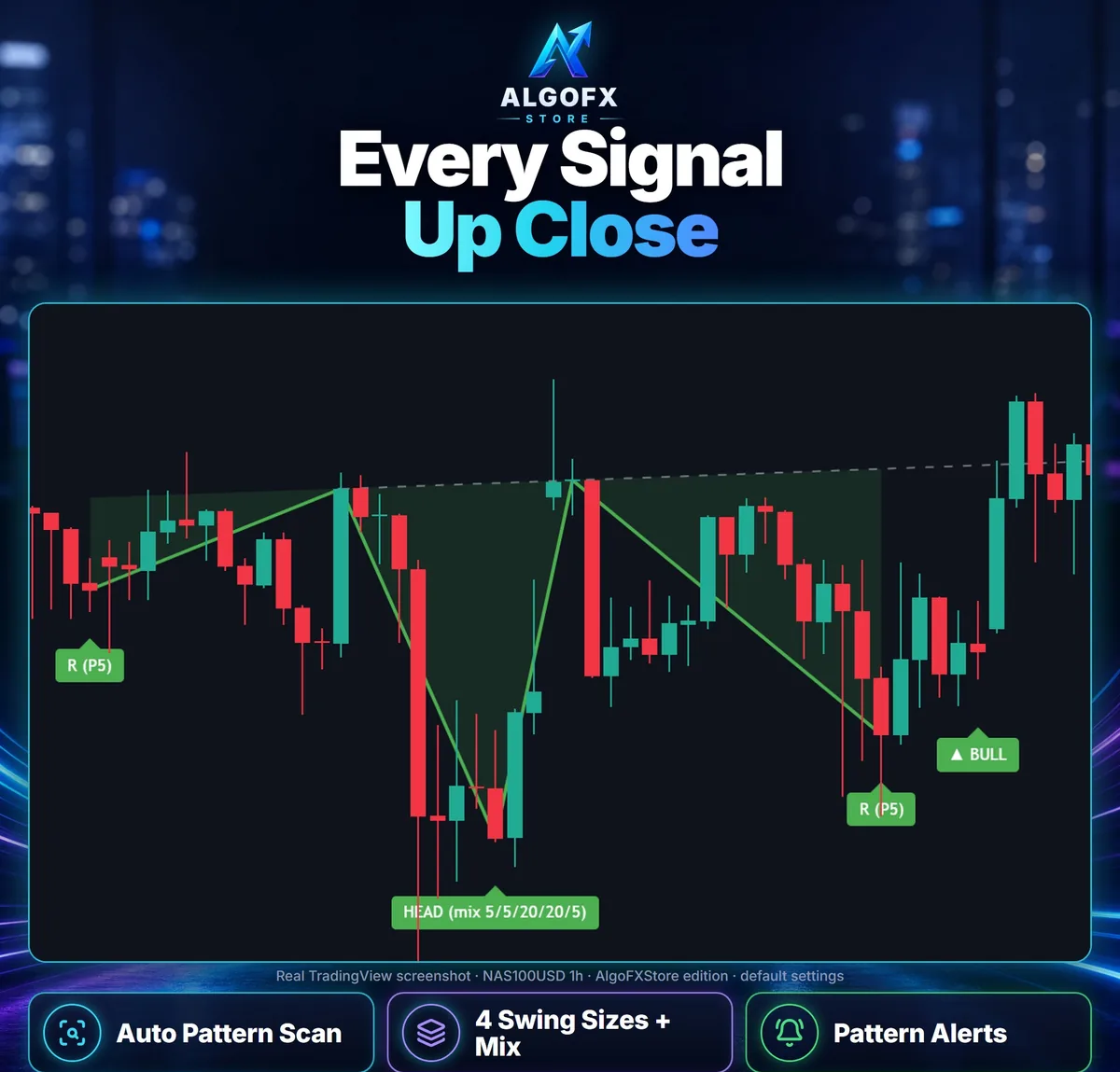
- Point labels: 'HEAD (P<length>)' at the head and 'R' at both shoulders; in mix mode 'HEAD (mix 5/12/5/12/5)' and 'R (P5)' / 'R (P12)'; white text on the pattern colour, 0.5 × ATR(200) from the point
- Direction signal on the completion bar: 'BEAR' label above the bar (top), 'BULL' label below the bar (inverse), 0.5 × ATR from the high / low
- Optional, off: trend visualization - dotted line from the trend extreme before the pattern to the left shoulder with label 'trend: 2.35x ATR (min 2)', blue when the trend filter is met, orange when not
- Three hidden data series for your own scripts: bt_buy_score, bt_sell_score, bt_pattern_len (display.none)
- AlgoFXStore badge, bottom right
Five swings, five tests, one drawing
This is what the shipped Pine Script checks, on the chart's own bars, every time a new swing is confirmed.
- 1
Swings at four sizes
Swing highs and lows are found at four lengths, 5, 12, 20 and 30 bars on each side, from closing prices by default (Pivot source Close; High/Low with wicks is optional). Each length keeps its own list of recent swings. Mix mode also keeps a merged zig-zag of all lengths, so one pattern can use points from different swing sizes.
- 2
Five alternating points
On every new swing the last five points of a list are tested. A top needs high, low, high, low, high: left shoulder, neckline point, head, neckline point, right shoulder. An inverse bottom is the mirror. Both shoulders and the head must sit beyond both neckline points, and a new pattern must start after the right shoulder of the last pattern in the same direction.
- 3
Head, symmetry and timing tests
The head must stand out from both shoulders by at least the Min. head deviation in ATR(200): 1.5 for 5 and 12-bar swings, 2.0 for 20 and 30, 1.0 in mix mode. The shoulders may differ by at most the symmetry tolerance: 1.5, 3.0, 3.0 and 4.0 ATR, 2.0 in mix mode. The longer half of the pattern may take at most twice as many bars as the shorter.
- 4
A trend before the pattern
A top must follow a rise of at least 2.0 times ATR from the lowest low within 3 times the swing length before the left shoulder; an inverse bottom must follow a fall of the same size. Set the minimum to 0 to switch the trend filter off. Show trend visualization draws a dotted line from that extreme with its size in ATR.
- 5
Drawn on the completion candle
By default the pattern, its neckline and the BULL or BEAR label appear on the candle that confirms the right-shoulder swing, the swing length in bars after it. With Require neckline break confirmation on, the pattern waits for a closed candle beyond the neckline within 3 times the swing length and is dropped if none comes. Either way the five points stay where the swings were.
Head and Shoulders Detector on 12 different markets
Every chart below is a screenshot of TradingView itself with the shipped Head and Shoulders Detector [AlgoFXStore] attached at its default settings. Forex, metals, indices, energy and crypto, so you can see how it reads each kind of market. They show what the indicator draws; they are not trading results. Tap or click any chart to open it full size.
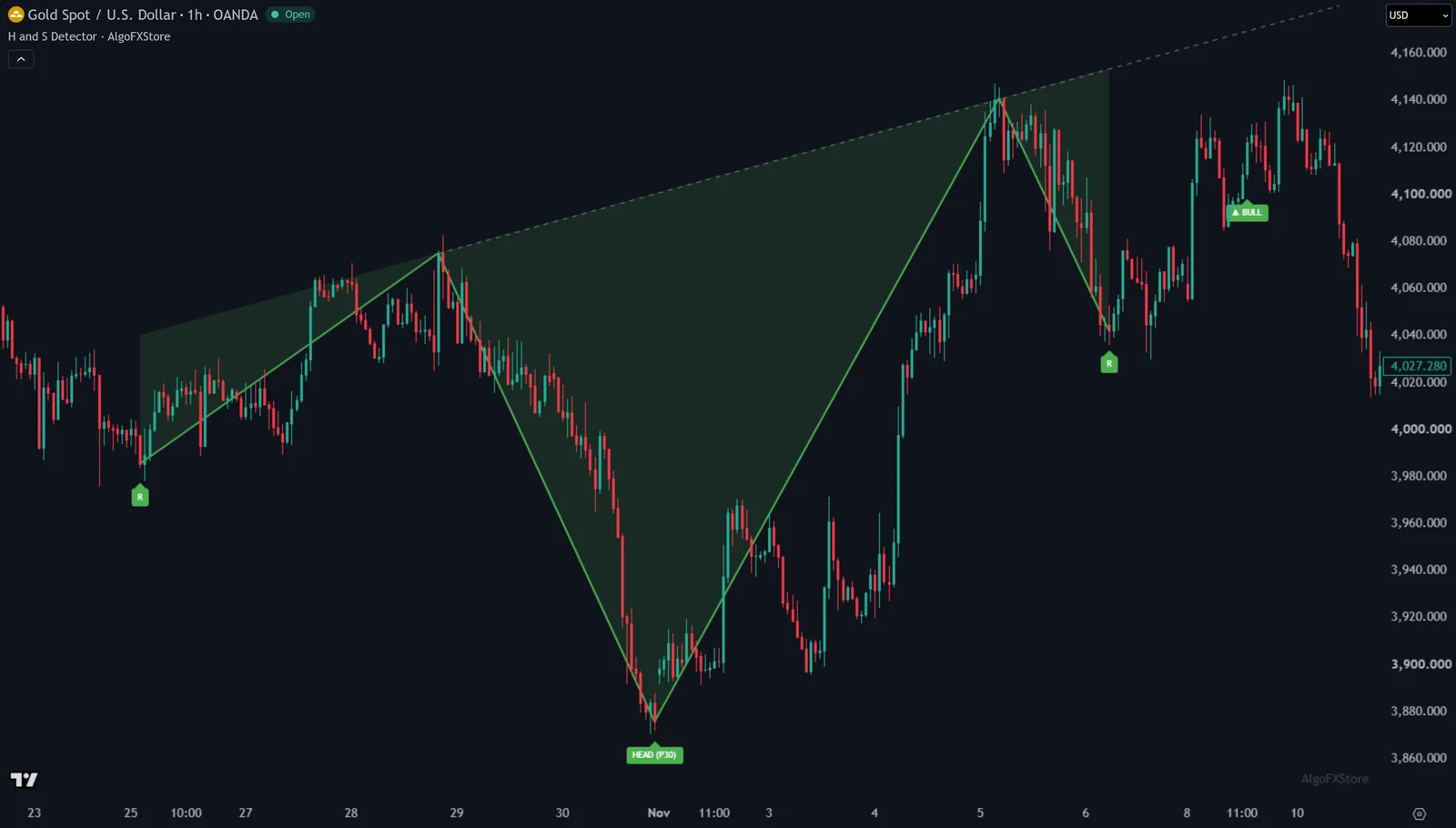
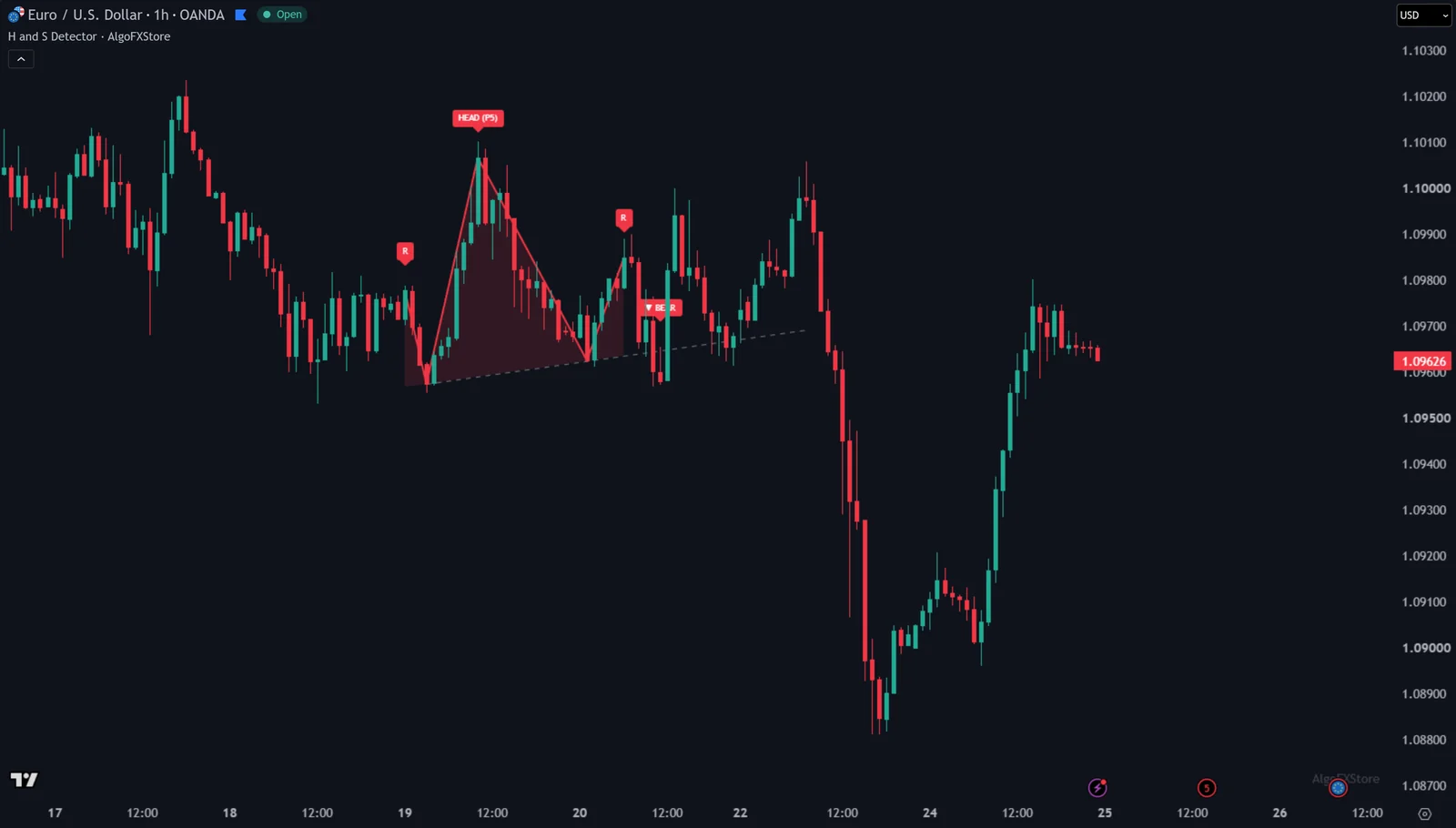
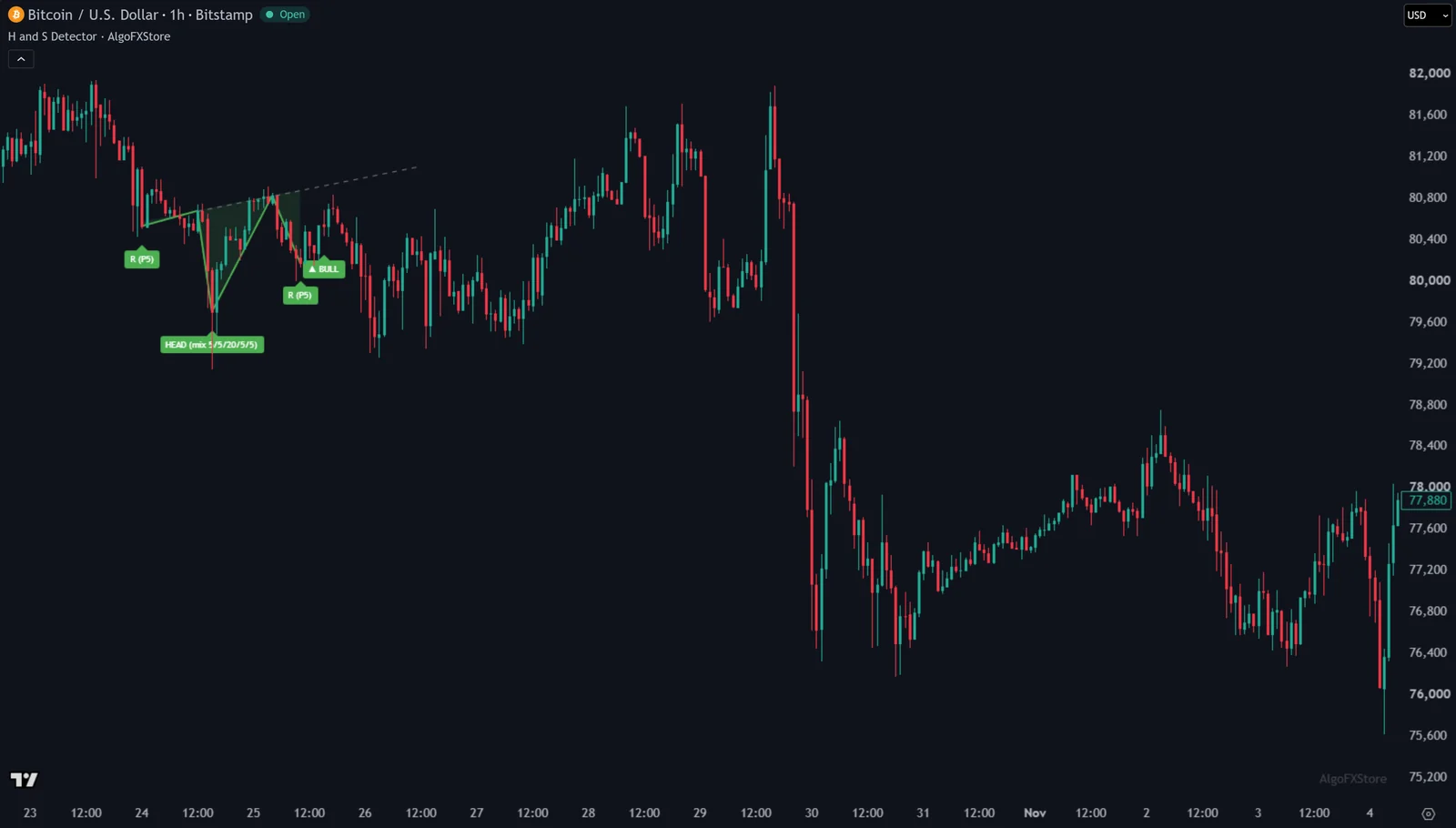
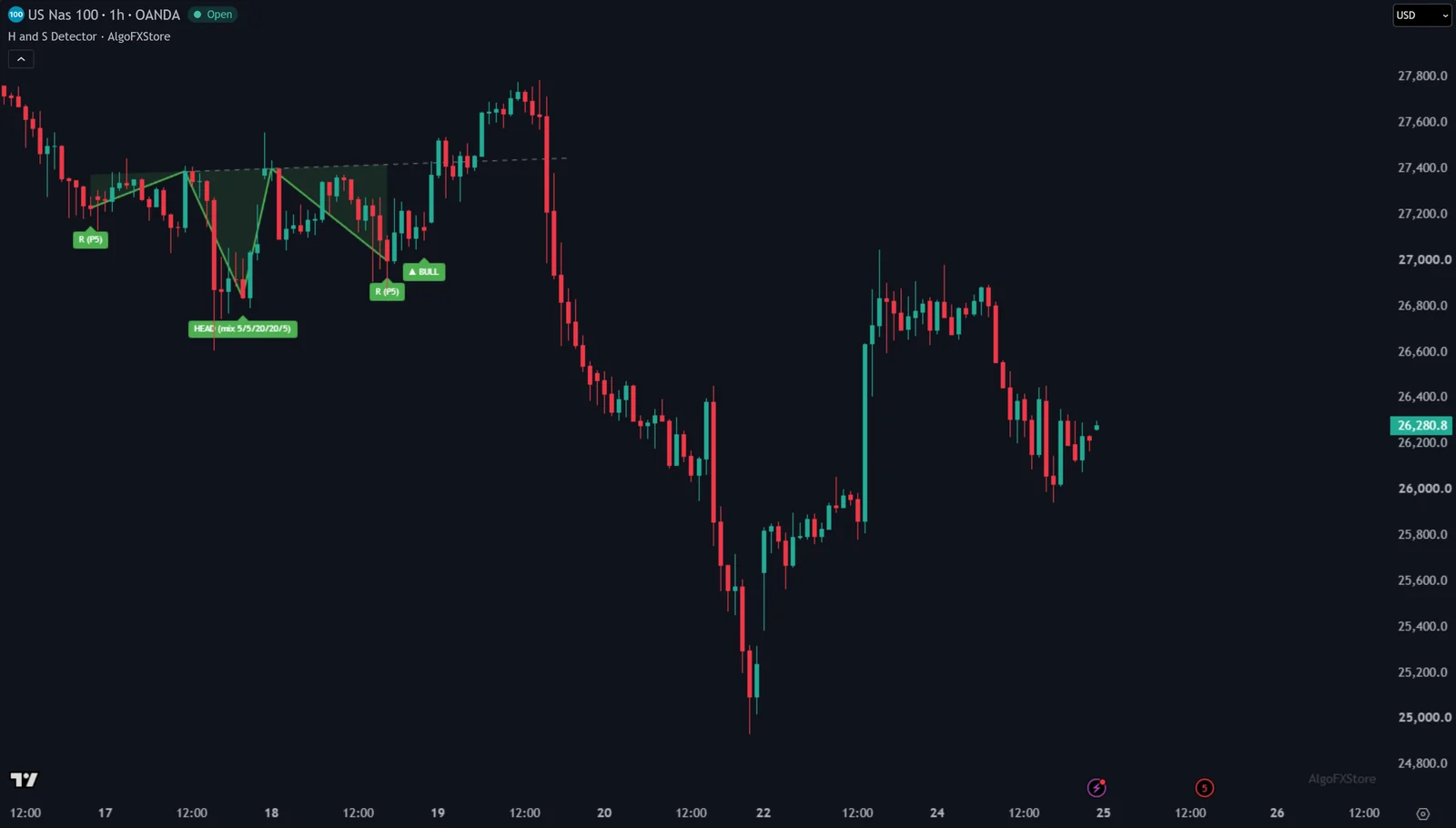
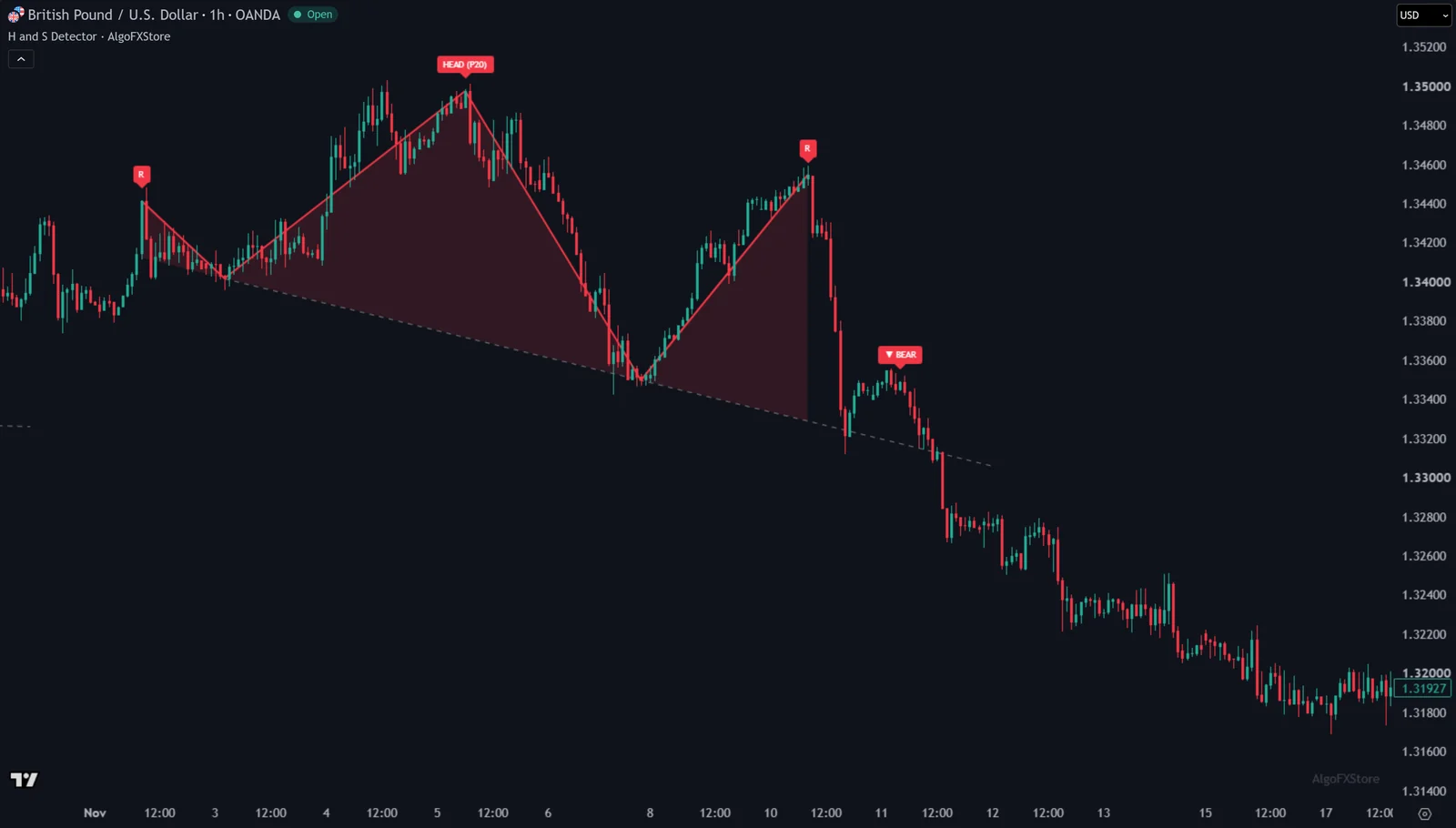
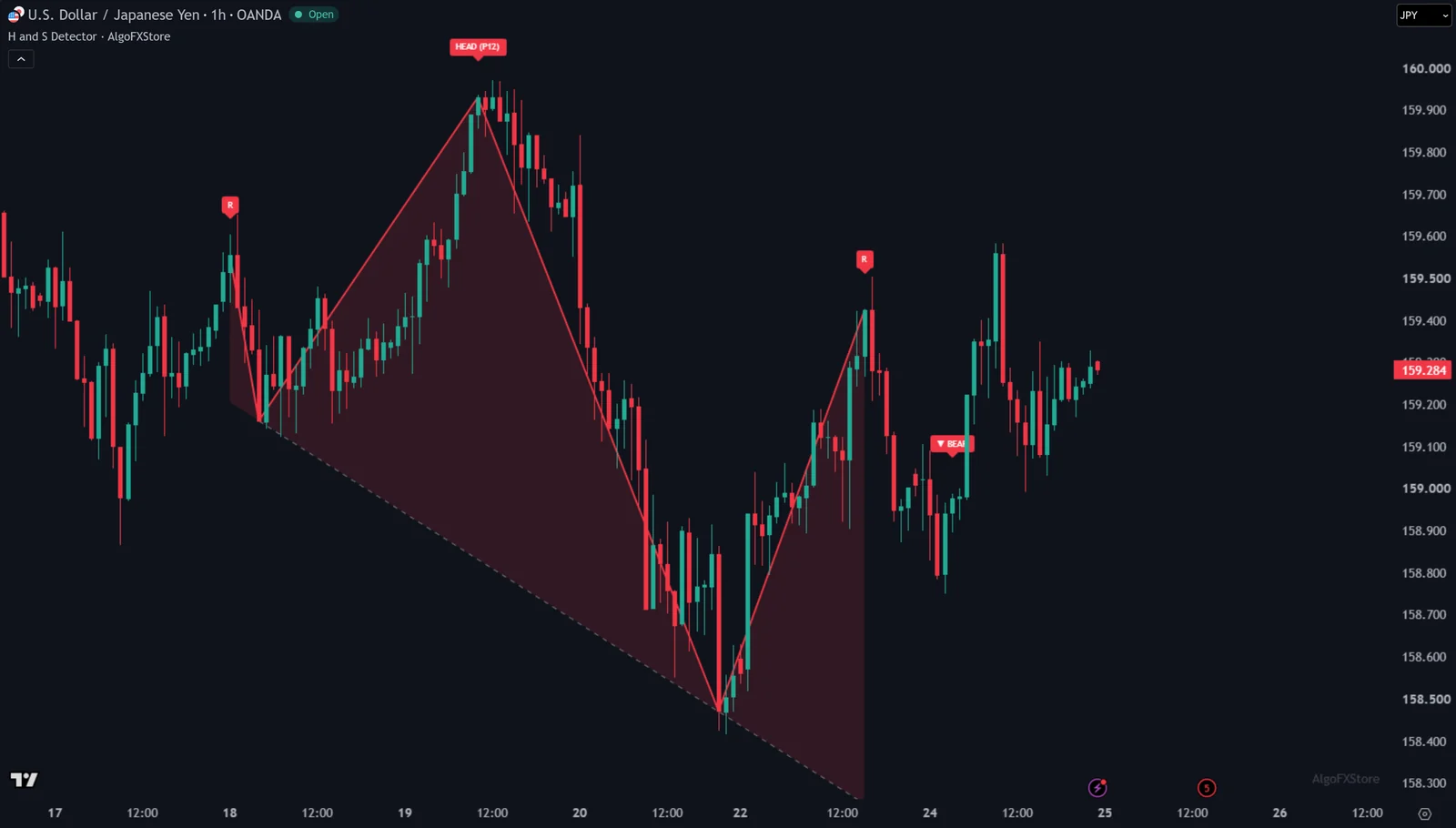
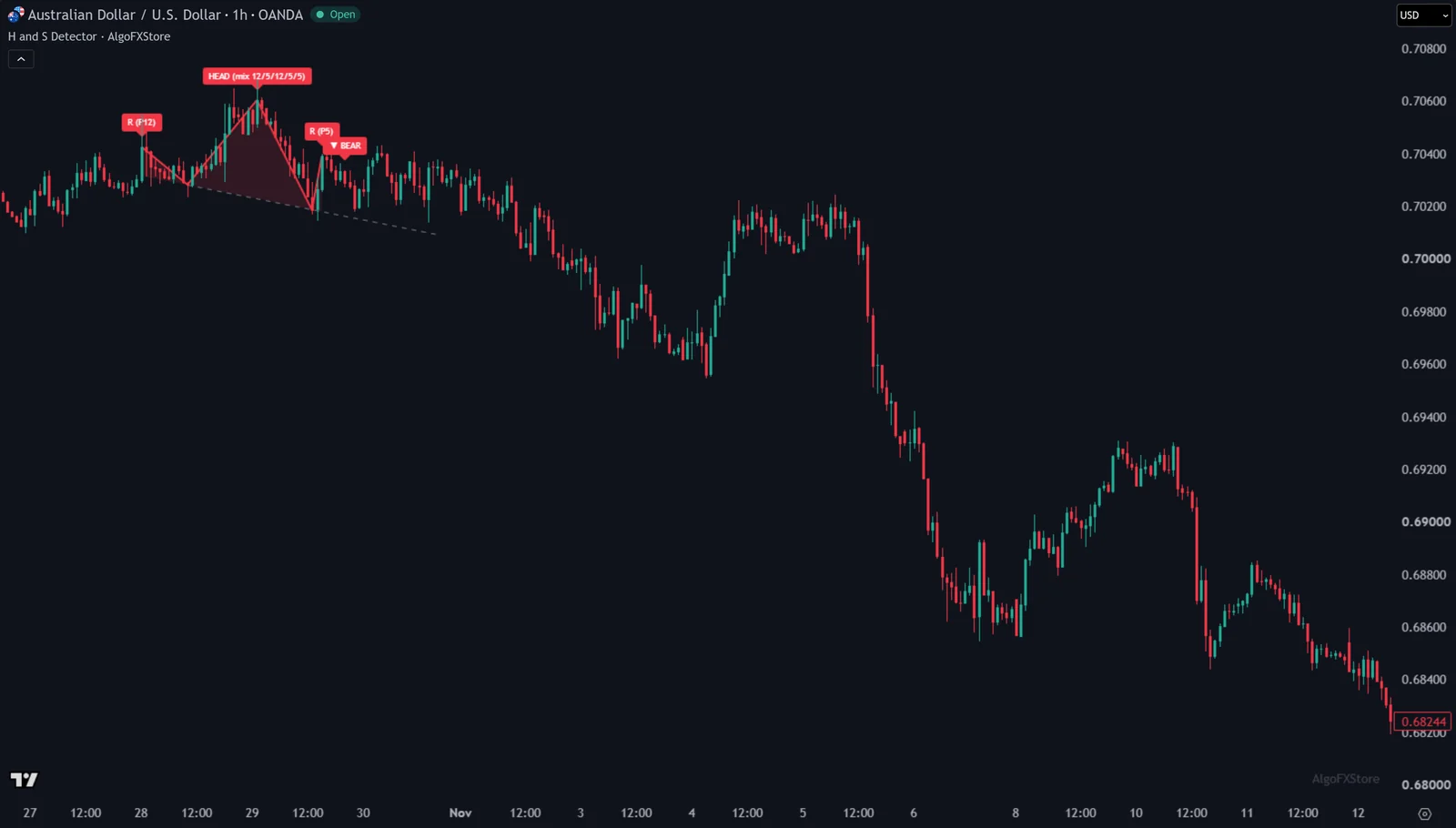
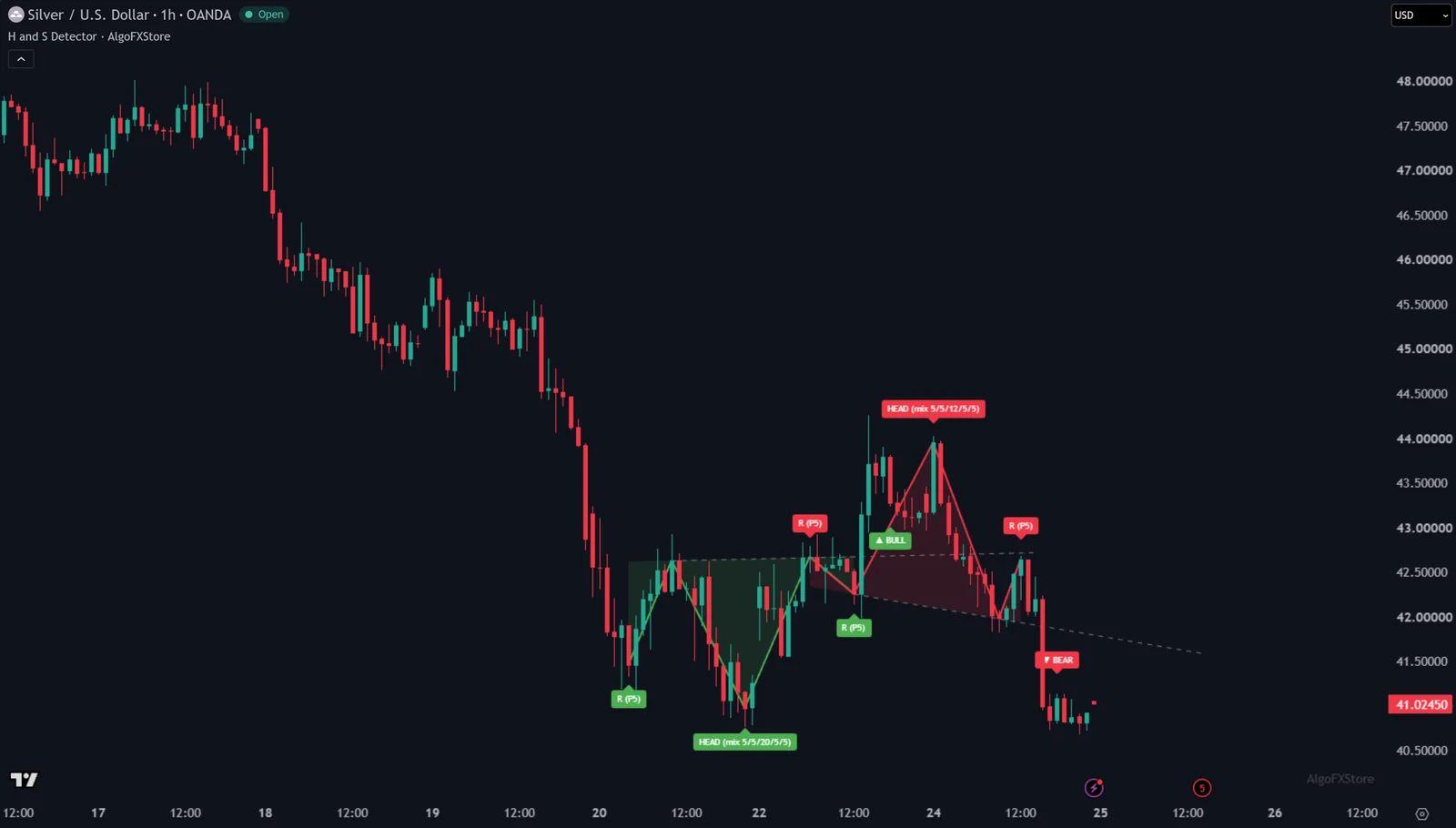
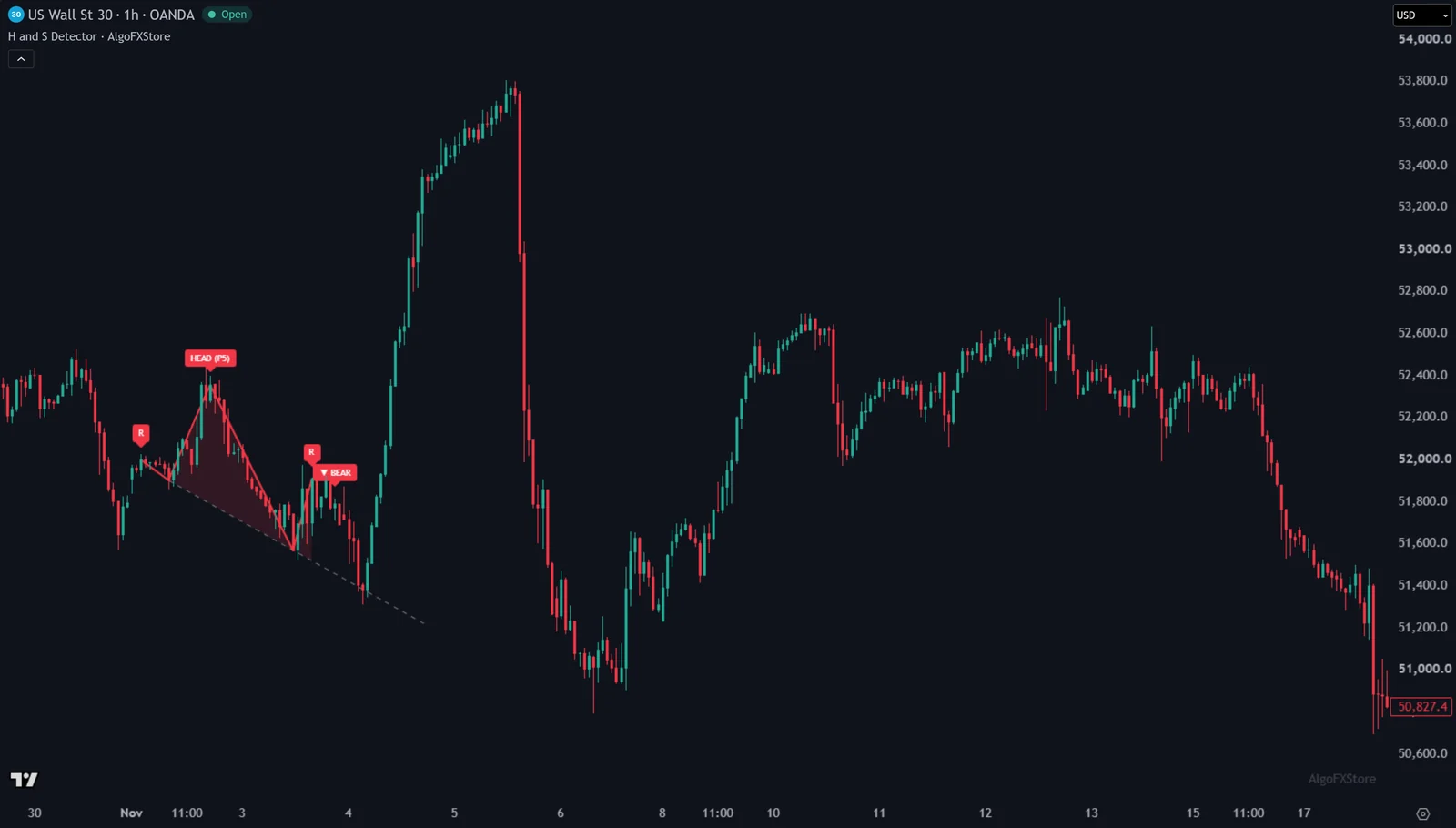
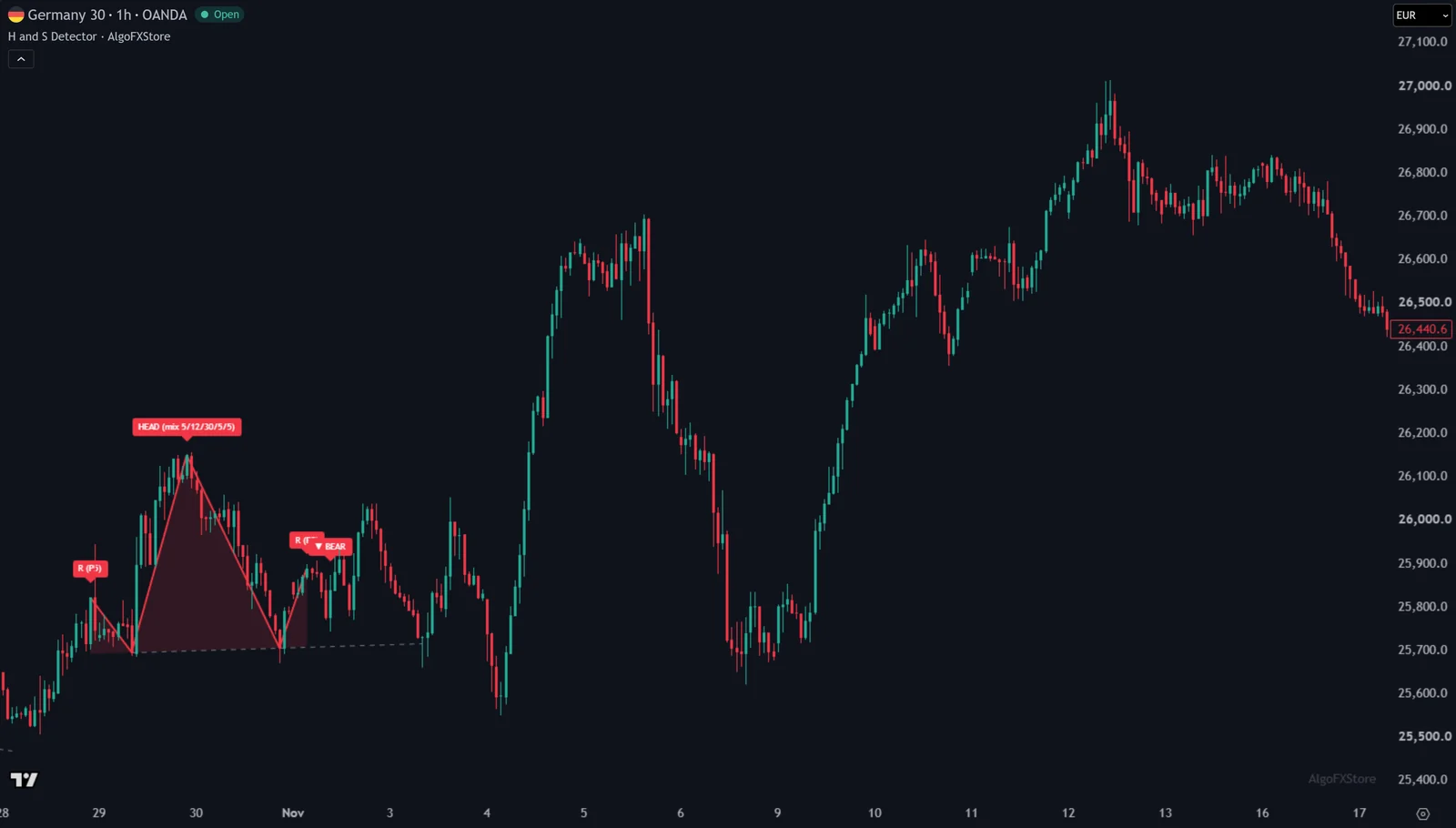
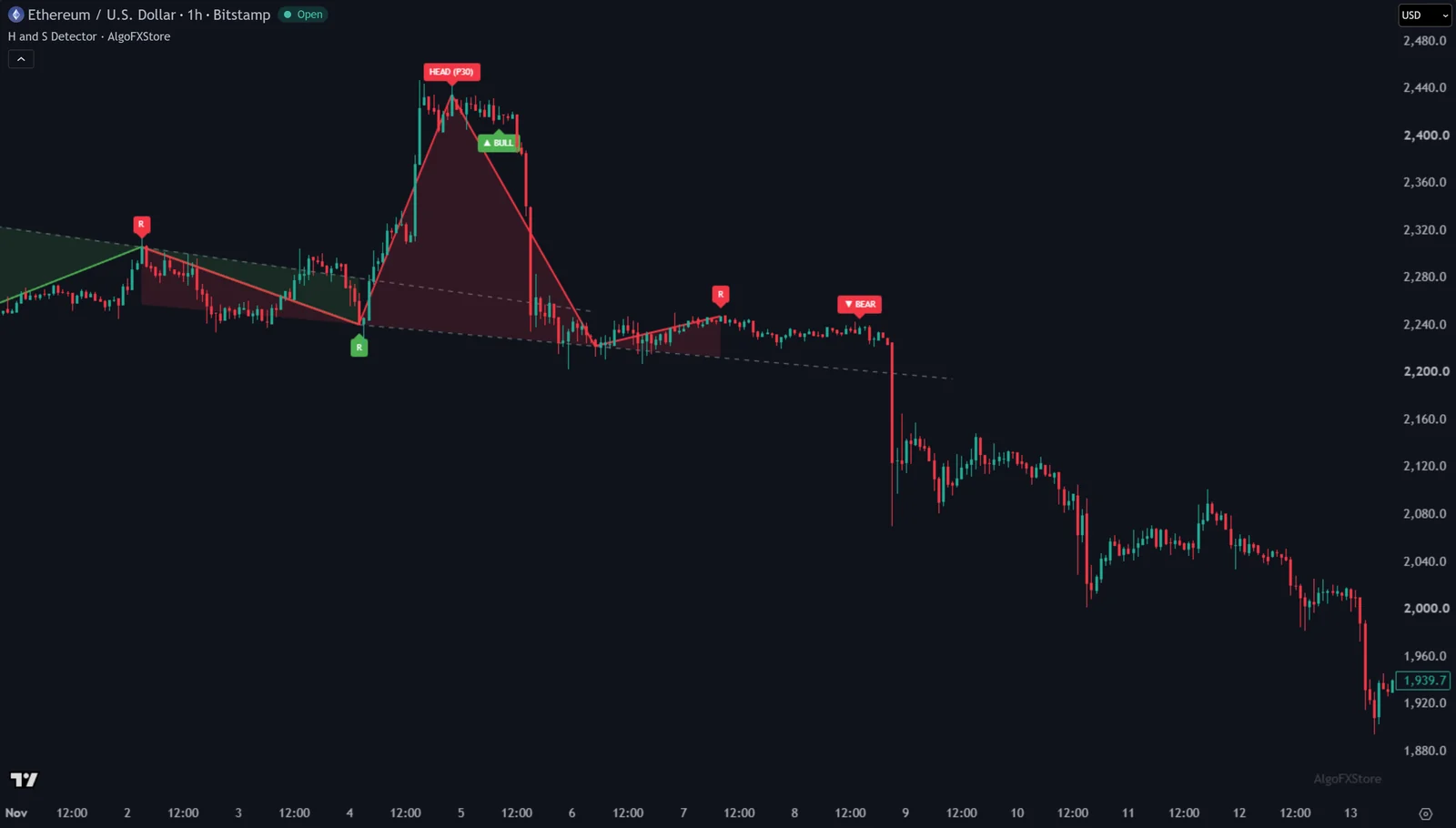
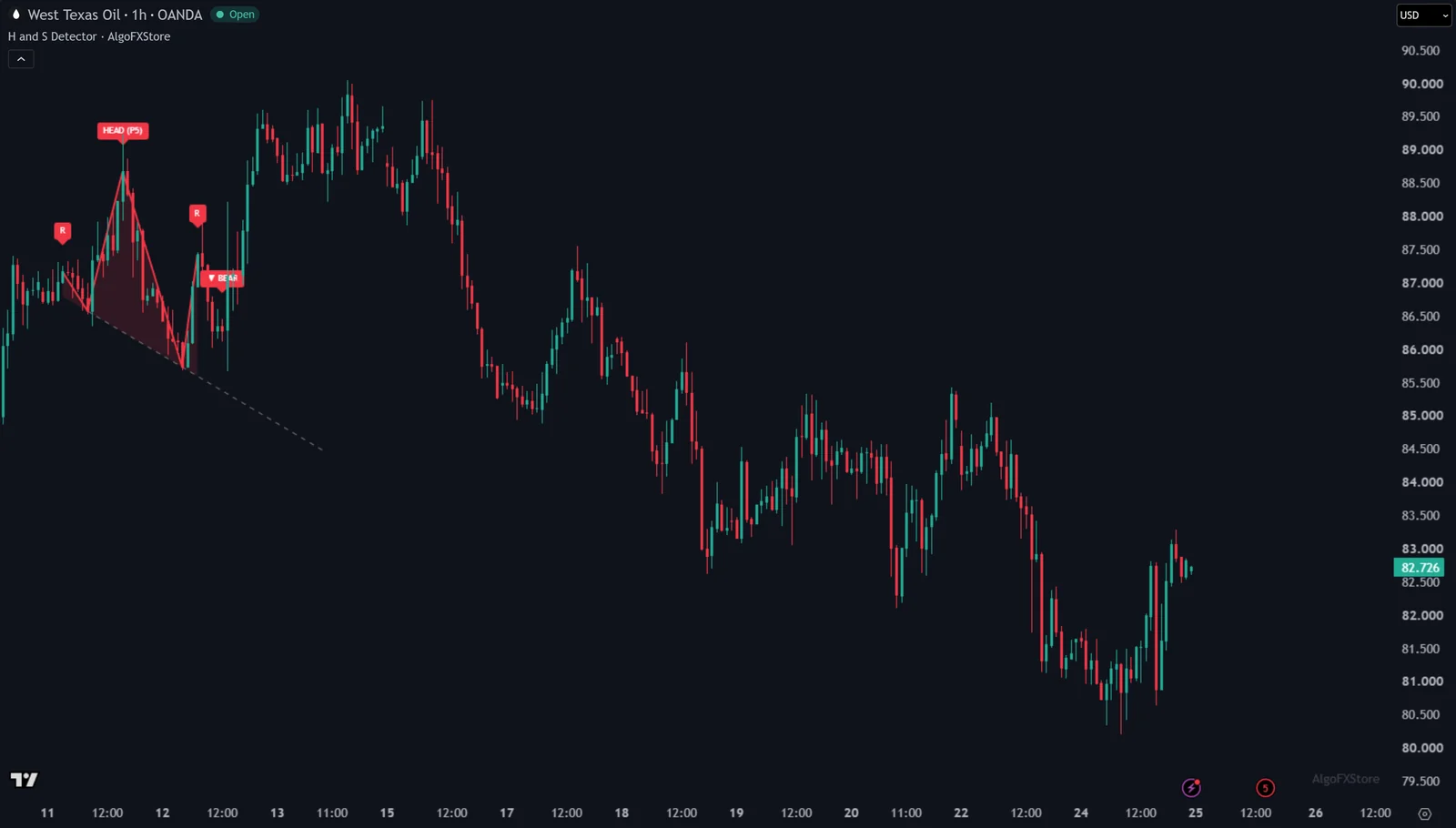
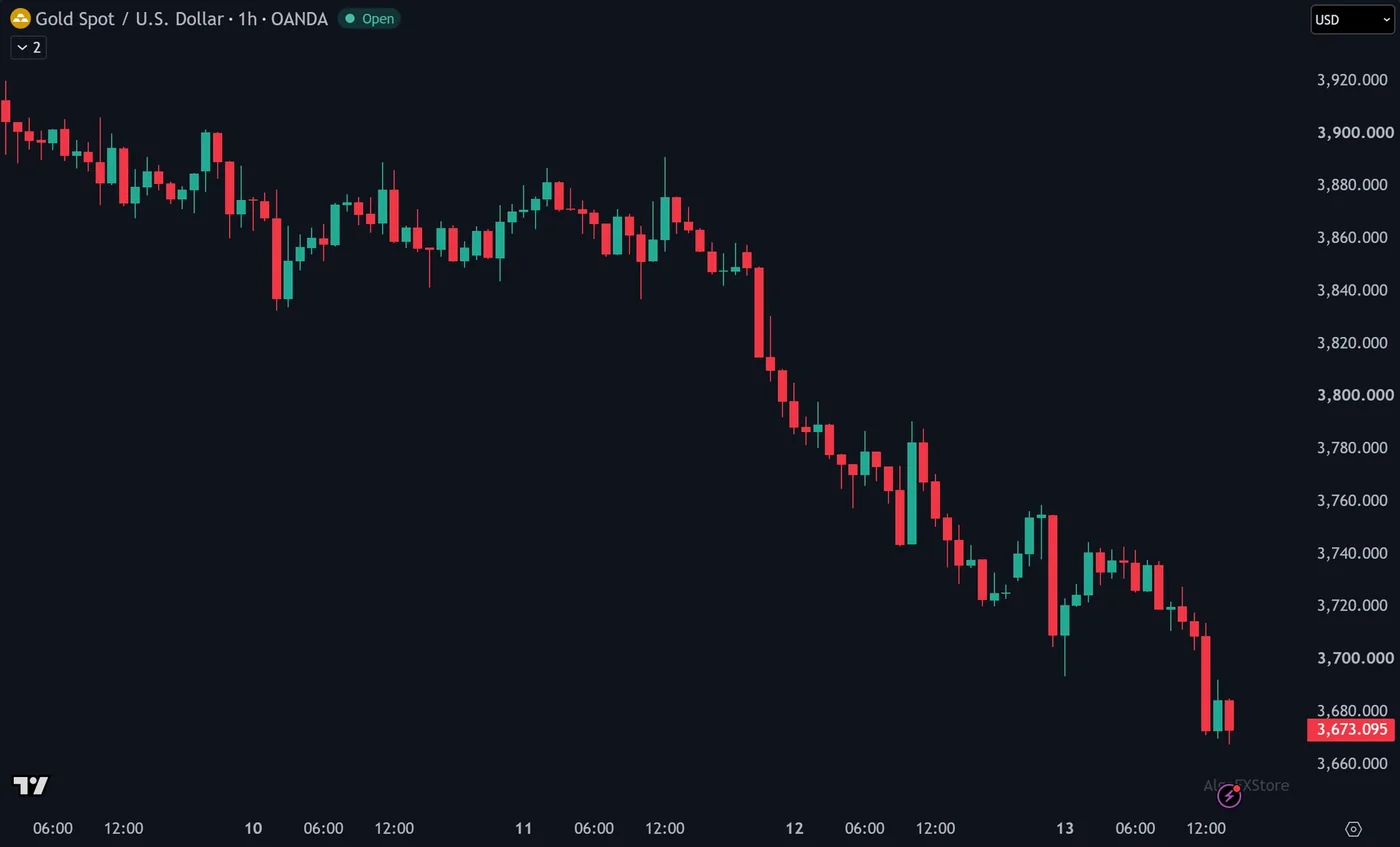
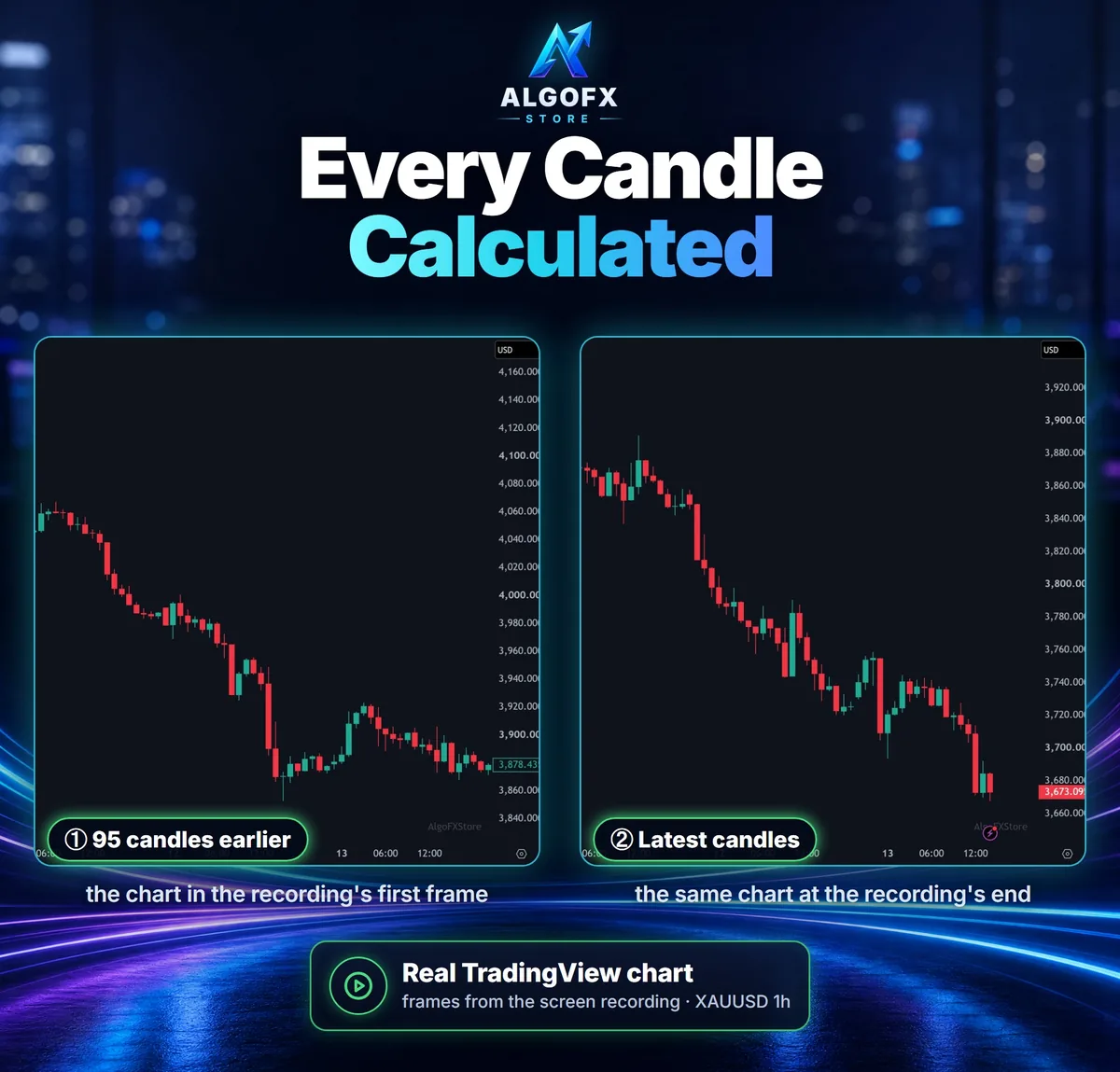
Head and Shoulders Detector on a real TradingView chart, frame by frame
Frames of a screen recording of the shipped indicator at its default settings, as the chart updates. Nothing is edited into the chart.
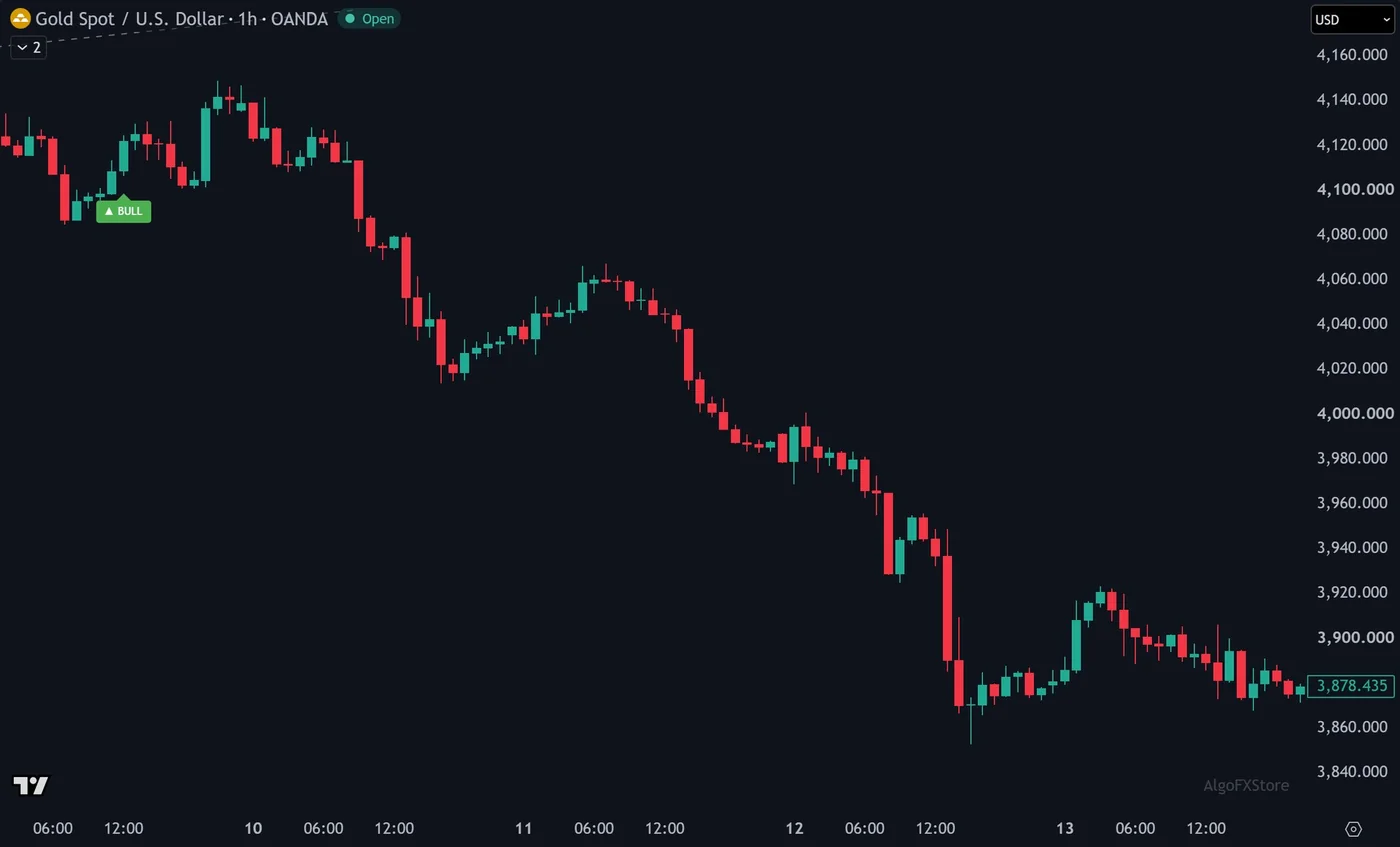
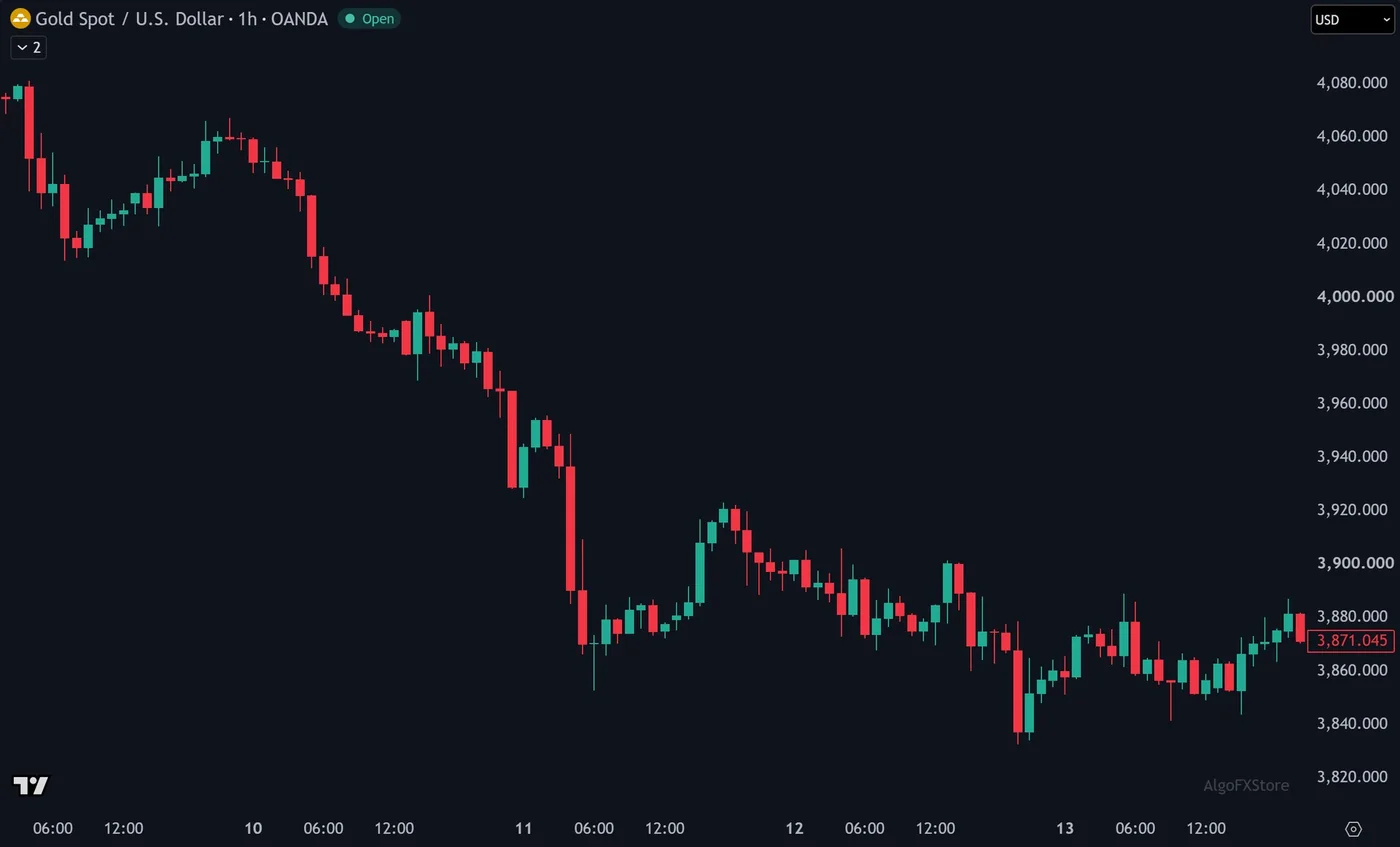
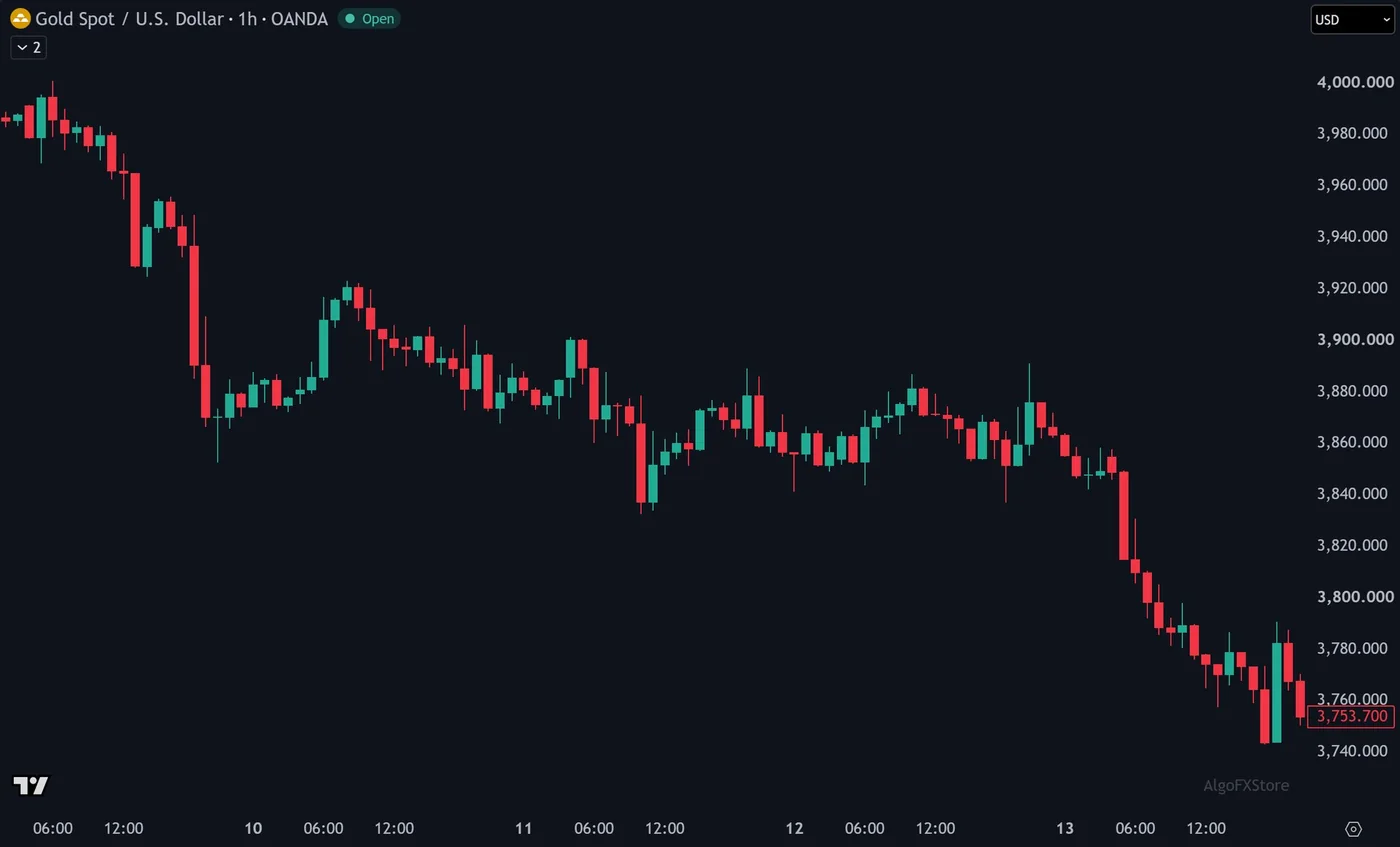
Reading a detected pattern the classic way
The indicator finds and draws the pattern and labels its completion. It draws no entry, stop or target; this is the classic reading from the PDF guide, which you can test on a demo account first.
- 1
Wait for the closed candle
In the default mode a pattern can show on the forming candle and vanish if the candle turns, so act only after the close. If you prefer to wait for the break itself, turn on neckline mode: the pattern then appears only when a candle closes below the neckline of a top or above the neckline of an inverse.
- 2
Check the shape before you trust it
Skip patterns whose neckline slopes steeply against them, rising under a top or falling over an inverse, because the break comes late and the stop is wide. Skip tiny patterns compared with the ATR, patterns whose right shoulder only just passed the tolerance, and patterns against a strong trend still running on the higher timeframe.
- 3
Place the stop beyond the right shoulder
Many traders put the stop above the right shoulder of a top and below the right shoulder of an inverse, where the pattern is wrong. Size from that distance. The guide's gold example: an entry at 4,078 after the break and a stop at 4,103 is 25 dollars per ounce, which with 100 ounces per lot and a risk of 100 in account currency gives 0.04 lot.
- 4
Measure the classic projection yourself
The classic rule takes the height from the head to the neckline and projects it from the neckline in the direction of the break. The indicator does not draw it; measure it with TradingView's ruler. Expect a retest: price often comes back to the neckline, and sometimes breaks back through it.
- 5
Stay out of news spikes
A swing formed in a news spike can turn a single candle into a head. Many traders avoid entering on a pattern in the minutes around interest-rate decisions and employment or inflation data, and prefer breaks during the London or New York session. Stop for the day after two or three losses in a row.
Everything Head and Shoulders Detector does for you
Four swing sizes at once
Pivot 1 to Pivot 4 search 5, 12, 20 and 30-bar swings, each with its own head size and symmetry tolerance, and each can be switched off. Small and large patterns are found on the same chart.
Mixed swing sizes
Mix mode builds patterns whose five points come from different enabled swing sizes, such as 5 and 12-bar swings, with their own tolerances. The HEAD label shows the mix, for example 5/12/5/12/5.
Rules measured in ATR
Head size, shoulder symmetry, the prior trend and even the label offset are multiples of ATR(200), so the defaults scale from a quiet forex pair to gold or bitcoin without retyping price distances.
Close-based swings by default
Swings come from closing prices, so a single long wick, common on gold or around session gaps on indices, does not create a head. Switch Pivot source to High/Low for classic wick-based swings.
A clear drawing of every pattern
Outline in red for tops and green for inverse bottoms, a soft fill, a dashed grey neckline extended 20 bars past completion, HEAD and R labels at the points and a BEAR or BULL label on the completion candle.
Optional neckline confirmation
With Require neckline break confirmation on, a pattern signals only after a closed candle breaks its neckline within the waiting time, and patterns that never break are dropped without a drawing.
Alerts in two forms
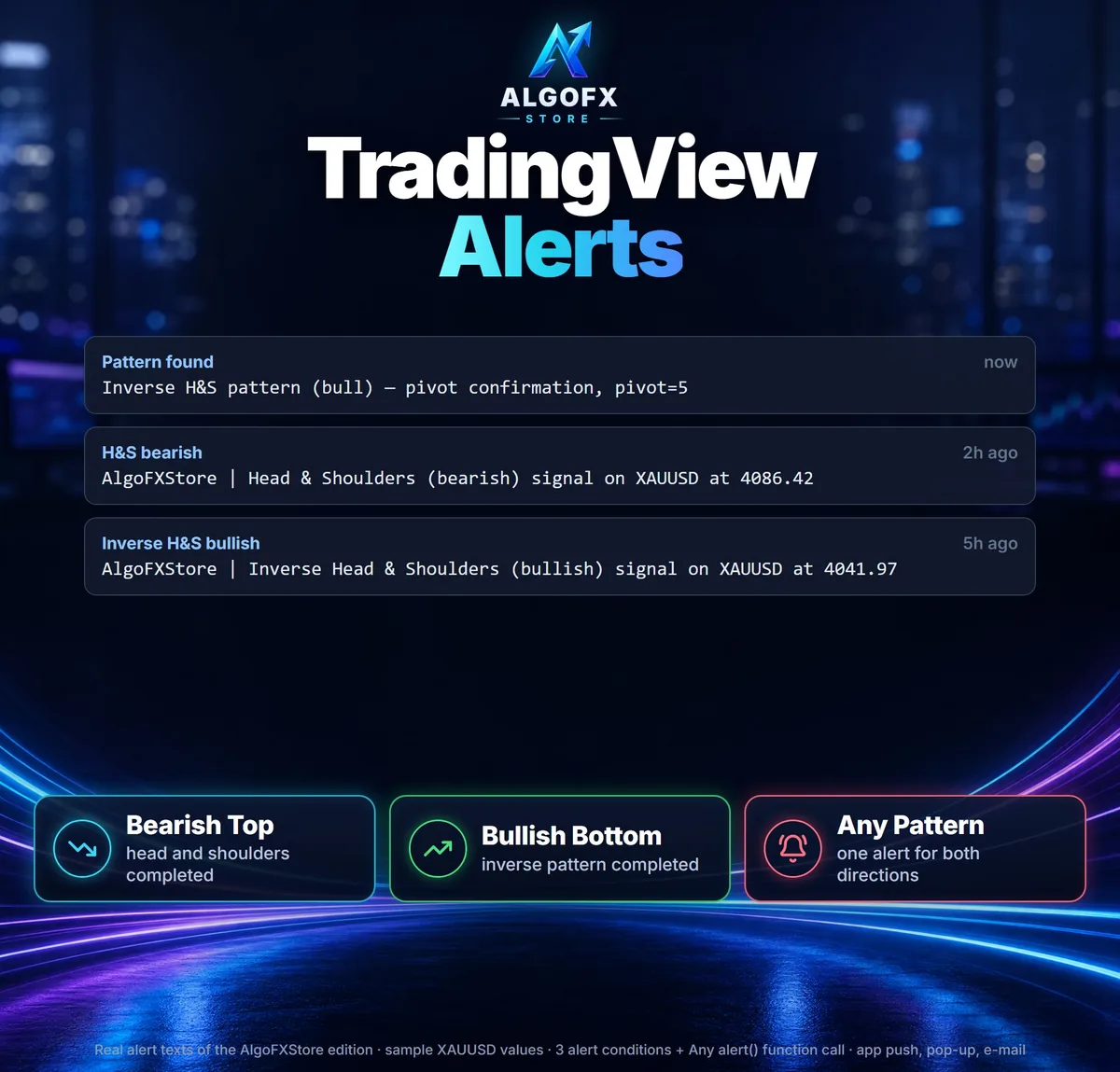
Three alert conditions, bullish, bearish and any pattern, plus alert() messages that name the direction and the swing size, sent once per bar close in the default mode and at the closed break in neckline mode.
Data for your own scripts
Three hidden series, bt_buy_score, bt_sell_score and bt_pattern_len, mark completions and the swing size. You can read them from another Pine Script of your own, for example a strategy that tests the patterns.
Head and Shoulders Detector, feature by feature
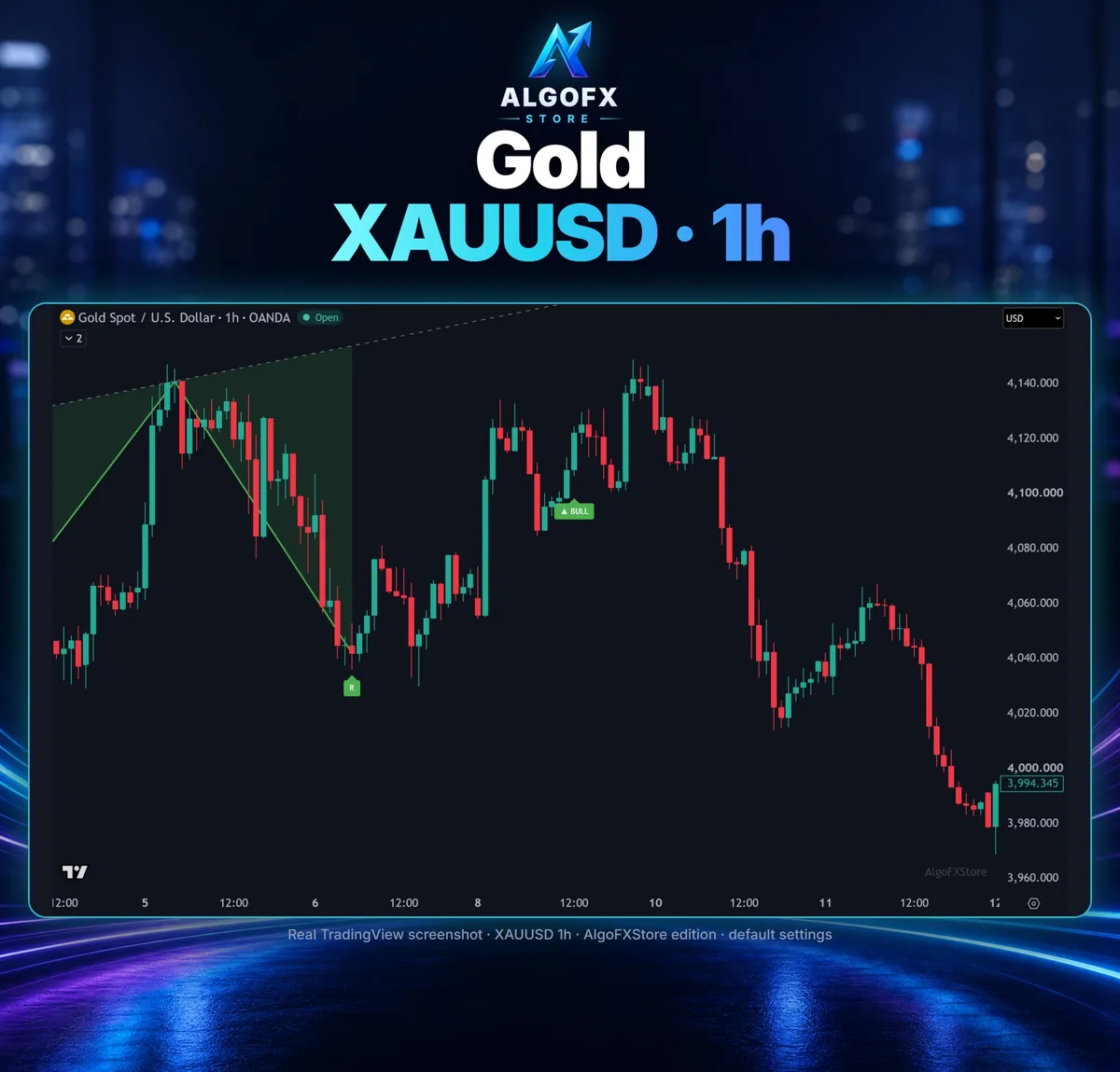
Each picture is built from real platform screenshots of the shipped indicator at its default settings, labelled so you can see what every part does. Tap any picture to open it full size.



How traders put it to work
Gold on 1 hour and 4 hours
Gold makes sharp spikes, and the default Close pivot source keeps wicks out of the pattern. On 1 hour the default swing sizes give patterns of about a day to two weeks, the classic chart-pattern picture; 4 hours suits swing trading.
Forex pairs
On EURUSD and other pairs 1 hour to 4 hours is the guide's suggestion, and 15 minutes works for intraday. In quieter pairs the 1.5 ATR head size of the small swings matters; switch Pivot 1 off if the chart shows too many small patterns.
Indices and stocks
15 minutes to 1 hour on NAS100, daily charts for stocks. Session gaps can create swings, and the close-based pivots help there. For only the largest patterns keep Pivot 3 and Pivot 4 and switch mix mode off.
Crypto
Bitcoin and other coins trade around the clock, so patterns form at any hour. 1 hour to 4 hours is the starting point. The ATR-based tolerances follow crypto's larger moves without any change to the inputs.
Every setting, with its default
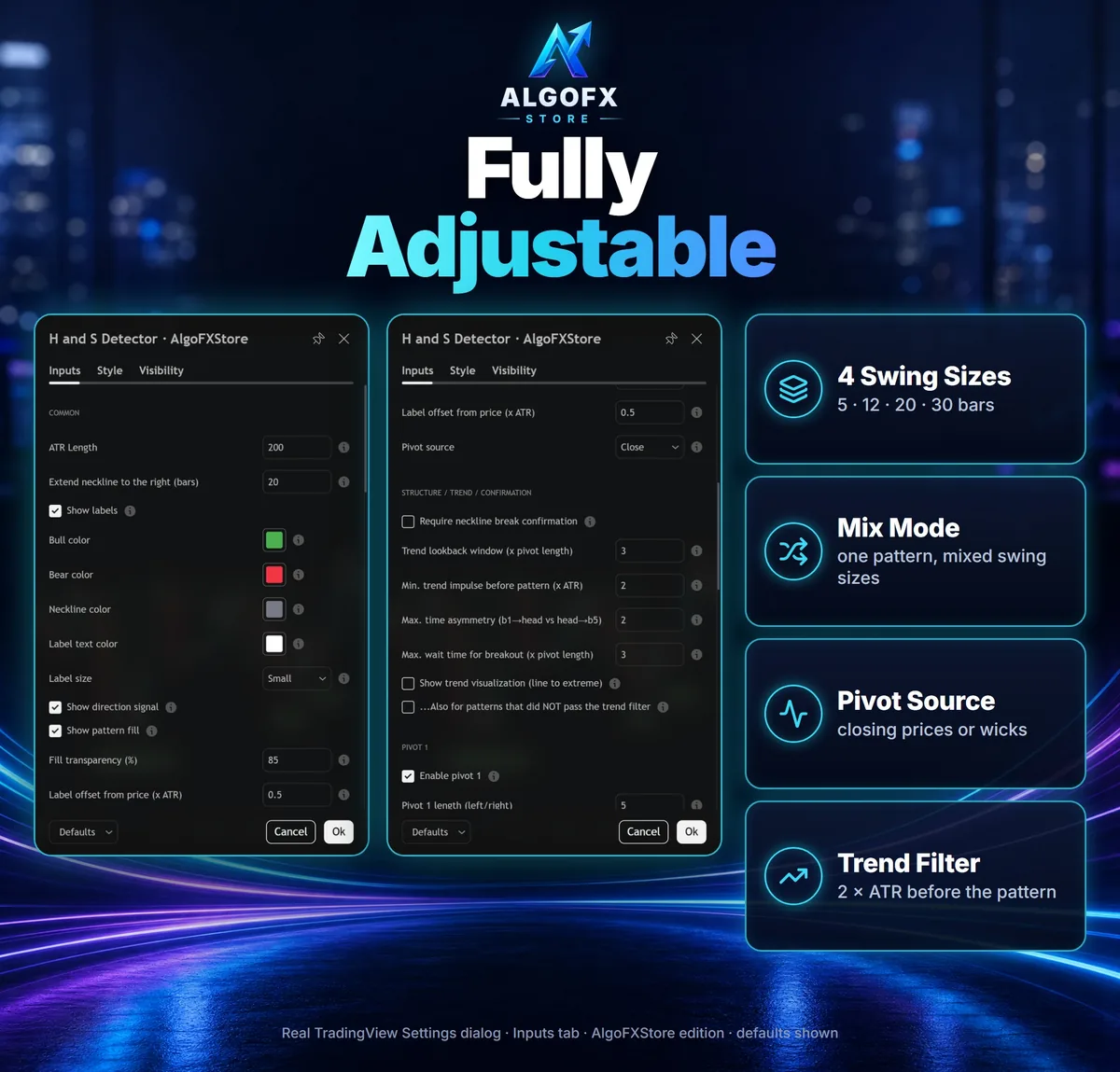
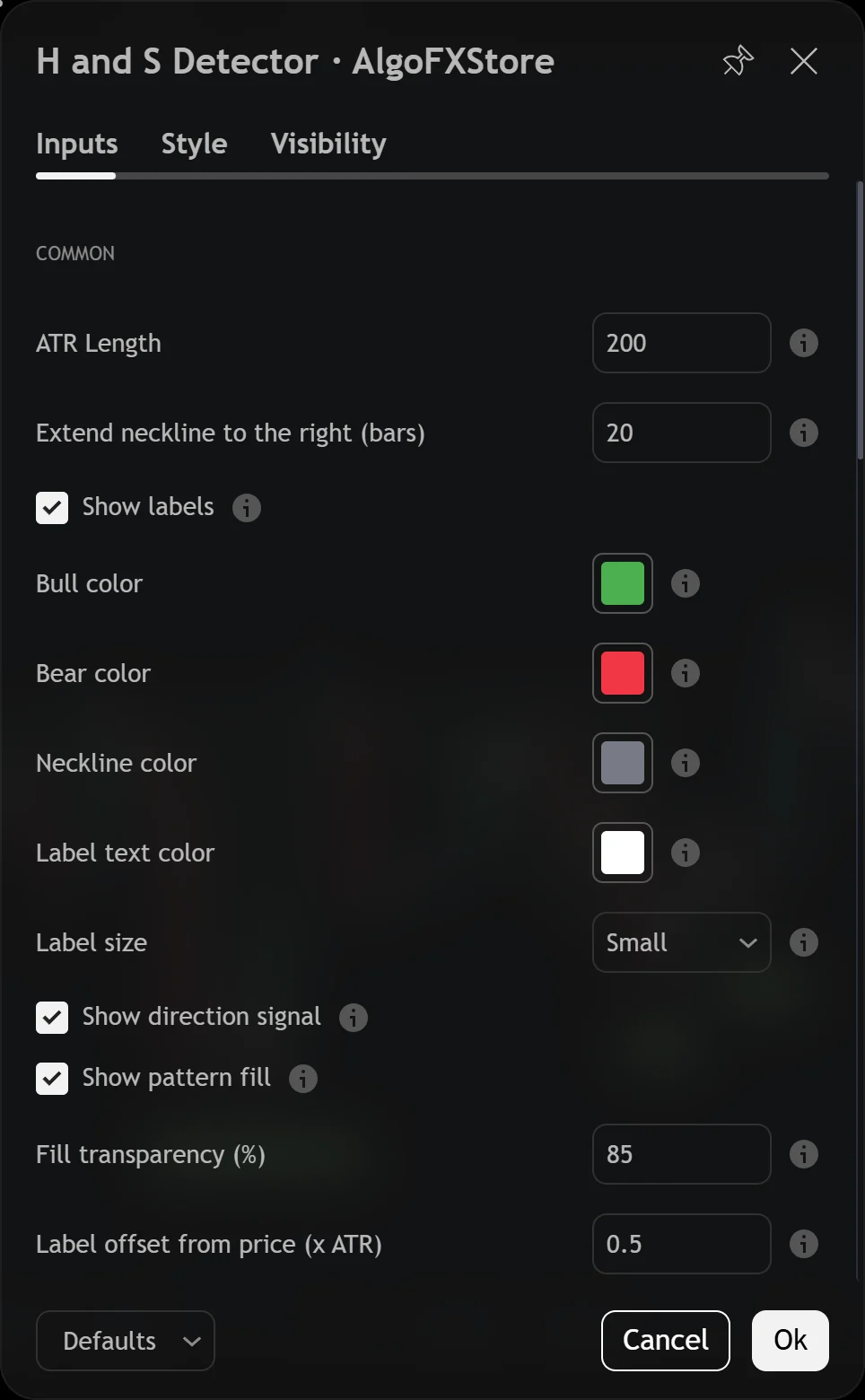
The names are the ones in the script's Settings dialog in TradingView (Inputs tab); the defaults are what every chart on this page uses. Open a group to see its settings.
Common (13)
| Setting | Default | What it does |
|---|---|---|
| ATR Length | 200 | ATR behind every tolerance (head size, shoulder symmetry, trend, label offset). |
| Extend neckline to the right (bars) | 20 | How far the dashed neckline runs past the completion bar. |
| Show labels | on | HEAD and R (shoulder) labels. |
| Bull color | green | Inverse head and shoulders: outline, fill, labels, BULL signal. |
| Bear color | red | Head and shoulders top: outline, fill, labels, BEAR signal. |
| Neckline color | grey | Colour of the dashed neckline. |
| Label text color | white | Text colour of every label. |
| Label size | Small | Tiny, Small, Normal, Large, Huge. |
| Show direction signal | on | The BULL / BEAR label on the completion bar. |
| Show pattern fill | on | Soft fill between the pattern and the neckline. |
| Fill transparency (%) | 85 | 0 = solid, 100 = invisible. |
| Label offset from price (x ATR) | 0.5 | Distance of every label from its point. |
| Pivot source | Close | Close: swings from closing prices only. High/Low (wick): swings from highs and lows. |
Structure / Trend / Confirmation (7)
| Setting | Default | What it does |
|---|---|---|
| Require neckline break confirmation | off | On: the pattern is drawn and signals only when a closed bar closes beyond the neckline after the right shoulder. Off: it signals on the bar that confirms the right-shoulder pivot. |
| Trend lookback window (x pivot length) | 3 | How far before the left shoulder the trend extreme is searched. |
| Min. trend impulse before pattern (x ATR) | 2 | Minimum move from that extreme into the left shoulder; 0 = no trend filter. |
| Max. time asymmetry (b1 to head vs head to b5) | 2 | Longest allowed ratio of the two halves of the pattern in bars. |
| Max. wait time for breakout (x pivot length) | 3 | Neckline mode: bars to wait for the break before the pattern is dropped. |
| Show trend visualization (line to extreme) | off | Dotted line from the trend extreme to the left shoulder with its size in ATR. |
| ...also for patterns that did NOT pass the trend filter | off | Also draws orange lines for shapes that failed the trend filter (for tuning). |
Pivot 1 (4)
| Setting | Default | What it does |
|---|---|---|
| Enable pivot 1 | on | Patterns from 5-bar swings. |
| Pivot 1 length (left/right) | 5 | Bars on each side of a swing. |
| Shoulder symmetry tolerance 1 (x ATR) | 1.5 | Max difference between the shoulders. |
| Min. head deviation 1 (x ATR) | 1.5 | Min distance of the head beyond both shoulders. |
Pivot 2 (4)
| Setting | Default | What it does |
|---|---|---|
| Enable pivot 2 | on | Patterns from 12-bar swings. |
| Pivot 2 length (left/right) | 12 | Bars on each side of a swing. |
| Shoulder symmetry tolerance 2 (x ATR) | 3 | Max difference between the shoulders. |
| Min. head deviation 2 (x ATR) | 1.5 | Min distance of the head beyond both shoulders. |
Pivot 3 (4)
| Setting | Default | What it does |
|---|---|---|
| Enable pivot 3 | on | Patterns from 20-bar swings. |
| Pivot 3 length (left/right) | 20 | Bars on each side of a swing. |
| Shoulder symmetry tolerance 3 (x ATR) | 3 | Max difference between the shoulders. |
| Min. head deviation 3 (x ATR) | 2 | Min distance of the head beyond both shoulders. |
Pivot 4 (4)
| Setting | Default | What it does |
|---|---|---|
| Enable pivot 4 | on | Patterns from 30-bar swings. |
| Pivot 4 length (left/right) | 30 | Bars on each side of a swing. |
| Shoulder symmetry tolerance 4 (x ATR) | 4 | Max difference between the shoulders. |
| Min. head deviation 4 (x ATR) | 2 | Min distance of the head beyond both shoulders. |
Mix Mode (4)
| Setting | Default | What it does |
|---|---|---|
| Enable mix mode (different pivot lengths in one pattern) | on | Also builds patterns whose five points come from different enabled swing sizes. |
| Shoulder symmetry tolerance (mix, x ATR) | 2 | Shoulder tolerance for mixed patterns. |
| Min. head deviation (mix, x ATR) | 1 | Head size for mixed patterns. |
| Max. number of pivots in merged history | 100 | Recent swings of all sizes kept for mix mode (10-100). |
AlgoFXStore (1)
| Setting | Default | What it does |
|---|---|---|
| Show AlgoFXStore badge | on | Small AlgoFXStore name in the bottom-right corner. |
The alert events, one by one
In TradingView: Create alert, choose “Head and Shoulders Detector [AlgoFXStore]” as the condition and pick the event. TradingView then notifies you the way you set in that dialog: a pop-up in TradingView, a sound, the TradingView app on your phone or an e-mail.
- Inverse H&S (Bullish) Signal
- H&S (Bearish) Signal
- H&S / Inverse H&S Signal (Any)
- Pattern at pivot confirmation (default mode)
- Pattern at neckline break (option)
- Mixed-length pattern (default mode)
- Mixed-length pattern at neckline break (option)
Head and Shoulders Detector next to the usual options
Where it wins, and where it does not.
| Head and Shoulders Detector | Typical free head and shoulders indicator | Reading it by hand | |
|---|---|---|---|
| Swing sizes searched | 5, 12, 20 and 30 bars plus mixed sizes, at once | Usually one zig-zag length | Whatever your eye picks |
| Pattern rules | Head size, symmetry, timing and prior trend, all in ATR(200) | Often only the shape of the five points | Bent to fit the chart |
| Confirmation | Swing confirmation by default, optional closed neckline break | Varies | Your own judgement |
| Entry, stop and target | Not drawn; the pattern and its neckline only | Sometimes a projected target | Your own |
| Inputs | About forty settings in eight groups | A few | None |
| Cost | A one-time purchase | Free | Free, paid for in screen time |
Honest about who this fits
A good fit if you
- You trade chart patterns and want the head and shoulders found by fixed rules instead of by eye.
- You look at several swing sizes and want small and large patterns on the same chart.
- You trade gold, forex, indices or crypto on 15-minute to daily charts and want one set of rules for all of them.
- You are happy to decide the entry, the stop beyond the right shoulder and the target yourself.
- You write your own Pine Script and would like the completions as data series to test.
Not for you if you
- You want entries, stops and targets drawn for you: the indicator draws the pattern and its neckline only.
- You need a pattern that is final the moment it appears on a live candle in the default mode: wait for the close, or use neckline mode.
- You want a system that places trades: it draws and alerts, and the orders are yours.
- You want a simple tool with two inputs: the detector has many settings, although the defaults work as delivered.
The full code, one manual, installed in two minutes
- 1Pine Script source codeHead_and_Shoulders_Detector_TradingView_Code.txt (39 KB): the full code. Paste it into the Pine Editor and it appears as “Head and Shoulders Detector [AlgoFXStore]”.
- 13Page PDF manualInstallation, every setting with its default and how to read the chart.
- 41SettingsEvery one explained above, with the defaults the charts use.
- ✓Alert eventsYou choose which ones are on in the settings.
- 60Day money-back guaranteeIf it is not for you, request a full refund within 60 days through your Digistore24 order e-mail.
Install in five steps
- Download the zip from the page Digistore24 sends you to after checkout and unzip it.
- Open Head_and_Shoulders_Detector_TradingView_Code.txt in a text editor, select all and copy the whole code.
- In TradingView, open the Pine Editor, paste the code over everything that is there and click Save.
- Click Add to chart: “Head and Shoulders Detector [AlgoFXStore]” appears on your chart.
- Read the PDF manual; the defaults are the settings shown on this page.
Kestutis Balciunas
AlgoFXStore · chart indicators
Kestutis Balciunas builds and publishes chart indicators under the AlgoFXStore name. Every product page shows what the indicator draws on real charts, and every number on it comes from the shipped build.
The charts on this page were captured in TradingView from the shipped Head and Shoulders Detector [AlgoFXStore] at its default settings and are shown unedited.
No get-rich claims and no quoted win rates. Every trade is uncertain, and no indicator changes that. If you want to know whether it suits the way you trade before you buy, e-mail [email protected] and you will get a straight answer.
One price, one payment
- The full Pine Script source code of Head and Shoulders Detector and the 13-page PDF manual
- Delivered as a digital download: one zip with the code file and the PDF manual on your download page
- Return period: 60 days, with a full refund if it is not for you
- Free updates to the current version on the same download page
60-day money-back guarantee. Install it, run it on your own charts and read the manual. If Head and Shoulders Detector is not for you within 60 days of purchase, request a full refund from Digistore24, no questions asked: use the refund link in your Digistore24 order e-mail or Digistore24's order page digistore24.com/en/cancel-revoke-contract. Digistore24 refunds to your original payment method. It is a digital download: right after checkout you land on your download page, and the link to it is also in your Digistore24 order e-mail.
About the patterns
Does Head and Shoulders Detector repaint?
Patterns on closed candles stay; the script never deletes a drawing. Two things to know. Every pattern is drawn on its completion candle, with its five points in the past, because a swing is confirmed only after the candles that follow it. And in the default mode the right-shoulder swing is checked against the live candle's close, so a pattern can appear and disappear before the candle closes. The alert() messages wait for the close; neckline mode checks the break on closed candles only.
Why is the pattern drawn in the past?
A 12-bar swing is confirmed 12 candles after its peak, so the pattern can only be recognised then. The points stay where the swings were, and the BULL or BEAR label sits on the completion candle, 5 to 30 candles after the right shoulder by default and later still in neckline mode.
What do HEAD and R mean?
HEAD marks the head of the pattern, with the swing size in brackets, for example P12, or the mix of sizes. R marks a shoulder, left or right. The labels use the pattern colour: red for a top, green for an inverse bottom.
Why do I see fewer patterns in neckline mode?
That is normal. In neckline mode a pattern is drawn only if a candle closes beyond its neckline within 3 times the swing length. Patterns that never break are dropped without a drawing. The signal comes later, but only after the break has happened.
Tuning
The chart shows too many small patterns. What can I change?
Switch Pivot 1 off, or raise its Min. head deviation. For only the biggest patterns keep Pivot 3 and Pivot 4 and switch mix mode off. Raising Min. trend impulse before pattern also removes shapes that did not follow a real move.
I see no patterns at all. Why?
The indicator needs about 200 bars for ATR(200) plus enough swings, so load more history by scrolling left. Check that at least one Pivot group or mix mode is on. Lowering Min. trend impulse, or setting it to 0, lets more shapes through.
Should I use Close or High/Low as the pivot source?
Close, the default, builds swings from closing prices only, so long wicks cannot create a head; that helps on spiky markets such as gold and around index session gaps. High/Low builds swings from wicks, like a classic zig-zag, and can find patterns whose extremes were wicks.
Why did old patterns lose their fill or labels?
TradingView keeps a limited number of drawings per script: 500 lines, 500 labels and 100 filled shapes. When the limit is reached, the oldest objects are removed first, so very old patterns can lose their fill or labels before their lines.
Setup and alerts
Which timeframe should I use?
Any. The tolerances are in ATR and the swing sizes in bars, so the indicator works from 15 minutes to daily charts. On 15 minutes patterns span hours to a few days, on 1 hour days to weeks, on 4 hours and daily weeks to months.
Which alerts can I create?
Three alert conditions: Inverse H&S (Bullish) Signal, H&S (Bearish) Signal and H&S / Inverse H&S Signal (Any); set them to Once Per Bar Close. Or choose Any alert() function call for messages that also name the swing size or the mix, sent at the bar close.
Does it work on TradingView's free plan and on mobile?
Yes. It uses no request.security calls and no other timeframe, only the chart's own bars, and alerts work within your plan's limit. Add it on the web or desktop; once saved, it shows on your charts in the mobile app too.
Can I use the patterns in my own strategy script?
Yes. The hidden series bt_buy_score and bt_sell_score are 1 on an inverse or top completion, and bt_pattern_len gives the swing size, 999 for mix mode. They are not drawn on the chart, but another Pine Script of your own can read them.
How it works
Will it place trades for me?
No. Head and Shoulders Detector is an indicator: it draws on the chart and can alert you. It never sends an order.
Which markets and timeframes does it work on?
Any symbol and timeframe: head size, shoulder tolerance and trend filter are in ATR(200), so the defaults scale across markets; swing sizes are in bars (5, 12, 20, 30). On 15 minute charts the patterns span hours to a few days, on 1 hour charts days to weeks, on 4 hour and daily charts weeks to months. Needs about 200 bars for ATR(200) plus enough swings: a few hundred bars.
Do I need a paid TradingView plan?
No. It reads only the chart's own bars, so the free TradingView plan runs it. Alerts count against your plan's alert limit.
After you buy
How do I get it after paying?
Digistore24 runs the checkout. Right after payment it takes you to your download page with one zip holding the Pine Script source code file and the PDF guide; the link to that page is also in your Digistore24 order e-mail, so you can download again at any time.
How do I install it?
Open the code file, open the Pine Editor in TradingView, paste the whole code, click Save and then Add to chart: “Head and Shoulders Detector [AlgoFXStore]” appears on your chart. The guide walks through it step by step.
Who is Digistore24?
Digistore24 is the reseller that sells Head and Shoulders Detector for Kestutis Balciunas (AlgoFXStore): it runs the checkout, charges your card or PayPal, collects the VAT for your country and delivers the download. Its name is the one on your statement, and its order e-mail holds your download link and the refund link.
What is the refund policy?
A 60-day money-back guarantee, handled by Digistore24. If Head and Shoulders Detector is not for you within 60 days of purchase, use the refund link in your Digistore24 order e-mail or Digistore24's order page (digistore24.com/en/cancel-revoke-contract) for a full refund, no questions asked. Digistore24 makes the refund to your original payment method.
Do I get the source code?
Yes. You get the full Pine Script source code as a text file for your own use; the licence line at the top of the code does not allow resale, sharing or republishing.
Head and Shoulders Detector for TradingView.
Put every head and shoulders that meets fixed rules on your chart, with its neckline, and spend your time on the decision instead of the search. The full code, the manual and every setting explained. Instant download for €47, one payment.
Get instant access